

For shopping mall digital signage, give each screen a job before choosing its size or pixel pitch. An entrance screen needs to catch people as they approach. An atrium wall may need to read across several floors. A concourse display has only a few seconds to reach shoppers who are walking past. Put the locations in one screen schedule and define how the mall will publish, monitor, and service them. Each screen can then be selected for its location.
This guide is for a mall operations team preparing a request for quotation. The scope is direct-view LED in shared areas, with provision for other displays that need to use the same content system. The deliverables are a screen schedule, a plan for publishing by zone, a comparable set of bids, and acceptance tests the team can witness.
1. Give each zone a job
01. Build a shopping mall digital signage screen schedule
Walk the property before drawing screen rectangles on a floor plan. Follow the routes from parking, street entrances, and transit access through to the first decision points. At each candidate location, write down the message people need, the direction they approach from, where they can safely pause, and what blocks the view. An escalator landing and a seating area may be a few meters apart and still give viewers very different amounts of time to read.
Assign a stable ID to every endpoint, such as E01 for the east entrance, A01 for the atrium, and C01 for the first concourse junction. Keep that same ID on the drawing, in the quote, in the content management system, and on the equipment label. For shopping mall digital signage that will be installed in phases, include the floor and zone as separate fields. The team can then add a screen or change a playlist without renaming nearby devices.
Write each row so a bidder can propose a change and you can judge it. An illustrative C01 row might specify a portrait display before the east escalators, a 3 to 7 m (10 to 23 ft) reading zone, a store name and floor arrow, and front access from the concourse. Add a plan reference and a photo taken from the first point where shoppers should see it. A vendor can then explain what a proposed change in height or orientation does to the approach view.
| المدينة المنورة - بجوار المسجد النبوي | وظيفة نموذجية | Formats to evaluate | ما يجب التحقق منه في الموقع |
|---|---|---|---|
| Street entrance or glazed lobby | Announce a campaign, event, or opening hours | Outdoor-rated fixed LED for exposed sites, or a display inside the glazing | Daylight and reflections from the approach path, weather exposure, and visibility after dark |
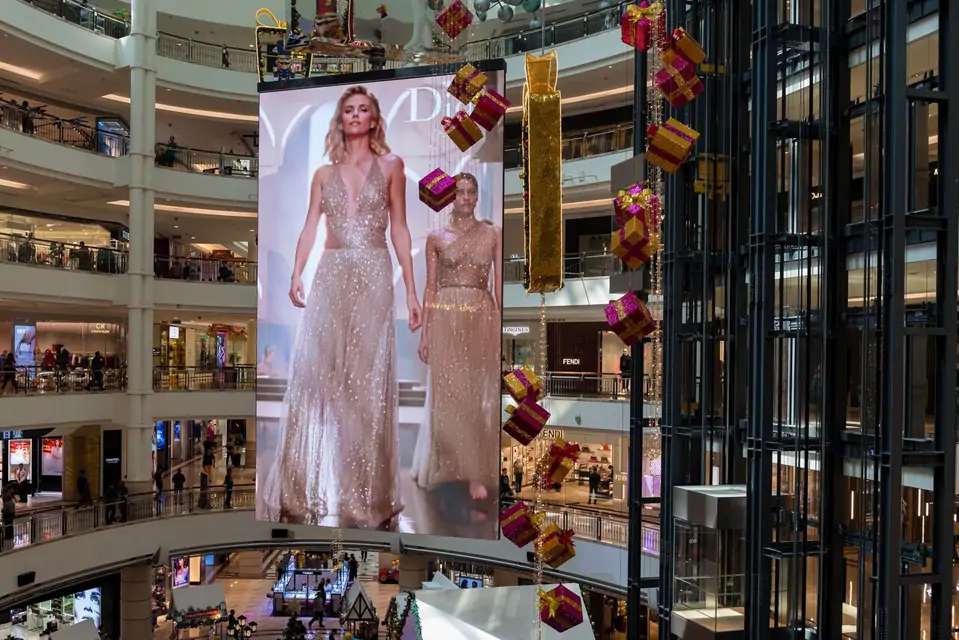
| الأذين | Show high-impact media or information across several levels | Fixed wall, suspended display, or a screen with multiple faces where sightlines justify it | View from balconies and below, support points, and access for service and replacement |
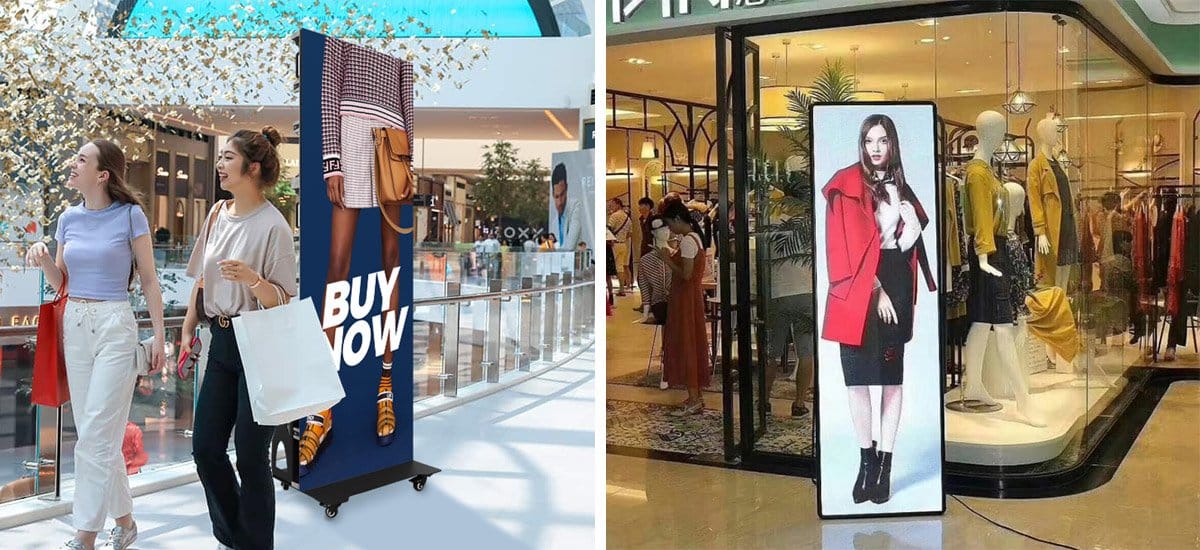
| Concourse or lift lobby | Deliver a short promotion, directional cue, or local tenant message | Portrait LED poster or a wall-mounted display with a shallow installed profile | Reading time while walking, obstruction by queues, reflection, and circulation clearance |
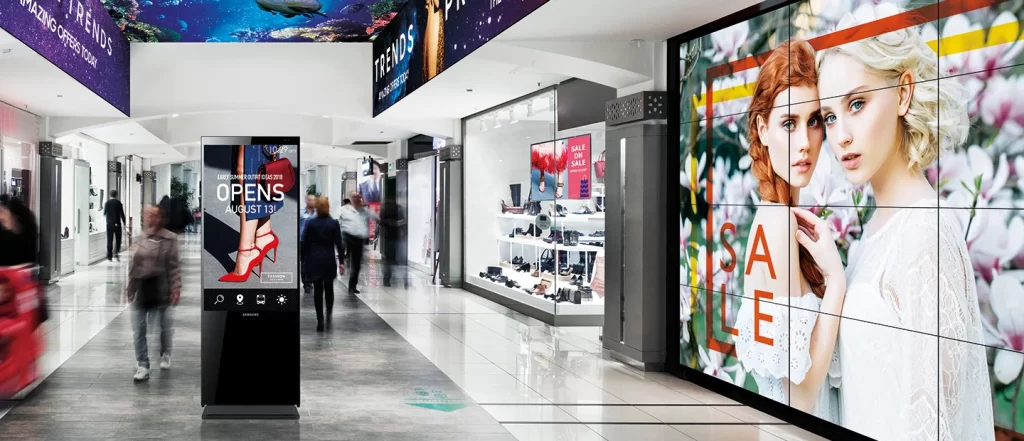
| Directory or information point | Help visitors search for a tenant or plan a route | Appropriately sized interactive kiosk, often LCD, with compatible directory software | Readable text, touch reach, map ownership, and how tenant updates reach the kiosk |
02. Decide what should stay visible
If a directional message has to be available whenever visitors need it, give it a persistent location. A shopper who reaches a junction halfway through a promotion should still be able to find the elevator or exit using the site’s permanent wayfinding. In a shopping mall digital signage layout, use the large LED surface for short messages suited to its viewing distance. Put searchable tenant listings and detailed maps at information points where a visitor can stop. EagerLEDالصورة دليل شاشات LED للبيع بالتجزئة shows the individual display formats that can fill these roles.
2. Specify the display for its location
01. Match the pixel canvas to real content
Start with the closest position where the smallest planned text must be readable and the farthest position it needs to serve. The nearest position helps you judge pixel pitch and visible texture. The farthest helps determine physical letter and graphic size. From an upper balcony, the screen’s vertical viewing angle and obstructions also matter. For shopping mall digital signage, send bidders an actual promotion and a short directional message. Ask them to show both at native resolution and from the priority viewing positions.
Consider a hypothetical atrium LED wall with an active area of 4.8 × 2.7 m (15.7 × 8.9 ft). At a nominal 2.5 mm pitch, dividing the active dimensions in millimeters by the pitch gives a theoretical canvas of 1,920 × 1,080 بكسل. At a nominal 2.0 mm pitch, it gives 2,400 × 1,350 بكسل. The display is the same physical size, and the finer option has about 56% more pixels. Before choosing it, ask the supplier to confirm the buildable dimensions, native pixel map, processor capacity, and how your graphics will be scaled.
Carry the confirmed pixel dimensions into the creative brief. A portrait screen needs artwork laid out for its own shape and reading distance. When a campaign appears in both formats, the atrium version can use a large image and short headline, while the concourse version may need the store name and direction near the top. One campaign can use a shared design without requiring the editor to crop a single file for every screen.
02. Review light, exposure, and service space
Record what the screen faces during opening hours and when cleaners or maintenance crews have access. At a glazed entrance, check direct sunlight, reflections on the glass, and the background the viewer sees. A weather-rated enclosure is a separate requirement if a display is exposed to rain or spray. At an indoor junction, test brightness with nearby shopfronts lit and during quieter periods. Where the supplier proposes a sensor or scheduled dimming, require a demonstration at the actual location.
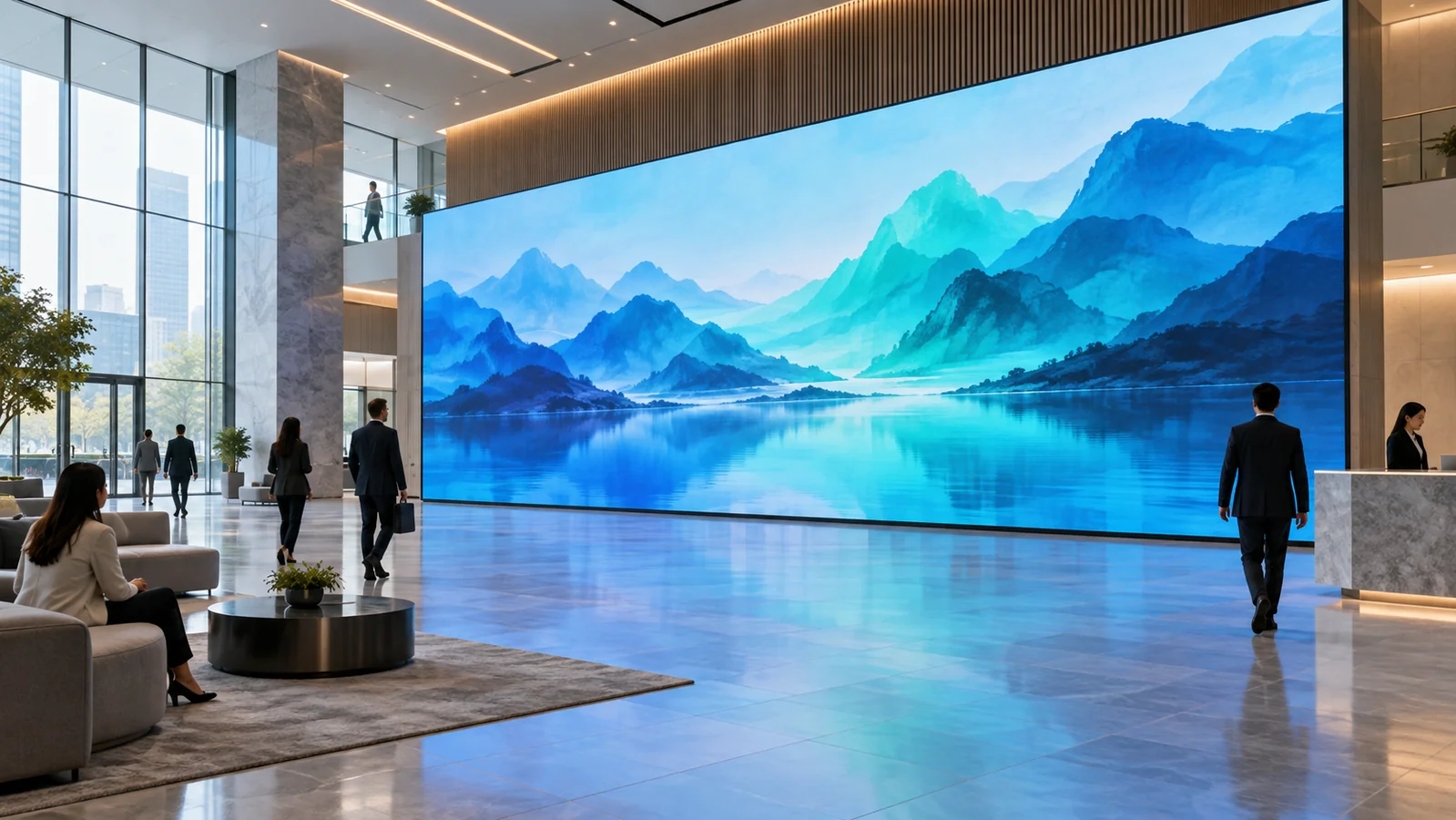
Allow for the total installed depth of a shopping mall digital signage display, including the support, enclosure, ventilation, connectors, and required access. A front-service cabinet still needs space on the viewing side for a technician to reach it and remove a module. A suspended atrium screen also needs a workable lifting and replacement route. Have the responsible building and electrical professionals verify support and power provisions. Review the مجموعة شاشات LED داخلية for cabinet options once the available space is known.
3. Plan how content will be published
01. Name the groups, owners, and rules
For shopping mall digital signage, set up publishing groups around the locations that actually share content. A central campaign may go to all entrances and the atrium, while a tenant opening may go to one floor and the route leading there. Define which staff can upload, approve, schedule, and remove content. Set the start and end dates for each campaign and identify who owns the default playlist. If a contractor sets up the system, ask who will hold the administrator account after the handover.
For example, suppose a concourse loop contains six ten-second ads and one twenty-second mall message. The complete loop lasts 80 seconds. If it repeats continuously, one slot runs about 45 times an hour. This is a scheduling calculation. For a paid placement, ask whether the system can report actual plays by screen ID and time, how outages appear, and how the data can be exported. A play log records a playback event. Audience impressions require a separate measurement method.
02. Specify what happens when a connection drops
List the player and controller proposed for each shopping mall digital signage endpoint. A media player may contain the schedule and local assets, while the LED controller maps the video to the cabinet grid. A CMS can publish to mixed display types when it supports the actual players and their features. Ask bidders to show the supported video formats, orientation settings, scheduling features, and any per-player license on the quoted configuration.
Have bidders describe the behavior when the network is unavailable and after it returns. Ask which already-downloaded assets will play, how time-limited ads expire, and what replaces content that depends on a live feed. If signage needs to carry an operator-approved urgent message, define its priority, authorization, and delivery path with the mall team. Coordinate with the building’s established emergency communication procedures. During the demonstration, check that staff can remove a test message, see which players received it, and restore the normal schedule.
Write down how the team will identify the source of a blank screen. An online player can still have a failed video path or a display that has lost power. Ask what the CMS can see at the player, what the LED controller or power monitor can report, and which checks need a site visit. Include a sample alert with the location ID and an escalation contact in the handover requirements.
4. Request quotes you can compare
Send each bidder the same screen schedule, floor plans, content samples, operating hours, and handover requirements. For shopping mall digital signage, separate the common platform costs from the hardware and works specific to each location. Request one price for the base scope and separate lines for future floors, optional licenses, additional spares, and installation windows that are outside normal hours.
| خط العطاء | Required submittal | Scope gap to check |
|---|---|---|
| Displays and processors | Screen ID, active dimensions, native pixels, cabinet type, processor, weight, and power by endpoint | Whether trim, spares, and all output capacity are included in the quoted build |
| Building and installation | Support proposal, electrical and network limits, routing drawings, access method, and work windows | Who provides structure, final feeds, lift access, transport inside the mall, and reinstatement of finishes |
| CMS and players | Player count, included features, license term, user roles, and renewal or expansion rates | Who pays for reporting, monitoring, additional users, software updates, and future endpoints |
| Training and aftercare | Operator training, drawing and configuration files, spares list, warranty scope, and service response terms | Who diagnoses player or network faults, who replaces LED hardware, and how parts are identified |
Ask bidders for the maximum electrical demand and a separate estimate of typical power at the proposed brightness and content settings. Use the expected operating hours to estimate energy use. Compare energy, license renewals, planned maintenance, access equipment, and parts over the same period. This gives the mall a better basis for comparison than equipment cost per square meter. The قائمة التحقق من طلبات عروض أسعار شاشات LED provides additional fields for the hardware package.
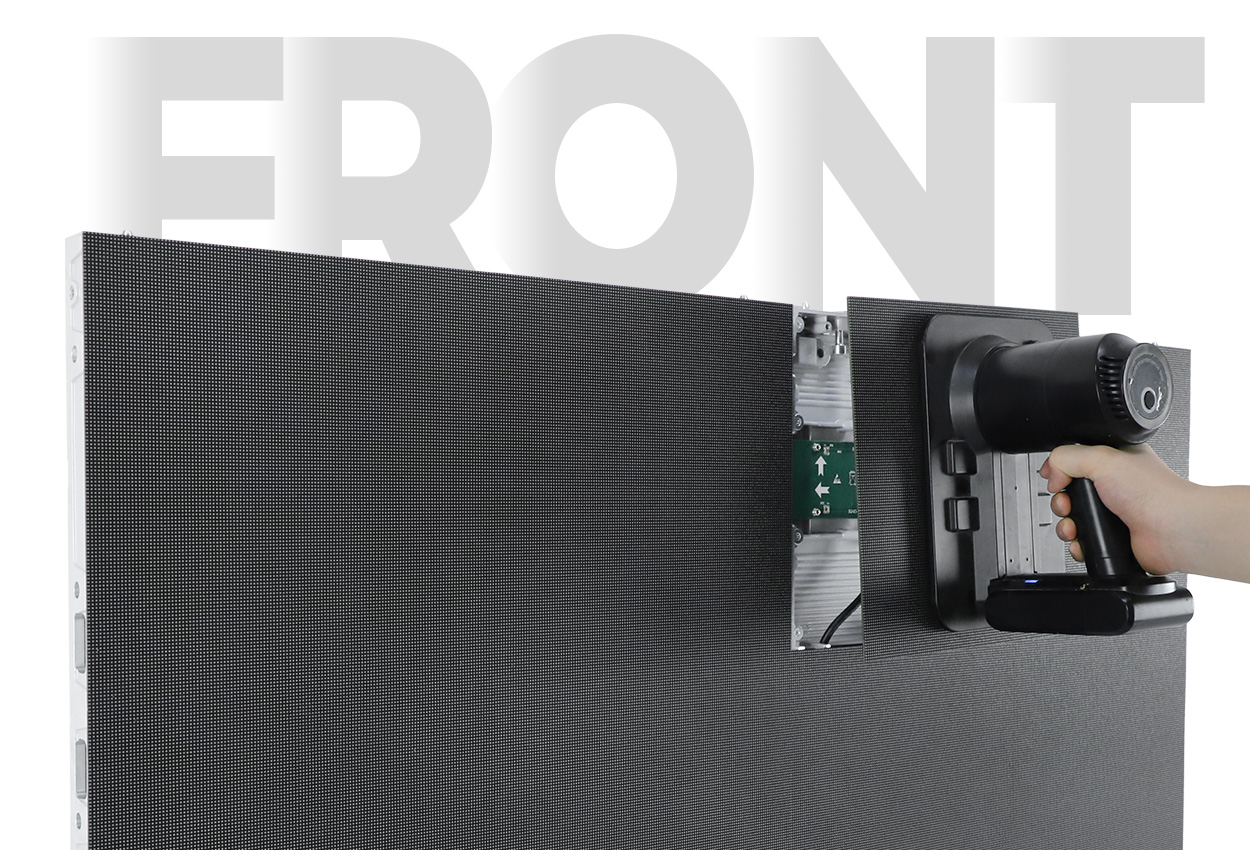
Standardize shopping mall digital signage hardware where the same equipment fits. A common player or cabinet family can simplify training and stocking. The atrium may still need a different cabinet from a glass entrance or a narrow corridor. Ask for a spare-parts matrix that identifies which modules, power supplies, and receiving cards fit each screen and which parts need matching by revision or batch. Record substitutions in the quote and verify compatibility before accepting them.
For a phased installation, identify where a shared component is being sized for future screens. The first delivery may have enough player capacity for the entrance and atrium, but the network ports, license entitlement, or distribution cabinet for the next phase may be separate. Ask the bidder to identify what is included now, what has to be added later, and whether adding it requires taking an operating zone offline.
5. Pilot the system and test the handover
01. Pilot the conditions that are hardest to meet
Start the shopping mall digital signage pilot at a location that can expose a design mistake. A glass entrance may reveal reflection issues, while a busy concourse shows how little time visitors have to read. Use the planned player, actual campaign artwork, and proposed approval process. Test in the lighting and traffic conditions the screen was selected for. If the atrium has several priority viewing levels, include a separate check there before committing to a large build.
Agree on what must pass before rollout and who will judge it. One practical test is to walk a named route at normal speed and read the store name and floor direction from an agreed position. Another is to schedule a test asset to end while a pilot player is offline and verify the agreed replacement behavior. Record the screen ID, time, lighting conditions, content file version, and result. Use these observations to refine the spec where needed before issuing the final order.
02. Make acceptance a job the operator can repeat
For each shopping mall digital signage endpoint, verify the as-installed cabinet layout, image quality, screen ID, and content destination. Then ask a mall operator to send an approved announcement to one group, confirm the right screens received it, and restore the normal playlist. Test the removal of a finished campaign and the response to a controlled player interruption. Record which party owns each open issue and agree on a retest after it is corrected.
Collect as-built drawings, configuration backups, cabinet and module records, license and renewal details, training material, and contact information for support. Ask the integrator to demonstrate a representative service task and show which on-site procedures require closing off public space. The operator should be able to recognize the affected device from a support alert and identify the company responsible before the mall starts its next campaign.
Finish with a copy of the approved creative files and the schedule in force on opening day. For shopping mall digital signage that will be handed to a different shift, put the most common tasks on one page. Include where to find the schedule, who can approve changes, and how to record a screen fault using its ID.
الأسئلة المتكررة
01. Can the mall keep older LCD directories on the same platform?
Yes, if the CMS supports the existing player or the directory can accept a compatible replacement. Confirm who supplies the tenant database, what happens when a map is updated, and whether changing the player affects touch functions or the existing support agreement.
02. How should a double-sided entrance display be specified?
Give each face its own ID and describe its viewing direction, required content, and lighting. Ask whether the faces can receive separate schedules and dim independently. Have the bidder include both electrical loads and the clearances needed to service either face.
03. Can a landlord give tenants access to publish their own ads?
It can if the platform has permissions that restrict tenants to their assigned screens or slots. Set file and timing rules, and test whether mall staff can approve, reject, or withdraw a tenant submission before deployment.
04. What happens to empty ad slots?
Set a default for unsold or rejected slots and agree whether the CMS fills them with mall content or skips them. Test that decision against the loop length and any minimum play commitments for other advertisers.
05. What should a phased rollout quote include?
Require a per-phase bill of materials and an explicit list of parts sized for future phases. Ask how adding players will affect license costs, how new screens will be commissioned, and whether the finished areas can stay in operation during later works.
Send suppliers a single project brief
Put the floor plans, zone photos, screen IDs, target viewing positions, and sample content in one brief. Add the planned opening dates, available power and network points, and your requirements for playback, licensing, and maintenance. Share your shopping mall digital signage project with EagerLED and ask for display recommendations by location, a proposed control layout, and an itemized quotation.