จอ LED 4K แท้ๆ จะมีความละเอียดพิกเซลพื้นฐานอยู่ที่ 3840 × 2160 พิกเซล (4K UHD)สำหรับจอ LED แบบมองตรง ความละเอียดนั้นจะถูกกำหนดโดยขนาดทางกายภาพของจอ ระยะห่างระหว่างพิกเซล และการจัดวางตู้ โปรเซสเซอร์ที่รับสัญญาณ 4K ไม่สามารถแปลงจอที่มีความละเอียดต่ำกว่าให้เป็นจอแสดงผล 4K แท้ๆ ได้ เริ่มต้นด้วยระยะการมองที่ใกล้ที่สุดและขนาดของจอที่มีอยู่ จากนั้นตรวจสอบแผนผังพิกเซลสุดท้ายกับผู้จำหน่าย
คู่มือนี้แสดงวิธีการคำนวณจอ LED 4K เลือกระยะห่างที่เหมาะสม เปรียบเทียบตัวเลือกการติดตั้ง และขอใบเสนอราคาที่ครอบคลุมทั้งระบบ
1. What does 4K mean for a direct-view LED wall?
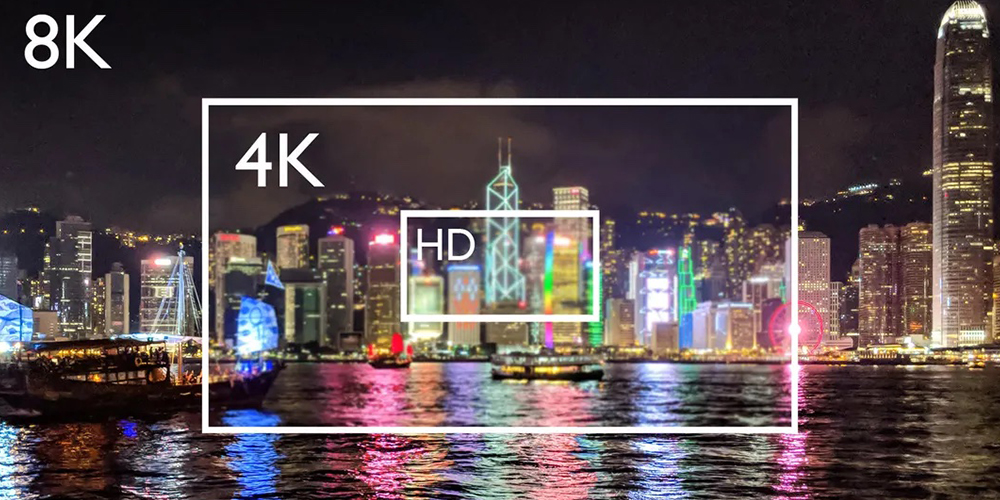
ในคู่มือนี้4K หมายถึงความละเอียด UHD: 3840 พิกเซลในแนวนอน x 2160 พิกเซลในแนวตั้งโดยมีอัตราส่วนภาพ 16:9 ซึ่งมีจำนวนพิกเซลมากกว่า Full HD 1920 × 1080 ถึงสี่เท่า ส่วน Cinema 4K อาจหมายถึง 4096 × 2160 ดังนั้นควรสอบถามว่าใบเสนอราคานั้นใช้คำจำกัดความใด
ผนัง LED แบบมองเห็นโดยตรงประกอบขึ้นจากโมดูลและตู้ แต่ละพิกเซล LED มีส่วนช่วยสร้างภาพรวมทั้งหมด มีข้อกำหนดสามประการที่อาจทำให้สับสนได้ง่าย:
- ความละเอียดดั้งเดิม: จำนวนพิกเซลแนวนอนและแนวตั้งที่แท้จริงของผนัง
- ความละเอียดอินพุต: สัญญาณที่โปรเซสเซอร์สามารถรับได้ เช่น 3840 × 2160
- อัตราการรีเฟรช: ความถี่ในการขับเคลื่อน LED โดยทั่วไปจะระบุเป็นเฮิร์ตซ์ อัตราการรีเฟรช 3840 Hz ไม่ได้หมายความว่ามีพิกเซลแนวนอน 3840 พิกเซล และไม่ได้หมายความว่ามีความละเอียด 4K
ผนังที่มีความละเอียด 1920 × 1080 พิกเซล อาจรับสัญญาณ 4K และปรับขนาดลง แต่จะยังคงแสดงผลที่ความละเอียด 1920 × 1080 พิกเซล ควรสอบถามทั้งสองอย่าง แผนที่พิกเซลผนังดั้งเดิม และขีดความสามารถในการรับส่งข้อมูลของโปรเซสเซอร์ในข้อเสนอเดียวกัน สำหรับคำอธิบายเพิ่มเติม โปรดดูที่ EagerLED's คู่มือความละเอียดของจอแสดงผล LED.
2. Calculate 4K size from pixel pitch
ระยะห่างระหว่างพิกเซล (Pixel pitch) คือระยะห่างจากจุดศูนย์กลางถึงจุดศูนย์กลางของพิกเซลที่อยู่ติดกัน โดยวัดเป็นมิลลิเมตร สำหรับภาพขนาด 3840 × 2160 พิกเซล ขนาดตามทฤษฎีจะเป็นดังนี้:
ความกว้าง (เมตร) = 3840 × ระยะห่างระหว่างพิกเซล (มิลลิเมตร) ÷ 1000
ความสูง (เมตร) = 2160 × ระยะห่างระหว่างพิกเซล (มิลลิเมตร) ÷ 1000
| สนามพิกเซล | ขนาด 4K ดั้งเดิมตามทฤษฎี | เส้นทแยงมุมโดยประมาณ | บริบทการวางแผนทั่วไป |
|---|---|---|---|
| P1.25 | 4.80 × 2.70 ม | 217 ใน | ภาพระยะใกล้ของห้องประชุมหรือห้องควบคุมภายในอาคาร |
| P1.5 | 5.76 × 3.24 ม | 260 ใน | ผนังสำหรับจัดแสดงภายในอาคาร |
| P1.875 | 7.20 × 4.05 ม | 325 ใน | สถานที่จัดงานในร่มขนาดใหญ่ |
| P2.5 | 9.60 × 5.40 ม | 434 ใน | มองจากระยะไกลจะเห็นกำแพงขนาดใหญ่ |
นี่เป็นเพียงตัวอย่างทางคณิตศาสตร์ ไม่ใช่ขนาดผลิตภัณฑ์ที่มีจำหน่ายจริงหรือการรับประกันระยะการมองเห็นตู้และโมดูลมีขนาดพิกเซลคงที่ ผู้ติดตั้งอาจเสนอขนาดที่ใกล้เคียงกัน แต่แผนที่พิกเซลสุดท้ายอาจแตกต่างกันเล็กน้อย โปรดขอให้ผู้จำหน่ายแสดงจำนวนตู้ในแนวนอนและแนวตั้ง จำนวนพิกเซลต่อตู้ ขนาดโดยรวม และความละเอียดรวมที่ได้ก่อนสั่งซื้อ
For example, if your planned 4K LED screen can only be 4.8 m wide, P2.5 provides about 1920 pixels across, not 3840. You would need a finer pitch or more width for native 4K. Conversely, specifying 4K without considering the closest viewer can overspend on pixels that are not useful in that setting. See the คู่มือระยะห่างระหว่างพิกเซล เพื่อให้ได้บริบทการเลือกเพิ่มเติม
3. How do cabinet dimensions produce a native 4K LED screen?
The pitch formula gives a theoretical width and height, but a quote must resolve the wall into whole cabinets and modules. For a native UHD 4K LED screen, multiply the pixels in one cabinet by the number of cabinets across and high. Both results must equal 3840 and 2160 respectively. The physical dimensions then follow from cabinet size, not from an arbitrary rounded wall measurement.
EagerLED’s published EA600COB1 specification lists a 600 × 337.5 mm (23.6 × 13.3 in) 16:9 cabinet and a P1.25 option. The P1.25 module is listed at 120 × 135 pixels in a 150 × 168.75 mm module. Four modules across and two high make a nominal 480 × 270-pixel cabinet. In this specific configuration, eight cabinets across and eight high calculate to 3840 × 2160 pixels and 4.8 × 2.7 m (15.7 × 8.9 ft). This is a layout calculation from the published module and cabinet dimensions, not a promise that every EA600COB1 order or controller bundle has the same configuration. Confirm the current cabinet drawing and pixel map on the actual quotation.
| ขั้นตอน | การคำนวณ | Result to verify |
|---|---|---|
| จำนวนพิกเซลต่อตู้ | 4 × 120 pixels wide; 2 × 135 pixels high | 480 × 270 พิกเซล |
| ตะแกรงตู้ | กว้าง 8 × สูง 8 | 64 ตู้ |
| แคนวาสดั้งเดิม | 8 × 480; 8 × 270 | 3840 × 2160 พิกเซล |
| ขนาดทางกายภาพ | 8 × 600 mm; 8 × 337.5 mm | 4.8 × 2.7 ม |
The same method works for another 4K LED screen cabinet, but the grid may not be square. A proposal that is 3840 pixels wide but only 1920 high is not native UHD. A wall with more than 3840 × 2160 physical pixels may be appropriate for a custom shape, yet the content must be mapped or scaled deliberately. Ask for the mechanical drawing, module count, pixel map, and spare-module specification in one document so the numbers can be checked together.

4. How to choose the right 4K LED screen
01. เริ่มจากห้องและผู้ดูที่อยู่ใกล้ที่สุด
วัดความกว้างและความสูงสูงสุดของจอแสดงผล ตำแหน่งการรับชมที่ใกล้ที่สุดและโดยทั่วไป แสงโดยรอบ และพิจารณาว่าผู้คนจะอ่านข้อความขนาดเล็กได้หรือไม่ LED ที่มีระยะห่างระหว่างซี่ล้อละเอียดนั้นมีประโยชน์อย่างยิ่งเมื่อผู้ชมอยู่ใกล้ผนังขนาดใหญ่หรือต้องการแผงควบคุมที่มีรายละเอียดสูง สำหรับฉากหลังเวทีที่อยู่ไกลออกไป ความละเอียด 4K ดั้งเดิมอาจมีประโยชน์น้อยกว่าระยะห่างระหว่างซี่ล้อ ความสว่าง และเส้นทางสัญญาณที่เชื่อถือได้
02. ตรวจสอบจำนวนพิกเซลดั้งเดิมและรูปทรงเรขาคณิตของตู้
ขอแบบร่างผังการจัดวางพร้อมขนาดตู้ จำนวนตู้ ระยะห่างระหว่างพิกเซล จำนวนพิกเซลต่อตู้ และแผนที่พิกเซลดั้งเดิมทั้งหมด ตรวจสอบว่าการกำหนดค่า 16:9 ที่ระบุไว้มีความละเอียด 3840 × 2160 พอดี เกินกว่านั้น หรือต้องมีการปรับขนาด แผนที่พิกเซลทางกายภาพมีประโยชน์มากกว่าวลี "รองรับ 4K"
03. ระบุสภาพแวดล้อมและการเข้าถึงบริการ
ระบบภายในและภายนอกอาคารมีข้อกำหนดด้านความสว่าง การป้องกันสภาพอากาศ ความร้อน และโครงสร้างที่แตกต่างกัน ควรสอบถามค่าความสว่างที่วัดเป็นนิต ค่า IP ที่เหมาะสมสำหรับพื้นผิวที่สัมผัสกับสภาพอากาศ ระยะห่างสำหรับการติดตั้งด้านหน้าหรือด้านหลัง ความลึกในการติดตั้งทั้งหมด โครงสร้างการติดตั้ง ข้อกำหนดด้านพลังงาน และการระบายอากาศ การติดตั้งภายนอกอาคารยังต้องการแผนโครงสร้างและระบบไฟฟ้าเฉพาะพื้นที่ด้วย
04. ตรวจสอบลำดับวิดีโอทั้งหมด
ตรวจสอบรูปแบบแหล่งที่มา ตัวเชื่อมต่อ อัตราเฟรม ความสามารถในการรับข้อมูลของโปรเซสเซอร์ ความสามารถในการส่ง/ส่งออก พฤติกรรมการปรับขนาด และแผนสำรอง หากจะทำการบันทึกภาพหน้าจอ ขอให้ทำการทดสอบกล้องด้วยการตั้งค่าชัตเตอร์ที่วางแผนไว้ รวมถึงอัตราการรีเฟรชที่ระบุไว้ด้วย ควรสาธิตประสิทธิภาพ HDR การปรับเทียบสี และระดับสีเทาบนฮาร์ดแวร์ที่เสนอ ไม่ใช่การคาดเดาจากคำว่า “4K”
05. ตกลงเกี่ยวกับเกณฑ์การยอมรับ
ก่อนเริ่มการผลิต ควรตกลงกันเรื่องแผนที่พิกเซลสุดท้าย เป้าหมายความสว่าง ความสม่ำเสมอและวิธีการสอบเทียบ โมดูลสำรอง การเข้าถึงการบำรุงรักษา ขอบเขตการรับประกัน และผู้ที่จะเป็นผู้ติดตั้งใช้งานโปรเซสเซอร์ ขอภาพทดสอบที่แสดงตารางพิกเซลหนึ่งพิกเซลและข้อความละเอียดที่ความละเอียดดั้งเดิม เพื่อให้ตรวจสอบผลลัพธ์ที่ได้รับได้ง่ายขึ้น
5. What control-system capacity does a 4K LED screen need?
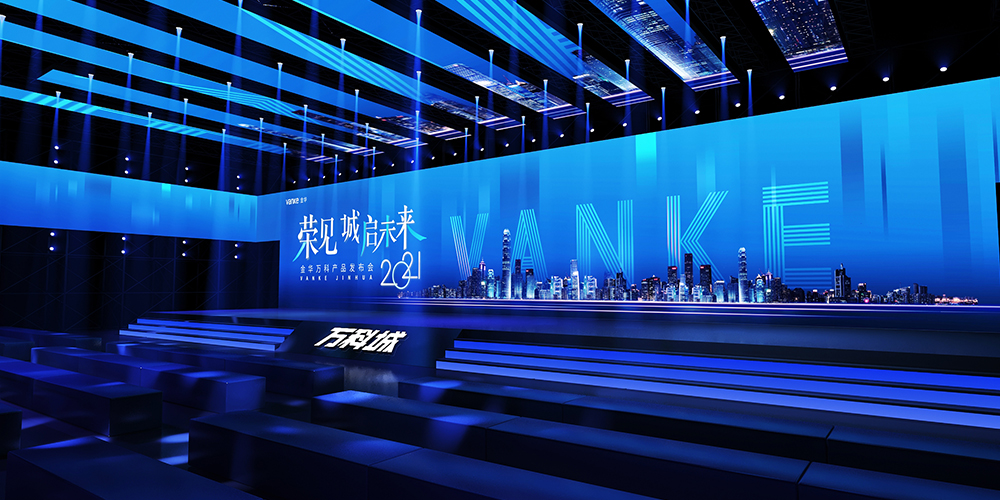
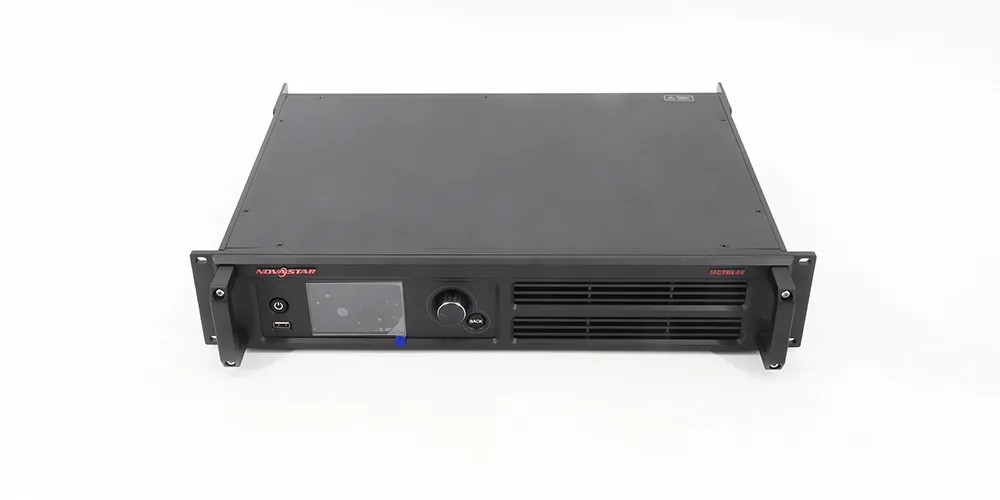
A native UHD 4K LED screen contains 8,294,400 physical pixels. The video path must carry the chosen source format and address the entire canvas at the required frame rate, color settings, and redundancy level. A “4K input” badge tells you what the processor can receive; it does not prove that the device can load every output pixel on the wall. Likewise, an 8.3-million-pixel headline capacity does not explain how the pixels are distributed over the available outputs.
Request a signal diagram from source to input, processor or sender, output ports, receiving cards, and cabinets. List the input connector and format, accepted frame rate, output canvas size, pixels assigned to each port, and cable route. Compare each assigned port with the limit in the exact controller manual, allowing for the manufacturer’s conditions and the proposed refresh, color depth, and frame rate. If one port is overloaded, the solution may need a different port map, more sending capacity, or another processor. Do not infer port count by dividing the total pixels evenly without a cabinet wiring plan.
Ask the integrator to state whether the 4K LED screen will display one full-screen source, multiple windows, or content from a media server. Multiwindow processing, scaling, splicing, and backup input switching are separate functions; they should be demonstrated on the proposed equipment. For a presentation wall, test the smallest spreadsheet text and a one-pixel grid at the native canvas. For a filmed stage, record footage with the actual camera and shutter settings. A published refresh-rate figure is only one part of that camera check.
Keep the approved input format and the controller configuration backup with the project file. If a future source changes its EDID or output timing, the 4K LED screen can appear to “lose resolution” even when its physical pixels have not changed. This distinction helps the service team diagnose the source, scaling, or sending path without replacing good cabinets.
6. 4K LED wall versus LCD and projection
| ตัวเลือกเสริม (Option) | เหมาะสมที่สุด | การแลกเปลี่ยนที่ต้องตรวจสอบ |
|---|---|---|
| ผนัง LED แบบมองเห็นได้โดยตรง | จอแสดงผลขนาดใหญ่ไร้รอยต่อ ขนาดตามสั่ง | ขนาดไฟล์ 4K ดั้งเดิมขึ้นอยู่กับระยะห่างระหว่างพิกเซล ควรเผื่อพื้นที่สำหรับการติดตั้ง การจ่ายไฟ และการบำรุงรักษาด้วย |
| จอแสดงผล LCD 4K หรือผนัง LCD แบบเรียงต่อกัน | หน้าจอขนาดเล็กและข้อความที่ต้องมองใกล้ๆ | ผนังกระเบื้องมีขอบที่มองเห็นได้ชัดเจน แผงจอ 4K แต่ละแผงมีขนาดคงที่ |
| การฉายภาพ 4K | ภาพขนาดใหญ่มากที่สามารถควบคุมแสงได้ | แสงโดยรอบ ระยะการฉาย และพื้นผิว ล้วนส่งผลต่อผลลัพธ์ |
คำว่า “ทีวี LED” สามารถใช้เรียกทีวี LCD ที่ใช้ไฟแบ็คไลท์ LED ได้ บทความนี้กล่าวถึงทีวี LED แบบ Direct-viewซึ่งพิกเซล LED เองเป็นส่วนประกอบของภาพ เลือกทีวีตามลักษณะการใช้งานและสภาพแวดล้อมของห้อง จากนั้นเปรียบเทียบระบบติดตั้งที่สมบูรณ์ซึ่งมีขนาดภาพที่ต้องการเท่ากัน
7. What determines the cost of a 4K LED screen?
ไม่มีราคาตายตัวสำหรับจอ LED 4K ทุกรุ่น ที่ความละเอียดเท่ากัน ระยะห่างระหว่างช่องแสงที่ละเอียดขึ้นจะทำให้จอมีขนาดเล็กลง และอาจส่งผลต่อจำนวนตู้และต้นทุนฮาร์ดแวร์ ใบเสนอราคาที่เที่ยงตรงควรแยกรายละเอียดดังนี้:
- ตู้/โมดูล LED, ระยะห่างระหว่างพิกเซล และชิ้นส่วนอะไหล่;
- โปรเซสเซอร์ อุปกรณ์ส่งสัญญาณ สายเคเบิล และอุปกรณ์สำรองต่างๆ
- โครงสร้างการติดตั้ง งานไฟฟ้า ระบบระบายอากาศ และการติดตั้ง
- การสอบเทียบ การทดสอบระบบ ค่าขนส่ง ภาษี และบริการหลังการขาย
เปรียบเทียบราคาโดยใช้แผนที่พิกเซลพื้นฐาน ความสว่าง การกำหนดค่าตู้ และขอบเขตการบริการที่เหมือนกัน ราคาเฉพาะแผงจอที่ต่ำนั้นไม่ใช่ราคารวมค่าติดตั้งโครงการ โปรดส่งขนาดห้อง ระยะการรับชม สภาพแวดล้อมภายใน/ภายนอกอาคาร แหล่งที่มาของเนื้อหา และตำแหน่งการติดตั้งมาให้เรา EagerLED สำหรับใบเสนอราคาเฉพาะโครงการ.
8. How should two native 4K proposals be compared?
Compare like-for-like installed systems, not two prices labeled “4K.” Put the cabinet grid, native pixel map, physical dimensions, pixel pitch, brightness at the proposed operating setting, controller model, port map, power figures, mounting method, service access, and spares on one comparison sheet. A smaller 4K LED screen may use a finer pitch and a different number of cabinets from a larger native 4K wall; their display area and installed labor can differ even though both have 3840 × 2160 pixels.
Ask each bidder to identify exclusions. Is the structural frame engineered and supplied? Are power distribution, video cables, commissioning, training, freight, taxes, and spare modules included? Which parts can be serviced from the front, and how much access space is required? If the site is a control room, include 24-hour operating expectations and source-switching needs. If it is a temporary event, identify rigging, setup time, and packaging. These requirements change the useful 4K LED screen specification.
Request a cabinet layout drawing and a signal-flow diagram before comparing the total cost. When a proposal claims an exact native canvas, recalculate it from the cabinet pixel dimensions. When it claims only 4K signal compatibility, ask for the physical output resolution. Keep the accepted drawings and test plan with the order; a precise scope is more useful than an unqualified price per square meter.
9. How can a buyer verify a 4K LED screen before final payment?
Write the acceptance criteria into the purchase scope before production. The first test is arithmetic: the as-built cabinet map must show the promised physical pixel count. Compare the cabinet labels and installed grid with the drawing, then display a native-resolution one-pixel grid. A photographed 4K input menu cannot substitute for this check. Record the processor’s output canvas and port loading alongside the source resolution.
Next, test the 4K LED screen with the content that justified its pitch. Use actual slides, control-room dashboards, camera feeds, or campaign files from the project. View fine type from the nearest planned seat and moving video from typical positions. Run full white, primary-color, grayscale, and dark-gradient patterns at agreed brightness to look for visible seams, color mismatch, dead pixels, and low-gray issues. The parties should agree on defect handling and recalibration before the wall is shipped; avoid inventing a universal pixel-defect tolerance.
For a factory acceptance test, ask the supplier to document the exact cabinets, receiving cards, power supplies, processor, firmware or configuration versions, and test settings. If the complete wall cannot be assembled in the factory, state which sample or section was tested and what remains to be checked on site. During site acceptance, verify mounting and ventilation, electrical protection and service clearance with the qualified installers. The final 4K LED screen should be checked at the operating brightness and ambient light expected in the room, not only on a showroom floor.
Test a controlled restart and a source change. If redundancy was purchased, demonstrate the agreed failover rather than assuming it works because backup connectors exist. Save the as-built cabinet map, controller backup, calibration files, manuals, spare-part list, and a dated record of the agreed test content. These documents help the buyer distinguish a later source problem from a display fault and enable a replacement module to be matched to the original system.
A quotation should identify who performs each test, who supplies content and a camera if needed, how defects are corrected, and when sign-off occurs. That process turns the phrase “4K ready” into an observable result and makes two 4K LED screen proposals easier to compare on the same basis.
10. EagerLED การกำหนดค่าเพื่อประเมิน
For a 4K LED screen project, EagerLED มีตู้ทีวีภายในอาคารหลายแบบให้เลือก ซึ่งสามารถจัดเรียงเป็นผนังความละเอียดสูงได้ ชื่อตระกูลผลิตภัณฑ์เพียงอย่างเดียวไม่ได้รับประกันว่าจะได้ติดตั้งในระดับ 4K ความละเอียดสุดท้ายจะขึ้นอยู่กับระยะห่างระหว่างตู้และจำนวนตู้ที่เลือก
- จอแสดงผล LED ภายใน EA640F2: ตู้ควบคุมขนาด 640 × 480 มม. พร้อมช่องบริการด้านหน้า โปรดขอแผนผังพิกเซลแบบตู้ต่อตู้สำหรับระยะห่างระหว่างแผงที่คุณเลือก
- ผนัง LED ภายใน EA640H1: ประเมินการเข้าถึงด้านหน้าและความลึกในการติดตั้งในกรณีที่พื้นที่บำรุงรักษาด้านหลังมีจำกัด
- จอแสดงผล COB ภายในอาคาร EA600COB1: ควรพิจารณารูปแบบตู้ลำโพงอัตราส่วน 16:9 สำหรับการใช้งานที่ต้องการมุมมองระยะใกล้ โปรดตรวจสอบความละเอียดดั้งเดิมที่แน่นอนของชุดประกอบที่เสนอ
ถาม EagerLED ทีมงานจะเปรียบเทียบตัวเลือกเหล่านี้กับขนาดผนัง ระยะการรับชมขั้นต่ำ และความต้องการด้านเนื้อหาของคุณ แผนผังการจัดวางและภาพตัวอย่างจะให้ข้อมูลมากกว่าป้ายกำกับทั่วไปว่า "พร้อมใช้งาน 4K"
คำถามที่พบบ่อยเกี่ยวกับหน้าจอ LED 4K
01. Why can a native 4K wall display only 1080p from a laptop?
The source, cable, input format, EDID negotiation, and processor scaling all affect the signal that reaches the wall. Check the laptop’s actual output and the processor’s reported input before changing the physical LED configuration. A native 4K pixel map remains 4K even if the source temporarily sends 1080p.
02. Does a 4K input make an LED wall native 4K?
ไม่ครับ โปรเซสเซอร์สามารถปรับขนาดสัญญาณ 3840 × 2160 ให้แสดงผลบนผนังที่มีจำนวนพิกเซลน้อยกว่าได้ สำหรับคอนเทนต์ UHD ที่ใช้ความละเอียด 4K แท้ๆ นั้น จำเป็นต้องใช้แผนที่พิกเซลบนผนังขนาด 3840 × 2160 ครับ
03. What pixel pitch is needed for a 4K LED wall?
ไม่มีระยะห่างระหว่างภาพที่กำหนดตายตัว สำหรับจอภาพ UHD ที่แม่นยำ ระยะห่าง P1.25 ต้องการพื้นที่ตามทฤษฎี 4.80 × 2.70 เมตร ในขณะที่ระยะห่าง P2.5 ต้องการพื้นที่ 9.60 × 5.40 เมตร พื้นที่ว่างและระยะการรับชมจะเป็นตัวกำหนดว่าระยะห่างใดเหมาะสม
04. Is a 3840 Hz LED screen the same as a 4K screen?
ไม่ครับ 3840 Hz ปกติแล้วจะหมายถึงอัตราการรีเฟรช ส่วน 4K หมายถึงจำนวนพิกเซลจริง ควรสอบถามข้อมูลจำเพาะทั้งสองอย่างแยกกันครับ
05. Can an outdoor LED screen be native 4K?
ใช่ ถ้าแผนที่พิกเซลที่ประกอบเสร็จแล้วมีขนาด 3840 × 2160 พิกเซล สำหรับพื้นที่กลางแจ้งที่กว้างกว่านั้น อาจต้องใช้ผนังขนาดใหญ่มาก ความสว่าง การป้องกันสภาพอากาศ โครงสร้าง และระยะการมองเห็นก็ต้องพิจารณาด้วยเช่นกัน
06. What should I send a supplier for an accurate quote?
โปรดส่งข้อมูลขนาดผนังสูงสุด ตำแหน่งภายใน/ภายนอกอาคาร ระยะการมองเห็นที่ใกล้ที่สุด ภาพถ่ายหรือแบบร่างการติดตั้ง แหล่งที่มาของเนื้อหาที่วางแผนไว้ เวลาทำการ การเข้าถึงบริการ และตำแหน่งการจัดส่งเป้าหมาย ขอให้ผู้จำหน่ายส่งแผนผังพิกเซลต้นฉบับและขอบเขตการติดตั้งที่สมบูรณ์กลับมาด้วย
Get a verified 4K LED screen layout and quote
Send the available wall size, closest viewing distance, content examples, source format, installation drawings, and service needs to EagerLED for a 4K LED screen proposal. Ask for the cabinet pixel map, controller port plan, installed scope, and an agreed acceptance test with the quotation.