

LED poster content planning starts with the approved native pixel canvas, the intended viewing position and the actual playback system. Confirm those three items before producing artwork. Then test the exported files on the ordered display configuration, including cropping, text, schedules, recovery and any shared content across multiple screens.
This guide is for AV integrators coordinating a creative agency and a retail client before deployment. It covers the handoff between screen selection and campaign launch: what the designer needs, which calculations can be checked independently, and what evidence shows that content is ready for a store. The examples are planning calculations, not reported customer results.
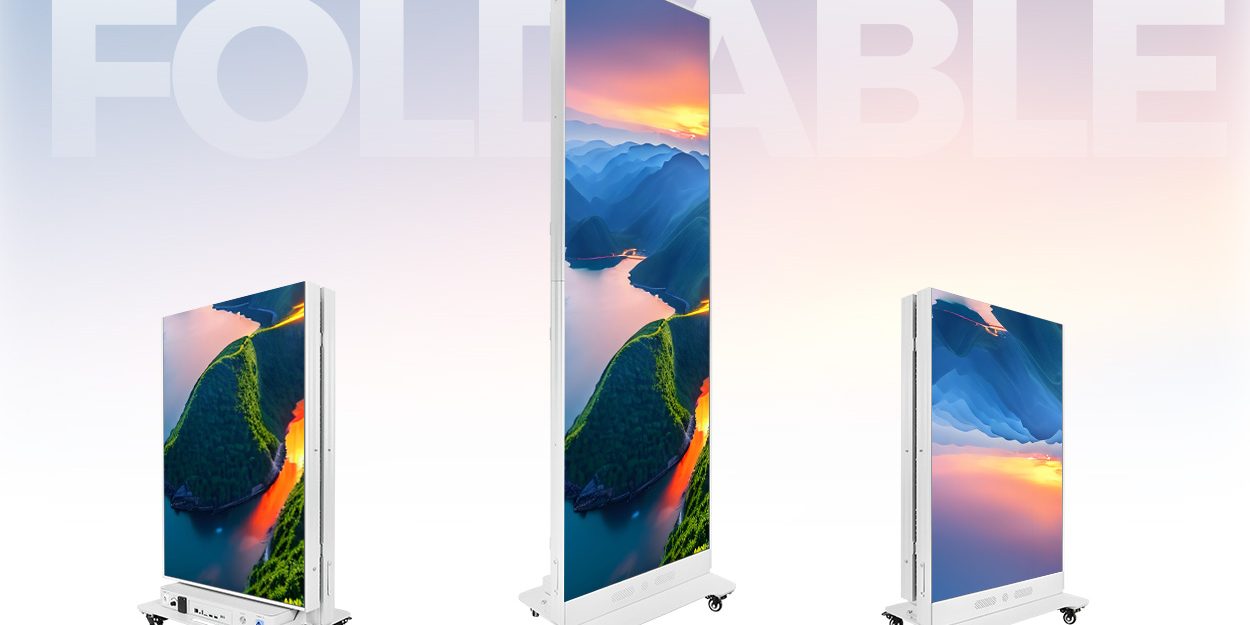
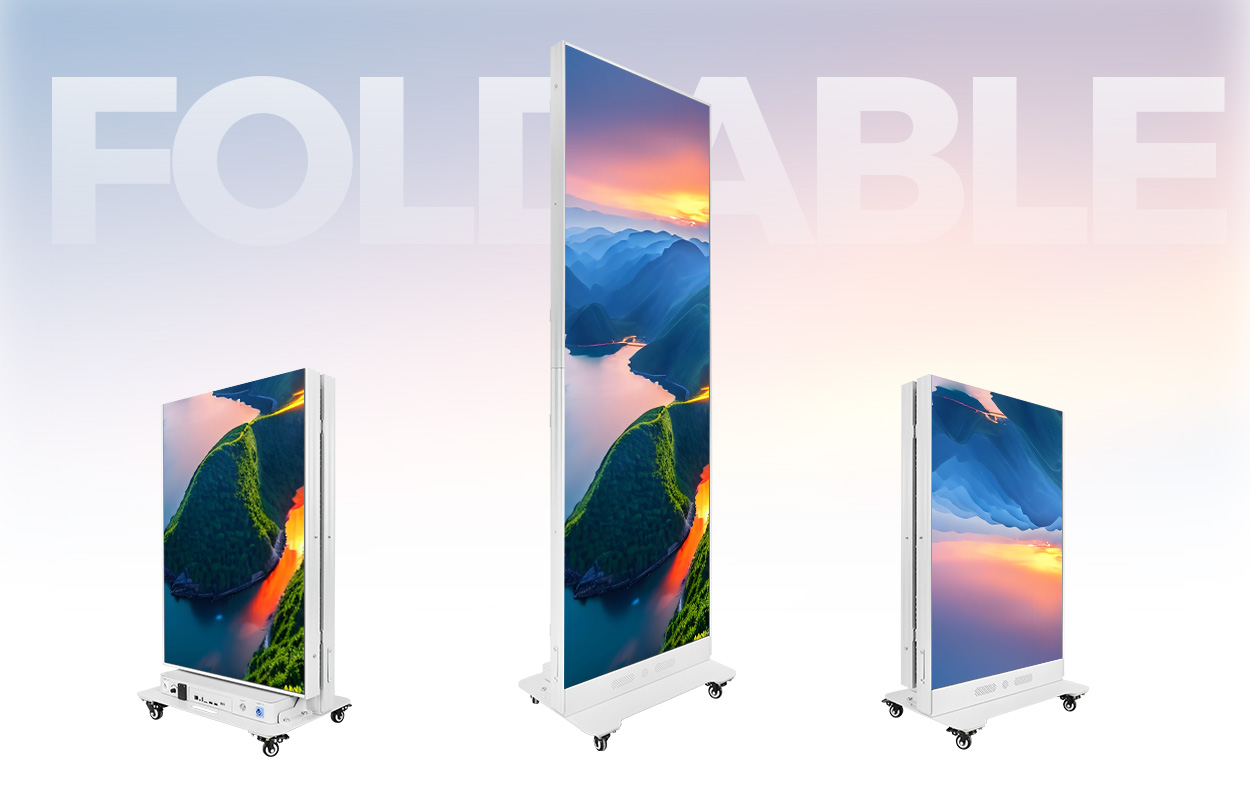
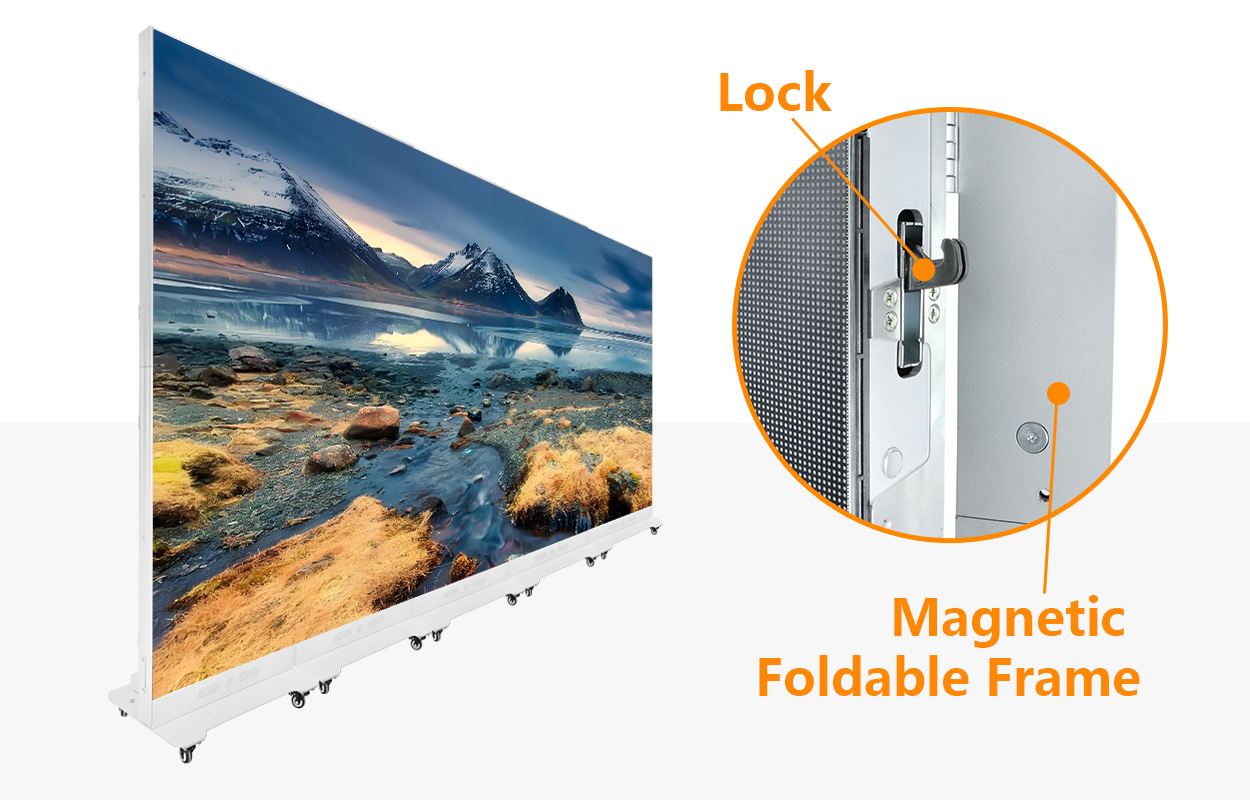
การขอ EagerLED EA1920iP5 foldable poster supplies a concrete product reference. Its published page describes a 640 × 1920 mm display, multiple pixel-pitch options, folding configurations, multi-screen use and content-delivery interfaces. The final order specification and controller documentation must confirm the particular system supplied.
1. LED Poster Content Planning Begins With an Agreed Brief
Give the designer a display specification, not just a product photograph. A photograph can suggest proportions, but it cannot establish the number of addressable pixels, the direction of the coordinate system or the player’s decoding limits. Those details determine the delivered file and the test procedure.
Assign one person to approve the message and another to confirm technical playback. For example, the retailer approves the promotion, language and expiry date; the integrator approves the canvas, player and deployment record. Combining both approvals in a release sheet prevents a technically valid file from displaying an outdated offer.
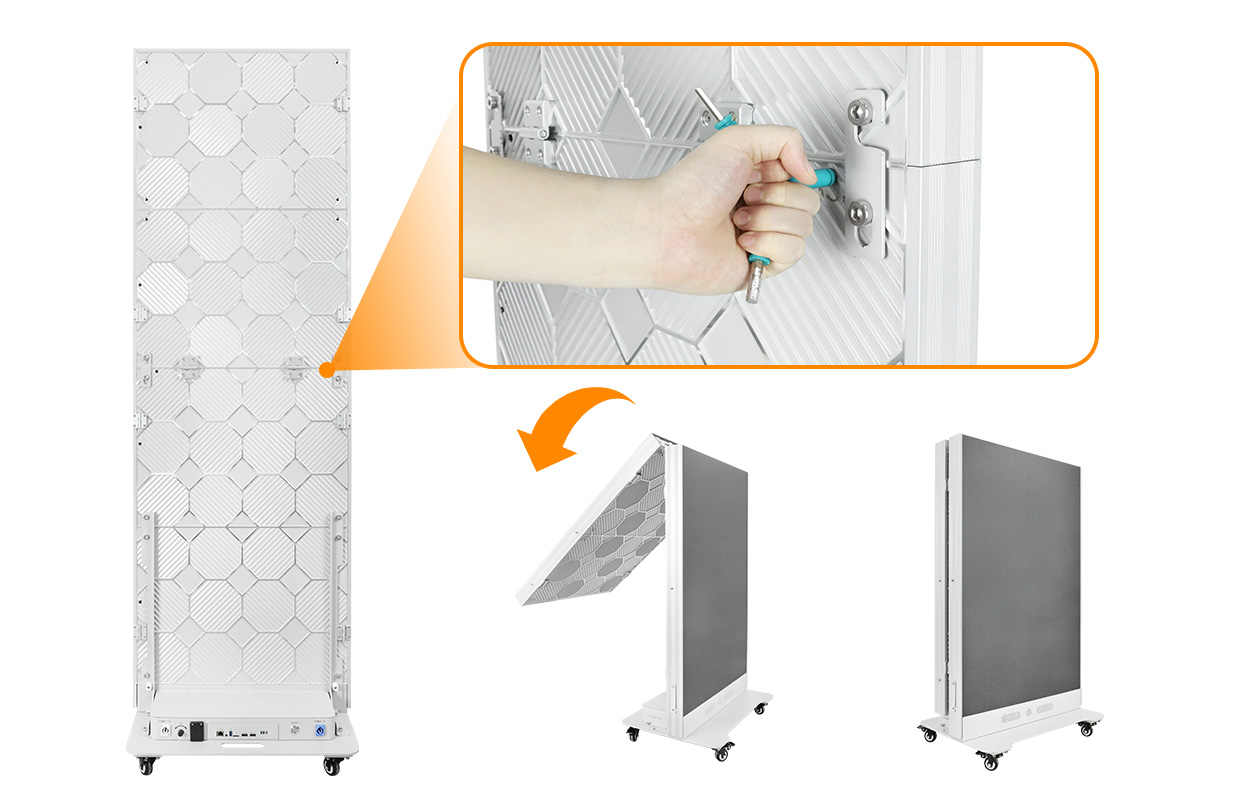
For LED poster content planning, record the screen’s operating position as well as its model. A foldable product may support more than one arrangement. A tall upright composition should not automatically become two independent compositions when the structure is folded. Ask for the actual pixel map and content assignment in each approved mode.
| การส่งมอบสิ่งของ | ใครเป็นคนยืนยันเรื่องนี้ | Useful deliverable |
|---|---|---|
| Native canvas and orientation | Integrator with display supplier | Pixel dimensions, active area and labeled top-left origin |
| Campaign message and expiry | Retail content owner | Approved copy, language, dates and replacement message |
| ตำแหน่งของผู้ชม | Store planner | Measured viewing locations, approach directions and obstructions |
| Playback requirements | Integrator with player supplier | Validated export preset and compatible sample file |
| Multi-screen assignment | Integrator | Screen IDs, coordinate regions and synchronization requirement |
| ปล่อยความรับผิดชอบ | ผู้จัดการฝ่ายปฏิบัติการค้าปลีก | Named approver, deployment operator and rollback owner |
This sheet also makes quotation discussions more useful. If an agency needs live input, scheduled local playback and coordinated motion across several posters, state all three requirements. A supplier can then address the complete workflow rather than quote a display that satisfies only the physical dimensions.
Start LED poster content planning with a sample asset containing the hardest real content: a long product name, detailed packaging or qualifying copy. A scenic demonstration may look attractive while concealing the limits that matter to the retailer. Agree on that representative asset before approving the creative production budget.
2. Calculate the Native Pixel Canvas Before Designing
The native canvas is the number of independently addressable LED pixels across the active display. For a rectangular array with uniform pitch, divide active width and height by the exact pixel pitch, using the same units. Confirm the result against module pixel counts and the supplier’s mapping drawing.
01. Work through one conditional example
Assume an active area of 640 × 1920 mm (25.20 × 75.59 in) and an exact 2.5 mm pitch. Width is 640 ÷ 2.5 = 256 pixels; height is 1920 ÷ 2.5 = 768 pixels. The native canvas is therefore 256 × 768, containing 196,608 pixels with a 1:3 aspect ratio.
At an exact 1.25 mm pitch, the same assumed area gives 512 × 1536 pixels. Both dimensions double, so the total pixel count becomes four times larger. The physical aspect ratio remains unchanged. More pixels can represent finer detail, but they do not make a dense layout readable from every viewing distance.
In LED poster content planning, do not reverse-engineer a final resolution from a rounded marketing pitch. A label such as P1.53 may be rounded. Use the confirmed module resolution and module arrangement; an apparently fractional calculation is a reason to request the mapping sheet, not to round the output arbitrarily.
02. Separate the source file from the LED canvas
A player may decode a larger standard video frame and map part or all of it onto the display. That input resolution is not the LED screen’s native resolution. Ask whether the production file should match the native canvas or occupy a defined region inside a supported video frame. Save the required scaling and region settings with the project.
The acceptance image should show the top, bottom, left and right edges, a center marker and labeled quadrants. These simple references reveal a rotated output, an incorrect offset or a clipped edge more clearly than attractive promotional footage. Keep this diagnostic file separate from the public campaign playlist.
Keep a versioned canvas template in the LED poster content planning package. Label the intended screen group and identify any deliberate reserved area. When hardware changes, issue a new template rather than silently replacing the old file. This makes it possible to trace which export belongs to which display configuration.
3. Adapt Artwork Without Stretching the Message
Choose between fitting, cropping and rebuilding the composition before export. Stretching a mismatched image to fill the panel changes the proportions of products, faces and logos. A file can play successfully while still failing the retailer’s brand requirements.
Consider a 1080 × 1920 social-media video and the hypothetical 256 × 768 canvas above. The source is 9:16; the LED canvas is 1:3. Fitting the entire source to 256 pixels wide produces an image about 455 pixels tall, leaving about 313 vertical pixels unused. Filling the height produces a 432-pixel-wide image, requiring 176 pixels of horizontal crop.
These calculations describe geometry, not a recommended player setting. Actual rounding and placement depend on the software. Preview the chosen method at the final canvas size, then confirm it on the screen. For critical product imagery, rebuilding the layout often preserves both the message and the available display area.
| วิธี | Good reason to choose it | ตรวจสอบก่อนอนุมัติ |
|---|---|---|
| Fit inside the canvas | The entire photograph or diagram must remain visible | Unused space has an intentional background and does not resemble a fault |
| Fill and crop | Background imagery can lose its outer edges | Faces, product labels and required copy remain inside the visible region |
| Rebuild the layout | Several important elements need a different hierarchy | Copy, logo and product image are repositioned in the actual target template |
| Create separate screen versions | Independent posters face different audiences | Each file carries a clear screen ID and its own approved message |
LED poster content planning becomes more demanding when several units form one image. In the same conditional P2.5 example, three identical upright posters side by side create a 768 × 768 square canvas. Six create 1536 × 768, or 2:1. Neither arrangement is automatically a standard 16:9 video wall.
Draw every screen region on the master canvas. Keep a single authoritative coordinate map, including the direction in which units are numbered. Mechanical alignment and matching file dimensions are necessary checks, but they do not prove that independent players will remain synchronized. Specify whether motion must continue across a boundary or whether independent content is acceptable.
For the hardware connection and mapping procedure, use our LED poster video wall setup guide. Here, LED poster content planning focuses on the creative deliverable: an approved master composition, correctly assigned regional exports where required, and an explicit statement of which details may cross a screen boundary.
4. Prove Readability Where Customers Will Stand
Test the smallest essential text at the planned viewing position under representative lighting. A font size that looks generous on a designer’s monitor can occupy too few physical pixels on the LED screen. Point sizes in a design application are not a universal readability specification for installed signage.
Build a test page with the actual typeface, longest expected price, currency symbol and required qualifying copy. Include the real background colors and product photograph. Evaluate whether a viewer can understand the message while approaching the screen, not only after standing still directly in front of it.
A useful LED poster content planning review separates essential information from supporting detail. Give the main offer a stable position and sufficient display time. If all details cannot be read comfortably, simplify the message or move secondary information to another appropriate channel. Increasing brightness cannot restore missing detail in undersized lettering.
Use actual location measurements, such as a proposed test at 3 m (9.8 ft), as project conditions rather than universal rules. Record the nearest useful reading position, the normal approach and the farthest point where the main message must be understood. Have the client’s representative review the same positions before approving the template.
Motion also needs a reading test. A moving headline, changing price and animated background compete for attention. Start with a stable message, then add motion only where it helps the content. Check transitions for blank frames, abrupt flashes or cropped words. A short loop should still communicate its purpose when a viewer joins midway through it.
5. Specify the Export and Playback Path
Request a validated export preset for the supplied player and software version. A filename ending in MP4 identifies a container, not every property needed for playback. Codec, profile, frame rate, dimensions, bitrate and audio settings can affect compatibility. Do not assume a universal preset applies to every LED poster configuration.
In LED poster content planning, keep three records together: the source project, the exact exported file and the approved playback configuration. A new export from the same design can change encoding settings. If only the editable project is archived, the operator may be unable to reproduce the previously approved result.
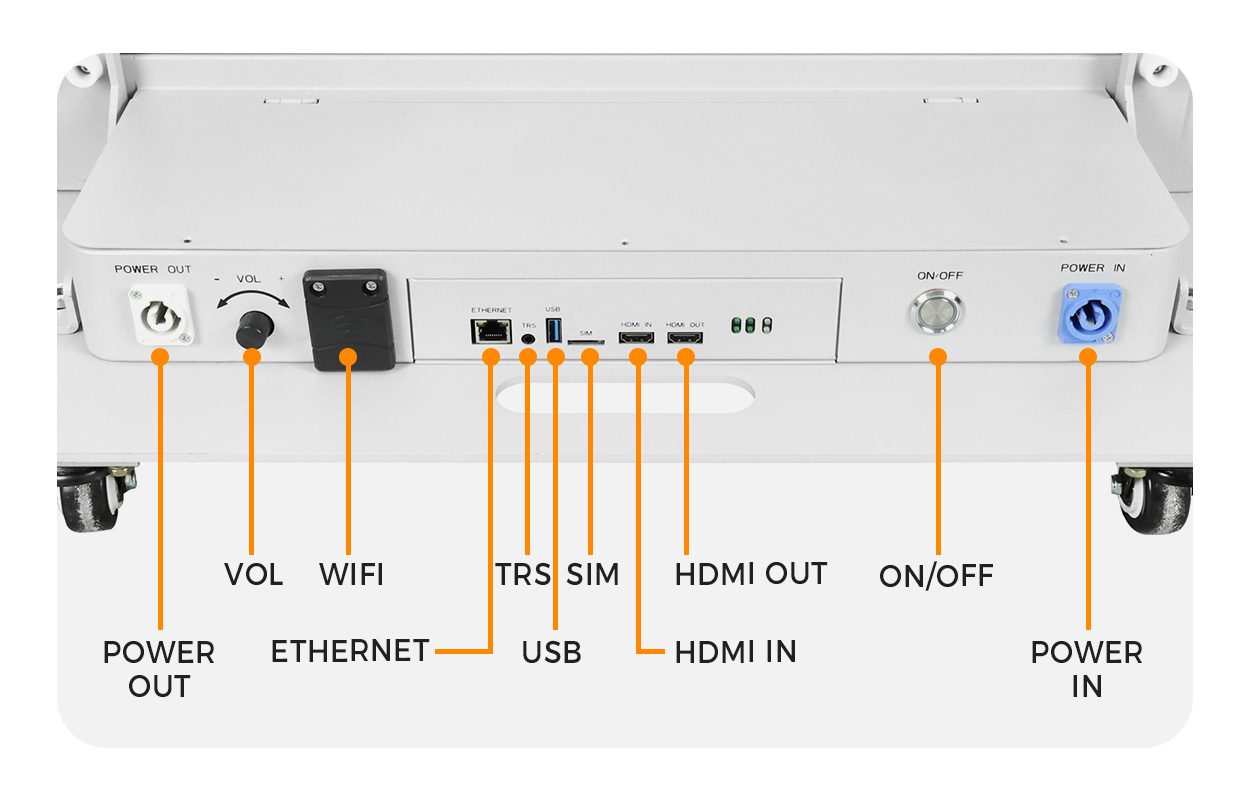
The EA1920iP5 product page illustrates USB, Ethernet and HDMI connections alongside wireless content management. These are delivery and connection options. They do not establish that every codec, cloud account, live-input mode or multi-screen synchronization method is included in a particular order. Confirm the supplied controller and enabled workflow in writing.
Test through the delivery path the store will actually use. A file that works through a laptop’s live input has not yet proved local scheduled playback. A successful USB test has not proved a remote upload, and a cloud upload confirmation has not proved that the correct store is displaying the new campaign.
Distinguish video frame rate from the LED refresh-rate specification. They describe different parts of the display chain. A high published LED refresh figure does not guarantee smooth decoding of an unsupported file or matching playback across separate devices. Evaluate the exported motion on the final system.
If several displays share a continuous animation, ask how timing is maintained and what happens after one unit restarts. Run the agreed motion across boundaries for the planned operating period. Separate playlists starting at approximately the same time should not be accepted as proof of frame-accurate synchronization.
Include audio policy in LED poster content planning even when the initial campaign is silent. Explicitly approve whether the file contains an audio track and whether playback should be muted. This avoids a later replacement video unexpectedly adding sound to a store where neighboring departments or announcements require a different arrangement.
6. Test, Record and Release the Campaign
A release test should demonstrate the complete route from approved file to visible playback. Use a test screen or an agreed maintenance window, keep the previous approved playlist available, and nominate the person who can stop the deployment. Record what was tested rather than simply marking the campaign “uploaded.”
The acceptance checklist below turns LED poster content planning into a repeatable handoff. Define project-specific limits before the test, including how long recovery may take and whether any interrupted playback is acceptable. The table supplies test conditions; it does not claim that EagerLED has already performed them for your project.
| เอกสาร | หลักฐาน | สภาพปล่อย |
|---|---|---|
| เรขาคณิตและการวางแนว | Photograph of labeled edge and quadrant test pattern | Every region appears in its assigned position without unintended crop |
| Message readability | Client approval from the recorded viewing positions | Essential copy and prices can be understood in the intended viewing situation |
| Complete playlist | Recorded observation of every item and transition | No missing item, unintended blank interval or incorrect audio behavior |
| การเปลี่ยนแปลงตามกำหนดการ | Device time, time zone and observed changeover record | The correct campaign starts and expires at the agreed local time |
| Connectivity interruption | Observed behavior during an approved network-disconnection test | Playback and recovery match the documented operating requirement |
| Restart and rollback | Recorded restart followed by restoration of the prior approved package | The operator can recover without rebuilding the campaign from scratch |
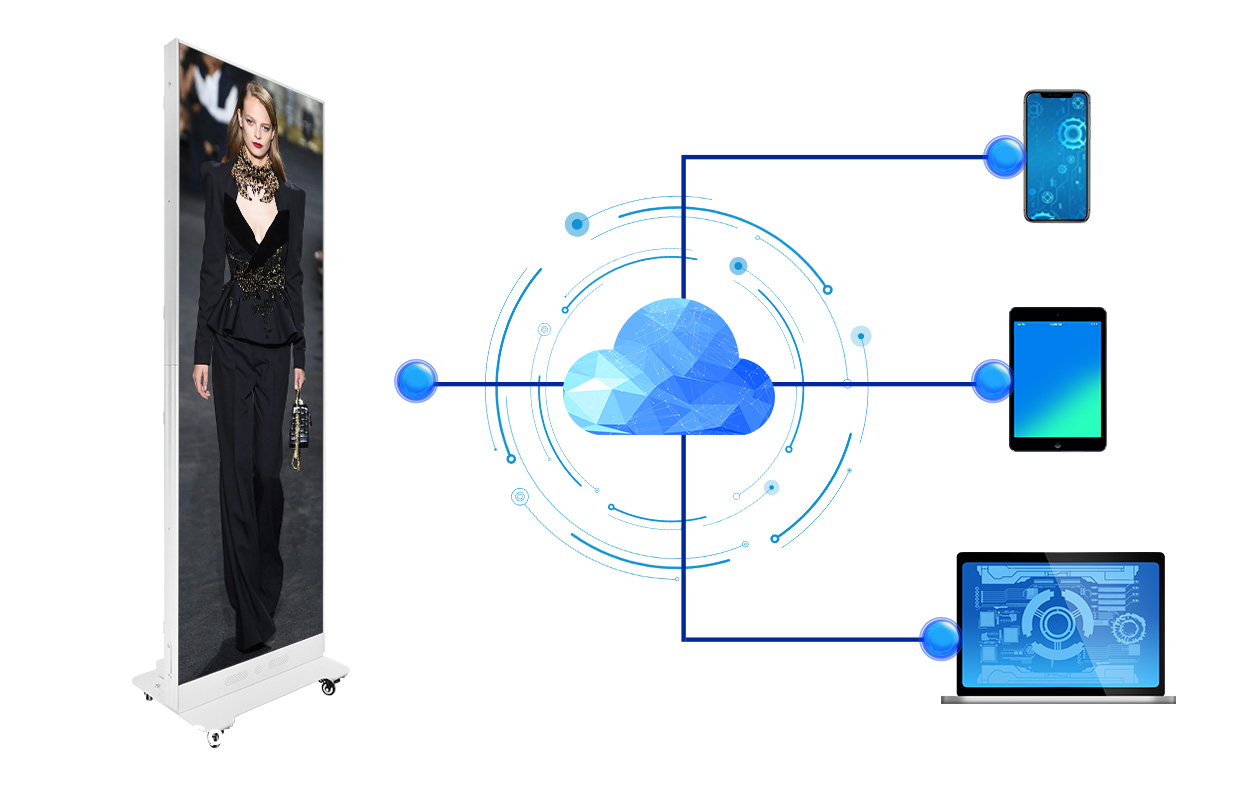
For LED poster content planning across multiple stores, test one representative configuration before extending the release. Group screens by actual hardware, player version and canvas, rather than assuming that a shared product name means identical settings. An approved file for one group may require a separate export or mapping for another.
Use a release name that combines campaign, location group and revision. Store the final files with their dimensions, duration, export preset and approval date. A checksum can help confirm that the deployed file is identical to the approved export, although it cannot prove what the display showed. Retain both file evidence and observed playback evidence.
After deployment, separate operational success from marketing success. Correct playback proves that the delivery workflow works. It does not prove that shoppers noticed the offer or that sales increased because of the screen. If effectiveness matters, agree on a measurement method and comparison period before launch, accounting for other promotions and store changes.
คำถามที่พบบ่อย (FAQs)
Can one content package serve different languages?
Use a shared design system but review each language version separately. Translation changes line length, word order and sometimes text direction. Keep the native canvas fixed while checking the longest actual strings, currency formatting and required local copy. Do not approve translated layouts from a shorter placeholder sentence.
Should QR codes be included on an LED poster?
Only if scanning suits the viewing situation. Test the actual code on the installed screen with representative phones and positions. Preserve its required clear border, avoid motion during scanning and verify the destination. A code that scans from a laptop preview is insufficient evidence for an illuminated LED surface.
Can a photographed screen prove color accuracy?
A photograph documents appearance under particular camera settings, but exposure, white balance and processing can alter the result. Agree on an on-site visual reference or a defined measurement procedure if color matching is a contractual requirement. Do not use an uncalibrated phone photograph as the sole acceptance standard.
What if a retail campaign needs current prices from another system?
Dynamic pricing adds a data workflow beyond a prerecorded playlist. Specify the data source, update frequency, access controls, error handling and approved fallback message. Confirm that the selected platform supports the integration before ordering; remote file publishing alone does not establish live data connectivity.
Does LED poster content planning include emergency messaging?
Ordinary promotional signage should not be assumed to perform a regulated emergency communication role. If the project requires priority messages, define the separate system requirements, authorized operators and failure behavior with the responsible project specialists. Keep promotional release procedures distinct from any approved emergency system.
Prepare Your Content Specification With EagerLED
Send the proposed screen arrangement, pixel pitch, viewing positions and one representative creative file. Include the intended update method and whether screens show independent messages or one continuous image. EagerLED can use these inputs to discuss the display and control requirements before the artwork is finalized.
If you are still choosing the physical format, review the จอแสดงผลโปสเตอร์ LED และ poster display buying guide. For a defined project, ติดต่อ Sun Legal EagerLED with your content and screen requirements. A clear LED poster content planning brief helps connect the quoted hardware, creative deliverables and final acceptance test.