

素早い回答
An LEDティッカーディスプレイ is a long, narrow LED screen that scrolls text and live data, such as news headlines, stock prices, sports scores, exchange rates or promotions, across a wall, ceiling, column or storefront. To choose one, match the pixel pitch to the closest viewing distance (P2.5 suits viewers from about 2.5 m), size the characters for the text you need, pick indoor or outdoor brightness and protection, and confirm how content will be fed and updated.
主要な取り組み
- An LED ticker is a strip, not a small video wall. Its height sets how many text rows fit; its length sets how much content each pass shows.
- Pixel pitch follows viewing distance: minimum viewing distance (m) ≈ pixel pitch (mm).
- Character height = font height in pixels × pixel pitch. A 32-pixel font on a P2.5 ticker is 80 mm tall.
- Indoor and outdoor tickers are different products. EagerLED indoor cabinets run at 600–750 cd/m² and IP31; outdoor cabinets at 6,000–6,500 cd/m² and IP65.
- Content is half the project. Decide the data source (RSS, API, spreadsheet or manual text), the control system and who updates the messages before ordering hardware.
1. What is an LED ticker display?
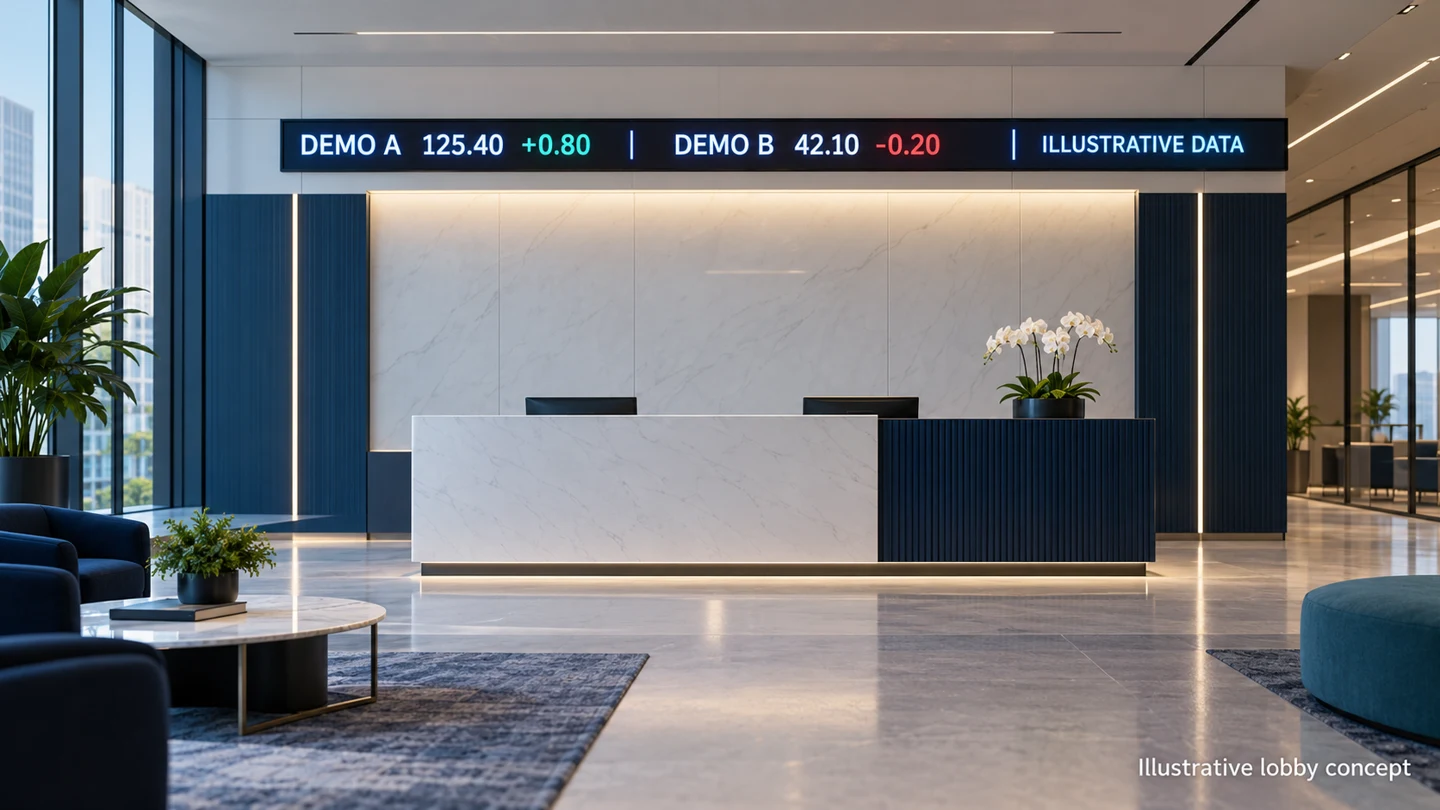
An LED ticker display is an electronic sign made of LED modules arranged in a long horizontal (or occasionally vertical) strip, designed to show moving text and real-time information in a continuous line. It is also called an LEDティッカー, LED ticker tape display, LED ticker sign, LED ticker board or crawl display. The name comes from the 19th-century stock ticker machines that printed prices onto a paper ティッカーテープ; the LED version keeps the same “ribbon of information” idea in digital form.
Unlike a standard LED video wall, which is usually close to 16:9, a ticker is extremely wide and short. A ticker might be 6 m long and only 0.25 m tall, so it is planned around text legibility and scrolling rather than video resolution.
How does an LED display ticker work?
- コンテンツソース – manual text, a schedule, an RSS news feed, a spreadsheet, or a live data API (finance, sports, weather, queue numbers).
- ソフトウェア – composes the messages, sets scroll speed and zones, and applies schedules.
- コントローラー – an asynchronous player that stores and plays content locally, or a synchronous sending card that mirrors a PC or video source.
- Receiving cards and LED modules – map the content to the pixel grid and light the LEDs.
- Cabinet, power and structure – hold the modules, supply power and fix the ticker to the wall, ceiling or column.
2. Types of LED ticker displays
2.1 By shape and mounting
| Ticker shape | ベスト | 計画ノート |
|---|---|---|
| Straight single-line | Reception walls, corridors, shop fascia | Simplest build; standard cabinets can usually fit |
| 複数行 | Headline plus data row, two separate feeds | Needs more active height; give each row a clear role |
| Corner or wrap-around | Room perimeters, building corners | Use right-angle cabinets; avoid splitting a number across the corner |
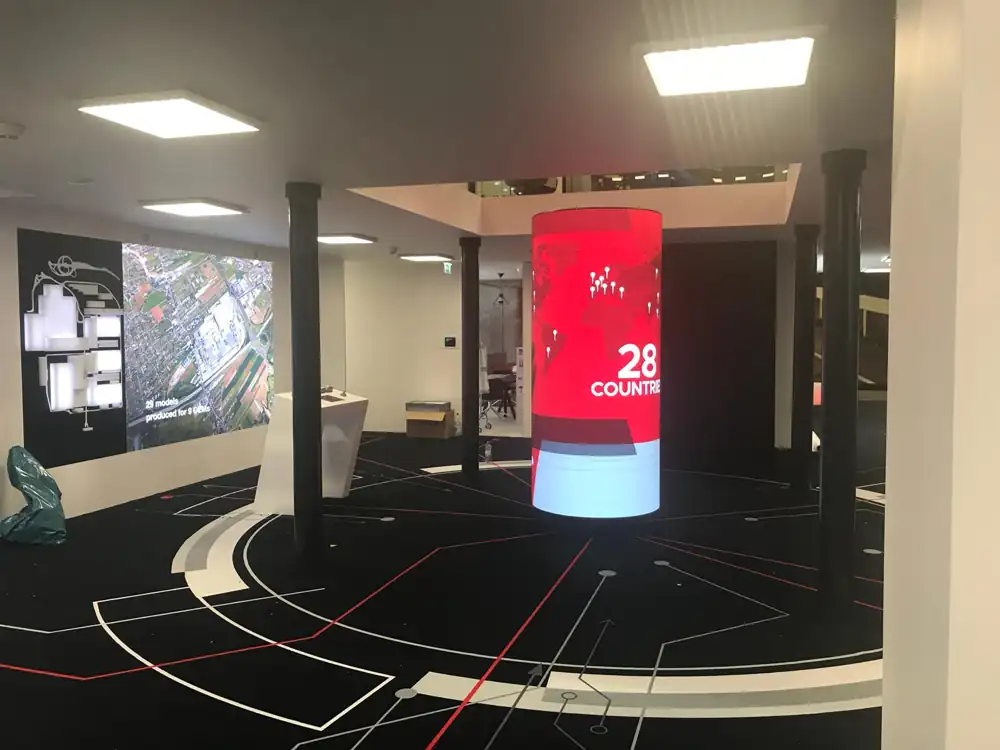
| Curved or circular (ring) | Atriums, columns, ceiling-hung rings, trade-show booths | Uses flexible modules; confirm the minimum bending radius with the supplier |
| 垂直 | Columns, between floors | Best for short words and paged content, not long sentences |
| Double-sided / suspended | Open-plan floors, window fronts, transit concourses | Hanging points and loads need a structural check |
Curved and circular tickers are typically built from soft modules such as EagerLEDさん EA-Flex フレキシブル LED ディスプレイ, available in module sizes including 320 × 160 mm and 240 × 120 mm. See our curved LED screen guide for concave and convex options.
2.2 Single-colour vs full-colour
- Single-colour or tri-colour tickers (often red or amber) have traditionally been used for basic text messages, queue numbers and price boards. They are simple and economical but cannot show logos, photos or colour-coded data.
- Full-colour (RGB) tickers can show logos, icons, green/red change indicators, video clips and branded layouts. Most corporate, retail and financial projects now choose full colour for brand consistency.
2.3 Indoor vs outdoor LED tickers
Indoor and outdoor tickers differ in brightness, protection, pixel pitch and cabinet construction. The figures below come from EagerLED’s published product specifications and show how far apart the two categories are.
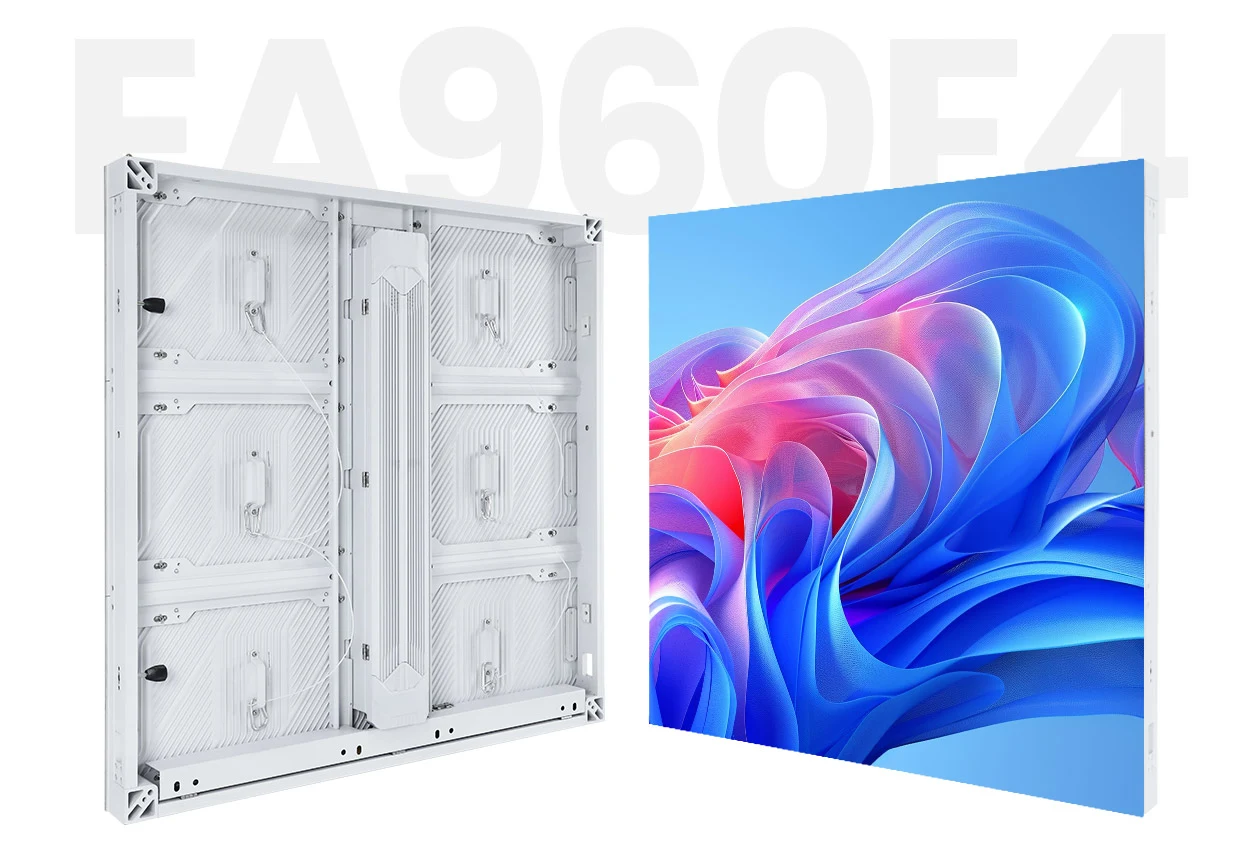
| 製品仕様 | Indoor ticker example (EA250WH5) |
Outdoor ticker example (EA960F4) |
|---|---|---|
| Cabinet sizes useful for strips | 500/750/1000 × 250 mm | 960×640mmと960×960mm |
| ピクセルピッチ範囲 | P1.25〜P3.91 | P4.44〜P10 |
| 輝度 | 600~750 cd/m² | 6,000~6,500 cd/m² |
| 保護等級 | IP31 | IP65 |
| リフレッシュ・レート | ≥3,840Hz | ≥3,840Hz |
| サービスアクセス | Front service, 30 mm cabinet | フロントとリアのサービス |
A ticker behind a shop window is a special case: it is indoors but faces daylight, so it usually needs more brightness than a lobby ticker. For a full comparison, read indoor vs outdoor LED displays.
2.4 Commercial tickers vs desk tickers
Small Wi-Fi desk tickers sold online are consumer gadgets for a personal watchlist. A commercial LED ticker display is engineered for public viewing at distance, can be built to almost any length, and is supported by a professional controller, mounting design and service plan. This guide covers commercial tickers.
3. Where LED ticker displays are used
| 用途 | 典型的なコンテンツ | Common data source | 主な要件 |
|---|---|---|---|
| Financial offices, banks, trading rooms | Stock prices, indices, FX rates | Licensed market-data feed | Data display rights and delay notices |
| Sports bars, stadiums, betting venues | Live scores, fixtures, odds | Sports data API | Fast updates and clear team abbreviations |
| Newsrooms, broadcast studios, media lobbies | Headlines and breaking news on an LED news ticker | RSS or newsroom system | Camera-friendly refresh rate |
| 小売とおもてなし | Promotions, prices, opening hours, welcome messages | Scheduled playlists, manual text | Easy updating by store staff |
| Corporate offices and control rooms | KPIs, announcements, safety messages | Spreadsheet, BI dashboard, intranet | Separation of internal and public content |
| Transit, banks and service counters | Queue numbers, departures, notices | Queue or timetable system | High legibility and reliability |
| 学校と大学 | Campus news, finance-lab market data | RSS, licensed educational data | Simple content management |
Two applications have their own detailed guides: the LED stock ticker display guide covers market-data rights, delayed and halted states, and lobby commissioning, while the LED sports ticker guide covers live scores in sports bars.
4. How to choose LED ticker specifications
4.1 画素ピッチと視距離
Pixel pitch is the distance in millimetres between the centres of two adjacent pixels, and it is the first specification to fix on any LED ticker display. A common planning rule is that the minimum comfortable viewing distance in metres roughly equals the pixel pitch in millimetres. Base the choice on the closest regular viewer, then confirm with real text on a sample. Our ピクセルピッチガイド 距離表がすべて含まれています。
| Closest regular viewer | 開始ピクセルピッチ | Typical ticker location |
|---|---|---|
| 約1.5~2メートル | P1.5〜P2 | Above a reception desk or service counter |
| 約2.5~4メートル | P2.5〜P3.91 | Lobby walls, retail interiors, sports bars |
| 約4~8メートル | P4〜P8 | Atriums, concourses, shop fascia |
| 8メートル以上 | P8–P10 and coarser | Building facades, roadside and stadium tickers |
4.2 Character height and rows
On an LED ticker, text size is fixed by the pixel grid: character height (mm) = font height (pixels) × pixel pitch (mm). Fonts need enough pixels to draw decimal points, commas and symbols cleanly, which is why very low-resolution tickers struggle with prices and percentages.
| 画素ピッチ | 16-pixel font | 32-pixel font | 64-pixel font |
|---|---|---|---|
| P1.95 | ≈31mm | ≈62mm | ≈125mm |
| P2.5 | 20 mm | 20 mm | 20 mm |
| P3.91 | ≈63mm | ≈125mm | ≈250mm |
| P6.67 | ≈107mm | ≈213mm | ≈427mm |
Larger characters read from further away but leave less room for content. If you need two rows, check that both fit in the active height with spacing between them.
4.3 Ticker length, height and pixel canvas
The pixel canvas is the active size divided by the pixel pitch. Ask suppliers for the canvas, not just the frame dimensions, because it decides what content can be designed.
実例: six EA250WH5 cabinets of 1000 × 250 mm form a 6 m × 0.25 m strip. At P2.5 the canvas is 2,400 × 100 pixels – room for one 64-pixel headline row or two 40-pixel rows. At P3.91 (3.906 mm actual) the same strip gives 1,536 × 64 pixels – one bold row for viewing from further away.
A taller strip (for example 500 mm using 1000 × 500 mm cabinets) allows a headline row plus a data row, or a fixed logo zone beside the scrolling text. Our LEDディスプレイサイズガイド explains how cabinet sizes combine.

4.4 Brightness, refresh rate and viewing angle
- 明るさ: indoor tickers typically need 600–800 cd/m² with dimming for evenings; sun-facing outdoor tickers need several thousand cd/m². Too much brightness indoors causes glare and wastes power.
- リフレッシュレート: a rate of 3,840 Hz or higher keeps scrolling text smooth on camera, which matters in studios and venues that film or stream. See LED display refresh rate explained.
- 視野角: tickers are often read from the side as people walk past. EagerLED’s EA250WH5, for example, is specified at 160°.
LED ticker specification checklist
| 重要性 | サプライヤーに何を尋ねるべきか | |
|---|---|---|
| 画素ピッチ | Sets viewing distance and cost | A sample with your real messages at your viewing distance |
| Active size and canvas | Defines rows and message length | A pixel canvas drawing for your opening |
| 明るさと調光 | Legibility without glare | Rated cd/m² and automatic dimming options |
| IPの評価 | ほこりや水からの保護 | Rating for the exact cabinet supplied |
| Refresh rate / grey scale | Smooth scrolling and camera capture | Rated values with the proposed controller |
| コントローラーの種類 | How content is loaded and updated | Asynchronous or synchronous; Wi-Fi, LAN or 4G options |
| サービスアクセス | 長期的なメンテナンス費用 | Front or rear service; spare modules included |
| 認定 | Import and site approval | CE, FCC and RoHS documents for the model |
5. Content, data sources and control systems
An LED ticker display is only as useful as the content behind it, so plan the data source, the controller and the people who update messages at the same time as the hardware.
5.1 Where does ticker content come from?
- Manual text and schedules – welcome messages, promotions, opening hours. Ideal for retail and hospitality.
- RSSフィード – news headlines or blog updates, refreshed automatically.
- Spreadsheets, CSV or JSON files – prices, KPIs or menus updated by staff.
- Live data APIs – stock prices, sports scores, weather, queue numbers or departures. Commercial data often requires a licence for public display, so confirm terms with the provider.
5.2 Asynchronous vs synchronous control
| 制御タイプ | 仕組み | ベスト |
|---|---|---|
| 非同期 | Content is uploaded to a player inside the system (via Wi-Fi, LAN, USB or optional 4G) and plays even when no PC is connected | Retail, signage, scheduled messages, remote sites |
| 同期 | The ticker mirrors a live video or PC output in real time through a sending card | Broadcast studios, trading rooms, live data rendered by dedicated software |
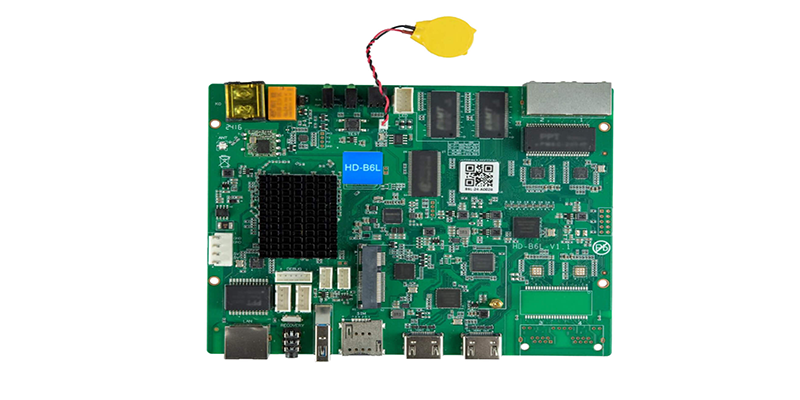
Players from NovaStar (Taurus series) and Huidu are common asynchronous choices. See our guides on Huidu HD-B8H vs B6L vs B8L (NAIST) と connecting an LED panel to a NovaStar Taurus player.
5.3 Content design rules for tickers
- Keep messages short. A viewer walking past should read one complete message in a single pass.
- Set scroll speed by test, not by default. If test viewers cannot finish reading, slow the scroll, shorten the message or switch to paged text.
- ゾーンを使用してください。 A fixed logo or label beside the scrolling area keeps the brand visible while text moves.
- Use high contrast. Light text on a dark background reads best on LED; avoid thin fonts.
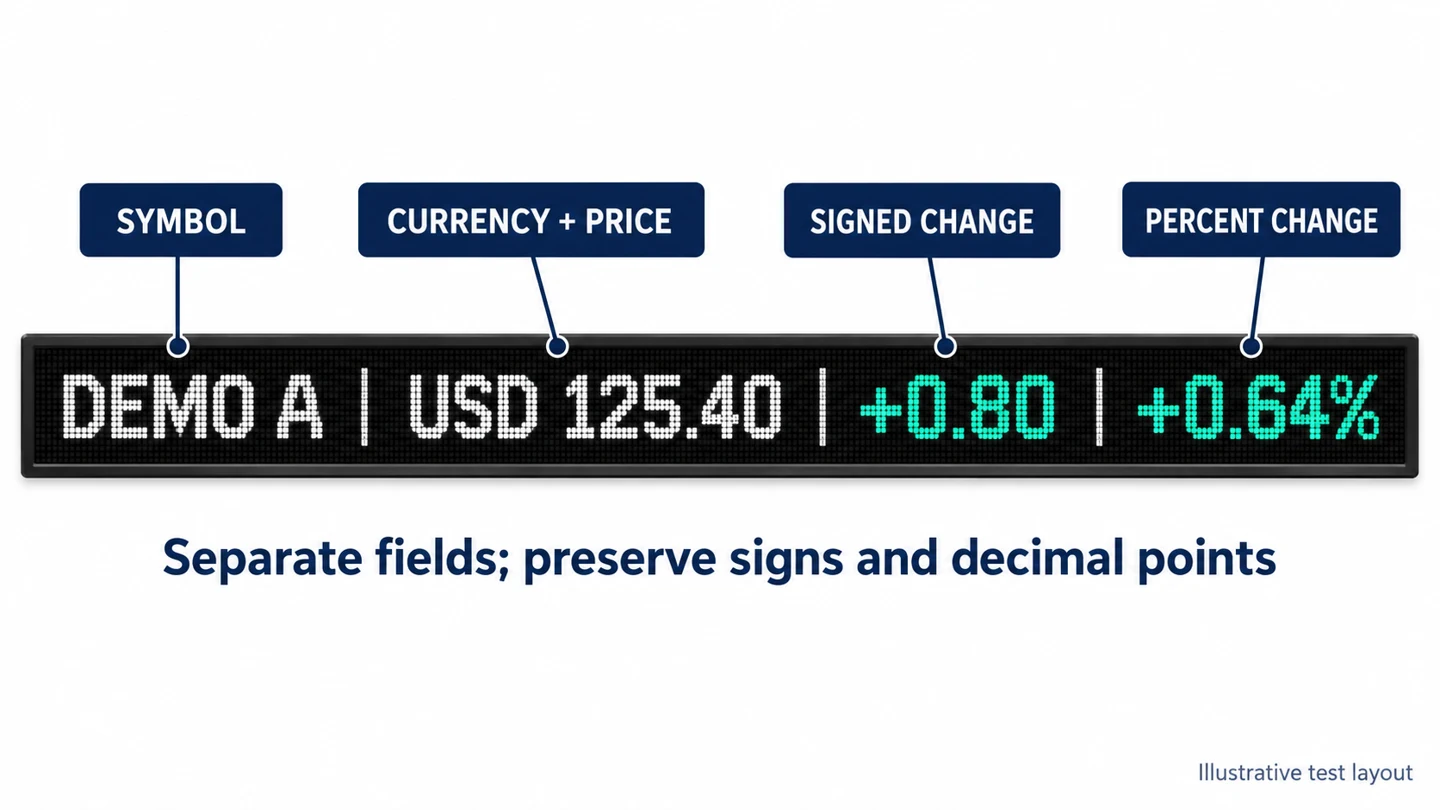
- Do not rely on colour alone. Keep “+” and “−” signs and labels so data stays clear for every viewer.
6. 設置と保守
Most LED ticker display installations are straightforward, but strips are often mounted high, over doorways or around corners, so plan access and cabling early.
- 取付: wall brackets for straight tickers, steel frames for facades, hanging kits for ceiling rings. Have a qualified engineer check loads, especially for suspended and outdoor installations.
- サービスへのアクセス: tickers are often installed high or in shallow recesses, so front-service cabinets avoid the need for a rear maintenance corridor.
- 電力とデータ: plan cable routes, the controller location and network access before the wall is finished.
- Outdoor tickers: add weatherproof cable entries, drainage and ventilation, and check wind loading and local signage permits.
- 定期点検: clean the surface, check for dead pixels or module colour shifts, and keep spare modules from the same production batch. Use our LED maintenance plan template.
7. How much does an LED ticker display cost?
There is no fixed price per metre for an LED ticker. The total depends on pixel pitch, length and height, single-colour or full-colour, indoor or outdoor rating, shape (straight, corner, curved or circular), controller, installation and any recurring data subscription. Because a strip has more edges, framing and custom cabling per square metre than a standard video wall, comparing tickers on price per m² alone can mislead.
| コスト要因 | 価格への影響 |
|---|---|
| より細かいピクセルピッチ | More LEDs and driver ICs per metre; higher cost |
| 屋外定格 | Higher brightness, IP65 sealing and stronger structure |
| Curved, circular or corner shape | Flexible modules or special cabinets; more engineering |
| コントローラーとソフトウェア | Asynchronous players are economical; live-data rendering software adds cost |
| 設置 | Height, ceiling suspension, steelwork and access equipment |
| 経常費用 | Electricity, maintenance and any licensed data feed |
For hardware budgets, see LED wall price 2026 by pixel pitch 屋内用LEDディスプレイ価格ガイド. Estimate running costs with our LED power consumption calculator guide.
8. LED ticker buying checklist
Work through these ten steps before requesting LED ticker display quotations:
- Define what the ticker must show and who will update it.
- Measure the opening and the closest and farthest viewer positions.
- Choose the shape: straight, multi-line, corner, curved, vertical or double-sided.
- Select indoor, outdoor or window-facing specifications.
- Pick a pixel pitch and confirm character height with a sample.
- Request a pixel canvas drawing and a content mock-up.
- Choose the content source and controller (asynchronous or synchronous).
- Confirm data licences for any live financial or sports feeds.
- Check service access, spare parts, warranty and certifications.
- Compare quotes item by item: hardware, controller, software, installation and recurring costs.
9。 よくある質問
9.1 What is an LED ticker display used for?
An LED ticker display shows scrolling text and live information such as news headlines, stock prices, sports scores, exchange rates, promotions, queue numbers and announcements. It is used in financial offices, sports bars, newsrooms, retail stores, transit hubs, schools and corporate lobbies.
9.2 What is the difference between an LED ticker and an LED video wall?
An LED ticker is a long, narrow strip planned around readable moving text, while an LED video wall is usually close to a 16:9 shape and planned around images and video. Both use the same LED modules and controllers, but tickers have very different pixel canvases.
9.3 What pixel pitch should an LED ticker display have?
Match the pixel pitch in millimetres to the closest viewing distance in metres. Indoor tickers commonly use P1.95–P3.91, while outdoor tickers commonly use P4–P10. Confirm the choice with a sample showing your real messages.
9.4 Can an LED ticker show live data?
Yes. Tickers can pull live data from RSS feeds, spreadsheets or APIs for stocks, sports, weather and queues. Commercial data feeds often need a public-display licence, so confirm the terms with the data provider before installation.
9.5 Does an LED ticker need an internet connection?
Not always. An asynchronous controller stores content locally and keeps playing without a connection. Internet or network access is needed only for remote updates and live data feeds.
9.6 Can an LED ticker be curved or circular?
Yes. Flexible LED modules can form curved walls, column wraps and ceiling-hung rings, and right-angle cabinets can turn corners. Confirm the minimum bending radius and service access with the supplier.
9.7 Should I choose a single-colour or full-colour LED ticker?
Choose single-colour for simple text and number displays on a tight budget. Choose full-colour if you need logos, colour-coded data, brand colours or images.
9.8 How much does an LED ticker display cost?
The cost depends on pixel pitch, size, colour type, indoor or outdoor rating, shape, controller, installation and any data subscription. Ask for a quotation that lists hardware, control system, installation and recurring costs separately.
10. Get an LED ticker display quote from EagerLED
EagerLED has manufactured indoor and outdoor LED displays in Shenzhen, China, since 2009, with CE, FCC and RoHS certified products used in more than 120 countries and regions. Our engineers can propose a cabinet layout, pixel canvas drawing and content mock-up for straight, corner, curved and outdoor LED ticker projects. Send us your ticker dimensions and viewing distances to get a free quotation.
This guide was technically reviewed by the EagerLED エンジニアリングチーム。