

NovaStar CMS130 vs CMS260: choose the CMS130 when the wall is within its 1.3-million-pixel loading limit and your source list needs DVI, VGA, CVBS, or local USB playback. Choose the CMS260 when the wall needs up to 2.6 million pixels, four Ethernet outputs, 3G-SDI, two adjustable layers, or the backup features listed in its specification. Neither choice is settled by the video input resolution alone.
This comparison is for an AV integrator specifying a controller for a fixed ecran LCD interior sau un mic LED de închiriere. Se folosește de CMS130 specification și CMS260 specification hosted with the current product listings. The arithmetic examples are planning checks, not proof that an untested receiving-card and cable layout will work.
Start with the wall’s physical pixel matrix and the sources the operator will actually connect. Then check the output map, signal format, receiving cards, and backup plan before placing an order. The comparison below turns those requirements into a purchase decision.
1. NovaStar CMS130 vs CMS260: the differences that affect selection
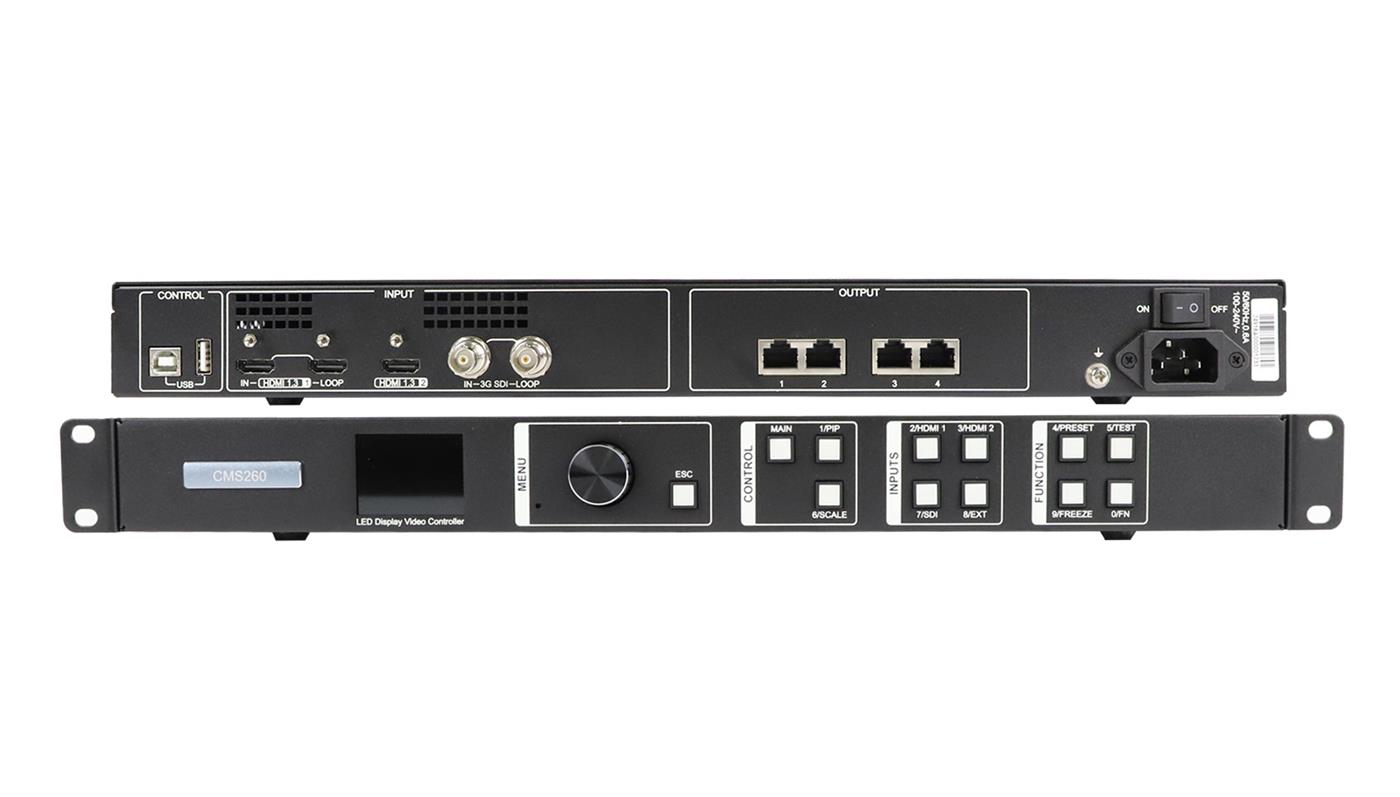
Both devices combine video processing with LED display control, but they solve different source and output requirements. The CMS130 offers a wider range of older input connector types. The CMS260 doubles the published total loading capacity, adds two Ethernet outputs, and provides SDI and more event-oriented control features. Treat those as separate decisions: a larger pixel budget does not create a missing VGA connector, while a convenient USB player does not raise output capacity.
| Cerinţă | CMS130 | CMS260 | Implicația de cumpărare |
|---|---|---|---|
| Sarcină totală LED | Până la 1.3 milioane de pixeli | Până la 2.6 milioane de pixeli | Calculate the physical wall resolution before comparing features. |
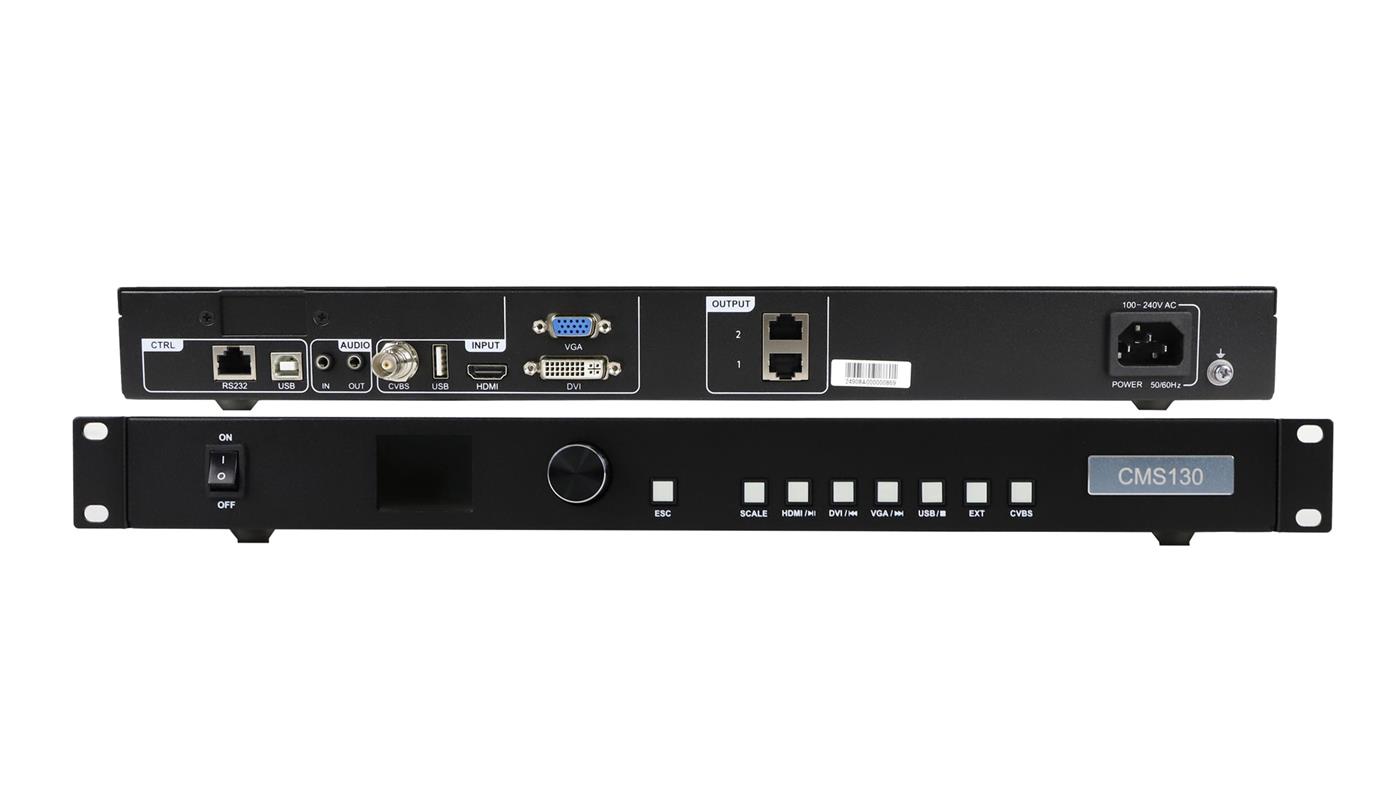
| Ieșiri LED | 2 Ethernet outputs | 4 ieșiri Gigabit Ethernet | Request a port-by-port mapping, not only a total pixel count. |
| Intrări video | DVI-D, HDMI 1.3, VGA, CVBS, and USB media input | Two HDMI 1.3 inputs and one 3G-SDI input; one HDMI and the SDI input have loop outputs | List every real source and connector before choosing. |
| Gestionarea sursei | Input cropping and full-screen, pixel-to-pixel, or custom scaling | Two adjustable layers, input cropping, and stepless output scaling | Confirm whether the operator needs a second on-screen layer. |
| Presetări | Până la 6 presetări definite de utilizator | Până la 10 presetări definite de utilizator | Count the layouts and source states that must be recalled. |
| Backup features stated | No comparable hot-backup list in the cited CMS130 sheet | Input-source, Ethernet-port, and device backup are listed | Specify the actual failover topology and test procedure. |
The table reflects the cited sheets, not every possible firmware behavior. For NovaStar CMS130 vs CMS260, the decisive question is whether the required wall and operating plan fit the exact unit you will receive. A feature named in a datasheet may still depend on the input format, receiving-card configuration, software version, or cabling used on site.
Într-o NovaStar CMS130 vs CMS260 shortlist, record which requirement actually eliminates a model. A wall above 1.3 million physical pixels rules out one CMS130 regardless of its input convenience. A required VGA feed makes the CMS260’s published connector list incomplete for that installation unless conversion is specified. This simple elimination step prevents a long feature discussion from hiding a hard constraint.
2. Calculate the physical wall before choosing a controller
Controller loading capacity refers to the LED pixels driven at the output. It is not the same as the resolution of an HDMI signal entering the device. This distinction matters because a controller can accept a Full HD source yet lack capacity to drive a wall with 1920 × 1080 physical pixels. If you need a detailed CMS130 example, see the EagerLED magazin native Full HD capacity calculation.
01. Calculate the actual pixel matrix
Multiply the installed pixel width by the installed pixel height. When you know only the cabinet plan, multiply cabinet columns by pixels per cabinet horizontally, and cabinet rows by pixels per cabinet vertically. Use the real cabinet drawing and receiver configuration; cabinet dimensions in millimeters alone cannot establish pixel count. Mixed cabinets, cropped areas, or irregular layouts need a pixel map rather than a single assumed cabinet size.
Ca hypothetical planning example, a 1280 × 720 wall contains 921,600 physical pixels. That is below both published total limits. A 1920 × 1080 wall contains 2,073,600 pixels: above the CMS130’s 1.3-million-pixel limit but below the CMS260’s 2.6-million-pixel limit. A 2560 × 1080 wall contains 2,764,800 pixels and exceeds both. These figures screen out an unsuitable total capacity; they do not approve a cable map.
Pentru NovaStar CMS130 vs CMS260, keep the calculation attached to the cabinet drawing. If a contractor later changes pixel pitch while keeping the same physical wall dimensions, the pixel count changes and the controller choice may need to change. A quote that names only “3 m by 2 m” or “Full HD content” is therefore insufficient. Ask for the installed pixel width and height as separate fields.
02. Check shape and each output route
The CMS260 sheet also states maximum output width and height of 3840 pixels each. Those are individual dimension limits, not a promise that a 3840 × 3840 wall is possible: that rectangle has 14,745,600 pixels, far above the 2.6-million-pixel total. For example, a hypothetical 3840 × 600 wall contains 2,304,000 pixels and meets the stated total and dimension ceilings. It still requires a valid input timing, four-port distribution, receiving-card map, and confirmed configuration.
Pentru NovaStar CMS130 vs CMS260, request a drawing that assigns pixel regions to each Ethernet output. The published totals alone do not show how a particular cabinet chain will be divided. Leave room for the real scan mode, bit depth, receiving-card settings, and any redundancy that consumes ports or changes the active route. A network splitter cannot increase the controller’s pixel processing budget.
3. Match the video inputs to the sources operators will use
A controller is a poor fit if the wall capacity is sufficient but the room’s sources require a missing input. Inventory the signal path from laptop, camera, playback device, switcher, or legacy equipment to the controller. Record connector, resolution, frame rate, interlaced or progressive format, and whether a loop output is needed elsewhere. Adapters can change a connector; they do not automatically convert every timing or solve an HDCP restriction.
01. When the CMS130’s mixed inputs matter
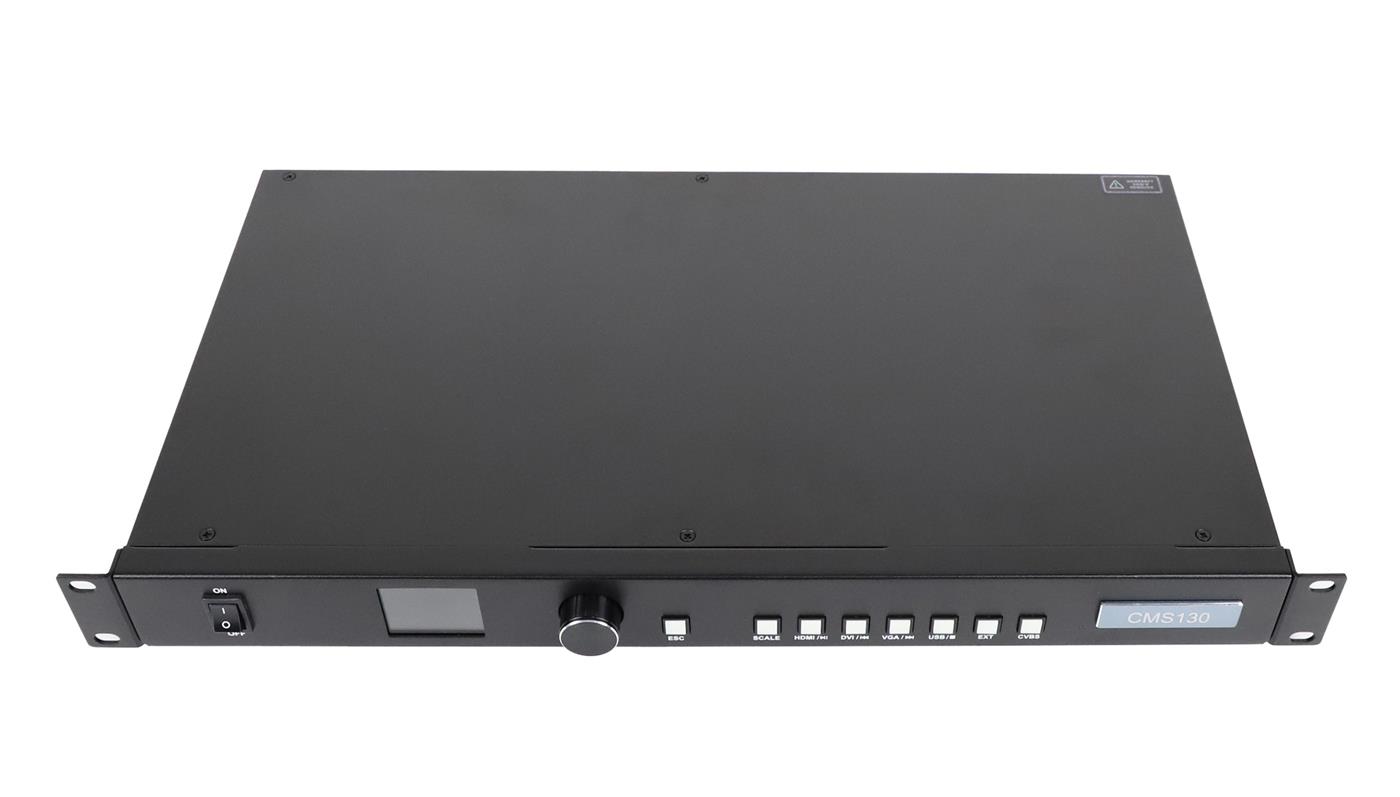
The CMS130 specification lists DVI-D, HDMI 1.3, VGA, CVBS, and a USB Type-A media input. Its HDMI and DVI specifications show input up to 1920 × 1080 at 60 Hz. VGA and CVBS can be relevant when a site must keep older source equipment. The USB input supports local file playback, with supported file systems and formats defined in the sheet; check the exact media file during commissioning rather than assuming that every USB drive or codec will play.
This mix can reduce the need for separate converters in a small fixed installation. It does not mean the CMS130 will accept any source without testing. A laptop may present a different color format, timing, or protection setting than expected, and a legacy analog source can look poor on a fine-pitch wall even when the connector is supported. In a NovaStar CMS130 vs CMS260 comparison, the source inventory can outweigh a larger unused output budget.
02. When HDMI, SDI, and loop outputs matter
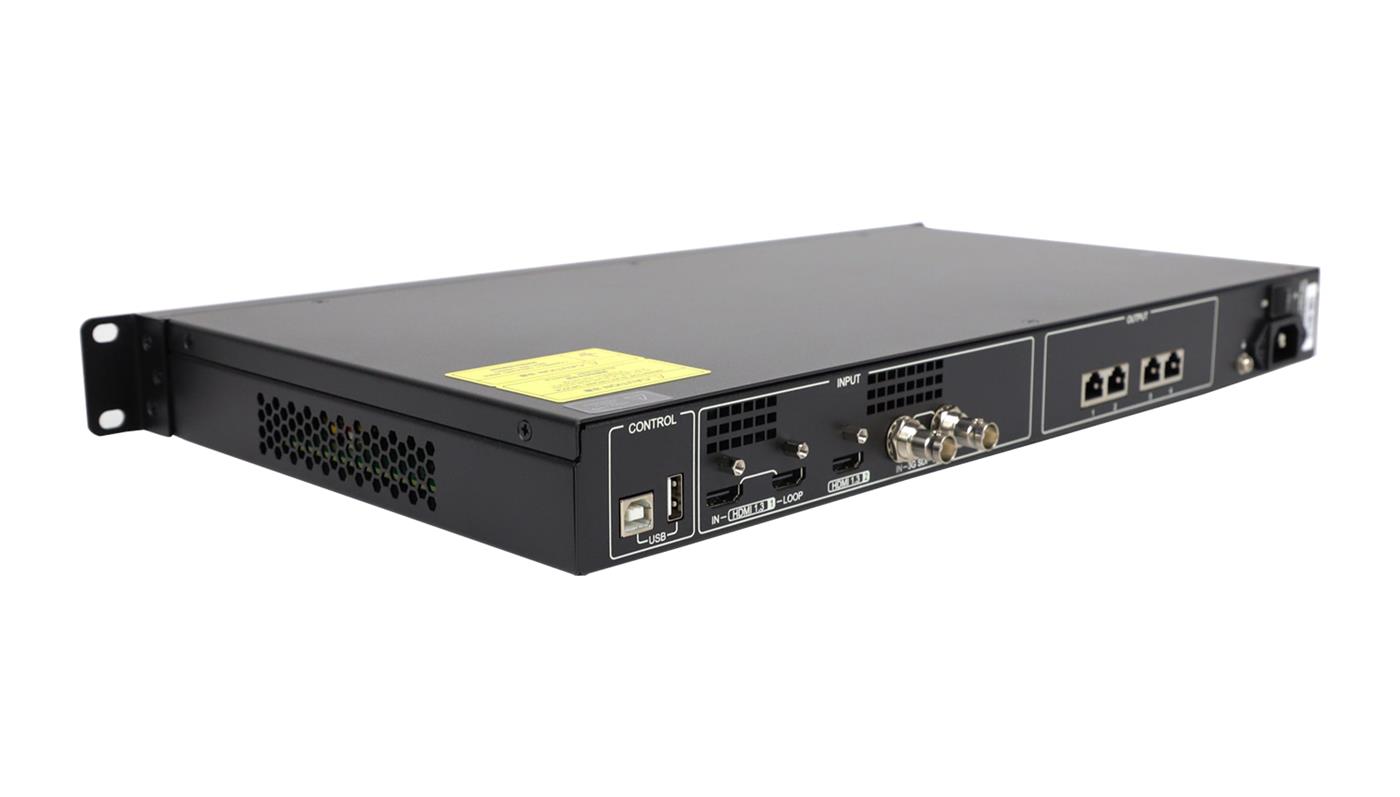
The CMS260 sheet lists two HDMI 1.3 inputs and one 3G-SDI input. HDMI 1.3-1 and 3G-SDI have loop outputs, which can help when the source also feeds another device. The SDI input is specified up to 1920 × 1080 at 60 Hz and explicitly excludes Level B signals. The HDMI section lists supported standard and custom timings with conditions; check the source’s actual output instead of inferring that the controller accepts a full 4K video signal merely because its LED output can be 3840 pixels wide.
The CMS260 does not list VGA, CVBS, or the CMS130’s USB media playback input. If a venue relies on one of those, the purchase specification must include a compatible conversion or playback path, or the CMS130 may be the simpler fit when pixel capacity allows. If an SDI camera or switcher is central to the show, the CMS260 has the relevant native input. This is a concrete reason to choose between the two beyond their model numbers.
În timpul a NovaStar CMS130 vs CMS260 source test, bring the actual playback laptop or switcher rather than a convenient substitute. Confirm that the selected input locks to the intended timing and that the wall shows the expected aspect ratio, color, and audio behavior. If a converter is part of the design, include its power supply and settings in the acceptance record. Otherwise a controller can pass a bench check yet fail with the venue’s real source.
4. Decide how the wall should behave during a show
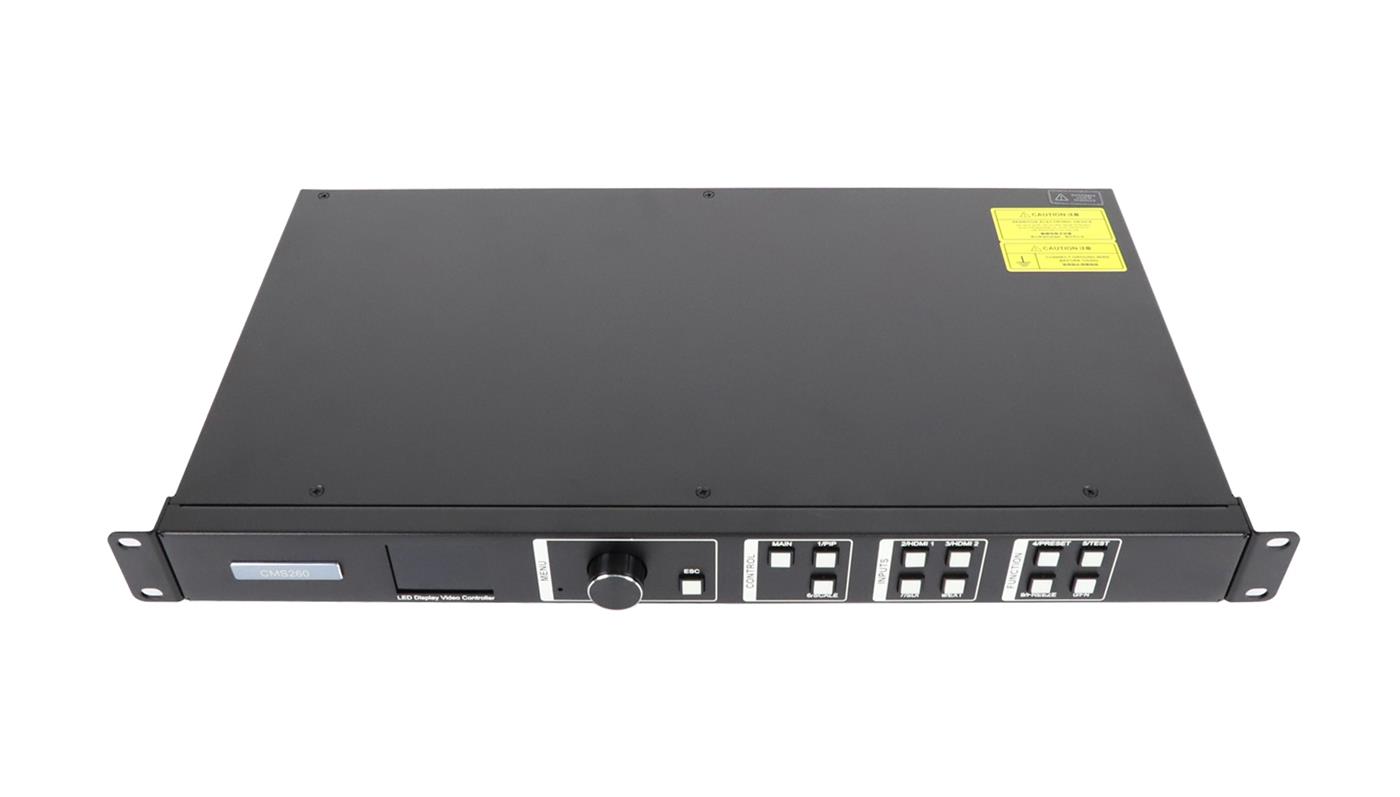
Operational requirements can change the answer even when both controllers fit the wall. The CMS130 sheet offers input cropping, image scaling, LED brightness and gamma adjustment, and up to six presets. The CMS260 sheet lists two adjustable layers, ten presets, output synchronization for cascaded units, and several hot-backup options. Those descriptions are useful for planning, but the actual sequence of button presses, software settings, and recovery behavior should be demonstrated with the intended sources.
01. Presets and layers are workflow requirements
List the states the operator must recall: for example, a full-screen presentation, a camera feed, a holding image, and a picture-in-picture layout. Count distinct layouts rather than treating a preset number as a measure of image quality. The CMS260’s two-layer capability may matter if two sources need to appear at once. If the site runs one source in one layout, the extra layer and preset capacity may bring no practical benefit.
For a fixed retail or meeting-room installation, write down who changes sources and whether the controller will be operated from its front panel or a control PC. For a temporary event, identify the person who loads presets, monitors signal loss, and restores the show. A NovaStar CMS130 vs CMS260 recommendation should reflect that operator’s task, not just a feature checklist.
02. Backup needs a specified route and a test
The CMS260 specification lists backup between input sources, Ethernet ports, and devices, plus a way to test some backup states without unplugging cables. That does not make a system redundant by itself. Specify the primary and spare source, the intended backup port or device, how receiving cards are cabled, and the trigger condition for changeover. Verify the stored configuration and run a witnessed failure test before the system is accepted.
The cited CMS130 sheet does not give the same hot-backup feature list. Do not infer from that omission that every possible external backup arrangement is impossible; assess the complete design separately. Equally, do not promise uninterrupted operation from a CMS260 listing without checking the topology and firmware in the actual system. For NovaStar CMS130 vs CMS260, this is especially relevant when an event contract requires a documented recovery procedure.
Un practic NovaStar CMS130 vs CMS260 acceptance plan should state what the audience sees after the primary signal disappears: the backup source, a stored image, or a blank wall. Define who observes the change, how long recovery may take, and how normal operation is restored. These are project requirements, not values supplied by the product photographs or a generic feature list.
5. Turn the comparison into a purchase specification
Before ordering, give the seller a concise system description. A model recommendation made from only wall width in meters or a preferred source connector is incomplete. The minimum useful package contains the wall pixel matrix, cabinet arrangement, receiving-card model and version, source formats, desired on-screen layouts, and expected failure behavior. If an existing system is being replaced, include photographs of the old controller’s label and cable connections.
| Furniza | Cereți furnizorului să confirme | De ce contează |
|---|---|---|
| Wall pixel width, height, cabinet grid, and pixel map | Total capacity, permitted dimensions, and output-port assignments | Prevents an input-resolution figure being mistaken for LED output capacity. |
| Receiving-card model, hardware revision, and configuration file | Controller compatibility and supported software or firmware combination | An RJ45-style connector alone does not establish system compatibility. |
| Every source’s connector, timing, and signal format | Which input accepts it and whether conversion or loop output is required | Separates native support from an assumed adapter solution. |
| Required layouts, transitions, and number of presets | Demonstration of scaling, layers, source switching, and preset recall | Checks the actual operator workflow. |
| Backup objective and cable route | Primary and backup paths, trigger behavior, and acceptance test | Turns a listed backup feature into a verifiable design. |
| Destination, quantity, and requested delivery date | Current price, stock, shipping, taxes, and support terms in writing | Online listings can change and may exclude import charges. |
The CMS130 product listing and CMS260 product listing provide the current store context. Treat a displayed price or stock figure as time-sensitive; request a dated quotation for the exact model, shipment destination, and support scope. Do not combine a specification from one hardware revision with a price for another.
La evaluare NovaStar CMS130 vs CMS260 for a replacement, preserve the existing configuration before disconnecting equipment. Record cabinet order, receiving-card files, source settings, and photographs of each cable route. Ask the seller whether the configuration can be imported as-is or must be recreated. Budget time for commissioning even when the replacement chassis appears to have enough ports and similar front-panel controls.
A useful acceptance check includes the actual input source, the intended content, every LED output chain, preset recall, and any required failover. Record the hardware and firmware versions that passed. If a replacement controller must reuse existing receiving cards, ask for an explicit compatibility confirmation before dispatch. The NovaStar CMS130 vs CMS260 decision is complete only when the selected model fits the whole signal path.
For a new installation, make the NovaStar CMS130 vs CMS260 decision alongside the receiver and cabinet schedule. Specify a labeling convention for all output cables, keep a copy of the approved configuration file, and ask who will perform the final on-site test. This makes future service easier and gives the project team a way to distinguish a source problem from a controller or receiving-card problem.
6. Întrebări frecvente
01. Can the CMS260 accept a 4K HDMI source because its output width reaches 3840 pixels?
Do not make that assumption. The cited CMS260 sheet separately defines its HDMI 1.3 input timings and its LED output width. A custom wide timing is listed under specific conditions, but that is not a general 3840 × 2160 HDMI input claim. Send the exact source timing and color format for confirmation.
02. Does adding a network switch or splitter let a CMS130 drive more than 1.3 million pixels?
No. A splitter changes the cable topology, not the controller’s stated total processing and sending capacity. Calculate the physical wall pixels first and request an approved output map for the chosen controller.
03. Can I reuse my existing receiving cards when changing from CMS130 to CMS260?
Possibly, but the cited sheets alone do not prove compatibility for an unspecified card. Provide the card model, hardware revision, firmware, and configuration file, then obtain confirmation for the proposed controller and software combination.
04. Does the CMS260’s SDI input support every 3G-SDI signal?
No. Its specification names supported SDI standards and says Level B format is not supported. Confirm the switcher or camera’s actual SDI output format, resolution, and frame rate before relying on that connection.
05. Is the CMS130’s USB input a substitute for a media player in every installation?
No. The CMS130 sheet lists supported file systems, file formats, and playback limits. Test the specific drive and media files, and confirm whether the operator needs scheduling, remote content management, or other functions outside this local playback feature.
7. Get a configuration check before ordering
Send the native wall resolution, cabinet grid, receiving-card details, every input signal, and any backup requirement through the EagerLED pagina de contact. Include whether the system is a new installation or a controller replacement. Ask for a port map and written confirmation of the selected model’s supported configuration.
If the wall is below 1.3 million pixels, the CMS130 may meet the output requirement while offering legacy inputs and local USB playback. If the wall needs more capacity or the workflow requires SDI, two layers, or defined backup features, assess the CMS260. For NovaStar CMS130 vs CMS260, the final choice should follow the verified wall and source plan.