LED display specifications for a fixed indoor wall should define the result the room needs, the exact equipment being offered, and the tests that will prove it works. Start with active dimensions, viewing positions, content and operating conditions. Then require bidders to state the native pixel matrix, optical performance at usable brightness, cabinet and service arrangement, processing path, electrical loads, included work and acceptance evidence.
This checklist is for an AV integrator preparing a client request for proposal (RFP) for a permanent meeting room, lobby or presentation space. It helps turn a product brochure into comparable bids. The final structural, electrical and code decisions belong to the qualified project team in the installation location.
Useful LED display specifications separate requirements from preferred solutions. If a client needs readable financial tables from the nearest seat, specify the content and seat distance before requiring a particular pixel pitch. If a wall must fit a shallow recess, record the total installed depth and the service method rather than only cabinet thickness. Those distinctions make the RFP testable.
1. Define the Room and the Work Before Naming a Product
The first section of LED display specifications should describe the room, the people who will view the wall and the work it must perform. A supplier can offer several technically sound cabinets that fail in different ways if the content or installation constraints are unknown. A presentation wall with small spreadsheets has a different critical test from a lobby wall showing large graphics.
01. Record viewing and content conditions
Provide the active display opening, the nearest and farthest normal viewers, side-seat angles, ambient light throughout the day, expected daily operating hours and any cameras that will film the wall. Send representative source files: smallest text, detailed diagrams, skin tones, motion and dark scenes. Identify the content that is essential to read, not just the format that the player can output.
For example, a client may specify a 3 m (9.8 ft) nearest seat and a 5 m (16.4 ft) available wall width. Those are illustrative RFP inputs, not a pitch recommendation. Ask each bidder to demonstrate the smallest real text at the actual viewing positions. A finer pitch may help, but it cannot correct an undersized font or a poor source file.
02. Draw the responsibility boundary
State whether the bid is for hardware supply, a complete installed system or both as separately priced options. Name who designs the wall structure, verifies the substrate, provides circuits, supplies the processor, configures the network, creates content, commissions the display and trains operators. LED display specifications should require each bidder to mark every interface as included, excluded or dependent on another trade. This reduces the chance that a low cabinet price hides an incomplete system.
| อินพุต | State in the RFP | การตัดสินใจที่สนับสนุน |
|---|---|---|
| Room and positions | Dimensioned drawing, nearest seat, side seats, access routes | Screen size, pitch test, safe access |
| เนื้อหาและแหล่งที่มา | Sample files, smallest required text, source formats, number of simultaneous windows | Native pixels and processing capacity |
| เงื่อนไขการใช้งาน | Ambient light, daily hours, filming modes, acoustic limits | Brightness, dimming, cooling and camera test |
| ขอบเขตการติดตั้ง | Recess depth, mounting surface, service side, circuit and network locations | Cabinet, structure and trade responsibility |
| การยอมรับ | Who witnesses tests, sample content, defect criteria and handover files | Comparable proof at delivery |
2. LED Display Specifications for Size, Pitch and Native Resolution
Good LED display specifications distinguish the active image area in millimeters from the cabinet envelope and the pixel matrix. A processor that accepts a 4K source does not make the assembled wall native 4K. The actual pixel count comes from the selected cabinet variant and the number of cabinets across and down.
01. Calculate, then confirm the cabinet grid
For an initial estimate, divide active width and height in millimeters by pitch in millimeters. The result must be adjusted to whole modules and cabinets. Ask each bidder for a drawing with cabinet count, each cabinet’s horizontal and vertical pixels, total native pixels, active dimensions, outer dimensions, trim and service clearance. See EagerLED's คู่มือความละเอียดของจอแสดงผล LED for the distinction between native pixels and accepted inputs.
Here is a conditional calculation using the published EA600COB3 P1.25 option: one 600 × 337.5 mm (23.6 × 13.3 in) cabinet is nominally 480 × 270 pixels. Four cabinets across and four down would create a 2.4 × 1.35 m (7.9 × 4.4 ft) active wall with 1,920 × 1,080 pixels. This arithmetic does not confirm that the proposed processor, support or installation is suitable. Request a signed configuration drawing for the exact offered variant.

02. Test pitch against the content
In LED display specifications, pixel pitch is the center-to-center spacing of adjacent pixels. For the same physical width, a smaller pitch increases the number of pixels and may improve close-view detail, but it can also change hardware cost and processing requirements. The RFP should ask for at least two feasible pitch options when the client has not approved a sample. Compare the same wall dimensions, sample files, operating brightness and nearest seat.
For a fixed indoor wall, note whether the image must be exactly 16:9 or whether a custom canvas is acceptable. A cabinet with a 16:9 face does not automatically deliver a standard 16:9 pixel canvas in every assembly. A 4:3 cabinet can also form a 16:9 wall with a suitable grid. Document the final matrix and content template instead of treating a marketing format label as a technical drawing.
3. Set Image Quality and Camera Requirements at Operating Settings
LED display specifications should describe the conditions under which image figures are measured. Peak brightness, refresh rate and grayscale numbers alone cannot establish readability or camera performance. Ask for the proposed model’s datasheet and a demonstration at the brightness the room will actually use.
01. Compare brightness and uniformity in the room
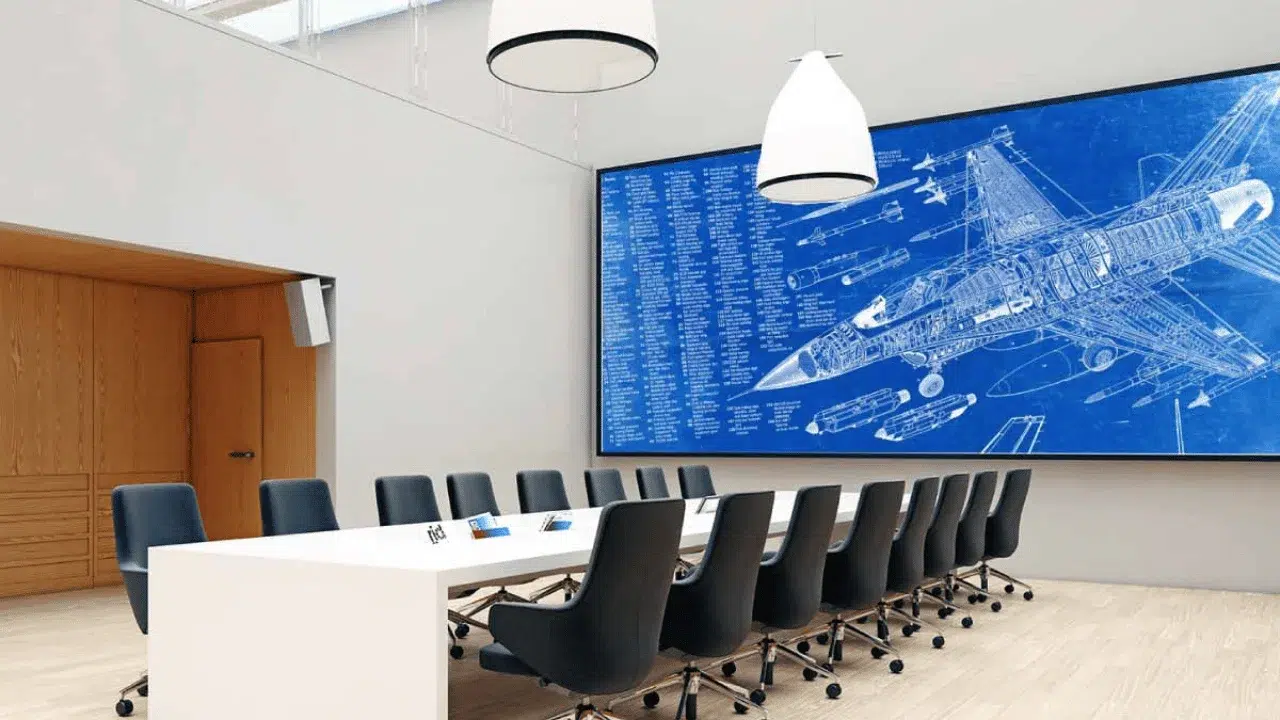
For LED display specifications, state ambient-light conditions, viewing positions and whether the wall must dim for dark-room presentations. Request rated luminance in nits (cd/m²), its measurement conditions, the usable dimming range, and color and brightness uniformity after calibration. Check gray gradients, dark scenes, skin tones and fine text at normal operating output. Maximum luminance is not the same as the most comfortable setting for a meeting room.
เพื่อเป็นข้อมูลอ้างอิงเฉพาะผลิตภัณฑ์ EagerLED lists 600 cd/m² for its EA600COB3 indoor COB range. That number belongs to the stated product family; it is not an RFP threshold for every room. If a windowed lobby needs more output, or a studio needs careful low-light control, let the room test decide. Bidders should identify the exact variant and operating preset used in any comparison.
02. Require a filmed test when cameras matter
A stated LED refresh rate describes display driving, not the frame rate of the video source. Camera banding and moiré depend on the camera sensor, shutter, frame rate, lens, focus, screen pitch, brightness and processing. If the room is used for hybrid meetings or broadcast, list the actual camera modes and require recorded footage of representative content and movement. Save both the wall settings and camera settings that passed.
LED display specifications can require a camera test without dictating one universal refresh-rate figure. The EA600COB3 page lists at least 3,840 Hz for its published variants, but that claim does not prove a specific camera setup will be artifact-free. A witnessed test with the proposed processor and camera path is more useful than a specification-sheet number alone.
4. Check the Cabinet, Mounting Plan and Service Route
For permanent indoor work, LED display specifications must cover the physical assembly behind the image. Cabinet depth is only one component of installed depth; mounting rails, ventilation, cable bends, tolerances and trim need space. Have the responsible designer verify the support and loads for the actual building.
01. Ask what front service includes
“Front service” can describe module removal while leaving power supplies or receiving cards accessible only from behind. Ask the bidder to demonstrate replacement of each field-serviceable component in the proposed installation, with the wall at its intended mounting depth. Request the removal tools, spare-part list, time allowance and required safe access area. A maintenance claim becomes meaningful when the integrator can rehearse it.

02. Compare real cabinet formats
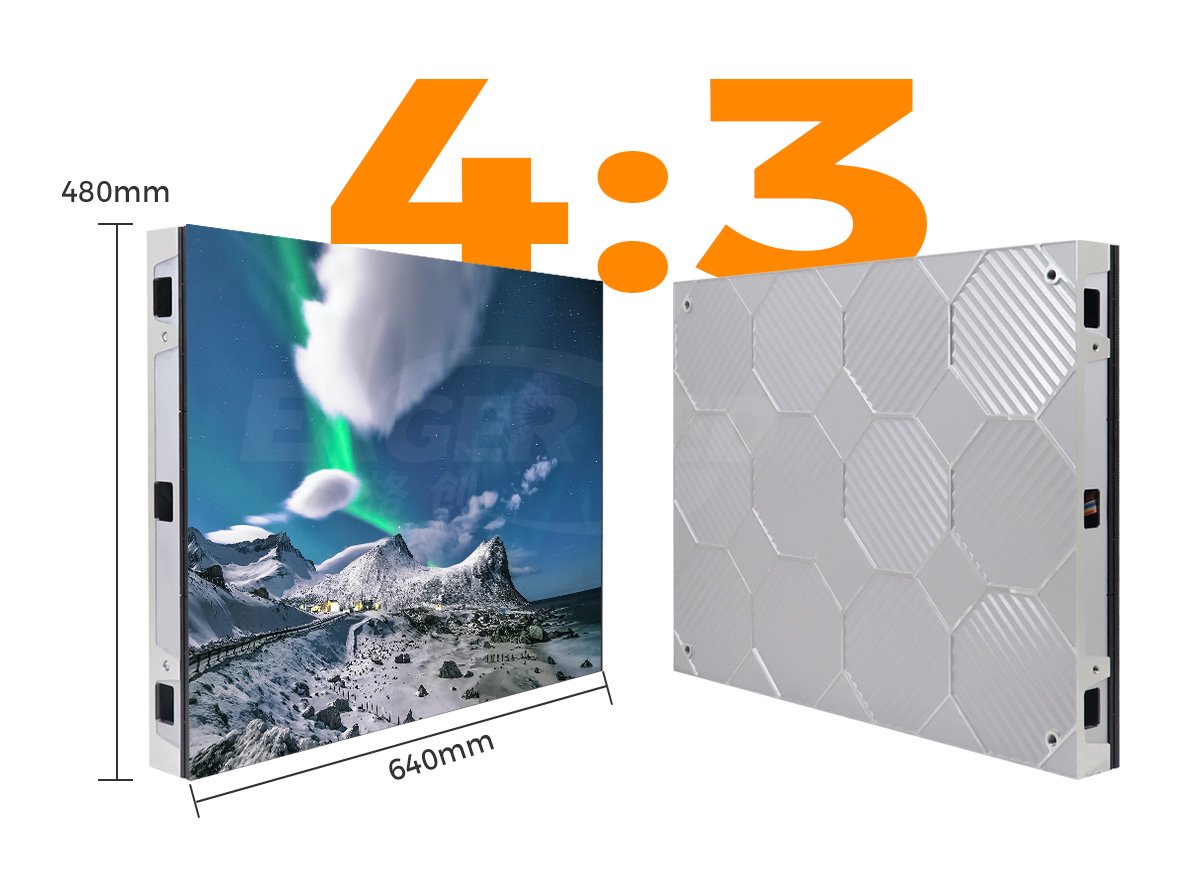
LED display specifications must account for cabinet geometry because it changes the wall grid and support plan. EagerLED's หน้าข้อมูลผลิตภัณฑ์ EA600COB3 lists a 600 × 337.5 mm, 30 mm-deep, 4.1 kg cabinet with front module service. Its EA640F2 indoor cabinet uses a 640 × 480 mm (25.2 × 18.9 in), 4:3 format and lists a 60 mm depth and 7.5 kg cabinet weight. These are examples of different layout choices, not interchangeable bid variants. Require each supplier to quote one named configuration with its own drawing and datasheet.
Also specify finish and access details: edge treatment, alignment tolerance, ventilation route, safe isolation before service, spare modules from the ordered batch and any calibration file needed after replacement. A cabinet drawing and a field replacement demonstration reveal more than a generic “slim design” label.
5. Describe the Complete Signal, Control and Electrical System
LED display specifications should follow the signal from the client’s source to the physical pixels. List the sources, input formats, switching needs, maximum and minimum frame rates, total output canvas, controller ports, cable lengths and any redundancy requirement. Ask the bidder to show where scaling, cropping or frame conversion happens. Separate an accepted source format from the wall’s native output matrix.
01. Request a system diagram and operating workflow
Require a diagram naming the proposed processor, receiving system, data distribution, control computer or player, network connections and control permissions. Describe who can change brightness, recall presets, load content and restore the configuration. If the client needs automatic startup or a schedule, specify the expected behavior after a power interruption or network outage. Do not assume a port shown in a brochure includes every software function or license.
02. Separate electrical design from energy estimates
Request maximum and typical operating power for the exact configuration, with the measurement conditions and wall area used. The electrical designer should size circuits and protection from the documented maximum demand and applicable local requirements, including startup behavior; typical power is useful for operating-cost estimates. A figure measured with one brightness and content pattern cannot be assumed for another.
For a transparent calculation example, a proposed 4 m² wall at a documented maximum of 280 W/m² would imply 1.12 kW of display load before any separately powered processor or design allowance. This uses the upper end of the EA600COB3 product page’s published 140–280 W/m² maximum range and is only arithmetic. It does not establish the load of a chosen pitch or a complete project. Ask for the exact ordered variant, applicable supply voltage and a project electrical schedule.
LED display specifications should also state how operators shut down, restart and diagnose the system. A working wall at handover is insufficient if no one knows where configuration files live or how to restore them after a controller replacement.
6. Make Every Bid Answer the Same Questions
Give every bidder the same LED display specifications and one compliance matrix. Ask them to mark each requirement “complies,” “deviation” or “not included,” cite the model-specific evidence and price any alternative separately. This keeps the RFP from becoming a list of appealing but noncomparable product claims. Resolve material deviations before comparing totals.
| ความต้องการ | Bidder response | Evidence or acceptance check |
|---|---|---|
| Exact display configuration | Manufacturer, model, pitch variant, cabinet and module count | Current datasheet and configuration drawing |
| Active image and pixels | Width × height, cabinet grid, native pixel matrix, source formats | Pixel map and live source test |
| Optical operation | Rated brightness, intended preset, calibration method, dimming range | Sample with agreed content and room light |
| การใช้กล้อง | Supported operating modes and test responsibility | Recorded footage with documented camera and wall settings |
| โครงสร้างและบริการ | Total depth, weight, fixing interface, front/rear replacement path | Drawings and component replacement demonstration |
| พลังงานและสัญญาณ | Maximum/typical W/m², controller, cable path, recovery behavior | ตารางไฟฟ้าและแผนผังระบบ |
| ขอบเขตเชิงพาณิชย์ | Included equipment, freight, installation, spares, training and support | Itemized bill of materials and exclusions |
Request model-specific conformity documents appropriate to the destination and installation, but do not treat a factory-wide certificate or a report for another model as proof for the proposed assembly. The project team should check applicable requirements for its country and venue. LED display specifications may describe the evidence required; they should not invent a certification that the offered product has not demonstrated.
Keep price comparisons on the same basis: identical active area, pitch option, processing scope, structure, local labor, shipping terms, spares and warranty responsibilities. No universal price per square meter can replace that itemization. If one supplier excludes installation while another includes it, compare the full project totals only after the missing work is priced by the responsible party.
7. Plan Factory, Site and Handover Tests in the RFP
LED display specifications are strongest when acceptance is written before the purchase order. Separate a factory demonstration from the final site test. The factory can show an assembled sample or full system under controlled conditions; the site test must prove the wall works in the actual room, with its sources, network, power and viewing positions.
01. Agree on evidence before shipment
Ask for photographs or video of the labeled cabinet grid, test content at the intended brightness, a pixel map, serial or batch records for the supplied cabinets and spares, and configuration backups. Define acceptable pixel defects, visible seams and color differences in the agreement. A photograph of a different installation should not substitute for evidence about the ordered equipment.
02. Witness the wall in the finished room
At site acceptance, use the actual source path and client content. Check mapping, crop, smallest text, brightness presets, dark gradients, side-seat visibility, sound limits if relevant, restart behavior and any camera modes. Exercise one agreed maintenance procedure and confirm the wall can return to its approved image after a service action. Record the date, model, firmware, settings, test files and people who witnessed the result.
Handover should include as-built drawings, cabinet map, processor and receiving-card configuration files, operating instructions, software access ownership, spare-part inventory, warranty scope and escalation contacts. Make sure the client knows which party handles a screen defect, a control fault and a building power issue. These are different problems and may have different responsible teams.
8. Copy-Ready Wording for a Fixed Indoor Wall RFP
The following is a starting clause for an AV integrator. Replace the bracketed fields with actual site inputs and have the project team review it. It requests evidence rather than assuming that one product family suits every room.
Provide a fixed indoor direct-view LED wall for [room and use]. State the proposed manufacturer, exact model and pitch variant; active width × height; cabinet and module grid; total native pixel matrix; outer dimensions; total installed depth and weight; front and rear service requirements; processor and receiving system; accepted sources; maximum and typical power under stated conditions; operating brightness and dimming behavior; and all included mounting, cabling, spares, commissioning and training. Demonstrate [sample content] from [nearest and side viewing positions] under [room lighting]. Where cameras are used, test [camera modes] with the proposed display and signal path. Provide model-specific documents, drawings, an itemized bill of materials, stated deviations and the factory and site acceptance procedure.
Attach the planning-input and bid-comparison tables above as schedules. Allow documented alternatives if they meet the client’s measured outcome. This keeps LED display specifications open enough for useful proposals while still making the bids comparable.
9. คำถามที่พบบ่อย
01. Should an RFP require one exact pixel pitch?
Only when the project has tested and approved that pitch against its content and nearest viewer. Otherwise, ask for two named options with the same active area, native pixels, demonstration conditions and separate prices. The client can then judge the visible benefit and full system cost.
02. Does a 4K input mean the LED wall is native 4K?
No. A processor may accept a 3,840 × 2,160 source and scale it to a lower pixel matrix. Native 4K UHD requires 3,840 × 2,160 physical display pixels. Ask for both the accepted input formats and the assembled cabinet pixel map.
03. Which power number should the electrician use?
Use the exact configuration’s documented maximum demand, startup conditions and the local electrical designer’s required allowance for circuit design. Typical or average power supports an energy estimate under stated brightness and content; it is not a safe substitute for the maximum load.
04. What proof is useful for front maintenance?
Ask the bidder to remove and replace a module, power supply and receiving component using the proposed wall depth and safe access arrangement. Record the tools, clearance, replacement steps and calibration or configuration recovery needed after the swap.
05. Can a product datasheet replace a site acceptance test?
No. A datasheet supports LED display specifications by identifying the offered equipment and its stated conditions. Site acceptance checks the installed system with the real source, content, power, structure, lighting, viewing positions and cameras. Both belong in the procurement record.
10. Request a Project-Specific Configuration
ส่งข้อมูล EagerLED the room drawing, active display opening, nearest viewing position, sample content, required camera modes, installation depth and desired supply or installation scope. Ask for a named indoor configuration with cabinet grid, native pixels, model-specific LED display specifications, service access, electrical data and a test plan. You can review the กลุ่มผลิตภัณฑ์จอ LED ภายในอาคาร before sending the brief, then ติดต่อ Sun Legal EagerLED with your RFP inputs สำหรับข้อเสนอที่เฉพาะเจาะจงกับโครงการ