LED video duvar kurulumu is the process of fixing LED cabinets to a support structure, connecting power and data, and calibrating the wall so it runs as one seamless screen. The right method depends on where the wall goes, how heavy it is, whether it is permanent or temporary, and how technicians will reach it for service.
Most installation problems are decided before the first cabinet goes up. A wall that cannot carry the load, a structure that is not level, or a screen with no service access will cost more to fix than to plan. This guide is for venue owners, AV integrators, contractors and event companies preparing an indoor or outdoor LED wall.
Anahtar teslim paketler
- There are seven common installation methods: wall-mounted, hanging, ground stacking, pole-mounted, rooftop, embedded and floor-standing.
- Fixed indoor screens are usually wall-mounted with front-service cabinets; rental and event screens are usually hung from truss or ground-stacked.
- Check the real load before installing. Large, outdoor, rooftop, pole and overhead structures should be checked by a structural engineer.
- Size power on maximum consumption, split the wall into several circuits and power on section by section.
- Choose front or rear service early, because it decides how close the screen sits to the wall and how modules are replaced.
It compares seven installation methods, walks through the installation process step by step, explains the structure, power, data and service-access decisions, and ends with the mistakes to avoid. For labour and site costs, see our LED video duvarı kurulum maliyeti kontrol listesi.
1. 7 LED Video Wall Installation Methods Compared
There is no single best way to install an LED wall. Fixed screens are usually wall-mounted, embedded, pole-mounted or roof-mounted. Rental and event screens are usually hung from truss or ground-stacked. Use the table to shortlist a method, then check the details below.
| Yöntem | İçin en iyisi | Destek yapısı | Servis erişimi | Ana kontrol |
|---|---|---|---|---|
| Duvara monte | Lobbies, retail, control rooms, building facades | Brackets or a steel frame fixed to a load-bearing wall | Front service on most indoor walls; rear service if there is a walkway | Wall load capacity and anchor type |
| Hanging (flown) | Stages, concerts, conferences, arenas | Truss, ceiling beams or rigging points with hanging bars | Usually rear service from a lift or from the stage | Rated load of each rigging point |
| Yer istifleme | Events and exhibitions without rigging | Stacking brackets with rear braces, or a ground support tower | Arka servis | Stability, bracing and ballast |
| Kutup takılan | Roadside billboards, petrol stations, campuses | Single or double steel pole on a concrete foundation | Rear service through a walkway in the cabinet frame | Foundation and wind load |
| Çatı | Building-top billboards seen from a distance | Steel frame fixed to the roof structure | Rear service platform | Roof load, wind load and waterproofing of fixings |
| Embedded (recessed) | Architectural walls, retail fronts, broadcast sets | Frame set into a cavity so the screen sits flush | Front service, because there is no access behind | Cavity depth, ventilation and heat |
| Zemin-ayakta | LED posters, kiosks, podium screens, small freestanding walls | Built-in stand, base frame or wheels | Front or rear, depending on the product | Base stability and power routing |
01. Duvara Monte Kurulum
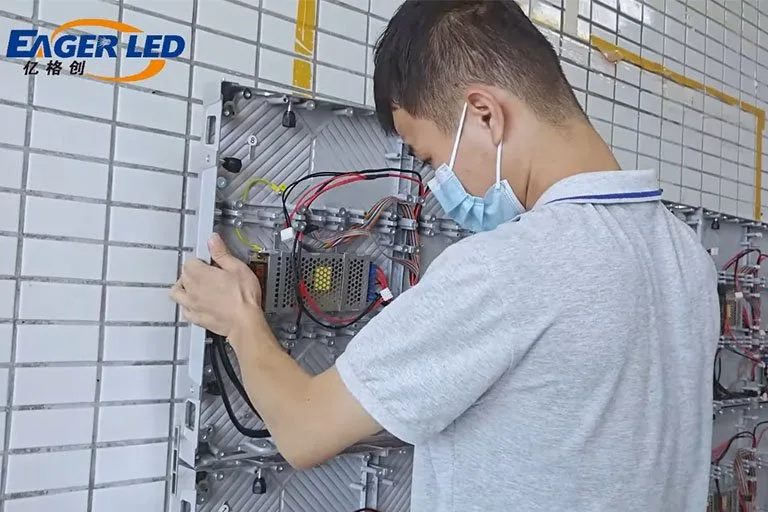
The most common method for indoor fixed screens. Cabinets hang on brackets or a steel sub-frame bolted to a load-bearing wall. Front-service cabinets let the wall sit close to the surface, because modules come out from the front. Before drilling, confirm the wall can carry the total weight of the screen and frame, and that the anchors suit the wall material.
02. Hanging (Flown) Installation
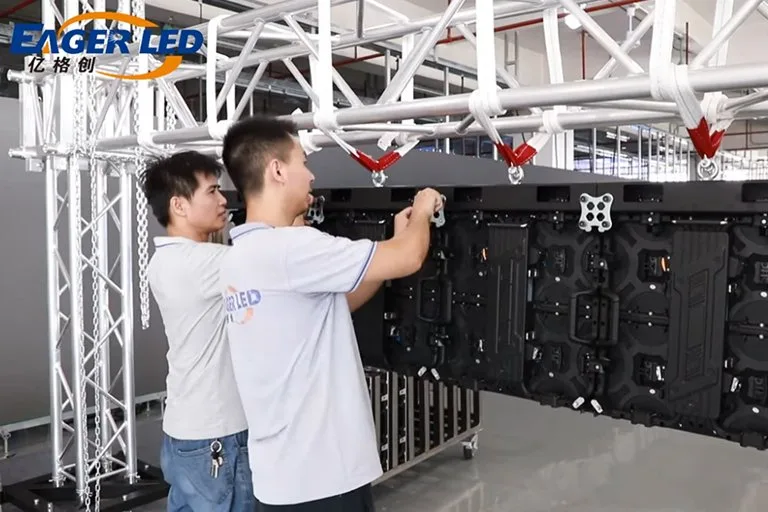
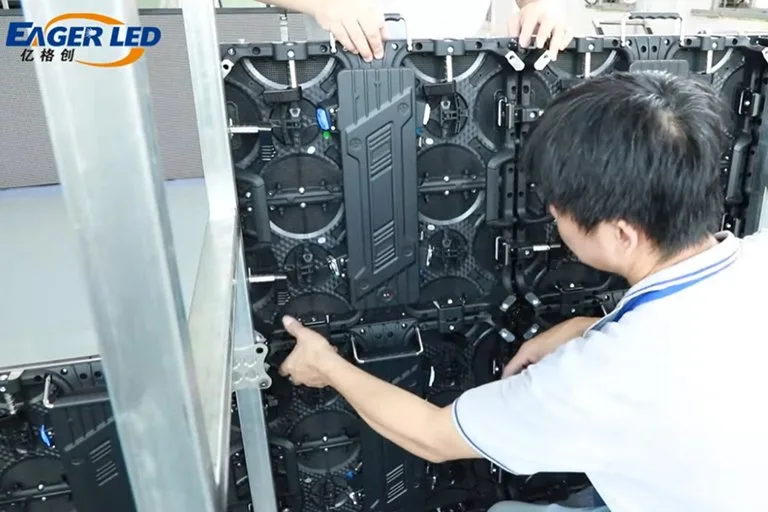
Hanging bars on the top row of cabinets connect to a truss or rigging points, and the rest of the wall hangs below in columns. It is the standard method for stages and arenas because it keeps the floor clear. Each rigging point must be rated for its share of the load, and safety cables should back up every hanging point. See our tutorial on how to hang and install a rental LED video wall ve rehberimiz stage rental LED displays.
03. Zemin İstifleme
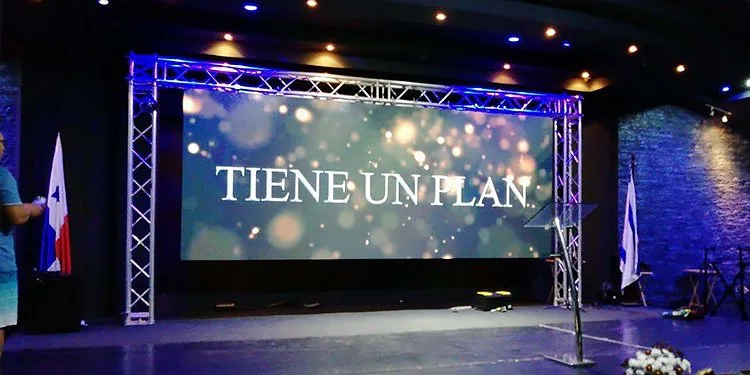
Cabinets stand on a base and are stacked upward, held by stacking brackets and rear braces. It is useful where the venue has no rigging, or where the wall must go up quickly. Height is limited by stability, so tall or outdoor walls need a ground support tower and ballast. Our LED wall ground support guide lists the site inputs and documents to ask for.
04. Direğe Monte Edilen Kurulum
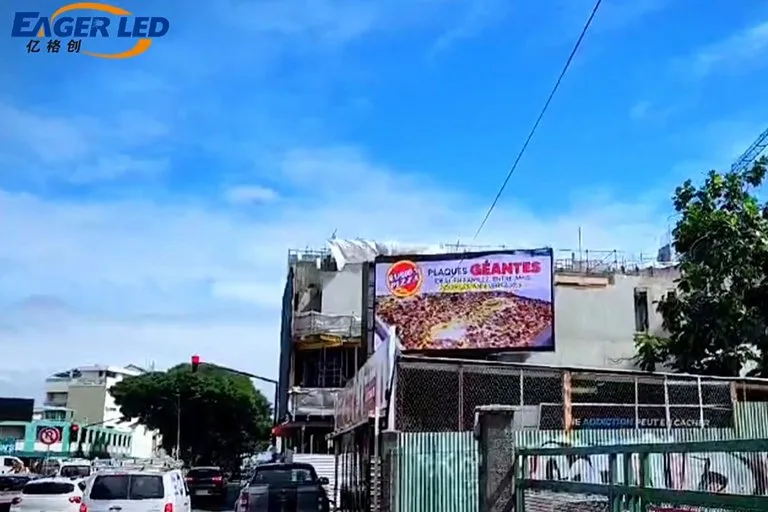
Outdoor billboards beside roads or at petrol stations usually stand on one or two steel poles set in a concrete foundation. The pole, foundation and frame must be designed for local wind loads, and the design is normally signed off by a structural engineer.
05. Rooftop Installation
A steel frame on the roof lifts the screen above the building line so it can be seen from far away. The roof structure must carry the extra load, fixings must not break the roof waterproofing, and the frame must resist wind. Plan a safe service platform behind the screen.
06. Embedded (Recessed) Installation
The screen sits inside a wall cavity so its face is flush with the surrounding surface. It gives the cleanest look, but there is no access from behind, so front-service cabinets are required. Leave room for ventilation, because heat builds up in a closed cavity.
07. Floor-Standing Installation
LED posters, kiosks and podium screens stand on their own base and need no wall or rigging. They suit shops, lobbies and events where the screen moves often. Check that the base is stable and that power cables do not cross walkways.
2. How to Install an LED Video Wall: Step by Step
The sequence below applies to most fixed installations. Rental walls follow the same order on a shorter timeline, with the structure replaced by truss or stacking brackets.
- Saha incelemesi yapın. Measure the wall or opening, check what the wall, roof or floor is made of, note power supply points, network routes, access for lifts and the closest and farthest viewing positions. Outdoors, record sun direction and exposure to wind and rain.
- Confirm the screen design. Fix the screen size, cabinet layout, pixel pitch, service direction (front or rear) and control system. Ask the supplier for cabinet drawings with weight, power consumption and mounting points.
- Design and approve the structure. Prepare structural drawings for the frame, brackets, pole or truss. For large, outdoor or overhead walls, have a qualified structural engineer check the loads and connections, and get any local permits.
- Install and level the structure. Fix the frame or brackets and check it is level and square across its full width and height. Small errors here show up later as visible gaps and steps between cabinets.
- Run power and data. Install distribution boxes, circuit protection and earthing, then run network or fibre cables from the control room to the screen. Label every cable.
- Mount the cabinets. Start from the bottom row or from the centre, as the drawings specify, and lock each cabinet to its neighbours. Check alignment as you go.
- Connect and fit modules. Connect the power and signal cables between cabinets in the order shown on the wiring diagram, then fit any modules shipped separately.
- Power on in stages. Switch on section by section rather than all at once, and check every cabinet lights correctly.
- Yapılandırın ve kalibre edin. Load the receiving card configuration, set the screen map in the control software, and adjust brightness and colour so the whole wall matches.
- Test and hand over. Run test patterns and real content, check for dead pixels, flicker and seams, then train the operator and hand over drawings, wiring diagrams and spare parts.
Read the step-by-step version in our EA640F2 front service wall installation guide.
3. Structure, Power, Data and Service Access
01. Structure and Load
Add up the weight of all cabinets, the frame or brackets and any cladding, then check it against what the wall, roof, truss or foundation can carry. Ask the supplier for the weight per cabinet and per square metre from the spec sheet; do not estimate it. Outdoor and overhead structures also need to resist wind, so their design should come from a structural engineer working to local building codes.
02. Güç
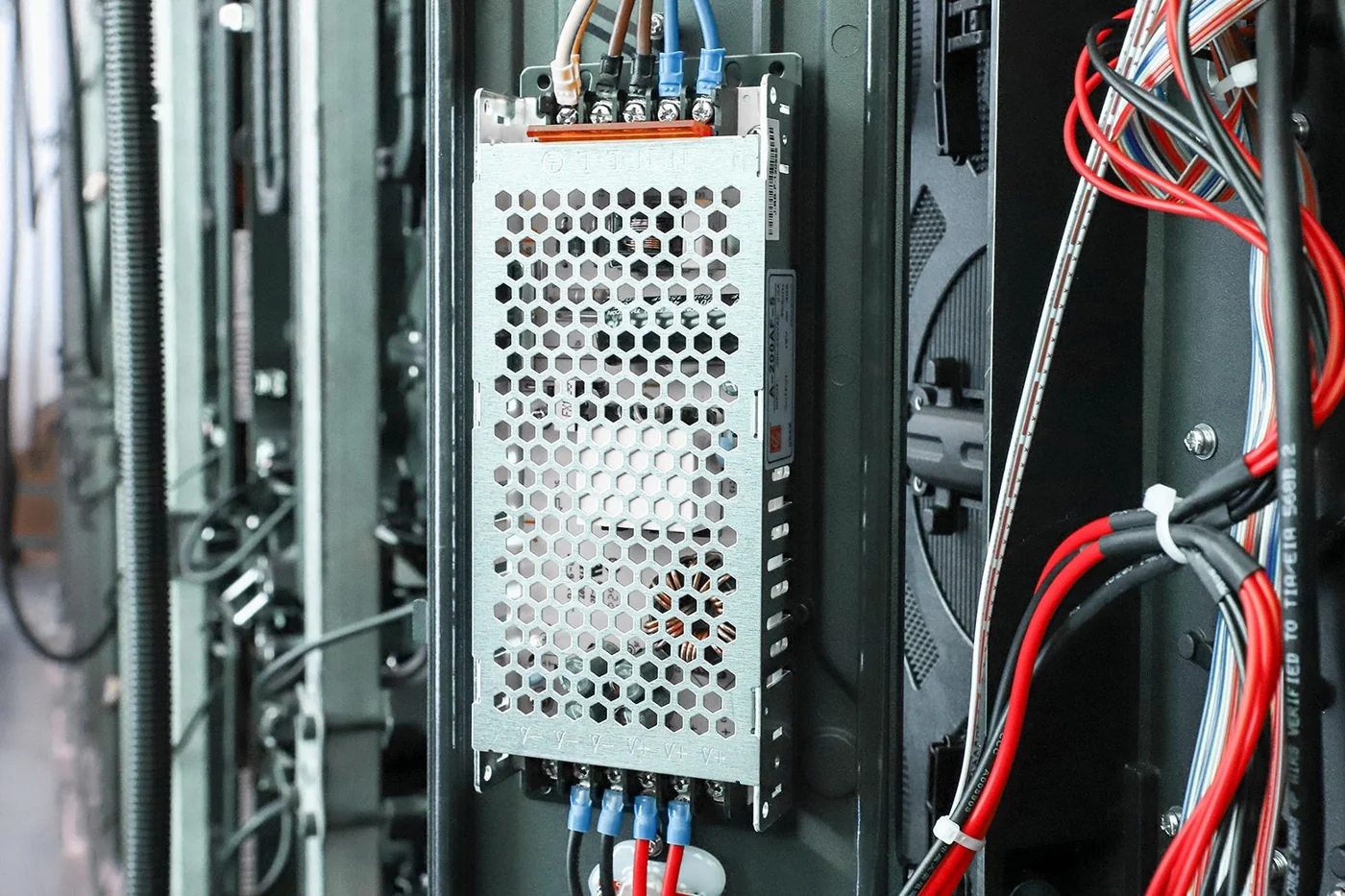
Use the screen’s maximum power consumption, not the average, to size cables and circuit breakers. Split the wall into several circuits so one fault does not black out the whole screen, earth every cabinet and the structure, and fit residual-current protection where local rules require it. A licensed electrician should make the final connections.
03. Data and Control
The sending card or video processor in the control room sends the signal to receiving cards inside the cabinets over network cable or fibre. Copper Ethernet runs are limited to about 100 m, so longer distances need fibre converters. For walls that must not go dark, plan a backup signal loop and, if needed, redundant power supplies.
04. Front Service vs Rear Service
Service direction decides how close the screen can sit to a wall and how technicians will reach a failed module.
| faktör | Ön hizmet | Arka servis |
|---|---|---|
| How modules come out | From the front, with magnetic modules and a vacuum tool | From behind, by opening the cabinet back |
| Space behind the screen | Very little; the wall can sit close to the surface | Needs a walkway wide enough for a technician to work safely |
| İçin en iyisi | Indoor wall-mounted and embedded screens | Outdoor billboards, pole and rooftop screens, large walls with a service platform |
| Dikkat et | Front access must be reachable with a lift or ladder | Walkway, lighting and safe access must be built into the structure |
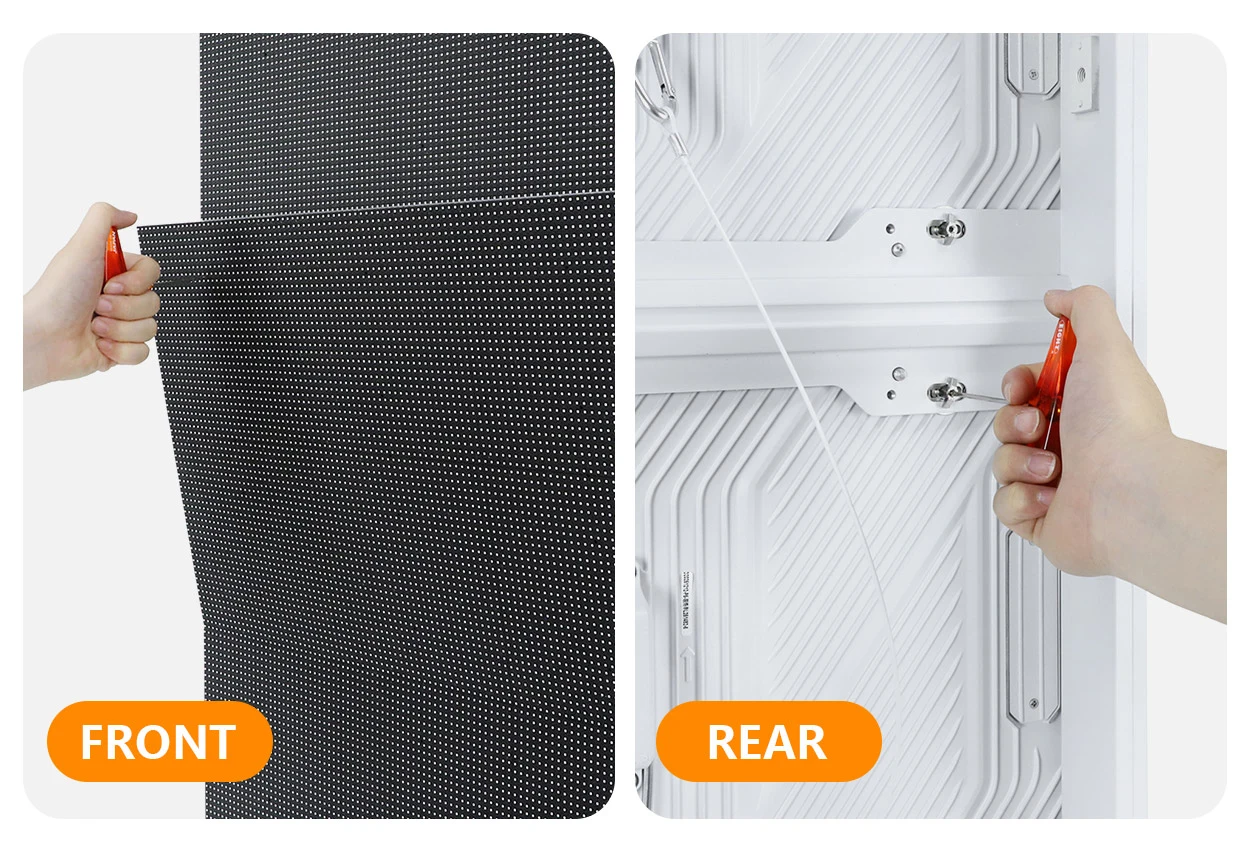
Our bakın LED vitrin kılavuzu for how cabinet design affects service and weight.
4. Indoor vs Outdoor LED Screen Installation
Outdoor installation adds weather, wind and sunlight to every decision. The table shows where the two differ most.
| faktör | İç mekan kurulumu | Açık kurulum |
|---|---|---|
| Tipik yöntemler | Wall-mounted, embedded, hanging, floor-standing | Pole-mounted, rooftop, facade wall-mounted |
| Yapı tasarımı | Wall or ceiling load check | Engineered frame and foundation designed for local wind loads |
| Hava koruması | Gerekli değil | Waterproof cabinets (typically IP65 front), sealed cable entries and drainage |
| ısı | Ventilation in enclosed or embedded spaces | Ventilation or air conditioning in the cabinet frame; sun exposure raises temperature |
| Elektrik güvenliği | Earthing and circuit protection | Earthing, surge protection and, for exposed structures, lightning protection |
| Parlaklık ayarı | Lower brightness for comfortable close viewing | High brightness with a light sensor for automatic day and night dimming |
| İzinler | Usually building management approval | Often planning, advertising or building permits |
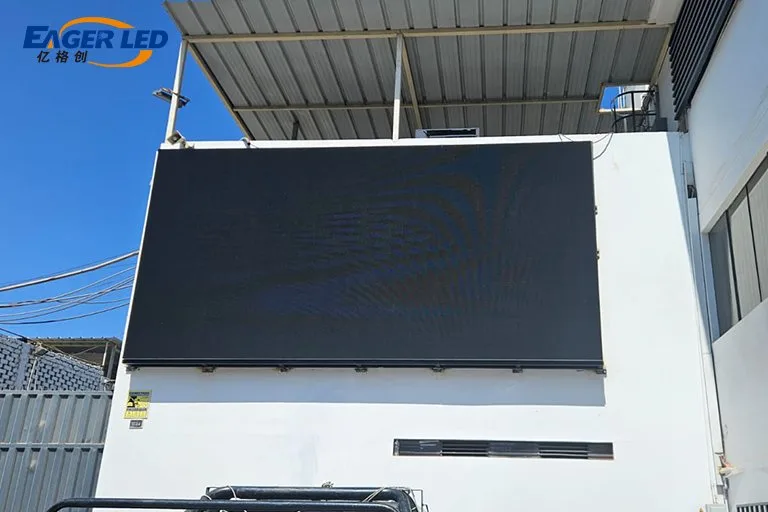
For product choices on outdoor walls, see our dış mekan LED video duvarı kılavuzu.
5. Common LED Wall Installation Mistakes to Avoid
- Skipping the load check. Mounting a heavy wall on plasterboard or a light ceiling without checking its capacity is the most dangerous mistake. Always use the real weight from the spec sheet.
- An uneven structure. A frame that is a few millimetres out of level produces visible gaps and steps between cabinets that calibration cannot fix.
- No service access. Rear-service cabinets installed flat against a wall, or an embedded screen with no front access, turn a module swap into a dismantling job.
- Undersized power. Sizing cables and breakers on average rather than maximum power leads to tripped breakers when the content turns bright.
- Too few circuits. Running the whole wall on one circuit means one fault blacks out the entire screen.
- Poor cable management. Unlabelled, tangled cables slow every repair and make faults hard to trace.
- Ignoring heat. Embedded and outdoor screens without enough ventilation run hot, which shortens the life of LEDs and power supplies.
- Powering on all at once. Switching on a large wall in one go puts a heavy load on the supply. Power on section by section.
- No spare parts. Keep spare modules, power supplies and receiving cards from the same production batch, so repairs match in colour.
01. Kurulum Öncesi Kontrol Listesi
- Site survey done: dimensions, wall or roof material, access, viewing positions
- Cabinet drawings received, with weight, power consumption and mounting points
- Structure designed and, for large, outdoor or overhead walls, checked by a structural engineer
- Permits approved where required
- Power supply sized on maximum consumption, split into circuits, with earthing
- Network or fibre route planned from control room to screen
- Service direction confirmed and access built into the design
- Lifting equipment and safety gear booked
- Spare parts list agreed with the supplier
6. LED Video Wall Installation FAQs
01. What is the most common way to install an indoor LED video wall?
Wall mounting with front-service cabinets. The cabinets hang on brackets or a frame fixed to a load-bearing wall, and modules are removed from the front, so the screen can sit close to the wall.
02. Can an LED video wall be mounted on drywall?
Not directly. Plasterboard cannot carry the weight of an LED wall. Fix the frame to the studs, a steel sub-frame or the concrete or masonry behind, after checking the load.
03. Do I need a structural engineer to install an LED screen?
For large walls, outdoor screens, rooftop and pole structures, and anything hung overhead, yes. Local building codes usually require engineered drawings for these.
04. What is the difference between front-service and rear-service installation?
Front-service screens are maintained from the front, so they can sit close to a wall or inside a cavity. Rear-service screens are maintained from behind, so the structure needs a walkway or service platform.
05. How far can the control room be from the LED wall?
Copper network cable between the sending device and the screen is limited to about 100 m. For longer distances, use fibre and fibre converters.
06. Can an LED wall be installed in stages?
Yes. Large walls are often mounted and powered section by section. Order all modules from the same production batch, or reserve modules for later phases, so colours match.
7. Plan Your LED Video Wall Installation with EagerLED
EagerLED supplies indoor and outdoor LED screens with cabinet drawings, weight and power data, wiring diagrams and installation guidance for fixed and rental projects. Send us your wall size, location, installation method and viewing distance, and our engineers will recommend the cabinet, structure and control system. Contact us at info@eagerled.com or Bir teklif isteği.