Ein echter 4K-LED-Bildschirm hat eine native Pixelauflösung von 3840 × 2160 Pixeln (4K UHD). Bei einer LED-Wand mit Direktblick wird diese Auflösung durch die physische Größe der Wand, den Pixelabstand und das Gehäuselayout bestimmt. Ein Prozessor, der ein 4K-Signal verarbeiten kann, kann eine Wand mit niedrigerer Auflösung nicht in ein natives 4K-Display umwandeln. Ermitteln Sie zunächst den minimalen Betrachtungsabstand und die verfügbaren Wandabmessungen und bestätigen Sie anschließend die endgültige Pixelbelegung mit dem Lieferanten.
Dieser Leitfaden zeigt Ihnen, wie Sie eine 4K-LED-Wand berechnen, einen praktischen Rasterabstand wählen, Installationsoptionen vergleichen und ein Angebot anfordern, das das komplette System umfasst.
1. What does 4K mean for a direct-view LED wall?
In diesem Leitfaden bezeichnet 4K die UHD-Auflösung: 3840 Pixel breit und 2160 Pixel hoch , mit einem Seitenverhältnis von 16:9. Das ist die vierfache Pixelanzahl von Full HD (1920 × 1080). Cinema 4K kann sich auf 4096 × 2160 Pixel beziehen. Fragen Sie daher nach, welche Definition in einem Angebot verwendet wird.
Eine LED-Wand mit Direktansicht wird aus Modulen und Gehäusen zusammengesetzt. Jedes einzelne LED-Pixel trägt zum Gesamtbild bei. Drei Spezifikationen können leicht verwechselt werden:
- Native Auflösung: Die tatsächliche horizontale und vertikale Pixelanzahl der Wand.
- Eingangsauflösung: das Signal, das der Prozessor empfangen kann, z. B. 3840 × 2160.
- Aktualisierungsrate: Die Bildwiederholfrequenz der LEDs wird üblicherweise in Hertz angegeben. Eine Bildwiederholfrequenz von 3840 Hz entspricht nicht 3840 horizontalen Pixeln und bedeutet keine 4K-Auflösung.
Eine Wand mit einer physischen Auflösung von 1920 × 1080 Pixeln kann zwar ein 4K-Signal verarbeiten und herunterskalieren, zeigt aber weiterhin 1920 × 1080 Pixel an. Fragen Sie nach beidem: native Wandpixelkarte und die Ein-/Ausgabefähigkeit des Prozessors im selben Vorschlag. Eine ausführlichere Erläuterung finden Sie unter EagerLED Leitfaden zur LED-Display-Auflösung.
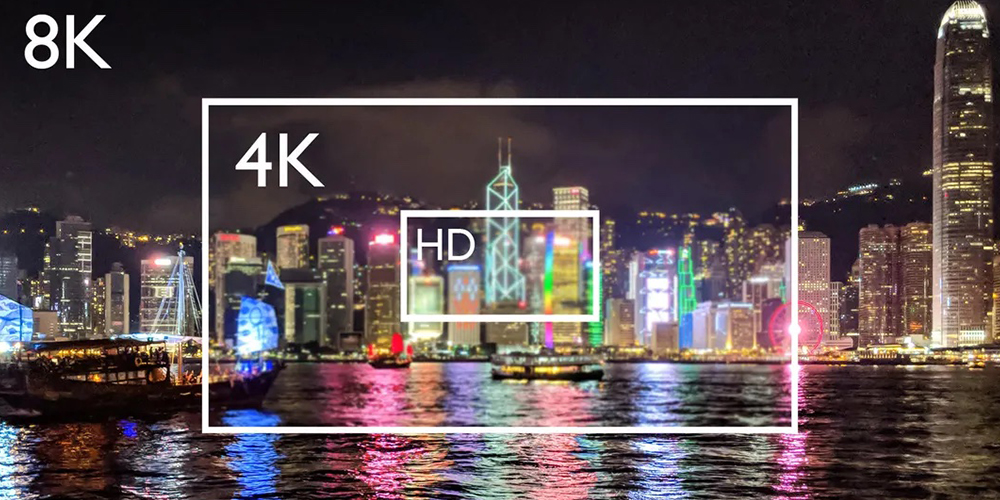
2. Calculate 4K size from pixel pitch
Der Pixelabstand ist der Abstand zwischen den Mittelpunkten benachbarter Pixel und wird in Millimetern gemessen. Für eine Leinwand mit exakt 3840 × 2160 Pixeln ergeben sich folgende theoretische Abmessungen:
Breite (m) = 3840 × Pixelabstand (mm) ÷ 1000
Höhe (m) = 2160 × Pixelabstand (mm) ÷ 1000
| Pixelabstand | Theoretische native 4K-Größe | ungefähr diagonal | Typischer Planungskontext |
|---|---|---|---|
| P1.25 | 4.80 × 2.70 m | 217 in | Nahaufnahme eines Besprechungs- oder Kontrollraums |
| P1.5 | 5.76 × 3.24 m | 260 in | Präsentationswand im Innenbereich |
| P1.875 | 7.20 × 4.05 m | 325 in | Großer Innenraum |
| P2.5 | 9.60 × 5.40 m | 434 in | Weitwinkelansicht große Wand |
Dies sind mathematische Beispiele, keine Angaben zu verfügbaren Produktgrößen oder garantierten Betrachtungsabständen. Schränke und Module werden in festen Pixelabständen geliefert. Der Installateur kann eine ähnliche Größe und eine leicht abweichende endgültige Pixelverteilung vorschlagen. Lassen Sie sich vor der Bestellung vom Lieferanten die Anzahl der Schränke (Breite und Höhe), die Pixel pro Schrank, die Gesamtabmessungen und die resultierende Gesamtauflösung zeigen.
For example, if your planned 4K LED screen can only be 4.8 m wide, P2.5 provides about 1920 pixels across, not 3840. You would need a finer pitch or more width for native 4K. Conversely, specifying 4K without considering the closest viewer can overspend on pixels that are not useful in that setting. See the Pixelabstandsleitfaden für weitere Auswahlkontexte.
3. How do cabinet dimensions produce a native 4K LED screen?
The pitch formula gives a theoretical width and height, but a quote must resolve the wall into whole cabinets and modules. For a native UHD 4K LED screen, multiply the pixels in one cabinet by the number of cabinets across and high. Both results must equal 3840 and 2160 respectively. The physical dimensions then follow from cabinet size, not from an arbitrary rounded wall measurement.
EagerLED’s published EA600COB1 specification lists a 600 × 337.5 mm (23.6 × 13.3 in) 16:9 cabinet and a P1.25 option. The P1.25 module is listed at 120 × 135 pixels in a 150 × 168.75 mm module. Four modules across and two high make a nominal 480 × 270-pixel cabinet. In this specific configuration, eight cabinets across and eight high calculate to 3840 × 2160 pixels and 4.8 × 2.7 m (15.7 × 8.9 ft). This is a layout calculation from the published module and cabinet dimensions, not a promise that every EA600COB1 order or controller bundle has the same configuration. Confirm the current cabinet drawing and pixel map on the actual quotation.
| Schritt | Berechnung | Result to verify |
|---|---|---|
| Pixel pro Schrank | 4 × 120 pixels wide; 2 × 135 pixels high | 480 × 270 Pixel |
| Schrankraster | 8 breit × 8 hoch | 64 Schränke |
| Einheimische Leinwand | 8 × 480; 8 × 270 | 3840 × 2160 Pixel |
| Physische Größe | 8 × 600 mm; 8 × 337.5 mm | 4.8 × 2.7 m |
The same method works for another 4K LED screen cabinet, but the grid may not be square. A proposal that is 3840 pixels wide but only 1920 high is not native UHD. A wall with more than 3840 × 2160 physical pixels may be appropriate for a custom shape, yet the content must be mapped or scaled deliberately. Ask for the mechanical drawing, module count, pixel map, and spare-module specification in one document so the numbers can be checked together.

4. How to choose the right 4K LED screen
01. Beginnen Sie mit dem Raum und dem nächstgelegenen Betrachter.
Messen Sie die maximale Displaybreite und -höhe, die nächstgelegenen und typischen Betrachtungspositionen, das Umgebungslicht und ob kleine Texte lesbar sind. LED-Displays mit feinem Pixelabstand sind besonders vorteilhaft, wenn Betrachter nahe einer großen Wand sitzen oder detaillierte Dashboards benötigen. Für einen entfernten Bühnenhintergrund ist native 4K-Auflösung möglicherweise weniger nützlich als ein geeigneter Pixelabstand, eine ausreichende Helligkeit und eine zuverlässige Signalübertragung.
02. Native Pixel und Gehäusegeometrie überprüfen.
Fordern Sie eine Layoutzeichnung mit Schrankabmessungen, Schrankanzahl, Pixelabstand, Pixeln pro Schrank und der gesamten nativen Pixelmatrix an. Prüfen Sie, ob eine nominale 16:9-Konfiguration exakt 3840 × 2160 Pixel erreicht, überschreitet oder eine Skalierung erfordert. Die physikalische Pixelmatrix ist aussagekräftiger als die Angabe „4K-kompatibel“.
03. Umgebung und Servicezugriff spezifizieren
Systeme für den Innen- und Außenbereich weisen unterschiedliche Anforderungen an Helligkeit, Witterungsschutz, Wärmedämmung und Statik auf. Erfragen Sie die Helligkeit in cd/m², die passende Schutzart (IP-Schutzart) für exponierte Oberflächen, den erforderlichen Platz für Wartungsarbeiten (vorne oder hinten), die Gesamteinbautiefe, die Montagekonstruktion, den Strombedarf und die Belüftung. Für eine Außeninstallation ist zudem ein standortspezifischer Statik- und Elektroplan erforderlich.
04. Überprüfen Sie die gesamte Videokette
Bestätigen Sie Quellformat, Anschluss, Bildrate, Prozessorleistung (Eingang und Ausgang), Skalierungsverhalten und Backup-Plan. Falls der Bildschirm gefilmt werden soll, fordern Sie einen Kameratest mit den geplanten Verschlusszeiten und der angegebenen Bildwiederholfrequenz an. HDR-, Farbkalibrierungs- und Graustufenleistung sollten auf der vorgeschlagenen Hardware demonstriert werden und nicht allein aufgrund der Bezeichnung „4K“ angenommen werden.
05. Akzeptanzkriterien vereinbaren
Vor Produktionsbeginn sollten Sie die finale Pixelzuordnung, die Helligkeitsvorgabe, die Gleichmäßigkeit und das Kalibrierungsverfahren, die Ersatzmodule, den Wartungszugang, den Garantieumfang und die Person, die den Prozessor in Betrieb nimmt, festlegen. Bitten Sie um ein Testbild mit einem Ein-Pixel-Raster und feinem Text in nativer Auflösung. Dies erleichtert die Überprüfung des Lieferergebnisses.
5. What control-system capacity does a 4K LED screen need?
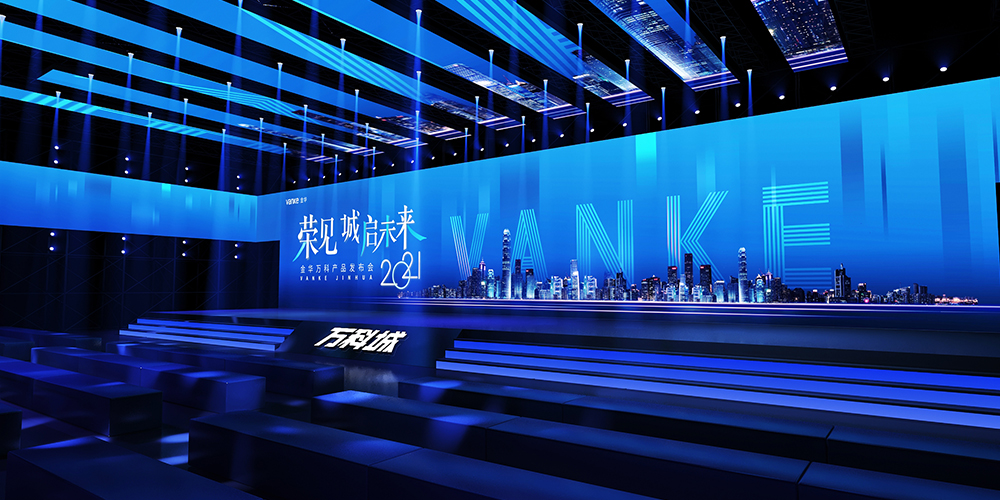
A native UHD 4K LED screen contains 8,294,400 physical pixels. The video path must carry the chosen source format and address the entire canvas at the required frame rate, color settings, and redundancy level. A “4K input” badge tells you what the processor can receive; it does not prove that the device can load every output pixel on the wall. Likewise, an 8.3-million-pixel headline capacity does not explain how the pixels are distributed over the available outputs.
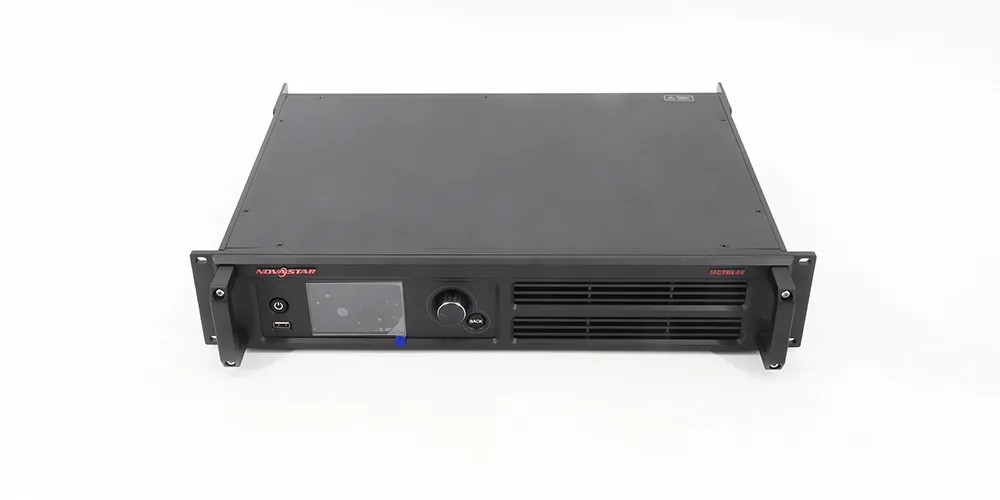
Request a signal diagram from source to input, processor or sender, output ports, receiving cards, and cabinets. List the input connector and format, accepted frame rate, output canvas size, pixels assigned to each port, and cable route. Compare each assigned port with the limit in the exact controller manual, allowing for the manufacturer’s conditions and the proposed refresh, color depth, and frame rate. If one port is overloaded, the solution may need a different port map, more sending capacity, or another processor. Do not infer port count by dividing the total pixels evenly without a cabinet wiring plan.
Ask the integrator to state whether the 4K LED screen will display one full-screen source, multiple windows, or content from a media server. Multiwindow processing, scaling, splicing, and backup input switching are separate functions; they should be demonstrated on the proposed equipment. For a presentation wall, test the smallest spreadsheet text and a one-pixel grid at the native canvas. For a filmed stage, record footage with the actual camera and shutter settings. A published refresh-rate figure is only one part of that camera check.
Keep the approved input format and the controller configuration backup with the project file. If a future source changes its EDID or output timing, the 4K LED screen can appear to “lose resolution” even when its physical pixels have not changed. This distinction helps the service team diagnose the source, scaling, or sending path without replacing good cabinets.
6. 4K LED wall versus LCD and projection
| Option | Optimale Bildschirmwahl | Abwägung prüfen |
|---|---|---|
| Direktblickende LED-Wand | Großes, nahtloses Display in individueller Größe | Die native 4K-Größe hängt vom Pixelabstand ab; Montage, Stromversorgung und Wartung müssen berücksichtigt werden. |
| 4K-LCD-Display oder gekachelte LCD-Wand | Kleinere Bildschirme und Text aus der Nähe | Geflieste Wände haben sichtbare Rahmen; einzelne 4K-Panels haben feste Größen. |
| 4K-Projektion | Sehr großes Bild, bei dem die Beleuchtung gesteuert werden kann | Umgebungslicht, Wurfweite und Oberfläche beeinflussen das Ergebnis |
Die Bezeichnung „LED-TV“ kann einen LCD-Fernseher mit LED-Hintergrundbeleuchtung beschreiben. Dieser Artikel befasst sich mit Direct-View-LED-Fernsehern , bei denen die LED-Pixel selbst das Bild erzeugen. Wählen Sie das passende Modell anhand Ihrer Sehgewohnheiten und der Raumgegebenheiten und vergleichen Sie anschließend komplett installierte Systeme mit der gewünschten Bildgröße.
7. What determines the cost of a 4K LED screen?
Es gibt keinen allgemeingültigen Preis für jede 4K-LED-Wand. Bei gleicher nativer Auflösung ermöglicht ein feinerer Pixelabstand eine kleinere Wand und kann die Anzahl der benötigten Schränke sowie die Hardwarekosten beeinflussen. Ein transparentes Angebot sollte daher folgende Punkte aufschlüsseln:
- LED-Gehäuse/Module, Pixelabstand und Ersatzteile;
- Prozessor, Sendehardware, Verkabelung und jegliche Redundanz;
- Montagekonstruktion, Elektroarbeiten, Belüftung und Installation;
- Kalibrierung, Inbetriebnahme, Fracht, Steuern und Kundendienst.
Vergleichen Sie Angebote anhand derselben nativen Pixelkarte, Helligkeit, Gehäusekonfiguration und desselben Leistungsumfangs. Ein niedriger Preis nur für das Panel entspricht nicht dem Gesamtpreis für die Installation. Senden Sie die Raumabmessungen, den Betrachtungsabstand, die Umgebung (Innen-/Außenbereich), die Inhaltsquellen und den Installationsort an EagerLED für ein projektspezifisches Angebot.
8. How should two native 4K proposals be compared?
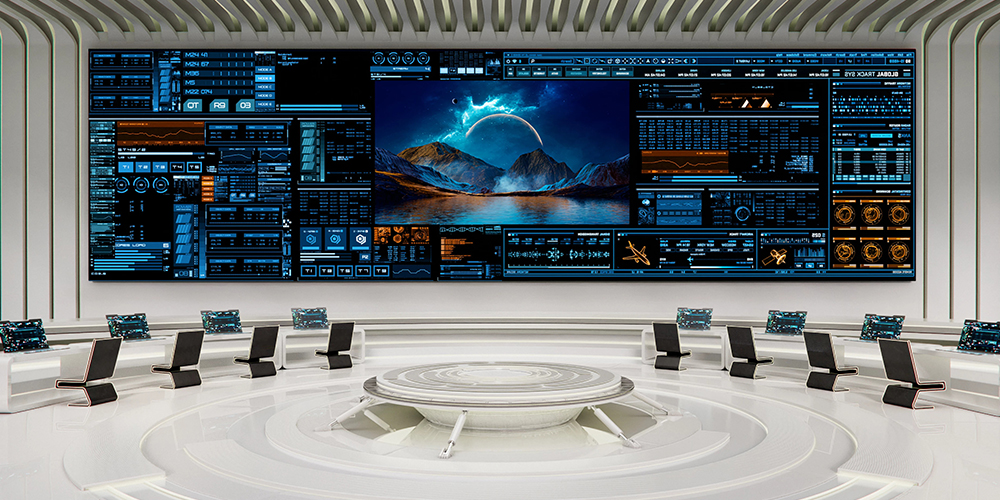
Compare like-for-like installed systems, not two prices labeled “4K.” Put the cabinet grid, native pixel map, physical dimensions, pixel pitch, brightness at the proposed operating setting, controller model, port map, power figures, mounting method, service access, and spares on one comparison sheet. A smaller 4K LED screen may use a finer pitch and a different number of cabinets from a larger native 4K wall; their display area and installed labor can differ even though both have 3840 × 2160 pixels.
Ask each bidder to identify exclusions. Is the structural frame engineered and supplied? Are power distribution, video cables, commissioning, training, freight, taxes, and spare modules included? Which parts can be serviced from the front, and how much access space is required? If the site is a control room, include 24-hour operating expectations and source-switching needs. If it is a temporary event, identify rigging, setup time, and packaging. These requirements change the useful 4K LED screen specification.
Request a cabinet layout drawing and a signal-flow diagram before comparing the total cost. When a proposal claims an exact native canvas, recalculate it from the cabinet pixel dimensions. When it claims only 4K signal compatibility, ask for the physical output resolution. Keep the accepted drawings and test plan with the order; a precise scope is more useful than an unqualified price per square meter.
9. How can a buyer verify a 4K LED screen before final payment?
Write the acceptance criteria into the purchase scope before production. The first test is arithmetic: the as-built cabinet map must show the promised physical pixel count. Compare the cabinet labels and installed grid with the drawing, then display a native-resolution one-pixel grid. A photographed 4K input menu cannot substitute for this check. Record the processor’s output canvas and port loading alongside the source resolution.
Next, test the 4K LED screen with the content that justified its pitch. Use actual slides, control-room dashboards, camera feeds, or campaign files from the project. View fine type from the nearest planned seat and moving video from typical positions. Run full white, primary-color, grayscale, and dark-gradient patterns at agreed brightness to look for visible seams, color mismatch, dead pixels, and low-gray issues. The parties should agree on defect handling and recalibration before the wall is shipped; avoid inventing a universal pixel-defect tolerance.
For a factory acceptance test, ask the supplier to document the exact cabinets, receiving cards, power supplies, processor, firmware or configuration versions, and test settings. If the complete wall cannot be assembled in the factory, state which sample or section was tested and what remains to be checked on site. During site acceptance, verify mounting and ventilation, electrical protection and service clearance with the qualified installers. The final 4K LED screen should be checked at the operating brightness and ambient light expected in the room, not only on a showroom floor.
Test a controlled restart and a source change. If redundancy was purchased, demonstrate the agreed failover rather than assuming it works because backup connectors exist. Save the as-built cabinet map, controller backup, calibration files, manuals, spare-part list, and a dated record of the agreed test content. These documents help the buyer distinguish a later source problem from a display fault and enable a replacement module to be matched to the original system.
A quotation should identify who performs each test, who supplies content and a camera if needed, how defects are corrected, and when sign-off occurs. That process turns the phrase “4K ready” into an observable result and makes two 4K LED screen proposals easier to compare on the same basis.
10 EagerLED zu bewertende Konfigurationen
For a 4K LED screen project, EagerLED Es werden verschiedene Gehäusefamilien für den Innenbereich angeboten, die zu hochauflösenden Wänden konfiguriert werden können. Die Produktfamilienbezeichnung allein garantiert keine 4K-Installation; die gewählte Neigung und die Anzahl der Gehäuse bestimmen die endgültige Auflösung.
- EA640F2 LED-Innenanzeige: Ein 640 × 480 mm großes Gehäuse mit Frontanschluss. Fordern Sie eine detaillierte Gehäuse-Pixelkarte für Ihren gewählten Abstand an.
- EA640H1 Indoor-LED-Wand: Beurteilung der Zugänglichkeit von vorne und der Einbautiefe bei begrenztem Wartungsraum auf der Rückseite.
- EA600COB1 Indoor-COB-DisplayFür Anwendungen mit Nahansicht empfiehlt sich ein Gehäuseformat im 16:9-Format. Bitte bestätigen Sie die genaue native Auflösung der vorgeschlagenen Baugruppe.
Fragen Sie die EagerLED Unser Team wird diese Optionen mit Ihren Wandmaßen, dem minimalen Betrachtungsabstand und Ihren Inhaltsanforderungen vergleichen. Eine Layoutzeichnung und ein Beispielbild sind aussagekräftiger als die allgemeine Kennzeichnung „4K-fähig“.
Häufig gestellte Fragen zu 4K-LED-Bildschirmen
01. Why can a native 4K wall display only 1080p from a laptop?
The source, cable, input format, EDID negotiation, and processor scaling all affect the signal that reaches the wall. Check the laptop’s actual output and the processor’s reported input before changing the physical LED configuration. A native 4K pixel map remains 4K even if the source temporarily sends 1080p.
02. Does a 4K input make an LED wall native 4K?
Nein. Der Prozessor kann ein 3840 × 2160-Signal mit weniger physischen Pixeln auf eine Wand skalieren. Natives 4K erfordert jedoch eine Wandpixelkarte mit 3840 × 2160 Pixeln für UHD-Inhalte.
03. What pixel pitch is needed for a 4K LED wall?
Es gibt keine allgemeingültige, erforderliche Pixelteilung. Für eine exakte UHD-Leinwand benötigt P1.25 theoretisch eine Fläche von 4.80 × 2.70 m, während P2.5 9.60 × 5.40 m benötigt. Welche Pixelteilung sinnvoll ist, hängt vom verfügbaren Platz und dem Betrachtungsabstand ab.
04. Is a 3840 Hz LED screen the same as a 4K screen?
Nr. 3840 Hz beschreibt üblicherweise die Bildwiederholfrequenz. 4K beschreibt die Anzahl der physikalischen Pixel. Bitte fragen Sie nach beiden Spezifikationen separat.
05. Can an outdoor LED screen be native 4K?
Ja, sofern die zusammengesetzte Pixelkarte eine Auflösung von 3840 × 2160 erreicht. Bei einer größeren Außenabmessung kann dies eine sehr große Wand erfordern. Helligkeit, Witterungsschutz, Konstruktion und Betrachtungsabstand müssen ebenfalls spezifiziert werden.
06. What should I send a supplier for an accurate quote?
Bitte senden Sie uns die maximalen Wandabmessungen, den Standort (innen/außen), den minimalen Betrachtungsabstand, Installationsfotos oder -zeichnungen, die geplanten Inhaltsquellen, die Betriebszeiten, die Erreichbarkeit und den Ziellieferort. Bitten Sie den Lieferanten um die native Pixelkarte und eine vollständige Auflistung des Installationsumfangs.
Get a verified 4K LED screen layout and quote
Send the available wall size, closest viewing distance, content examples, source format, installation drawings, and service needs to EagerLED for a 4K LED screen proposal. Ask for the cabinet pixel map, controller port plan, installed scope, and an agreed acceptance test with the quotation.