


A Times Square 3D billboard campaign starts with a named screen and its operator’s current specifications. Before approving an animation, confirm the exact display faces, pedestrian viewpoint, delivery template, playback schedule, and review process. A compelling video from another location cannot establish that your creative will work on the screen you are buying.
This checklist is for an AV integrator coordinating a Times Square placement with a media seller and creative studio. It focuses on the decisions specific to that site: selecting inventory, documenting what can actually be seen, and accepting a file that survives both the operator’s technical review and an on-screen test.
For a broader explanation of anamorphic displays, see EagerLED, Guía de vallas publicitarias 3D. The decisions below concern a named Times Square placement and the evidence needed to approve its creative.
1. Identify the Times Square 3D Billboard Being Booked
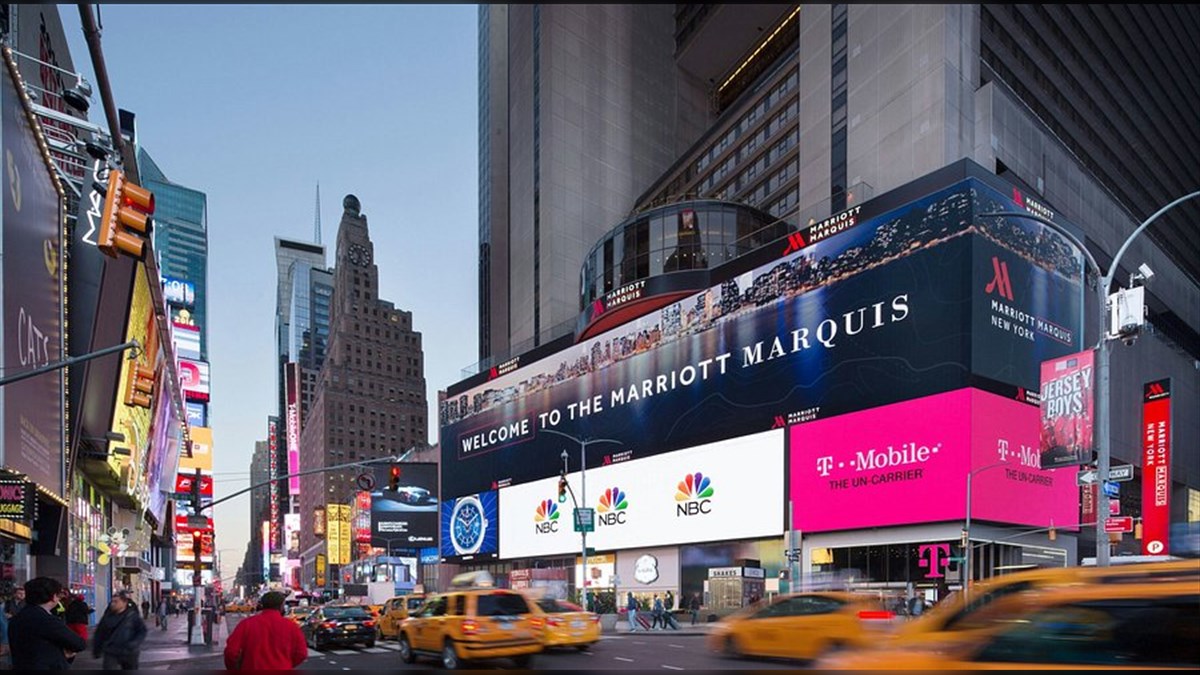
“Times Square” is a district, not a single LED canvas. The Times Square Alliance lists different digital displays and sellers, including the ABC SuperSign, Everest Digital, Nasdaq, and other properties. The format of one listing should never be assumed to apply to another. Even two surfaces on the same block can face different directions and use different playback arrangements.
01. Record the exact asset
Ask the media seller to name the property, street location, screen face or faces, operator, and inventory identifier used in the proposal. Request a current photo and a diagram marking each surface included in the booking. Check whether a creative can travel across multiple faces or whether the offer covers only one. An impressive wraparound video may use a coordinated set of surfaces that a routine spot booking does not include.
The Alliance’s public inventory is a useful starting point for finding sellers and recognizing that formats differ. It is not a substitute for a current operator proposal. Availability, file rules, and what a booking includes can change, so obtain these from the party controlling the screen and date.
02. Match the asset to the idea
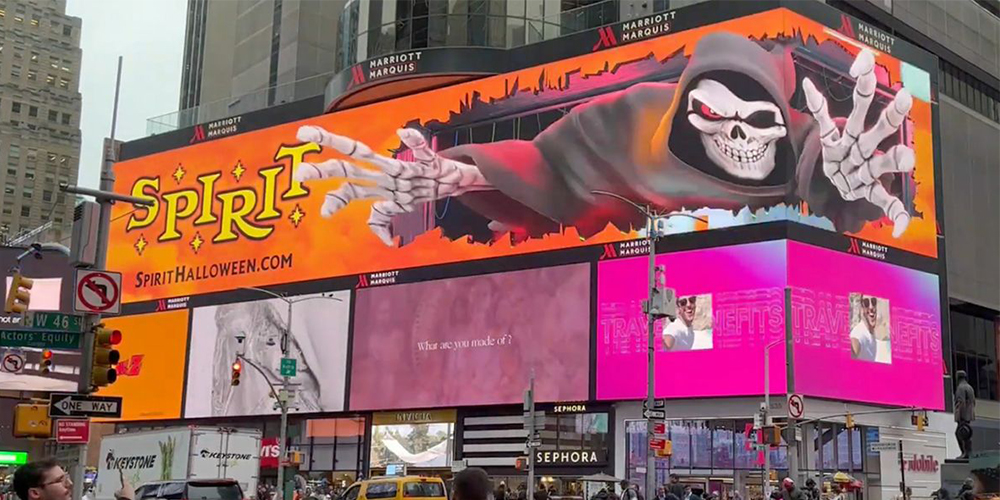
A Times Square 3D billboard reference may emphasize a corner, a curved face, or a virtual frame drawn within a flat display. Identify which feature makes the reference work. Then compare it with the proposed asset. If the original illusion depends on a corner that the booked screen lacks, have the studio redesign the idea for the available canvas. Ask for an early still or simple animatic on the actual screen template before committing to a polished render.
Also establish what the audience will see between plays. If the campaign uses a shared advertising loop, the first frame needs to make sense when it appears after another advertiser’s content. The ending should resolve cleanly before the screen changes again. That transition is part of the viewer experience, even though it is rarely visible in a standalone portfolio clip.
2. Survey the Audience Viewpoint
For a Times Square 3D billboard, the strongest depth illusion is designed around an intended viewing position. A video recorded from that position demonstrates one perspective. It cannot show how the same content reads from every pedestrian path, across the street, or on a moving vehicle.
01. Mark primary and secondary views
Walk the actual approaches expected to matter for the placement. Mark the point where the effect should look most convincing, then document nearby routes where brand and product information must remain legible. Record obstructions, neighboring signs, screen height, and the direction in which people typically move. A location with a long pause area presents a different creative problem from one seen mostly while crossing.
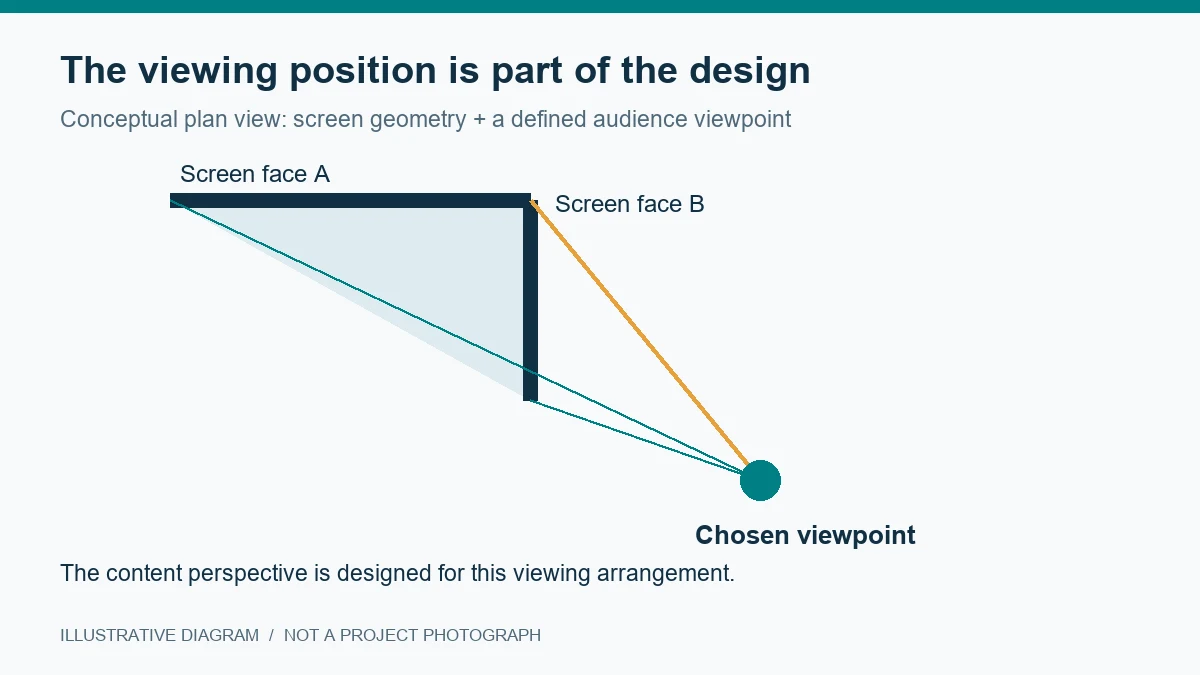
Give the creative studio photos from marked positions and the operator’s screen geometry. A phone photo taken with a wide lens can distort apparent angles, so identify the camera position and obtain measured geometry before the final mapping is locked. Use the photographs to discuss composition, not to replace a technical drawing.
02. Agree what should remain readable
Test two standards: the depth illusion at the selected view and the basic message across other useful views. The product may appear to protrude only near the intended point, but the brand, key object, and essential copy should still make sense elsewhere. Request previews from a small set of marked positions rather than a single hero camera.
For a documented Times Square Chromebook campaign, Territory Studio described reconstructing the street setting, choosing a view, and testing at the location. The transferable step is to settle the viewing arrangement before final rendering. A last-minute move of the planned camera can affect the entire mapped composition.
3. Request the Operator’s Delivery Package
A screen name and a booking are not enough for production. Ask the operator for the current creative specifications for the exact asset and campaign dates. The studio and playback team should work from the same version of that package. If there are multiple screen faces, clarify how they are represented in the final file and whether one master file or several synchronized files are required.
At minimum, request native pixel dimensions, the face-by-face layout, safe areas, permitted formats, frame rate, audio rules, file-size limits, delivery deadline, and review lead time. Confirm whether the operator provides a perspective grid, 3D screen model, or test template. Do not infer these from a public video or an old media kit.
| Parámetro | Por qué importa | Evidencia de aprobación |
|---|---|---|
| Named asset and included faces | Defines which physical surfaces the campaign can use | Current operator proposal and marked screen diagram |
| Pixel map and safe areas | Prevents key content from crossing seams or excluded zones | Operator-supplied delivery template |
| Reglas de reproducción | Sets the actual time available to tell the story | Approved spot duration, loop position, and file specification |
| Review and test process | Identifies when changes can still be made | Named approver, deadline, and test opportunity |
Version control matters here. Give each template and approval a date or revision number. If a screen layout changes after the animation has been built, the team needs to know whether the content must be remapped and who authorizes the revision. A file that plays successfully can still look wrong if it was designed for an older layout. Keep the approved Times Square 3D billboard template with the final delivery record.
4. Review the Creative for That Screen
A Times Square 3D billboard animation should be reviewed on the proposed geometry, not only on a flat editing monitor. Ask the studio to show the screen surfaces, virtual camera, and the surrounding street context in its preview. The image can look deliberately distorted when viewed as a raw file; what matters is the view produced on the intended canvas.
01. Approve the illusion and the message separately
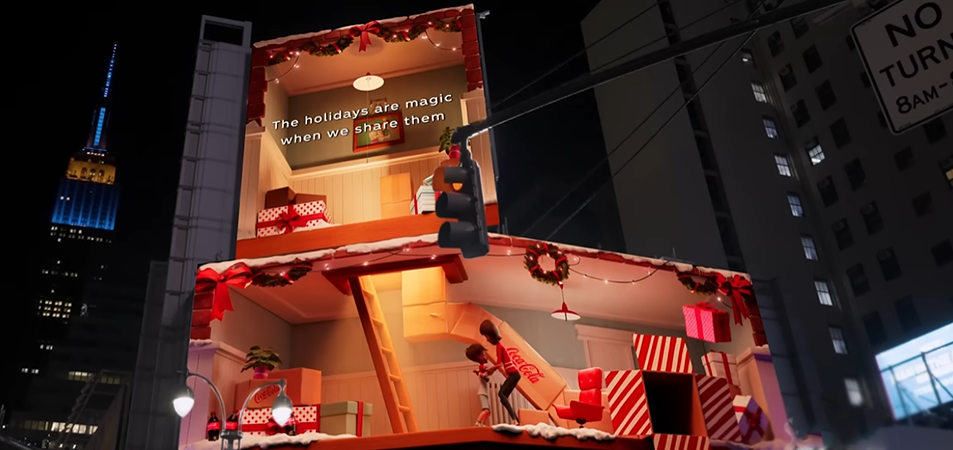
First inspect a simple scene with a visible virtual boundary. Check whether the object appears to sit behind, touch, or cross that boundary from the selected viewpoint. Shadows and occlusion should support the same direction of depth. If the scene looks like a basic zoom, changing to a more expensive render will not solve the underlying perspective problem.
Next view the campaign as a passerby would. Start the playback at different points in the loop, including the middle. Can a viewer identify the brand and product before the spot disappears? Is any legal or essential message readable long enough? Avoid relying on tiny text or an effect that reveals the brand only in the final second. These are creative approval questions for the actual booking length.
02. Check practical capture
If the campaign will be photographed, agree on the capture position and permissions with the relevant parties. A social clip cropped from the best viewpoint may be useful promotional material, but it is not evidence that the street audience saw the same depth from every position. Ask for both a clean promotional capture and an unedited wider view of the site when evaluating playback.
When a QR code is proposed, test it at the intended distance and spot length. The main message should remain clear without scanning. Place any code outside areas of intentional perspective distortion and confirm that the operator permits it. Do not assume a phone can scan a moving code simply because it appears sharp on a workstation.
5. Test and Approve Playback
Plan the on-screen test before the finished content is due. Confirm whether the operator offers a technical window, how long it lasts, and who can attend or review a recording. If a full test is unavailable, agree on the evidence that will be accepted and who will correct problems at first playback.
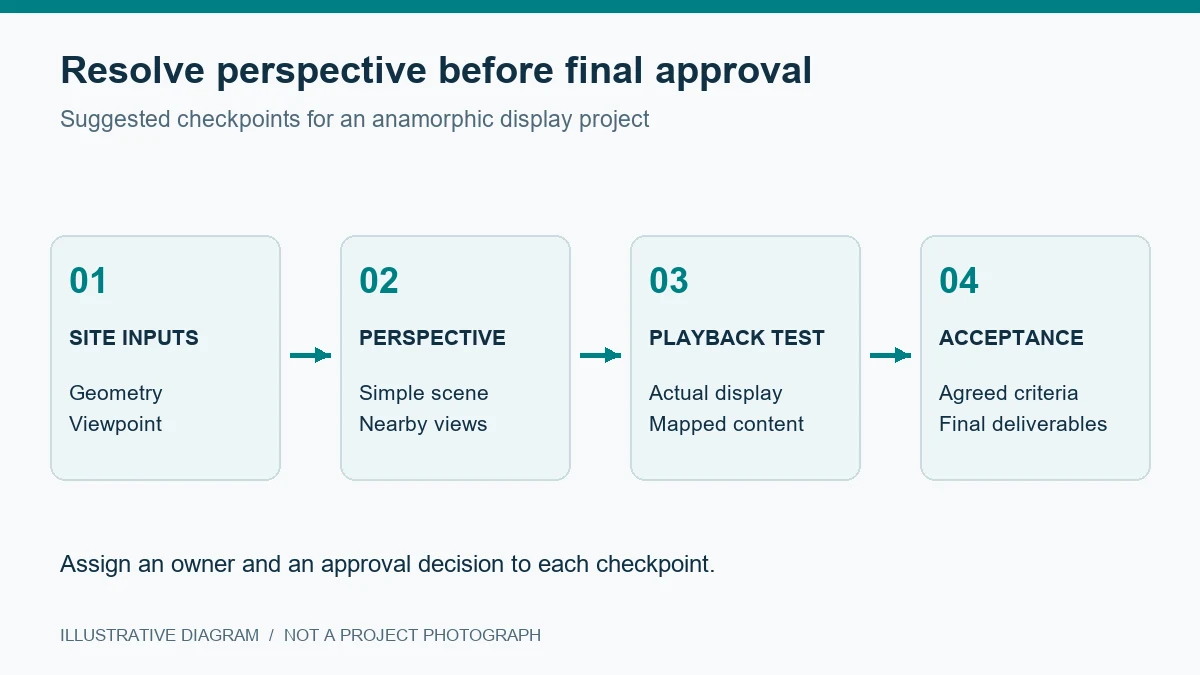
From the chosen viewpoint, inspect screen-face alignment, clipping at corners, the apparent position of the object, and whether the virtual frame still reads against the real building. From secondary views, check brand legibility. Look at both daylight and evening conditions if the booking spans them. Phone recordings may reveal flicker, moiré, or exposure issues that are less obvious to the eye.
Document defects with a timecode, camera position, and description of the expected correction. A note such as “the object looks wrong” is hard to act on; “the object crosses the right-hand seam early at this marked viewpoint” gives the studio a place to investigate. Record which version was tested and approved.
Separate three kinds of evidence after launch: the operator’s proof of play, an on-site record of the creative, and the campaign’s business or audience results. Each answers a different question. A file on screen does not demonstrate that the illusion was convincing, and a widely shared clip does not by itself establish sales impact.
6. Keep Contracts and Costs Clear
For a Times Square 3D billboard placement, the media seller controls inventory and playback terms. A creative studio may handle concept, modeling, mapping, and rendering. A display supplier is relevant if the project involves building or upgrading a screen. Confirm each party’s responsibility instead of comparing one combined figure with another vendor’s partial quote.
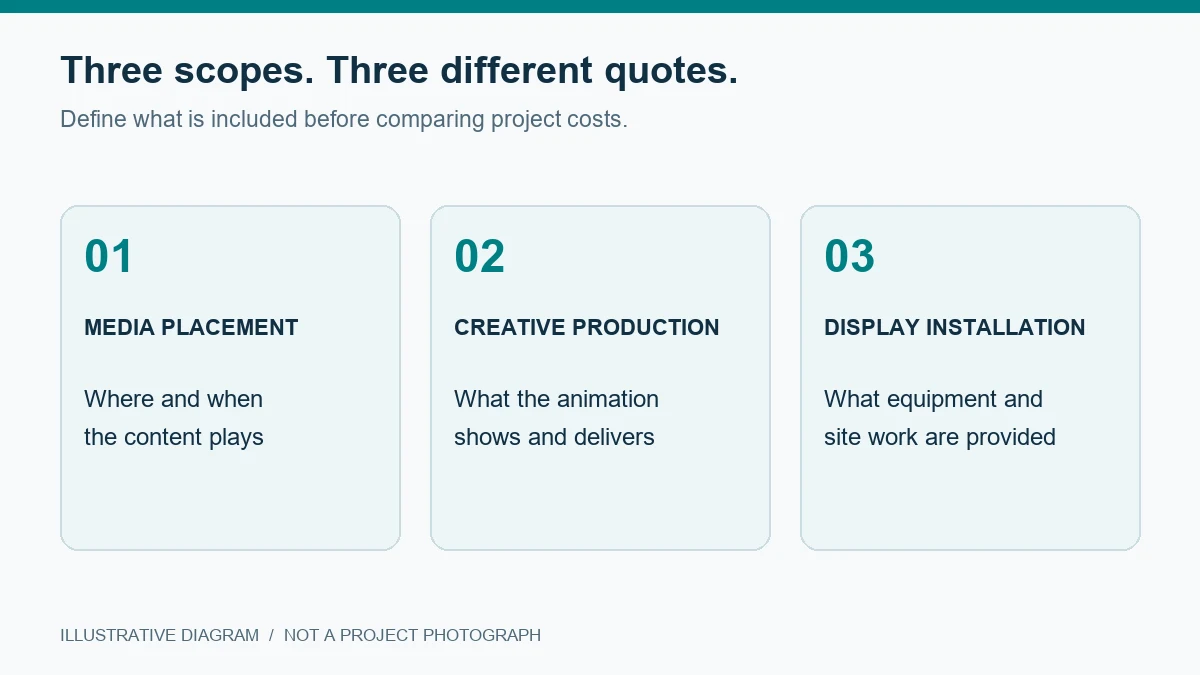
The media agreement should state the exact asset, dates, play frequency, spot length, and reporting. The creative agreement should cover deliverable formats, source-file rights, revision rounds, and the cost of adapting work to another screen. If new hardware is involved, its quote needs the site, structure, power, installation, maintenance access, and commissioning conditions.
Put approval dependencies in writing. If the operator changes a template after creative production begins, who pays for remapping? If the final file fails technical review, who corrects it and by when? If a scheduled test is cancelled, what evidence replaces it? Resolving these questions early is more useful than treating a headline media price as the full campaign budget.
For a permanent installation project, compare the proposed screen system with the range of Opciones de pantallas LED comerciales. A media booking for an existing Times Square screen does not require buying that screen; equipment selection applies only when a new display or upgrade is actually part of the scope.
7. Preguntas frecuentes
01. Can a Times Square 3D billboard clip prove that the effect works from every angle?
No. A clip shows the camera position used to record it. Ask for the screen location and views from the intended pedestrian position and nearby approaches. Evaluate the depth effect and the basic message separately.
02. Can creative made for one Times Square screen be reused on another?
Reuse needs a fresh check of geometry, pixel layout, safe areas, viewpoint, and operator file rules. The scene may need to be remapped or rerendered. Confirm adaptation rights and source-file access in the creative contract.
03. Does a media booking include the 3D animation and an on-screen test?
Do not assume either is included. Ask the media seller and studio to identify production, technical review, test access, revision rounds, and proof of play as separate line items or written inclusions.
8. Prepare a Screen-Specific Brief
Begin with the named asset and current operator proposal. Add a marked screen diagram, target viewing area, intended message, spot length, and the latest delivery template. Then request a perspective preview before the final animation. If your project also involves a new or upgraded LED display, send EagerLED the site and display requirements so the hardware scope can be assessed alongside the content plan.





