

Yes. TB60 asynchronous mode can play content stored on the media player and send it to a compatible LED display without a computer continuously attached. A computer or mobile device is still needed to prepare, publish, and manage content. The player, receiving cards, power, and correctly configured screen remain necessary at the installation. If the screen must show a live source from a switcher or laptop, use the TB60’s synchronous HDMI input instead.
This guide is for an AV integrator specifying a fixed retail or signage screen. For a broader model overview and manual links, see the existing EagerLED Введение в TB60. It explains what “standalone” means, how to check the published capacity against a real cabinet layout, and what to test before handing the system to an operator. The checks use the TB60 specification hosted by Eager-LED, version 1.0.0, dated July 30, 2021. Confirm the hardware and firmware supplied for your project before treating a listed feature as an approved configuration.
1. What TB60 asynchronous mode changes
In TB60 asynchronous mode, the player’s internal source supplies the image. In synchronous mode, the HDMI input supplies the image. The published specification describes both modes and identifies a physical SWITCH control for changing between them. That distinction matters more than the vague promise that the unit is an “all-in-one” player: it tells the integrator which source the operator should expect to see after a restart or a mode change.
For a promotion on a светодиодный дисплей магазина that repeats throughout the day, an approved media package can be published to the player, then run without leaving the publishing laptop beside the display. That is the practical use of TB60 asynchronous mode in a fixed-signage installation. A live product launch fed by an external presentation computer is a different workflow. The TB60 can accept HDMI in synchronous mode, but the source computer must remain available for that live feed. Record which mode the site should use in ordinary operation, who may switch it, and how staff will restore the intended image.
| Operating need | TB60 mode and source | Приемочная проверка |
|---|---|---|
| Scheduled signage with no permanent playback computer | Asynchronous; internal player source | Publish a test program, restart the unit, and confirm that the expected content appears. |
| Live laptop or video switcher feed | Synchronous; HDMI input | Test the actual source timing, mode switch, aspect ratio, and behavior when the source disappears. |
| Several screens showing coordinated content | Define the playback and synchronization plan first | Verify the chosen timing method and a real multi-screen test; a shared schedule alone does not prove frame-level sync. |
TB60 asynchronous mode solves the persistent-playback-computer problem only when the full system has been commissioned. It does not eliminate the controller, receiving cards, screen power, content publishing, or maintenance access. A player with no valid program or an unconfigured cabinet map will not produce a usable display simply because it powers on.
2. Size the wall and output map before choosing the player
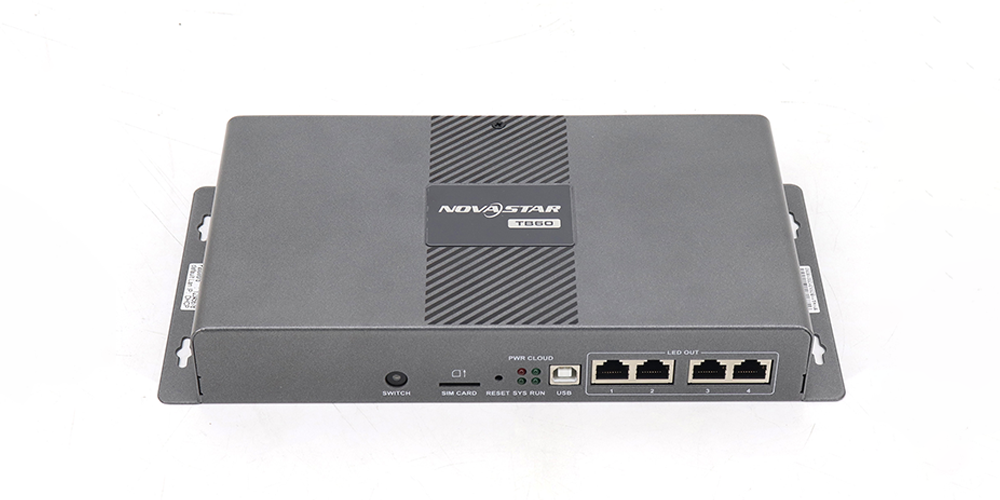
The cited TB60 sheet lists a maximum load of 2,300,000 pixels, a maximum width and height of 4,096 pixels each, and four Gigabit Ethernet LED outputs. These are separate limits. A wall can be below the total pixel ceiling yet still need a different design because of its width, height, receiving-card configuration, or port distribution. Request a port-by-port drawing rather than dividing total pixels by four and assuming every layout will work.
For a planning example, a wall with a native matrix of 1,920 × 1,080 pixels has 2,073,600 physical pixels. That is below 2.3 million, but only by 226,400 pixels. The arithmetic is a screening step, not a compatibility approval. Confirm the cabinet grid, receiving-card model and firmware, cabling direction, actual port load, and any backup arrangement with the supplier. Keep a dated copy of the accepted configuration file for service.

Do not equate 4K media decoding with 4K LED output capacity. The document lists H.264/H.265 4K@60Hz decoding, but the LED wall’s addressable area is subject to the separate output limits. Likewise, the HDMI connector specification concerns the external input path, not the resolution of a stored media file. If a design calls for an unusually wide screen, a high-resolution video source, or redundant output paths, submit the exact pixel matrix and signal plan for review.
01. Check the physical installation, not only the pixel count
The player is one part of a powered display system. The TB60 specification lists an IP20 rating and warns against water intrusion, so a controller planned for an exposed outdoor cabinet needs an appropriate protected installation designed for that location. Confirm the enclosure, ventilation, service clearance, cable entry, and site power with the project team. The product sheet lists a 100–240 V AC, 50/60 Hz input for the player; the LED cabinets and any network equipment have their own power requirements. A compatible wall on paper can still fail if its controller sits in a wet, overheated, or inaccessible location.
3. Plan publishing, storage, and network access
TB60 asynchronous mode works with content delivered to the internal player. The published hardware includes 16 GB of internal storage and supports content publishing from a computer, phone, or tablet. That does not mean every 16 GB is available to the project or that any file will play. Create representative files in the intended codec, resolution, frame rate, and container, then test them on the actual firmware. Keep the source files and an approved playback package outside the device so a replacement unit can be prepared quickly.
The specification lists one USB 3.0 Type-A port for imported content and firmware upgrades, with Ext4 and FAT32 supported for this use. It explicitly excludes exFAT and FAT16. Test the actual drive, formatting, file names, and playback behavior before making USB the site’s recovery method. A USB port on the product does not imply that every flash drive or large media package is accepted.
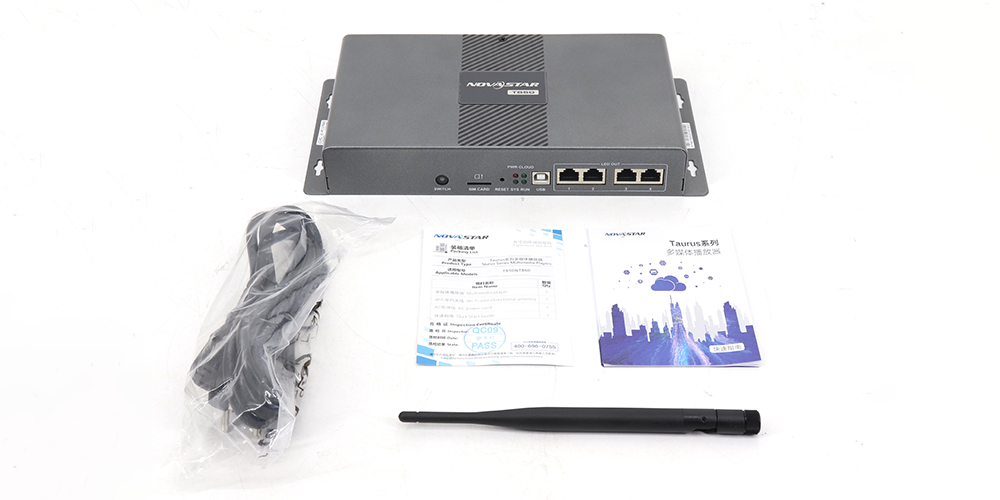
For remote publishing, define the network route and responsibility. The TB60 supports wired Ethernet, Wi-Fi AP/STA, and an optional 4G module. The documented connection priority is wired, then Wi-Fi, then 4G when more than one is available. The standard unit does not include the 4G module; the store listing offers a separate TB60 with 4G module variant. Confirm the exact variant, carrier plan, antenna location, account setup, and network policy before promising remote management. Local playback can continue as a design goal when the network is unavailable, but the commissioning test should prove the chosen program’s behavior during an outage.
Security is part of the handover. Record who owns the publishing account, who may update firmware, and where approved configuration backups are stored. Change default access settings during commissioning under the site’s policy. If the display is on a managed corporate network, obtain the network team’s approval for the selected publishing method and test it in the final environment rather than assuming that a workshop connection represents the site.
01. Define what happens when content changes
A player that can run without a nearby PC still needs a repeatable publishing process. Decide who approves the artwork, who converts it to the tested playback format, and who is allowed to send it to the screen. Name the program clearly enough that a store operator can distinguish the current campaign from a previous one. Before replacing a live program, keep its last approved version and note the expected changeover time. After publication, compare the visible wall with the approved file rather than relying only on a software status message.
Make the recovery procedure small enough to use under pressure. It should say how to identify the player, confirm the active mode, check that the screen is powered, and restore the last approved content if a new package fails. If a USB drive is the fallback, label it and test it at the site; if remote publishing is the fallback, test the account and network route with the people who will actually use them. A recovery plan that depends on an absent laptop, an unknown password, or an untested drive is not an operational plan.
4. Commission TB60 asynchronous mode as a complete system
Build the acceptance test around what the operator must see. Start with a cabinet and receiving-card map, then load a small test program. Verify the native image dimensions, edge alignment, colors, and intended orientation. Power-cycle the player and the wall in the sequence allowed by the installation design. Confirm that the correct program starts, that the display returns after a brief network interruption, and that the operator has a documented method to restore it after a configuration change.
Next, test mode switching with the actual HDMI source. The TB60 sheet states that full-screen scaling in synchronous mode is subject to source-width conditions and can scale down but not up. Do not promise automatic scaling for every signal. Record the source’s connector, timing, and color format, then inspect the displayed result. When switching back to TB60 asynchronous mode, confirm that the stored program reappears and that the operator understands which source is active.
Finally, test content replacement using the site’s normal route. Publish one revised program from the approved device or account, verify that it reaches the intended player, and confirm the visible revision on the wall. If the project depends on multiple synchronized displays, perform that test with the complete screen group and the specified time source. Document what happened after power loss, network loss, and a missing HDMI signal; those observations show whether TB60 asynchronous mode meets the site’s operating plan.
01. Diagnose the first failure by following the signal path
If the screen stays dark, start with evidence rather than immediately replacing the player. Check site power, the TB60’s status indicators, the active operating mode, and whether a valid program or HDMI signal is expected. Then inspect the LED output cable, receiving-card status, and cabinet power. If some cabinets work and others do not, compare the failed section with the approved port map and cable labels. A blank wall can originate in the content package, controller mode, network, receiving card, or cabinet power; the symptom alone cannot identify the failed component.
If stored content plays but looks wrong, compare the media dimensions with the native wall matrix and the accepted configuration. Look for a stretched image, clipped edges, reversed cabinet order, or color differences. If remote updates fail while the old program still plays, isolate the publishing route: confirm the intended network connection, account access, and target device before changing the screen map. If the HDMI feed works only in the workshop, retest the venue’s actual source and timing. Record the fault, the observation that isolated it, and the configuration change made to resolve it so the next technician can reproduce the fix.
5. Часто задаваемые вопросы
01. Does the TB60 need internet access to show stored content?
Internet access is needed for some remote publishing and monitoring workflows, but the asynchronous source is internal to the player. Test the exact program while the site’s network is disconnected. The result depends on how the content and any external dependencies were configured.
02. Is the 4G module included with every TB60?
No. The cited specification says the TB60 ships without a 4G module. The product listing shows separate model options. Confirm the ordered variant and regional network requirements before specifying cellular publishing.
03. Can a 4K video file be sent to a 4K LED wall by one TB60?
Not on the strength of the 4K decoding claim alone. Compare the wall’s physical pixel count and width and height with the published sending limits, then obtain an approved output map. Media decoding and LED output loading describe different parts of the signal chain.
04. Which USB file system should the recovery drive use?
The TB60 specification lists FAT32 and Ext4 for the USB 3.0 import path; it says exFAT and FAT16 are unsupported. Test the exact drive and media package on the supplied firmware, and keep a second copy of the files elsewhere.
6.Prepare a configuration request
Send the wall’s native pixel matrix, cabinet grid, receiving-card model and firmware, expected content formats, publishing method, normal operating mode, HDMI source timing, network conditions, and backup requirement through the EagerLED контактная страница. State whether you need the standard TB60 or the listed 4G variant. Ask for confirmation of the port map, compatible components, current availability, and a dated quotation for your destination. That information turns TB60 asynchronous mode from a promising product feature into a testable installation plan.