

The NovaStar TB1-4G name does not guarantee that a cellular module is included. NovaStar’s TB1-4G (Optional 4G) specification V1.7.0 describes a base unit supplied without that module. A seller can offer a separate bundle with the module, so the configuration on your order matters more than the model name.
For an AV integrator planning a remotely managed retail display, this distinction affects what must arrive before installation. A SIM slot, antenna socket, and product photograph do not establish that a working cellular connection is included. Check the player, module, mobile service, and publishing arrangement as separate items.
This explanation focuses on that single connectivity question. It helps you turn an ambiguous product description into a clear order and a practical acceptance check, without assuming that every shipment or hardware revision has identical accessories.
1. Does the NovaStar TB1-4G include cellular hardware?
Check the selected variant. The EagerLED TB1-4G product page, reviewed on November 11, 2026, offers a base option and an option labeled “with 4G module.” Those choices should not be treated as the same package. Ask for an itemized confirmation of the selected variant before payment.
arşivlenmiş manufacturer specification V1.7.0 identifies cellular hardware as optional. That establishes a useful baseline, but an archived sheet cannot verify the contents of today’s individual shipment. The seller’s written configuration should identify what is installed and what is supplied loose.
For a NovaStar TB1-4G order, separate three questions: does the player support the proposed module, is that module included, and will the complete arrangement work with the intended carrier? A positive answer to one does not answer the others. The same distinction applies when buying a replacement for an existing installation.
2. What the connections actually tell you
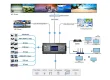
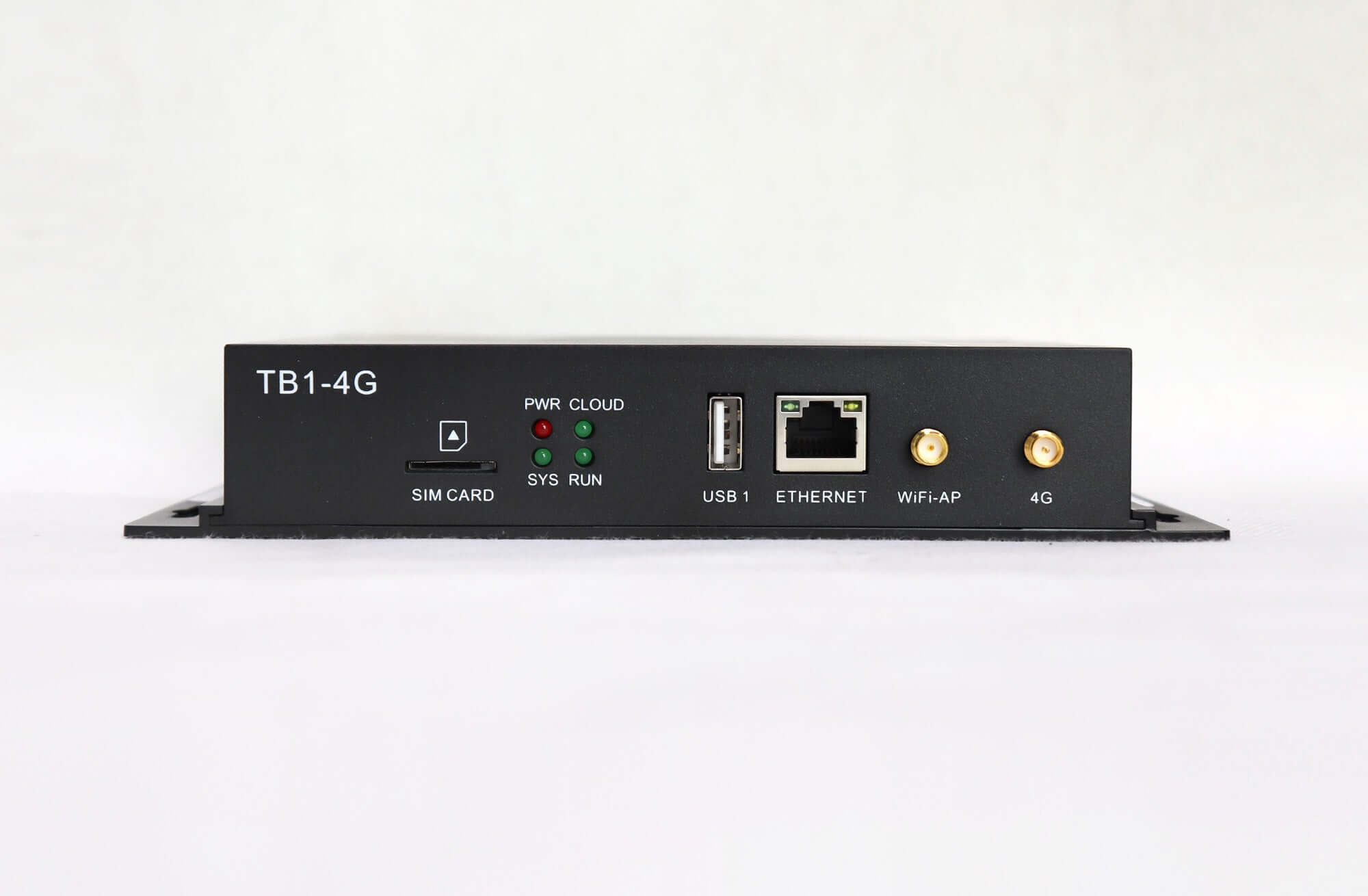
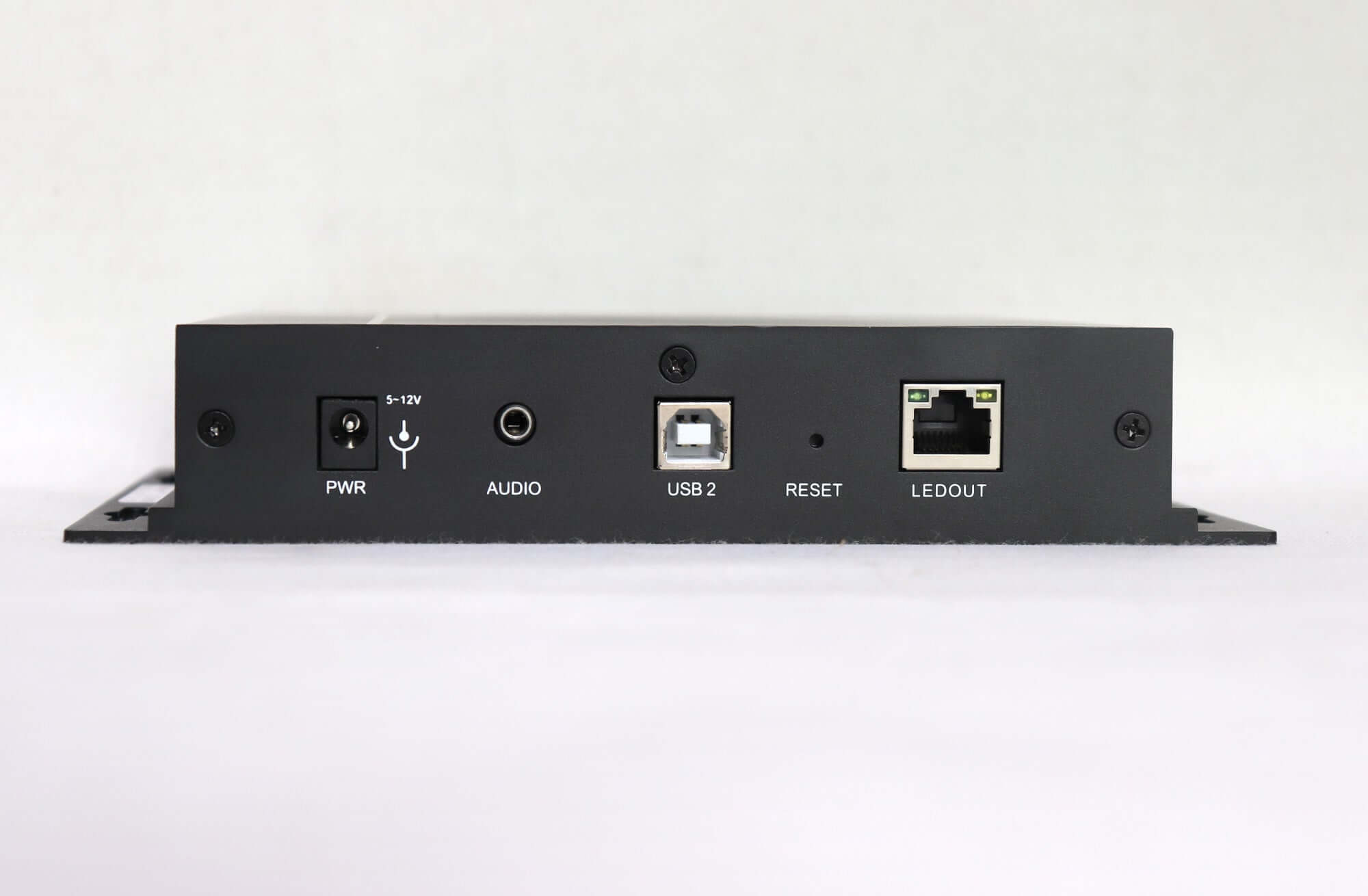
The NovaStar TB1-4G has separate connections for different jobs. In the V1.7.0 documentation, ETHERNET connects to a network or control computer, while LEDOUT sends display data toward the LED receiving system. The Wi-Fi AP connection provides local wireless access. None of these labels should be used as evidence that a SIM-based Internet connection is already working.
A phone connected locally to the player’s hotspot can be useful during commissioning. However, a successful local session does not prove that a colleague in another location can publish content through the Internet. Write down which path you are testing: local access, wired networking, or cellular networking. Otherwise, a test can pass through the wrong connection.
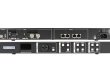
The front-panel photograph also shows distinct Wi-Fi AP and 4G antenna connectors. Identify the correct accessory and connection from the documentation for the supplied revision. An antenna visible in a gallery image is not a packing list, and its appearance alone does not establish the module’s regional compatibility.
When documenting a NovaStar TB1-4G installation, label the network and LED-output cables by function. Include photographs in the handover record so a later technician can distinguish a publishing connection from a display-output connection without relying on memory.
3. Does your installation need cellular access?
Start with the operating requirement, not the accessory list. Decide who will update the display, where that person will work, and how frequently content must change. Then ask the site’s network administrator whether a suitable wired connection is available. This conversation should happen before the equipment order, especially when a retail tenant does not control the building’s network.
Consider two hypothetical projects. At one store, an approved wired connection is already available beside the display, and the customer wants remote publishing through that connection. The integrator should assess that arrangement before adding a cellular subscription. At another store, the customer cannot obtain an approved network connection but still requires remote updates. Cellular access becomes a candidate, subject to confirmation of the module, service, and installation conditions.
For either project, specify what staff should do when remote access is unavailable. Identify the person who can attend the site and the approved local support method. If cellular connectivity is requested as a backup for a wired connection, add a separate failover demonstration to the acceptance plan. Do not treat ordinary remote publishing and automatic recovery from a failed network as the same requirement.
4. What to put on the order
An effective NovaStar TB1-4G purchase specification names the complete cellular arrangement, rather than saying only “4G version.” The table below is a suggested procurement record. It assigns responsibility for unresolved items; it is not a claim that every accessory or service is included in the store listing.
| Sipariş öğesi | Written confirmation to obtain | Sorumlu parti |
|---|---|---|
| Player and module | Exact player revision, module model, and whether installation is included | ekipman tedarikçisi |
| Destination and carrier | Supported regional bands and acceptance of the proposed device and service combination | Supplier and local carrier |
| Antenna and mounting | Included antenna, cable or adapter, and intended mounting arrangement | Supplier and installer |
| SIM and service | Who supplies and activates the SIM, pays for data, and provides required network settings | Customer or service provider |
| Publishing access | Account owner, device assignment, operator access, and any service charges | Customer and commissioning provider |
| Kabul ve destek | Required demonstration, recorded versions, handover files, and support contact | Integrator and supplier |
Do not describe a NovaStar TB1-4G as ready for every country unless the exact module and carrier arrangement have been verified. Give the supplier the installation country and intended operator before choosing the bundle. If that choice remains open, record it as an unresolved requirement rather than assuming that any available SIM will complete the system.
The same discipline helps with commercial comparisons. Ask each seller to quote the same scope: player, installed module, antenna, power accessories, and commissioning assistance where required. Keep recurring connectivity or platform charges separate from equipment cost. A lower headline figure may represent a different package, so compare the written inclusions first.
01. Make the quotation specific enough to check on arrival
A practical inquiry could say: “Please quote the NovaStar TB1-4G with the cellular module installed. Identify the module model and confirm the proposed country and carrier combination. List the supplied antenna and power accessories, identify any items we must provide, and state the software and support scope.” Replace the project details with your own requirements; this is suggested wording, not a supplier commitment.
Ask the seller to answer each point rather than replying only that the player supports 4G. Keep the agreed configuration with the purchase order and use it again during receiving inspection. If the delivered label, accessories, or module identification differ, resolve that discrepancy before sending the unit to the installation site.
For multiple displays, agree on a device-to-location record before commissioning. A simple list of player identifiers, store names, and assigned accounts gives both the installer and content team a common reference. Confirm who maintains it when equipment moves between locations.
5. How to confirm the intended connection
A useful NovaStar TB1-4G acceptance check demonstrates the actual publishing task over the intended network. Have the commissioning technician identify the installed hardware, record the software and firmware versions, and confirm the appropriate configuration procedure. Avoid applying a generic firmware package merely because another Taurus model uses it.
NovaStar'ın ViPlex Handy Kullanım Kılavuzu V5.3.4 describes mobile-data controls for devices equipped with a 4G module and distinguishes local device access from cloud management. For a NovaStar TB1-4G installation, use the applicable controls for the supplied firmware; the presence of a menu item does not replace hardware identification or a successful connection test.
The archived TB1-4G specification gives wired networking priority over cellular networking. This makes the test conditions important: a successful upload while Ethernet is available does not, by itself, prove that cellular communication worked. During a planned commissioning window, have the technician isolate the intended path and record how that was established.
For the NovaStar TB1-4G handover, a practical demonstration is to publish a clearly identifiable test message from the agreed remote account, then verify the correct screen receives and displays it. Record the device identity, network path, completion result, and any failed attempt. Restore the agreed production configuration after testing.
For example, a proposed acceptance message might include the store identifier and a unique test code. The person at the display can confirm both, helping prevent a mistaken pass caused by checking the wrong screen or seeing an older playlist. This is a suggested test design, not a report of a completed EagerLED kurulum.
Keep the acceptance record with the NovaStar TB1-4G configuration files. A useful handover also identifies who can change content, who manages the SIM subscription, and who receives service requests. These responsibilities remain necessary even when the hardware has passed its initial connectivity check.
6. What to record when a cellular test fails
Describe the point of failure before changing settings. “The screen is offline” leaves several possibilities open: the device may be inaccessible locally, the intended network path may be unavailable, the remote account may not show the device, or a publication may complete without the expected content appearing. These observations require different follow-up questions.
For a NovaStar TB1-4G support request, record whether local access works, which network was under test, what the application displayed, and whether the screen showed the test message. Include the time and the last known working configuration. Share relevant screenshots through the agreed support channel, with passwords and unrelated account information removed.
If the technician can reach the player locally but remote publishing fails, ask the support provider to review the network and account configuration before replacing hardware. If publishing reports success but the expected message is absent, verify the target device and content assignment. These are investigation priorities, not diagnoses or guarantees of a particular fix.
Change one agreed setting at a time and repeat the same identifiable test. Record what changed and whether it affected the result. This creates a useful handover trail and avoids leaving the next technician with several undocumented changes and no clear starting point.
7. Sık sorulan sorular
01. Does cellular connectivity increase the screen’s pixel capacity?
No. Connectivity and LED loading are separate requirements. The cited TB1-4G specification states a maximum total load of 650,000 pixels. Check the screen’s native pixel matrix independently; adding a mobile-data connection is not a reason to assume that a larger display becomes supported.
02. Can I calculate the SIM data allowance from video duration alone?
No. Build the estimate from the files you expect to transfer, how often they change, and measured service traffic. For a planning example, one complete upload of a 100 MB package on each of 30 days is 3,000 MB before retries, monitoring, or other overhead. This is arithmetic, not a measured consumption figure for the player.
03. Is the download on the product page the correct manual for every unit?
No. The current listing identifies its retained download as a legacy Chinese TB1 V1.0.0 specification. Request documentation matching the exact supplied hardware. The NovaStar software download archive provides related software resources; confirm the appropriate application and version for your supplied hardware.
04. Should I reset a player immediately if remote publishing fails?
A reset should not be the first undocumented action. Preserve the existing configuration and record the symptom, connection path, software version, and device identity. Ask the support provider to establish a recovery procedure before changing a working display’s configuration. A reset does not establish whether the cellular hardware was included.
8. Get the cellular configuration confirmed before ordering
Gönder EagerLED the installation country, preferred carrier, screen pixel dimensions, receiving-card details, quantity, and intended publishing workflow. For a NovaStar TB1-4G replacement, include the existing unit’s label and software information. State clearly whether your order requires the cellular module to be installed and tested.
Request a written configuration check and itemized quotation covering the player, cellular accessories, and support scope. Resolve those details before scheduling the site visit so the installer arrives with an agreed package and a test that can demonstrate the required result.