

A rental LED display is a modular video wall designed for repeated transport, assembly and dismantling at events. Choosing one starts with the closest viewer, the content and the environment. Pixel pitch determines how much detail fits on the wall; brightness, processing and support equipment determine whether that detail works in the venue.
This rental LED display guide explains LED pixel pitch, viewing distance, screen sizing and the questions that make quotes comparable. It serves both event organizers hiring a complete system and AV companies buying rental inventory. Those are different transactions: a cabinet purchase does not automatically include local installation, operators or event production.
Last reviewed: 29 September 2026. The dimensions and power calculation below are planning examples; confirm the ordered cabinet and venue specifications before installation.
1. What Is a Rental LED Display?
A rental LED display joins individual cabinets into a larger canvas. Each cabinet contains LED modules, receiving electronics and power components. A processor maps the incoming picture across that canvas. Rental designs emphasize alignment, locking, handling and service access because the same equipment may travel between very different venues.

01. Indoor and outdoor rental LED display types
An indoor rental LED display suits controlled spaces such as conference halls and exhibition booths. An outdoor rental LED display must match the actual weather exposure and daylight conditions. Outdoor does not automatically mean coarse pitch, and indoor does not automatically mean fragile construction. Compare the specific configuration.
| Selection factor | Indoor application | Outdoor application |
|---|---|---|
| Ambient light | Check stage lighting, windows and reflections. | Evaluate direct sun, orientation and evening operation. |
| Image priority | Readable text, accurate color and comfortable dimming. | Daylight contrast plus sufficient detail at the nearest audience position. |
| Protection | Specify handling protection and approved operating conditions. | Verify cabinet faces, connectors and complete-system weather protection. |
| Pixel pitch | Choose from viewing distance and content size. | Use the same method; weather protection alone does not determine pitch. |
| Support | Confirm floor loads, rigging points and access routes. | Include engineered wind provisions, ground conditions and a weather action plan. |
| Service access | Front or rear service according to the model. | Confirm access without compromising seals or the support system. |

02. What belongs in a complete system?
A usable rental LED display system includes cabinets, processing, compatible data and power cables, approved hanging or ground-support hardware, transport cases and appropriate spares. Confirm who supplies each item. The processor normally receives HDMI, SDI or another supported video interface; individual cabinets are not simply large televisions with interchangeable consumer inputs.

Modular construction helps adapt a rental LED display to different stage layouts. However, cabinet dimensions alone do not establish compatibility: locks, receiving cards, module pinouts, calibration and electrical limits must also match.

Wireless control of a computer or player should not be confused with a dependable live video connection to the wall. Document the signal path from source to processor to receiving cards, including cable lengths and any fiber conversion.

Brightness should be set for the room and camera exposure. Running a rental LED display at maximum output in a dark ballroom can reduce comfort and distort the balance between presenters and their background.

Check handling features with the people doing the installation. Cabinet weight, protective corners, handles and flight-case layout influence labor and damage rates throughout the equipment’s working life.

2. How to Choose the Optimal LED Pixel Pitch
LED pixel pitch is the center-to-center distance between neighboring pixels, measured in millimeters. P2.6 means approximately 2.6 mm spacing. Pitch is a distance, not pixel density. Smaller pitch increases the number of pixels within the same physical area, so a rental LED display can reproduce finer detail.
For square pixels, approximate density in pixels per square meter is (1,000 ÷ pitch in mm)². Halving the pitch gives four times as many pixels in the same area. This also increases the pixel load that the processing system must handle.

01. Pixel pitch viewing distance: distinguish the formulas
There is no universal minimum viewing distance that guarantees a perfect picture. Two commonly used planning references are: the 10× rule estimates distance in feet as pitch in millimeters multiplied by 10; the visual-acuity method uses pitch × 3,438 for distance in millimeters, approximately pitch × 3.438 in meters.
These are different reference criteria, not competing specifications. Use the following calculated table to shortlist pitches, then test your actual slides and footage from the closest seat. A bold concert graphic can remain useful where small spreadsheet labels cannot. Camera performance needs a separate test.
| Nominal pitch | 10× reference, feet | 10× reference, meters | Visual-acuity reference, meters |
|---|---|---|---|
| P1.9 | 19.0 | 5.79 | 6.53 |
| P2.6 | 26.0 | 7.92 | 8.94 |
| P2.97 | 29.7 | 9.05 | 10.21 |
| P3.91 | 39.1 | 11.92 | 13.44 |
| P4.81 | 48.1 | 14.66 | 16.54 |
Calculated from the stated nominal pitches; 1 foot = 0.3048 meters. These estimates are neither mandatory audience setbacks nor product performance guarantees.

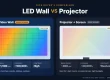
The retained distance illustration is a visual reference. For procurement, use the explicitly labeled formulas above and a content demonstration, rather than treating any single distance chart as an absolute threshold.
02. Calculate LED wall resolution from cabinet pixels
Approximate horizontal resolution equals screen width in millimeters divided by pitch; vertical resolution uses height. For the final pixel map, multiply the manufacturer’s exact cabinet pixel dimensions by the number of cabinets. Rounded names such as P3.91 can otherwise create small calculation discrepancies.
Worked example: a 6 m × 3.5 m rental LED display made from 500 × 500 mm cabinets contains 12 columns and 7 rows, or 84 cabinets. If each cabinet is 128 × 128 pixels, the complete wall is 1,536 × 896 pixels, totaling 1,376,256 pixels. Its physical ratio is 12:7, not 16:9.
A 1,920 × 1,080 input does not make this wall native Full HD. Agree on scaling, cropping or borders before creating graphics. Ask the operator for the exact canvas dimensions, safe areas and delivery format; then check text readability on the physical rental LED display.
03. Choose the pitch for the content and audience
Measure the nearest and farthest meaningful viewing positions, not just the room length. Shortlist two pitches and compare the smallest text, faces, logos and fine lines. If information is still too small at the back, increase the physical text size or add another screen; finer pitch alone cannot solve every visibility problem.
For buying decisions, request a sample of the proposed rental LED display configuration. Test at the intended brightness using low-gray gradients and camera footage as well as bright promotional video. This reveals limitations that a specification sheet or showroom loop can hide.
3. Benefits of Rental LED Display for Events and Businesses
01. Large visuals and flexible layouts
A rental LED display can combine live camera images, branded backgrounds and presentation content on a scalable surface. It emits its own light and does not require a projector’s throw path. That can help in shallow stages and bright venues, provided the chosen equipment delivers the required contrast.
Cabinet-based construction lets an AV team assemble different sizes from compatible inventory. Curves, corners and cubes require the correct mechanical system and content map. A standard flat cabinet should not be forced into a shape it was not designed to support.

02. Hiring versus buying rental inventory
Hiring a rental LED display can suit occasional events or changing technical requirements. Buying can suit an AV operator with recurring demand, storage, trained crews and a service capability. The right choice depends on utilization and total operating cost, not a fixed number of events.
Compare annual hire expenditure with financing or depreciation, labor, transport, repairs, insurance, storage and downtime. For each scenario, include the same production scope. Owning panels does not remove the need for processing, support equipment or qualified technicians.

Also distinguish equipment-only hire from a managed service. Record who is responsible for delivery, setup, rehearsal, operation, troubleshooting and dismantling. A lower rental LED display quote may simply omit work included in another supplier’s offer.
4. Rental LED Screen Technology Developments
01. Image quality and camera compatibility
Evaluate improvements through measurable results. For a rental LED display, useful checks include color consistency between cabinets, low-brightness grayscale, calibration retention and reliable source switching. HDR capability depends on the source, processor and display working together; an HDR label alone does not establish the final result.

Panel refresh rate in hertz is different from content frame rate in frames per second. A high advertised refresh rate does not guarantee clean camera images. Shutter timing, scan behavior, synchronization and camera settings also matter. Compatible processing can sometimes align LED refresh with camera timing, but that feature must be verified for the selected system.
For a filmed rental LED display, test the actual camera, lens, framing, shutter and brightness combination. Include movement and low-gray material. Moiré depends on the interaction between the camera sensor and LED pixel pattern, so it should be checked alongside banding and exposure.
02. Creative systems and serviceability
AR, tracking and interactive visuals require additional hardware, software and production expertise. They are not automatic features of a rental LED display. Define which system produces the content, which system tracks movement, and who integrates and operates the complete installation.

For repeat rental work, serviceability may be more valuable than an unused feature. Assess access to modules and power supplies, replacement-part continuity, connector protection and saved calibration files. Compare power measurements at equivalent brightness and content before accepting energy-saving claims.
5. How to Choose a Suitable Rental LED Display
01. Write a venue and content brief
Before requesting a rental LED display quote, specify event location and dates, indoor or outdoor exposure, screen dimensions, nearest audience distance and content type. Add camera requirements, access restrictions, installation time and the planned support method. Give each supplier the same brief.

Check whether doors, lifts and loading docks accommodate the packed equipment. Reserve service space behind the wall when required. Confirm the complete installed dimensions, including base frames or outriggers, rather than considering only the illuminated surface.
02. Compare rental LED display cost by scope
Rental LED display cost varies with location, duration, size, pitch, availability and production scope. A purchase price per square meter cannot be compared directly with a turnkey event-hire price. Request a dated, itemized quote in a named currency, with taxes and delivery terms stated.
| Cost item | What to request | Why it changes the total |
|---|---|---|
| LED cabinets | Model, pitch, quantity, dimensions and environment rating. | Area and specification determine equipment scope. |
| Processing | Processor model, input formats, capacity and backup provision. | The wall’s pixel count and sources affect configuration. |
| Support structure | Approved hanging or stacking system and engineering responsibilities. | Venue geometry and outdoor conditions change requirements. |
| Power and cabling | Distribution, cable lengths, connectors and installation labor. | Building power access and cable routes vary. |
| Crew and schedule | Load-in, rehearsal, show operation, overtime and dismantling. | One show day can require several working days. |
| Logistics and risk | Transport, cases, spares, damage terms, tax and cancellation terms. | Distance, access and responsibilities affect the payable amount. |
For a more detailed breakdown of pricing variables, see EagerLED’s LED screen rental cost guide.
For equipment hire, clarify whether the charge covers show days, possession days or a package period. For purchases, compare the complete delivered system and after-sales support. Ask what happens if a module, power supply or processor fails during rehearsal.
03. Verify power, rigging and commissioning
Use the rental LED display manufacturer’s maximum power specification for electrical planning. Average consumption is useful for energy estimates but does not establish circuit capacity. Qualified personnel should design distribution, earthing, protection and load allocation for the venue.
As a calculation example only, a 21 m² wall specified at a maximum 600 W/m² represents 12.6 kW of display load before associated equipment. This is not an EA500C5 specification. Actual circuit design must also account for supply characteristics, power factor, inrush and applicable requirements.
A flown rental LED display needs compatible rated hardware and an approved load plan. A ground-supported wall also needs competent design, including stability and floor capacity. For outdoor work, document wind limits, monitoring and shutdown responsibilities before the audience arrives.
Commission the system in sequence: inspect cabinets and locks, confirm approved assembly, verify electrical and signal connections, load the correct mapping, and test each cabinet. Then run the complete show content, camera feeds and backup paths. Record settings and hand over a clear operating plan.
Weather protection is a system issue. An IP rating for a cabinet does not automatically cover open connectors, processors or power distribution. Avoid treating “waterproof” marketing language as permission to operate in every weather condition.
6. EagerLED Rental LED Screen Options
01. EA500C5 for corners and creative configurations
The EagerLED EA500C5 product page describes a 500 × 500 mm cabinet with 250 × 250 mm bevel modules and support for 90-degree splicing. This rental LED display is relevant when a design calls for corners or cube arrangements. Confirm the exact configuration with the supplier before specifying it.


The published design includes quick locks; curve locks and front service are described as options. A rental LED display order should explicitly identify the required options, matching accessories and intended shape.


02. Confirm the ordered specification
The product page emphasizes indoor use while also showing weather-protection language. Obtain a configuration-specific datasheet before specifying any outdoor application. Confirm the applicable protection rating, brightness, receiving system, maximum power and permitted installation arrangement in writing.

Equal module dimensions do not prove that different pixel pitches can be swapped without further changes. Ask EagerLED to confirm electrical, mechanical, firmware and calibration compatibility. Maintain suitable spares for the purchased batch.

Compare the EA500C5 with EagerLED’s event and touring display range against your venue brief. For a rental LED display proposal, supply wall size, target pitch, event environment, camera needs and delivery destination. Request a complete bill of materials rather than choosing from photographs alone.
Watch the existing EA500C5 installation demonstration for the illustrated flat, curved and right-angle arrangements; use the supplied product instructions for the actual build.
7. Rental LED Display FAQs
01. What is the best pixel pitch for a rental LED display?
The best pitch is the one that reproduces your required detail at the closest viewing position within budget. Compare actual content on candidate panels. Smaller pitch increases resolution for the same area, but brightness, calibration, processing and camera behavior still affect the result.
02. How do I calculate pixel pitch viewing distance?
Two planning references are pitch in millimeters × 10 for distance in feet, and pitch × 3.438 for visual-acuity distance in meters. These answer different questions. Use the labeled table above, then assess text and video from the real audience positions.
03. Is P2.6 better than P3.91 for an LED wall?
P2.6 provides more pixels within the same area and can help with fine detail at closer distances. P3.91 may suit larger graphics and longer viewing distances. Compare native resolution, actual content and total system cost instead of selecting by pitch alone.
04. How much does a rental LED display cost?
There is no reliable universal price without the location, size, duration and scope. Separate cabinet purchase, equipment hire and managed event production. Request processing, support, power distribution, crew, logistics, taxes and spares as explicit quote items.
05. Can an indoor rental LED display be used outdoors?
Only when its documented operating conditions and the complete installation are suitable for that exposure. A roof alone does not resolve wind-driven rain, humidity, sunlight or connector protection. Specify equipment and operating procedures appropriate to the actual site.
06. Does a high refresh rate guarantee flicker-free filming?
No. The camera’s shutter, panel scan behavior, synchronization and processing configuration also matter. Test the rental LED display with the production camera settings before the show. Check banding, moiré, grayscale and exposure rather than relying on one headline number.
07. Should I hire locally or buy a rental LED display?
For a single event, a local AV provider can quote equipment and on-site production together. For a rental business, ownership requires utilization, transport, storage and technical support planning. Compare equivalent annual costs and service responsibilities before deciding.
08. Why can two LED wall hire quotes differ so much?
They may cover different wall sizes, pixel pitches, rental periods or service levels. One supplier may include a processor, rigging, transport, installation, rehearsal and an operator while another prices cabinets alone. Give every supplier the same venue brief and compare itemized totals, responsibilities and cancellation terms.
8. Conclusion: Specify the Rental LED Display Around the Event
A successful rental LED display starts with a clear viewing and content brief. Choose LED pixel pitch using labeled distance references and a real-content test, calculate the native canvas, and verify brightness, camera behavior, power and support requirements. Compare quotes on complete scope, not only cabinet price.
To discuss a rental LED display purchase, send EagerLED your project requirements. Include screen dimensions, audience distance, indoor or outdoor conditions, installation method and delivery destination. That information supports a proposal you can check against the practical requirements of the event.