An indoor LED advertising screen supplier should prove that a proposed screen works in one representative store before an AV integrator orders it for an entire retail chain. Ask for a named cabinet configuration, a drawing of the finished wall, a service demonstration, an agreed content workflow, and a witnessed pilot test. A showroom video or a price per square meter does not answer those questions.
This guide is for an AV integrator preparing a repeatable indoor retail installation. The integrator must connect the screen hardware to the store’s mounting, power, network, content, and local service arrangements. A pilot should expose differences between stores early enough to change the design. The goal is an approved specification and a practical rollout plan, not a promise that every branch will produce the same advertising result.
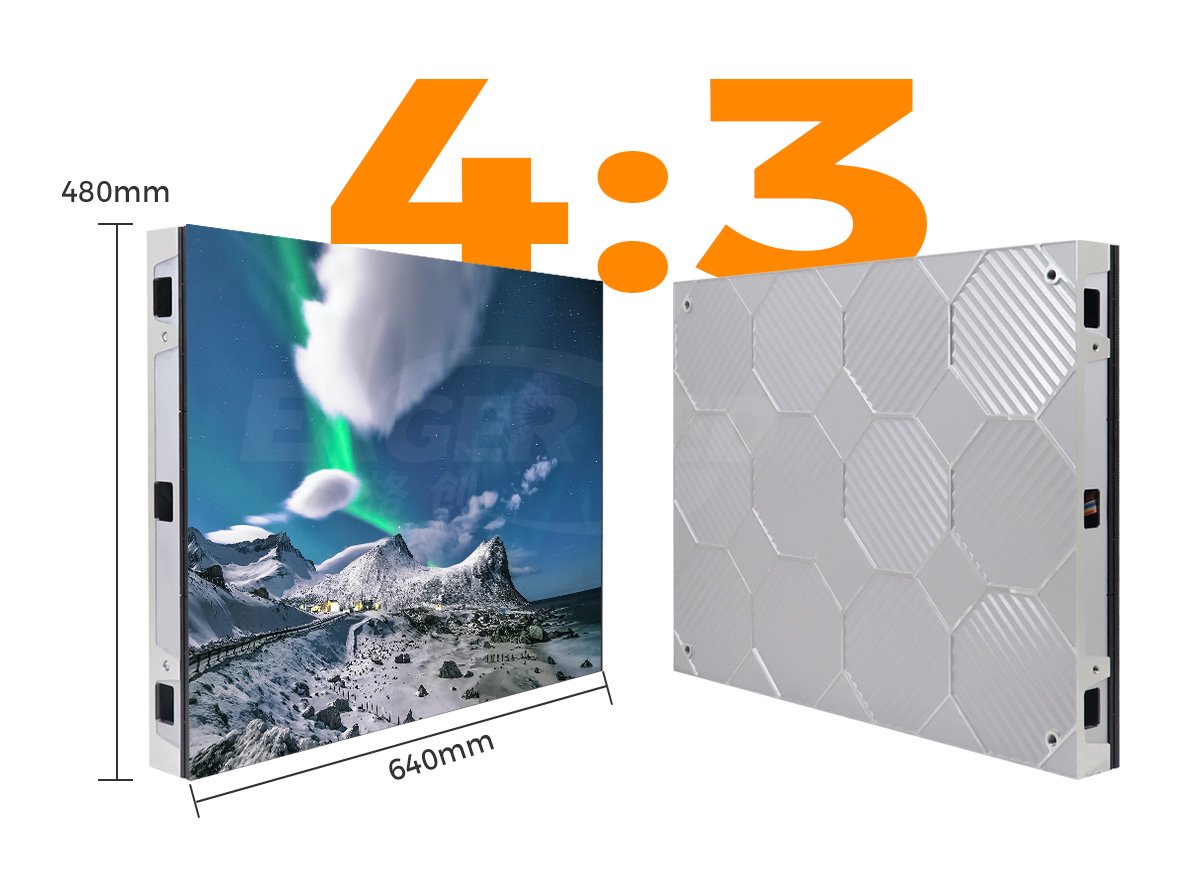
EagerLED’s EA640F2 indoor display is one fixed-wall example used below. Its published 640 × 480 mm (25.2 × 18.9 in) cabinet, front-service construction, and IP31 indoor rating are model-specific. A freestanding poster or a transparent window display calls for a different mounting and content test. Confirm the exact version offered in any quotation.
1. Define the Store Brief Before Requesting Equipment
The first deliverable for an indoor LED advertising screen supplier is a site brief that distinguishes the conditions each screen must handle. Record the active display opening, customer viewing path, nearest normal viewing distance, daylight at the screen, operating hours, available depth, power location, network rules, and who can reach the display for service. Provide photographs taken from the customer approach, not just an architectural elevation.
01. Separate the placements
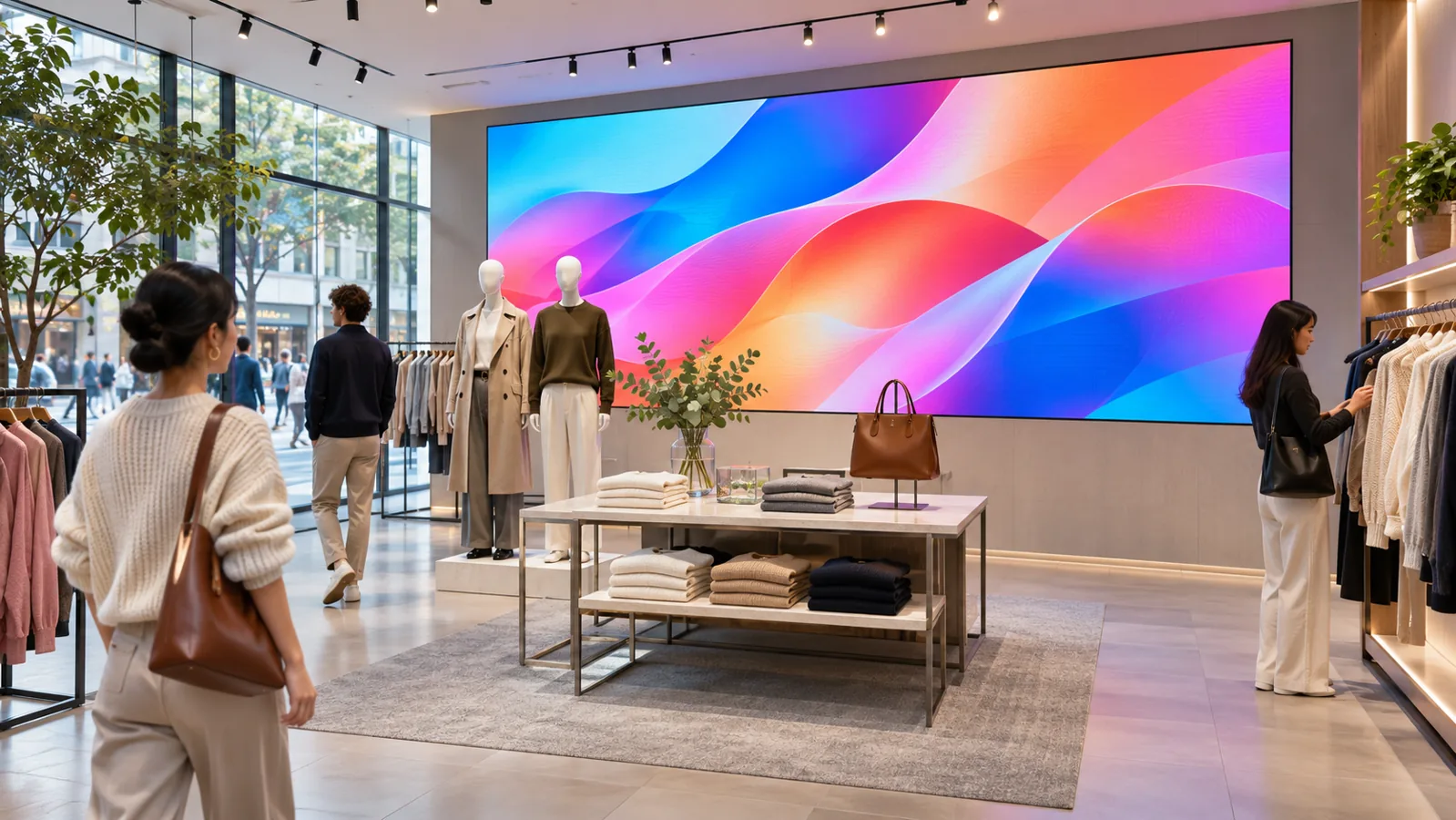
A wall behind a checkout line, a freestanding sign at an entrance, and a display behind glazing are different jobs. A solid wall can prioritize fine detail and front service. A poster can move with a campaign but needs a stable base, pedestrian clearance, and safe cable routing. A transparent display can preserve a view through a window, while the scene behind it and glass reflections affect legibility. Do not make one cabinet specification cover every position merely to simplify purchasing.
| Location | Format to evaluate | Pilot evidence to collect | Common constraint |
|---|---|---|---|
| Feature wall or checkout backdrop | Fixed indoor LED cabinet wall | Smallest real message viewed from the nearest and side positions | Service clearance and mounting depth |
| Entrance floor area | Freestanding LED poster | Base stability, cable protection, and content readability on the approach | Pedestrian circulation and relocation procedure |
| Protected storefront glazing | Indoor transparent LED, if the view through the window matters | Daylight and evening readability with merchandise in place | Reflections, heat, glazing, and rear access |
The table is a screening tool, not a claim that one format is best. If a screen sits outside the weather envelope, request a separately rated outdoor design. An indoor IP rating does not become an outdoor installation approval because a canopy or shopfront is nearby. Have the responsible local professionals review structure, electrical supply, and any required permissions.
02. Describe the actual advertising task
Give the supplier sample artwork, the smallest required text, languages used in each market, the expected viewing time, and whether content is live, scheduled, or updated locally. A screen that looks good with a high-contrast demo loop may fail the real task when it shows a price, disclaimer, or store-specific message. Ask the content team to prepare a realistic test file before the pilot hardware arrives.
For a multi-store project, note which messages are common to every branch and which must be controlled locally. State who approves changes, who can publish them, and what the screen must show when the network is unavailable. Those are requirements for the complete solution; a cabinet alone cannot prove them.
2. What an Indoor LED Advertising Screen Supplier Must Specify
An indoor LED advertising screen supplier should quote a specific cabinet and pixel-pitch variant, not a generic “P2 LED wall.” Request the active width and height, cabinet grid, native horizontal and vertical pixels, finished depth and weight, brightness range, power data, maintenance direction, control equipment, and the included spare parts. Ask which figures come from the offered model’s current specification and which are assumptions about the site.
01. Check the physical grid and native pixels
The EA640F2 page lists a 640 × 480 mm cabinet. As a geometry example, four cabinets across and three high form a 2.56 × 1.44 m (8.4 × 4.7 ft) active rectangle with a 16:9 shape. That is twelve cabinets, but it is not automatically a 1920 × 1080 or 4K wall. Native pixels change with the selected pitch and module layout. Ask the supplier for the final pixel map and give it to the artwork team before content production.
Pixel pitch determines how many physical pixels fit within a given area, but it does not by itself settle readability. Compare candidate screens at the closest normal customer position using the smallest approved text. Also test at the far end of the aisle: text can be pixel-sharp yet physically too small to read. EagerLED’s resolution guide explains the difference between a screen’s native pixel matrix and a higher-resolution signal accepted by its processor.
02. Verify the stated operating conditions
The EA640F2 product page lists SMD and COB variants, 600–800 nits (cd/m²) across the SMD pitch range shown, a 60 mm (2.4 in) cabinet depth, front access, and an IP31 rating. Those are published product specifications, not measured performance in your shop. The selected pitch has its own brightness and power rows. Do not combine the brightest listed variant with the power figure or pixel density of another variant.
Ask for maximum power to inform the electrical design and average operating power under stated content and brightness for an energy budget. Do not size a circuit from an average figure. Ask how the proposed screen dims under the store’s normal light and how its image looks at that setting. Glare from nearby glazing, store lighting, and camera exposure can change the useful result. Record the tested setting so a later branch can reproduce the test.
3. Run a Pilot That Can Reject a Poor Fit
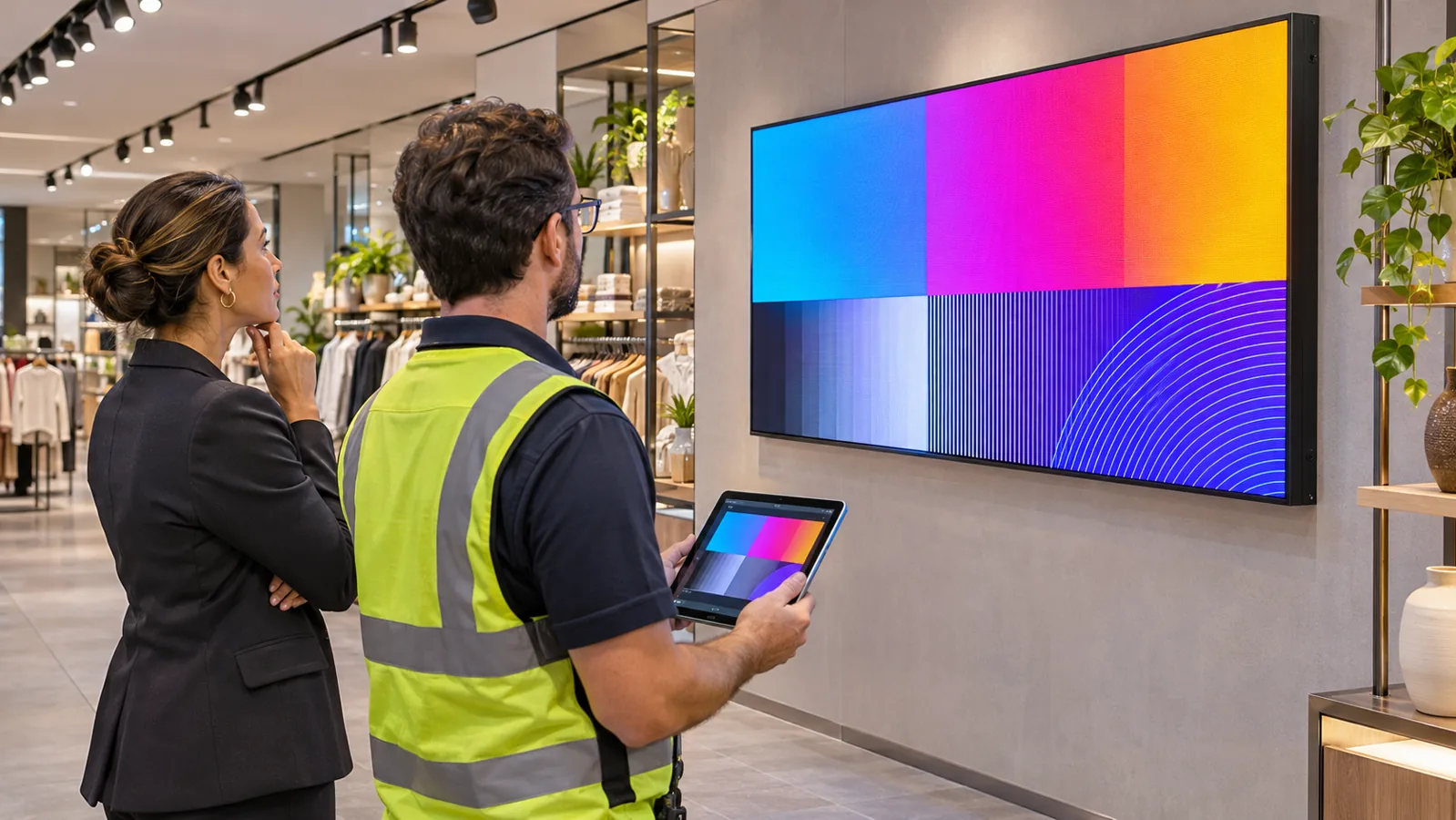
A pilot should test the complete source-to-screen path in a representative store, with named acceptance conditions agreed before installation. Select a location that exposes a real constraint: the brightest window, the shallowest service recess, or the longest network route. If one location cannot represent the range, use more than one pilot type. A demonstration that cannot produce a documented pass, correction, or rejection decision will not de-risk the repeat order.
Give the indoor LED advertising screen supplier the test script and actual content before the visit. This lets the supplier bring the proposed configuration and identify any missing source, player, or service equipment while changes are still manageable.
01. Witness the display in normal operation
Bring real campaign files, including small text, dark gradients, moving imagery, and the local language. View them from identified customer positions at the times the screen will operate. Check color and brightness consistency across cabinet boundaries, image mapping, and the behavior of scheduled content. If people routinely film the display, make a short recording with the relevant cameras and settings. A refresh-rate figure alone does not guarantee an artifact-free recording.
Ask the indoor LED advertising screen supplier to document exactly which model, pitch, processor, receiving configuration, software version, and brightness setting were used. The same supplier may offer another variant with a different result. Save the approved content files and screen map alongside those records. If the supplier changes a component before the rollout, the integrator needs a substitution review rather than assuming the pilot remains valid.
| Check | Agreed condition | Evidence to retain | Decision if it fails |
|---|---|---|---|
| Content legibility | Approved campaign viewed from marked customer positions in normal lighting | Source file, position photographs, brightness setting, observed result | Revise artwork, placement, size, or pitch; retest |
| Signal and scheduling | Specified sources and campaign schedule work through the intended player | Signal-flow drawing, settings export, witnessed schedule change | Correct the control design before ordering more screens |
| Network interruption | Agreed offline behavior and recovery after connection returns | Timestamped test record and approved fallback content | Resolve player or network responsibility |
| Maintenance | Named components can be reached in the built enclosure | Clearance drawing and observed removal sequence | Change the enclosure or service method |
| Restart | Approved mapping and operating mode return after a planned restart | Configuration backup and witness record | Correct persistence and recovery procedure |
The acceptance record should identify who performed each test and who approved it for the retailer. Attach open issues with an owner and retest date. A missing result is not a pass. The retailer may accept a limited condition temporarily, but the limitation and responsibility should be written before further stores are ordered.
02. Test the content workflow, not just the picture
Have the authorized store and central teams publish a planned change using their real workflow. Verify roles, approval steps, local time zones, playback during a planned network interruption, and restoration after reconnection. Record what functions require a continuing service or subscription. Ask who owns the administrator account and how assets and settings can be exported if the platform changes.
If the project uses a separate content-management system, make its license, player, support, and data ownership visible in the quotation. A supplier’s ability to display one USB file does not prove that a national campaign can be distributed, approved, monitored, and recovered at each branch. Establish the operating team before promising an advertising schedule.
4. Prove Service Access and Recovery in the Built Store
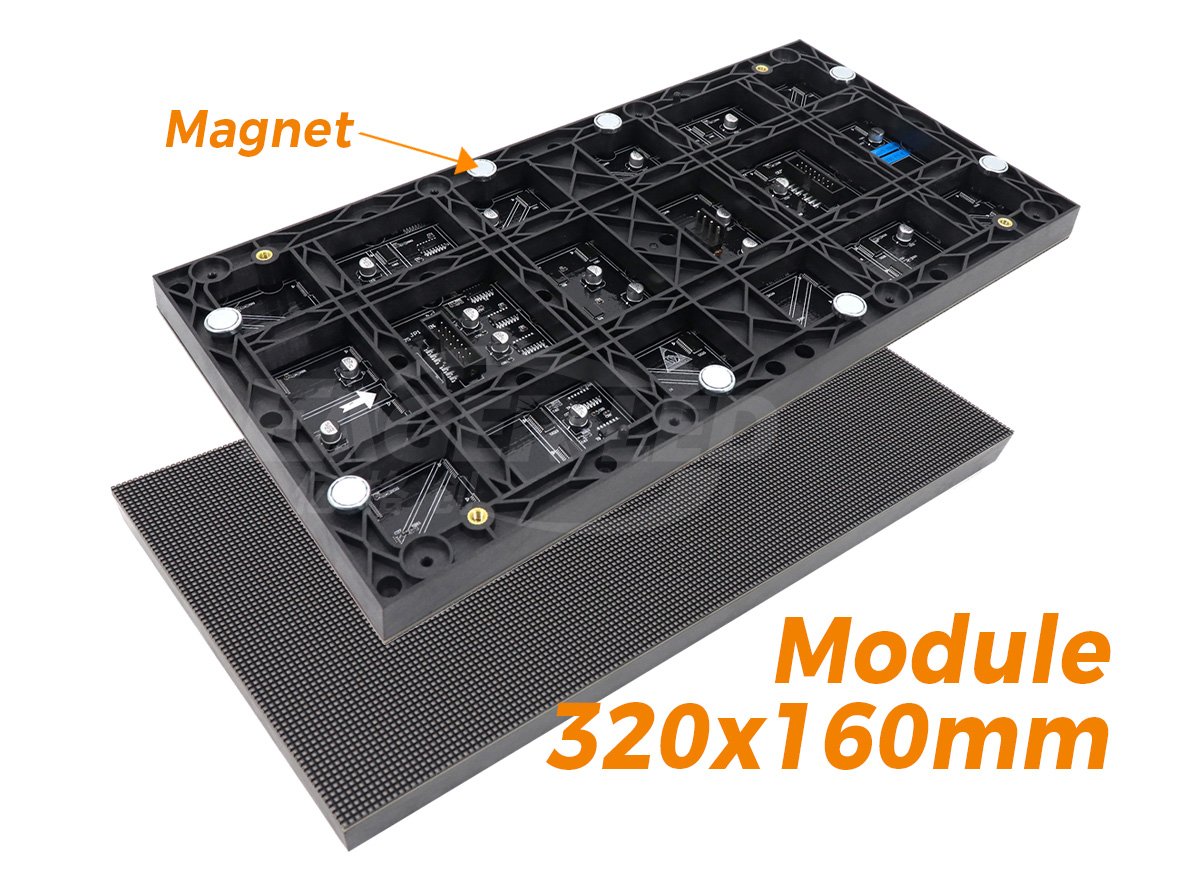
The installation drawing must show how a technician reaches the parts that may need replacement. For the EA640F2, EagerLED describes magnetic modules, power supplies, and receiving cards as front-service items. That capability is useful in a shallow wall recess, but the actual trim, neighboring fixtures, and safe work area can still block a service tool. Have the installer demonstrate access with the proposed enclosure, not an open cabinet on a workbench.
Request a written removal and restoration procedure from the indoor LED advertising screen supplier. The integrator can then check that the required tool, component path, and working space exist in the built store.
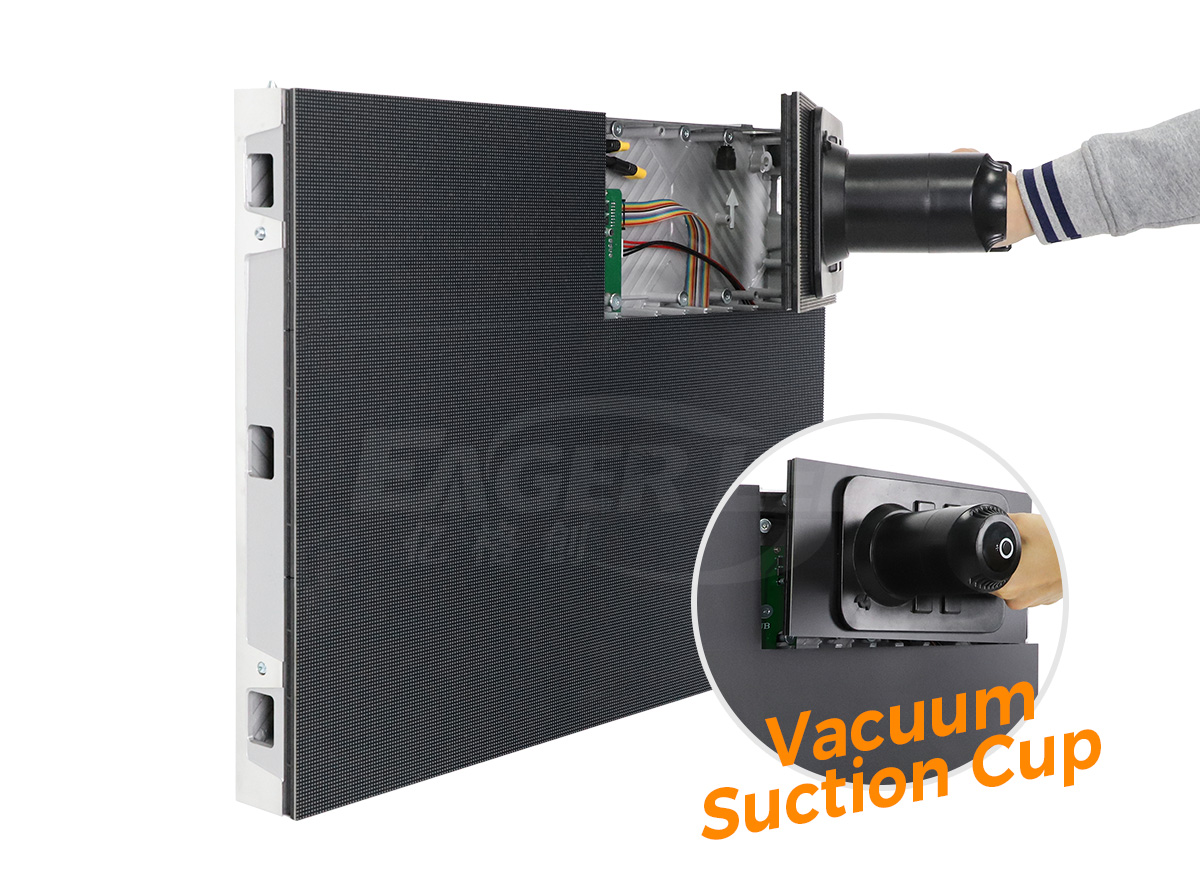
Ask the indoor LED advertising screen supplier for a spare-parts list tied to the exact model and production batch, the replacement sequence, compatible receiving-card information, and the procedure for restoring calibration or mapping after a repair. Identify who holds spares, who may work on the screen, and who pays for site labor and shipping under the proposed warranty. Do not infer those commercial terms from a general warranty badge.
Schedule a planned shutdown and restart during the pilot. Confirm that the approved source, mapping, brightness mode, and campaign return without the setup laptop. Export the relevant configuration through the supported tool and store it with a version and responsible owner. A backup file is useful only if the service team can identify which installation and revision it belongs to and has a tested restoration procedure.
For a protected window installation, service access may be from behind the screen and can compete with shelving or merchandise. The EA1000TiF2 transparent display illustrates a different cabinet family. Its suitability depends on the actual glazing, mounting, light, and rear-access plan; do not carry over the EA640F2’s service procedure or IP rating.

5. Compare a Repeatable Rollout, Not a Single Cabinet Price
Ask each bidder to separate the pilot cost from the repeat-store package. The pilot can include site surveys, content adaptation, network approval, test labor, and documentation that may be reused later. A repeat store can still require different mounting, power, permits, or service access. Mark each line as included, excluded, optional, or supplied by the retailer’s local contractor.
Ask each indoor LED advertising screen supplier to identify any substitutions it expects during a larger order and the process for approving them. An apparently identical cabinet may use a different module or control component, changing the evidence needed for acceptance and spare-parts planning.
The indoor LED advertising screen supplier should quote the named display configuration, controller or player, mounting hardware, spares, packing, delivery terms, documentation, and support. The integrator should price site survey, structural and electrical design by qualified parties, installation, network coordination, commissioning, and staff training. These responsibilities may be distributed differently by contract; write the split down before comparing totals.
01. Control changes after the pilot
Issue an approved configuration sheet with the cabinet model and pitch, module and receiving-card identifiers, pixel map, processor or player, software versions, power assumptions, mounting envelope, service clearances, and accepted content settings. Give each store a site-specific deviation sheet. A change in a screen’s size, surface, cabinet, or control equipment may require a new content template or acceptance test.
Do not multiply a pilot’s electricity reading into an annual national forecast without stating hours, content, brightness, local tariffs, and auxiliary loads. Similarly, do not assume a single spare quantity covers every geography or service agreement. Use observed pilot behavior to refine the rollout budget, then ask for an itemized quotation rather than inventing a universal unit price.
02. Set release gates for the next stores
Before approving the repeat order, close the pilot’s critical faults, confirm the local installer’s drawings, and accept the support route. Before opening each store, verify the delivered model and cabinet count against its approved sheet. At handover, record the final screen map, operating settings, content owner, spare inventory, warranty contact, and unresolved limitations. This makes later faults traceable instead of leaving each branch to rediscover the original design.
An indoor LED advertising screen supplier can provide equipment evidence and manufacturer guidance, while the integrator remains responsible for fitting that equipment into the retailer’s site and operating system under the agreed contract. The exact division should be documented, especially when several countries or installation partners are involved.
6. Frequently Asked Questions
01. Can one pilot store approve every location?
Only if the pilot represents the important conditions in the rollout. A shaded interior wall does not prove performance behind a sun-facing window or service access in a shallower recess. Group stores by meaningful differences and add a pilot or targeted test for each unrepresented condition.
02. Does front service mean no installation clearance is needed?
No. Front-service modules still need tool access, safe working space, and a path to remove the component. Ask for a section drawing and witness a repair through the final trim. A shallow cabinet can save depth without removing those requirements.
03. What should happen if the retail network goes offline?
Define the expected behavior in the content-system specification: continued approved playback, a fallback message, or a controlled blank state. Test it with the actual player and network arrangement. The screen cabinet specification alone does not establish offline behavior.
04. Can a transparent indoor screen be installed on the outside of a shop window?
Do not assume so. A behind-glass indoor position and an exposed exterior position have different weather, mounting, electrical, and service requirements. Request the exact model’s environmental rating and a site design reviewed by the responsible professionals.
05. How can we compare quotations without a published screen price?
Give each supplier the same cabinet grid, image requirements, installation conditions, and scope sheet. Compare the complete delivered system and list exclusions separately. Ask for current, itemized prices in the project’s currency and delivery location; generic price-per-area figures cannot resolve scope differences.
7. Request a Project-Specific Retail Pilot Proposal
Send the proposed pilot store’s plan, photographs, active opening, closest viewing position, sample artwork, operating hours, service constraints, country, and rollout size. Ask for one named hardware configuration, a pixel map, a service drawing, a pilot acceptance plan, and separate pilot and repeat-store quotation lines. An indoor LED advertising screen supplier can then explain what it supplies and what the local integrator must provide. Discuss the pilot requirements with EagerLED and attach the same brief you will use to compare all proposals.