


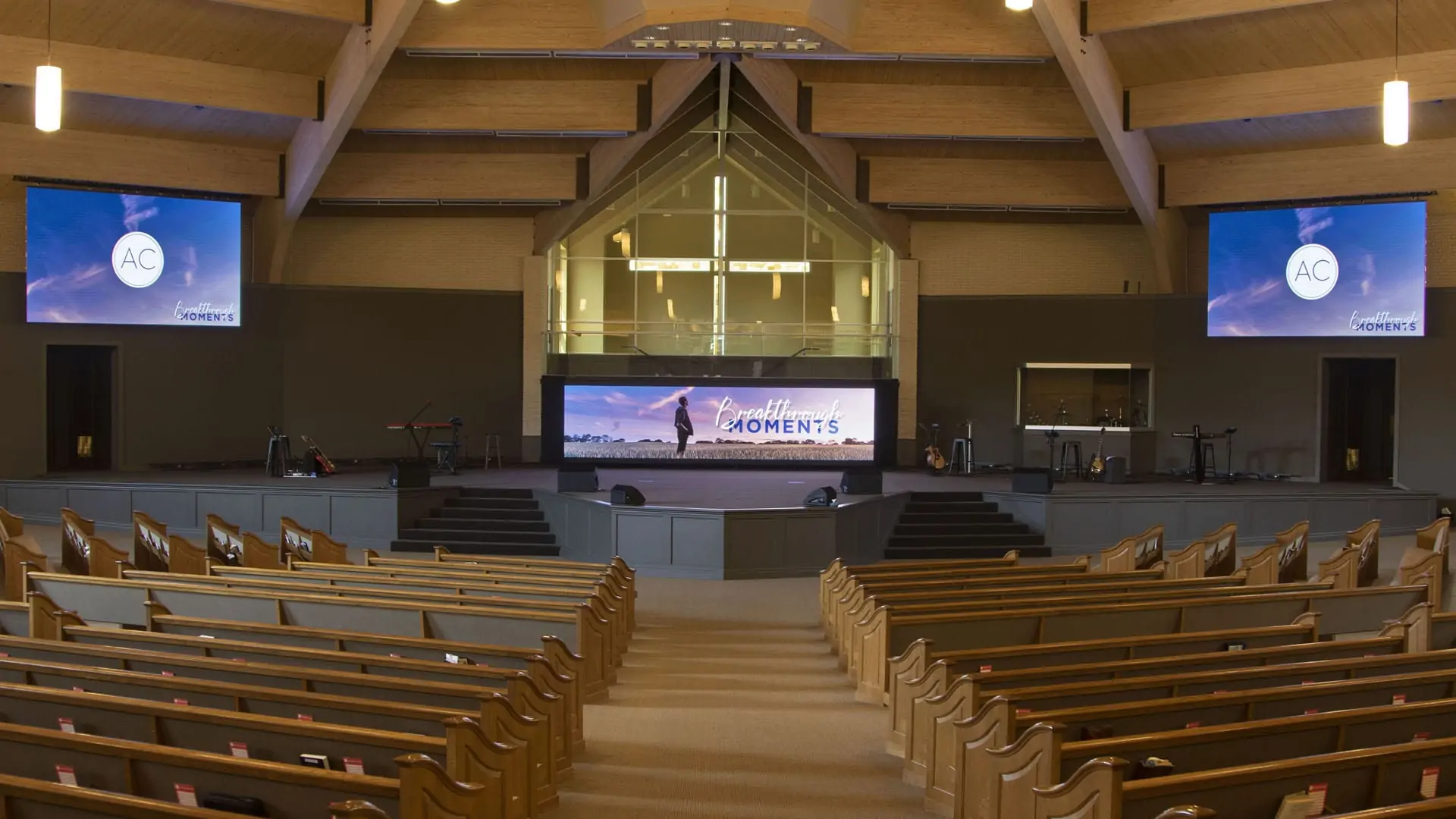
Recommended Church LED Displays
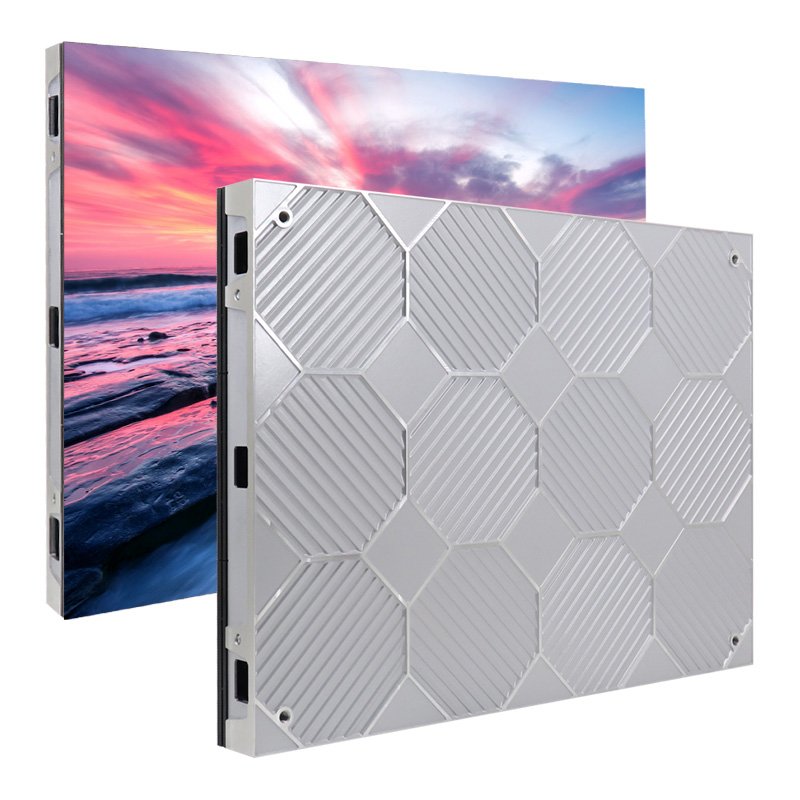
EA640F2 Indoor LED Display
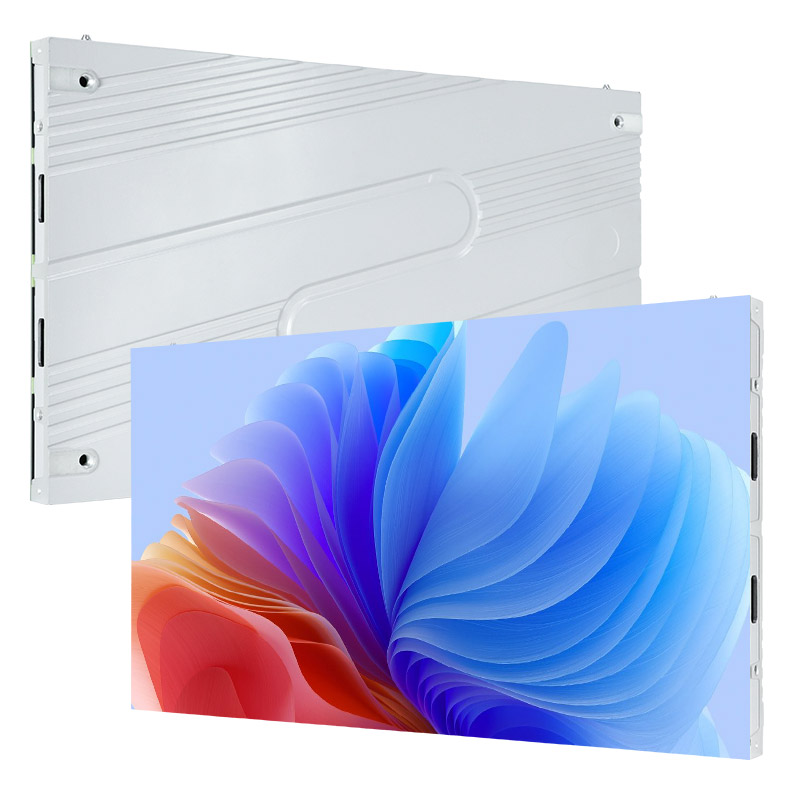
EA600COB3 16:9 Indoor COB LED Screen
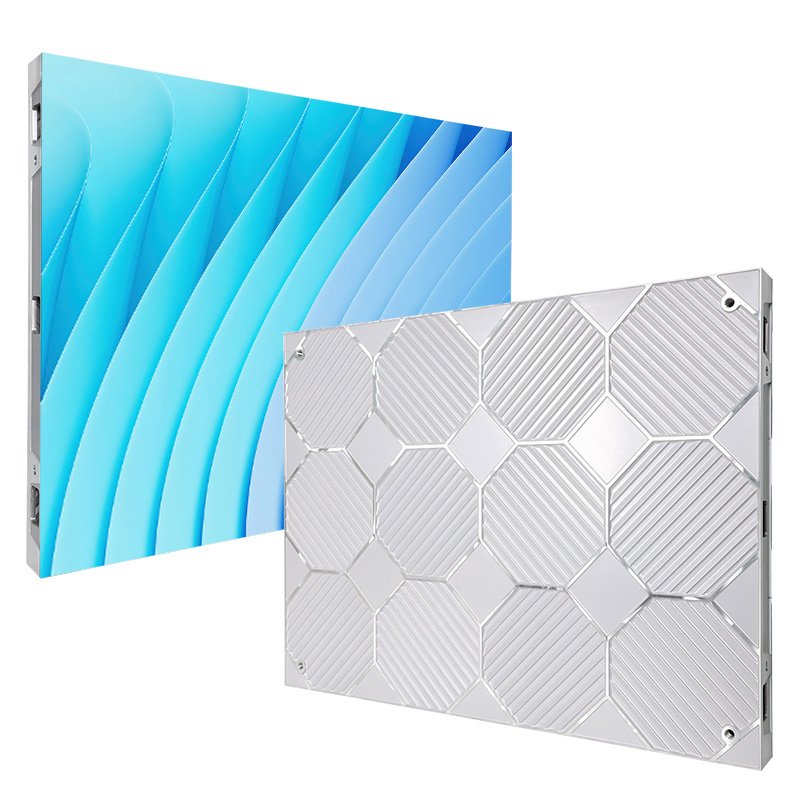
EA640H1 Indoor Front Service LED Wall
Request a 2026 Church LED Screen Quote
Why Churches Choose EagerLED
1. Industry Experience: EagerLED has more than 16 years of experience producing indoor, outdoor, rental, stadium, transparent and poster LED displays.
2. Certification Support: Certification requirements vary by model and destination. Ask the EagerLED team to confirm the current CE, EMC, LVD, FCC, UL, ISO and RoHS documents required for your project.
3. Manufacturing Capacity: EagerLED operates a factory of more than 5,000 square meters with production, assembly and quality-control equipment for LED display projects.
4. Project Support: Technical, sales and after-sales teams can assist with product selection, installation planning, operation and service.
Church LED Display Applications
Church Stage Screen
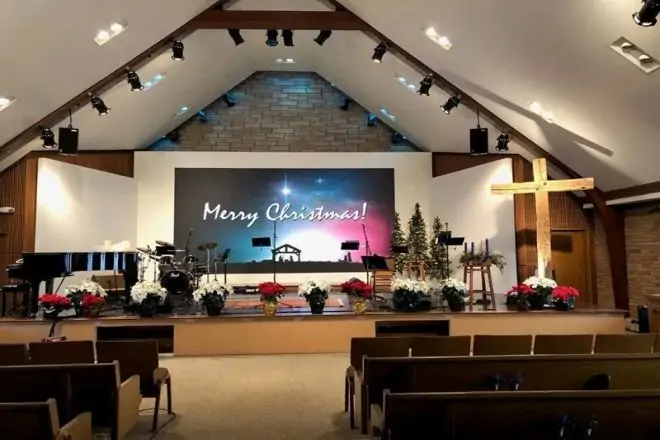
A church stage screen presents lyrics, scripture, sermon slides, announcements and live camera feeds where the congregation can see them clearly.
1. Connect the screen to the church’s presentation system for slides, video and live inputs.
2. Coordinate visuals with lighting and audio cues without distracting from the service.
3. Use readable text and relevant background visuals for testimonies, mission updates and worship.
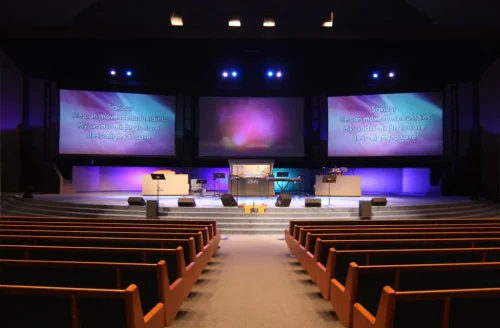
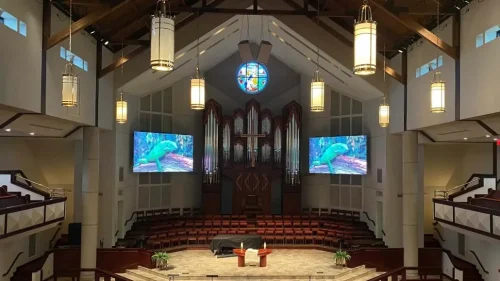
Church Backdrop Screen
A church backdrop screen creates a flexible visual background for worship, teaching and community events.
1. Present lyrics, scripture, prayers and sermon themes.
2. Use captions, translations and large type to support accessibility.
3. Replace printed backdrops and temporary stage graphics with reusable digital content.
Church Welcome Screen
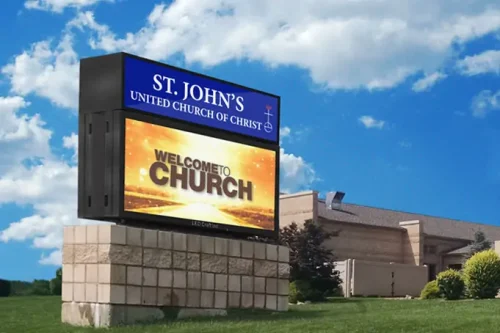
A church welcome screen displays welcome messages, service times, directions and event information in lobbies or entrances.
1. Help first-time visitors find services, classrooms and facilities.
2. Present announcements, ministry schedules and seasonal graphics.
3. Let authorized staff update time-sensitive information from a central content system.
EagerLED Church LED Display Models
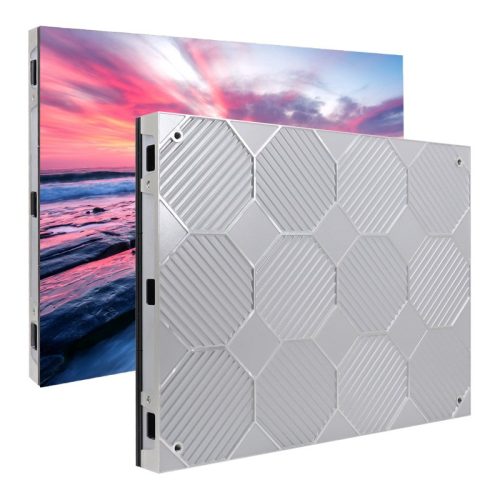
EA640F2 640×480 Indoor HD Front Service LED Display
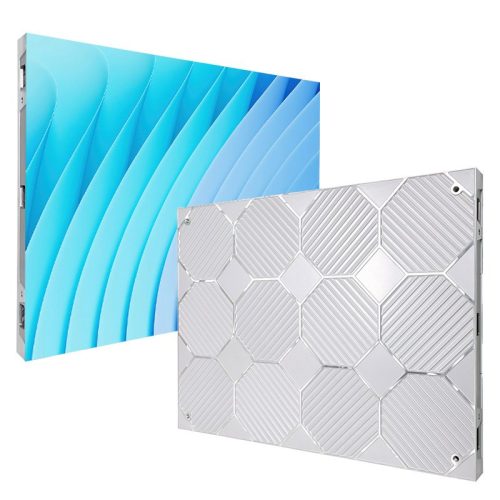
EA640H1 640 × 480 mm Indoor LED Display
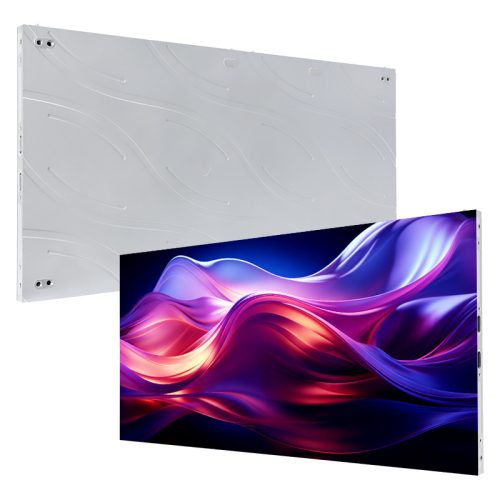
EA250WH5 Indoor LED Display Wall
Church LED Display Guide: Selection, Cost and Use
A church LED display is a modular direct-view screen used for lyrics, scripture, sermon graphics, live video and stage backgrounds. It remains visible in ambient light and can be sized for the sanctuary, lobby or outdoor entrance. For a front-service installation, review the EA640H1 indoor LED wall and confirm the final pixel pitch, brightness and power requirements from the project drawing.
This guide explains how to compare pixel pitch, viewing distance, brightness, cabinet size, service access and total project cost. It also shows how churches can plan content, installation and maintenance without relying on unsupported performance or price claims.
Table of Contents
1. What Is a Church LED Screen?
2. What Can a Church LED Wall Display?
3. Why Do Modern Churches Use LED Screens?
4. Church LED Display vs. Projector: Key Differences
5. How Much Does a Church LED Screen Cost?
6. Key Considerations When Choosing a Church LED Display
7. Five Church LED Screen Planning Scenarios
8. Practical Tips for Church LED Displays
9. Church LED Display FAQs
10. Get a Church LED Display Recommendation
1. What Is a Church LED Screen?
A church LED screen is a modular digital display designed for worship spaces and ministry facilities. It can combine multiple cabinets into a seamless wall for text, graphics and video, while the selected pixel pitch determines how finely the image is rendered at a given viewing distance.
Unlike a projector, an LED wall produces light directly and does not require a projection surface. This can improve visibility in rooms with ambient light, but the right choice still depends on viewing distance, room lighting, mounting structure, camera use, maintenance access and budget.
2. What Can a Church LED Wall Display?
A church LED wall can support worship, teaching, accessibility and visitor communication. The most useful content is easy to read, relevant to the service and prepared for the screen’s aspect ratio.
2.1 Worship Content
During worship, display synchronized lyrics, Bible verses, sermon points and live camera feeds. Use large type, concise lines and sufficient contrast so people at the back of the room can follow without losing focus on the service.
2.2 Bible Stories and Teaching Visuals
Illustrated Bible stories, maps, timelines and carefully paced animation can support teaching for children, youth and adults. Visuals should clarify the lesson rather than compete with the speaker or overload the screen.
2.3 Special Services and Seasonal Events
For Christmas, Easter, weddings, baptisms and community events, the screen can present schedules, thematic artwork and live video. Build reusable templates so staff can update names, times and messages while keeping a consistent visual style.
2.4 Accessibility and Wayfinding Information
Show seating updates, parking directions, room names, captions and translated text when appropriate. Follow the W3C WCAG contrast and text guidance when designing readable information for people with different visual or hearing needs.
2.5 Social Media and Event Promotion
Display official social media handles, event hashtags, QR codes and upcoming-service graphics. Keep calls to action brief, verify every link before the service and avoid showing unmoderated live feeds on the main worship screen.
3. Why Do Modern Churches Use LED Screens?
Modern churches use LED screens when one display must support clear text, live video and flexible stage visuals across different services. The value comes from better visibility and faster content changes, not from the screen alone; thoughtful content, camera settings and trained operators remain essential.
3.1 Extend Outreach Beyond the Sanctuary
An outdoor church LED sign can present service times, event invitations and urgent notices to people approaching the property. Choose an outdoor-rated system and confirm local sign rules, brightness limits, structural requirements and viewing direction before installation.
Use a simple content schedule for recurring services, seasonal events and community programs. Assign an owner for approvals so dates, names, contact details and emergency messages are checked before they go live.
3.2 Simplify Content Management
An LED system can consolidate lyrics, announcements, sermon slides and live feeds into one workflow. Confirm compatibility with the church’s presentation software, switcher, cameras and signal format during the design stage.
Prepare templates for traditional worship, youth services, multilingual gatherings and special events. Consistent layouts make last-minute edits faster and reduce mistakes during live production.
3.3 Improve Accessibility Across Age Groups
Large, high-contrast text supports older congregants, while captions and translated content improve access for people who are deaf, hard of hearing or more comfortable in another language. Test readability from the farthest seat before approving a template.
3.4 Engage Younger Audiences with Relevant Visuals
For youth and children’s ministries, use age-appropriate motion, illustrations, polls and teaching prompts. Keep visual movement purposeful and provide staff moderation for any audience-generated content.
3.5 Help the Congregation Stay Focused
Good screen content directs attention to the message. Limit competing animations, use calm transitions and coordinate camera cuts with the service plan so the technology supports worship instead of becoming the focus.
4. Church LED Display vs. Projector: Key Differences
LED walls and projectors solve the same communication problem in different ways. LED is often preferred for ambient-light visibility, modular sizing and direct-view brightness; projection may suit rooms with controlled lighting, an existing surface and a lower initial equipment budget.
4.1 Wider Viewing Angles
An LED wall can be viewed from a broad seating area because each pixel emits light directly. Review the manufacturer’s horizontal and vertical viewing-angle specifications, then test the proposed position from side seats and balconies before installation.
4.2 Clearer Images in Ambient Light
LED displays can retain contrast in brighter rooms where projected images may appear washed out. Set brightness for the actual worship environment and camera exposure rather than running the screen at maximum output.
4.3 Service Life and Replaceable Components
Service life depends on component quality, operating temperature, brightness settings, ventilation, cleaning and usage hours. Compare replaceable modules, power supplies and control components instead of relying on a single advertised lifespan figure.
4.4 Maintenance and Total Cost
Total cost includes cabinets, controllers, structure, power distribution, installation, calibration, spare parts and ongoing service. Front-service cabinets can reduce rear-access space, while a documented spare-parts plan can shorten repair time.
4.5 Energy and Brightness Management
Energy use varies with screen area, content brightness, cabinet design and operating schedule. Request both typical and maximum power figures for the selected model, then have the electrical design checked for the complete system.
5. How Much Does a Church LED Screen Cost?
There is no reliable single price for every church LED screen. Pixel pitch, screen area, cabinet model, processing equipment, mounting structure, freight, installation and support all affect the final quotation.
5.1 Factors That Affect Price
(1) Pixel Pitch: A smaller pixel pitch places more pixels in the same area and is typically selected for shorter viewing distances or detailed on-camera content.
(2) Screen Area: A larger wall uses more cabinets, structure, power and installation labor. Calculate the active display dimensions separately from trim and access space.
(3) Screen Format: Flat, curved, suspended and custom-shaped installations require different cabinet, structure and engineering choices.
(4) Product and Support Level: Compare cabinet construction, service access, refresh rate, controller, spare parts, warranty terms and local installation support on the same project scope.
5.2 Requesting an Accurate Project Quote
For an accurate quote, provide the screen width and height, nearest and farthest viewing distances, indoor or outdoor location, mounting method, camera requirements, power standard, delivery destination and target installation date.
A complete proposal should separate the LED cabinets, video controller, mounting structure, power and signal distribution, spare modules, freight, installation and commissioning. This makes supplier quotations easier to compare and reduces missing-cost surprises.
Ask each supplier to state the proposed pixel pitch, active resolution, typical and maximum power, cabinet quantity, service method and warranty scope. Prices should be treated as project-specific until those details are confirmed.
6. Key Considerations When Choosing a Church LED Display
6.1 Pixel Pitch and Viewing Distance
Choose pixel pitch from the closest normal viewing position, content detail and camera distance. Fine-pitch models such as the EA600COB3 offer P0.62 to P1.87 options, while other indoor models cover larger pitches; the correct choice should be confirmed with a pixel-pitch simulation or on-site test.
6.2 Budget and Total Cost of Ownership
Set a project budget that includes structure, control equipment, cabling, electrical work, installation, calibration, training, spare parts and service. Compare typical operating power and replacement-part availability as part of total cost of ownership.
6.3 Brightness and Contrast
Brightness must overcome ambient light without causing glare or poor camera exposure. Compare calibrated brightness, contrast, grayscale performance and color consistency, then test representative sermon slides and live video in the room.
6.4 Screen Size and Aspect Ratio
Define the active screen width, height, aspect ratio and final pixel resolution before content production begins. Standard cabinet formats such as 640 × 480 mm or 600 × 337.5 mm can simplify 4:3 or 16:9 wall planning.
6.5 Installation, Service Access and Power
Confirm wall loading, ventilation, cable routes, power distribution, grounding and service access with qualified project professionals. Front-service cabinets are useful where rear clearance is limited, but technicians still need safe access to the full screen.
7. Five Church LED Screen Planning Scenarios
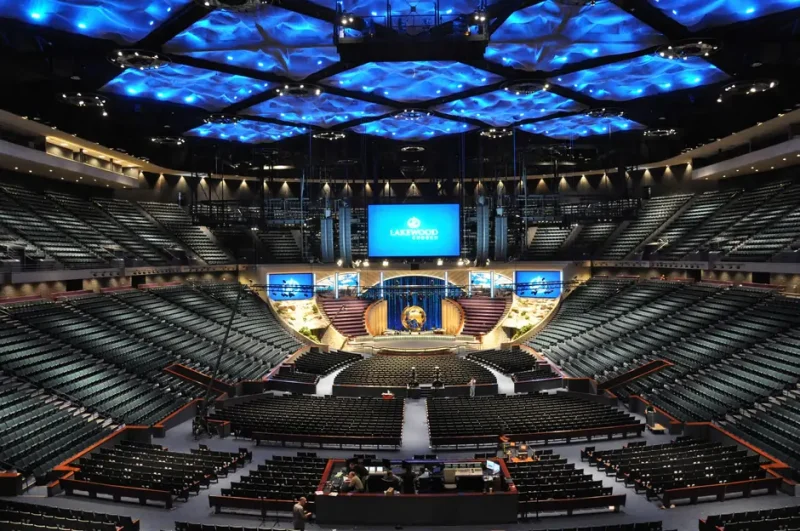
7.1 Large Auditorium Stage Wall
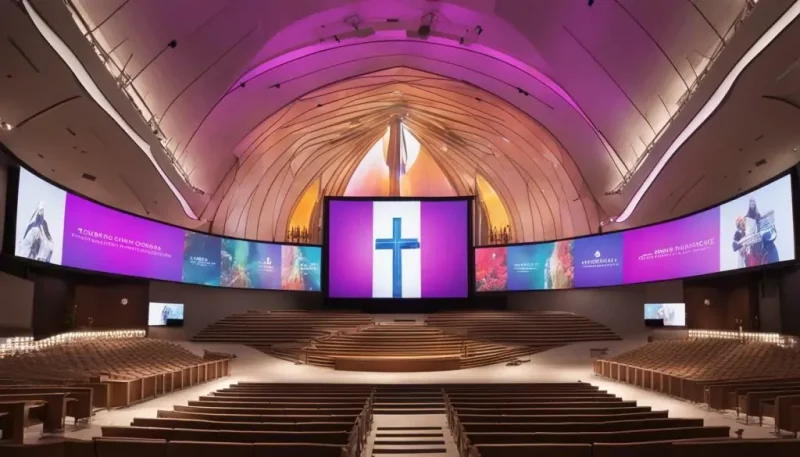
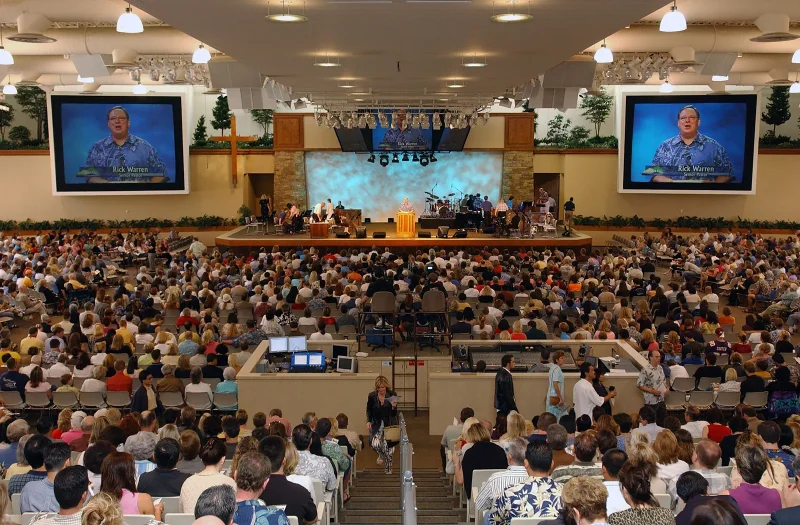
In a large auditorium, a central stage wall can combine live camera feeds, lyrics and sermon graphics. The design should prioritize the farthest viewing position, balanced sightlines and sufficient resolution for both in-room viewers and cameras.
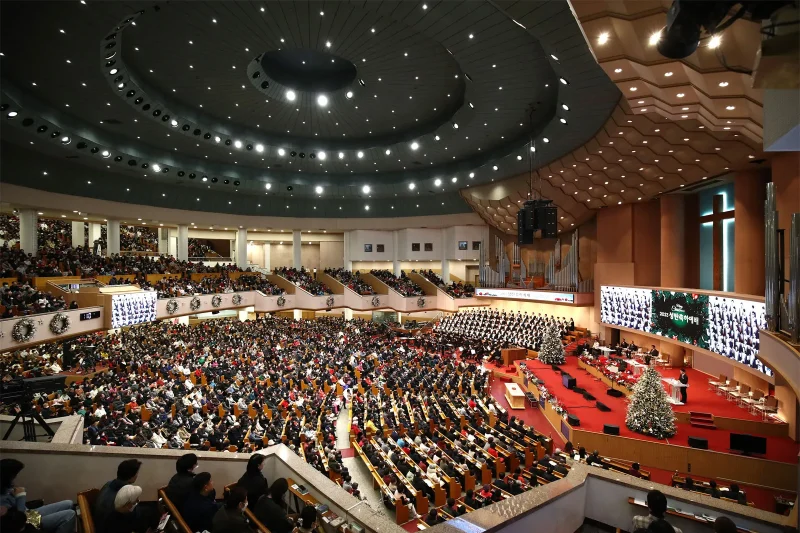
7.2 Long-Distance Viewing in a Large Sanctuary
For a deep sanctuary or balcony seating, use the nearest and farthest seats to define screen size and pixel pitch. Side screens may be more effective than one oversized central wall when columns or viewing angles obstruct the stage.
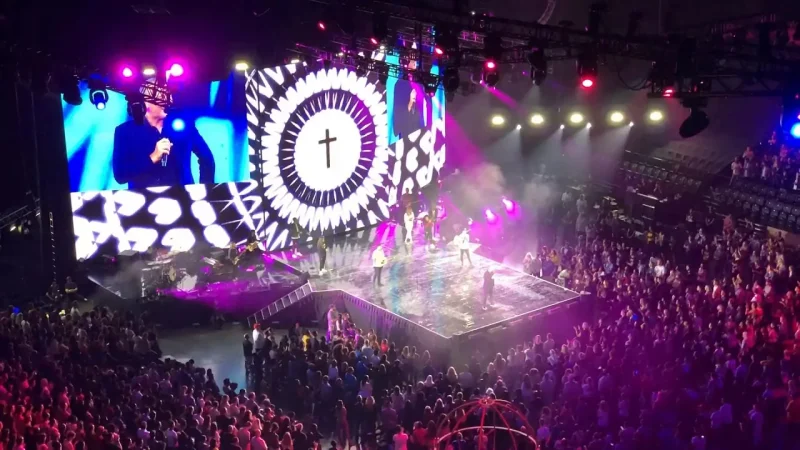
7.3 Worship and Music Production
Worship and music production often uses coordinated backgrounds, lyrics and live close-ups. Create restrained motion templates and test refresh rate, scan behavior and camera shutter settings before public use.
7.4 Multi-Campus and Livestream Production
A multi-campus church may need consistent colors, templates and signal workflows across several rooms. Document controller settings, approved assets and remote-support procedures so each campus can reproduce the same presentation.
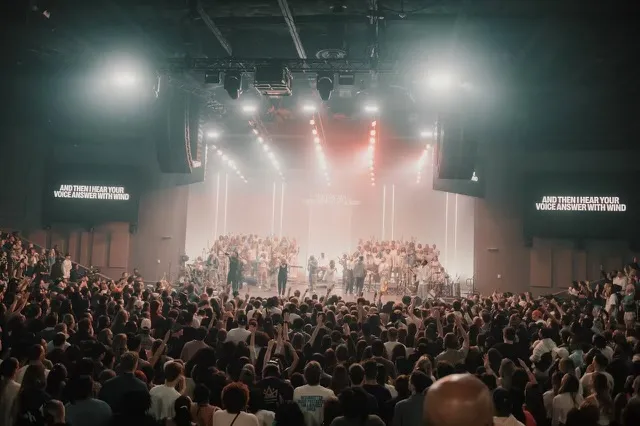
7.5 Flexible Ministry and Event Spaces
Flexible ministry spaces benefit from modular or mobile configurations that can support worship, conferences and community events. Define who may move or reconfigure the system and provide safe handling and storage procedures.
8. Practical Tips for Church LED Displays
Use the following practices to improve clarity, reliability and ease of operation. Each recommendation should be adapted to the selected product, room conditions and local installation requirements.
8.1 Prioritize Clear, Relevant Content
1. Lyrics and Scripture: Use short lines, high contrast and stable backgrounds.
2. Sermon Support: Present one clear idea per slide with relevant images or live video.
3. Livestream Graphics: Keep names, captions and overlays inside camera-safe areas.
8.2 Calibrate for the Worship Environment
1. Brightness: Save calibrated presets for rehearsals, services and livestreaming.
2. Color: Match the LED processor, cameras and streaming workflow to a common reference.
3. Glare: Check sightlines with house lights, daylight and stage lighting active.
8.3 Integrate with Existing Worship Technology
1. Compatibility: Confirm the display works with the church’s presentation software and video switcher.
2. Signal Path: Document inputs, converters, processors and backup routes.
3. Control: Restrict configuration access while giving operators a simple day-to-day workflow.
8.4 Train Staff and Volunteers
1. Rehearsal: Train operators on source switching, content playback and shutdown.
2. Troubleshooting: Document safe checks for signal loss, blank modules and power faults.
3. Backup Plan: Keep approved spare cables, source devices and static emergency slides available.
8.5 Configure Outdoor Church Signage
1. Outdoor Rating: Select cabinets and enclosures rated for the installation environment.
2. Compliance: Confirm permits, structural calculations, electrical requirements and local brightness rules.
3. Scheduling: Reduce brightness at night and publish only approved community messages.
8.6 Plan Preventive Maintenance
1. Inspection: Check modules, cables, ventilation and mounting hardware on the supplier’s schedule.
2. Cleaning: Use the approved tools and method for the installed LED package.
3. Records: Log faults, replaced parts, firmware versions and calibration changes.
8.7 Phase the Project Around the Budget
1. Phased Installation: Start with the highest-priority stage or lobby application when the system is designed for expansion.
2. Rental Evaluation: Test a comparable screen during a major event before committing to a permanent system.
3. Scope Control: Compare quotations against the same dimensions, pixel pitch and included services.
8.8 Design Content for Every Age Group
1. Children and Youth: Use age-appropriate visuals and moderated interactive content.
2. Older Adults: Use large type, strong contrast and generous spacing.
3. Multilingual Congregations: Provide captions, translations or split-screen layouts without overcrowding the image.
8.9 Plan for Future Expansion
1. Modular Design: Choose cabinets and controllers that support the planned wall dimensions and future additions.
2. Processing Capacity: Confirm the controller’s current resolution, input and output requirements.
3. Documentation: Keep drawings, configuration files and spare-parts lists with the system.
8.10 Evaluate the Supplier and Support Plan
1. Design Review: Request a project drawing, cabinet layout and signal-flow plan.
2. Support Terms: Confirm warranty coverage, exclusions, response process and spare-parts availability in writing.
3. Acceptance Test: Inspect the screen for uniformity, dead pixels, signal stability and camera performance before sign-off.
9. Church LED Display FAQs
1. How Should a Church Maintain an LED Display?
Follow the product manual and the supplier’s service schedule. Keep ventilation paths clear, inspect cables and modules, use only approved cleaning methods, and record faults or replaced parts. Turn off and isolate power before any service work.
2. How Much Power Does a Church LED Screen Use?
Power depends on screen area, cabinet model, brightness, content and operating schedule. Multiply the selected model’s typical and maximum power per square meter by the active screen area, include the controller and auxiliary equipment, and have a qualified electrician verify the circuit design.
3. How Much Space Does a Church LED Display Need?
Space depends on the active image size, cabinet depth, mounting structure, ventilation, cable routes and service access. Front-service cabinets can reduce rear clearance, but the final dimensions should come from the approved cabinet layout and structural drawing.
10. Get a Church LED Display Recommendation
A church LED display works best when screen size, pixel pitch, brightness, service access and content workflow are planned together. EagerLED can prepare a project-specific cabinet layout and quotation based on your venue dimensions, viewing distances, installation method and camera requirements. Contact EagerLED to discuss a church LED screen solution.