


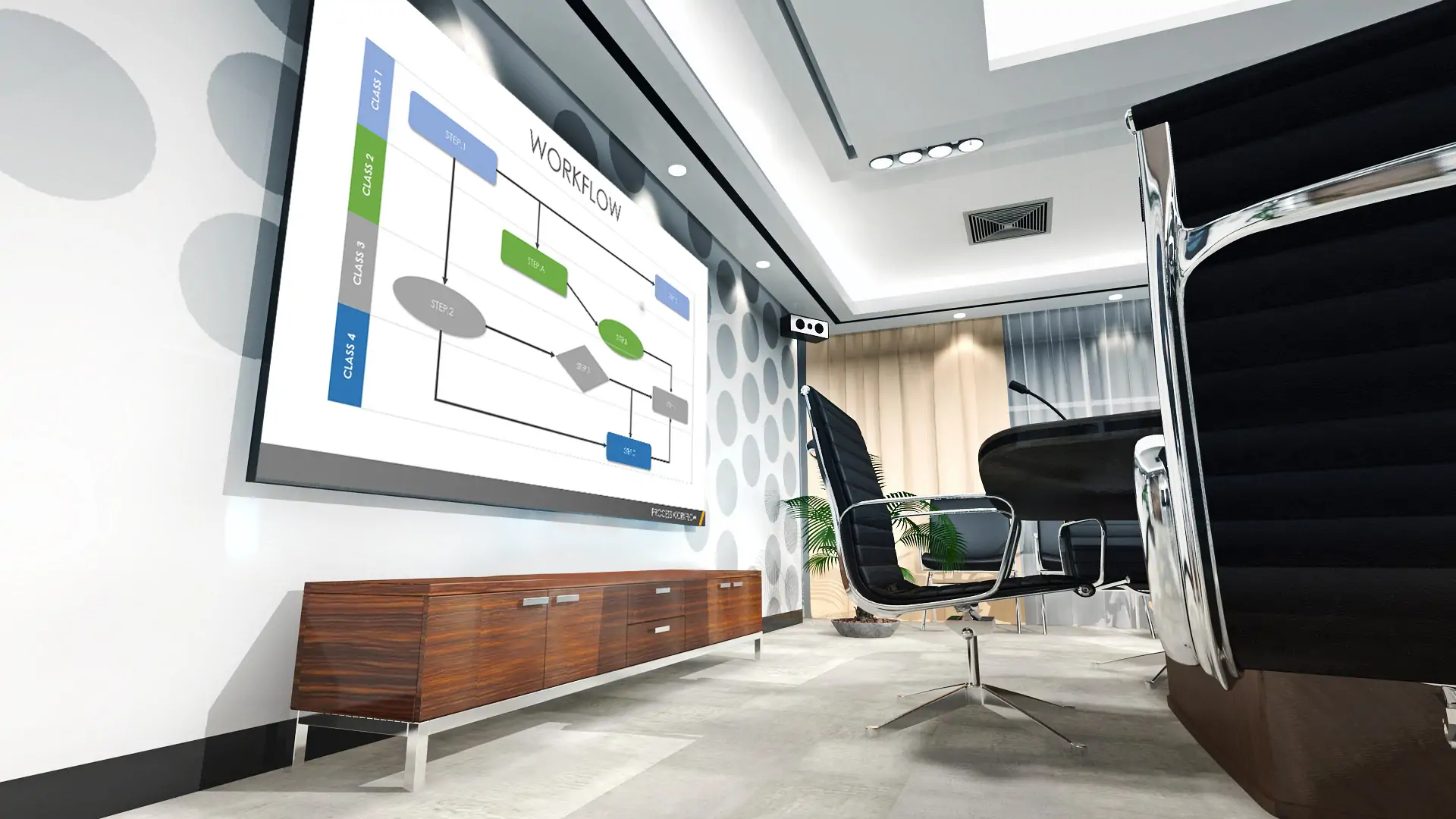
Conference LED Display Recommendation
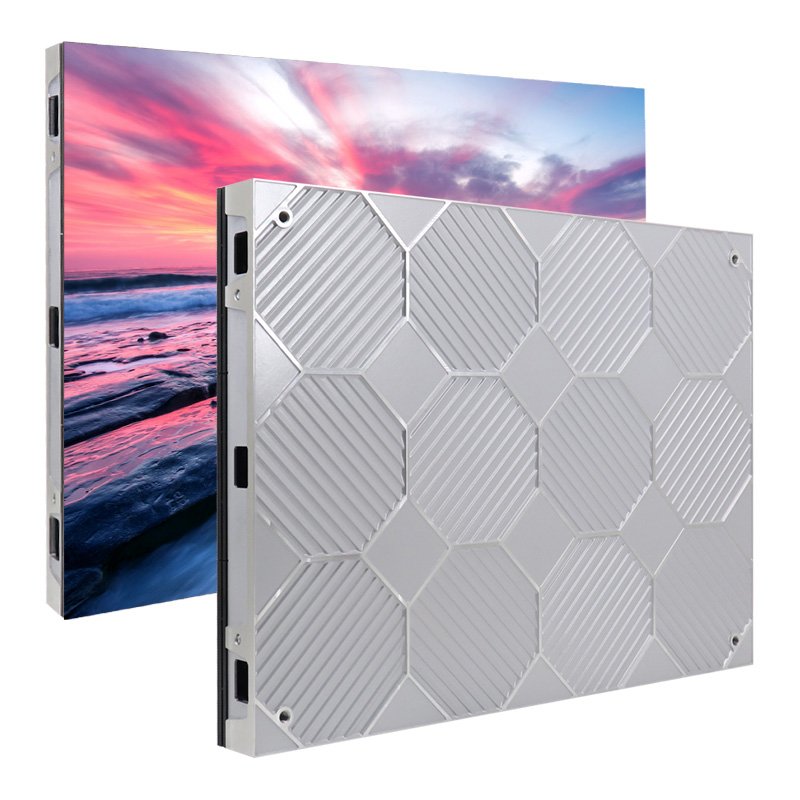
EA640F2 Indoor LED Display
4:3 cabinet format
60 mm thickness; 7.5 kg cabinet weight
Magnetic module design
Full front maintenance design
320 x 160 mm module size
Cinema-style visual presentation
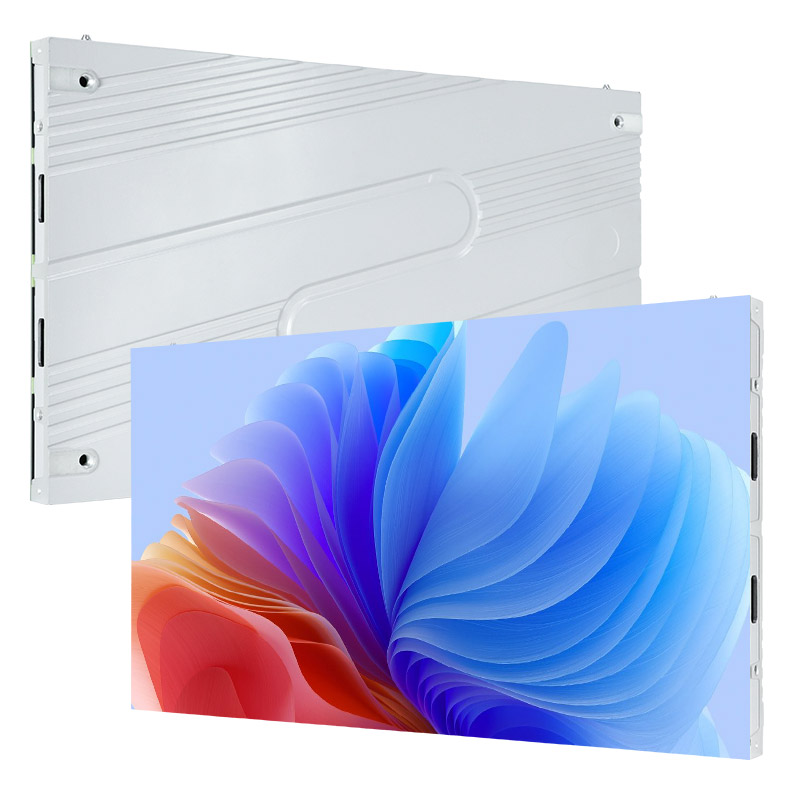
EA600COB3 Indoor COB LED Screen
COB package for fine-pitch indoor displays
2K, 4K, and 8K video-wall configurations
30 mm cabinet depth
4.1 kg cabinet weight
600 x 337.5 mm 16:9 cabinet
Full front maintenance design
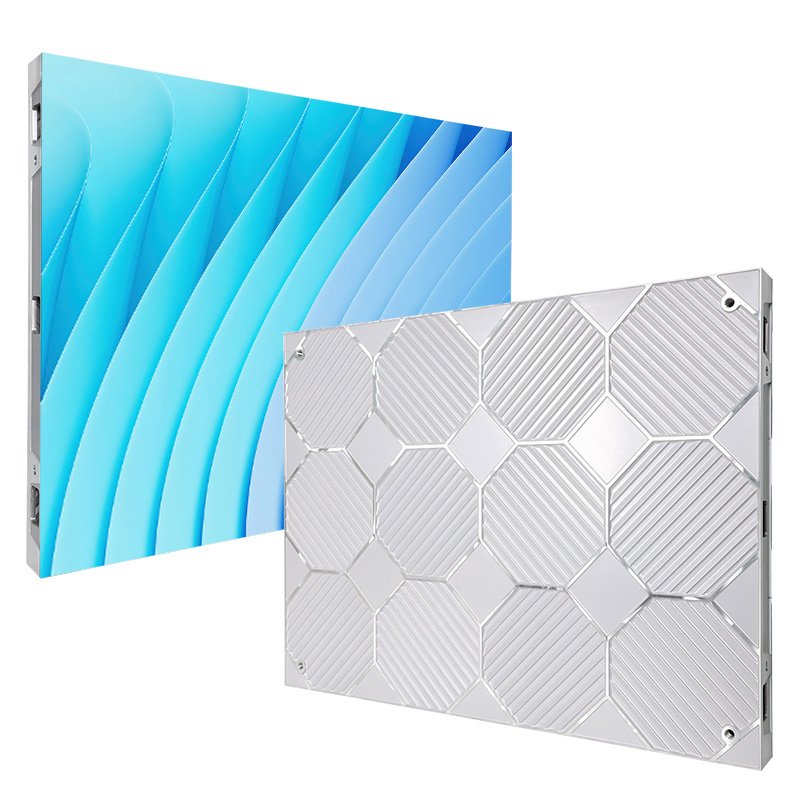
EA640H1 Indoor LED Video Wall
48 mm thickness; 6.7 kg cabinet weight
Full front maintenance design
Rigid connection design
Plug-and-play design
Supports 4:3 and 16:9 large-screen layouts
High-refresh-rate, high-contrast display
Get a 2026 Conference LED Screen Quote
Professional Conference LED Display Solution Provider
1. Manufacturing Experience: EagerLED designs and supplies LED displays for rental, stadium, transparent, poster, and indoor applications.
2. Certification Support: Certification coverage depends on the selected model and project requirements. Ask for the applicable compliance documents before ordering.
3. Factory and Quality Control: EagerLED reports a factory area of more than 5,000 square meters, with production equipment and quality-control procedures for display manufacturing.
4. Project Support: Our technical, sales, and after-sales teams support product selection, installation, commissioning, and maintenance.
Key Features of Conference LED Screens
Indoor Brightness and Uniformity
Choose brightness according to ambient light, content, and camera requirements. A calibrated indoor LED display should present text, charts, and video consistently across the cabinet surface. Confirm the specified brightness, contrast, color calibration, and camera test results for the selected configuration before ordering.


Viewing Angle for Room Coverage
Viewing-angle performance depends on the LED package, optics, screen size, and installation. Evaluate the display from side seats and from the farthest participant position so charts, text, and video remain legible throughout the room.
Refresh Rate and Grayscale
A higher refresh rate can reduce visible scan artifacts in camera footage, while adequate grayscale helps preserve smooth gradients. Ask for the tested refresh rate, grayscale specification, and camera sample for the selected configuration.


Content Management and Remote Control
LED displays can integrate with content management software (CMS) for scheduled playback, brightness control, status monitoring, and coordinated updates across multiple rooms. Ethernet or wireless connectivity can support remote administration, while front-serviceable cabinets can simplify routine maintenance when the installation requires access from the viewing side.
2026 Conference LED Screen Buyer’s Guide
A conference LED screen is a direct-view display for presentations, video conferencing, dashboards, and collaborative work. The right system should make text readable from every seat, remain comfortable under the room’s lighting, and work reliably with the room’s cameras, control system, and audio equipment.
This buyer’s guide explains how to compare pixel pitch, screen size, brightness, refresh rate, installation, service access, and total ownership cost. Use it to shortlist a display based on the room and workflow rather than on a single headline specification.
Table of Contents
1. How Does an LED Screen Improve Conference Room Meetings?
2. Six Benefits of a Conference Room LED Screen
3. Conference LED Display vs. Projector: Which Fits Your Room?
4. How to Choose an LED Screen for a Conference Room
5. Three Conference LED Screen Applications
6. 2026 Conference LED Technology Trends
7. FAQs
8. Conclusion
1. How Does an LED Screen Improve Conference Room Meetings?
A conference LED screen can improve meetings by providing a scalable, direct-view image without projector shadows. Its practical value depends on correct sizing, pixel pitch, calibration, camera compatibility, and integration with the room’s existing AV system.
1.1 Exceptional Visual Clarity
Fine-pitch LED displays can present detailed text, charts, video, and shared applications at a resolution suited to the screen size. Readability still depends on pixel pitch, source resolution, scaling, viewing distance, calibration, and ambient light, so these factors should be evaluated together.
Because LED is a direct-view technology, it can remain visible in rooms where ambient light would reduce a projected image’s contrast. Compare candidate systems in the actual lighting conditions and at the intended operating brightness.
1.2 Super Wide Viewing Angle
Viewing-angle performance should be tested from the side seats and the farthest participant position. Cabinet alignment, LED packaging, calibration, screen size, and content scale all affect whether charts and text remain readable across the room.
1.3 Engagement and Interaction
Touch overlays, collaboration software, and room-control systems can add annotation, whiteboarding, polling, and content-sharing workflows. These capabilities are optional system components, so confirm software compatibility and input latency during the design stage.
1.4 Adaptable to Various Room Sizes
Modular LED cabinets can be configured for different wall dimensions and aspect ratios, from boardrooms to lecture halls. The final design must account for viewing distance, image resolution, structural support, ventilation, power, signal routing, and maintenance access.
1.5 Energy-Efficient and Long Lifespan
Energy use varies with screen area, brightness settings, content, power-supply efficiency, and operating hours. Automatic brightness control and scheduled operation can reduce unnecessary consumption when they are configured for the room’s actual use.
For an accurate ownership estimate, compare the manufacturer’s rated power, typical power, service-life conditions, warranty, spare-module policy, and expected daily operating schedule. Use the same screen size and usage assumptions when comparing LED with projection.
A modular design can allow individual modules, power supplies, or receiving cards to be serviced instead of replacing the entire display. Actual service life and cost depend on component quality, thermal management, operating conditions, maintenance, and parts availability.
2. Six Benefits of a Conference Room LED Screen
Conference room LED displays offer six practical benefits when they are specified and integrated correctly: consistent direct-view images, simple source control, flexible workflows, accessible content, modular installation, and reconfigurable options.
2.1 Consistent Visibility
A direct-view LED display does not require a projection path, so presenters do not cast shadows on the image. Surface treatment and brightness calibration can also help manage reflections, but visibility should be confirmed under the room’s actual lighting.
2.2 Source and Room Control
A properly integrated system can switch among presentations, video calls, media players, and live feeds through the room-control interface. Confirm supported inputs, signal formats, switching behavior, and failover requirements before installation.
2.3 Flexible Meeting Workflows
The display can support video conferencing, dashboards, training, presentations, and real-time data when paired with the appropriate processors and software. Interactive whiteboarding requires a compatible touch layer or separate collaboration device.
2.4 Accessibility and Inclusive Communication
High-resolution layouts can reserve space for live captions, translated text, or a sign-language interpreter feed. Accessibility depends on the conferencing platform, content design, camera framing, and room audio, so test the complete workflow with representative users.
2.5 Simple Installation
Modular cabinets can support wall-mounted, freestanding, or structurally integrated installations. Installation time depends on screen size, structural work, power and data preparation, calibration, access restrictions, and site acceptance testing.
2.6 Reconfigurable Options
Some smaller systems can use freestanding or mobile structures, while permanent video walls are designed to remain fixed. Choose the mounting method according to screen size, structural safety, cable management, service access, and how often the room must be reconfigured.
3. Conference LED Display vs. Projector: Which Fits Your Room?
Neither technology is automatically better for every room. Direct-view LED is well suited to large, bright, always-on spaces that need a scalable image, while projection can suit smaller rooms with controlled lighting and a lower initial equipment budget. Compare both options at the required image size and room conditions.
3.1 Image Clarity
- Meeting room LED display: Image quality depends on pixel pitch, native canvas resolution, processor scaling, calibration, and viewing distance. Direct-view output avoids shadows from presenters crossing a projection path.
- Projector: Image quality depends on projector resolution, lens, throw distance, screen surface, alignment, and ambient-light control. A suitable projector can perform well when the room and screen are designed for projection.
3.2 Brightness
LED display luminance is commonly specified in nits, equivalent to candelas per square metre. Projector output is commonly specified in lumens, while lux describes illuminance on a surface.
These units describe different photometric quantities and should not be converted as a simple product comparison.
3.3 Screen Size and Layout
- Conference LED screen: A modular LED conference screen can be configured to a target width, height, and aspect ratio within the cabinet and module geometry. Resolution changes with physical size and pixel pitch.
- Projector: Image size is constrained by the lens, throw distance, screen surface, available brightness, and room geometry. Ultra-short-throw and multi-projector designs have different installation requirements.
3.4 Cost Comparison
Compare total ownership cost using project-specific quotations rather than generic percentages. Include the display or projector, screen surface, mounting structure, processor, cabling, control, installation, calibration, power use, cleaning, spare parts, warranties, and expected service labor. LED may have a higher initial cost, but the result depends on image size, operating hours, service access, and the selected products.
4. How to Choose an LED Screen for a Conference Room
Start with the room and meeting workflow, then select the display specification. Measure viewing positions, map camera coverage, define the content and resolution, document ambient-light conditions, and confirm installation and service constraints before requesting a final quotation.
4.1 Key Technical Factors
- Pixel pitch and viewing distance: Use the closest and farthest seats to judge whether text and interface elements are readable. A finer pitch increases pixel density, but it should be justified by viewing distance and source resolution.
- Screen size and resolution: Match the physical canvas and aspect ratio to the content, camera layout, and available wall. Calculate the resulting pixel dimensions before approving the design.
- Brightness and contrast: Specify these for measured room lighting and intended operating level. Request calibration and uniformity data for the proposed configuration.
- Refresh rate and camera performance: Confirm the tested refresh rate and grayscale, then record a camera sample using the room’s actual frame rates, shutter settings, and conferencing equipment.
- Viewing coverage: Check content from side seats and the farthest participant position. The display, camera, furniture, and sightlines should be designed as one room system.
- Connectivity and control: Document required sources, resolutions, HDCP behavior, switching, wireless sharing, conferencing platforms, control interfaces, and backup signal paths.
4.2 How to Choose: Step-by-Step Guide
- Define the use case: List the main content types, conferencing platforms, operating hours, recording requirements, and accessibility needs.
- Survey the room: Measure the wall, closest and farthest seats, ambient light, power, signal routes, ventilation, structural support, and maintenance access.
- Calculate the display: Select the aspect ratio, cabinet layout, pixel pitch, and resulting resolution. Check that the intended text and shared applications remain readable.
- Validate the complete signal path: Test source switching, video processing, conferencing, control, camera capture, audio synchronization, and fallback behavior.
- Compare proposals consistently: Ask suppliers to quote the same screen size, performance criteria, installation scope, spares, warranty, training, and acceptance tests.
5. Three Conference LED Screen Applications
Conference LED screens are commonly considered for rooms that need a large, continuous image and frequent use. The following three scenarios illustrate how room requirements change the display design.
5.1 Corporate Boardrooms
Boardrooms often combine dashboards, spreadsheets, presentations, and video calls on one canvas. Prioritize readable text, quiet operation, camera-friendly refresh performance, simple source switching, and front service where rear access is limited.

5.2 Academic Lecture Halls
Lecture halls require content to remain legible from the rear and side seats. Screen size, pixel pitch, font size, viewing angle, and room lighting should be evaluated together rather than selecting brightness alone.
Plan inputs and layouts for lecture capture, presentation slides, document cameras, captions, and remote speakers. Confirm that the camera can record the display without visible scan lines or distracting color shifts.

5.3 Hybrid Meeting Rooms
Hybrid rooms must give in-room and remote participants a usable view of shared content and people. Coordinate display placement with camera coverage, furniture, microphones, loudspeakers, lighting, and conferencing software; test the complete call workflow before acceptance.

6. 2026 Trends in Conference LED Technology
For 2026 projects, the most useful trends are practical integration choices rather than speculative market forecasts. Buyers should watch intelligent monitoring, fine-pitch packaging, immersive workflows, AV-over-IP, and architectural display formats, while verifying each capability against the selected product and room design.
6.1 Current Design Directions
6.1.1 AI, IoT, and Connected Monitoring
Connected monitoring can report device status, temperature, signal health, and operating schedules to a central interface. Automation may also support brightness schedules and fault alerts. Treat artificial intelligence (AI), Internet of Things (IoT), and 5G labels as implementation details: request a clear list of supported functions, data flows, security controls, and offline behavior.
Adaptive brightness and scheduled power control can reduce unnecessary operation, but savings vary by screen size, content, brightness, and operating hours. Ask suppliers to state the measurement method behind any energy claim.
A 5G connection can be useful where wired networking is unavailable, but conferencing quality still depends on bandwidth, latency, network management, platform requirements, and a suitable backup path.
6.1.2 Mini-LED and Micro-LED for Higher Visual Clarity
Fine-pitch LED products use different package and module architectures, including chip-on-board (COB) options. Compare pixel pitch, surface durability, repair method, uniformity, contrast, cabinet dimensions, and calibration workflow for the specific model rather than applying one technology label to every product.
Mini-LED and MicroLED describe different component and manufacturing approaches, and advertised features vary widely. Request a product-level data sheet and sample evaluation for any claim about contrast, blue-light performance, curvature, transparency, or interaction.
For conference rooms, the decision should remain application-led: evaluate the image at the required viewing distance, test it on camera, and confirm that service procedures fit the site.
6.1.3 Augmented Reality and Virtual Reality (AR/VR)
Augmented reality (AR) and virtual reality (VR) workflows may use the LED wall as a shared visualization surface for design review, simulation, training, or remote production. The display alone does not provide AR or VR; the workflow also requires compatible tracking, rendering, cameras, software, and latency management.
Define the user task first, then prototype the complete system. This helps separate a useful immersive workflow from a feature that adds cost without improving the meeting.
6.1.4 Adoption of IP-Based AV Solutions
AV-over-IP can distribute audio and video over managed network infrastructure, which can simplify routing and centralized control across rooms. It also introduces requirements for bandwidth, switching, multicast configuration, security, monitoring, and network-team coordination.
Specify codecs, latency, image quality, encryption, endpoint management, and recovery behavior. Bring your own device (BYOD), auto-tracking cameras, and touch control are separate capabilities that must be validated with the chosen AV-over-IP platform.
6.1.5 Creative LED Displays Redefining Conference Design
Curved, corner, and transparent LED products can support architectural concepts that a standard flat wall cannot. These formats involve tradeoffs in pixel pitch, brightness, transparency, viewing distance, structure, content production, and maintenance access.
Use a creative format only when it supports a defined communication or spatial goal. A conventional 16:9 wall is often easier for shared desktops and video calls, while a custom canvas requires content designed for its exact geometry.
6.2 Planning Implications for 2026 Projects
Product categories and specifications continue to change, so a 2026 conference LED display project should be based on documented room requirements and a tested configuration, not a general market forecast.
Ask for the exact product revision, data sheet, control-system version, warranty terms, spare-parts plan, and acceptance criteria in the proposal. This makes competing quotations easier to compare and reduces ambiguity after installation.
Evaluate new display technologies with the same practical tests used for established systems: text readability, uniformity, camera performance, heat and noise, service access, and compatibility with the room’s signal chain.
Plan for lifecycle support by confirming replacement-module matching, calibration after service, firmware support, and who is responsible for remote and on-site troubleshooting.
The strongest projects connect display specifications to measurable room outcomes: readable content at defined seats, stable camera capture, reliable source switching, maintainable hardware, and a documented acceptance test.
7. FAQs
1. Can conference room LED displays integrate with existing AV systems?
Yes, when the processor, inputs, resolutions, HDCP requirements, control protocols, and conferencing platform are specified together. Test source switching, camera capture, audio synchronization, and fallback behavior with the actual room equipment before acceptance.
2. How should a meeting room LED display be cleaned?
Follow the product manual and the manufacturer’s maintenance instructions. Power the system down before routine surface cleaning, use an approved soft lint-free material, and avoid applying liquids or solvents unless the manufacturer explicitly permits them. Cleaning frequency should reflect room dust, ventilation, operating hours, and the selected LED surface.
3. What causes uneven brightness or color on a conference LED screen?
Uneven output can result from calibration data, module batches, aging, power or signal faults, cabinet alignment, or replacement parts. Check the control-system status and calibration files first, then have a qualified technician measure the affected area and follow the manufacturer’s correction or module-matching procedure.
8. Conclusion
Choose a conference LED screen by starting with the room: viewing positions, content, camera coverage, lighting, wall dimensions, signal flow, and service access. Then compare pixel pitch, resulting resolution, brightness, refresh behavior, mounting, warranty, spare parts, and total ownership cost using the same project assumptions.
For a project-specific recommendation, send EagerLED the room dimensions, closest and farthest viewing distances, target screen size, main content sources, installation photos, and required delivery schedule. We can use those details to recommend a suitable cabinet layout and prepare a comparable quotation.