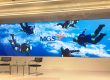


A DJ LED screen is a modular video display used behind a DJ, across the front of a booth, or within a stage design. To set one up, plan the cabinet layout and approved support, connect the playback source to the processor and mapped cabinets, verify power and data connections against the system design, then test images, cameras and show cues before the event. Viewing distance, ambient light and how often the equipment moves determine the right screen specification.
This guide covers DJ LED screen setup and buying decisions for clubs, weddings, touring shows and festivals. It includes a display-format comparison, a worked resolution example, an itemized cost checklist and a commissioning sequence. Mounting and electrical distribution must follow the selected manufacturer’s instructions and venue requirements.
DJ LED screen setup at a glance
- Confirm the screen dimensions, native pixel count and cabinet map.
- Assemble on approved support, then verify the planned power and data paths.
- Connect the playback source through a compatible processor and load the cabinet map.
- Test solid colors, video, camera capture and backup playback before the show.
Use qualified technicians for rigging and electrical work.
Table of contents
1. What Is a DJ LED Screen?
A DJ LED screen combines LED modules, cabinets, power supplies, receiving cards and a compatible control system. A media player, laptop or media server supplies the video. The processor scales and maps that video to the physical arrangement of cabinets. Individual panels therefore operate as one coordinated image rather than as separate televisions.
The screen behind a DJ is commonly called an LED video wall, stage backdrop or DJ background LED screen. A DJ booth LED screen covers the booth front or sides. Both can share a visual theme, but their content may require separate layouts because their shapes and pixel dimensions differ.
Do not confuse a video-capable DJ LED screen with an LED lighting curtain or illuminated facade. Lighting products can provide patterns and color effects without displaying detailed video. Likewise, a controller accepting a 4K input does not make the assembled wall a native 4K display. Its physical resolution comes from the number of LED pixels installed.
2. Different Types of DJ LED Screens
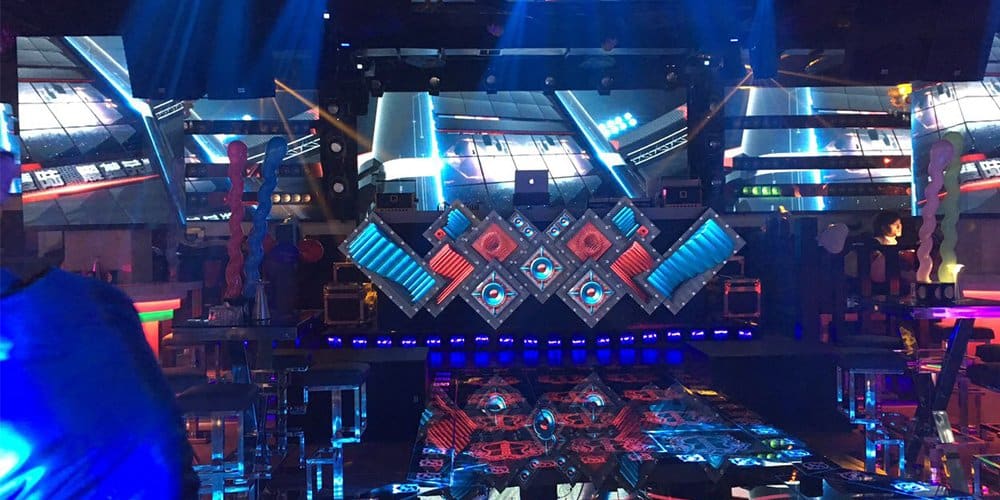
01. Special-shaped DJ LED screen
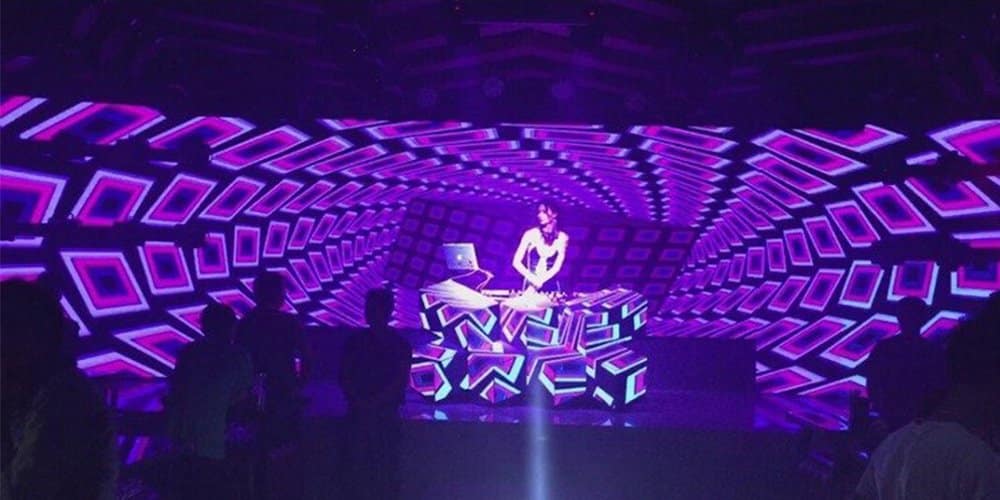
Creative designs use curved surfaces, geometric sections or separate strips to frame the performance. These arrangements need a precise drawing showing cabinet positions, gaps and the direction of each data connection. Content designers should receive this map before animation begins; otherwise, faces and logos can disappear into gaps or stretch across corners.
A curved DJ LED screen may use rigid cabinets with adjustable curve locks or soft modules fitted to a custom support. These are different construction methods. Confirm the permitted bend, service access and supporting frame for the selected product rather than assuming any panel can form any shape.
02. DJ background LED screen
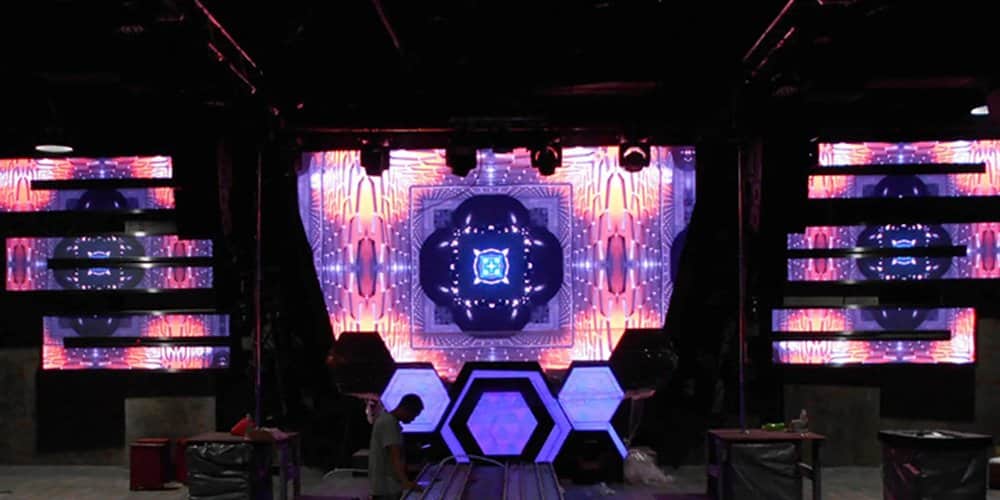
A backdrop gives the audience a large visual focal point and leaves the equipment desk independent of the display. Rectangular walls simplify content creation, while segmented walls can work well with abstract visuals. Check sightlines from the sides and rear of the room, including obstructions from speakers, truss and lighting fixtures.
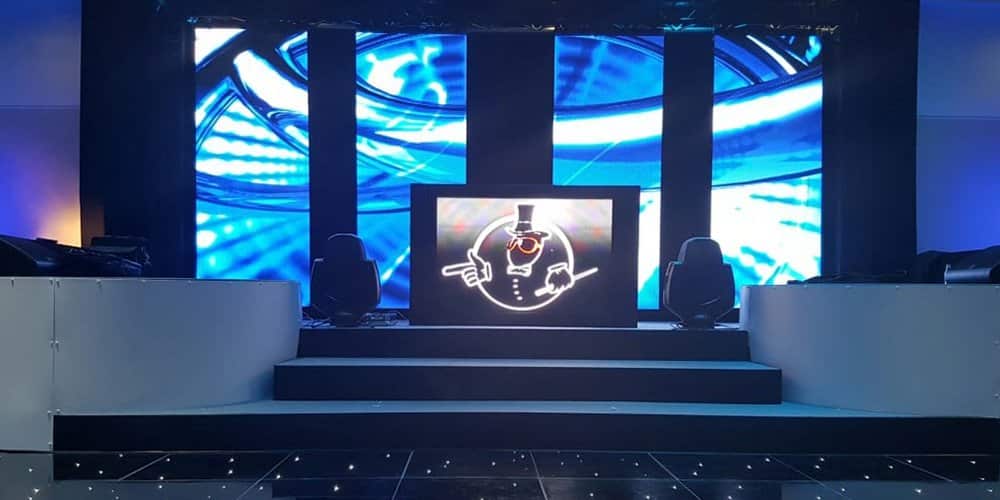
03. DJ booth LED screen
A booth display puts artist names and branding close to the performer. For mobile work, evaluate the full transport footprint, protective cases, assembly method and access to the DJ equipment. The visible LED width is not necessarily the same as the booth’s floor footprint, especially with a curved or wraparound design.
Keep drinks, cable connections and ventilation in the layout discussion. A DJ booth LED screen is display equipment; it should not be assumed to support decks, people or countertop loads unless the complete structure is designed for those duties.
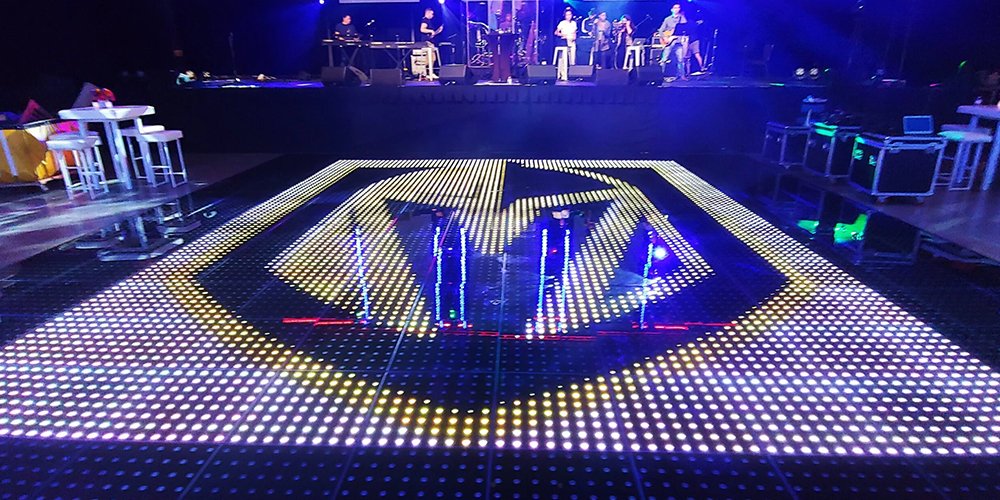
04. Floor LED screen and complementary displays
A walkable LED floor can extend the visual theme across the stage or dance area. It requires a purpose-built floor system with suitable loading, surface traction and support. Ordinary wall cabinets are not interchangeable with floor panels. Interactive effects also require compatible sensors and content software; an LED floor is not automatically interactive.
| Format | Useful application | Main planning constraint |
|---|---|---|
| Flat DJ backdrop | Concert visuals, livestream backgrounds and large branding | Audience sightlines, support structure and overall pixel count |
| DJ booth LED screen | Wedding names, artist logos and close audience engagement | Nearby viewing, booth footprint and equipment access |
| Curved or shaped display | Permanent club features and distinctive stage designs | Approved curvature, custom support and content mapping |
| Rental cabinet system | Touring shows and changing event configurations | Handling durability, cases, crew time and spare parts |
| Purpose-built LED floor | Coordinated floor effects and suitable interactive installations | Certified loading, surface condition and compatible control |
3. Benefits of Using DJ LED Screens at Events
A DJ LED screen provides a reusable visual surface. One installation can show a wedding monogram, corporate identity or concert artwork without rebuilding the stage scenery. To make that flexibility useful, prepare separate content playlists and agree who approves changes before the event.
DJ LED screens also coordinate visual storytelling with the music. A VJ can select clips manually, use musical cues or integrate a supported timing workflow. Synchronization comes from the playback and control arrangement, not from the LED panels alone. A simple rehearsed sequence often looks more polished than continuous unrelated animations.
Brand visibility is another practical benefit. Keep sponsor logos readable, agree display durations and test contrast under show lighting. Avoid claiming that a screen guarantees higher ticket sales or audience engagement: those outcomes depend on the event, content and execution. Measure useful results such as successful sponsor delivery, setup time and audience feedback.
Compared with projection, self-emissive DJ LED screens do not require a projector throw path. However, they bring cabinet weight, electrical distribution and structural requirements. For a small dark venue, compare both technologies against the actual room and budget before deciding.
4. What Factors Should Be Considered When Choosing a DJ Booth LED Screen?
01. Viewing distance, pixel pitch and native resolution
Pixel pitch is the center-to-center spacing between adjacent pixels, measured in millimeters. Smaller pitch puts more pixels into the same area. For a DJ LED screen seen nearby, fine detail and text usually justify closer evaluation of smaller pitches. For distant audiences viewing large abstract shapes, additional pixel density may offer less practical value.
A simple planning relationship is horizontal pixels ≈ screen width in millimeters ÷ pixel pitch in millimeters. Apply the same calculation to height. Final resolution must come from the manufacturer’s actual module and cabinet matrix, since a rounded marketing pitch can give a slightly different calculation.
For example, assume a 500 × 500 mm cabinet contains 128 × 128 pixels. A wall six cabinets wide and four high measures 3 × 2 m, approximately 9.8 × 6.6 ft, and contains 768 × 512 pixels. Its native aspect ratio is 3:2. A 1920 × 1080 video must therefore be cropped, letterboxed or reformatted; stretching it will distort the image. This is a worked planning example, not a specification for every P3.91 product.
| Parameter | What it affects | What to request or test |
|---|---|---|
| Pixel pitch and cabinet matrix | Detail at the nearest viewing position | Exact total resolution; test your smallest text from the closest and farthest seats |
| Brightness and dimming | Visibility, comfort and camera exposure | Rated output plus a demonstration at the intended show brightness |
| Refresh and scan behavior | Potential camera banding and motion artifacts | Test the selected camera frame rates, shutter settings and movement |
| Ingress protection | Suitability for the planned exposure | Model-specific front and rear ratings, connectors and operating limits |
| Cabinet weight and mounting | Transport and structural design | Total installed load, approved hardware and mounting instructions |
| Power and heat | Circuit planning and ventilation | Maximum input, expected operating consumption and cable requirements |
| Service access and spares | Repair time during an event | Demonstrate module replacement and provide compatible spare parts |
02. Brightness, cameras and indoor or outdoor use
Choose a DJ LED screen brightness specification for the actual light conditions. A dark nightclub needs controllable output and convincing dark tones; an exposed daytime stage needs a different brightness and environmental specification. Running at maximum brightness indoors can overpower the performer and wash out camera exposure.
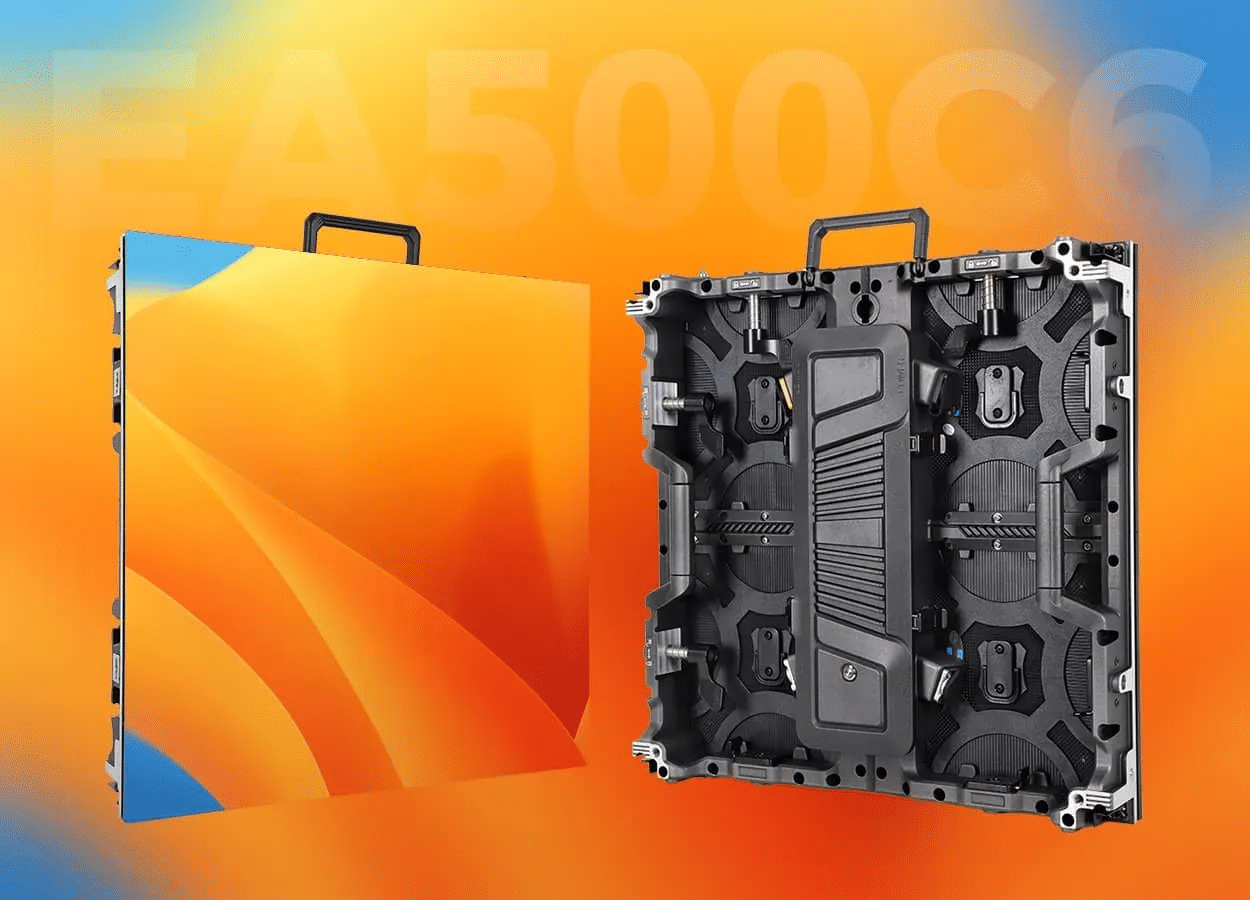
As a product-specific reference, EagerLED’s EA500C6 rental display lists 750–800 cd/m² for indoor models and 4,500–6,000 cd/m² for outdoor models, with refresh rates of at least 3,840 Hz. Confirm the exact model column and ordered configuration rather than applying these figures to all DJ LED screens.
A high refresh-rate specification is useful, but it is not a universal promise of flicker-free recordings. Camera shutter timing, scanning and processing also matter. On compatible processors, matching LED timing to the camera can help; test the actual equipment combination, including pans, dark scenes and the expected brightness.
For outdoor work, verify weather suitability for the entire DJ LED screen system, including the back, connectors and power distribution. An indoor screen under a roof may still encounter wind-driven rain. A protective coating is not a substitute for a documented outdoor rating, and an ingress rating does not establish a structure’s wind resistance.
03. Cabinet construction, maintenance and product selection
The EA500C6 uses 500 × 500 mm rental cabinets with quick locks and corner protection. Its available curved configurations and compatible mixed splicing can support different stage layouts. Ask the supplier to confirm the cabinet combination, processing capacity and approved mounting arrangement for your DJ LED screen.
For a permanent curved indoor feature, the EA-Flex flexible LED display uses soft modules and magnetic front service on a suitable support structure. It addresses a different installation requirement from a touring cabinet. Confirm bending limits, frame accuracy and maintenance tools before finalizing the booth design.
Ask for a maintenance demonstration, not only a finished-screen photograph. Check whether the crew can reach a failed module, receiving card or power supply without dismantling unrelated equipment. Retain the configuration files and specify compatible spare components, including how replacement modules will be color-matched.
04. Budget and total project cost
There is no meaningful universal DJ LED screen price without dimensions, pitch, environment and scope. A cabinet-only factory quote cannot be compared directly with a local rental package that includes delivery, installation and an operator. Request an itemized total in the agreed currency and identify every exclusion.
| Cost item | Purchase quotation | Rental or hire quotation |
|---|---|---|
| Display hardware | Cabinet quantity, pitch, spare modules and cases | Exact size, pitch, condition and hire period |
| Control and playback | Processor, sending system, software and media player | Included inputs, playback equipment and operator |
| Support and installation | Frame, approved mounting hardware and commissioning | Ground support or rigging, crew and working hours |
| Transport and handling | Freight terms, insurance and destination delivery | Delivery area, access restrictions and collection |
| Project extras | Content creation, training and destination charges | Rehearsal, overtime, custom content and backup provision |
| Ongoing obligations | Warranty scope, repairs, storage and maintenance | Damage terms, cancellation terms and technical support |
To compare ownership with hire, estimate the annual fixed ownership cost and the operating cost of each event. Divide annual fixed cost by the difference between comparable rental cost and owned-system event cost. The result is an illustrative break-even event count only when that difference is positive. Include financing, storage, maintenance and realistic utilization rather than assuming every weekend produces revenue.
5. How to Set Up a DJ LED Screen
01. Build the signal chain and content map
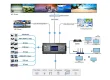
A typical DJ LED screen setup follows this path: playback computer or media server → compatible video input → LED processor or sending system → receiving cards → LED modules. Confirm input connectors, output resolution, frame rate and processor loading before the equipment arrives. Some systems combine functions in one device; others require separate components.
Create a cabinet map and a pixel map. Label each physical section and provide the VJ with the exact canvas dimensions, gaps and orientation. For a booth plus backdrop, use separate content regions where appropriate so names remain centered and recognizable on both surfaces.
Prepare DJ screen visuals at the intended aspect ratio with readable text, clear focal areas and adequate contrast. Use properly licensed media and keep a local playback copy. Do not make the show dependent on a streaming connection unless that dependency has been deliberately planned and tested.
02. Install, commission and rehearse
Have competent event technicians follow the mounting and electrical instructions for the selected system. A DJ LED screen support plan must account for the full installation, including cabinets, rigging accessories and environmental conditions. Keep exits, ventilation and service routes clear.
- Inspect and assemble: check cabinet edges, connectors and locks before fitting panels to the approved support.
- Verify distribution: confirm the electrical and data layout against the documented design before energizing.
- Load the map: check cabinet order and orientation with identification patterns before showing finished content.
- Check the image: use solid colors, grayscale, gradients and representative clips to identify dead pixels, seams or mismatched sections.
- Rehearse: test cue changes, camera views, brightness and transitions with the performer and lighting team.
- Prepare recovery: save the configuration and provide a tested fallback clip, spare signal cables and an agreed fault-response procedure.
Plan power using the selected model’s maximum rating, with distribution designed by a qualified technician. For illustration, a 6 m² screen rated at 600 W/m² maximum represents 3,600 W of display load before ancillary equipment. That assumed example is not an EA500C6 rating and does not determine circuit sizing on its own.
03. Operate and troubleshoot the display
During the show, one operator should control brightness and visual changes. A DJ LED screen that suddenly switches from dark graphics to a full-white image can affect both audience comfort and camera exposure. Rehearse transitions and agree appropriate limits with the production team.
If the whole image disappears, work through source output, processor input selection and signal connections. If one section fails, investigate its power, data path and configuration. Camera-only banding calls for camera and processing checks rather than immediate module replacement. Isolate faults systematically and follow the manufacturer’s shutdown procedure before servicing hardware.
6. How to Choose a DJ LED Display
01. Match rental, purchase or permanent installation to the workload
For a single event, a local DJ LED screen rental or hire package can include experienced installation and operation. For repeated touring work, ownership may offer configuration consistency but creates transport, maintenance and staffing responsibilities. A permanent nightclub installation needs particular attention to service access, ventilation and long-term spare availability.
Use the rental LED display range to compare equipment intended for repeated assembly. “Rental LED display” describes a hardware category; confirm separately whether your supplier sells equipment or provides a staffed local event rental service.
02. Plan sourcing for the US, India, UK and Australia
When sourcing a DJ LED screen internationally, include the event city, destination country and required commissioning date in the enquiry. These details help distinguish factory supply from local delivery and installation. For UK and Australian enquiries, “LED screen hire” is also a useful term when you need a temporary event service.
| Market | Practical purchasing questions | Evidence to obtain |
|---|---|---|
| United States | Who supplies local installation, site-compatible power connections and event-day support? | Venue-approved equipment documentation and a named service contact |
| India | Does the installation face heat, dust or seasonal rain, and who handles import and final delivery? | Environmental specifications, delivery scope and compatible local support |
| United Kingdom | Is the requirement equipment purchase or short-term hire, and who commissions the system? | Itemized supply scope, venue requirements and installation schedule |
| Australia | How will freight distance, site exposure and replacement-part delivery affect the project? | Destination-specific lead time, operating limits and spare-parts plan |
Ask the supplier and local installer to confirm applicable documentation and venue requirements for the exact model. Do not treat a generic certification logo as evidence for every configuration. Freight terms, destination charges and warranty return arrangements should be agreed in writing. EagerLED is based in Shenzhen, China; confirm overseas service arrangements for your project rather than assuming local inventory.
03. Send a complete specification for quotation
A useful DJ LED screen enquiry includes screen width and height, nearest audience distance, indoor or outdoor exposure, booth or backdrop format, expected camera use and installation method. Add your venue drawings, event schedule, destination, preferred currency and whether you need playback equipment, spare modules or training.
Ask for a cabinet layout, native resolution, equipment list and acceptance checklist alongside the commercial quotation. Contact EagerLED with your project requirements to discuss an appropriate configuration. Compare proposals against the same documented brief, not just the headline price.
7. DJ LED Screen FAQ
01. How much does a DJ LED screen cost?
The cost depends on area, pixel pitch, indoor or outdoor specification, support, processing and services. Request an itemized quotation for the complete system. For an event rental, include delivery, installation, operation and collection so you can compare the actual event cost.
02. What is the screen behind a DJ called?
It is usually called an LED video wall, DJ backdrop or DJ background LED screen. The display across the front or sides of the equipment desk is a DJ booth LED screen. Both can show video, but each needs content mapped to its own dimensions.
03. What pixel pitch should a DJ booth LED screen use?
Choose pitch according to viewing distance, screen size and content detail. Nearby viewers and small text benefit from finer pixels. Ask for a demonstration at your planned distance and verify the assembled native resolution rather than selecting pitch from a universal distance rule.
04. Can a DJ LED screen be used outdoors?
Yes, when the complete system is specified for the exposure. Confirm brightness, front and rear protection, connectors, environmental limits and the support design. An indoor screen or a coated module should not be assumed suitable for an exposed outdoor event.
05. Can DJ screen visuals follow the music automatically?
Compatible playback software can use audio input, supported timing signals or programmed cues. A VJ can also operate visuals manually. The DJ LED screen displays the supplied signal; reliable synchronization depends on the playback workflow, integration and rehearsal.
06. Does a 3,840 Hz display guarantee flicker-free video?
No. Refresh rate is one factor alongside camera shutter timing, scanning and processor configuration. Test the actual DJ LED screen with the intended cameras, brightness and movement before the event, especially when livestreaming or recording close shots.
8. In Conclusion
The right DJ LED screen starts with the audience, venue and production workflow. Define the format, calculate the native resolution, verify environmental suitability and compare complete project costs. Keep service access and rehearsed recovery procedures in the design from the beginning.
Whether you need a compact DJ booth LED screen or a large stage backdrop, a clear specification makes supplier proposals easier to evaluate. Share the dimensions, viewing distance, destination and schedule with EagerLED so the display configuration can be matched to the event.