

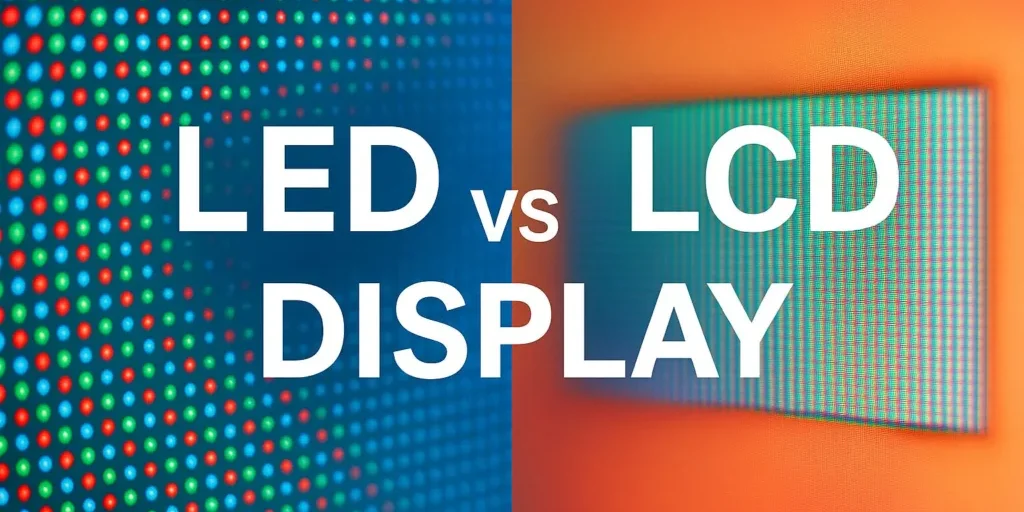
If you’ve ever shopped for a TV, monitor, phone, or even a digital sign, you’ve probably seen both “LED” and “LCD” thrown around like they mean totally different worlds. In practice, that’s where the confusion starts. People often ask which one is better, but the answer is not as simple as picking a winner and moving on.
The short version is this: an LCD screen needs a backlight, while an LED screen usually refers to a display that uses LEDs for that backlight or, in some cases, uses LEDs as the actual light source in a different display structure. That one detail changes a lot more than people expect. It affects brightness, contrast, power use, thickness, and even how the screen looks in a bright room.
That said, the better choice depends on what you’re buying and how you’ll use it. A home TV, an office monitor, a laptop panel, and a storefront display all care about different things. So instead of treating LED screen vs LCD screen like a simple yes-or-no question, it helps to break it down a little.
1.What Is an LCD Screen?
2.What Is an LED Screen?
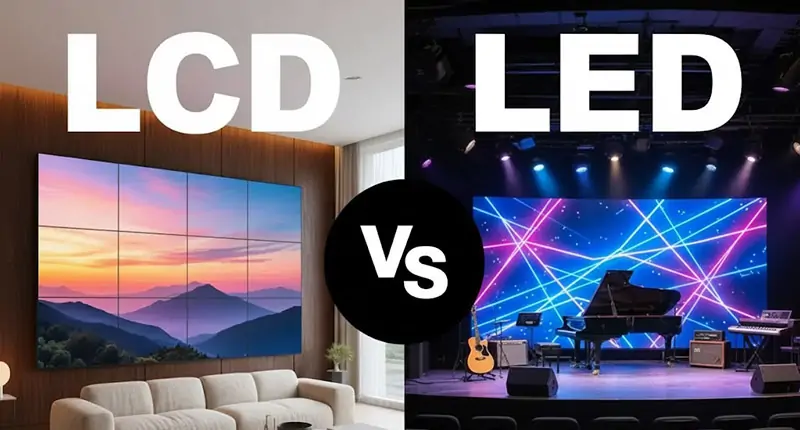
3.LED Screen vs LCD Screen: The Main Differences
4.LED Screen vs LCD Screen: Side-by-Side Comparison
5.Where LED Screens Work Best
6.Where LCD Screens Still Make Sense
7.Which Is Better: LED Screen or LCD Screen?
8.How to Choose the Right LCD or LED Display?
9.Common Misunderstandings About LED and LCD?
10.FAQs
11.Conclusion
1. What Is an LCD Screen?
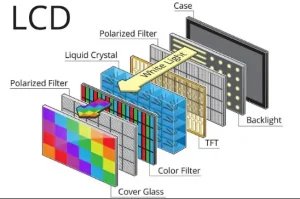
LCD stands for Liquid Crystal Display. The basic idea is pretty old now, but it still shows up everywhere because it’s practical and relatively affordable. An LCD screen uses liquid crystals to control how light passes through the panel. The liquid crystals themselves do not create light. They act more like tiny shutters.
Because the crystals can’t light up on their own, an LCD needs a backlight behind the panel. That backlight is often made with LEDs, which is where a lot of the terminology gets messy. A lot of people say “LED screen” when they really mean an LCD with LED backlighting. Technically, that’s common in consumer devices, though the wording is not always precise.
In simple terms, the LCD layer handles the image, while the backlight provides the brightness. That setup is efficient enough for everyday use and flexible enough to appear in everything from budget monitors to decent mid-range TVs.
2. What Is an LED Screen?
This is where things get a little confusing, because “LED screen” can mean different things depending on the context.
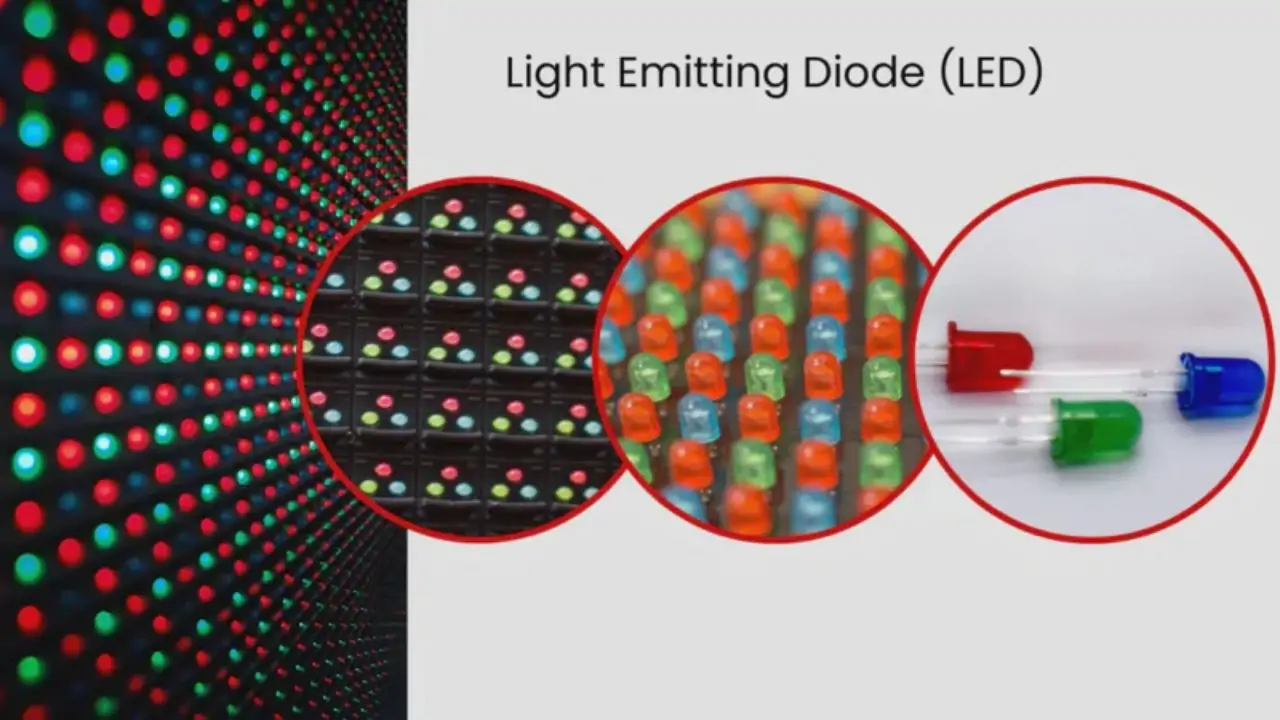
In many consumer products, an LED screen is really an LCD screen with LED backlighting. That’s the version most people run into in stores. In other cases, especially in signage, large outdoor displays, or direct-view video walls, LED screens are made from individual light-emitting diodes that form the picture directly. Those displays are different from traditional LCDs and are usually brighter and more modular.
For the purpose of everyday buying decisions, most people are comparing LCD panels to LED-backlit screens. So when someone says LED screen vs LCD screen, they’re usually talking about the difference between a standard LCD with older fluorescent backlighting and a newer LCD using LEDs, or more loosely, between LED-type displays and LCD-type displays.
A modern LED-backlit display is generally thinner, brighter, and more energy-efficient than older LCD designs. That’s why it became so common. In reality, the market shifted long ago, and “LED” became the newer-sounding label that most shoppers recognize.
3. LED Screen vs LCD Screen: The Main Differences
The biggest difference comes down to how the screen is lit. LCD technology uses liquid crystals to shape the image, but the light source behind it matters a lot. Traditional LCD screens used CCFL backlights, which were bulkier and less efficient. LED screens, in the common consumer sense, use LED backlighting instead.
That sounds like a small technical change, but it affects a bunch of everyday things. LED-backlit displays are usually slimmer. They tend to be brighter. They often use less power. And in most cases, they’re the more modern option.
Still, LCD is not automatically “bad.” It’s still the core display technology in many products, and plenty of LCD panels perform very well. The important part is understanding what you’re actually buying, because the label on the box can be a little slippery.
3.1 Brightness
LED-backlit screens usually have the edge here. They can push more brightness, which makes them easier to use in well-lit rooms or near windows. If you’ve ever struggled to see a screen in daylight, brightness matters more than people admit.
LCD screens with older backlights can look softer or dimmer, especially after years of use. That doesn’t make them useless, but it can make them feel dated fast.
3.2 Contrast and Black Levels
This is where the picture gets a bit less straightforward. LED-backlit screens can improve contrast, but the exact result depends on the type of panel and how the backlight is controlled. A basic LED-backlit LCD may still struggle with deep blacks, especially compared with higher-end display technologies.
Standard LCDs often look fine for normal use, but black levels can appear grayish in darker scenes. If you care about movies, dark games, or visual detail in low light, this is one of the first places you’ll notice the difference.
3.3 Power Consumption
LED backlighting is generally more energy-efficient. That’s one reason it took over so quickly. Lower power use is good for portable devices, and over time it matters in TVs and office gear too.
Traditional LCD systems with older backlighting tend to consume more power. Not wildly more in every case, but enough to matter when efficiency is a priority
3.4 Thickness and Design
LED-backlit displays are usually thinner and lighter. That makes them easier to build into slim TVs, monitors, and laptops. It also helps manufacturers design cleaner-looking products, which, honestly, is a big part of why people like them.
Older LCD setups with bulky backlights need more space. You don’t always notice this from the front, but you feel it when you’re holding the device or trying to mount it.
3.5 Cost
This part depends on the product category, but generally, older LCD-based designs can be cheaper at the low end because they use mature technology. On the other hand, LED-backlit screens often offer better value because the efficiency and design benefits are hard to ignore.
In most cases, buyers aren’t really choosing between a modern LED screen and a modern LCD screen in the same tier. They’re choosing between an older, cheaper LCD product and a newer LED-backlit one. That’s why the price comparison can feel a bit uneven.
3.6 Lifespan
Both technologies can last a long time, but the backlight plays a major role in how a screen ages. LED backlights tend to hold up well and are known for good durability. LCD panels themselves can also last years, but when the backlight weakens, the whole display starts to feel tired.
So yes, lifespan matters, but it’s not only about the panel type. The quality of the whole display assembly matters too.
4. LED Screen vs LCD Screen: Side-by-Side Comparison
If you want the quick version, this is the simplest way to think about it:
| Feature | LED Screen | LCD Screen |
|---|---|---|
| Light Source | LED backlight or direct LED structure | Backlight, often older style in traditional setups |
| Brightness | Usually higher | Usually lower |
| Energy Efficiency | Better | Generally weaker |
| Thickness | Slimmer | Thicker in older designs |
| Contrast | Often better, depending on implementation | Usually more limited |
| Price | Can be higher upfront, but often better value | Often cheaper in older/basic models |
| Viewing Experience | Better for bright rooms and modern use | Fine for basic use, less impressive overall |
That table is useful, but it’s not the whole story. A cheap LED-backlit screen can still look worse than a good LCD panel from a better product line. Brand, panel quality, and tuning all matter. So don’t buy on the label alone.
4.1 Pros and Cons of LED Screens
LED screens have a lot going for them. They’re brighter, more efficient, and usually look more modern. They also fit better into slim devices, which is why they dominate so much of the market.
The downside is mostly about expectations. Not every “LED” screen is premium. Some are just basic LCD panels with LED backlights, and the performance can still be pretty average. Also, if you’re looking at direct-view LED displays, those are a different category entirely and can get expensive quickly.
So while LED screens are often the better choice, they’re not magical. You still need to look at the specs that actually matter for your use case.
4.2 Pros and Cons of LCD Screens
LCD screens are still popular because they’re familiar, reliable, and often less expensive at the low end. For office work, general browsing, and simple displays, they can do the job just fine. A lot of people use LCD-based monitors every day without thinking twice.
The downside shows up when you compare them with newer LED-based options. They can be bulkier, less bright, and not as efficient. In bright environments, they may feel a bit underpowered. And if you care about design or picture quality, they usually won’t impress as much as a good LED-backlit screen.
That said, not everyone needs the latest thing. If the screen is mostly for spreadsheets, POS systems, or basic indoor use, LCD can still make sense.
5. Where LED Screens Work Best
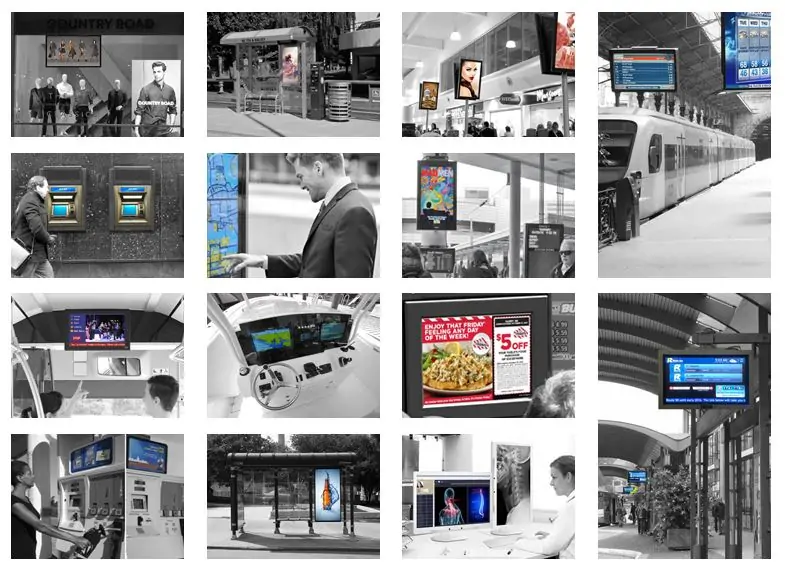
LED screens are a strong choice for modern consumer electronics and commercial displays. TVs, computer monitors, laptops, advertising panels, and outdoor signage all benefit from the brightness and efficiency. If you need a screen that looks good in a bright room, LED is usually the safer bet.
They also make sense when you want a thin device or a cleaner industrial design. That’s a real advantage in everyday products. Nobody wants a chunky screen if they can avoid it.
For large-format displays, especially outdoor or public-facing ones, LED can be even more practical. Visibility matters more there than subtle image behavior, and LEDs are good at standing out.

6. Where LCD Screens Still Make Sense
LCD screens still have a place, especially in budget-conscious setups and simple indoor use. Office monitors, control panels, older TVs, and machines that just need a dependable screen can all work well with LCD technology.
If you don’t need extreme brightness or flashy visual performance, an LCD can be perfectly fine. In some environments, the difference won’t even matter much. A screen used under controlled lighting in an office doesn’t need to fight sunlight, after all.
So yes, LCD is older in many cases, but older doesn’t automatically mean obsolete. It just means the use case has to be reasonable.
7. Which Is Better: LED Screen or LCD Screen?
If you’re asking which one is better overall, LED usually wins. It’s the more modern choice, and it tends to perform better in the areas most buyers notice: brightness, efficiency, thickness, and general viewing quality.
But “better” depends on what you need. If you’re buying a screen for everyday use, a good LED-backlit display is usually the better purchase. If you’re shopping for a simple, low-cost setup and the specs are acceptable, LCD may still be enough.
The real mistake is treating them like totally separate categories when, in many cases, LED is just the newer version of LCD backlighting. Once you realize that, the choice becomes less dramatic.
8. How to Choose the Right LCD or LED Display
A good way to choose is to start with the environment. If the screen will be used in a bright room, near windows, or for public display, go with LED if you can. You’ll probably appreciate the extra brightness and better visibility.
If your use is more basic, like office work, classroom systems, or internal equipment, then LCD can still do the job without wasting money. You do not always need the highest-spec option for a plain task.
Also think about size and design. If you want something slim, lightweight, and modern-looking, LED is usually the better fit. If a thicker body or older design doesn’t bother you, LCD can be a practical choice.
And then there’s cost. Always. If the price gap is small, LED is usually worth it. If you’re choosing strictly by budget and the usage is simple, LCD may be acceptable. That’s the part people skip, but it matters.
9. Common Misunderstandings About LED and LCD
A lot of people think LED and LCD are completely different technologies competing head-to-head. In reality, they’re often closely related, and the label is used loosely in retail. That’s why one product page might say “LED TV” while another technical description makes it clear that it’s an LCD panel with LED backlighting.
Another common mistake is assuming LED always means better picture quality in every situation. Not quite. The quality of the panel, color tuning, and backlight control all matter. A well-made LCD can outperform a poorly made LED-based display.
So if you’re comparing products, don’t stop at the name. Look at the actual specs and the intended use.
10. FAQs
Q1: What is the core difference between LED Screen and LCD Screen?
LCD is an overall display technology that uses liquid crystal layers; LED is a backlight type for LCD panels. Traditional LCD uses CCFL backlight, while modern LED screens adopt LED backlight, bringing thinner body, lower power consumption and higher brightness.
Q2: Are LED Screen and LCD Screen two completely separate display technologies?
No. Strictly speaking, most commercial LED screens are essentially LCD with LED backlight. They are not parallel independent technologies; LED is an upgraded backlight solution for traditional LCD.
Q3: Which one has better picture quality, LED or LCD Screen?
LED-backlit screens perform better in brightness, contrast, color reproduction and black level than traditional CCFL LCD. They also have more uniform screen lighting and less light leakage.
Q4: Which one is more suitable for indoor commercial advertising?
LED screen is the first choice. It features high brightness, stable 24/7 operation, clear display under ambient light, and is ideal for retail stores, lobbies and conference rooms.
11. Conclusion
For most buyers, LED is the better choice. It’s brighter, more energy-efficient, thinner, and generally more suitable for modern devices. That’s why it has become the standard in so many products.
Still, LCD has not disappeared for a reason. It remains useful, especially in simple or budget-focused applications where advanced performance is not necessary. If the screen only needs to handle basic tasks, a solid LCD can still be a sensible buy.
If you want the short answer, go with LED when you want better everyday performance and a more modern display. Choose LCD when the job is simple and price matters more than visual polish. That’s usually the cleanest way to decide, and honestly, it saves a lot of second-guessing later on.