A Stage LED Screen is a large, modular video display built from connected LED cabinets and used as a backdrop, side screen, scenic element, or live-feed display at concerts and events. Unlike a projector, it produces its own light, so it can deliver bright images without relying on a dark venue. A complete system includes the cabinets, mounting structure, power distribution, receiving cards, video processor, control computer, and signal cabling.
The screen itself is only one part of the result. Pixel pitch determines image detail, brightness must suit the venue, refresh rate affects on-camera performance, and the rigging plan protects performers and guests. This guide explains how the system works, which specifications matter, and when EagerLED’s EA1000H9 or EA500C6 is the more practical rental cabinet.
Key takeaways: Choose pixel pitch from the closest viewing distance, size the canvas around the content format, specify at least 3840 Hz when professional cameras are involved, and treat rigging, power, weather, data backup, and spare modules as one system rather than separate purchases.
Table of Contents
- 1. What Is a Stage LED Screen?
- 2. How Does a Stage LED Screen Work?
- 3. Why Use a Stage LED Screen for Concerts and Events?
- 4. How to Choose the Right LED Wall for a Stage
- 5. Recommended EagerLED Products
- 6. Planning, Installation, and Show-Day Workflow
- 7. Common Stage LED Screen Mistakes
- 8. Frequently Asked Questions
- 9. Final Recommendation
1. What Is a Stage LED Screen?
1.1 A practical definition
If you are searching what is stage LED display, the simplest answer is this: a Stage LED Screen is a scalable direct-view video wall designed for temporary live production. Individual LED modules sit inside lightweight cabinets. Technicians lock the cabinets together to create a flat, curved, suspended, or ground-supported canvas in almost any practical size.
A Stage LED Screen can show pre-produced video, presentation slides, lyrics, sponsor messages, real-time graphics, or live camera feeds. Because every pixel emits light, the picture remains vivid under stage lighting and can be specified for indoor or outdoor use.
1.2 Stage LED display vs projector and LCD wall
| Display type | Best use | Main strengths | Main limitations |
|---|---|---|---|
| Stage LED Screen | Concerts, festivals, launches, touring shows | Modular sizing, high brightness, seamless image, creative shapes | Requires specialist structure, power, processing, and calibration |
| Projector | Controlled indoor venues and temporary presentations | Lightweight image source, economical for very large dark-room images | Ambient light reduces contrast; throw distance and shadows complicate staging |
| LCD video wall | Control rooms, foyers, permanent indoor installations | Fine detail at close range | Visible bezels, fixed panel sizes, less suitable for rapid touring builds |
The decisive advantage is not brightness alone. A Stage LED Screen is a production platform: it scales with the set, accepts live video, and can be dismantled and transported after the event.
2. How Does a Stage LED Screen Work?
2.1 The five system layers
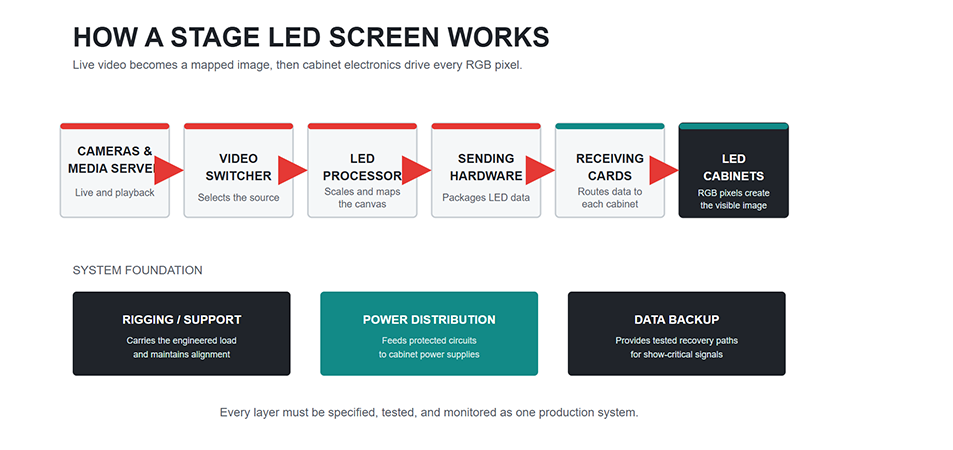
People asking how does stage LED screen work usually need to understand the complete signal path, not only the LEDs. A reliable Stage LED Screen workflow has five layers:
- Content source: a media server, playback laptop, presentation computer, or live camera system outputs the program feed.
- Switcher and video processor: the production team selects sources, scales the image, maps the canvas, and manages color or redundancy.
- Sending and receiving system: sending hardware packages the video data; receiving cards inside the cabinets distribute it to the correct pixels.
- LED cabinets: modules, driver ICs, power supplies, and receiving cards reproduce the image across the assembled wall.
- Structure and utilities: ground support or certified rigging carries the load, while dedicated power and data paths keep the wall operating.
2.2 From video frame to visible light
In a Stage LED Screen, the processor first matches incoming video to the physical pixel map. Data then travels to cabinet receiving cards, which instruct driver ICs how intensely each red, green, and blue subpixel should illuminate. The audience sees the combined colors as a single moving image.
Refresh rate describes how often the display redraws an image each second. LianTronics defines it as “the number of times per second that an image is drawn” and recommends 3840 Hz for professional photography, filming, live streaming, and close-ups. That figure is a useful specification target, but the camera shutter, scan mode, frame rate, and processor settings still need a real camera test.
2.3 Why calibration and redundancy matter
A wall assembled from many cabinets must behave like one display. Calibration corrects visible differences in brightness and color between modules. A show-critical Stage LED Screen should also have a documented backup plan: spare data outputs, redundant signal paths where supported, protected power distribution, spare modules, and a technician who can replace a failed component quickly.
3. Why Use a Stage LED Screen for Concerts and Events?
3.1 Better sightlines for large audiences
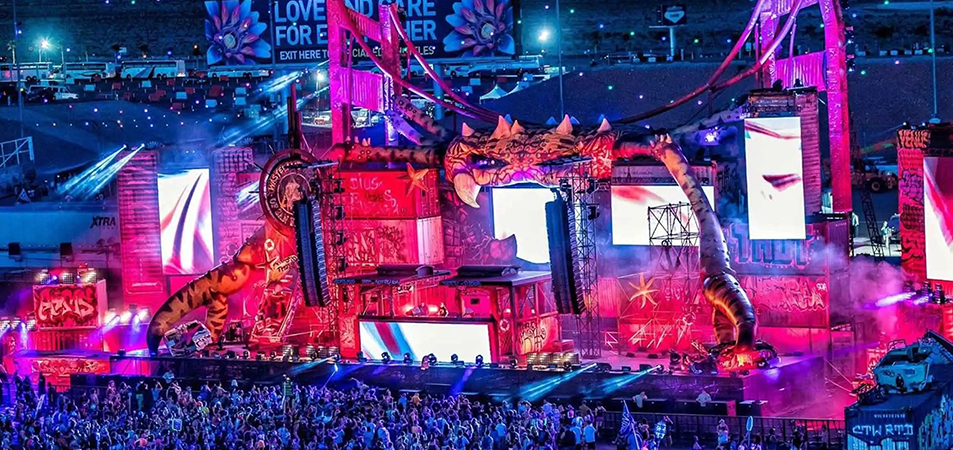
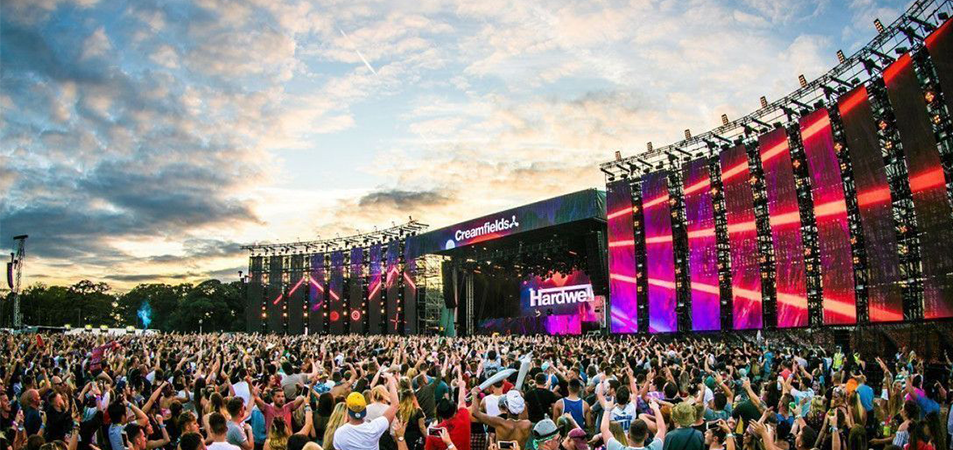
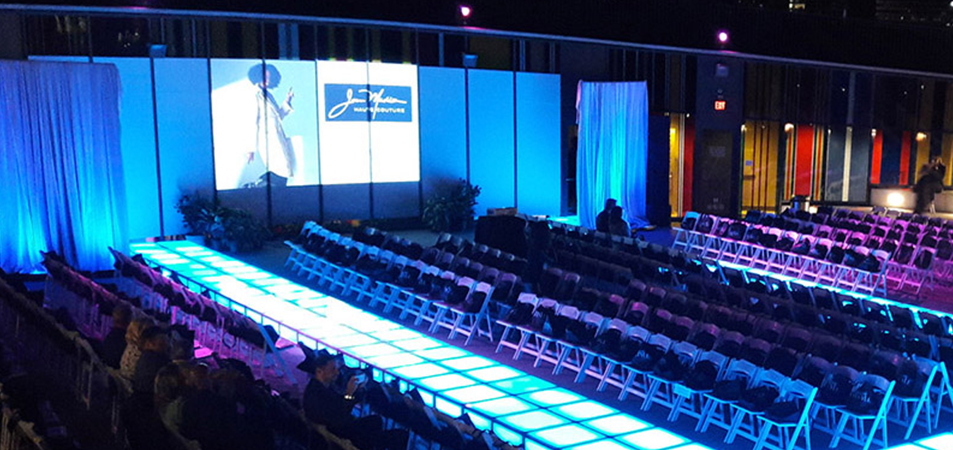
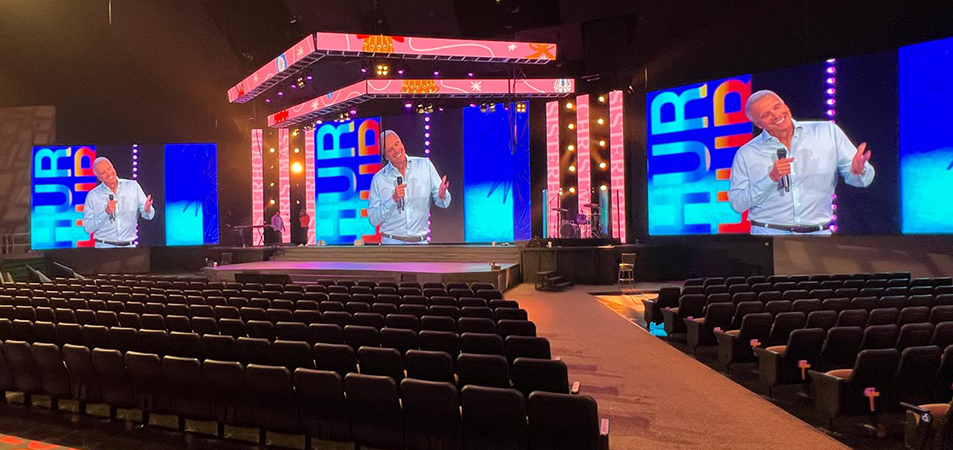
A stage LED screen for concerts lets guests far from the performance follow facial expressions, instrument detail, lyrics, and scene changes. A central wall usually carries the main creative content, while side IMAG screens show image magnification from live cameras. The same approach works for awards ceremonies, graduations, conferences, houses of worship, fashion shows, and product launches.
3.2 One surface, several production roles
During a single show, the Stage LED Screen can move from a countdown to a live feed, animated scenery, sponsor content, speaker slides, and an emergency message. This lets the Stage LED Screen reduce physical set changes while giving the creative team precise cue-based control.
An LED wall for stage design can also be split into columns, flown strips, curves, or layered scenic pieces. Modular cabinets make those layouts possible, but every creative shape must still respect supported locking angles, structural engineering, service access, cable routing, and processor capacity.
3.3 Consistent performance under stage lighting
Projectors compete with ambient light; direct-view LEDs generate their own. This makes a Stage LED Screen easier to see under moving lights and in many outdoor settings. Brightness should nevertheless be commissioned for the actual environment. Excessive output in a dark ballroom can fatigue viewers and compromise camera exposure, while an underspecified outdoor wall may appear washed out.
4. How to Choose the Right LED Wall for a Stage
4.1 Start with audience distance and pixel pitch
For a Stage LED Screen, pixel pitch is the center-to-center distance between adjacent pixels, measured in millimeters. A smaller number provides more pixels per square meter and supports closer viewing, but usually increases cost and processing load.
A useful early-planning heuristic is that the minimum comfortable viewing distance in meters is roughly similar to the pitch number in millimeters: P2.6 at about 2.6 meters, P3.9 at about 3.9 meters. This is not a pass/fail standard. Content type, eyesight, cabinet quality, contrast, and camera distance can move the practical result, so inspect a sample at the actual distance before ordering.
4.2 Calculate physical size and native resolution
For a Stage LED Screen, define the viewing area first, then confirm that the cabinet grid can build it without awkward filler strips. For a 16:9 canvas, an 8-meter-wide image is approximately 4.5 meters high. If the selected pitch is 3.9 mm, the approximate native width is:
8,000 mm / 3.9 mm = 2,051 pixels
The actual map must use the manufacturer’s module and cabinet resolution. Give that exact pixel canvas to the content team; sending generic 1920 x 1080 media to an unusual scenic layout can produce scaling artifacts or unused areas.
4.3 Match brightness and protection to the venue
Indoor ballrooms, broadcast stages, covered outdoor stages, and open-air festivals need different configurations. For an outdoor Stage LED Screen, ask for measured brightness, adjustable output range, weather rating, operating temperature, and the IP rating for both front and rear surfaces. Do not interpret “outdoor” as permission to operate in any weather.
For open-air work, the screen and support can create substantial wind exposure. The Event Safety Alliance identifies ANSI ES1.18-2022 for event rigging, ANSI ES1.19-2020 for special event structures, and ANSI ES1.7-2021 for weather preparedness. A qualified event engineer or rigger should define loads, ballast or suspension, inspection, wind thresholds, and the lowering or evacuation plan for the specific site.
4.4 Specify camera-friendly refresh and processing
For a camera-heavy Stage LED Screen, 3840 Hz is a sensible baseline because it reduces the risk of visible scan lines. It does not automatically eliminate moire, which also depends on pixel pitch, camera sensor, focus, distance, angle, shutter, and lens settings. Run a full workflow test with the production cameras rather than approving the display by eye alone.
Also confirm processor input formats, maximum canvas size, scaling, color depth, HDR workflow if required, genlock, latency, and failover. The cheapest processor that can light the wall may not meet a broadcast or tightly synchronized concert brief.
4.5 Evaluate rental-focused mechanical design
Touring hardware is assembled, transported, and serviced repeatedly. Look for die-cast alignment, quick locks, corner protection, accessible power boxes, front/rear maintenance, sensible handles, replaceable modules, supported curve locks, and compatibility between cabinet sizes. These details reduce build time and protect pixels during load-in and load-out.
4.6 Use a specification checklist
| Decision | Information to confirm before quotation |
|---|---|
| Venue | Indoor/outdoor, ambient light, weather exposure, operating hours |
| Audience | Closest and farthest viewing distances, sightline obstructions |
| Screen | Width, height, shape, cabinet grid, total native pixels |
| Content | Aspect ratio, media server, live feeds, camera and latency needs |
| Image quality | Pixel pitch, brightness, refresh rate, grayscale, calibration |
| Structure | Ground-supported or flown, total system weight, certified hardware, wind plan |
| Electrical | Average and maximum draw, voltage, circuit distribution, grounding, backup |
| Operations | Setup time, service access, spare ratio, technician coverage, teardown plan |
5. Recommended EagerLED Products
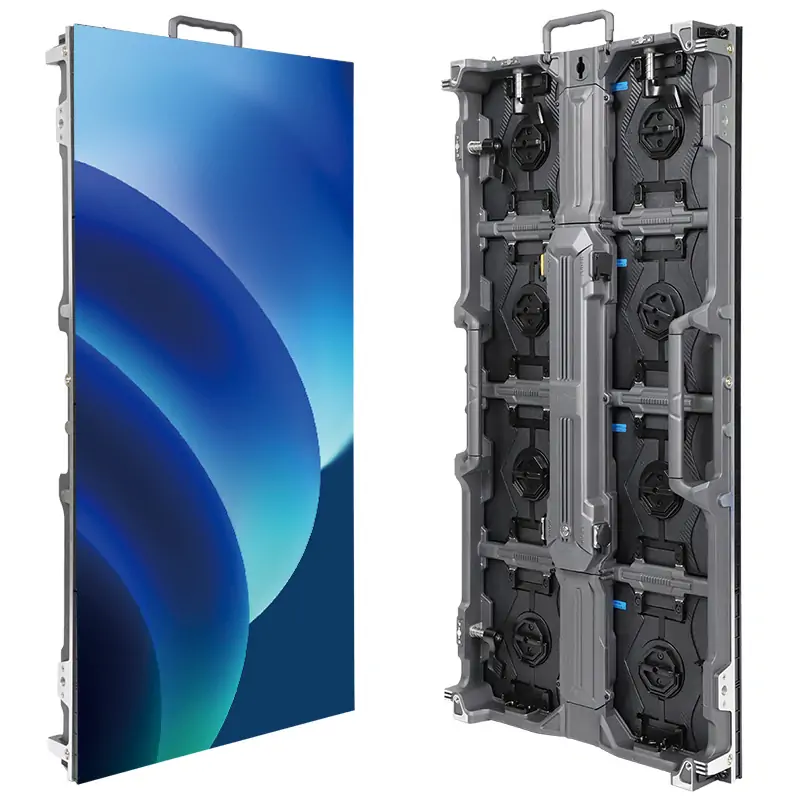
5.1 EA1000H9: efficient coverage for larger walls
The EagerLED EA1000H9 Rental LED Wall uses a 500 x 1000 mm cabinet and 250 x 250 mm modules. Its tall format can reduce the number of cabinet connections needed across a large rectangular wall. The official product page lists quick locks, corner protection, a detachable power box and HUB board, front and rear service, an optional precision arc lock, a 140-degree viewing angle, and a 3840 Hz refresh rate.
Choose the EA1000H9 when the Stage LED Screen is mainly a large backdrop or side wall and rapid vertical coverage matters. It also supports curved or ring arrangements with the optional arc lock and can splice with the 500 x 500 mm EA500H9, giving designers a way to combine cabinet formats within the H9 system.
5.2 EA500C6: flexible geometry for creative stages
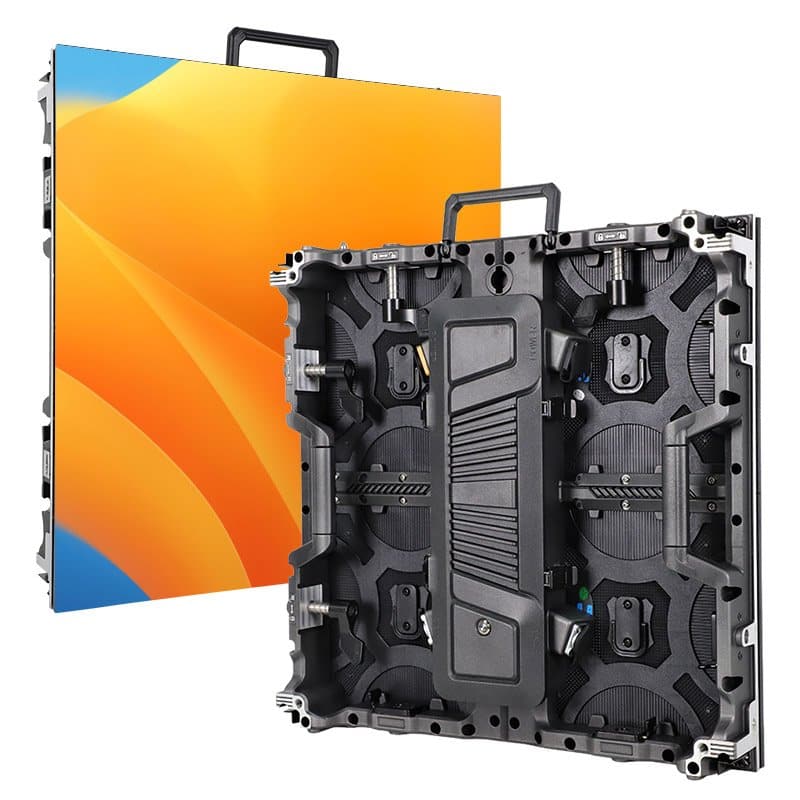
The EagerLED EA500C6 Rental LED Display uses a 500 x 500 mm die-cast aluminum cabinet. EagerLED lists dual quick locks, four corner guards, an openable rear cover, optional inner and outer curves, mixed splicing with the EA1000C6, a 140-degree viewing angle, and a 3840 Hz refresh rate. Its stage solution page also lists 4800 cd/m2 brightness and IP65 protection for the recommended stage configuration.
Choose the EA500C6 when a Stage LED Screen needs compact square building blocks, tighter scenic control, curves, staggered arrangements, or frequent reconfiguration. Confirm the exact indoor or outdoor model, pitch, power draw, weight, and front/rear IP rating on the project-specific datasheet before final engineering.
5.3 EA1000H9 vs EA500C6 at a glance
| Feature | EA1000H9 | EA500C6 |
|---|---|---|
| Cabinet size | 500 x 1000 mm | 500 x 500 mm |
| Best-fit role | Large main walls and fast coverage | Curves, compact scenic pieces, flexible layouts |
| Refresh rate | 3840 Hz | 3840 Hz |
| Viewing angle | 140 degrees | 140 degrees |
| Curved build | Optional precision arc lock | Optional inner/outer arc installation |
| Maintenance | Front and rear service; detachable power box/HUB | Openable back cover |
| Mixed splicing | With EA500H9 | With EA1000C6 |
| Outdoor claim on cited page | Confirm project configuration | IP65 listed; confirm front/rear rating and configuration |
Neither cabinet is universally better. A Stage LED Screen can use the EA1000H9 for efficient area coverage or the EA500C6 for geometric flexibility; select pixel pitch, brightness, and protection for the actual venue.
6. Planning, Installation, and Show-Day Workflow
6.1 Before the quotation
For each Stage LED Screen quotation, send the supplier a written brief containing venue drawings, screen dimensions, closest viewing distance, indoor/outdoor status, content sources, cameras, operating hours, local voltage, installation method, and schedule. Request a cabinet layout, pixel map, total weight, power estimate, processor list, cable plan, spare-parts list, and structural interface details.
6.2 During pre-production
Build content templates at the final native canvas size. Test representative video, fine text, skin tones, saturated colors, logos, and live camera feeds. Confirm EDID, frame rate, color workflow, processor presets, and a backup playback path. Label power and data cables to match the cabinet map.
6.3 During load-in and commissioning
Only qualified personnel should build or suspend the Stage LED Screen. Inspect cabinets, locks, pins, rigging hardware, supports, safety devices, cables, and power distribution before energizing. After assembly, run module tests, inspect seams, calibrate brightness and color, test every input, verify backup paths, and record the approved configuration.
6.4 During the show
Keep a trained technician at the control position with spare modules, receiving cards, power supplies, and essential cables. Monitor temperature, power, signal integrity, weather, and structural conditions. Changes to wind limits, rigging, brightness, or processor configuration should follow the approved show plan, not an improvised request at doors-open.
7. Common Stage LED Screen Mistakes
7.1 Buying by price per square meter
The display quote may exclude processor capacity, hanging hardware, ground support, cabling, power distribution, spares, shipping, labor, calibration, and on-site support. Compare complete engineered systems, not panel prices.
7.2 Choosing pitch without considering cameras
A Stage LED Screen pitch that looks acceptable to the audience can create moire or visible pixel structure in close-ups. Include camera positions and lens choices in the screen test, especially for broadcast, streaming, and IMAG.
7.3 Treating IP65 as a complete weather plan
An IP rating describes enclosure protection under defined tests; it does not certify the whole temporary structure for wind, lightning, drainage, cable connections, or every operating condition. Weather monitoring and engineered response thresholds remain essential.
7.4 Ignoring content resolution and aspect ratio
A beautiful wall can still show soft video, cropped slides, or tiny text when the content team receives the pixel map too late. Lock the cabinet grid and native canvas early enough for rehearsal-ready media.
7.5 Running without spares or failover
Rental displays contain many field-replaceable components. A credible plan defines spare quantities, replacement access, backup sources, signal recovery, and who is authorized to intervene during the show.
8. Frequently Asked Questions
8.1 What is the difference between a stage LED display and an LED wall?
“LED wall” describes the assembled visual surface. A Stage LED Screen refers more specifically to a display system configured for live production, normally using rental cabinets, quick locks, processing, support or rigging, and temporary power/data infrastructure.
8.2 What pixel pitch is best for a concert stage?
For a Stage LED Screen, choose pitch from the closest audience and camera distance. Fine pitches suit close viewing and broadcast shots; wider pitches can be economical for large outdoor audiences farther away. Use the pitch-in-millimeters approximately-equals minimum-distance-in-meters rule only for initial budgeting, then inspect a sample.
8.3 Is 3840 Hz enough for live cameras?
3840 Hz is a strong baseline for professional event video and is supported by both EagerLED models recommended here. Camera tests are still necessary because scan lines and moire also depend on shutter settings, frame rate, scan mode, pitch, angle, distance, and focus.
8.4 Can a stage LED wall be curved?
Yes, when the cabinet system and locks are designed for the required inner or outer angle. The EA1000H9 offers an optional precision arc lock, while the EA500C6 supports optional inner and outer arc installation. The design must stay within the manufacturer’s approved geometry.
8.5 Can the same screen be used indoors and outdoors?
Some rental series offer indoor and outdoor variants, but do not assume they are interchangeable. Confirm brightness, weather protection, temperature range, connector protection, structure, ballast or rigging, and the site weather plan for the exact configuration.
8.6 Should an event company buy or rent?
Rent when screen sizes and venues change, events are infrequent, or you need a full technical crew. Purchase when utilization is high, configurations are repeatable, storage and maintenance are available, and owning the system costs less over its service life. Compare total cost, not only cabinet price.
9. Final Recommendation
A successful Stage LED Screen starts with audience distance, content, cameras, venue conditions, and structural constraints. Choose the cabinet only after those inputs are clear. For a large, efficient rectangular build, the EA1000H9’s 500 x 1000 mm format is a strong starting point. For curves and modular scenic layouts, the square EA500C6 offers greater design flexibility.
Share the venue drawing, screen dimensions, viewing distances, camera workflow, installation method, and schedule with EagerLED to receive a project-specific pixel map, power plan, processor recommendation, structural interface, spare list, and quotation.