

NovaStar CMS260 audio output requires a compatible multifunction card connected to Ethernet port 1. The published specification identifies HDMI as the audio input path and supports output volume adjustment. It does not describe the controller as a speaker amplifier or show a dedicated analog audio output on its rear panel.
For an AV integrator preparing a small venue installation, that distinction changes the equipment list. Buying the controller and connecting the LED cabinets does not, by itself, complete the sound system. The audio extraction hardware, its connection to the venue mixer or amplifier, and the intended source behavior must also be specified.
This explanation separates documented features from the project details that still need confirmation. It is based on the CMS260 specification available from EagerLED, reviewed on November 9, 2026; the planning examples are recommendations, not a report of a tested installation.
1. What the NovaStar CMS260 audio output specification actually says
The manufacturer’s CMS260 specification describes audio accompanying an HDMI input, extraction through a multifunction card, and adjustable output volume. The Ethernet output description adds the critical restriction: audio is available through port 1. Those statements establish the basic route, but they do not name every compatible accessory or define its downstream connector.
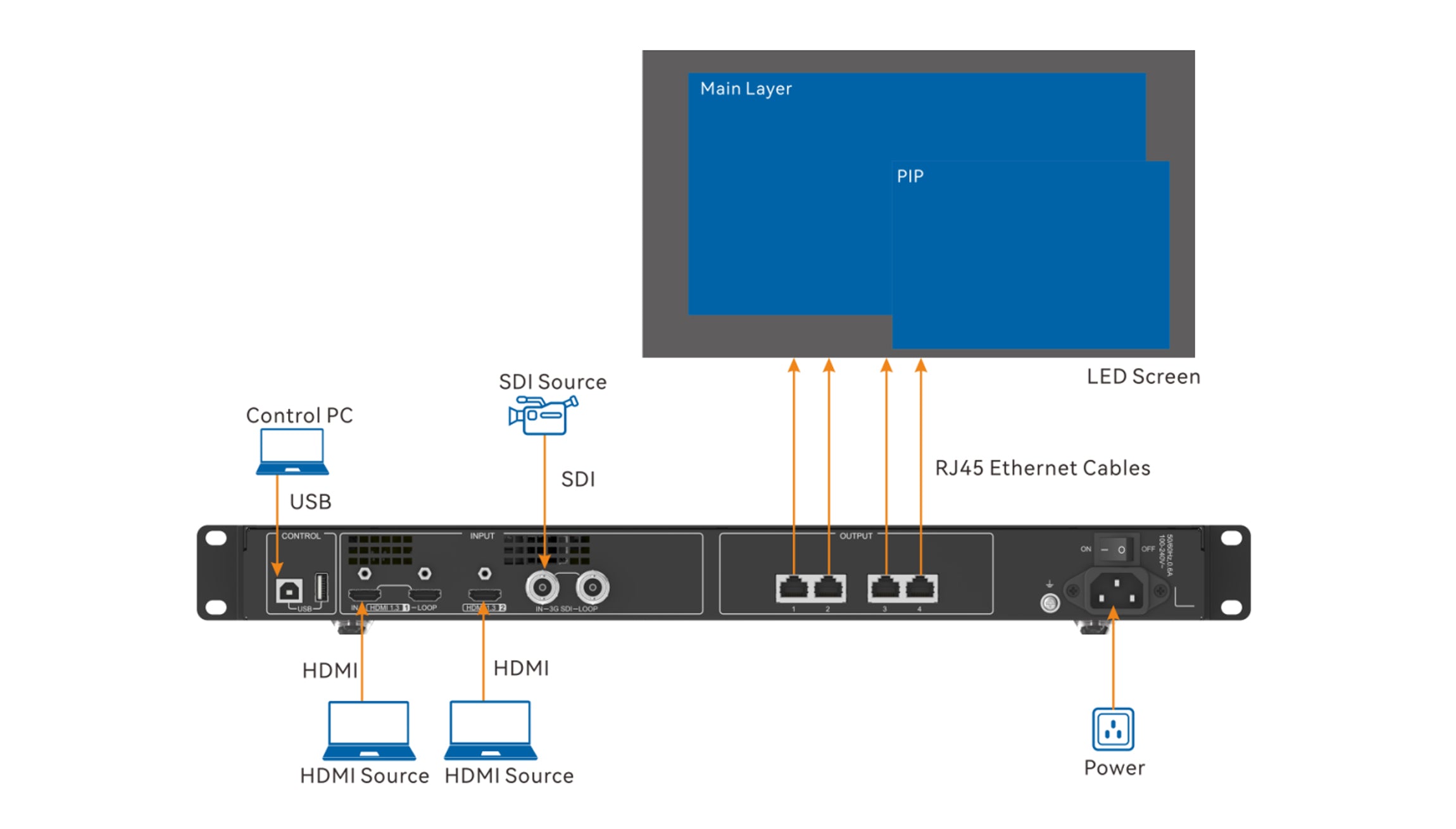
A useful conceptual signal path is: HDMI source → CMS260 → Ethernet port 1 → compatible multifunction card → suitable venue audio input. Treat this as a functional outline, not a complete wiring drawing. The card’s power requirements, position in the approved LED cable topology, output connector, and connection to the sound system still need to come from the selected hardware documentation.
The current CMS260 product page is a useful starting point for identifying the controller. Ask the supplier to match its documentation to the unit being supplied. Keep the accessory model in the same project record so that a later substitution cannot quietly change the audio connection.
2. Why Ethernet port 1 matters
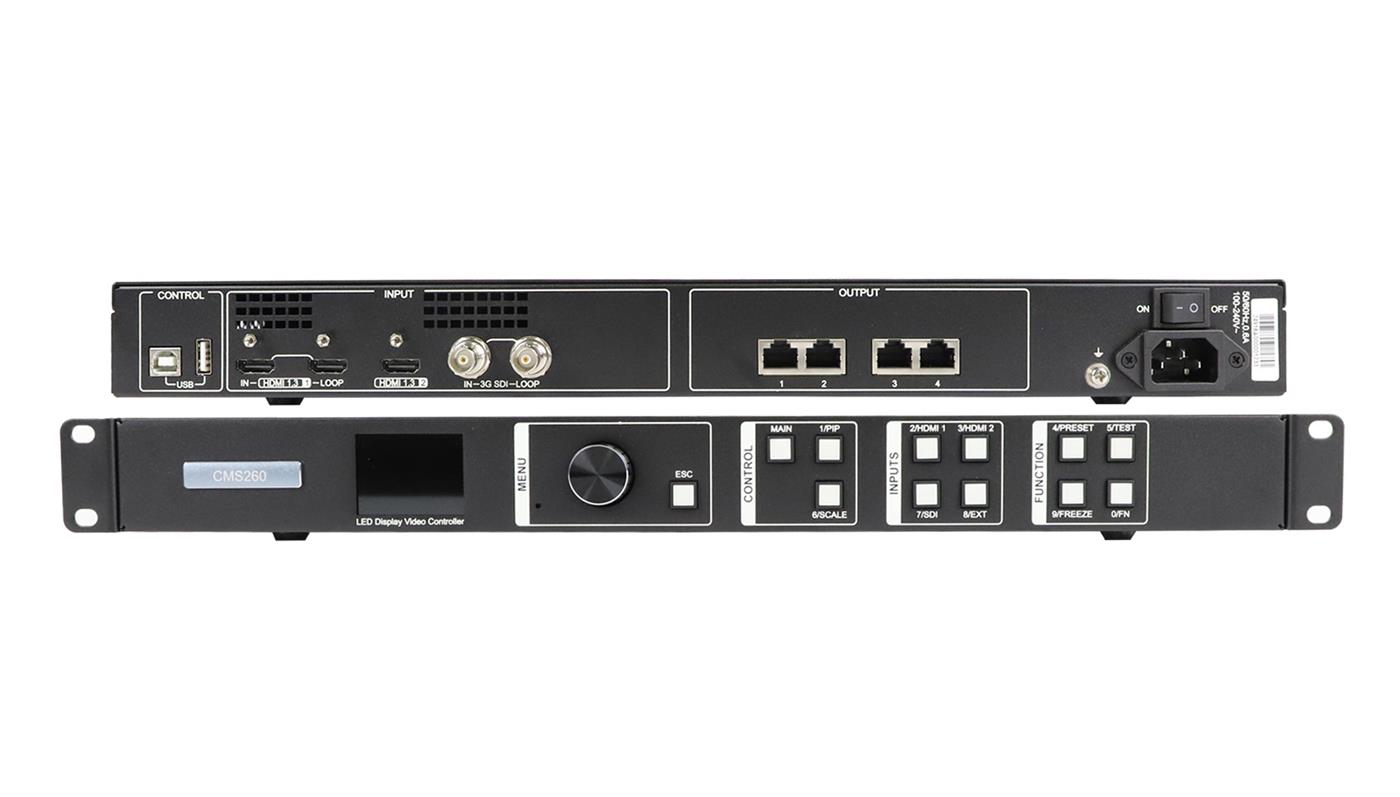
The four output sockets should not be treated as interchangeable for audio. A NovaStar CMS260 audio output plan needs to identify port 1 explicitly, even if the LED video map uses all four outputs. Labeling the cable simply “screen output” leaves the next installer without enough information.
For example, imagine a meeting-room upgrade where the controller rack and sound mixer sit in different locations. The drawing should show where audio is extracted and how it reaches the mixer, alongside the LED cabinet connections. This is a hypothetical planning example; it does not establish a supported cable length or authorize any particular branching arrangement.
Do not interpret an RJ45-shaped connector as proof of compatibility with an audio mixer, a network speaker, or a general-purpose network switch. The connector’s appearance is insufficient evidence. Request the approved route for the actual multifunction card and screen configuration before selecting adapters or patching equipment together.
If a proposed cable plan changes, recheck the NovaStar CMS260 audio output route as part of that change. A drawing that only follows the video path can omit the accessory the sound system depends on. Where backup is required, include the expected sound behavior in the design review rather than assuming that a visible picture confirms audio continuity.
3. What belongs in the equipment list
Specify NovaStar CMS260 audio output as a complete connection requirement. “Controller with audio” is too vague for purchasing: it does not identify the extraction card, the cable to the mixer, or the person responsible for confirming compatibility. The following checklist converts the requirement into items a supplier can answer.
| Project detail | Confirmation to request | Useful record |
|---|---|---|
| Actual HDMI source | Supported embedded audio format for the intended controller and accessory combination | Source model and output settings |
| Multifunction card | Exact compatible model, revision, power requirements, and installation position | Accessory datasheet and approved connection drawing |
| Venue sound-system input | Matching connector and signal level, including any required interface | Mixer or amplifier input specification |
| Operator controls | Who selects the sound source and adjusts normal listening volume | Written operating sequence |
| Package contents | Whether the card, power supply, and audio cables are included or separately quoted | Itemized quotation |
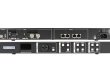
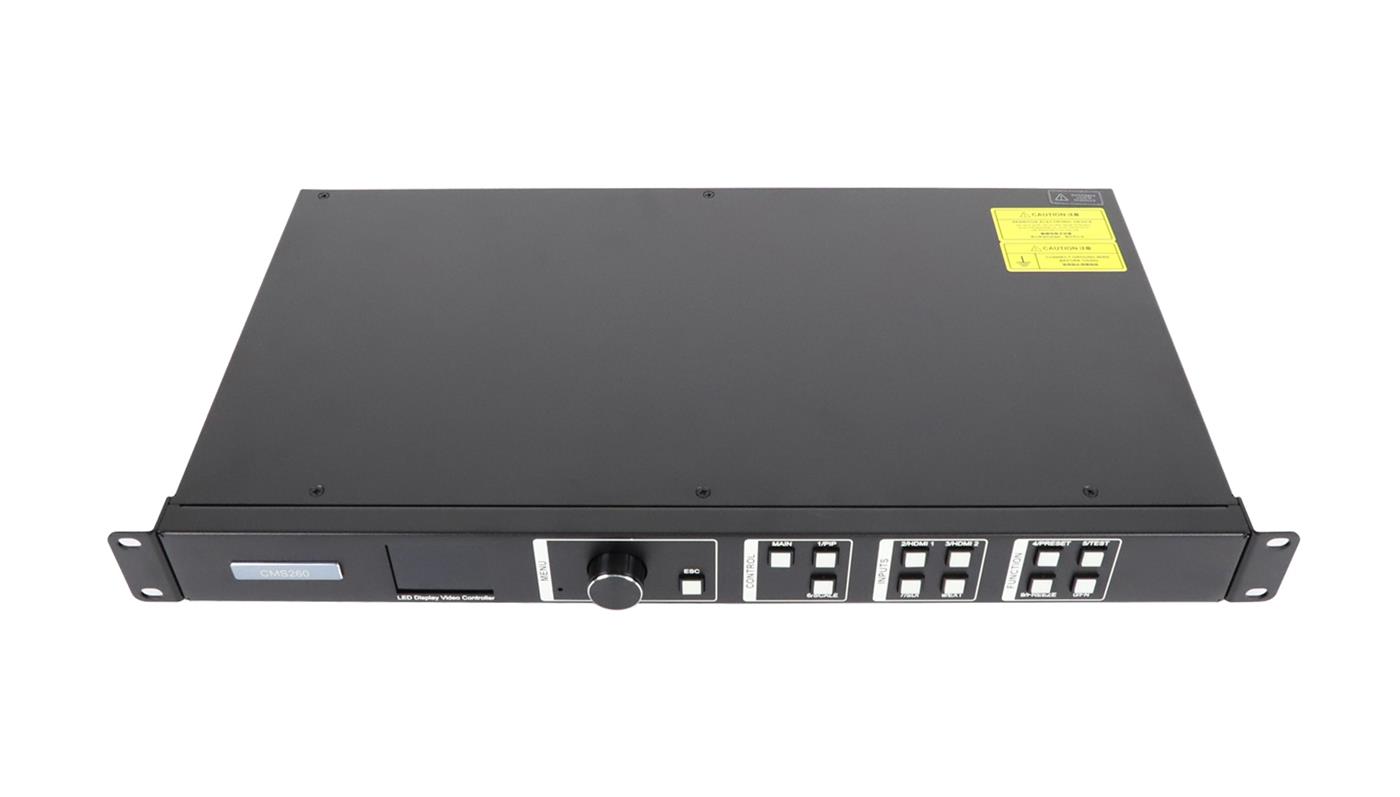
You can review the store’s LED controller accessories category when assembling the request, but category membership does not prove that an accessory works with this controller. Obtain model-specific confirmation. A product photograph should not substitute for a parts list, particularly when the card itself is absent from the controller gallery.
Agree where ordinary volume adjustments will happen. Giving operators several undocumented gain controls can make fault reports confusing: one person changes the laptop, another changes the processor, and a third changes the mixer. A project handover should identify the normal adjustment point and the reference settings elsewhere. This is an operating recommendation, not a claim that the CMS260 provides any particular gain-management feature.
4. Compare the two audio routes before buying accessories
Start with the venue’s operating requirement: should sound travel through the LED controller arrangement, or should the sound system receive a separate feed? Both are design options to investigate. The right choice depends on the available source connections, equipment locations, and who operates the room. The CMS260 specification establishes one extraction route; it does not decide the room’s entire audio architecture.
Consider a hypothetical venue that already has an audio mixer used for microphones and presentation sound. Keeping the mixer as the operator’s main control point may be useful, whichever upstream route is selected. Ask the integrator to show how presentation audio reaches that mixer and how it is selected alongside microphones. Do not purchase a multifunction card simply because the LED installation includes a controller; first establish whether the agreed design actually uses that extraction path.
| Design question | Controller-based extraction | Independent audio feed |
|---|---|---|
| Where does sound leave the video path? | At the compatible multifunction card in the approved port 1 arrangement | At a separately verified source output or other specified interface |
| What must purchasing identify? | The card, its power requirements, and its connection to the venue sound system | The separate interface, cables, and source settings required by that design |
| What happens when video sources change? | Confirm the supported audio selection behavior on the supplied system | Define whether the operator must also select a different audio feed |
| What needs acceptance testing? | The complete controller, card, and downstream sound route | The independent sound route together with its matching video presentation |
A separate feed is not automatically simpler, and controller-based extraction is not automatically more reliable. Compare the number of operator actions and the equipment each route adds. For a room with visiting presenters, write down what happens when a guest replaces the normal laptop. The design should make the required connection and selection clear enough for the designated operator to repeat.
Evaluate quotes against the same scope. One quotation may include an extraction card and its power supply, while another covers only the controller. A lower total is not meaningful until both lists describe the same working result. Request separate line items for hardware, cabling, configuration, and the agreed demonstration. This also makes it easier to assess a proposed accessory replacement without reopening the entire screen purchase.
5. What a working picture cannot tell you
A clear image on the LED wall does not verify the NovaStar CMS260 audio output chain. The playback application may be sending sound elsewhere, the required extraction hardware may be missing, or the downstream sound system may be muted. These are possible checks to organize, not a diagnosis of a specific fault.
Write a small acceptance scenario around the room’s real use. For a presentation room, that might mean playing an authorized test clip from the designated laptop, confirming its selected audio destination, and listening through the intended loudspeakers. Record which input and operating state passed. A silent slide deck cannot demonstrate that the sound route works.
Also distinguish normal startup from source changes. If the room uses two laptops, define what should be heard when the operator switches between them. Do not infer audio-follow-video behavior, mixing, or layer-based audio selection from the presence of two on-screen video layers. Ask for the supported behavior to be demonstrated on the supplied equipment.
When reviewing NovaStar CMS260 audio output with the venue team, include visible speech or another suitable synchronization reference in the acceptance material. Observe the complete system, including any downstream audio processing. Agree what the client considers acceptable; the cited specification is not a measured end-to-end lip-sync report for your room.
For the control computer and cabinet configuration, use our CMS260 software setup guide. Include the audio checks alongside the wider LED wall commissioning and handover checklist, so the room has one agreed acceptance record.
6. Define the acceptance and handover record
Turn “audio works” into an observable result before the installation visit. A useful acceptance statement identifies the playback source, selected input, test material, listening location, and expected operator action. For example: the named presentation laptop plays the agreed clip through the room loudspeakers, and the venue operator can adjust listening volume at the agreed control point. This is a suggested test description, not a promised CMS260 performance result.
Include the startup sequence in that record. After the installer saves the approved settings, ask for a planned restart of the relevant equipment and repeat the normal playback check. Record anything the operator must select again. If a laptop is both the video source and the control computer, distinguish those roles: disconnecting it may remove the program material as well as the control connection.
Keep the fault report specific if the test fails. Note whether the LED picture remains correct, whether the source reports the intended audio destination, and whether the downstream mixer shows a signal where that indication is available. Record the last change before the failure. These observations narrow the support discussion without assuming that a silent room proves a defective controller.
Finally, leave a labeled connection drawing, the confirmed accessory model, relevant settings, and the acceptance record with the venue. Name the party responsible for supporting the controller-to-card connection and the party responsible for the downstream sound equipment. That division is especially useful when the LED contractor and audio installer are different companies: each team can see the agreed handoff point and the evidence needed to investigate a problem.
7. Frequently asked questions
01. Does the CMS260 specification guarantee audio extraction from an SDI source?
The audio feature description specifically identifies HDMI. The cited sheet does not establish the SDI audio extraction behavior needed for your installation. If the source is an SDI camera or switcher, request written confirmation of the complete audio route or specify a separately verified audio path.
02. Is the multifunction card included with every CMS260?
Do not assume it is. The specification’s packing list names a power cord, USB cable, HDMI cable, and approval certificate, but does not list a multifunction card. A seller may offer a bundle, so use the actual quotation to establish what will be delivered.
03. Can the audio be routed separately from the LED controller?
Potentially, if the source and venue audio system provide an appropriate independent connection. An integrator should assess that route as its own design, including source selection and synchronization. It does not demonstrate NovaStar CMS260 audio output capability and should be described separately in the equipment schedule.
04. Will a generic Ethernet-to-audio adapter work?
The connector alone cannot answer that question. Request a specifically supported multifunction card and wiring arrangement. Without that confirmation, a generic adapter is an unverified substitution, even if its connectors physically fit the available cables.
8. Get the audio connection confirmed before ordering
Send the HDMI source model, controller revision if known, proposed multifunction card, venue audio input, and a simple cable drawing through the EagerLED configuration inquiry page. Include whether the room needs source switching or backup, and identify any existing equipment that must remain.
Ask for an itemized NovaStar CMS260 audio output configuration and a demonstration scope that covers the source, extraction hardware, and downstream sound connection. That gives purchasing a clear accessory list and gives the installation team a defined result to verify.