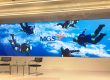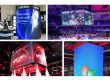


An exhibition LED screen is a modular, direct-view display used in a trade-show booth to show product demonstrations, brand stories and live presentations. The right system combines readable detail at the closest visitor position with a cabinet layout, power supply and installation plan that the venue can approve.
Choosing an exhibition LED screen involves more than ordering the largest wall that fits. Buyers must compare pixel pitch, native resolution, brightness, transport, setup labor and service access. This guide helps exhibitors and booth contractors select a practical system, compare rental with purchase and prepare an accurate quotation brief without relying on headline specifications alone.
1. What Is an Exhibition LED Screen?
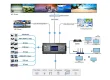
An exhibition LED screen uses LED pixels to produce the image directly. Modules fit into cabinets, cabinets form the display surface, and a controller maps incoming video to that surface. A complete system also needs signal distribution, electrical distribution, a suitable support structure and a playback source. Cabinet dimensions determine which wall sizes can actually be assembled.
The term exhibition screens can also describe televisions, projection screens and illuminated fabric lightboxes. A lightbox lights a printed graphic; it does not play video. An LCD monitor can be a sensible choice for detailed software demonstrations at a desk. A modular LED wall becomes useful when the brief calls for a larger continuous image, an unusual aspect ratio or a display integrated into the stand architecture.
For an exhibition LED screen, define the job first: attracting people across an aisle, explaining a product to a small group, or supporting a presenter. Those tasks require different content and viewing arrangements. A high wall carrying a short headline should not be specified in the same way as a close-range display showing engineering diagrams.
2. Compare LED Screens for Exhibitions
Choose the exhibition LED screen format from the booth layout and the visitor journey. The formats below describe different construction or presentation approaches; a rental cabinet system can also form a curved display if its approved hardware supports that configuration.
| Format | Best-fit use | Check before ordering |
|---|---|---|
| Flat modular LED wall | Product videos, presentation backdrops and wide booth walls | Cabinet grid, total weight, native canvas and service space |
| Portable LED poster | Compact entrances and vertical messages | Base footprint, stability, transport case and playback method |
| Flexible LED display | Columns, curved features and custom surfaces | Approved bend radius, supporting frame and repair access |
| Transparent LED display | Booths that preserve sightlines or show products behind glass | Background light, transparency tradeoff and text legibility |
| Outdoor-rated LED wall | Outdoor stands and exposed event areas | Environmental ratings, wind design and daylight performance |
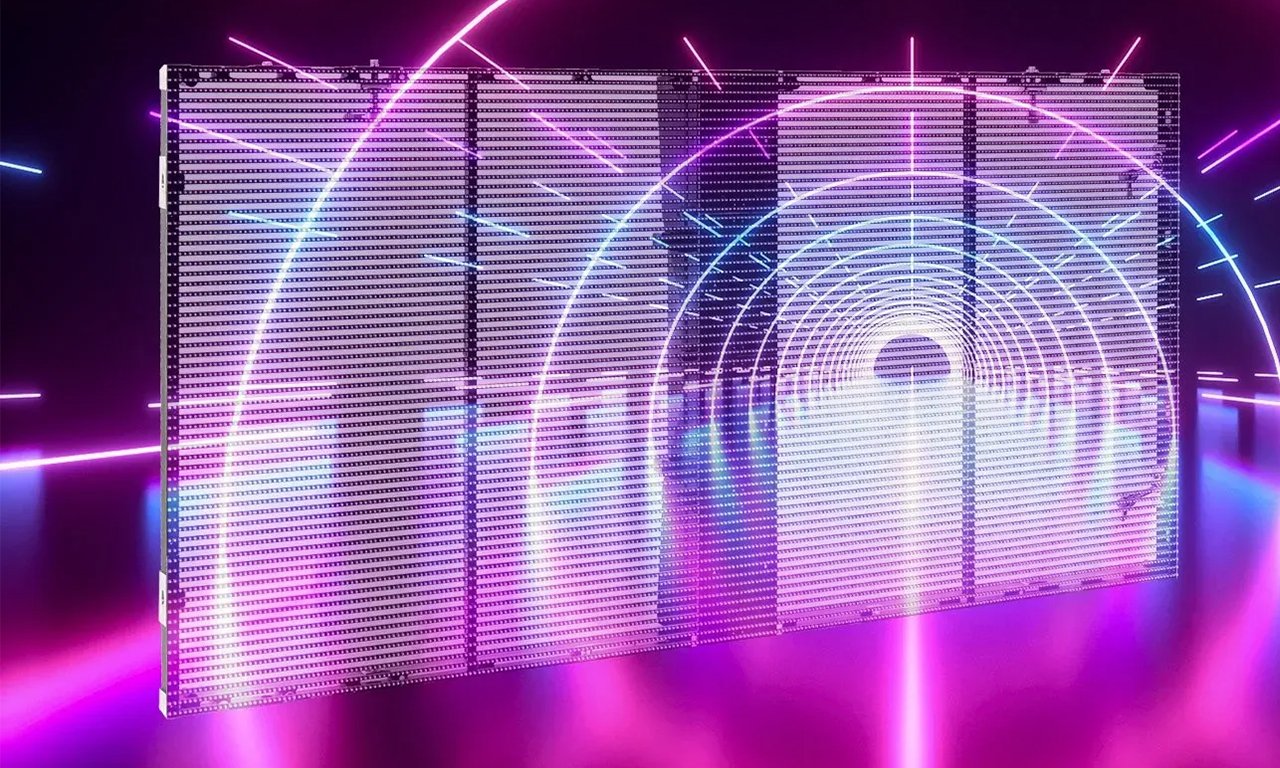
A transparent exhibition LED screen sacrifices some image density to preserve visibility through the display. It is therefore not an automatic substitute for an opaque wall showing fine text. Similarly, flexible modules need an engineered supporting surface; flexibility does not make them self-supporting. Confirm these constraints while the booth drawings are still easy to change.
3. Select Pixel Pitch and Native Resolution
01. Match the exhibition LED screen to the nearest viewer
Pixel pitch is the distance between neighboring pixel centers, measured in millimeters. A smaller pitch provides more pixels within the same physical area. Start with the closest normal viewing position, including visitors who step inside the booth, and test the smallest text they need to read. A screen that looks smooth from the aisle can still show visible pixel structure at a demonstration counter.
As a rough shortlist, the pitch number in millimeters can be compared with the viewing distance in meters. This is a screening convention, not a guaranteed comfortable distance or a quality standard. Detailed interfaces, diagrams and camera shots may require a finer pitch. The LED display pixel pitch guide explains the relationship in more detail.
| Visitor position | Pitch candidates to discuss | Acceptance test |
|---|---|---|
| Approximately 1–2 m | P1.2–P1.9 | Read actual product labels and thin lines at the nearest position |
| Approximately 2–3 m | P1.9–P2.6 | Compare demonstration text, gradients and brand imagery |
| Approximately 3–5 m | P2.6–P3.9 | Check aisle headlines and video detail from both sides |
| Beyond approximately 5 m | P3.9 and coarser options where appropriate | Verify the smallest essential message and camera requirements |
02. Calculate the physical pixel canvas
For a conventional square pixel grid, horizontal pixels equal screen width in millimeters divided by pixel pitch; vertical pixels equal height divided by pitch. For example, a theoretical 3,000 × 2,000 mm wall at P2.5 contains 1,200 × 800 pixels. That is a 3:2 canvas, so a 16:9 video requires cropping, letterboxing or a redesigned composition. Confirm the final figures from the actual cabinet array.
An exhibition LED screen accepting a 4K input does not necessarily contain 4K physical pixels. Ask the supplier to distinguish source resolution, processor capacity and native display resolution. Have the content designer receive the final pixel map before animation starts, including any corners, gaps or separately controlled surfaces.
4. Specify Brightness, Color and Camera Performance
01. Test at the brightness you will use
The exhibition LED screen should remain readable under venue lighting without overwhelming people standing nearby. Maximum brightness is only one specification. Request adjustment range, color consistency and a demonstration at the planned operating level. Dark gradients and skin tones can reveal problems that a vivid promotional loop hides.
Window-side stands and outdoor events require a separate assessment of ambient light and exposure. An indoor cabinet should not be treated as weatherproof because the event lasts only a day. Confirm which surfaces and connectors carry the stated protection rating and whether the entire installed system is suitable for the location.
02. Separate refresh rate from video frame rate
Refresh rate describes LED driving behavior; content frame rate describes how often the video image changes. A high advertised refresh figure alone does not guarantee a clean camera image. Scan behavior, shutter settings, brightness, camera distance and processing can all affect banding or moire. Test the proposed exhibition LED screen with the camera and settings intended for interviews or livestreams.
If a presenter or interactive application is involved, assess end-to-end delay from the source through processing to the wall. Confirm input connections, switching behavior and a backup source. A simple playback loop and a live product demonstration may need very different control systems even when the cabinets are identical.
5. Exhibition LED Screen Price: Rental or Purchase?
There is no reliable universal exhibition LED screen price per square meter. Pitch, display area, cabinet construction, processor capacity, support structure, freight and local labor all change the total. Compare quotations against the same drawing, event dates and responsibility list. A panel-only price cannot be compared directly with a complete installed rental package.
| Cost item | Rental question | Purchase question |
|---|---|---|
| Display and controller | Which pitch, dimensions and processor are included? | Are controllers, licenses, cables and spares included? |
| Structure and labor | Does the package cover build, testing and dismantling? | Who provides a reusable frame and trained crew? |
| Transport | Are delivery, return freight and venue handling included? | What are case dimensions, shipping terms and import costs? |
| Show support | Is a technician on site, on call or separately charged? | Who diagnoses faults and holds compatible spare modules? |
| Between events | Are extension days or late returns chargeable? | Include storage, insurance, inspection and repairs |
| Future layouts | Can the next event use a different size or pitch? | Will the owned cabinet inventory fit future booth designs? |
Rental often fits an occasional exhibition or a changing international event schedule. Purchase deserves consideration when the exhibition LED screen will be reused regularly and the business can manage storage, transport and maintenance. A manufacturer supplying rental-style cabinets is not necessarily providing a local event rental service; confirm the commercial arrangement and installation responsibilities explicitly.
A useful comparison is: ownership cost over the planned period equals purchase, logistics, storage, maintenance and operating costs, minus any realistic residual value. Compare that with complete rental costs for the same events. Do not set a break-even event count until both sides include equivalent labor and support. Request a written explanation of exclusions before paying a deposit.
6. Plan Exhibition Stand Installation and Power
01. Approve the structure before fabrication
An exhibition LED screen needs a support design appropriate to its weight, height and location. Ground support, wall integration and overhead suspension each have different constraints. Give the organizer drawings showing total dimensions, equipment weight, support footprint, service access and cable routing. Obtain the required venue approvals and use qualified contractors for structural and electrical work.
Do not assume that a decorative booth wall can carry LED cabinets. Check floor loading, permitted fixing methods and any restriction on overhead equipment. Outdoor designs also need a project-specific wind and weather assessment. Keep exits, visitor circulation and accessible routes clear; a freestanding poster base can occupy more useful floor area than its display face suggests.
02. Budget electricity and service access
Ask for maximum electrical demand, expected operating consumption and the distribution design as separate items. Maximum demand helps the electrical contractor size the supply; average consumption depends on brightness and content. For illustration only, a 6 m² display quoted at 600 W/m² maximum would have 3.6 kW of maximum panel demand, before processors and other equipment. Use the selected model’s actual figures for the final design.
Front-service modules can help where rear clearance is limited, but the full system may still need access to power supplies, connectors or control hardware. Verify the removal path for a failed component. For an exhibition LED screen installed against a finished booth wall, discovering an inaccessible receiver card after opening time can turn a small fault into a lengthy interruption.
Build time should include unloading, cabinet inspection, frame assembly, mapping, calibration and content rehearsal. Agree on spare modules, power supplies and receiving cards, including who may replace them. Keep a labeled cable map and a tested local backup playback file at the stand.
7. Create Content for Trade Show LED Displays
An exhibition LED screen works best when the message is understandable without sound. Start with a product benefit, show the product in use, provide specific supporting information and finish with one clear next action. Visitors may join the loop at any moment, so each scene should identify the brand or product without needing the previous scene.
Design for the wall’s native canvas rather than placing a full presentation slide on it. Use short headlines, generous spacing and strong contrast. Keep essential text away from floor-level areas that people or furniture may obscure. Test logos, fine lines and gradients on the actual display at operating brightness, not only on a laptop.
For a QR code, provide a stable, high-contrast frame and enough dwell time to scan. Test several phones from realistic visitor positions and show a short alternative URL. Avoid placing the code across a corner or a region hidden by a demonstration counter. If internet access is unreliable, the exhibition LED screen should continue its core presentation from local media.
Measure outcomes that match the brief: qualified conversations, completed demos or attributable landing-page visits. A busy-looking booth is not proof of a return on investment. Give the sales team a simple way to identify which message visitors responded to and use that information to improve the next event.
8. EagerLED Exhibition LED Screen Options
Use the following product families as starting points for an exhibition LED screen specification. Confirm the exact model, current datasheet and delivery scope; features differ between configurations.
01. Flexible surfaces and curved features
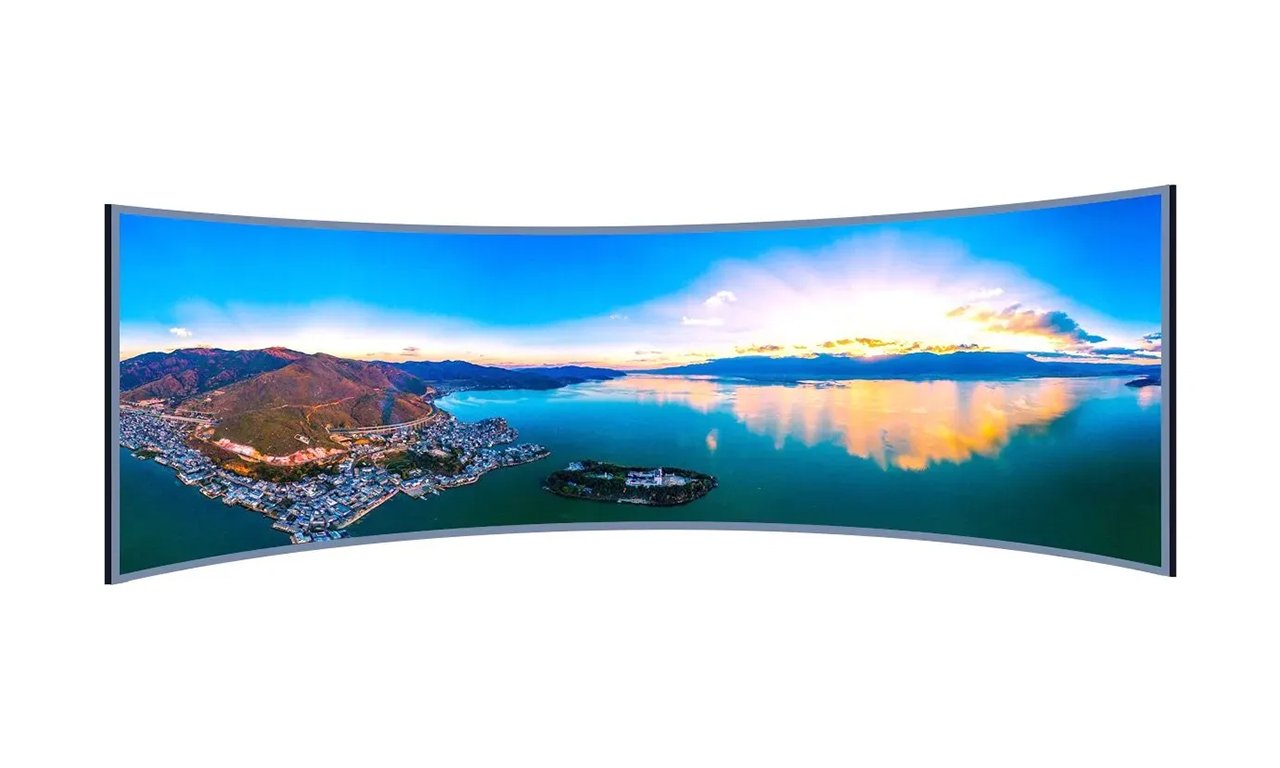
The EA-Flex flexible LED display family is relevant when the booth design requires a curved surface. Share the intended geometry and supporting structure so the supplier can confirm achievable curvature and maintenance access.
02. Portable vertical messaging
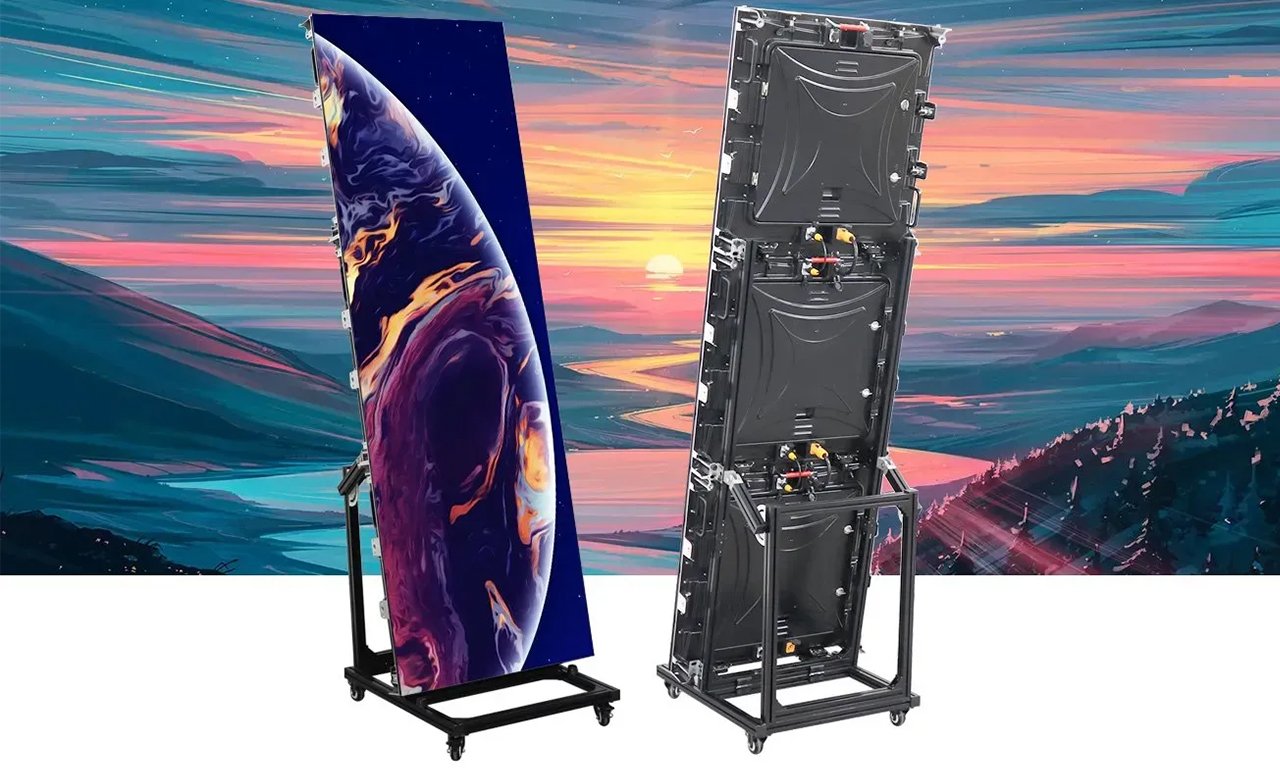
An LED poster display can suit entrances or compact product zones. Review the base, mobility, protective packaging and playback workflow. When several units must show a continuous image, confirm synchronization and the physical join.
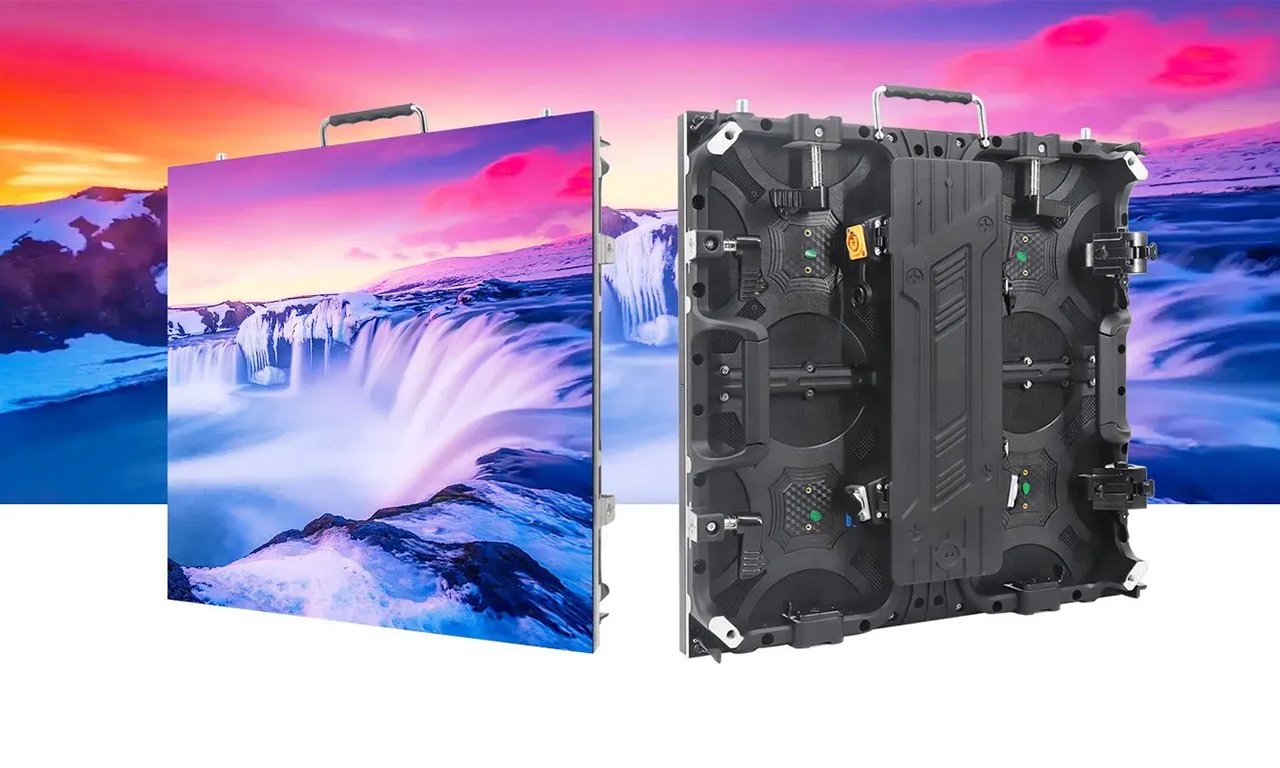
03. Modular temporary-event walls
The rental LED display range provides a starting point for reusable event cabinet systems. For your exhibition LED screen, compare cabinet dimensions, handling protection, locking hardware and the available service method. Confirm local assembly and support separately from equipment supply.
04. Displays that preserve sightlines
A transparent LED screen can place moving imagery in front of a visible background. Send photographs of the proposed location and lighting. Ask for a content test that includes the smallest required lettering rather than assessing transparency from a product photograph alone.
9. Prepare a Quote and Acceptance Checklist
To receive a useful exhibition LED screen proposal, send the booth drawing, venue and event dates, indoor or outdoor conditions, closest viewing distance, required content and available electrical supply. Add any restrictions on height, rigging, setup hours and delivery access. State whether the budget covers equipment alone or the entire event installation.
Request a cabinet layout and native-resolution drawing with the quotation. Require the supplier to identify the processor, input formats, maximum demand, spare-parts package and responsibility for freight, customs, installation and show support. Record the agreed brightness and content test conditions so the delivered system can be assessed consistently.
Before opening, inspect image uniformity, cabinet alignment and visible pixel faults. Run every input, restart the playback system and test the backup route. Rehearse live demonstrations and confirm that a technician can safely reach the necessary components. The exhibition LED screen should pass these checks with the actual content, not just a factory color pattern.
10. Exhibition LED Screen FAQ
01. Can an exhibition LED screen run without an internet connection?
Yes, when the selected playback system supports local files. Confirm storage, scheduling and restart behavior before the event. Cloud updates, live feeds and web applications still need connectivity. Keep an approved local presentation ready so a network outage does not stop the display.
02. Can I connect a laptop directly to the LED wall?
Usually the laptop connects to a video processor or controller rather than to the LED modules. Confirm the accepted input, adapter, resolution, frame rate and content-protection requirements. Rehearse the actual laptop and presentation, including what appears during connection and source switching.
03. Can the same exhibition LED screen be reused in a smaller booth?
Often, but only within the cabinet system's supported configurations. A smaller array changes the native canvas and may need a new support arrangement, controller mapping and content layout. Check cabinet compatibility and keep matching spare modules; visual consistency can vary between production batches.
04. How can I prevent visitors from damaging the display?
Use an approved layout that separates vulnerable display surfaces from bags, trolley routes and crowded corners. Ask about the specific model's protective construction and repair process. Protective coatings do not make every panel impact-proof, and barriers must not obstruct accessible circulation or emergency routes.
05. Will an LED wall be too noisy for booth conversations?
Noise depends on cabinet cooling, processors and their placement. Ask for acoustic information or a demonstration at realistic load. Place equipment away from meeting areas where possible while maintaining the manufacturer's ventilation clearances. Do not block cooling openings to reduce noise.
11. Conclusion
A successful exhibition LED screen starts with the visitor’s viewing position and the message they need to understand. Select a suitable format, validate pixel pitch with real content, compare complete rental and ownership costs, and settle structure, power and support responsibilities before the show.
For a project-specific exhibition LED screen proposal, contact EagerLED with your booth dimensions, venue conditions, event dates and content requirements. Ask for an agreed cabinet layout, native pixel canvas and itemized scope so the final decision is practical, measurable and ready for installation.