

If you plan to buy a monitor, LED display, or digital signage, you’ve likely felt confused about this common term: IPS VS LED Display. Many people identify them as the same type of jargon to describe LED displays with different technologies. That is a huge misconception someone always has, resulting in mismatched purchases and disappointing visual performance.
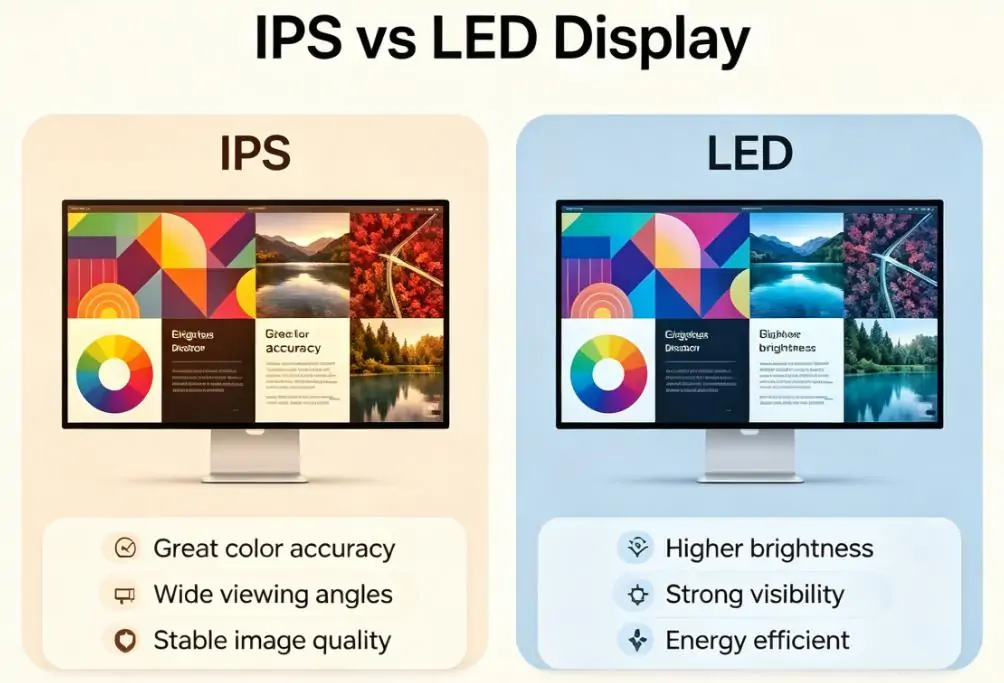
The short version: IPS is a type of LCD panel technology, while LED usually refers to the light source behind an LCD screen.
Having the basic knowledge about IPS and LED is really an important step toward making the right choice. This blog breaks down exactly what they mean, how they work, key differences, and how to choose the best one. Reading this comprehensive guide. I believe you will know what technology fits your space, content, and goals perfectly.
1.IPS Display vs LED Display: Start With the Right Definition
2.Key Difference between IPS and LED Displays
3.How to Choose Between IPS and LED Display
4.IPS vs LED Display: Which is Better for You?
5.Which is More Expensive: IPS or LED Display?
6.IPS LCD vs IPS LED Comparison Guide
7.FAQs
8.Conclusion
1. IPS Display vs LED Display: Start With the Right Definition
Before comparing performance, it helps to clear up one common misunderstanding: IPS and LED are not always direct competitors.
IPS stands for In-Plane Switching. It is an LCD panel type that controls how liquid crystals move inside the screen. IPS panels are known for stable colors and wide viewing angles.
LED, in many consumer products, refers to the backlight behind an LCD panel. In other words, an “LED monitor” may still use an IPS panel, a VA panel, or a TN panel. The LED part only describes the lighting method.
In commercial displays, though, LED can mean direct-view LED. These screens do not use an LCD layer at all. Instead, the screen is made from tiny LED modules that create the image directly.
That is why a direct IPS vs LED display comparison only makes sense when you know which type of LED display you are talking about.
1.1 What Is an IPS Display?
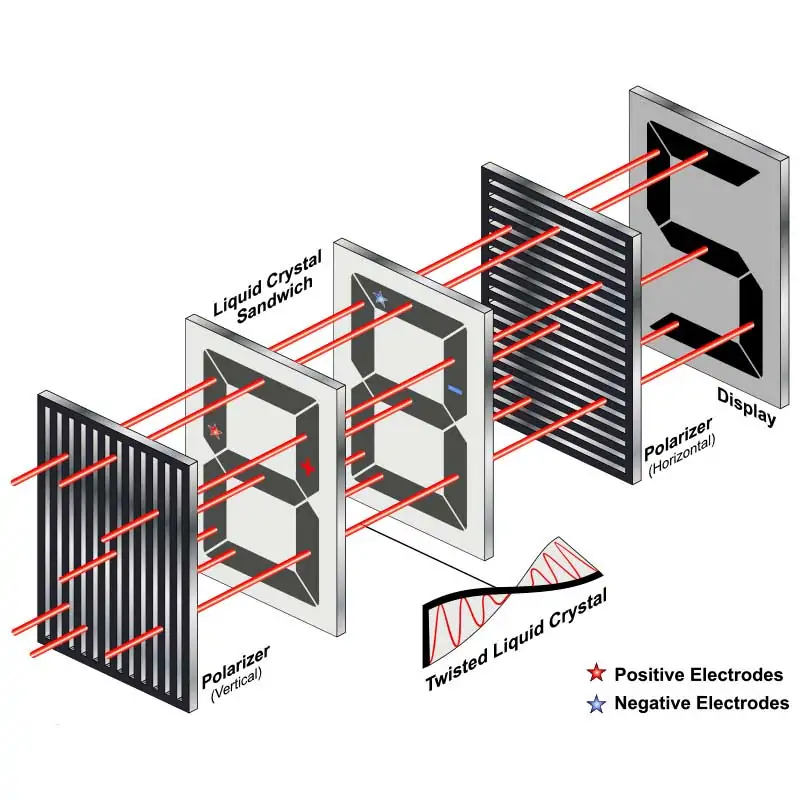
An IPS display is an LCD screen designed to deliver more consistent color and better viewing angles than older LCD technologies.
Instead of twisting the liquid crystals in a way that causes color shift at the edges, IPS panels align the crystals in a flatter, more stable pattern. The result is a screen that looks more uniform from the side, from above, or when multiple people are viewing it at once.
That makes IPS a popular choice for:
- photo editing
- graphic design
- office work
- content creation
- laptops used at different angles
- monitors shared by multiple viewers
1.1.1 IPS Pros
- Wide viewing angles
- Strong color accuracy
- Stable image quality
- Comfortable for long work sessions
- Good for collaborative viewing
1.1.2 IPS Cons
- Usually more expensive than basic LCD alternatives
- Contrast can be weaker than VA panels
- Dark scenes may show a little “IPS glow”
- Not always the cheapest option for gaming or general use
For many buyers, IPS is the safer choice when image quality matters more than the lowest possible price.
1.2 What Is an LED Display?
“LED display” can mean two very different things.
a. LED-backlit LCD
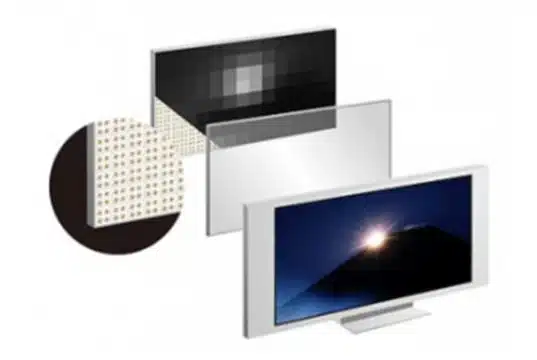
This is the version most people see in consumer electronics. The screen is still an LCD panel, but it uses LED lights for backlighting instead of older fluorescent backlights.
This type of display is common in:
- TVs
- laptops
- computer monitors
- tablets
- budget-friendly displays
b. Direct-view LED
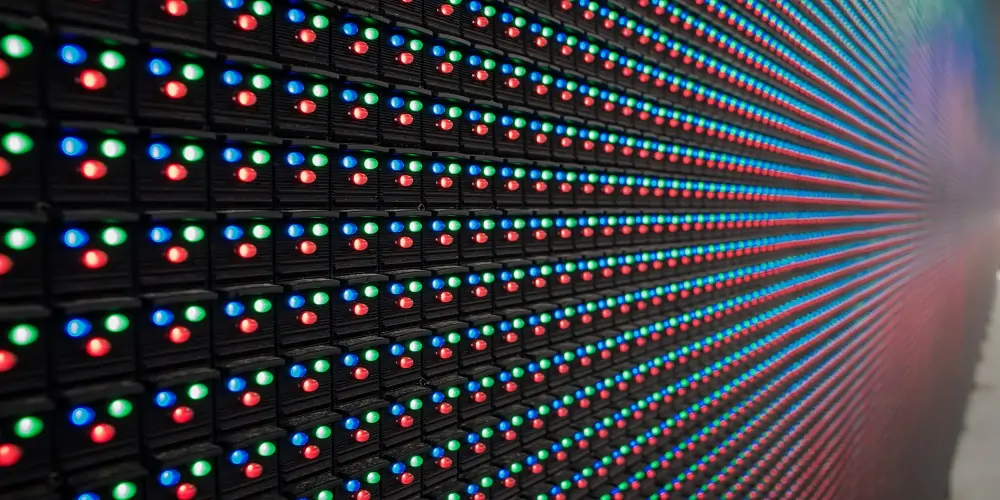
This is the version used in large commercial displays, stadium screens, outdoor billboards, and video walls. Each pixel is formed by LED modules, so the screen produces light directly.
This type is common in:
- retail signage
- event displays
- outdoor advertising
- command centers
- stadiums
- large conference installations
1.2.1 LED Display Pros
- High brightness
- Strong visibility in bright environments
- Good scalability for large screens
- Energy efficient compared with older lighting systems
- Durable for commercial use
1.2.2 LED Display Cons
- The term “LED” alone is vague
- Consumer LED screens still depend on the underlying panel type
- Direct-view LED can be expensive
- Not always the best choice for close-up color-critical work
The biggest takeaway is simple: IPS tells you about the panel; LED often tells you about the lighting or the screen category.
2. Key Difference between IPS and LED Displays
What is the difference between IPS displays and LED displays? Most of people will come across this question when comparing them. Here, we will explore their key differences from the perspective of color, brightness, viewing angles, energy efficiency, and prices.
| Feature | IPS Display | LED Display |
|---|---|---|
| Technology Type | LCD panel technology | Usually backlight in consumer devices, or direct-view in commercial screens |
| Color Accuracy | Excellent | Depends on the panel or system |
| Viewing Angles | Wide | Depends on the display type |
| Brightness | Good | Can be very high |
| Contrast | Moderate | Varies widely |
| Best For | Design, office work, laptops | TVs, signage, large-format displays |
| Price | Often mid to high | Wide range, from budget to premium |
2.1 Color Accuracy
IPS panels deliver superior, consistent color reproduction with little to no color shift, making them ideal for design, photography, and video editing. LED displays offer good color brightness but are less precise in color accuracy compared to IPS.
2.2 Viewing Angles
IPS displays support extremely wide viewing angles (up to 178°), maintaining clear image quality even when viewed from the side. LED displays often experience washed-out colors or reduced clarity at off-center angles.
2.3 Brightness
LED displays achieve much higher brightness levels, performing excellently in bright environments, outdoors, and under strong ambient light. IPS panels have lower brightness and are more suitable for indoor, controlled lighting conditions.
2.4 Contrast
LED displays generally provide higher contrast ratios, especially direct‑view LED screens, with deeper blacks and brighter highlights. IPS panels have moderate contrast and struggle to produce true deep blacks.
2.5 Price
IPS panels are usually more expensive than standard LED panels of the same size. LED displays offer a more cost‑effective solution, especially for large‑format screens.
2.6 Energy Efficiency
LED displays consume less power and generate less heat, offering higher energy efficiency. IPS LCDs consume more energy due to their backlight and panel structure.
2.7 Durability
LED displays are more durable, resistant to dust, moisture, and physical impact, suitable for long‑term outdoor and commercial use. IPS panels are more delicate and primarily designed for stable indoor environments.
3. How to Choose Between IPS and LED Displays?
3.1 Check your environment
Choose IPS for indoor spaces with controlled lighting. Choose LED for bright rooms, storefronts, or outdoor areas where high visibility is essential.
Best Choice by Use Case
| Use Case | Better Option |
|---|---|
| Photo editing | IPS |
| Video editing | IPS |
| Office work | IPS |
| Gaming | IPS or LED, depending on panel type and refresh rate |
| Home TV | LED |
| Commercial signage | LED |
| Outdoor display | LED |
| Shared meeting room screen | IPS or LED, depending on size and purpose |
3.2 Consider viewing distance & screen size
For small-to-medium screens viewed up close, IPS offers better clarity and color stability. For large screens, video walls, or long-distance viewing, LED is more practical and cost-efficient.
3.3 Prioritize your visual needs
Select IPS if color accuracy, wide viewing angles, and consistent image quality matter most. Select LED if you need high brightness, strong contrast, and long-lasting performance.
3.4 Compare your budget
IPS typically costs more for similar sizes. LED provides better value for large installations and commercial projects.
3.5 Think about long-term use
IPS is ideal for office, gaming, and professional indoor use. LED is more durable, energy-efficient, and better for continuous public or outdoor operation.
By combining these factors with your actual demands, you can easily decide which one is the better fit.
4. IPS vs LED Display: Which is Better for You?
Honestly speaking, there is no final winner for IPS vs LED display. Choosing one meeting your needs best is an excellent decision for your usage. So when people ask whether IPS is better than LED, the real answer is often: better for what?
4.1 IPS vs LED for Laptop Displays
For laptops, IPS is often the better choice.
Why? Because laptop screens are viewed up close and from changing angles. You tilt the screen, shift your posture, and carry the device around different lighting conditions. IPS handles all of that well.
That is one reason so many laptops now advertise IPS panels clearly. It gives users a more stable, cleaner-looking image for everyday work and entertainment.
LED on a laptop listing usually means the backlight type, not the panel type. Since most modern laptops already use LED backlighting, that label does not say much by itself.
If you are comparing laptop screens, look for:
- IPS panel
- brightness in nits
- color gamut
- resolution
- refresh rate
- anti-glare coating
4.2 IPS vs LED Display for Gaming
Gaming is a little more balanced.
IPS used to be seen as slower than other panel types, but that gap has narrowed a lot. Today, many Fast IPS panels offer excellent response times and high refresh rates, making them a strong choice for competitive and casual gaming alike.
LED-based gaming displays can also be excellent, but again, the real question is what panel sits behind the backlight. A VA gaming monitor may offer better contrast, which helps in dark game scenes. A TN panel may still appeal to players who care most about speed and price.
For gaming, the best display depends on your priorities:
- Competitive gaming:high refresh rate, low response time, low input lag
- Story-driven games:contrast and image quality matter more
- All-around gaming:IPS is often the most balanced option
4.3 IPS vs LED Display for Office Work
This is where LED really shines.
If you need a screen for:
- retail advertising
- airport information boards
- stadium screens
- stage backdrops
- conference walls
- outdoor promotions
then direct-view LED is often the better solution.
Why? Because it can be extremely bright, scaled to huge sizes, and made visible even in strong ambient light. It is also designed for the kind of constant operation commercial environments demand.
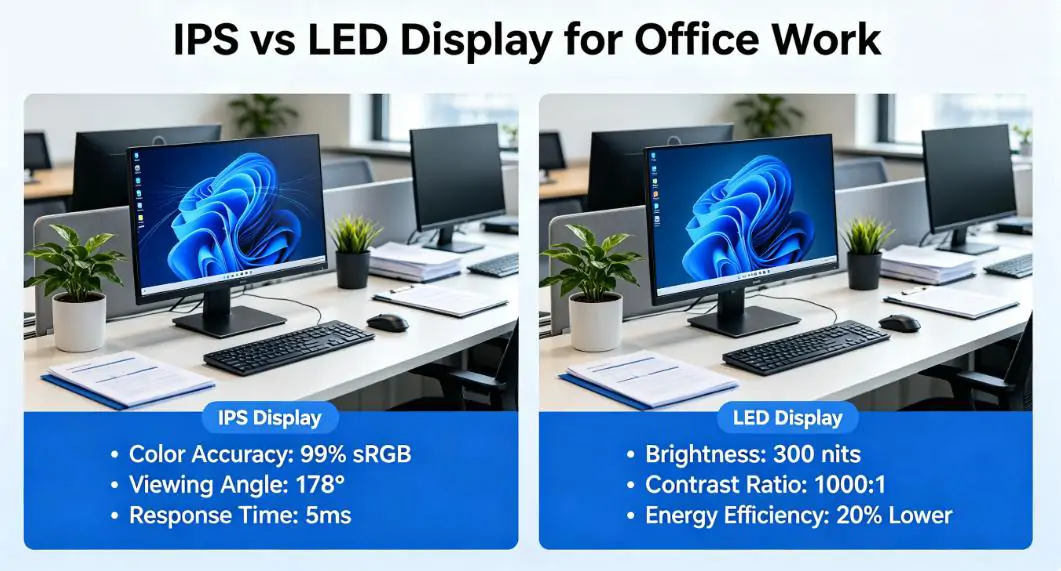
An IPS monitor simply is not built for that job. It works well at a desk or in a controlled indoor setting, but it cannot compete with the brightness and scale of a true LED wall.
5. Which Is More Expensive: IPS or LED?
This depends on what kind of product you are comparing.
1. Desktop Monitors
A good IPS monitor is often more expensive than a basic LED-backlit monitor with a lower-quality panel.
2. TVs
LED TVs are common, competitive, and available at many price points. They usually offer more screen size for the money than professional IPS monitors.
3. Commercial Video Walls
Direct-view LED is usually far more expensive than standard IPS displays. The hardware, installation, and maintenance all add up.
So the real answer is that price depends more on the display category than on the label itself.
6. IPS LCD vs IPS LED Comparison Guide
Many buyers confuse IPS LCD and IPS LED—in reality, they are closely related but not the same category.
IPS describes the panel technology, while LCD vs LED refers to the backlight type.
This guide clarifies their real differences to help you choose correctly.
6.1 What Do They Actually Mean?
- IPS LCD:Traditional LCD panel using IPS technology, usually with CCFL backlighting (older, bulkier, less efficient).
- IPS LED:An IPS panel backlit by LEDs—thinner, brighter, more energy-efficient, and the modern standard.
In short: Both use IPS viewing-angle technology; the difference is the backlight.
6.2 Key Differences at a Glance
a. Thickness & Design
- IPS LCD: Thicker, heavier, larger bezels
- IPS LED: Slim, lightweight, sleek modern design
b. Brightness
- IPS LCD: Lower brightness, poor performance in bright rooms
- IPS LED: Much higher brightness, clearer under ambient light
c. Energy Efficiency
IPS LCD: Higher power consumption, more heat
IPS LED: Lower energy use, cooler operation
d. Color & Image Quality
Both offer excellent color accuracy and wide 178° viewing angles
IPS LED often has more uniform backlighting and better contrast
e. Lifespan & Durability
IPS LCD: CCFL lamps degrade over time
IPS LED: LED backlights last far longer with minimal brightness drop
6.3 Which Should You Choose?
Choose IPS LCD only if you need a cheap replacement for an old device.
Choose IPS LED for all modern uses: monitors, TVs, laptops, digital signage, professional work, gaming, and daily use.
7. FAQs
1. Which display type is better, IPS LCD, or LED?
Yes, a 1,000,000:1 contrast ratio is excellent, but it’s likely a dynamic contrast ratio, which measures the display’s ability to adjust brightness in different scenes. For true image quality, focus on the static contrast ratio (typically 1000:1 to 3000:1 for most displays).
2. IPS Display vs LED Display: Which is Better for Eyes?
Both are eye-friendly when used properly, but IPS LCD has a slight edge. But modern models also have low-blue light and anti-glare features. The key is to adjust brightness to match ambient light, regardless of the display type.
3. How many types of monitors?
Monitors are categorized by panel technology, with four main types dominating the market:
- IPS: Best for color accuracy and wide viewing angles (design, office work).
- VA: High contrast ratio for deep blacks (movies, gaming).
- TN: Fast response time but poor color and viewing angles (budget gaming).
- OLED: Self-lit pixels for infinite contrast and vibrant colors (premium gaming, media), but with potential burn-in risk.
4. Which is better, IPS LCD or AMOLED?
It depends on your priorities. IPS LCD is better for affordability, color consistency, and long-term durability (no burn-in risk). AMOLED (a type of OLED) offers deep blacks, high contrast, and thinner design-but it’s more expensive and has a slight burn-in risk.
5. Can an OLED display be IPS?
No, an OLED display cannot be IPS. IPS is a panel technology specific to LCD (liquid crystal displays), which relies on a backlight and liquid crystals to produce images.
OLED (organic light-emitting diode) is a separate technology where each pixel emits its own light, requiring no backlight or liquid crystals—they are two distinct display technologies with no overlap.
8. Conclusion
There is no universal winner in the IPS vs LED display debate.
The smartest choice is not based on the label alone. It is based on where the screen will be used, how long it will be used, and what you expect from the picture.
For most everyday users, IPS is the better all-around choice for monitors and laptops. For TVs and large-scale displays, LED often makes more sense. Once you understand the difference, the decision becomes much easier.