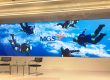


An LED backdrop screen is a modular video wall placed behind a stage, presenter or performance area. It displays changing scenery, presentation slides, live camera feeds and branded visuals. Choosing one requires more than a screen width and a price: viewing distance, native resolution, ambient light, camera settings and installation conditions must work together.
This guide explains how to specify an LED backdrop screen for concerts, conferences, weddings, worship spaces and studios. It includes a worked sizing example, practical design checks and a quotation checklist for buyers comparing local rental services with equipment purchased from a manufacturer.
Start with these five inputs: screen width and height, nearest audience distance, indoor or outdoor location, camera requirements, and event country/date. Confirm the cabinet layout and native pixel dimensions before commissioning artwork or comparing prices.
1. What is an LED backdrop screen?
An LED backdrop screen uses light-emitting pixels arranged in modules and cabinets. Cabinets join into a larger display, while a video processor maps incoming content to the physical pixel layout. Power distribution, receiving cards, data connections and a suitable support structure complete the system.
“LED screen backdrop,” “LED background screen” and “LED wall backdrop” generally describe the same stage application. They do not define one particular pixel pitch or cabinet type. A rental cabinet designed for frequent assembly differs from a fixed-installation cabinet, even when both display the same content.
Unlike projection, an LED backdrop screen emits its own light and does not need a projector throw path. That can help in shallow stages and bright venues. However, LED introduces weight, electrical demand, cabinet seams and a visible pixel structure at close range. Projection or a printed backdrop can still be appropriate when content, lighting and budget favor a simpler installation.
The right specification begins with what people must see. Large scenic graphics tolerate a different resolution from small presentation text. A wall that looks good from the back of a hall can still show pixels to front-row guests or produce unwanted patterns in a camera shot.
2. Features of an LED backdrop screen
01. Pixel pitch, viewing distance and native resolution
Pixel pitch is the center-to-center distance between adjacent pixels, expressed in millimeters. A smaller pitch places more pixels within the same screen area. It can improve fine detail and close viewing, but generally increases equipment cost and processing requirements.
Do not select an LED backdrop screen from a universal “minimum distance” formula alone. Content, eyesight, viewing angle and camera use affect the result. Compare candidate pitches with your actual slides and video at the nearest planned viewing position. For indoor projects, the indoor LED screen guide explains additional selection considerations.
| Nominal pitch | Example 500 mm cabinet resolution | Wall resolution with 12 × 6 cabinets | What to evaluate |
|---|---|---|---|
| P2.6 | 192 × 192 pixels | 2304 × 1152 pixels | Fine presentation detail and closer audience positions |
| P2.97 | 168 × 168 pixels | 2016 × 1008 pixels | Balance between detail, processing load and budget |
| P3.91 | 128 × 128 pixels | 1536 × 768 pixels | Stage graphics and larger text at suitable distances |
| P4.81 | 104 × 104 pixels | 1248 × 624 pixels | Large scenic imagery where fine detail is less critical |
These are illustrative cabinet matrices, not a promise that every product offers these configurations. Commercial pitch names are rounded. Use the supplier’s exact cabinet resolution to calculate the final pixel map: cabinets across × pixels per cabinet, and cabinets high × pixels per cabinet.
For example, a 6 m × 3 m LED backdrop screen made from 500 × 500 mm cabinets needs 72 cabinets. With 128 × 128 pixels per cabinet, its native resolution is 1536 × 768, with a 2:1 aspect ratio. Feeding it a 4K signal does not turn it into a native 4K display. A 16:9 presentation must be fitted, cropped or redesigned intentionally.
02. Brightness, weather protection and mechanical design
Brightness is measured in nits, equivalent to cd/m². An indoor LED backdrop screen should dim cleanly to suit stage lighting and camera exposure. An outdoor configuration needs enough brightness for its actual daylight conditions, along with appropriate environmental protection. “High brightness” alone does not establish outdoor suitability.
Ask which surfaces and connectors the stated IP rating covers. Rain exposure, drainage, operating temperature and power connections all need attention. Cabinet locks, alignment pins, edge protection and service access matter for repeated handling. Curved arrangements require compatible locks and approved geometry; ordinary flat cabinets should not be forced into an arc.
03. Refresh rate and camera performance
LED refresh rate describes how the display drives its pixels; it is different from the source video frame rate. A high specification does not guarantee a clean recorded image. Camera shutter settings, scan behavior, synchronization, brightness and processor configuration also affect banding and flicker.
Moiré is a separate interaction between repeating screen detail and camera sampling. For camera-heavy productions, record a full-size test wall with the intended lenses, focus distances and camera movement. Review the footage before approving the cabinet specification.
3. Applications of an LED backdrop screen
01. Concerts and music festivals
A concert video wall can combine scenic animation, artist branding and live camera images. Keep important faces and text away from gaps between screen sections. Coordinate the media server, lighting cues and camera switcher, and rehearse transitions at show brightness rather than checking only a laptop export.
02. Brand activities and conferences
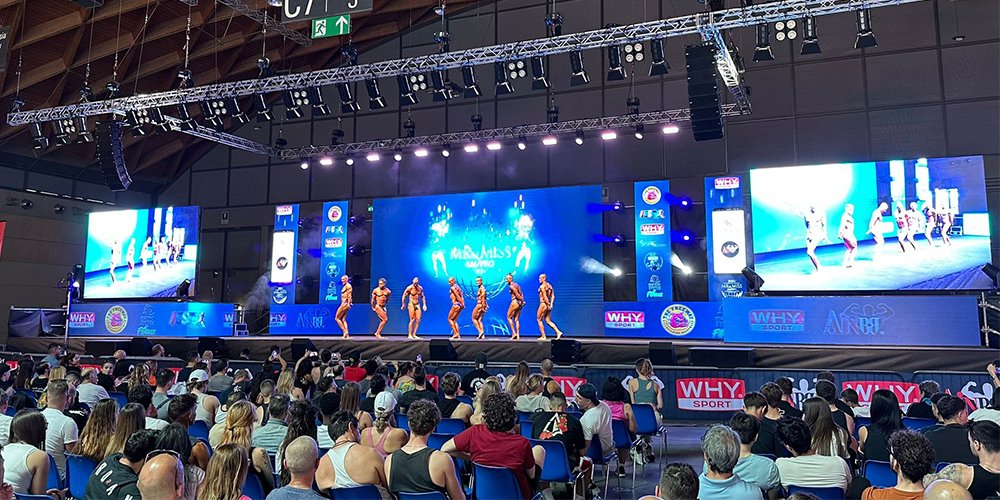
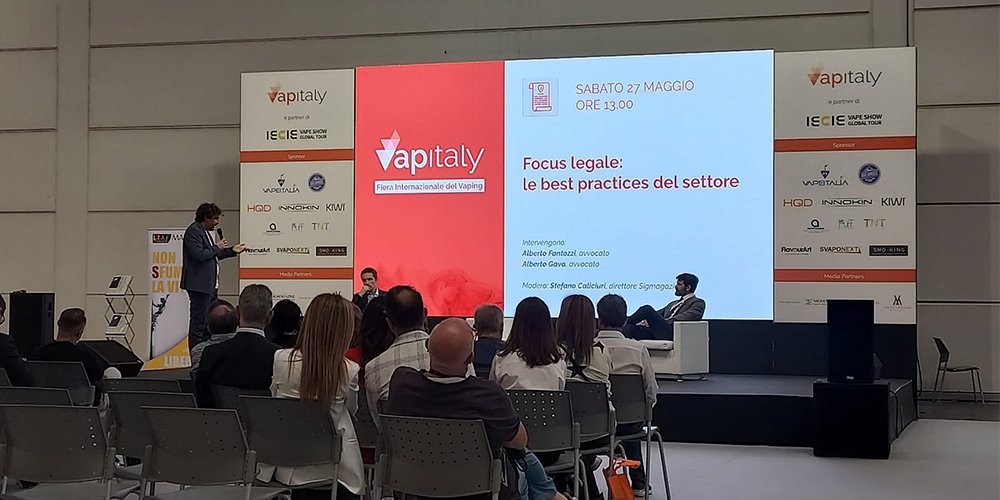
For a conference backdrop display, prioritize readable typography, accurate logos and clear sightlines. Reserve space for the presenter and any camera inset. A product launch may need a wide scenic canvas, while a technical conference benefits from a dedicated presentation area with an aspect ratio matching the slides.
03. Sports venues
Sports screens show live action, scores and sponsor messages. An arena display is not automatically a stage backdrop: mounting, viewing distances and operating requirements may differ. For an awards ceremony or fan event, plan the stage wall around the temporary stage while preserving the venue’s existing sightlines and operational needs.
04. Broadcast studios and media production
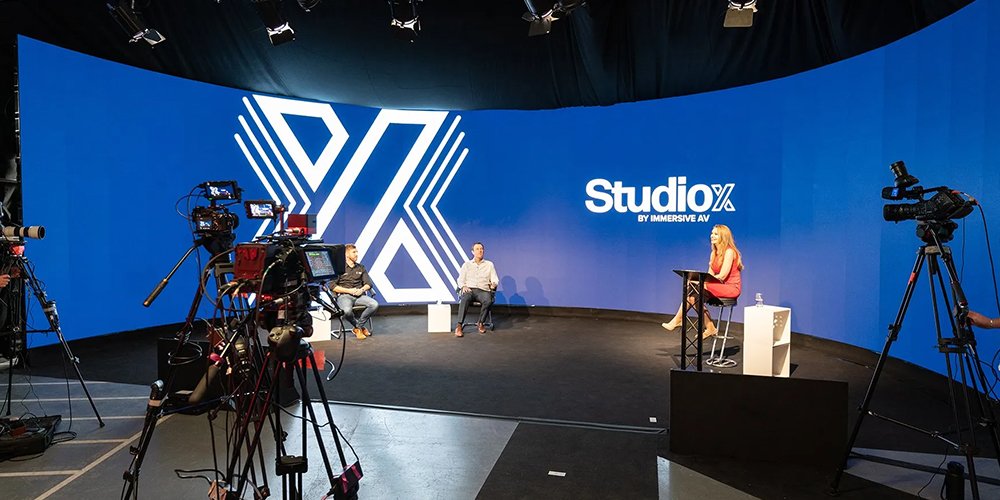
A studio video wall becomes part of the camera image. Test skin tones, dark gradients, reflections and camera angles with the actual lighting setup. Virtual production additionally involves tracking, rendering and synchronization requirements; an event rental screen should not be assumed to meet a film-production specification without testing.
05. Chapels and churches
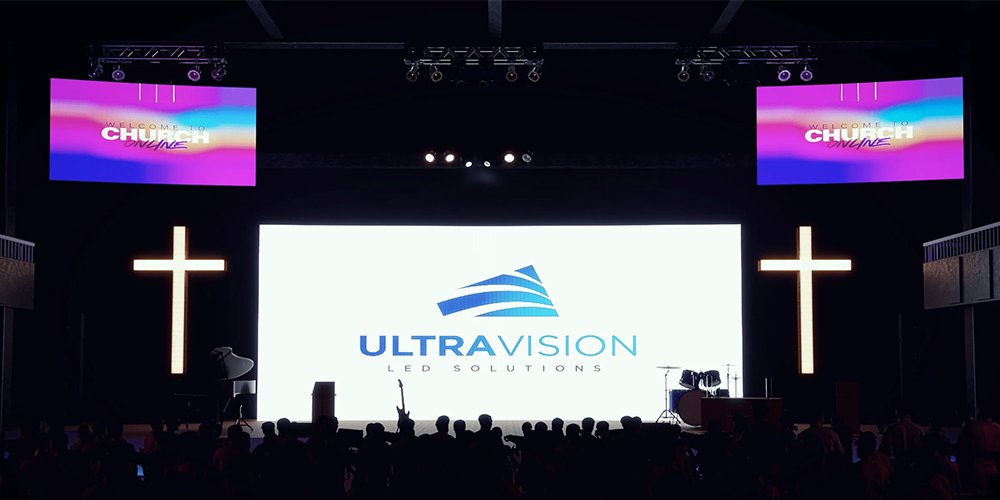
A church stage display often alternates between lyrics, sermon slides, video and scenic imagery. Check readability from the rear seats and from side seating. Use restrained motion behind speakers and keep text layouts consistent. For a permanent installation, maintenance access and volunteer-friendly presets deserve as much attention as peak brightness.
06. Weddings and special events
A wedding display can show photographs, names and carefully timed video. Check source-image quality early; enlarging a compressed photograph will not restore detail. At banquet events, review visibility over seated guests and table decorations. Coordinate brightness with the photographer so the display supports, rather than overwhelms, people in the foreground.
07. Theatre and stage backgrounds
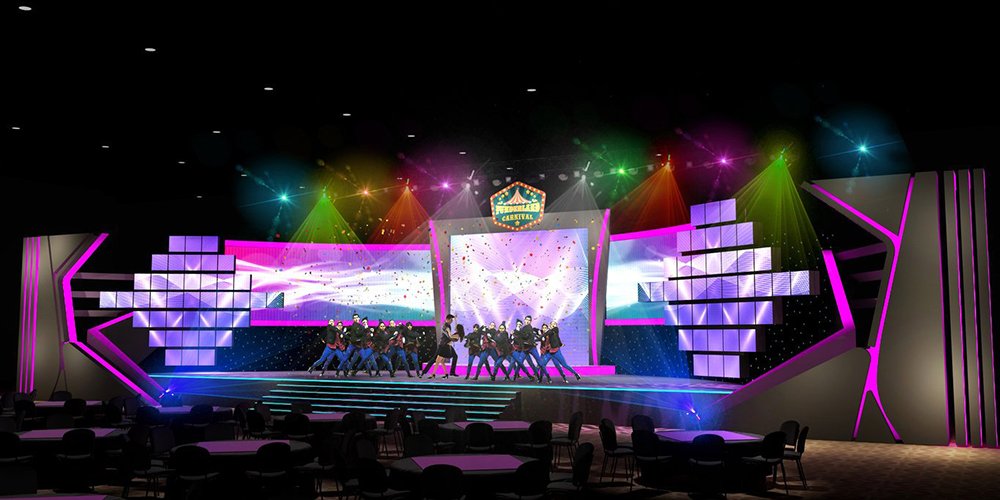
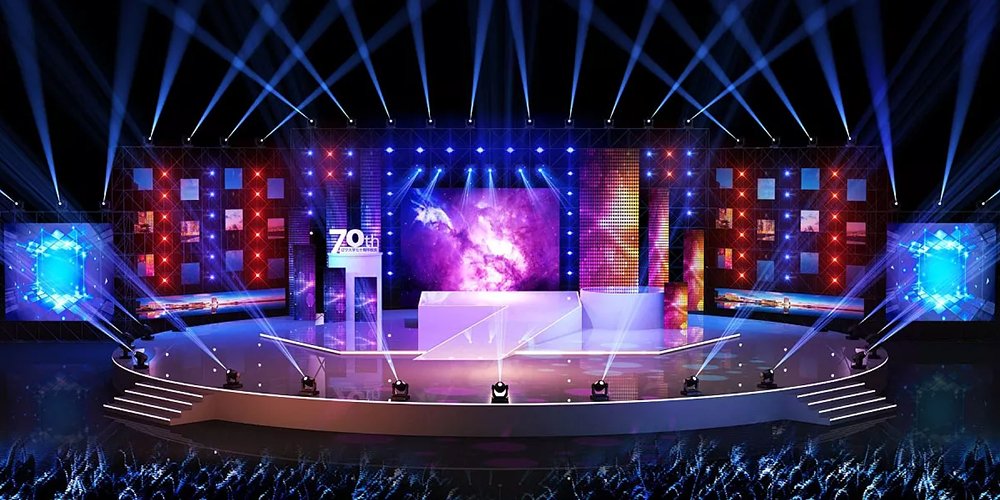
A theatrical video wall can change scenery between acts without moving large printed sets. Preserve dark scenes through suitable content and dimming, and check spill light on performers. Split panels can create depth, but scenery, actors and equipment should not block essential visual information.
4. LED screen backdrop design: layout, content and setup
01. Build the LED screen backdrop design around a pixel map
Ask the technical supplier for a drawing showing cabinet positions, total pixels, screen gaps and content regions. Give that drawing to the designer before production begins. Create artwork at the agreed canvas size, and confirm whether the processor will scale the source or display it pixel-for-pixel.
Good LED screen backdrop design uses visual hierarchy. Place the main message where audience members can see it, keep supporting details brief, and avoid thin lines or dense patterns that may shimmer. Check text on the physical display from the farthest seat; there is no font size that works universally across all walls and rooms.
For a 2:1 screen showing a 16:9 presentation, choose a defined central presentation region with branded side areas, or redesign the slides. Stretching the slides changes proportions and distorts faces and logos. Establish safe areas around screen edges and behind the presenter, then apply them consistently across every cue.
Choose a layout for the show, not just the wall:
- Conference: reserve a stable 16:9 slide area and use remaining wall width for brand graphics; check text from the farthest seat.
- Concert: design a central image that remains readable behind performers, with side panels for motion graphics or live camera feeds.
- Wedding: keep names and portraits clear of the couple’s position, and test brightness with the photographer’s actual exposure.
02. Plan signal flow, power and installation
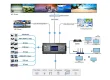
A typical signal chain is playback computer or media server → switcher/processor → sending system → receiving cards → LED modules. Confirm supported input resolutions, frame rates, connector types and cable distances. For a critical event, agree on backup playback and recovery procedures before load-in.
The LED backdrop screen supplier should provide maximum power demand and distribution requirements. Average consumption estimates can help with operating costs, but should not substitute for the electrical design. Likewise, calculate the complete suspended or supported load, including cabinets, frames, cables and accessories; cabinet weight alone is insufficient.
| Check | Evidence or test | Issue it helps prevent |
|---|---|---|
| Cabinet layout | Dimensioned drawing, cabinet count and native pixel map | Unexpected size, cropping or distorted artwork |
| Structure | Site-specific load assessment and approved support arrangement | Unsafe loading or incompatible hanging hardware |
| Electrical supply | Maximum load, circuit allocation, grounding and connector plan | Overloaded circuits or unplanned power interruptions |
| Display uniformity | White, gray, primary-color and dark-gradient test patterns | Visible seams, color differences or faulty pixels |
| Camera compatibility | Recorded tests at intended frame rates and shutter settings | Banding, flicker and moiré in the final recording |
| Recovery readiness | Tested backup source, spare modules and technician handover | Longer downtime when a component or source fails |
Use qualified local personnel for rigging and electrical work. Outdoor structures also need a site-specific weather and wind operating plan. A cabinet IP rating does not certify the structural assembly or make the whole system suitable for every weather condition.
03. Rehearse content and establish acceptance criteria
Run the entire show sequence on the LED backdrop screen, including holding slides, live inputs and emergency fallback content. Watch from front, rear and side positions. Record representative camera shots, then review them on a separate monitor rather than relying only on what looks good to the eye.
Document acceptable brightness, color settings, alignment and replacement procedures. Keep the approved processor configuration and media files available to the event operator. Clear acceptance criteria make supplier comparisons more useful than a list of headline specifications.
5. LED backdrop screen price
01. Compare complete system costs
There is no single reliable LED backdrop screen price without a defined configuration. Screen area, pitch, indoor/outdoor version, processing, support equipment and service scope all change the total. A panel-only factory quotation and a fully staffed event rental are different purchases and should not be compared as equivalent packages.
For equipment purchase, calculate the cabinet subtotal from the approved layout, then add processing, power/data accessories, support hardware, spare parts and transport. For rental, specify the event dates, build and removal windows, operating hours and staffing. Ask suppliers to separate optional items from required components.
| Cost item | Buying equipment | Renting for an event |
|---|---|---|
| Display cabinets | Quantity, exact model, pitch and spare-module allocation | Installed area, cabinet specification and rental period |
| Video system | Processor capacity, inputs, software and required licenses | Included switching, playback and live-camera support |
| Mechanical equipment | Compatible hanging bars, ground support and cases | Structure, ballast/rigging scope and venue coordination |
| Power and data | Cables, distribution equipment and connection standards | Supply responsibility, distribution and cable routing |
| People and time | Training, commissioning and maintenance capability | Delivery, installation, rehearsal, operator and dismantling |
| Logistics and aftercare | Freight, insurance, import charges, warranty and spare availability | Travel, overtime, standby support and cancellation terms |
For stage projects with a fixed show date, ask for a rehearsal window and a contingency plan for signal loss, damaged cabinets and late content changes. Identify who owns each backup file and who can restore the processor mapping onsite. This is particularly valuable when an LED backdrop screen is rented from one company while a separate production team supplies playback and cameras.
Use the same specification sheet for every bidder. Request the quote currency, validity period, delivery scope and exclusions in writing. Published “per square meter” prices are not useful unless they identify what is included, the selected model and the commercial terms.
02. Decide whether to rent or buy
Renting an LED backdrop screen can suit occasional events, changing venue sizes and projects that need a local crew. Buying can suit repeated use with consistent specifications, storage capacity and trained operators. A rental-style cabinet is a hardware design; it does not itself mean the manufacturer provides local event rental services.
For a first comparison, divide total ownership cost over your planning period by the number of expected uses. Include storage, transport, repairs, staff and potential upgrades. Compare that result with equivalent rental packages. Treat this as a planning model, not a guaranteed payback calculation: utilization and service costs can change substantially.
03. Specify the destination market and delivery responsibilities
For an LED backdrop screen project in the United States, provide venue dimensions in feet if convenient, alongside the metric cabinet plan. In the UK, suppliers may describe the service as LED screen hire. In the Philippines, Malaysia or India, share the exact venue, access schedule and indoor/outdoor conditions rather than assuming one national specification fits every project.
Across markets, confirm supply voltage and frequency, local plugs or connectors, documentation required by the venue, and who arranges inspection and installation. For equipment shipped from China, agree the delivery terms, named destination, importer responsibilities and commissioning support. Ask for production, freight, customs and testing milestones before setting the event deadline. Availability of local crews, stock and on-site service must be confirmed separately.
6. EagerLED LED backdrop screen solutions
01. Compare EA500C6 and EA1000C3 cabinet formats
EagerLED offers rental display hardware that can be configured for an LED backdrop screen. The EA500C6 rental LED display uses a 500 × 500 mm cabinet with quick locks and corner protection. Its product page lists optional curved installation and compatible mixed splicing with EA1000C6 cabinets. Confirm the selected version and accessories before specifying a creative layout.
The EA1000C3 rental LED screen uses a 500 × 1000 mm format and offers optional curved locks; front service is listed as an option for the indoor version. Larger cabinets can reduce the number of units in a rectangular build, but handling, weight and access still need evaluation.
These product details describe configuration options, not a universal recommendation. Review the rental LED display range against the project’s pitch, brightness, environmental and service requirements. Request current drawings and the exact specification sheet for the quoted model.
02. Prepare a useful project brief
Send the required LED backdrop screen dimensions, nearest and farthest viewers, sample content, camera details, installation method, country and deadline. Include venue photographs and explain whether you need equipment supply, integration assistance or a local rental package. Ask which services are included before committing to a schedule.
EagerLED is an LED display manufacturer in Shenzhen, China. Use the project contact page to request a configuration and itemized quotation. Useful deliverables include a cabinet drawing, native resolution, maximum power requirement, spare-parts list and support scope.
7. LED Backdrop Screen FAQ
01. What pixel pitch should an LED backdrop screen use?
Choose pitch from the nearest viewers, required text detail, physical screen size and camera shots. Compare actual cabinet resolutions and test representative content. A smaller pitch adds pixels within the same area, but a viewing-distance shortcut alone cannot guarantee acceptable results.
02. How much does an LED backdrop screen cost?
The total depends on area, model, processing, structure, accessories, logistics and service. Ask for an itemized quotation using Table 3. For rental, include setup, operating staff and removal; for purchase, include freight, import responsibilities, spares and commissioning.
03. Can an indoor LED backdrop screen be used outdoors?
Only when the manufacturer explicitly approves the configuration for the intended conditions. Indoor brightness and enclosure protection may be insufficient. Verify front/rear ratings, connectors, temperature limits and support engineering; a covered stage does not automatically eliminate moisture or wind exposure.
04. Does a high refresh rate eliminate camera flicker?
No. Camera settings, scan behavior, synchronization and processing also affect the image. Test the complete system at the planned brightness, shutter settings and frame rates. Check moiré separately using the actual lenses, focus distances and camera positions.
05. What resolution should LED backdrop content use?
Use the agreed native pixel map or a source format that the processor can scale predictably. A 6 m × 3 m wall with twelve by six 128-pixel cabinets is 1536 × 768 pixels. Confirm the canvas, aspect ratio and safe areas with the operator before exporting.
06. Should a wedding or conference rent or buy a screen?
Rental often fits a one-off event requiring delivery and a crew. Buying deserves consideration when repeated use, storage and technical support justify ownership. Compare complete costs and ask whether the supplier provides equipment only or the full event service in your location.
8. Get a Project-Specific LED Backdrop Screen Quote
A successful LED backdrop screen combines appropriate resolution, readable content, reliable signal flow and a properly planned installation. Start with audience distance and the native pixel map, then compare brightness, camera performance, support requirements and total project cost.
Before ordering or renting an LED backdrop screen, obtain a cabinet layout, an itemized quotation and clear acceptance tests. Those practical documents make it easier to choose a system that serves the event and to resolve differences between supplier proposals. Send EagerLED your event brief for a configuration and itemized equipment quotation. If you need local installation or a staffed rental package, state that requirement explicitly so its scope can be confirmed.