An LED video wall can show sharp text and still disappoint during acceptance testing. A pale presentation background reveals different shades between cabinets; a replacement module looks brighter than its neighbors; a camera exposes uneven gray areas that promotional footage concealed. These problems require diagnosis before anyone starts adjusting the screen.
LED display calibration measures a direct-view LED screen’s light output and applies correction data to reduce brightness and color differences across its pixels, modules, or cabinets. Depending on the system, it can also support more consistent behavior at different gray levels. The objective is a display that meets agreed visual requirements under defined operating conditions.
For buyers, distributors, AV integrators, and contractors, LED display calibration belongs in the purchasing specification, commissioning plan, and maintenance records. This guide explains the technology and the decisions behind it, including what to request when discussing an EagerLED project.
1. What Is LED Display Calibration?
A direct-view LED wall combines many light-emitting components. Giving two LEDs the same input signal does not necessarily produce identical light output. Manufacturing variation, operating temperature, component characteristics, and accumulated use can affect their response.
LED display calibration creates a measured basis for compensating for those differences. Software associates correction values with particular display locations, and the compatible control system applies them when driving the screen.
The correction can operate at different scales. A cabinet adjustment changes a large area together. Module matching works on smaller sections. Pixel-level calibration addresses variation within those sections, where broad adjustments cannot distinguish a bright pixel from a dimmer neighbor.
Three terms deserve separate attention:
- Uniformity: How closely different parts of the screen match when displaying the same signal.
- Color accuracy: How closely displayed colors match a specified reference.
- White balance: The relationship between red, green, and blue that produces the intended neutral appearance.
A wall can look uniform yet reproduce a brand color incorrectly. It can also hit a reference white at one measurement point while neighboring cabinets remain visibly different.
Therefore, an LED display calibration specification should identify whether the required result is spatial matching, reference color reproduction, or both. “Factory calibrated” alone does not explain the measurement method, operating brightness, or acceptance criteria.
2. Brightness vs. Color Calibration: What’s the Difference?
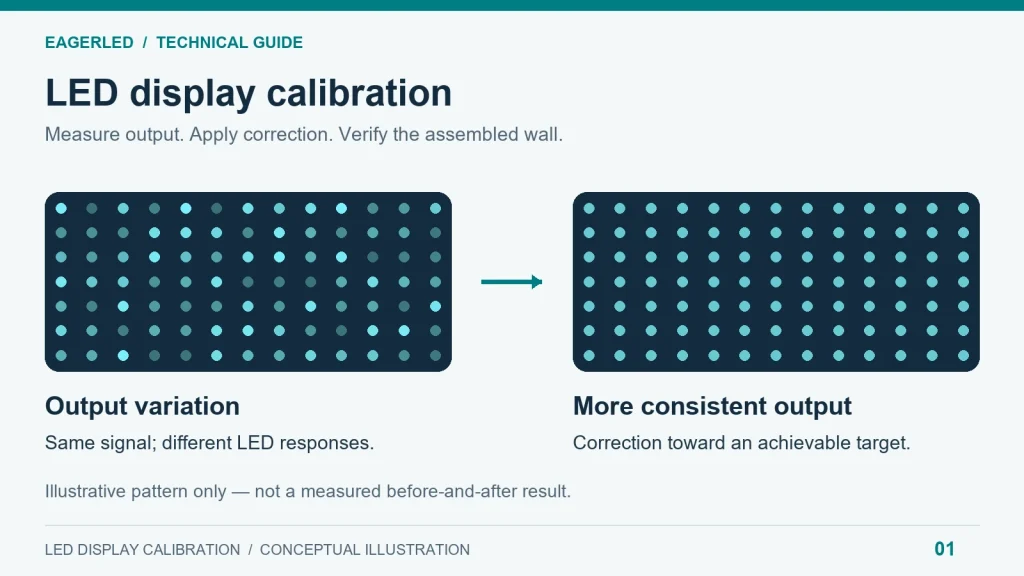
Brightness calibration addresses luminance variation. Color calibration also considers chromaticity: the color of the emitted light independently of its brightness. Adjusting RGB channel gains can change white balance, but this does not automatically correct every primary-color difference or establish accurate gamut mapping.
For LED display calibration, the relevant question is which characteristics the proposed equipment actually measures and corrects.
On small screens, swipe the table horizontally.
| Characteristic | What it describes | What buyers should verify |
|---|---|---|
| Luminance uniformity | Light-output consistency across the wall | Measurement locations, test pattern, and operating brightness |
| Chromaticity uniformity | Color consistency between display areas | Whether the workflow measures color as well as brightness |
| White point | The intended neutral white | Target coordinates and acceptable variation |
| Grayscale response | How output changes from dark to bright signals | Performance at low, middle, and high signal levels |
| Color gamut | The range of reproducible colors | Target color space and achievable coverage |
| Color accuracy | Agreement with reference colors | Test patches, measurement method, and reported errors |
Color temperature is useful shorthand, but it does not fully specify a white point. Two whites with similar correlated color temperatures can have different green or magenta tints. Projects requiring careful matching should define chromaticity coordinates rather than relying only on a Kelvin value.
Likewise, a single bright-white test cannot establish low-gray performance. Specialized correction at multiple gray levels depends on compatible receiving cards, driver chips, and software. NovaStar explicitly identifies hardware dependencies for low-grayscale and full-grayscale coefficients in its NovaLCT documentation.
Specify LED display calibration around the actual content and brightness settings the customer will use, including dimmed operation where relevant.
3. How Does Pixel-Level LED Display Calibration Work?
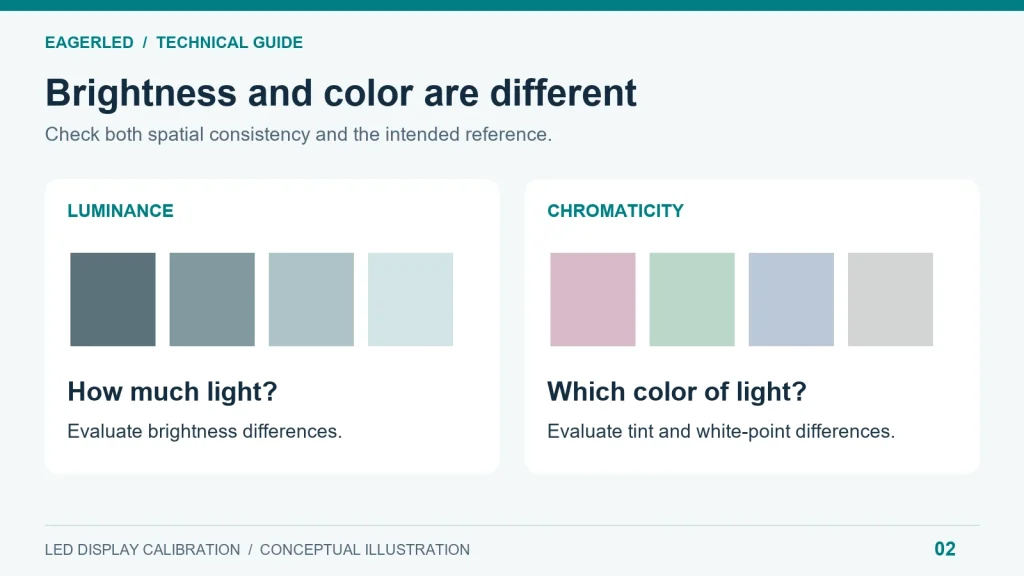
The basic sequence is measurement, calculation, application, and verification. A useful LED display calibration workflow also controls the conditions around those steps so that the correction represents the screen’s normal behavior.
01. Establish the project baseline
Before measurement, record the cabinet arrangement, receiving-card configuration, firmware, brightness setting, and existing correction files. Repair failed pixels, unstable connections, and obvious installation defects first.
Agree on the intended operating conditions and allow the display to stabilize according to its manufacturer’s procedure. A fixed warm-up time should not be assumed suitable for every screen or environment.
The baseline should also identify who can approve a changed target. If testing shows that the requested output cannot be achieved uniformly, the technician needs a documented decision rather than an improvised compromise.
02. Measure the screen’s response
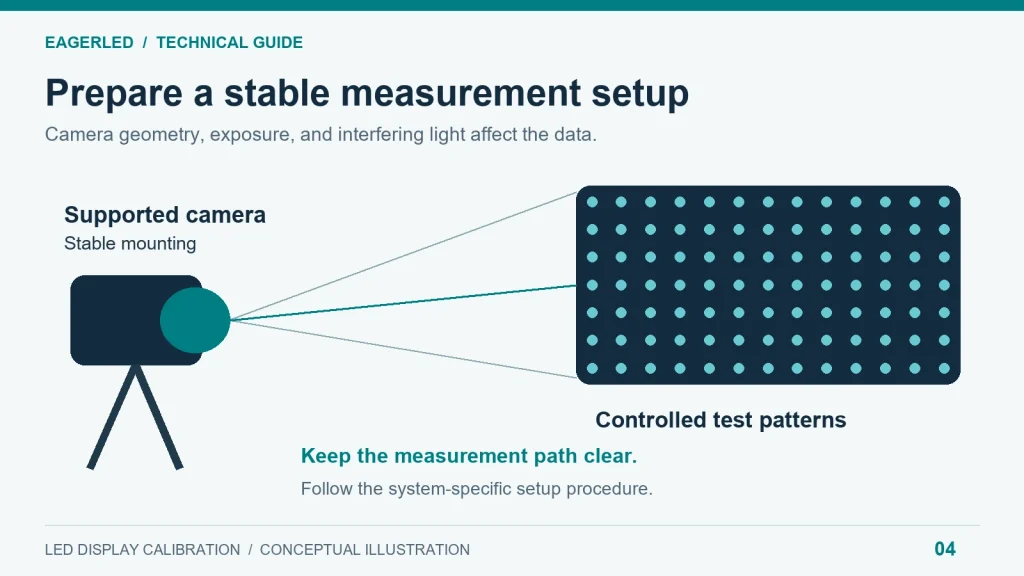
The calibration system displays controlled test patterns and measures the resulting output. An imaging system can capture many LED positions within an image; larger installations may require multiple measurement areas.
Accurate pixel identification, suitable exposure, stable geometry, and control of interfering light matter. Saturated camera data or an incorrectly identified pixel grid can produce misleading correction values.
03. Calculate correction data
Software compares the measured response with the selected target and calculates supported corrections. As a simplified illustration, an unusually bright emitter may need less drive for a particular requested output.
Real implementations can be more complex than one multiplier, especially when correcting chromaticity or behavior across gray levels. The target must remain achievable within the display’s physical and processing capabilities.
04. Apply and preserve the result
Correction data must be assigned to the corresponding pixels or display sections. Depending on the architecture, it may be stored in receiving cards, module memory, or associated databases.
NovaStar’s NovaCLB Screen manual documents separate operations for generating coefficients, uploading them, and saving them to hardware. This distinction matters: a successful upload is not sufficient evidence that the result will survive a restart.
05. Verify with independent checks
After LED display calibration, inspect neutral backgrounds, primary colors, gradients, and representative customer content. Repeat measurements at agreed locations and settings. Check both local differences and broad variation across the wall.
Then restart the system and confirm that the approved appearance returns. Archive the final configuration, measurement conditions, results, and restoration instructions.
LED display calibration is complete when the delivered wall passes the agreed checks—not simply when the software finishes processing.
4. What Tools and Software Are Needed for LED Calibration?
Professional LED display calibration requires a compatible measurement and control chain. Buying a camera and downloading configuration software does not by itself create a working calibration system.
An imaging calibration camera gathers spatial information from many emitters. A spot colorimeter measures luminance and color within a selected area, while a spectroradiometer measures spectral output and can support reference color measurements. These instruments have different roles; a spot reading alone cannot map every pixel across an entire wall.
A practical equipment review should cover camera support, lenses or mounting requirements, measurement distance, software licensing, computer requirements, and the exact control hardware. NovaStar publishes an equipment list for its pixel-level calibration system, illustrating why compatibility should be checked as a complete package.
In a supported NovaStar workflow, NovaCLB provides dedicated measurement and calibration functions, while NovaLCT handles configuration and supported coefficient-management tasks. Available functions depend on the software version and connected hardware. Use the manufacturer’s calibration downloads and manuals for the applicable procedure.
Other ecosystems use different approaches. Brompton’s Dynamic Calibration relies on supported panels, its measurement process, and compatible Tessera processing. Its capabilities should not be assumed available on an unrelated controller or unmeasured panel.
For procurement, ask which LED display calibration functions are included with the proposed system and which require additional equipment, authorization, or specialist service.
5. Factory vs. On-Site Calibration: Which Do You Need?
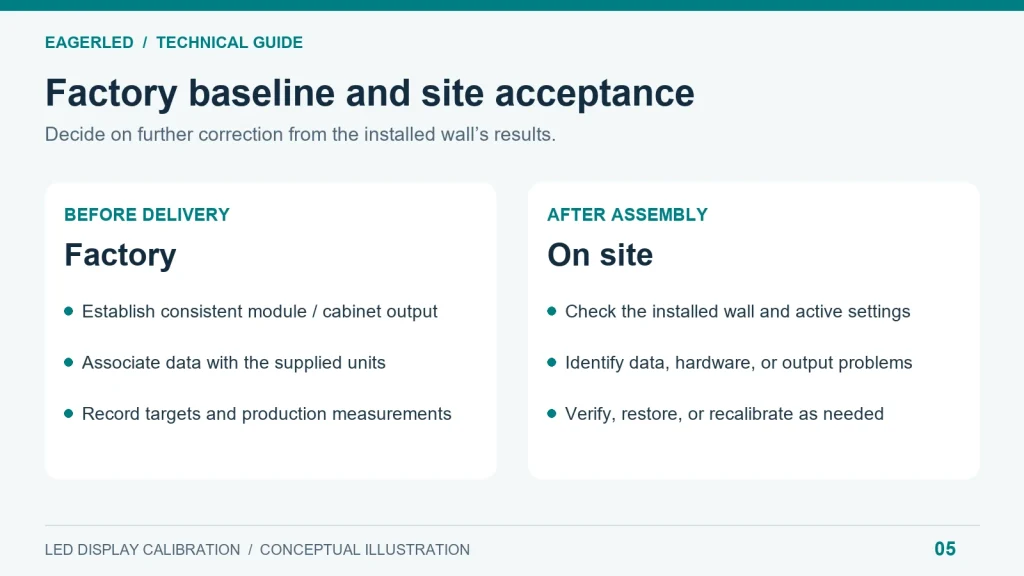
Factory LED display calibration establishes a production baseline before delivery. On-site work evaluates or corrects the assembled installation. These activities address different stages of the project, and the need for additional measurement should follow evidence.
On small screens, swipe the table horizontally.
| Factor | Factory calibration | On-site calibration |
|---|---|---|
| Main purpose | Establish consistent output before shipment | Address the installed wall’s measured condition |
| Measurement setting | Controlled production environment | Project location with site-specific constraints |
| Typical scope | Modules or cabinets associated with production records | Selected areas or the assembled display |
| Buyer’s evidence | Targets, unit identities, and calibration records | Commissioning report and acceptance results |
| Key limitation | Does not establish final installation quality | Requires suitable access and measurement conditions |
| Commercial question | What is included in the supply quotation? | What site work and deliverables are included? |
A correctly assembled wall using valid factory data may already satisfy the contract. In that case, verification can be more appropriate than automatically replacing the existing correction.
Conversely, mixed inventory, missing data, or visible mismatch may justify on-site LED display calibration after other causes have been excluded.
Neither location guarantees a particular accuracy level. Equipment, method, operator competence, and environmental control determine the quality of the measurement.
For an EagerLED procurement discussion, request separate descriptions of factory preparation and site commissioning. This makes responsibilities clear without assuming that every project needs the same service package.
6. What Are the Benefits and Limitations of LED Calibration?
The practical value of LED display calibration is improved consistency where the hardware can support it. Pale backgrounds become easier to evaluate, cabinet boundaries caused by output mismatch become less distracting, and compatible replacement parts can be brought closer to the surrounding wall.
However, correction requires realistic targets. With conventional fixed-target calibration, brighter emitters may be reduced to a level the required population can achieve. Color matching can also constrain the usable gamut. There is no universal percentage for the brightness change; it depends on the screen and chosen target. Nanolumens’ calibration white paper discusses matching LED output within common capabilities.
LED display calibration cannot repair broken electronics, close a physical gap, or restore a failed emitter. It also does not establish a guaranteed extension of service life.
Use the symptom to guide the investigation:
On small screens, swipe the table horizontally.
| Observed issue | Check before recalibrating | Likely role of calibration |
|---|---|---|
| One cabinet has a different tint | Settings, correction status, and component compatibility | May improve matching after configuration is verified |
| A replacement module is brighter | Part identity and applicable module data | May need correct data restoration or fresh matching |
| A dark line changes with viewing angle | Alignment, gaps, masks, and module seating | Limited if the cause is mechanical or optical |
| Pixels or rows remain unlit | LEDs, drivers, cabling, and power | Repair is required first |
| Shadows look blotchy | Signal processing, driver behavior, and low-gray support | Supported grayscale correction may help |
| Moving bands appear only on camera | Refresh timing, shutter settings, and synchronization | Uniformity correction alone is insufficient |
For filmed applications, LED refresh timing and camera exposure form a separate engineering problem.
Treat LED display calibration as one part of image-quality control. Diagnosis prevents repeated measurement work from becoming an expensive substitute for fixing the actual fault.
7. Which LED Display Applications Need Calibration Most?
The appropriate LED display calibration scope follows the viewing task. Pixel pitch matters, but content, audience distance, operating brightness, and camera use also influence what should be tested.
Corporate meeting rooms and control rooms: Spreadsheets, maps, dashboards, and pale slide backgrounds expose differences that fast-moving video can hide. Request demonstrations using actual interface layouts and sustained neutral fields.
Retail and branded environments: Uniformity matters, but brand-color reproduction also depends on the content pipeline and achievable display gamut. Include approved digital assets in the acceptance procedure.
Rental and staging: Cabinets may be rearranged or selected from different inventory groups. Maintain unit identification and correction records, and assess the assembled wall before a critical event.
Broadcast and virtual production: Evaluate the intended camera, lens, exposure, and processing chain alongside the wall. Visual matching to the eye does not establish satisfactory recorded output.
Outdoor advertising: Assess relevant viewing positions and day/night operating settings. A distant audience does not automatically make color differences acceptable, particularly across large areas of uniform artwork.
When specifying LED display calibration, describe representative use cases instead of purchasing the most elaborate procedure by default. The service should resolve a documented visual requirement.
8. When and How Often Should You Recalibrate an LED Display?
There is no universal LED display calibration interval suitable for every installation. Operating hours, thermal conditions, maintenance history, and acceptance requirements differ too widely for a single calendar rule.
Begin with a commissioning baseline. Preserve measured results and reference images captured with documented settings, then compare future inspections against that baseline.
Review performance after module or receiving-card replacement, significant inventory changes, screen expansion, or an unexplained appearance change. These events call for verification; they do not automatically mean the entire wall needs new coefficients.
A sensible maintenance decision follows three questions:
- Has the screen moved outside the agreed visual or measured tolerance?
- Is the cause incorrect configuration, missing correction data, hardware damage, or changed optical output?
- Would restoration, repair, localized matching, or full-wall measurement address it most effectively?
Schedule LED display calibration when the investigation supports it. Some projects benefit from a formal periodic inspection program, while others can use event-triggered checks combined with routine maintenance.
For distributors and service contractors, record what changed before intervening. If mismatch appeared immediately after a card replacement, investigate data and configuration before attributing the problem to LED aging.
This approach makes LED display calibration part of a traceable maintenance process and helps avoid unnecessary downtime.
9. How to Choose an LED Calibration Service and Budget for It
An LED display calibration quotation should describe an outcome that can be checked. “Color adjustment included” leaves too much room for disagreement about scope, methods, and final appearance.
01. Define acceptance before comparing prices
Ask bidders to use the same operating conditions and acceptance procedure. Brightness uniformity figures are difficult to compare when one supplier samples cabinet centers and another includes edges or individual pixels.
Similarly, a reported color-error value needs the reference colors, calculation method, and measurement conditions. Agree on suitable tolerances for the application rather than borrowing unexplained limits from an unrelated project.
On small screens, swipe the table horizontally.
| Requirement | What to put in the specification | Why it matters |
|---|---|---|
| Calibration scope | Brightness, chromaticity, and supported grayscale work | Prevents different services sharing the same label |
| Operating conditions | Brightness modes, warm-up procedure, and ambient conditions | Makes results reproducible |
| Target definition | White point, color space, and tonal response where applicable | Establishes the intended appearance |
| Sampling plan | Measurement positions, patterns, and viewing geometry | Makes acceptance comparisons meaningful |
| Hardware identification | Module, cabinet, receiving-card, and firmware details | Connects the procedure to the supplied equipment |
| Data handover | Correction files, layout records, and restoration procedure | Supports later maintenance |
| Spare-part strategy | Compatibility and matching procedure for replacements | Reduces uncertainty after repairs |
| Final verification | Measured report, content checks, and restart test | Confirms usable, persistent results |
02. Understand the cost drivers
LED display calibration cost depends on more than screen area. Pixel count, camera coverage, wall geometry, access restrictions, ambient-light control, measurement targets, and troubleshooting requirements all influence the work.
Request an itemized proposal covering preparation, site attendance, equipment, correction, verification, documentation, and any return visit. Identify whether necessary hardware repairs are priced separately.
For large or unusually shaped screens, ask how the provider will obtain suitable measurement views. Scaffolding, restricted working hours, and the need to close a public area can affect the schedule even when the calibration process itself is straightforward.
03. Protect the investment after handover
Distributors should clarify whether replacement modules can be supplied with compatible data and how those records will be associated with the parts. Integrators should define who maintains the final database after layout changes.
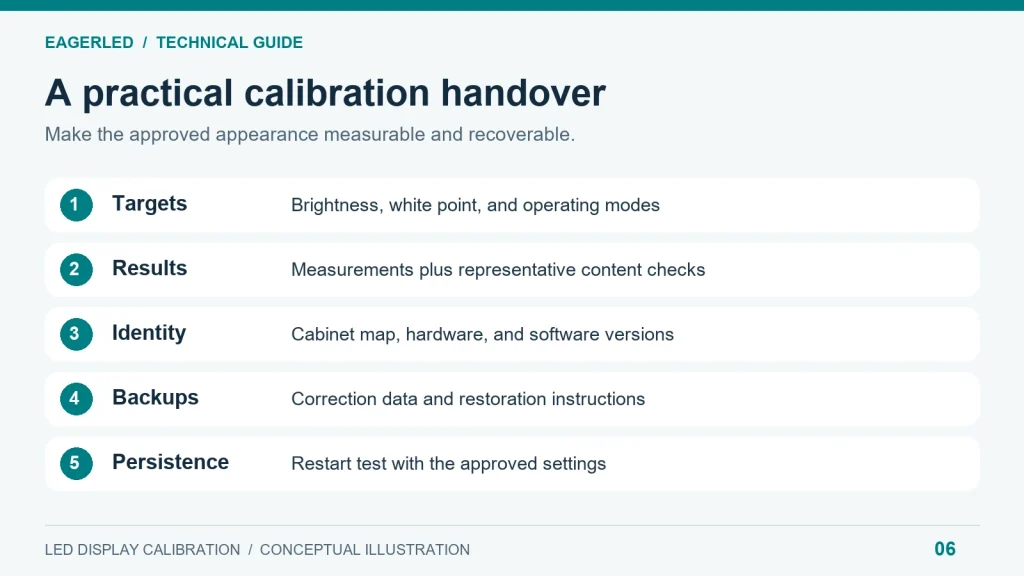
A useful acceptance package includes a cabinet map, software and firmware records, approved settings, measurement results, and named ownership of the backups. Demonstrate restoration on the supported system before the service team leaves.
When discussing LED display calibration with EagerLED, provide the application, dimensions, pixel pitch, controller requirements, operating environment, and expected maintenance arrangement. Ask the team to confirm the applicable calibration scope and deliverables in the project quotation. This turns a broad product inquiry into a specification both parties can review.
10. FAQ
01. Can I use a smartphone to calibrate an LED wall?
A normal phone camera can help document visible differences, but its automatic processing does not provide a reliable pixel-level measurement workflow. A purpose-built mobile calibration solution may support specified hardware and procedures. Confirm that compatibility explicitly before using it as evidence for professional LED display calibration acceptance.
02. Is an ICC monitor profile enough for a direct-view LED display?
An ICC profile can support color management in a compatible source application, but it generally does not provide the location-specific correction needed to match thousands of modules or pixels. Source color management and spatial LED display calibration address different parts of the image pipeline and may both be relevant.
03. Will calibration files work with another controller brand?
Do not assume portability. File formats, coefficient interpretation, pixel addressing, and supported correction models can differ. A controller migration may require an approved conversion, restoration process, or new measurement. Include this question in the migration plan before replacing the original control system.
04. Can the same cabinet configuration file restore calibration?
Not necessarily. A receiving-card configuration file and spatial correction data serve different purposes, even when a particular system supports packaging or managing them together. Back up both according to the manufacturer’s procedure. NovaStar documents separate module-memory and receiving-card coefficient functions in its NovaLCT manual.
05. Can calibration remove moiré from camera footage?
Generally, no. Moiré involves interaction between the display’s pixel pattern and the camera’s sampling pattern. Address it through the shooting arrangement, pixel pitch, focus, and related camera choices. LED display calibration can improve spatial consistency but does not change the physical pixel grid. Brompton explains these camera artifacts here.
06. Does changing screen brightness invalidate the calibration?
Not automatically. Some systems apply valid correction across a supported operating range; others may reveal mismatches at settings far from those used during measurement. Verify the intended brightness modes, particularly dimmed operation. A change in driver-current mode or other fundamental settings deserves a fresh performance check.
07. Can old and new LED cabinets be matched perfectly?
Matching depends on compatible hardware, available output, optical characteristics, and supported correction. A common target may improve the result, but different viewing-angle behavior or substantially different components can remain visible. Test representative cabinets together before purchasing additional inventory on the assumption that calibration will solve every mismatch.
08. Should the display remain available for normal content during calibration?
Measurement requires controlled patterns, so the affected screen or section normally needs a service window. Discuss partitioning, public visibility, access, and the restart test before scheduling work. Ask for a project-specific duration after the provider reviews the installation; a universal time estimate would omit important site constraints.
11. Conclusion
LED display calibration uses measured correction to help a direct-view LED wall reproduce consistent brightness and color across its surface. Its success depends on achievable targets, compatible equipment, valid data, and verification under the conditions that matter to the customer.
For B2B projects, specify the required visual result before comparing services. Separate hardware repair, mechanical installation, source color management, and camera timing from calibration work, while coordinating them within commissioning.
Include LED display calibration in your EagerLED project discussion alongside spare parts, documentation, and maintenance responsibilities. A clear specification and recoverable data give buyers and integrators a practical basis for accepting the installation and maintaining its appearance over time.