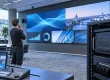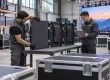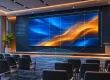
LED screen rental in Washington DC for a formal conference needs a clear chain of handoffs: equipment receiving, room access, installation, presentation delivery, live operation and removal. Specify who completes each step and who accepts it. A screen can arrive on time yet still miss rehearsal if the room, connections or final files are not ready.
This guide is for conference service companies preparing a rental brief and coordinating several suppliers. It focuses on the responsibilities between teams, rather than a generic list of screen sizes. EagerLED manufactures LED equipment; the product examples explain cabinet considerations and do not imply local rental stock, event staffing or privileged access to any Washington venue.

1. Plan LED Screen Rental in Washington DC Around Handoffs
Begin with the conference schedule and work backward from the first rehearsal. Identify when the room becomes available, when the electrical supply is ready, when the wall can be assembled and when the final presentation package arrives. Each milestone needs an owner, an acceptance condition and a contact for a missed dependency.
For LED screen rental in Washington DC, separate the organizer’s requirements from the supplier’s deliverables. The organizer determines the program and audience needs. The rental provider proposes equipment and technical services. The venue confirms building access and its service arrangements. A production company coordinates the boundaries, but should not silently inherit every unassigned task.
| Handoff | What should be ready | Who accepts the next step? |
|---|---|---|
| Transport to receiving | Authorized delivery window, correct recipient and case schedule | Designated receiving lead |
| Receiving to installation | Equipment at the approved room and installation area released | Technical installation lead |
| Installation to playback | Configured wall, verified signal path and final canvas | Playback operator |
| Playback to rehearsal | Approved presentation versions and source order | Show caller and organizer’s representative |
| Event to removal | Program released, access restored and collection coordinated | Strike lead and receiving contact |
Use names or named roles that will actually be staffed, rather than a column reading “everyone.” The person receiving an escalation should have authority to act or know whom to contact. Include an alternate for a lead who will be occupied with speakers during rehearsal. A responsibility chart is useful only if the crew can use it.
For example, suppose the room is ready but the final deck has not arrived. The installation lead can release the configured display using approved test material, while the playback operator records content acceptance as pending. That allows the team to distinguish completed hardware work from an unresolved presentation dependency. When the deck arrives, the operator performs the remaining checks and updates the release note. The entire project does not need to be described as either finished or unfinished when its individual stages have different, observable states.
01. Keep the conference brief specific
Describe the room, seating layout, screen position, content types and the smallest text that must remain readable. State whether the wall shows slides, live camera images, remote speakers or sponsor material. Note any simultaneous outputs such as a confidence monitor or overflow feed, because those can require different content and routing.
2. Confirm Access Before Equipment Leaves the Warehouse
LED screen rental in Washington DC should include a receiving plan for the exact venue and room. Ask which entrance the delivery uses, how the receiving slot is booked, who meets the vehicle and what happens if it arrives early or late. Do not assume that a postal address identifies the correct freight entrance.
For example, Events DC states that the Walter E. Washington Convention Center coordinates loading dock activity through its event and transportation teams. Its exhibitor guidance says the center does not accept event-related freight itself; the designated general service contractor handles the relevant consignments during the licensed period. Confirm your current event’s instructions rather than applying another show’s receiving arrangements.
Obtain the correct consignee and delivery reference from the event team. Match these with the supplier’s transport documentation. If the rental provider uses a subcontracted carrier, ensure the carrier receives the operational instructions as well as the street address. A well-prepared truck still needs an authorized receiving contact when it reaches the building.
01. Check the entire route to the room
For LED screen rental in Washington DC, review case dimensions, door clearances, turning space, elevators and any restricted transfer periods. Ask the supplier to assess the route with the venue. A cabinet that fits through a doorway does not prove that its loaded transport case or support structure follows the same route.
Confirm where empty cases and packaging may be stored. Include the path back to the loading area after the conference. Storage that seems convenient during setup may later block a service route or be needed by another event. Have the venue approve the arrangement instead of treating corridors as available warehouse space.
02. Separate building access from room readiness
A crew can be admitted to the venue before its room is released. Record the actual room-access time and any dependencies on staging, seating, flooring or other contractors. Ask who can resolve a conflict when two teams need the same work area. Staggered access may be necessary, but it should be planned and priced explicitly.
Request the event’s current contractor registration and access instructions through the organizer or venue. Provide only the information they require through their approved process. Do not assume special security rules simply because the event is in Washington, or because its audience includes public-sector participants. Requirements belong to the actual event and property.

3. Document the Technical Interfaces
A clear LED screen rental in Washington DC brief marks where the venue’s supply ends and the rental system begins. Identify the responsible electrical provider, connection location, distribution scope and readiness time. The qualified technical team should determine the actual load and connection requirements for the proposed equipment.
Use a signal diagram that follows the picture from each source to its destination. Label the playback computer, switcher or processor, wall and any additional feeds. Record who supplies each device and cable. If a venue provides an existing feed, request the format and connection details instead of assuming it matches the rented system.
01. Assign cable routes and changes
Have the venue review routes that cross audience or service areas. Identify who supplies the required protection and who installs it. Keep the operating position, lectern and any camera locations in the same plan. Moving one component after setup can require a new route and should trigger a quick coordinated review.
For LED screen rental in Washington DC, specify whether a technician may alter the venue’s existing connections or must ask its designated provider. This avoids a delay caused by assuming that physical access equals permission to make a change. Write the escalation contact beside the interface, so the crew does not search for it during rehearsal.
02. Confirm the wall configuration
Request the cabinet model, pixel pitch, active dimensions and native pixel canvas. A 500 × 500 mm EA500C6 cabinet is one equipment example with quick locks and a removable rear cover. The actual conference configuration still needs a support plan, processing capacity and service access appropriate to the room.
Do not choose resolution from screen width alone. Test representative slides from the intended seats and consider any camera use. Ask for a clear explanation of proposed substitutions, including changes to pixel count and content scaling. A different cabinet can alter the presentation workflow even when the finished physical dimensions remain similar.

4. Control Speaker Files and Revisions
For a formal conference, the file handoff often matters as much as the hardware handoff. Name one collection point for speaker presentations and one person authorized to approve the playback package. Agree naming conventions, accepted formats and delivery deadlines. The operator should be able to identify the approved version without guessing from several attachments marked final.
LED screen rental in Washington DC proposals should state whether the provider only displays supplied files or also reformats, edits and manages them. Distinguish a technical compatibility check from editorial approval. A technician can verify that a file opens and scales correctly without confirming that a speaker’s figures or wording are authorized for public display.
01. Keep one approved playback set
Create a version list organized by session and speaker order. Record the file name, revision, duration where relevant and any special playback instruction. Keep superseded versions out of the active show folder while retaining them according to the organizer’s policy. A shorter folder is easier to operate accurately under time pressure.
For each embedded video, confirm whether audio is required and whether the file is available locally. Check fonts, aspect ratio and any content that depends on a network connection. Agree how presenters advance slides and how the operator receives an override instruction. Test these actions in rehearsal rather than discussing them only in an email.
02. Set a late-change process
Late changes should go through the same named approver. Identify which session is affected, what changed and whether the revised file has been checked. If there is no time for a full test, the organizer must understand the specific uncertainty. Do not let a well-meaning assistant silently replace an approved deck while another operator is using it.
Keep any confidential speaker material within the organizer’s approved storage and sharing arrangements. Ask whether the rental team may retain working copies after the event and how they should be returned or removed. This is a normal file-custody question; it does not require assuming that every Washington conference involves classified or restricted information.
5. Release the System at Rehearsal
LED screen rental in Washington DC should include a realistic test window after the wall, sources and content are ready. Separate technical setup from a speaker rehearsal. The first establishes that the system functions; the second verifies that presenters and operators can perform the planned sequence together.
| Check | Use the actual event material | Record the result |
|---|---|---|
| Slide legibility | Smallest table, chart and caption | Acceptable seats and any required content revision |
| Source change | Presentation, video and remote contribution sequence | Operator action and visible transition |
| Audio handoff | Embedded clip with its intended sound path | Responsible audio contact and tested level |
| Presenter control | Slide advance and return to the agreed holding image | Control method and cue responsibility |
| Unavailable source | Approved fallback procedure | Who makes the decision and what the audience sees |
Check the picture from audience positions, not only from the operator’s desk. Review the brightness setting under the planned room lighting. If cameras will record the screen, schedule a test with the actual camera arrangement. A clean image to the eye does not automatically prove the recorded result meets the production brief.
For LED screen rental in Washington DC, finish rehearsal with a short release note. List the approved source order, known limitations and unresolved changes. The organizer’s representative and technical lead should know what has been accepted. Avoid a vague “all good” message that cannot distinguish a tested presentation from a last-minute unreviewed file.

6. Name Live Duties and Escalation Paths
Identify who calls cues, who operates playback and who maintains the display. A small conference may combine some duties, but the plan should explain how that works during a problem. The operator should not receive contradictory instructions from the stage manager, presenter assistant and organizer without knowing whose instruction takes priority.
A proposal for LED screen rental in Washington DC should state attendance hours and the location of support. Define whether a technician remains in the room, elsewhere on site or available remotely. Describe how breaks and shift changes are covered. The term “support included” does not answer those operational questions.
Give each escalation a destination: presentation content, source hardware, display fault, audio issue and venue interface. A blank picture can have several causes. The technical lead should coordinate diagnosis while the show caller manages the program. An agreed holding image or alternate segment can reduce confusion, but only if the organizer has approved its use.
Keep the live change log brief enough to maintain. Record the time, affected session, instruction and result. If additional work creates a cost, route approval through the authorized contact. A useful log supports handover and invoice review without turning the operator into a clerk during a demanding presentation sequence.

7. Include Removal and Closeout in the Quotation
LED screen rental in Washington DC should be quoted through final collection, not just the last speech. Confirm who releases the room for strike, when the audience has cleared and whether another activity limits removal. The crew should not dismantle equipment simply because the printed program has reached its scheduled end.
Agree the reverse route to receiving, case access, vehicle collection and any waiting arrangement. Ask the supplier how a delayed finish affects labor and transport. Keep those terms separate from assumptions about the equipment hire period. A vehicle that cannot load at the planned time may create a different issue from an extra hour of operation.
Compare proposals using the same equipment, access windows, rehearsal, attendance and removal scope. Mark exclusions for venue services, content editing, remote contributions and late changes. If one supplier leaves a task with your team, identify the person and resources needed to perform it before calling that proposal the more economical choice.
Close the job with a record of the delivered configuration, approved changes and unresolved faults. Reconcile any additional services against the authorization log. Return presentation material according to the agreed custody process. This gives the organizer a usable completion record and helps the next conference team avoid repeating the same coordination gaps.
Frequently Asked Questions
Can the venue’s built-in display replace a rented wall?
Possibly. Test its size, viewing angles, available inputs and content performance against the conference brief. Ask which operating services accompany it. Compare the complete usable arrangement before assuming that adding rental equipment is necessary.
Should the screen show the same image as the confidence monitor?
Not always. A presenter may need notes, a timer or the next slide while the audience sees only the current slide. Define each destination separately and ask the production team to confirm that the proposed routing supports the required outputs.
Can a remote speaker connect directly to the LED processor?
Ask the production team to define the complete contribution workflow, including the conferencing device, audio return and backup. The display processor is one part of the picture path; it does not by itself provide a complete remote-speaker service.
What if a session moves to another room?
Review the new room, source routing, audience layout and crew availability before moving equipment. A change in location can require a different setup and acceptance check. Confirm what can be transferred and what additional services are needed.
Does buying rental equipment include local conference operation?
No such service should be assumed. An equipment supply quotation and an installed event rental proposal cover different obligations. Buyers building an AV fleet should arrange local staffing, transport and venue coordination separately unless those services are explicitly contracted.
Send a Brief with Clear Acceptance Points
For LED screen rental in Washington DC, send the room plan, access schedule, interface drawing, content workflow and required crew coverage together. Review the rental LED display equipment options when discussing cabinet requirements. If you are purchasing equipment for recurring conferences, contact EagerLED with your planned configurations for a supply quotation.