LED screens for film and TV create digital backgrounds that cameras can record directly, while adding scene-matched light and reflections to actors and props. In virtual production, camera tracking and real-time rendering can make the background perspective follow the camera. The benefits are practical, but success depends on camera tests, prepared content and synchronized equipment.
For producers, cinematographers and studio buyers, the key question is which shots suit an LED stage. This guide explains the applications, trade-offs and checks that determine whether it fits a production.
Key takeaways: Plan digital assets before the shoot; test the whole camera-to-display system; compare total production costs; keep green screen available for shots that need it.
Contents
- How film and TV productions use LED screens
- How an LED virtual production workflow works
- LED walls vs green screens
- What makes an LED screen suitable for filming?
- Costs, sustainability and industry prospects
- Plan a studio or project
- Frequently asked questions
- Technical references and scope
How film and TV productions use LED screens
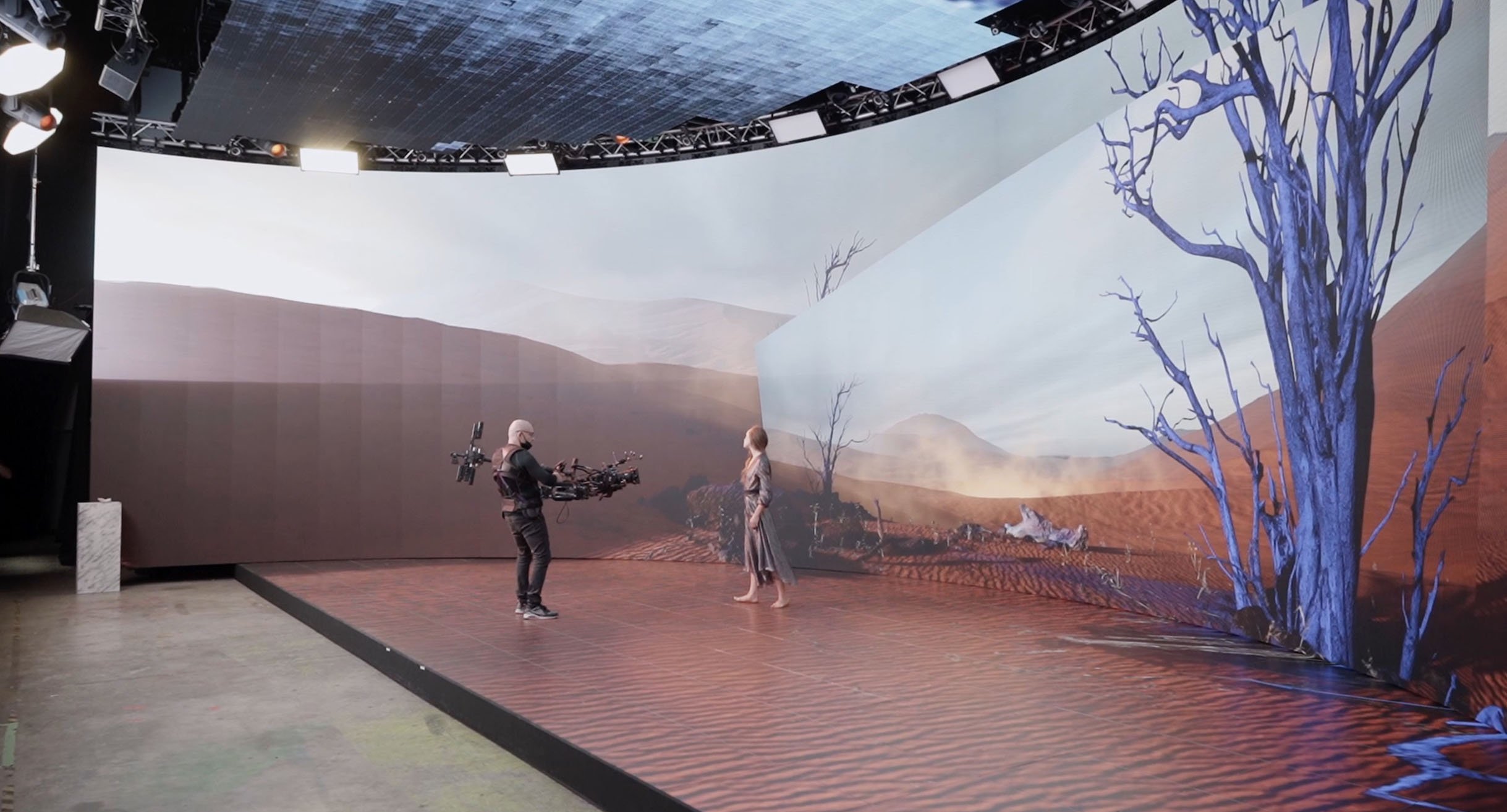
An LED wall is a modular, direct-view display: its pixels emit the image rather than receiving an image from a projector. An LED volume combines display surfaces around a filming area, often using walls with a ceiling, floor or additional lighting panels. Not every production needs a fully enclosed volume.
- Film and episodic drama: digital environments behind physical sets, including scenes where location access or repeatable lighting is difficult.
- Vehicle and product shots: moving backgrounds and reflections on windows, bodywork or other reflective surfaces.
- Television studios: scenic backgrounds, graphics and virtual set elements for presenters.
- Commercials and performance shoots: controlled changes of location, scenery or atmosphere within an agreed shooting area.
A fixed camera can film a prepared video background without a tracked 3D scene. Moving-camera shots that need correct perspective usually require camera tracking, lens calibration and real-time rendering. Specify the workflow before choosing the display.
How an LED virtual production workflow works
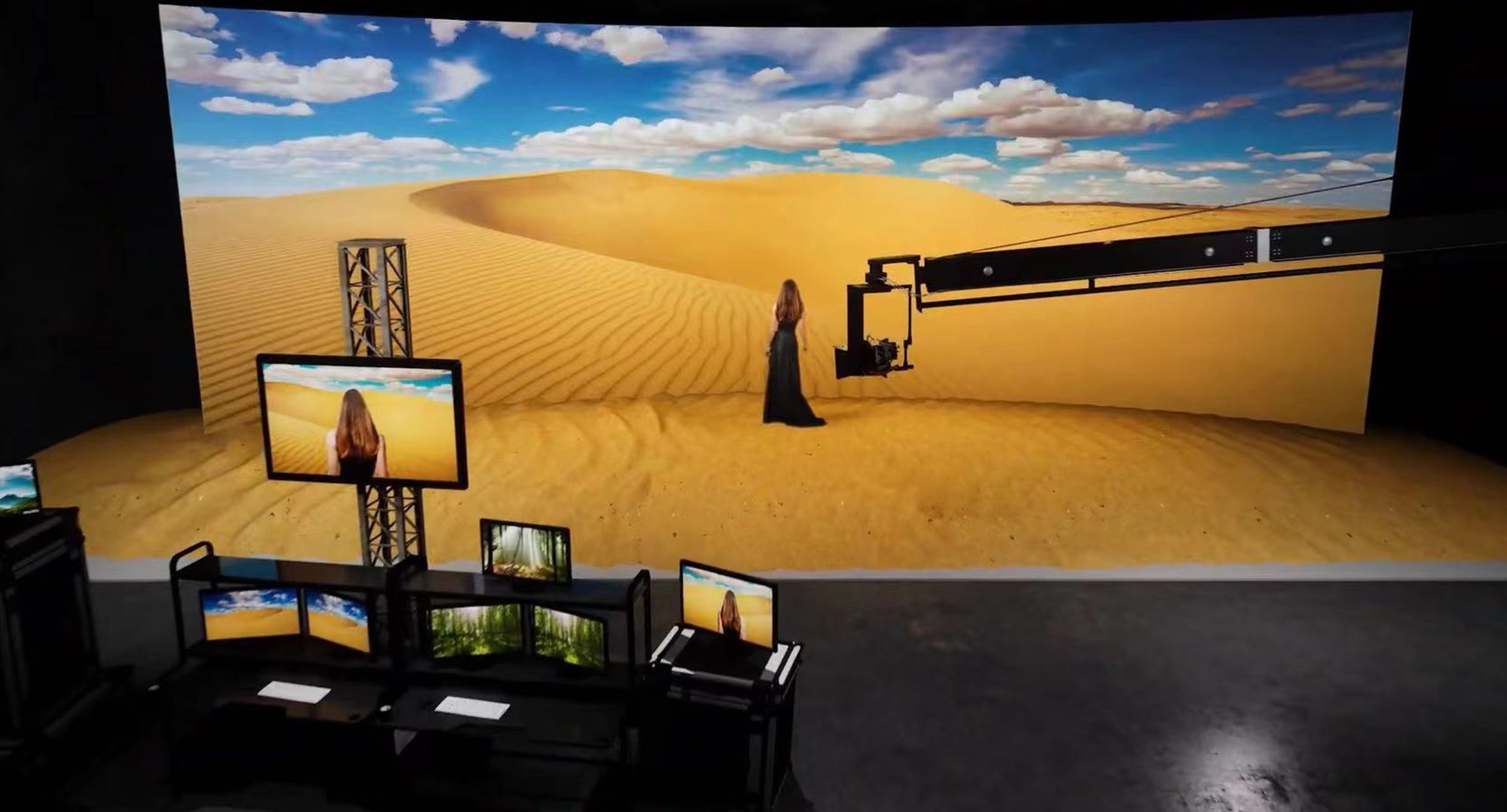
In-camera visual effects (ICVFX) are effects captured as part of the camera image during filming. For an LED stage, this may combine real actors and props with a digital environment displayed behind them. It can reduce some compositing tasks, but does not eliminate post-production.
- Prepare the scene. Build or acquire background assets, agree the shot list, and test perspective, texture detail and lighting before the shoot.
- Track and calibrate the camera. For tracked shots, send camera position and relevant lens data to the rendering system so the digital viewpoint matches the physical camera.
- Render and display the background. A real-time engine, such as Epic Games’ Unreal Engine, produces imagery for the media server and LED processing system.
- Synchronize and balance the set. Configure the camera, rendering chain and LED processor timing; then match display brightness, color and conventional lighting.
- Record and inspect. Review actual camera footage for artifacts, focus, reflections and scene continuity before approving the setup.
Work shifts earlier in the schedule: the environment and its lighting need to be ready for photography. Chris Deighton, Chief Technical Officer at Brompton Technology, describes this trade-off in LED Screens as Green Screen Replacement: “Most of the CGI work is done pre-shooting” (September 24, 2020).
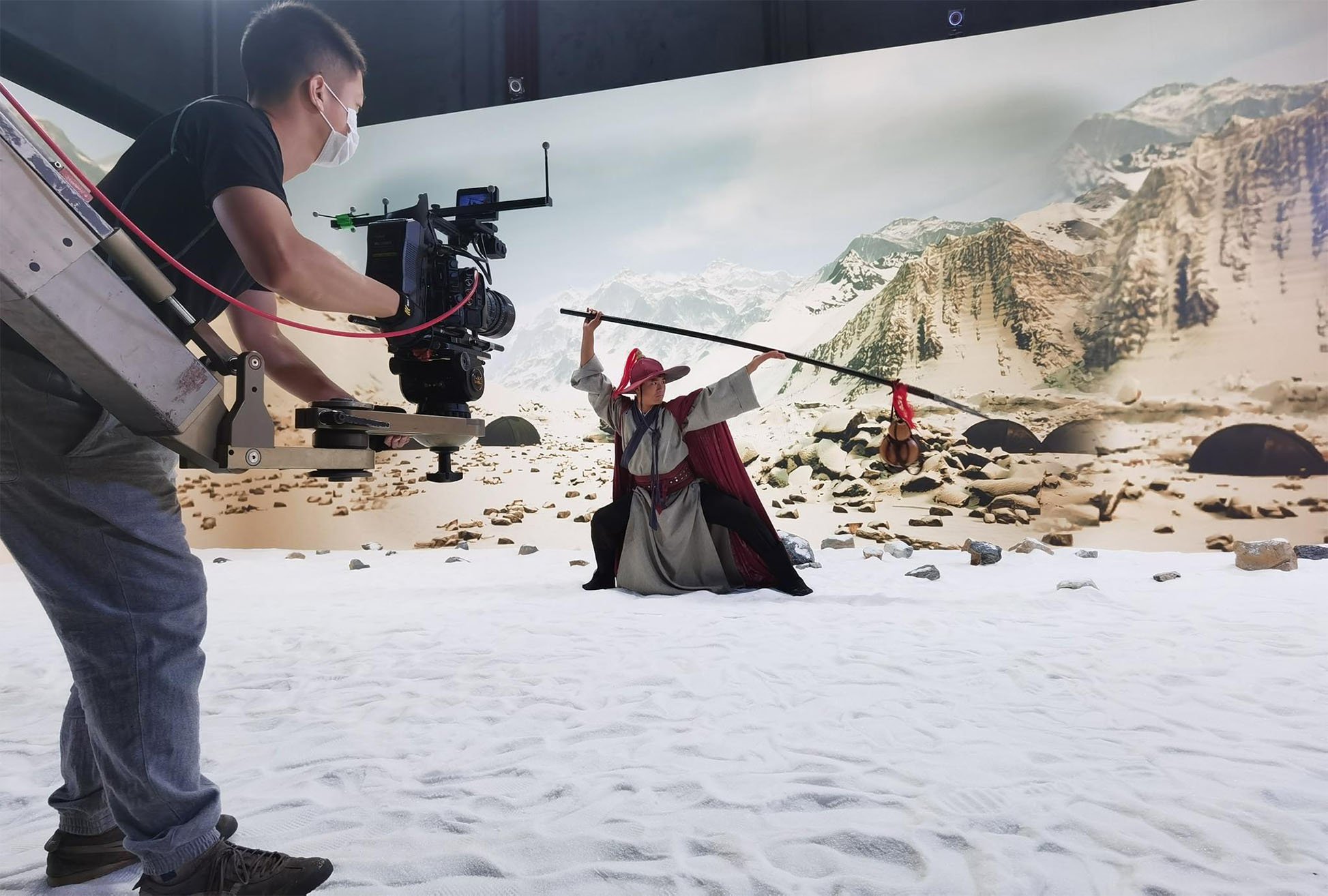
Broadcast example: In a September 2024 EBU Technology & Innovation report, Paul Pledger of the BBC described a pilot episode of the BBC Persian film-review show Aparat using an LED wall and floor. The team adapted its virtual scene for Unreal Engine and tested camera-specific background switching. Pledger wrote: “Colour matching and smooth camera tracking were challenging”. The case illustrates why multi-camera programs need their own workflow tests, even when the stage already works for a single camera.
LED walls vs green screens
Choose an LED wall when an on-set background, environmental reflections and repeatable scenes help the shot. Choose green screen when extensive background replacement or a different compositing workflow is more practical. A production can use both.
| Decision | LED wall | Green screen |
|---|---|---|
| Background | Visible during filming; content must be ready on set. | Usually replaced during compositing; allows later background decisions. |
| Reflections and lighting | Can provide environment-matched reflections and ambient light. | Needs planned lighting and management of green spill. |
| Camera movement | Limited by stage coverage, tracking, latency and acceptable viewing angles. | Requires keying coverage and tracking for the intended composite. |
| Main image risks | Moire, scan artifacts, color mismatch and visible panel seams. | Keying edges, spill, fine hair and reflective or transparent objects. |
| Budget | Includes panels, processing, content preparation and technical crew. | Includes stage, lighting, tracking, compositing and cleanup. |
| Late changes | Possible on set within the prepared asset workflow; recorded backgrounds may still need VFX. | Background changes remain flexible, but can add post-production work. |
Green-screen filming does not inherently require separate locations. Similarly, an LED stage does not make every shot achievable in one setup. Assess the actual camera paths, foreground action and required final image.
What makes an LED screen suitable for filming?
A display that looks good to the eye may still show artifacts on camera. Approve the complete system, including panels, receiver cards, processor, content playback, camera and lenses. The following checklist is a planning tool, not a claim that every rental panel is camera-ready.
| Factor | What to verify |
|---|---|
| Pixel pitch and moire | Test close shots, lenses, focus and distances. Moire is an interference pattern between the display pattern and camera sampling; a smaller pitch alone is not a guarantee. |
| Refresh, scan and shutter | Record all intended frame rates and shutter settings. Review footage for bands, scan lines and flicker at the brightness you will use. |
| Genlock and latency | Check compatible synchronization through the signal chain and test moving-camera shots for delayed background response. |
| Color and grayscale | Check skin tones, neutral grays, dark gradients and consistency between cabinets using the recording camera and agreed color pipeline. |
| Contrast and reflections | Test black levels and reflective props with the actual studio lights. Light spilling onto panels can reduce contrast. |
| Stage coverage and servicing | Check the widest shot, camera angles, cabinet seams, service access, cooling, power planning and recorded fan noise. |
Refresh rate and frame rate are different. ROE Visual’s virtual production guide gives LED refresh examples of 3,840 Hz and 7,680 Hz, alongside source frame-rate examples of 24, 50 and 60 frames per second. These examples are not universal minimum requirements, and a higher refresh specification does not guarantee artifact-free footage.
Genlock provides a common timing reference for compatible equipment. It helps align the camera and display chain, but it cannot remove optical moire or fix all latency problems. Confirm settings with the production engineer and inspect recorded tests.
Read our LED display pixel pitch guide for resolution and viewing-distance fundamentals. Its human-viewing guidance should not be treated as a guaranteed camera-to-wall distance. For processing options, see the NovaStar MX20 vs MX40 Pro comparison and confirm the exact features and compatibility needed for your signal chain.
Costs, sustainability and industry prospects
The practical opportunity for LED screens in the film and television industry is repeatable production in a controlled environment. Reusable digital sets, scheduled television work and productions with repeated locations can benefit when assets and technical workflows are reused. This is a production-planning opportunity, not evidence of a guaranteed market growth rate.
Compare costs over the full project: digital assets, stage hire or purchase, processing and tracking, specialist crew, rehearsal and testing, power and cooling, and remaining VFX. A short shoot with simple compositing needs may not justify a large LED setup.
Environmental performance also needs a defined comparison. Reduced travel or physical set waste may help, while panels, rendering equipment, transport and cooling consume resources. Neither LED nor green screen is automatically the lower-impact choice without project-specific data.
Developments worth evaluating include finer pixel pitches for tighter framing, more consistent color at low brightness, improved processing and simpler calibration. Their value should be judged by repeatable camera-test results and operating requirements, rather than a specification in isolation.
Plan a studio or project
- Define the deliverable: film, TV, commercial or performance; final resolution; frame rates; and the expected level of post-production.
- List the shots: camera bodies, lenses, camera paths, closest framing and subject-to-wall separation.
- Define the stage: wall width and height, floor or ceiling needs, service space, lighting and installation constraints.
- Assign responsibilities: content creation, tracking, rendering, LED processing, camera calibration and on-set support.
- Approve a representative test: use the actual equipment combination and representative scenes before committing to the full setup.
Explore EagerLED’s rental LED display options for modular configurations, then discuss your film or TV display requirements with the team. Include the camera and lens details with your screen dimensions so any proposed configuration can be assessed for the intended shoot.
Frequently asked questions
What are LED screens used for in film and television?
LED screens display backgrounds, scenery and studio graphics during filming. They can also provide environmental light and reflections. In a tracked virtual production setup, the displayed perspective updates with the camera so physical sets and digital environments can be captured together.
Can an LED wall replace a green screen?
An LED wall can replace a green screen for suitable shots, especially when visible backgrounds and reflections are important. Green screen remains useful when backgrounds must change substantially in post-production or the camera movement exceeds the practical limits of the LED stage.
What pixel pitch is best for filming an LED wall?
There is no universal best pixel pitch. Choose it by testing the camera sensor, lenses, focus, aperture, shooting angles and subject-to-wall distance. A finer pitch can help with close shots, but it does not guarantee freedom from moire.
Does a high refresh rate guarantee flicker-free footage?
No. LED refresh rate is only one factor. Camera frame rate, shutter settings, panel scan behavior, processor configuration and synchronization also affect recorded results. Test the complete system at every planned shooting setting.
Are LED virtual production stages cheaper and more sustainable?
They can reduce some travel, physical set construction and compositing work, but savings are project-specific. Compare content creation, equipment, crew, electricity, cooling and remaining post-production over the full production schedule before making a cost or environmental claim.
Technical references and scope
This guide draws on Brompton Technology’s LED Screens as Green Screen Replacement, by Chris Deighton (September 24, 2020), and ROE Visual’s Things You Need to Know About LED When Starting in Virtual Production, attributed to Marina Prak. The broadcast example is from EBU Technology & Innovation, Testing workflows for multi-camera production using LED walls, by Paul Pledger, BBC (September 30, 2024). All three sources were reviewed on September 7, 2026.
The checklist is general planning guidance, not an EagerLED camera-test report. The three photographs are retained from the original article as application illustrations; they do not establish that EagerLED supplied the pictured stages. Model-specific performance must be confirmed for the proposed equipment.