

A Jumbotron is a large video display used to show live footage, replays, advertising, and event information to an audience. Today, buyers commonly use the term for large direct-view LED screens in stadiums, concert venues, exhibition halls, and public spaces. However, the name alone tells you little about the screen’s dimensions, resolution, or installation requirements.
For LED display buyers, distributors, AV integrators, and project contractors, the practical question is which configuration will perform reliably at a particular site. A Jumbotron designed for spectators across a football field has different requirements from a screen showing detailed presentations inside an exhibition hall.
This guide explains how to specify a Jumbotron, compare screen sizes, evaluate purchase and rental costs, and assess alternatives. It also identifies the information to prepare before requesting an EagerLED quotation, helping you move from an initial concept to a clearly defined project.
1. What Is a Jumbotron, and How Does It Work?
The name comes from Sony’s JumboTron display technology. Sony documents its giant screen at the 1985 international exposition in Tsukuba, Japan. Modern procurement discussions often use “Jumbotron” more broadly, so buyers should specify the actual display technology rather than rely on the historical name.
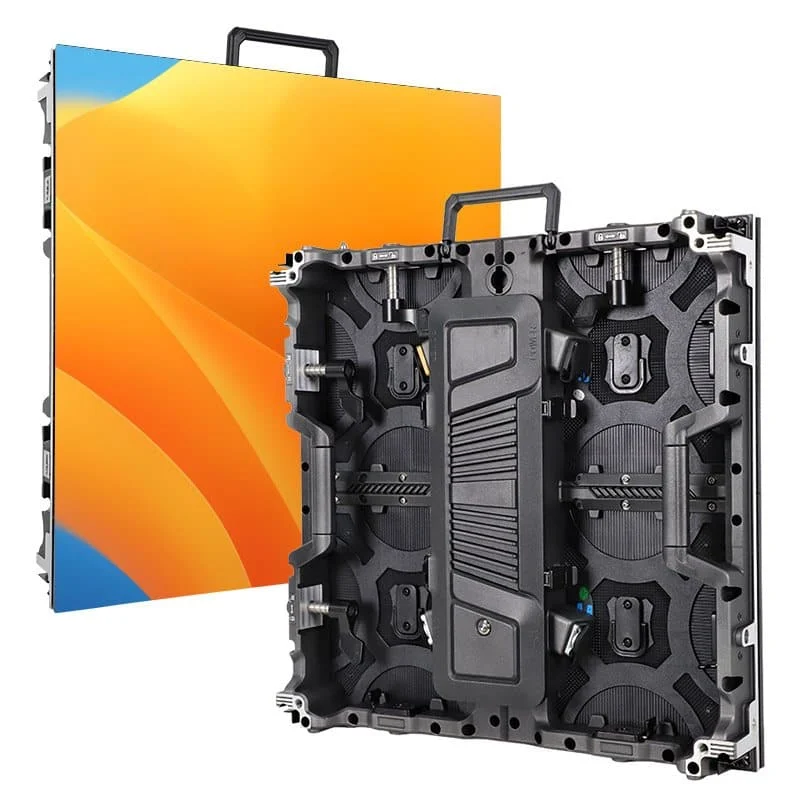
A modern LED Jumbotron builds an image from many light-emitting pixels. Modules hold the pixels, and cabinets organize modules into larger assemblies. Installers connect these cabinets to create the required display area.
The complete system also needs equipment to receive, process, and distribute video. Christie describes video wall systems as combinations of display tiles, power equipment, processing, distribution, and controls.
A simplified signal path is:
Camera or media player → video processor/controller → receiving cards → LED modules
Power distribution operates alongside this signal path. Mounting hardware supports the cabinets, while configuration files tell the control system where each cabinet belongs in the image.
This distinction matters when purchasing a Jumbotron screen. A panel package may exclude the production switcher, playback computer, audio system, mounting structure, or installation labor. Ask the supplier to identify exactly where its scope begins and ends.
Also distinguish a video display from a scoreboard. A Jumbotron can show scoring graphics, but official scoring functions require compatible data sources, software, and operator controls.
2. Jumbotron Sizes: Screen Dimensions and Viewing Distance
There is no single standard Jumbotron size. Specify the active image width and height first, then verify the cabinet arrangement, total installed dimensions, and audience sightlines.
Diagonal measurements are less useful for project planning because they do not show how the display fits a wall, stage, or support structure.
01. Translate dimensions into a cabinet layout
The table below contains illustrative calculations, not standard product packages. Every example assumes compatible 500 × 500 mm cabinets; it does not establish structural feasibility or suitability for a particular venue.
On small screens, swipe horizontally to read the full table.
| Active screen size | Approximate size in feet | Display area | Cabinet layout | Cabinet count |
|---|---|---|---|---|
| 4 × 2.5 m | 13.1 × 8.2 ft | 10 m² | 8 wide × 5 high | 40 |
| 6 × 3.5 m | 19.7 × 11.5 ft | 21 m² | 12 wide × 7 high | 84 |
| 8 × 4.5 m | 26.2 × 14.8 ft | 36 m² | 16 wide × 9 high | 144 |
| 12 × 7 m | 39.4 × 23.0 ft | 84 m² | 24 wide × 14 high | 336 |
Only the 8 × 4.5 m example is exactly 16:9. The others need content prepared for their proportions or a deliberate scaling, cropping, or letterboxing decision.
For your Jumbotron layout, include space for framing, access, ventilation, and cable routing. These requirements can make the installed assembly larger than the active image.
02. Design for both near and distant viewers
The nearest viewers influence pixel-pitch selection; the farthest viewers influence image size and content legibility. A screen can have enough pixels yet still show text too small for the back row.
Daktronics identifies pixel pitch, content design, audience behavior, and viewing conditions as factors in useful viewing distance. Its guidance also recommends testing under real conditions.
For a Jumbotron proposal, request a sightline drawing showing screen elevation, viewing angles, obstructions, and the closest and farthest audience positions. Review representative content from those locations before approving the dimensions.
3. Key Specs Explained: Pixel Pitch, Resolution, and Brightness
A useful Jumbotron specification connects each technical parameter to a viewing or operating requirement.
01. Pixel pitch and native resolution
Pixel pitch measures the spacing between adjacent pixel centers in millimeters. Smaller spacing provides more pixels within the same physical area.
For preliminary calculations:
Horizontal pixels ≈ screen width in millimeters ÷ pixel pitch
Vertical pixels ≈ screen height in millimeters ÷ pixel pitch
A theoretical 8 × 4.5 m screen at exactly 4 mm pitch contains 2,000 × 1,125 pixels. This is a geometry example, not a claim that a particular cabinet system offers that configuration.
For the final design, calculate resolution from the actual module and cabinet pixel counts. Product pitch names may be rounded, and the screen must use whole modules.
A Jumbotron accepting a 4K input is not necessarily a native 4K display. The processor may scale that input to a smaller pixel canvas. Require the quotation to state both supported input formats and the assembled display’s native resolution.
02. Brightness and dimming
Brightness is commonly expressed in nits, equivalent to candelas per square meter. The appropriate level depends on ambient light, viewing conditions, and operating hours.
As a specific example, EagerLED’s EA500C6 rental LED display lists different brightness ranges for its indoor and outdoor configurations. This demonstrates why the exact model matters; one product family does not have a single universal performance specification.
Evaluate image quality at the brightness you will actually use. Excessive output can be uncomfortable indoors or after dark, while inadequate output can leave daylight content difficult to read.
03. Refresh rate and camera performance
LED refresh rate differs from video frame rate. A high advertised refresh rate alone does not guarantee clean camera footage.
Brompton explains that mismatches between LED timing and camera exposure can produce visible artifacts, and its documentation recommends camera testing. For a filmed Jumbotron installation, test the intended cameras, shutter settings, frame rates, and brightness levels together.
On small screens, swipe horizontally to read the full table.
| Specification | Request from the supplier | Practical reason |
|---|---|---|
| Native resolution | Assembled horizontal × vertical pixel count | Confirms usable detail |
| Brightness | Model-specific output and dimming behavior | Supports daytime and nighttime operation |
| Camera compatibility | Test footage under intended settings | Reveals banding and other artifacts |
| Environmental protection | Ratings for relevant faces and components | Clarifies exposure limitations |
| Service access | Module, power supply, and card replacement method | Determines maintenance space |
| Electrical demand | Maximum demand and stated average-load conditions | Supports electrical planning |
4. Where Are Jumbotrons Used? Stadiums, Concerts, and Events
Application requirements should drive the Jumbotron design before a cabinet model is selected.
01. Stadiums and sports facilities
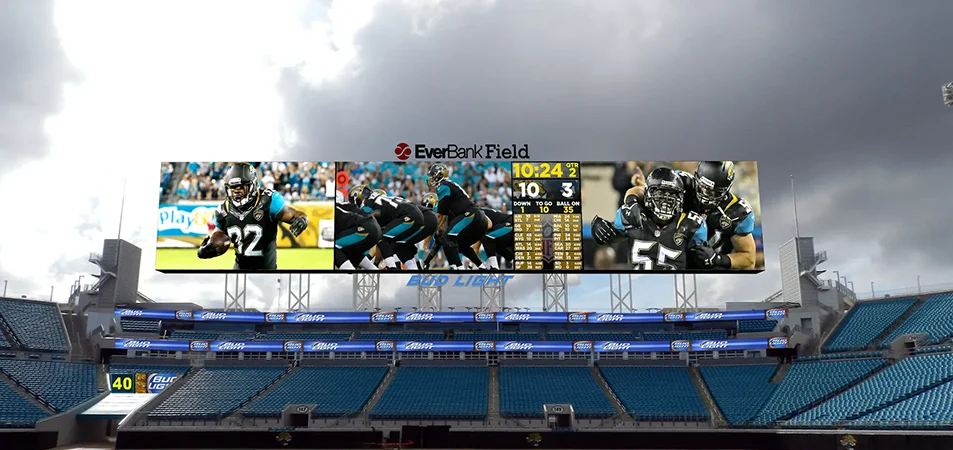
A stadium Jumbotron may combine live video, replays, sponsor messages, and scoring information. The design brief should identify which content must remain visible simultaneously.
A full-screen replay and a layout containing video, scores, timing, and sponsor graphics place different demands on the available pixels. Prepare sample layouts early, particularly when the screen must connect with existing venue systems. EagerLED’s stadium LED screen solutions provide a starting point for discussing venue requirements.
02. Concerts and touring productions
For a concert Jumbotron, camera close-ups can help distant audience members follow performers. Stage designers may also use LED screens for background imagery or separate scenic elements.
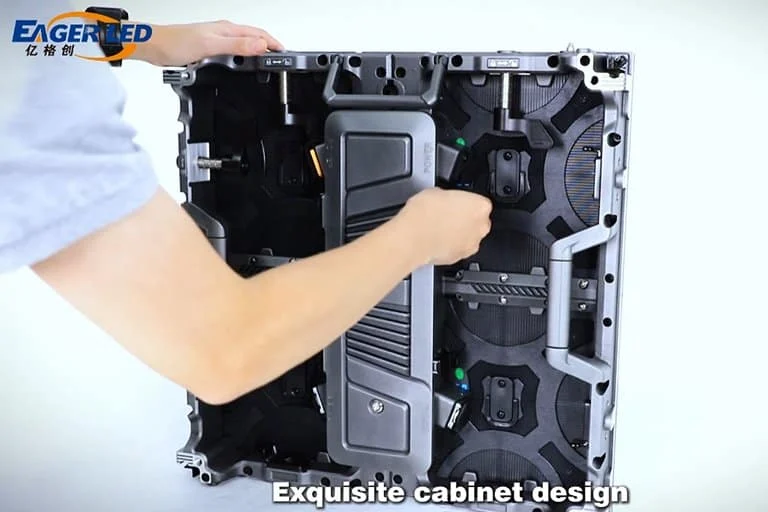
Rental equipment should be evaluated for repeated assembly, transport protection, cabinet alignment, and replacement access. EagerLED’s rental LED display range includes cabinet designs intended for temporary installations, with service arrangements varying by model.
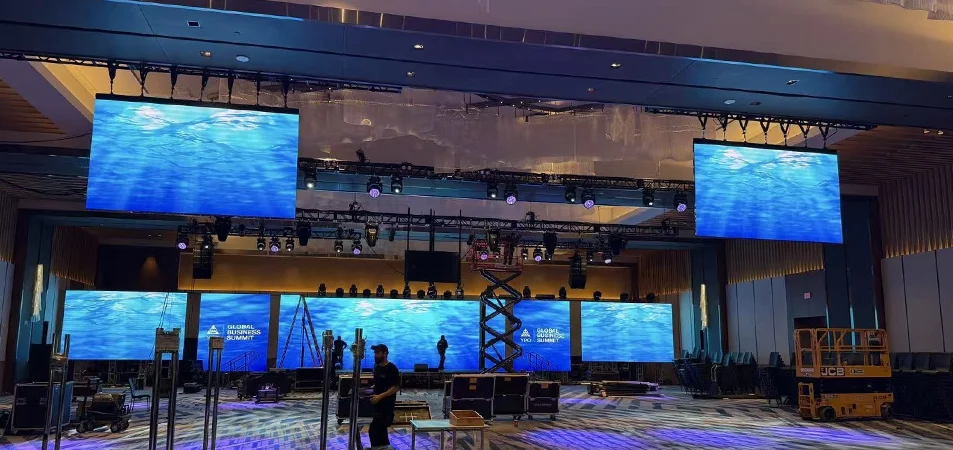
03. Exhibitions, conferences, and public venues
An exhibition screen may need to show small product labels, technical diagrams, or presentation slides. That content deserves a different resolution assessment from large-format concert imagery.
For permanent public-space installations, include scheduling, remote monitoring, content updates, and local servicing in the brief. Determine who will operate the Jumbotron after handover and whether that person will have technical support available.
The best specification reflects everyday use, including routine content changes and fault recovery, as well as the opening event.
5. How Much Does a Jumbotron Cost to Buy or Rent?
A defensible Jumbotron price requires a defined screen configuration and scope of supply. Physical area is only one part of the calculation.
Pixel pitch, cabinet construction, environmental requirements, controls, mounting, installation conditions, and support arrangements all affect the project budget. Two screens with identical dimensions can therefore receive substantially different quotations.
01. Buying: separate equipment from the installed project
For purchasing, request three clearly separated totals:
- Display equipment: cabinets, control equipment, cables, and agreed spares.
- Delivered equipment: display equipment plus applicable freight, handling, taxes, and duties.
- Installed system: delivered equipment plus structure, electrical work, installation, configuration, and handover.
Do not compare one supplier’s factory quotation with another contractor’s installed price.
A useful calculation is:
Installed Jumbotron cost = equipment + delivery + site works + installation + commissioning
Ongoing ownership costs belong in a separate operating budget.
02. Renting: compare the complete event scope
A Jumbotron rental quote should define screen size, pixel pitch, equipment availability dates, installation, operation, and removal.
For one published example, US rental provider Big Bang Companies lists an LED screen rental range of $800–$15,000, depending on the selected setup. The page does not establish a universal daily rate or fully standardized package, so this is a provider-specific reference, not an industry-wide budget.
On small screens, swipe horizontally to read the full table.
| Quotation item | Purchase question | Rental question |
|---|---|---|
| LED cabinets | What exact model and quantity are included? | Is the specified screen inventory reserved? |
| Processing | Are all required inputs and outputs supported? | Are playback and switching included? |
| Structure | Who supplies and engineers the mounting system? | Is ground support or rigging included? |
| Labor | Does the price cover installation and training? | Which setup, show, and removal hours are covered? |
| Logistics | What delivery terms and exclusions apply? | Are transport and handling included? |
| Support | What are the warranty and repair terms? | Is a technician present throughout the event? |
Request current, project-specific pricing before making a purchasing decision. An unsupported price-per-square-meter estimate can conceal more than it explains.
6. Installation, Power, and Maintenance Costs to Budget For
The screen is one component of the Jumbotron installation budget. Site conditions determine much of the remaining work.
01. Structure and access
For a permanent installation, establish who is responsible for the supporting structure, attachment details, engineering review, and access equipment. For temporary screens, confirm the approved support arrangement and operating restrictions.
Cabinet weight alone is insufficient for structural planning. The complete assembly includes framing, cables, accessories, and other loads assessed by the project engineer.
An outdoor Jumbotron also needs a site-specific weather plan. A cabinet’s ingress-protection rating does not establish the wind capability of the assembled structure.
02. Electrical consumption and infrastructure
Keep maximum electrical demand separate from average energy consumption.
Maximum demand informs supply and distribution design. Average consumption depends on brightness settings, image content, operating schedules, and the display configuration.
For budgeting:
Energy in kWh = average system power in kW × operating hours
As a hypothetical arithmetic example, a system averaging 5 kW over eight hours consumes 40 kWh. At an assumed electricity rate of $0.15/kWh, that equals $6 in energy charges. These assumptions are not EagerLED specifications and exclude ancillary equipment and other utility charges.
Ask for the conditions behind any quoted average-power figure.
03. Maintenance and downtime
A Jumbotron maintenance plan should specify access, fault diagnosis, replacement parts, and responsibility for repairs.
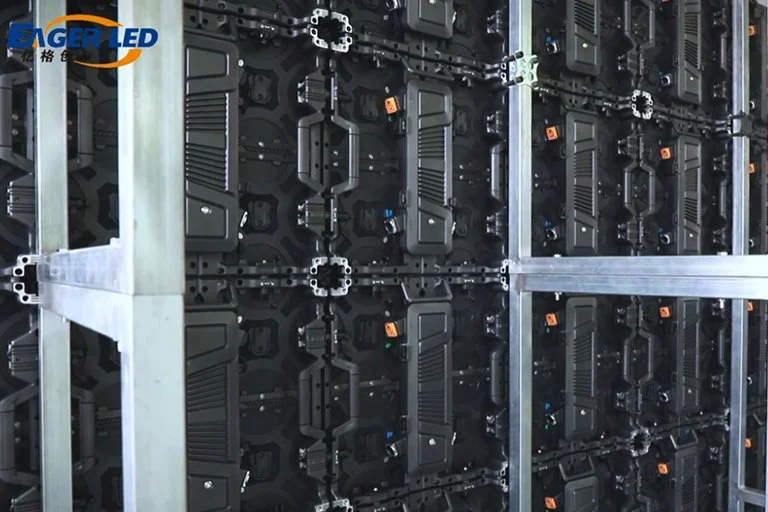
Front-service modules can help where rear access is restricted, but verify whether power supplies and receiving cards are also accessible from the front. A “front-service” description should be checked component by component.
On small screens, swipe horizontally to read the full table.
| Ownership expense | Budgeting input |
|---|---|
| Electricity | Operating schedule and representative system load |
| Routine inspection | Manufacturer’s maintenance requirements |
| Spare parts | Agreed modules, power supplies, cards, and cables |
| Access equipment | Lift, platform, or other approved access method |
| Repair logistics | Shipping responsibilities and turnaround terms |
| Operational disruption | Available backup arrangements and response plan |
For distributors, locally held spares can be commercially valuable. Agree on compatible replacement stock and support procedures before the installation enters service. Review EagerLED’s service and warranty information alongside the project-specific terms.
7. Jumbotron Alternatives: Projectors and LCD Video Walls
A Jumbotron is not the best answer to every large-screen requirement. Compare technologies using the same viewing conditions, content, and service expectations.
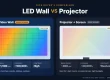
Direct-view LED produces the image at the display surface. Projection places the image onto a separate surface, making ambient light and the optical path central considerations. LCD video walls combine individual displays, with panel boundaries affecting the overall image.
Christie’s technology overview distinguishes modular LED walls from tiled LCD systems and highlights environment, content, brightness, and investment as selection factors.
On small screens, swipe horizontally to read the full table.
| Option | Where it merits consideration | Main limitation to evaluate | Procurement focus |
|---|---|---|---|
| Direct-view LED Jumbotron | Large shared images and suitable outdoor applications | Installation complexity and system cost | Pitch, brightness, structure, service |
| Projector and screen | Controlled-light auditoriums and temporary presentations | Ambient light, throw distance, shadows | Lens, light output, screen, mounting |
| LCD video wall | Indoor information displays and detailed content | Visible panel boundaries | Bezels, alignment, calibration, access |
| Single commercial display | Smaller rooms or localized viewing | Limited physical image size | Viewing distance, duty requirements |
| Multiple distributed displays | Venues with separated audience areas | No single shared image surface | Signal distribution and synchronization |
Projection can be economical when the room and content suit it, but a demanding large-venue projection system still needs a complete installation budget. Likewise, an inexpensive LCD panel price does not include the full cost of a calibrated video wall.
A smaller indoor LED screen may also be a valid alternative to a large Jumbotron proposal. Reducing screen area while preserving readable content can be more useful than lowering critical performance requirements.
8. Pros and Cons: Is a Jumbotron Right for Your Venue?
The strongest reason to choose a Jumbotron is a clear requirement for a large, continuous image that serves the intended audience.
Its modular construction allows the display area to be assembled around project needs. Suitable outdoor models can support daylight applications, while replaceable components provide a route to localized repairs.
Those advantages come with responsibilities. A large LED screen needs coordinated electrical, structural, video, and maintenance planning. Close viewers may see the pixel structure if pitch selection is unsuitable. Poor cabinet alignment or inconsistent calibration can distract from otherwise strong image quality.
Use these questions to evaluate the proposal:
- Can the intended audience see and read the content?
- Does the selected configuration suit the lighting and exposure?
- Can the site support installation and future maintenance?
- Is someone responsible for content and daily operation?
- Does the complete budget support reliable ownership or rental?
A Jumbotron can also support sponsorship inventory, but screen ownership does not guarantee advertising revenue. Build any commercial forecast around actual audience access, sellable placements, and realistic sales capacity.
Before approving the project, test the most demanding content. A sample video may look convincing while small sponsor text or detailed presentation graphics remain unreadable.
9. Renting vs. Buying: How to Choose a Jumbotron Supplier
Renting and buying solve different operational needs.
A Jumbotron rental can suit occasional events, uncertain schedules, or venues that need different screen configurations. Ownership deserves consideration when recurring use, available staff, storage or installation space, and service capability support it.
For a simple initial comparison:
Indicative break-even uses = initial ownership investment ÷ (rental cost per use − ownership cost per use)
The calculation only works when the denominator is positive. It also excludes financing, residual value, and some business risks, so it should support a broader assessment rather than decide the purchase alone.
For rental companies and distributors, assess how often the cabinet platform can serve realistic customer requirements. Cabinet compatibility, handling, repairability, and stock availability can matter as much as the initial purchase price.
01. Prepare a complete request for quotation
Send EagerLED or another shortlisted manufacturer a project brief containing the following information:
On small screens, swipe horizontally to read the full table.
| RFQ field | Information to provide |
|---|---|
| Application | Sports, touring, exhibition, advertising, or other use |
| Location | Country, venue, indoor/outdoor conditions |
| Display geometry | Target width, height, orientation, and shape |
| Audience | Nearest and farthest viewers, important sightlines |
| Content | Video, scoring, text, presentations, camera feeds |
| Installation | Fixed, flown, ground-supported, or mobile |
| Access | Front/rear service space and site restrictions |
| Operations | Hours, staffing, remote management needs |
| Commercial scope | Delivery location, schedule, support expectations |
02. Evaluate evidence and responsibilities
Request a current specification sheet, cabinet drawing, native-resolution calculation, power requirements, and itemized bill of materials. Identify any product certifications or project documentation required for the destination, then verify that the supplied documents cover the quoted configuration.
Agree on acceptance criteria before production. These can include cabinet condition, alignment, representative content playback, image uniformity, and verification of specified functions.
The Jumbotron supplier should also explain warranty exclusions, replacement procedures, remote support, and responsibility for freight or on-site labor during a claim.
For an EagerLED inquiry, begin with the viewing requirement and project constraints. Ask for a recommended configuration with documented alternatives, so any savings or upgrades can be judged against a specific operational benefit.
10. FAQ
01. Can a Jumbotron display live television or streaming video?
Yes, when the source and signal chain are compatible. Confirm input connections, supported formats, scaling, and any content-protection requirements before the event. The screen itself does not supply television channels or streaming subscriptions. Public screening may also require permission under the relevant service terms or rights arrangements, which the organizer should verify separately.
02. Does a Jumbotron have built-in sound?
Do not assume that it does. Treat sound as a separate system unless the supplier explicitly includes it. A complete event package may need microphones, playback audio, mixing, amplification, and loudspeakers. The integrator should also check audio-video synchronization, especially when live camera pictures pass through several processing stages.
03. Can I expand a Jumbotron after purchasing it?
Expansion may be possible, but it should be planned before ordering. Confirm continued cabinet availability, mechanical compatibility, electrical capacity, controller capacity, and support-structure limits. New cabinets may not visually match older ones without adjustment. Buying compatible expansion stock early can reduce uncertainty, although it creates an additional storage and capital commitment.
04. Can LED cabinets from different manufacturers be combined?
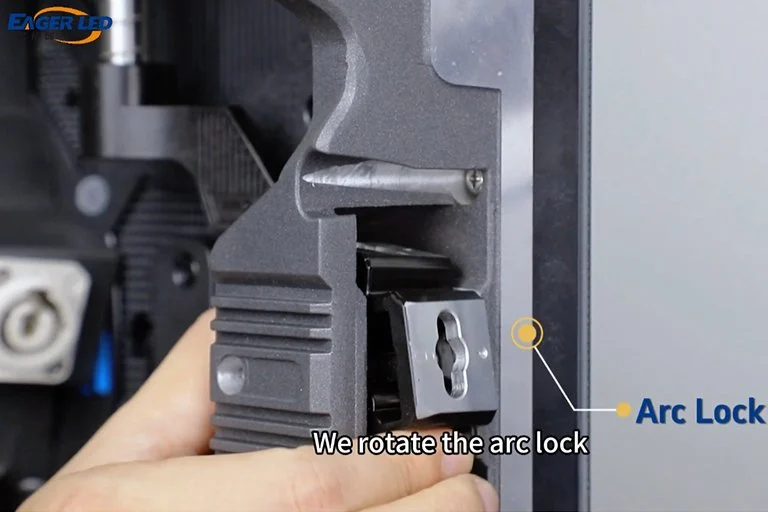
They should not be assumed compatible. Matching dimensions and nominal pixel pitch do not establish compatibility between locks, connectors, receiving cards, scan configurations, or calibration systems. Even within one brand, different product generations can require separate assessment. Obtain written confirmation of the proposed combination and inspect a working assembly before committing to mixed inventory.
05. What happens if one Jumbotron module fails during an event?
The visible result depends on the failure location and system design. A module fault may affect a small image area, while a power or signal fault can affect a larger section. Prepare appropriate spares and a trained response team. Any replacement during operation must follow the manufacturer’s approved procedure; hot-swapping should never be assumed.
06. Will a Jumbotron show QR codes clearly?
It can, provided the code has enough pixels, sufficient physical size, strong contrast, and clear space around it. Scanning also depends on viewing distance, camera quality, angle, and display behavior. Test the final QR code on the assembled screen from realistic audience positions. A code that scans from a desktop preview may fail at the venue.
07. How much delay will a live camera feed have?
There is no universal Jumbotron latency figure. Delay accumulates through cameras, converters, switchers, scaling, processing, and the display system. For live speaker or performer close-ups, request an end-to-end test using the proposed equipment. A processor’s low-latency specification alone does not describe the delay between the real action and the displayed image.
08. Can an indoor Jumbotron be used outdoors under a roof?
A roof alone does not establish suitability. Wind-driven rain, humidity, condensation, dust, temperature, and daylight may exceed the indoor product’s intended conditions. Ask the manufacturer to assess the actual exposure and installation arrangement. Also confirm protection for connections, power equipment, and controls, since these components may have different limitations from the display face.
09. What files should I receive when the installation is complete?
Request the final cabinet map, control-system configuration backups, calibration data where applicable, operating instructions, electrical and signal drawings, and the agreed spare-parts inventory. Include warranty details, support contacts, and an operator handover record. These materials help future technicians restore the Jumbotron correctly without reconstructing the original setup from scratch.
11. Conclusion
A Jumbotron is best evaluated as a complete display system: screen geometry, native resolution, brightness, processing, structure, power, and service access all influence the result.
Start with the audience and content, then develop a buildable cabinet layout. Compare purchase and rental proposals using identical scopes, and assess projectors, LCD walls, or smaller displays where they may meet the brief more efficiently.
For buyers, distributors, AV integrators, and contractors preparing an EagerLED project, the next step is a documented RFQ. Provide the site conditions, dimensions, viewing distances, content requirements, and delivery schedule so the proposed Jumbotron configuration—and its cost—can be reviewed against the actual job.