To make an LED advertising screen stand out, combine a readable message with the right pixel canvas, suitable brightness and a clear next step. Start with the audience’s actual position, then test the complete ad on the installed display. Extra animation or a higher brightness setting will not compensate for tiny lettering, a confusing offer or a poorly placed screen.
An LED advertising screen is a direct-view display assembled from light-emitting pixels. Its effectiveness depends on both the hardware and the creative. A shop window, exhibition booth and outdoor billboard need different content, even when they promote the same brand. This guide connects practical design decisions with the specifications that influence what people can see.
Use the ten recommendations below to brief your designer, review an existing campaign or prepare a new installation. If you are still comparing display formats and project costs, also read our LED advertising screen selection guide. Here, the priority is turning the available screen area into an understandable message and a measurable audience response.
1. Plan Your LED Advertising Screen Around the Audience
Before choosing artwork, write a short site brief: who will see the display, where they will stand, how they will move and what action you want them to take. Record the nearest and farthest useful viewing positions, sightline obstructions, surrounding signs and changing light. An LED advertising screen seen through a window should also be assessed with reflections and interior lighting present.
Distinguish exposure time from playlist duration. A person walking past for a few seconds will not necessarily see the beginning of your video. Each important frame should therefore explain the offer without relying on an earlier scene. Someone waiting at a reception desk may have time for a longer sequence, but still needs a clear entry point.
| Viewing environment | Main content priority | Useful acceptance check |
|---|---|---|
| Retail entrance or window | One relevant offer, recognizable product and store direction | Read it from the normal approach with reflections present |
| Mall corridor | Large headline and brand visible throughout the loop | Understand the message while walking at ordinary speed |
| Outdoor billboard | Simple image, short copy and a memorable location cue | Check distant sightlines and authorized day/night settings |
| Exhibition booth | Product benefit, booth identity and demonstration schedule | Read it above crowds and test any planned camera coverage |
| Reception or waiting area | Self-contained messages with enough time for useful detail | Check seated positions and ensure sound is unnecessary |
The table is a planning framework, not a promise of campaign performance. Give the designer a photograph from each important audience position and the exact canvas dimensions. For a rented LED advertising screen, obtain the media owner’s delivery specifications before commissioning video production. This avoids paying to remake an otherwise attractive file that cannot play correctly.
01. Connect physical size with pixel pitch
Pixel pitch is the center-to-center spacing between neighboring pixels, stated in millimeters. For the same physical area, smaller pitch provides more pixels. It does not automatically make the message easier to understand: font size, contrast and viewing distance still matter. Our pixel pitch and viewing distance guide explains how to shortlist configurations before testing actual content.
For a regular square pixel grid, horizontal pixel count equals active width in millimeters divided by pitch. An illustrative 4,000 mm-wide surface at 4 mm pitch has 1,000 pixels across. At 2 mm pitch, the same width has 2,000. These are calculations, not a product specification; the final build must follow the available module and cabinet dimensions. Ask for the completed pixel map, not just the input resolution supported by the controller.
02. Check environmental and service requirements
An outdoor LED advertising screen needs a specified weather-protection arrangement, drainage, thermal management and safe service access. Confirm whether the stated ingress-protection rating covers the front, rear or complete assembled enclosure. A sheltered location does not automatically make an indoor cabinet suitable outdoors. Structural and electrical requirements should be reviewed by qualified project professionals for the actual site.
Plan how technicians will reach modules, power supplies and receiving cards after installation. Front service can help where rear access is restricted, but the required working clearance still needs checking. A screen that cannot be maintained conveniently can remain visibly defective longer, undermining even carefully designed advertising.
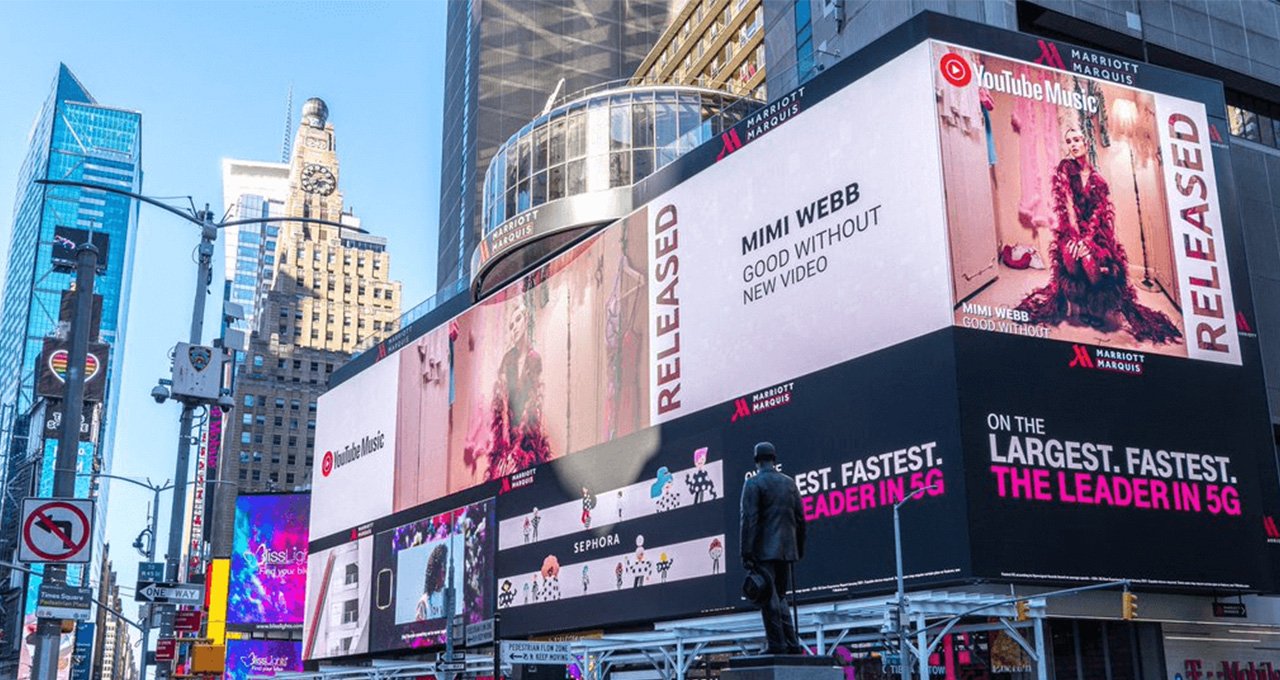
2. Ten Ways to Make an LED Advertising Screen Stand Out
01. Make one offer the visual priority
Decide what a first-time viewer should remember: the product, the benefit or the reason to visit. Give that message the strongest visual emphasis. Supporting details should help someone act, rather than compete for attention. For an LED advertising screen outside a shop, a product image, clear offer and entrance direction are often a useful starting composition.
Check every claim against the current promotion. Conditions that materially change the offer must remain understandable; shrinking them into unreadable text is not a design solution. If the message needs extensive explanation, simplify the offer or use a suitable landing page for additional detail.
02. Size text for real viewing conditions
Choose lettering with clear shapes and enough stroke width to survive the pixel grid. Judge the smallest necessary text from the farthest intended viewing point, not from your design monitor. A short headline can still fail when it is placed over a busy photograph. Test a solid backing area behind important words if the background competes with them.
An LED advertising screen should communicate without sound. Put essential information in the image itself and use captions when spoken content matters. Test comprehension with someone who has not seen the creative brief; asking what they understood is more useful than asking whether they like the design.
03. Export to the native pixel canvas
Obtain the exact width and height in pixels, orientation and approved safe area. Design to that canvas before exporting. Standard television formats can be inappropriate for a long banner or a tall window installation. Stretching an export changes proportions, while cropping can remove prices, logos or directions.
For an LED advertising screen with multiple faces, ask whether each face requires a separate file or whether the processor uses one combined map. Confirm codec, frame rate and playback limitations with the operator. Keep an editable master and a clearly named delivery version so later revisions do not introduce accidental scaling.
04. Use motion with a clear purpose
Animate the reveal of a product or guide attention toward the offer, then give viewers time to absorb the completed composition. Avoid a sequence in which the brand, price and action are never visible together. Review the loop boundary too: an abrupt restart can interrupt a sentence or leave a confusing blank interval.
A public-facing LED advertising screen should avoid rapid flashing. The W3C explanation of flashing-content risks is useful background for creative review; it is a web accessibility reference, not a substitute for local signage requirements. Confirm any site restrictions on motion, transitions and operating hours with the media owner.
05. Balance brightness with the surroundings
Brightness, or luminance, is commonly specified in cd/m², also called nits. A maximum rating is not an instruction to run the display at that level continuously. Evaluate the LED advertising screen in the lighting conditions that matter, including after dark, and agree on operating settings that keep the message legible without excessive glare.
If automatic brightness control is available, check sensor placement and operation rather than assuming it is configured correctly. Test gradients, skin tones and dark product details at the intended dimmed settings. Low-brightness image quality matters when the campaign runs indoors or at night.
06. Schedule content that is relevant now
Build a schedule around opening hours, product availability and campaign dates. A breakfast offer running after service ends creates confusion, even when the image is excellent. Assign an owner to each playlist and record the approval date, expiry date and replacement file.
For an LED advertising screen across time zones, confirm the player’s local clock and scheduling behavior. Test what happens after a restart or network outage. Keep a neutral fallback creative that remains accurate when a live feed, price update or promotion is unavailable.
07. Choose an action viewers can complete
The best call to action depends on the setting. A stationary visitor may scan a QR code; a distant audience may need a store name, direction or memorable offer. Do not ask drivers to scan or interact with an LED advertising screen. Keep the next step on the same frame as the reason to take it.
If you use a landing page, make its headline and offer match the display. Check mobile loading, destination accuracy and any redemption instructions before launch. A clear advertisement loses value when it leads to an unrelated homepage or an expired promotion.
08. Keep the brand recognizable in any frame
Use consistent logo placement, colors and a limited set of typography styles. Someone who enters halfway through the loop should still recognize the advertiser. Review an LED advertising screen by pausing the campaign at several points and checking whether each frame has enough context to stand alone.
Consistency does not require identical layouts everywhere. Adapt the composition to each screen while preserving the brand’s recognizable elements. Keep essential marks away from seams, framing and content zones reserved by the operator.
09. Match special effects to actual sightlines
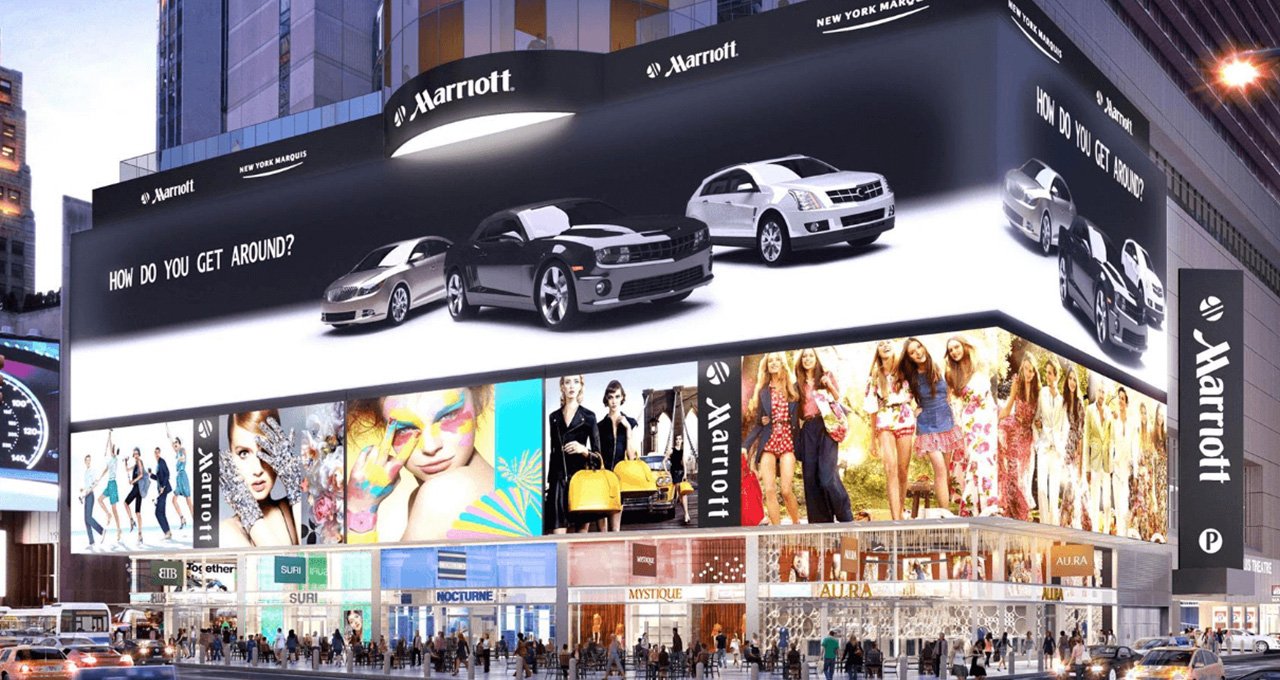
Corner illusions, curved surfaces and transparent displays can support distinctive campaigns, but their effectiveness depends on geometry and audience position. Request a sightline review before commissioning expensive custom animation. A dramatic effect seen from one camera angle may be much less clear from normal walking routes.
When evaluating an LED advertising screen for this purpose, judge the everyday viewing experience as well as the promotional video. Compare the special treatment with a straightforward product-led concept. Choose the version that communicates the message at the site, rather than the version that only looks impressive in a presentation.
10. Protect image quality through routine care
Inspect for dark modules, inconsistent color, damaged surfaces and interrupted playback. Keep the approved configuration and content files accessible to the responsible team. Follow the manufacturer’s maintenance instructions and use qualified technicians for electrical or cabinet work.
Maintenance of an LED advertising screen includes editorial checks. Verify prices, opening hours and scheduled dates alongside hardware condition. After replacing a module or changing processor settings, recheck uniformity and the campaign from the audience position before treating the job as complete.
3. Test the Display and Measure Campaign Response
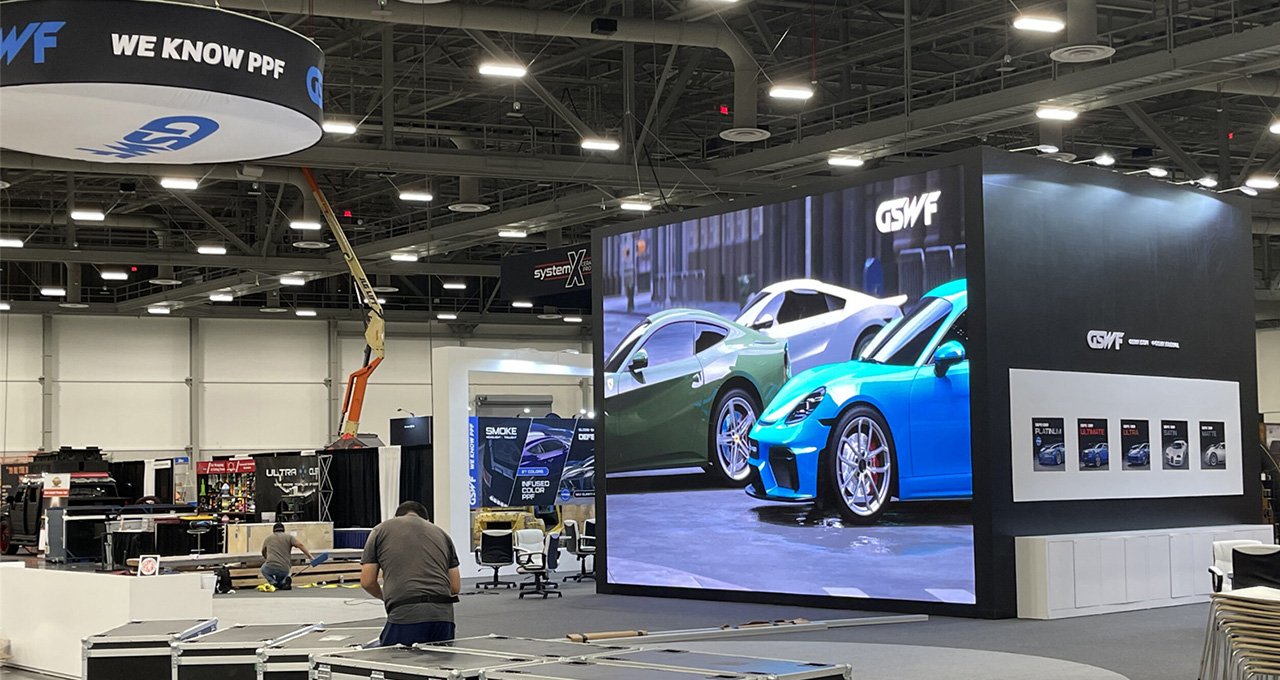
Give the LED advertising screen a practical acceptance test before the campaign starts. Check the smallest text, full-frame images, gradients, motion and any QR code on the installed system. Record the brightness setting and ambient conditions so a later review compares like with like. A phone photograph alone cannot reliably represent the image seen by a person.
01. Separate panel behavior from video behavior
Refresh rate, expressed in hertz, describes how often the display’s driving system refreshes its output; it is different from the number of unique video frames per second. Camera banding can also involve shutter timing and scan behavior. If the installation will be filmed, test the intended camera, exposure and movement. Do not accept a refresh-rate figure as a universal guarantee of camera performance.
For power planning, distinguish maximum demand from measured consumption during the actual playlist. Content and brightness affect operating load, while auxiliary equipment also consumes power. Ask the installer for appropriate supply sizing and use measured site consumption for running-cost estimates. Do not turn a generic average-power claim into a guaranteed operating bill.
02. Define a response you can track
Choose one primary outcome for the LED advertising screen: qualified enquiries, offer redemptions, landing-page visits or another relevant action. A campaign-specific link or code can help connect responses to the placement. Keep the destination and measurement method stable when comparing creative versions.
Playback records show whether files ran; they do not prove that people watched them. Scans show one form of interaction, but miss people who act later through another channel. Compare similar periods and record changes in weather, footfall, stock availability and other advertising. Treat small samples cautiously and avoid claiming that every change in sales came from the screen.
Test one meaningful variable at a time, such as the headline or product image, and keep a record of what changed. The purpose is to improve decisions over repeated campaigns, not to declare a winner after a few isolated responses.
4. Fix Common LED Advertising Screen Problems
Use this troubleshooting table to identify the next useful check before replacing hardware or redesigning the whole campaign. Several symptoms have more than one possible cause, so confirm the issue on site.
| Observed problem | What to investigate | Practical next step |
|---|---|---|
| Headline is hard to read | Text size, busy backgrounds and viewing distance | Shorten copy and test larger lettering at the audience position |
| Logo appears stretched or clipped | Canvas dimensions and processor scaling | Confirm the native pixel map and export a matching file |
| Image is uncomfortable at night | Brightness schedule and sensor behavior | Review the approved night settings on site |
| Video shows bands on camera | Shutter timing, scan behavior and display configuration | Run a joint camera and display test with the operator |
| Offers remain after expiry | Playlist ownership, clock and end-date settings | Assign a content owner and verify the replacement schedule |
| Playback works but response is weak | Audience relevance, offer clarity and destination experience | Check comprehension and test one creative variable |
When reporting a fault on an LED advertising screen, include the file version, time, location and whether it affects every source or only one asset. This helps distinguish a content problem from a signal, controller or panel problem. Keep troubleshooting separate from unsupported assumptions about campaign performance.
5. LED Advertising Screen FAQs
01. Can an LED advertising screen keep playing if the internet fails?
It can if the player stores the approved playlist locally and supports offline playback. A cloud dashboard alone does not prove that capability. Before launch, disconnect the network under controlled conditions and check playback, scheduling and recovery. Live prices, feeds and remote changes may stop working even when cached videos continue. Ask the operator which functions remain available and set a fallback message.
02. Do I need a 4K video for every LED advertising screen?
No. Match delivery to the native pixel canvas and the processor's supported format. A 4K source cannot add physical pixels to a lower-resolution wall. Keep a high-quality master for editing, then export the approved playback file. Confirm codec, frame rate, maximum file size and whether audio is permitted with the media owner before producing the final animation.
03. How can I test a QR code before buying media time?
Run the actual artwork on the LED advertising screen and test several phones from the intended stationary viewing positions. Keep the code unobstructed, preserve its clear border and allow enough time to scan. Check the mobile landing page over an ordinary mobile connection. If viewers must move closer than the site allows, replace the code with a short address or another practical action.
04. Why does my LED advertising screen look different on camera?
A camera samples the display differently from the human eye. Shutter timing, exposure, focus and the interaction between the camera sensor and pixel grid can reveal banding or moire. Test the intended camera settings with the operator. A high advertised refresh rate does not guarantee every camera setup will work, and increasing brightness can overexpose the image instead of fixing it.
05. How often should I replace an advertising creative?
Replace it when the offer expires, the audience or season changes, or comparable response data shows a reason to test a new version. There is no universal weekly replacement rule. Keep version records so you can compare outcomes and restore a known working file. For an LED advertising screen with several advertisers, agree on approval deadlines and removal responsibilities before the campaign starts.
6. Conclusion
An LED advertising screen stands out when people can recognize the offer, understand it quickly and take an appropriate next step. Start with the viewing environment, build for the native canvas, set suitable brightness and verify the result on the actual installation. Then maintain the display and improve the campaign using comparable response data.
Before your next purchase or creative brief, gather the site dimensions, audience distances, lighting conditions, required pixel canvas and service constraints. Share these details with EagerLED’s display team to discuss an LED advertising screen configuration that fits the application. Agree on the content delivery requirements and acceptance checks before production begins.