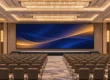
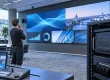
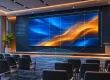
LED wall vs projector choices depend on room light, image size and content. Direct-view LED can suit bright spaces and modular layouts, while projection can provide a large image where light and the optical path can be controlled. Compare the complete systems at the same usable brightness, resolution and viewing distance before choosing.
This LED wall vs projector guide is for AV integrators preparing a system specification. It explains brightness calculations, contrast, ownership costs and the limits of lifetime ratings, then provides application and acceptance-test checklists. Use these comparisons to request matched quotations and plan an on-site demonstration with the actual content.
Key takeaways
- Both display types are affected by ambient light. Test contrast and readability under the lighting the audience will actually use.
- A theoretical 5,000 lumens reaching a 120-inch 16:9, gain-1 screen produces about 400 nits of projected luminance; advertised lumens may not equal delivered output.
- Compare model-specific light-output maintenance ratings, operating modes and warranties. A light-source rating is not the service life of the complete system.
- Calculate total cost using the same screen size, usable brightness, operating hours and service period. Neither technology is automatically cheaper over 5–10 years.
- For filmed events, test the actual screen, processor and camera settings; refresh rate alone is not an acceptance test.
1. LED Wall vs Projector at a Glance
The table below summarizes how a direct-view LED wall and a projection system compare for a typical indoor installation.
| Factor | LED wall | Projector and screen |
|---|---|---|
| How the image is made | LED pixels emit light directly | Light is reflected from a screen |
| Brightness comparison | Model-specific luminance in nits at the selected setting | Delivered lumens, screen area, gain and viewing angle determine luminance |
| Ambient light | Select a model and operating brightness suited to the ambient light | Light control and screen selection affect achievable contrast |
| Contrast | Emitted black can be low; reflected room light still lifts the black level | Limited by room light falling on a white screen |
| Lifespan | Check the stated light-output endpoint, conditions and system warranty | Check the model, light-source type, mode, endpoint and service requirements |
| Maintenance | Swap individual modules; occasional calibration | Model-dependent lamp or filter work, cleaning and alignment |
| Size and shape | Modular dimensions; curves require compatible cabinets and engineering | Image size and mapping depend on optics, surface and brightness |
| Seams | Joint visibility depends on assembly, alignment and calibration | No seams on a single screen |
| Installation | Needs a structure, power and data cabling | Needs a mount, a screen and a clear throw path |
| Power | Measure at the intended content and luminance | Compare at matched image size and usable luminance |
| Upfront cost | Quote the complete cabinet, control and mounting system | Quote projector, lens, screen, mounting and room changes |
| Best for | Consider for higher-luminance, modular or outdoor installations | Consider where light control, optics and budget suit the content |
Projector vs TV vs LED video wall: include commercial LCD panels where their dimensions and native resolution fit the room. There is no universal diagonal-size cutoff that makes LED cheaper or better. Compare the delivered system, closest viewing distance, mounting constraints and seam tolerance using the same content.
2. Lumens vs Nits: How to Compare Projector and LED Wall Brightness
Projector brightness is quoted in lumens, which measure the total light leaving the lens. LED wall brightness is quoted in nits (candelas per square meter), which measure how bright the screen surface looks to the viewer. The two are not directly comparable until you account for the screen size.
For a diffuse matte screen, a useful estimate is nits ≈ delivered lumens × screen gain ÷ (screen area in m² × π). Here, delivered lumens means light reaching the screen in the selected operating mode and lens configuration. At gain 1.0, 5,000 delivered lumens on a 120-inch 16:9 screen (about 3.97 m²) gives about 400 nits. Doubling both image dimensions spreads the same light over four times the area. Higher-gain and ambient-light-rejecting screens need viewing-angle and lighting checks; this simple estimate does not describe every screen surface.
01. How to Convert Nits to Lumens (and Lumens to Nits)
You can convert in either direction once you know the screen area in square meters and the screen gain (1.0 for a standard matte white screen):
- Lumens to nits: nits = lumens × gain ÷ (area × π)
- Nits to lumens: lumens = nits × area × π ÷ gain
Example: an illustrative 500-nit projected contribution on a 150-inch 16:9 screen (about 6.2 m², gain 1.0) requires about 500 × 6.2 × π ≈ 9,700 delivered lumens. This is a calculation target, not a recommended brightness for every room or a projector purchase specification. The formula estimates luminance from projection; it does not predict ambient contrast. Verify lens, zoom, calibrated mode and output maintenance, then assess room light separately.
02. Brightness Targets and Calculation Assumptions
An LED specification gives maximum luminance for a particular model and test condition. Choose the operating setting for the room and content, rather than running every indoor wall at its maximum. In an LED wall vs projector comparison, match usable image luminance and evaluate contrast with the same lights on.
The table uses 16:9 geometry and a gain-1 matte screen. The 300- and 600-nit values are illustrative calculation targets, not standard requirements for classrooms, churches or offices. Lumens refer to light reaching the screen. Round-off explains small differences between displayed areas and calculated values.
| Screen size (16:9) | Screen area | Lumens for 300 nits | Lumens for 600 nits |
|---|---|---|---|
| 120 inch | About 4.0 m² | About 3,700 | About 7,500 |
| 150 inch | About 6.2 m² | About 5,800 | About 11,700 |
| 200 inch | About 11.0 m² | About 10,400 | About 20,800 |
| 300 inch | About 24.8 m² | About 23,400 | About 46,700 |
As screen area increases, projection needs more delivered light to maintain the same luminance. Whether one projector, multiple projectors or LED is economical depends on the actual specifications and quotations. Our LED display resolution guide explains how to size an LED wall and choose its pixel pitch.
3. LED Wall vs Projector: Contrast and Ambient Light
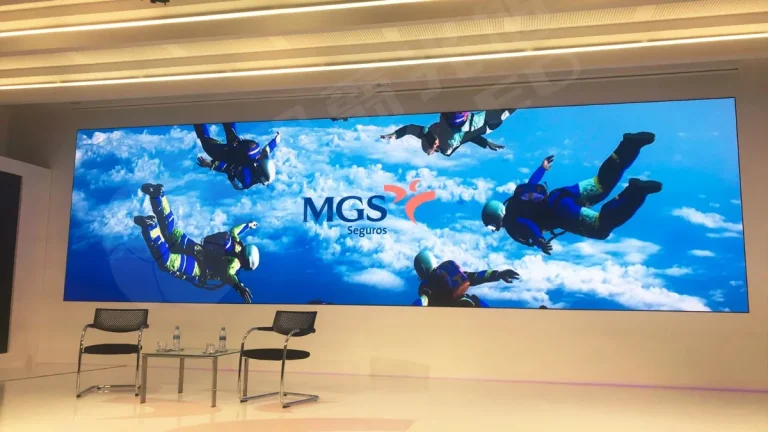
For an LED wall vs projector comparison, assess contrast under real room lighting. A projector cannot remove ambient light reflected by the screen, so light falling on the image raises the visible black level. Screen material, lighting direction and room treatment can improve the result; blackout is not mandatory for every projection installation.
An LED wall emits light directly, but its surface still reflects ambient light. Black level and readability therefore depend on surface treatment, luminance, lighting angle and the room. Uniform color and inconspicuous joints require suitable modules, careful alignment and calibration; they are not automatic properties of LED technology.
Pixel pitch, total native resolution and viewing distance affect LED image detail. A rough distance rule is only a starting point: inspect small text and the actual content from the nearest and farthest seats. For filmed use, a high refresh rate may help, but 3840 Hz or 7680 Hz alone does not guarantee clean footage. Test camera frame rate, shutter speed, rolling-shutter behavior, display scan settings, brightness and synchronization. Also check for moiré at the intended camera distance and focus.
Projectors can produce a continuous image without LED module joints. Fine detail depends on native resolution, optics and focus. At any size where a flat panel is practical, compare it using the same content and seating positions; see our LCD vs LED display comparison.
4. LED Wall vs Projector Cost: Purchase and Ownership
Compare complete upfront quotations. Projection can be economical for a large image in controlled light, but lens choice, screen material, installation and room treatment affect the total. For LED, include cabinets, processing, structure, electrical work and commissioning. Match resolution, usable brightness and service scope before comparing prices.
Neither technology is automatically cheaper over 5–10 years. Calculate purchase and installation costs, energy, scheduled service, replacement parts and access labor over the same period. Use model-specific service schedules; a laser projector does not require routine lamp replacement simply because a lamp projector does. Include redundancy or downtime costs only when the project needs them.
For a fair LED wall vs projector cost comparison, add up the full system on both sides:
| Cost item | LED wall | Projector system |
|---|---|---|
| Display hardware | LED cabinets, priced per m² | Projector or projectors, plus lens |
| Screen surface | Included (the wall is the screen) | Projection screen, sized and specified for gain |
| Control | Video processor and sending device | Switcher or media server; blending for multiple projectors |
| Structure | Wall mount, frame or truss | Ceiling mount, rigging or booth |
| Room changes | Structural support, electrical supply, heat and service access | Mounting, throw path, light control and electrical supply |
| Running costs | Power (varies with content and brightness), spares | Power, lamps or laser ageing, filters |
| Service | Module swaps, occasional calibration | Lamp changes, cleaning, re-alignment |
For LED wall budgets per square meter and by pixel pitch, see our LED wall price guide, and for running costs see LED display power consumption and running costs.
5. LED Wall vs Projector Lifespan and Maintenance
LED walls: request the exact model’s light-output maintenance rating and its definition. A figure such as 100,000 hours is not a complete-system lifetime, an automatic L50 claim, or a warranty unless the documentation explicitly says so. Modules, power supplies and control components have separate service needs. Modular replacement can help maintain a system, but access, spare compatibility and recalibration determine the repair time. Agree spare quantities rather than assuming one percentage fits all projects. Our LED screen maintenance service plan and LED screen maintenance tips explain the planning questions.
Laser projectors: ratings vary by model and operating mode. For example, Panasonic lists the PT-MZ17KL at 20,000 hours until light output declines to 50% in NORMAL mode, under its stated test conditions. This is a specific light-output maintenance rating, not a universal laser-projector lifetime or a required replacement date. Check the selected model’s maintenance instructions, warranty and light-source service options. Lamp projectors have model- and mode-specific lamp replacement schedules. Filter service also varies; do not apply one projector’s schedule to all designs.
Convert planned use to hours before comparing LED wall vs projector ratings. An illustrative 8 hours per day, 250 days per year equals 2,000 hours annually. A 20,000-hour rating would represent 10 years of those operating hours mathematically, but does not promise 10 years without repairs or unchanged brightness. Compare the same endpoint, temperature, brightness mode and warranty scope on both sides.
6. LED Wall vs Projector Installation and Power
Projectors require a compatible mount, screen, electrical supply and a suitable optical path. Use the actual lens throw ratio: approximate throw distance = image width × throw ratio, subject to the manufacturer’s measurement and zoom limits. Check lens shift, focus, obstructions and service access. Rear projection changes the space and screen requirements; short-throw designs need their own placement checks.
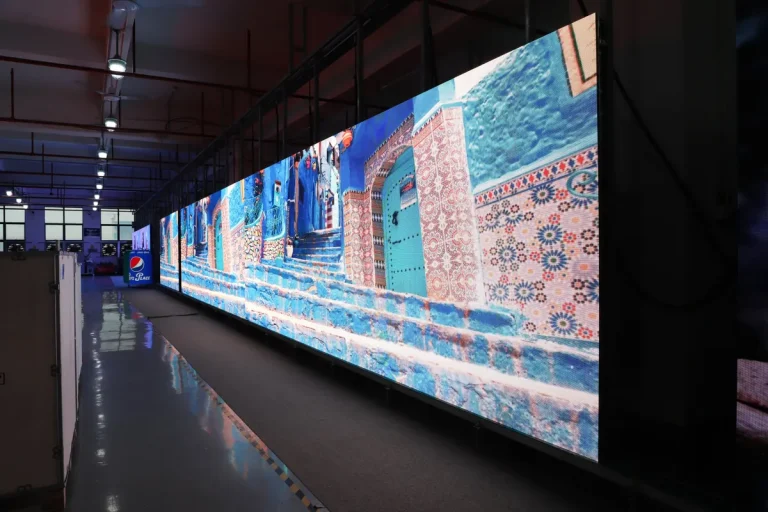
LED walls need a structure suitable for the installed load, correctly designed electrical circuits, data cabling and service access. They do not need a projection throw path. Front-service cabinets reduce rear maintenance access requirements, but do not automatically permit a zero-clearance installation: confirm ventilation, cable routing and removal space in the model instructions. See our LED video wall installation guide.
Power: compare measured or specified operating loads at matched image size, content and usable luminance. Include processors, cooling and other required equipment. Maximum nameplate power helps design the electrical supply but is not automatically the average energy use. Annual energy cost = average system kW × annual operating hours × electricity tariff; use the same tariff and hours for both candidates.
7. LED Wall vs Projector by Application
| Application | Candidate to evaluate | Why |
|---|---|---|
| Church and house of worship | Compare both under service lighting | Lyrics, contrast, viewing positions and camera requirements |
| Meeting room and boardroom | Compare fine-pitch LED, LCD and projection | Lights stay on, close viewing, video calls |
| Lecture hall and classroom | Projector, unless the room is bright | Budget-sensitive, controllable lighting |
| Stage, concert and event | LED wall | Confirm brightness, camera performance and rigging |
| Retail, lobby and showroom | LED wall | Confirm daylight contrast, operating hours and viewing distance |
| Home theater | Projector (dark room) | Large image at low cost in a controlled room |
| Outdoor | LED wall | Outdoor-rated LED can suit daylight; projection requires controlled ambient light |
01. Church Projector vs LED Wall
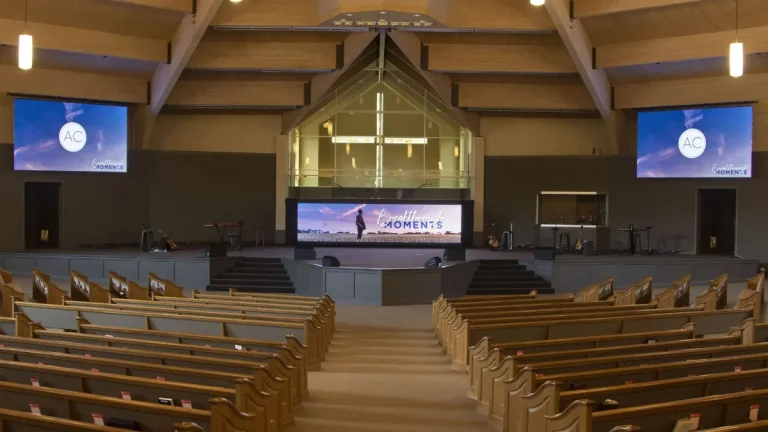
For churches, assess lyrics from the farthest seats and pixel visibility from the nearest seats. Room light falling on the image, camera use and volunteer operation can all affect the choice. Compare samples under service lighting before assuming that either technology is unsuitable. See how to choose a church LED screen.
How many lumens does a church projector need? There is no universal answer based on diagonal size alone. At 200 inches, 16:9 and gain 1.0, the illustrative 300- and 600-nit targets above correspond to about 10,400 and 20,800 delivered lumens. These are not standard sanctuary requirements. Select the target after assessing ambient light, contrast, screen material and content, then verify the installed result. See our church LED wall guide for sizing.
02. Meeting Rooms and Boardrooms
In offices, use actual spreadsheets, slides and video-call layouts to compare fine detail at the closest seats. Measure the usable image dimensions and specify native resolution, inputs and service access. There is no universal 110–130-inch crossover between LCD, projection and LED. See our conference LED display guide.
03. Stages, Concerts and Events
For events, specify ambient light, rigging, content, viewing positions and the camera workflow. LED can suit bright stages and modular layouts; projection can suit controlled-light venues and projection mapping. Test filmed performance and include setup, alignment, transport and crew in the comparison. See our stage LED screen guide and LED screen rental cost guide.

04. Lecture Halls, Classrooms and Home Theaters
Where light can be controlled, projection is a useful option for a large image. For classrooms that remain lit for note-taking, assess screen contrast and text legibility before deciding between projection, LCD and LED. A demonstration under real lighting is more useful than comparing maximum brightness figures alone.
05. Outdoor Screens
For daylight outdoor use, consider an outdoor-rated LED model with suitable luminance, protection, temperature range and mounting. Projection is more practical in darkness or a controlled-light outdoor setting, such as a sheltered evening event. Neither a single nit value nor the word “outdoor” proves suitability for a particular site. See our outdoor LED screen guide.
8. LED Wall vs Projector: A 6-Question Checklist
Answer these questions in order. If most answers point the same way, your choice is clear.
- How bright is the room during use? Lit rooms and daylight favor an LED wall; dark rooms suit a projector.
- How big must the image be? Compare cabinet grids, LCD options and projection at the same native resolution and usable image size.
- How far away are the closest viewers? This sets the LED pixel pitch and therefore its price.
- How many hours a day will it run? Use the planned hours to compare energy, service, light-output maintenance and warranty coverage.
- Will the screen be filmed or streamed? Test both candidates with the actual camera, shutter, frame rate, brightness and synchronization settings.
- What is the full budget over 5–10 years? Compare total cost, not just the purchase price.
9. LED Wall vs Projector FAQs
01. Is an LED wall better than a projector?
It depends on the installation. Compare LED wall vs projector options at the same image size, content, usable brightness and room lighting. Also assess native resolution, service access and complete system cost.
02. Is an LED wall more expensive over ten years?
Neither technology has a universal cost advantage. Add purchase, installation, energy, maintenance and expected replacements for the same ten-year usage schedule. Test assumptions such as daily hours and replacement costs separately.
03. Can I use advertised projector lumens in the conversion formula?
Only as a preliminary input. The formula needs light reaching the screen in the intended mode and lens configuration. Verify calibrated output, screen gain and viewing direction before relying on the result for procurement.
04. Does a 100,000-hour LED rating mean the whole wall lasts that long?
No. Ask what the rating measures, its brightness-maintenance endpoint and test conditions. It does not automatically cover power supplies, controllers, labor or warranty duration. Apply the same scrutiny to a projector light-source rating.
05. Will 3840 Hz guarantee flicker-free camera footage?
No. Test the screen, processor and camera together at the intended brightness, frame rate and shutter setting. Scan behavior, synchronization and rolling shutter can affect banding; pixel structure and camera position can also produce moiré.
06. Which system uses less electricity?
Compare average system power at the same usable image size and luminance, including required auxiliaries. Multiply that load by the same operating hours and tariff. Maximum rated power alone is not a fair annual-cost comparison.
07. What should a church include in its acceptance test?
Use actual lyrics, slides and live camera feeds under service lighting. Check readability from the back, detail from the front, camera artifacts, input switching and operator workflow. Document the settings used for both candidates.
10. Get an LED Wall Quote from EagerLED
Replacing a projector or planning a new screen? EagerLED manufactures indoor, outdoor, rental and creative LED walls. Send us the room size, viewing distance, lighting conditions and daily running hours, and our engineers will recommend a pixel pitch and send a line-item quote. Contact us at info@eagerled.com or request a quote.