


A jumbotron screen is a large-format display that makes live video, replays, information and sponsor content visible to a crowd. People commonly use “jumbotron” for a giant crowd-facing display at a stadium, concert, festival or public venue. Modern jumbotron screens are assembled from LED modules and cabinets rather than being one oversized television.
For venue managers preparing a jumbotron screen brief, audience requirements come first. The closest and farthest viewers, daylight exposure, content type, available structure and operating crew determine the right size and specification. This guide turns those measurements into a venue brief, a usable pixel canvas and an acceptance plan. Existing venue photographs illustrate screen formats; they are not claims that EagerLED supplied the pictured installations. For a shorter definition and background, see our jumbotron explainer.
1. What Is a Jumbotron Screen?
In everyday use, a jumbotron screen is a giant display intended for group viewing. A stadium may use it for camera feeds, replays, scores and sponsorship. A concert uses it to bring a performer’s face to seats far from the stage. A plaza may use a similar LED display for public messages or advertising. “Jumbotron” describes the scale and use; it does not define a single cabinet size, resolution or screen technology.
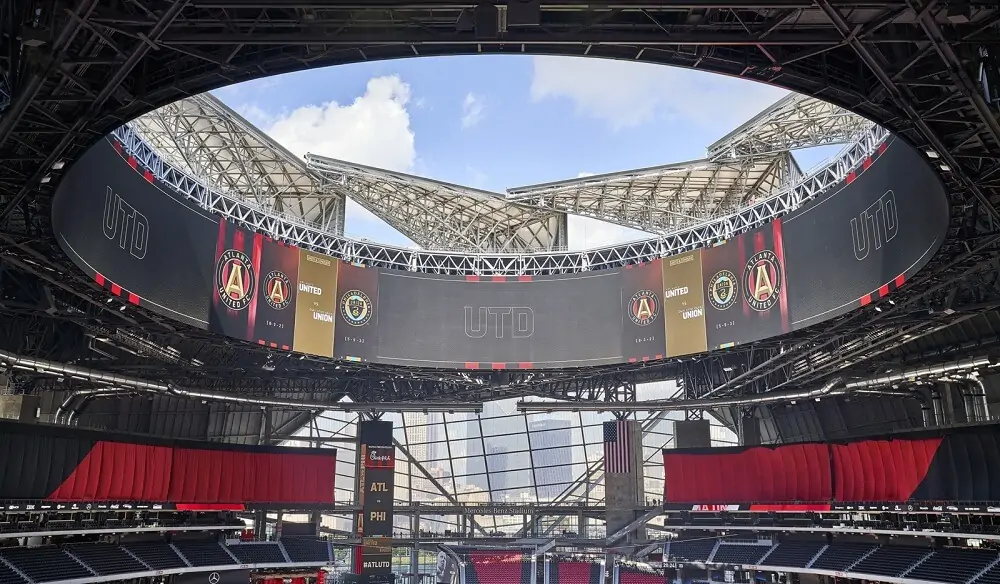
Most new projects use direct-view LED: red, green and blue light-emitting diodes form pixels on weather-appropriate modules. Those modules fit into serviceable cabinets that build the required display area. A processor maps video to the screen’s actual pixel dimensions. Unlike projection, the screen emits light directly, making an appropriately specified outdoor jumbotron screen usable in bright conditions. Unlike a tiled LCD wall, a modular LED surface does not need panel bezels between image sections. Cabinet alignment and calibration still determine whether joins are noticeable.
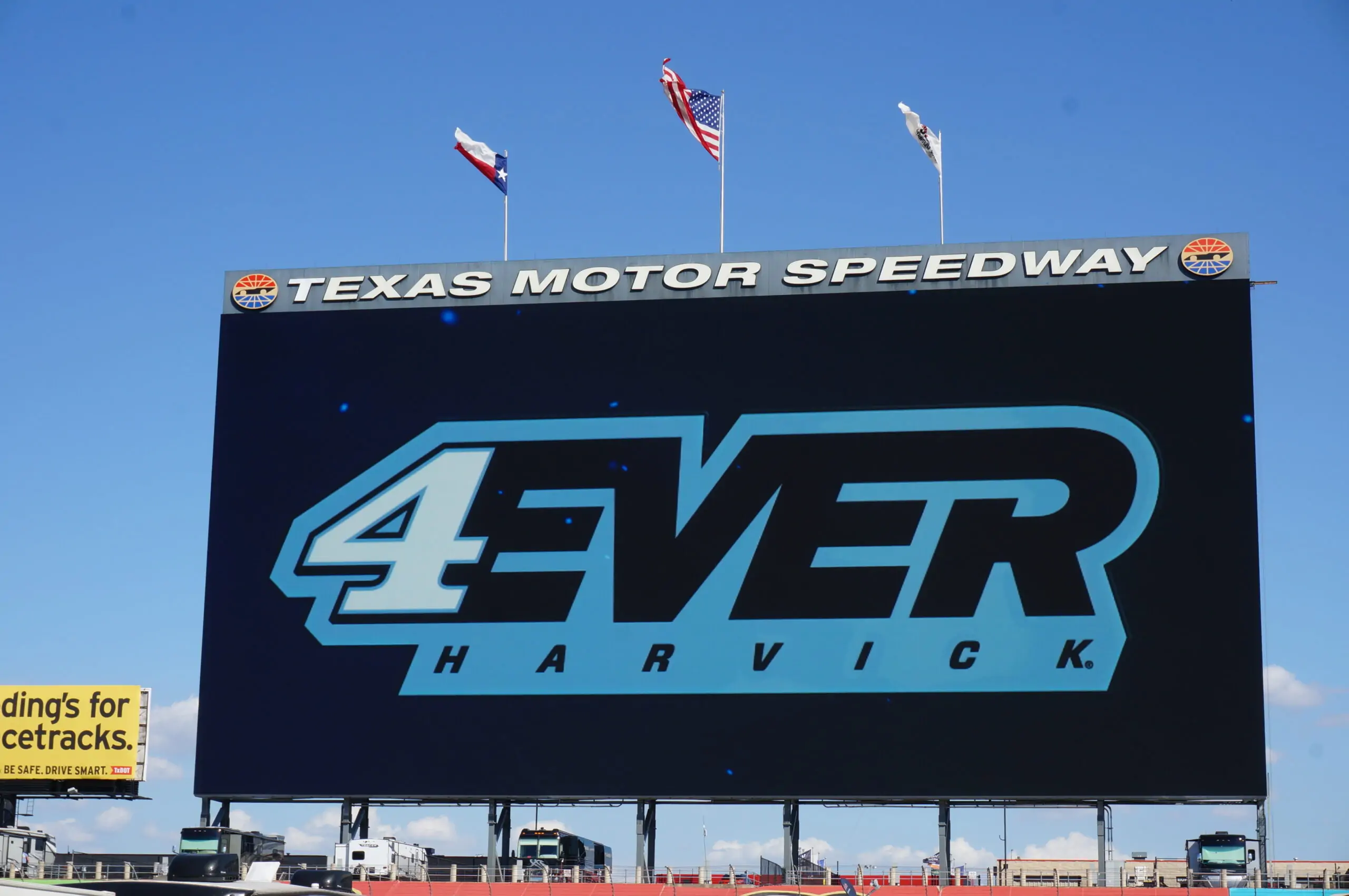
Be precise when comparing products. A center-hung arena board, a fixed outdoor stadium board, a touring LED wall and a trailer-mounted screen solve different problems. Perimeter boards beside a pitch are also LED displays, but they are not substitutes for a main replay screen: placement, height, content and safety requirements differ. Our stadium LED display range shows these related formats.
2. How Does a Modern LED Jumbotron Screen Work?
01. LED modules, cabinets and pixels
Each LED module contains a grid of pixels. Several modules form a cabinet, and cabinets lock into the complete display. The distance between adjacent pixel centers is pixel pitch, written in millimeters: P4 has roughly 4 mm between pixels. Smaller pitch places more pixels in the same area and supports closer viewing, while larger pitch may be sensible when the crowd is farther away. Cabinet alignment and color calibration matter as much as the nominal pitch; poor seams or uneven brightness remain visible even at high resolution.
02. Signal, processing and control
A live camera or media server sends a signal to a video processor. The processor scales and positions that signal for the display’s native pixel canvas, then sending cards and receiving cards distribute data across cabinets. A control system may switch among cameras, score graphics, sponsor slots and emergency messages. Ask how the system handles multiple inputs, aspect ratios, latency, synchronized screens and signal loss before selecting hardware. A display that looks impressive in a showroom can disappoint if the venue’s production workflow cannot feed it reliably.
03. Power, service and redundancy
Power supplies and data connections feed the cabinets. The electrical engineer must design for the manufacturer’s stated maximum load, distribution, grounding and local code, not a guessed average consumption. Critical venues should discuss backup signal paths, spare modules, accessible service routes and documented recovery procedures. Front-service cabinets help where rear access is impossible; rear-service cabinets need sufficient clearance and safe access. Design these details before the support structure is built.

3. Which Jumbotron Screen Format Fits Your Venue?
The right jumbotron screen format depends on whether it stays in place, how it is supported and what viewers need to see. The table is a planning comparison, not a substitute for a site survey or structural design.

| Format | Typical use | Priority to specify | Common constraint |
|---|---|---|---|
| Fixed stadium board | Replays, scores and sponsor content | Viewing geometry, weather protection, service access | Structure, wind and electrical work |
| Indoor arena or event wall | Live feeds and close-view graphics | Pixel pitch, camera performance, rigging | Weight and sightline approval |
| Touring rental wall | Concerts, festivals and temporary events | Fast locks, transport, setup time | Labor, truss and repeated handling |
| Mobile trailer screen | Temporary outdoor viewing | Parking, lift, stabilization and sightlines | Site access and permitted wind conditions |
| Architectural or creative display | Curved, 3D or transparent effects | Viewing position and content production | Custom engineering and lower effective image area |
For touring work, look at cabinets designed for repeated assembly rather than repurposing a permanent board; compare EagerLED’s rental LED display systems. For indoor close viewing, review indoor LED screen options. A curved installation can create an effective stage shape, while transparent LED is useful only when the sightline through the display matters. A 3D billboard effect also depends on carefully produced perspective content and a known viewing position; hardware alone does not create the illusion.
4. How Do You Choose Jumbotron Screen Size and Pixel Pitch?
Begin with a plan of the venue. Mark the nearest and farthest occupied viewing points, eye heights, obstructions and the direction of sunlight. Record whether people must read small scores or simply recognize faces. A bigger jumbotron screen improves visibility only when its content is legible from the intended seats and does not block play or performance.
01. Use the nearest viewer to test pixel pitch
Pixel pitch is not a universal viewing-distance rule. A closer audience usually benefits from a finer pitch; faraway viewers may not perceive the added detail. The content matters: fine score text needs more pixels than a full-screen camera close-up. Ask vendors to show your actual graphics at the proposed distance. A side-by-side viewing test is more useful than treating a “minimum distance” formula as a guarantee.
02. Calculate the native pixel canvas
Approximate horizontal pixels equal screen width in millimeters divided by pixel pitch in millimeters. For example, a 12 m-wide P6 jumbotron screen has about 2,000 horizontal pixels before cabinet dimensions are finalized. At 6 m high, it has about 1,000 vertical pixels. That is a 2:1 canvas, so a 16:9 broadcast feed would need cropping, letterboxing or a designed layout. Confirm exact cabinet counts and mapping before graphics are produced.
03. Worked jumbotron size comparison
For an illustrative 12 m × 6 m display (72 m²), divide each dimension in millimeters by the proposed pitch. A P4 layout is approximately 3,000 × 1,500 pixels; P6 is 2,000 × 1,000; P10 is 1,200 × 600. These are arithmetic examples, not recommended products or guaranteed cabinet configurations. The exact size and native resolution must be rounded to available cabinet dimensions.
| Illustrative pitch | Approximate native canvas at 12 m × 6 m | What to verify |
|---|---|---|
| P4 | 3,000 × 1,500 pixels | Whether nearby viewers need the extra detail and the project can support its cost and processing load |
| P6 | 2,000 × 1,000 pixels | Whether score text and the active video window remain legible from the intended seats |
| P10 | 1,200 × 600 pixels | Whether distant viewing and simplified graphics make the lower pixel count acceptable |
All three examples retain a 2:1 shape. Test a 16:9 feed and the actual score layout on that canvas before approving the screen size.
04. Reserve pixels for the video window and score strip
A 2,000 × 1,000-pixel canvas cannot show a full-width 16:9 image without cropping or changing its proportions. Fitting the complete video to the 1,000-pixel height gives approximately 1,778 × 1,000 pixels, with about 222 pixels left across the sides. These are layout calculations; the processor may require a different alignment or rounding.
If the venue reserves a 200-pixel-high score strip, the remaining video area is only 800 pixels tall. An uncropped 16:9 picture within that height uses about 1,422 × 800 pixels. The extra physical screen area does not restore detail removed by the smaller video window. Give the production team the exact active-window dimensions before commissioning graphics.
Ask for three approved layouts: full-screen replay, live action with score information, and a sponsor message with essential venue information retained. Mark safe areas, captions and any cabinet gaps on the pixel map. Test all three from the designated far seats, then retain the approved files with the handover documents.
| Planning question | What to measure | Effect on the jumbotron screen |
|---|---|---|
| Who is closest? | Nearest occupied seat or standing zone | Sets the most demanding sharpness check |
| Who is farthest? | Distance and viewing angle | Tests screen height, text size and placement |
| What will play? | Live faces, replay, score, ads or slides | Determines pixel count and graphic layout |
| Where can it fit? | Available width, height and load path | Determines cabinet count and aspect ratio |
| Where is the sun? | Orientation and peak ambient light | Drives brightness and glare review |
For a jumbotron screen used primarily for sports, test a realistic game-day layout: action window, score strip, clock and sponsorship may be visible simultaneously. A nominal “4K” label says little if the active camera window uses only part of the canvas. Show suppliers the smallest text viewers must read, and request a mockup at the target screen ratio.
5. Which Jumbotron Screen Specifications Matter Most?
Datasheets are useful when compared on the same basis. Request measured or warranted values and the test conditions behind them. The highest advertised number is not automatically the best operating setting for a jumbotron screen.
| Specification | Why it matters | What to ask the supplier |
|---|---|---|
| Pixel pitch and resolution | Controls detail at a given size | What is the exact native pixel count? |
| Brightness and dimming | Supports visibility and comfortable night use | What is calibrated operating brightness, and how is it controlled? |
| Ingress protection | Protects exposed faces and service areas | Which components and sides carry the stated IP rating? |
| Refresh and camera behavior | Affects filmed bands or flicker | Can we test with our broadcast cameras and shutter settings? |
| Viewing angle | Determines off-axis image quality | How does brightness and color change at edge seats? |
| Power and heat | Determines electrical and ventilation design | What are maximum and typical loads under stated conditions? |
| Service design | Controls repair time | Is access front, rear or both, and what spares are included? |
An outdoor installation needs an enclosure and installation suitable for its actual weather exposure. Check front and rear ingress ratings separately; an IP number on one face does not qualify the entire installed system. Verify wind-load calculations, corrosion exposure, ventilation and safe shutdown procedures with the project engineers. Daylight brightness is important, but automatic or scheduled dimming avoids excessive nighttime intensity and unnecessary power use.
For broadcast events, test the display with the cameras that will actually be used. Scan lines can result from combinations of refresh behavior, PWM dimming and camera shutter settings. Ask for a recorded trial, not only a refresh-rate number. Also check color uniformity at normal operating brightness, replacement-module color matching, and the warranty’s treatment of failed pixels and power supplies.
6. How Can a Jumbotron Screen Improve Audience Engagement?
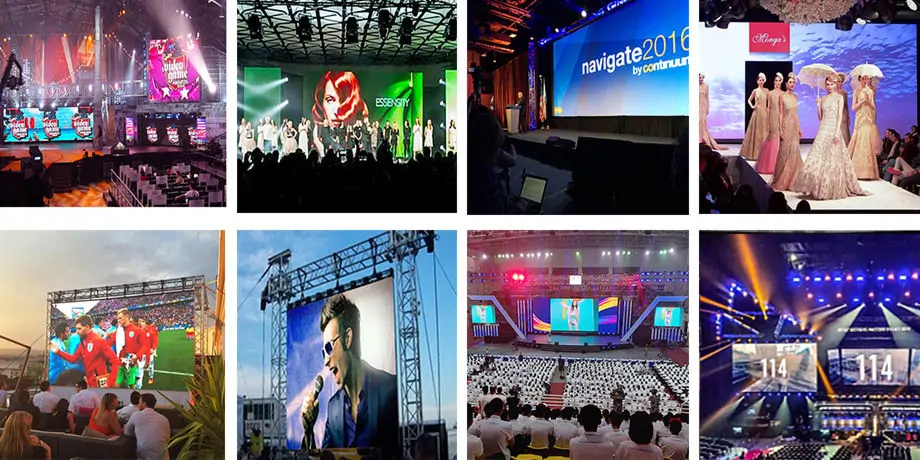
A jumbotron screen works best as part of a planned show. In a stadium, live close-ups let distant seats follow key moments; replays clarify action; clear scores keep spectators oriented. At a concert, camera direction connects a large audience to the performer. At a public event, schedules and wayfinding can make the experience easier. These are operational benefits, not automatic outcomes of screen size.
01. Design for the viewing moment
Use camera close-ups during moments when spectators cannot see detail from their seats. Reserve readable areas for clocks, scores and essential information. Keep sponsor messages in defined slots so they do not obscure the action. For a jumbotron screen with a wide or unusual aspect ratio, build templates for that exact canvas instead of stretching 16:9 content. Test typography from the back of the venue.
02. Plan participation and accessibility
Fan cameras, polls and live messages can invite participation when the producer has a moderation plan and a clear way to obtain permissions. Caption spoken content where practical; use sufficient contrast and avoid communicating urgent information through color alone. An LED jumbotron screen can support emergency instructions, but the venue should integrate it with its approved public-address and safety procedures.
03. Measure useful outcomes
Do not assume a display raises conversions simply because it is bright. Define what success means for the venue: replay comprehension, sponsor exposure, queue direction, audience participation or reduced information requests. Use event feedback, sponsor reporting and operational logs where available. This makes future content changes defensible and helps justify the investment in the display.

7. What Determines Jumbotron Screen Price?
There is no credible single price for “a jumbotron screen” because scope varies from a temporary wall to a permanent venue system. Hardware cost rises with display area and, often, finer pixel pitch. The installed budget also includes processing, structure, electrical work, rigging, transport, labor, commissioning and support. Ask for an itemized quote with the same scope from each bidder; a low screen-only price is not a low project price.
01. Separate display hardware from project work
Request screen area, cabinet count, spare modules, processor, control equipment and warranties as separate lines. For a fixed outdoor board, request structural design, permits, wind and seismic review where applicable, access platforms and weather protection. For a rented event wall, ask whether the quote includes transport, setup, teardown, technicians, truss, power distribution, video switching and rehearsal time.
02. Model operating cost
Electricity depends on content brightness, dimming, operating hours and the actual screen configuration. Use the vendor’s maximum power figure to size the supply and a documented expected-use assumption for operating forecasts. Include preventive maintenance, spares, calibration and eventual replacement. A total-cost comparison should cover the expected service period and identify who bears the risk of downtime.
Request current project-specific pricing for the jumbotron screen size, location and support level you need. The EagerLED contact team can review a dimensioned brief.
8. Should You Rent or Buy a Jumbotron Screen?
Renting is usually appropriate when the event is occasional, the venue changes or you need a crew and equipment for a short period. Buying can make sense for a fixed site or a busy production company with predictable utilization, storage, technicians and a maintenance plan. Compare the complete delivered rental fee with ownership’s installed and ongoing costs before choosing a purchase.
| Decision factor | Rent a jumbotron screen | Buy a jumbotron screen |
|---|---|---|
| Use frequency | Occasional or changing projects | Frequent, predictable use |
| Capital and cash flow | Project fee for each event | Upfront investment plus ongoing cost |
| Specification flexibility | Choose a suitable system per venue | One system must fit planned uses |
| Staff and storage | Often provided by rental partner | Owner arranges crew, spares and storage |
| Availability | Book early, especially peak dates | Equipment is on hand, subject to maintenance |
| Requirement | Rental proposal | Owned system |
|---|---|---|
| Equipment availability | Reserve the exact dates and agreed cabinet configuration | Plan storage, transport and availability during repair |
| Production crew | Name the included operating hours and overtime terms | Budget staff training, rehearsals and backup operators |
| Weather interruption | State postponement, cancellation and safe shutdown responsibilities | Maintain a venue operating procedure and inspection records |
| Failure during an event | Define on-site spares, response and replacement arrangements | Keep compatible parts and a tested recovery plan |
For a meaningful break-even calculation, estimate annual event count, average event duration, rental fees, transport, labor, insurance, storage, maintenance, financing and residual value. Include the opportunity cost of equipment sitting idle. For a permanent installation, also include the support structure and electrical works that a rental comparison may omit. Ask the vendor which services continue after handover and what response time the warranty actually promises.
9. How Should a Jumbotron Screen Be Installed and Operated?
A dependable installation begins with a site survey and an agreed responsibility matrix. The display manufacturer supplies cabinet specifications; qualified local engineers design the structure, electrical distribution and rigging for the site. The production team defines inputs and show control. Venue staff identify access, security and emergency procedures. These parties need to review one coordinated plan before installation.
01. Survey and design
Document the proposed display location, audience sightlines, available load path, wind exposure, access for service, cable routes and power source. Confirm local approval requirements with the responsible professionals. For outdoor installations, consider drainage, ventilation and lightning protection in the full design. For an indoor suspended board, verify certified rigging points and maintainable access above occupied areas.
02. Commission with real content
After assembly, inspect cabinet alignment, dead pixels, color consistency and calibrated brightness. Test every input and failover path, not only a demo video. Run a full event sequence with cameras, scoreboard graphics, sponsor content, captions and any emergency messages. Verify that the screen remains readable from far and side seats, then record processor settings and a service baseline.
03. Maintain a practical spare plan
Set a schedule for safe cleaning, connector checks, ventilation inspection and calibration. Keep compatible spare modules, power supplies and receiving cards according to the system design. Record faults by cabinet position so repairs are traceable. If the display will be stored between events, protect cabinets from impact and moisture, and allow adequate setup time for a pre-show test.
Large examples illustrate how different venue geometry produces different screens: a ring board serves all sides of an arena; a center-hung board addresses multiple seating banks; a long canopy is closer to an architectural media surface. The existing venue images in this guide remain for comparison, but none is a specification template for another site.
10. Jumbotron Screen FAQ
These answers address common planning questions. Final specifications should be checked against the site survey and the manufacturer’s documentation.
01. What is the difference between a jumbotron screen and an LED video wall?
A jumbotron screen is commonly a very large video wall intended for a crowd. “LED video wall” is the broader product description; it can also refer to smaller indoor walls. Compare the intended use, size, pitch, brightness and support system rather than relying on the label.
02. Can an indoor jumbotron screen be used outdoors?
Only if the complete installed system is rated and engineered for the outdoor exposure. Indoor cabinets generally lack the brightness, environmental protection and structural design needed for rain, dust and wind. A weather cover alone does not make an indoor jumbotron screen suitable outdoors.
03. How much does a jumbotron screen cost?
Cost depends on area, pixel pitch, outdoor rating, structure, processing, electrical work, labor and support. Request separate hardware and installed or event-ready totals. For current prices, give suppliers a site, size, audience distance, content plan and operating schedule.
04. Can a jumbotron screen show live video?
Yes. A suitable processor and control system can show camera feeds, replay, score graphics and scheduled content. Specify inputs, switching, latency, synchronization and a backup plan. Rehearse with the actual production system before the event.
05. How long does a jumbotron screen last?
Service life varies with components, brightness settings, environment, operating hours and maintenance. Ask for the warranted terms, repairability, spare-part availability and expected brightness decline. A general “years of life” claim is less useful than those measurable commitments.
06. What is the best pixel pitch for a stadium jumbotron screen?
There is no universal best pitch. Test the nearest seat, screen dimensions and smallest required text, then compare the resulting native resolution and budget. A distant audience can often use a coarser pitch than a close indoor audience, but the final decision depends on content and viewing geometry.
07. What size jumbotron screen do I need?
Start with the available mounting area, then test the farthest seat for image and text legibility and the nearest seat for visible pixel structure. For a 12 m × 6 m screen, the physical area is 72 m²; its native resolution depends on pixel pitch and actual cabinet count. There is no universal stadium size because seat distance, sightlines, content and support structure differ.
11. Prepare Your Venue Brief
A successful jumbotron screen gives the intended audience a clear, reliable view of content that matters. Establish viewing distances, content layouts and site conditions first; then compare LED pitch, native resolution, brightness, camera behavior, service design and complete project cost. Build time for engineering review and a real-content commissioning test.
For a stadium, touring show or permanent venue, send the planned screen dimensions, site photos, audience distances, operating hours and production inputs to the supplier. A detailed brief makes jumbotron screen proposals easier to compare and helps avoid paying for resolution or features that the crowd will not use. Send EagerLED your venue brief for a project quote, with the required delivery date and responsibility for installation clearly identified.





