A poster LED display is more than a brighter replacement for a printed sign. It is a programmable, modular digital signage tool that can move with a campaign, update in minutes, and keep content visible under demanding ambient light. This guide explains the features that matter, where the technology performs best, and how to choose a system without paying for specifications your project does not need.
1. What Is a Poster LED Display?
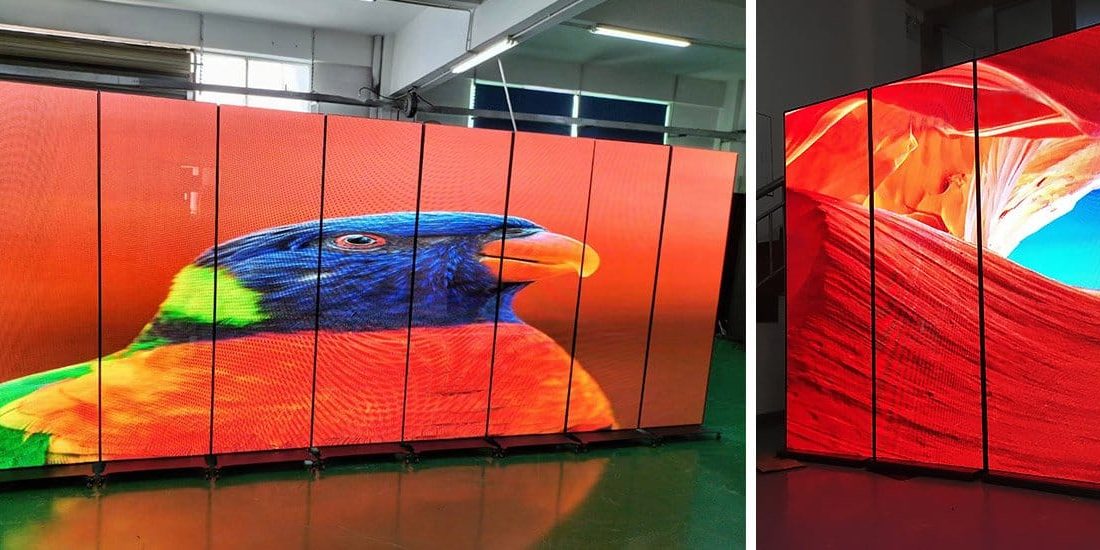
A poster LED display is a slim, portrait-oriented screen built from direct-view LED modules. It commonly stands on the floor, hangs from a structure, mounts on a wall, or joins other units to create a wider canvas. Unlike an LCD panel, every LED pixel produces its own light, so the screen can deliver high brightness, strong contrast, and wide viewing angles without a separate backlight.
1.1 How the System Works
A poster LED display combines four main elements: LED modules, power supplies, a receiving or control system, and content software. The controller converts images or video into signals for the modules. A built-in media player can store scheduled content, while Wi-Fi, Ethernet, USB, HDMI, or 4G connectivity may be used to publish new media.
Most commercial systems support both synchronous and asynchronous playback. Synchronous mode follows a live source, such as a computer or video processor. Asynchronous mode stores a playlist on the display and runs it on a schedule. The second option is especially useful for shops, hotels, and multi-location networks that do not need a computer connected all day.
1.2 Why It Is Different from a Conventional LED Wall
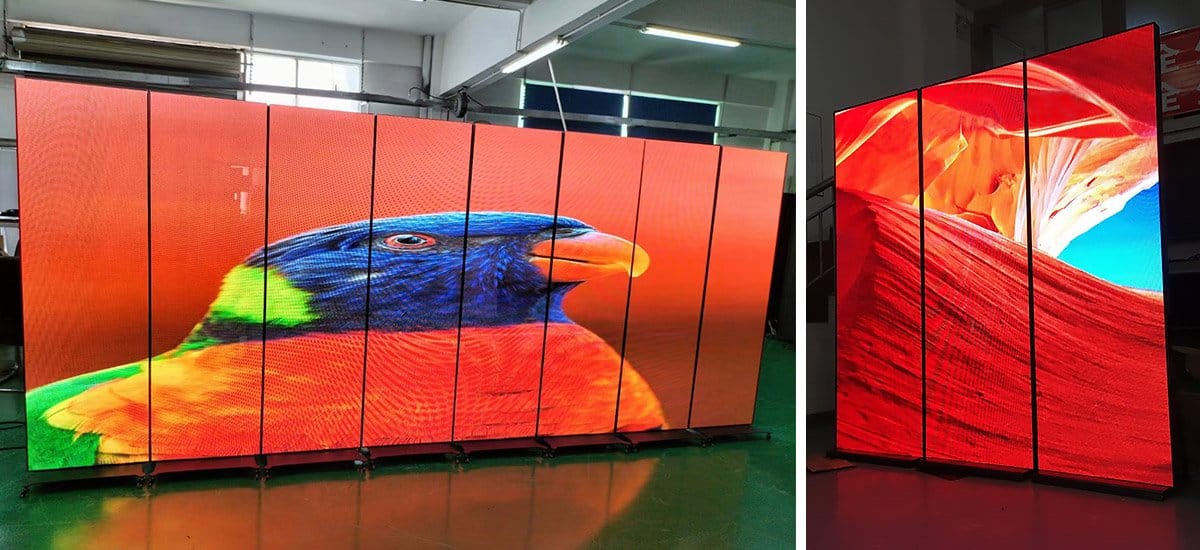
A conventional LED wall is assembled for a specific size and installation. A poster LED display arrives as a narrow, largely self-contained unit that is faster to deploy and easier to move. The trade-off is scale: one poster is ideal for focused messaging, while a modular wall is better for very large venues. Some poster models reduce this limitation by supporting synchronized multi-screen splicing.
2. Key Features of a Poster LED Display
2.1 Bright, Detailed Images
Brightness is the first advantage visitors notice, but it should be matched to the environment. An indoor poster LED display in controlled light needs less output than a window-facing or outdoor unit. Excessive indoor brightness can be uncomfortable and wastes energy, while insufficient brightness makes content appear washed out. Look for adjustable brightness and, where available, automatic light sensing.
Pixel pitch determines how closely the LEDs are spaced. A smaller pitch produces a finer image at short viewing distances but increases cost and processing requirements. For a close-view retail installation, fine-pitch options can preserve small product details and readable copy. For an airport concourse viewed from several meters away, a larger pitch may provide the same perceived clarity at a lower price.
2.2 Slim, Portable Construction
A typical poster LED display has a narrow cabinet, stable base, and optional wheels. This form factor lets one team reposition a campaign between an entrance, checkout zone, stage, or exhibition booth. Foldable models make transport and storage easier because the screen and support structure pack into a more compact shape.
Installation choices can include freestanding, wall-mounted, hanging, mobile-cart, window-facing, or multi-screen arrangements. Always confirm load ratings, anti-tip measures, cable routing, and access for maintenance before deciding where a screen will stand.

2.3 Flexible Content Control
USB publishing is convenient for a single screen and occasional changes. Network control is better when content changes frequently or several locations must stay consistent. A capable management platform should support playlists, daypart scheduling, remote status checks, brightness control, emergency messages, and user permissions.
Before purchasing a poster LED display, test the complete workflow rather than only the panel. Ask the supplier to demonstrate how a user uploads a vertical video, schedules it, confirms playback, and recovers from a lost network connection. Good software can save more operating time than a small difference in hardware price.
2.4 Serviceability and Commercial Reliability
LED modules can often be replaced individually, which helps limit downtime and repair cost. Front-service access is valuable for wall-mounted screens or tight retail spaces; rear service is acceptable when technicians have clear access behind the cabinet. Buyers should also ask about spare modules, power supplies, receiving cards, calibration files, and response times for technical support.
For outdoor use, verify the complete product’s ingress-protection rating, corrosion resistance, operating temperature range, drainage, ventilation, and wind-safe mounting. An outdoor label alone is not enough: the enclosure, connectors, cabinet seams, and supporting structure must all suit the site.
3. Best Applications for a Poster LED Display
3.1 Retail Stores and Shopping Malls
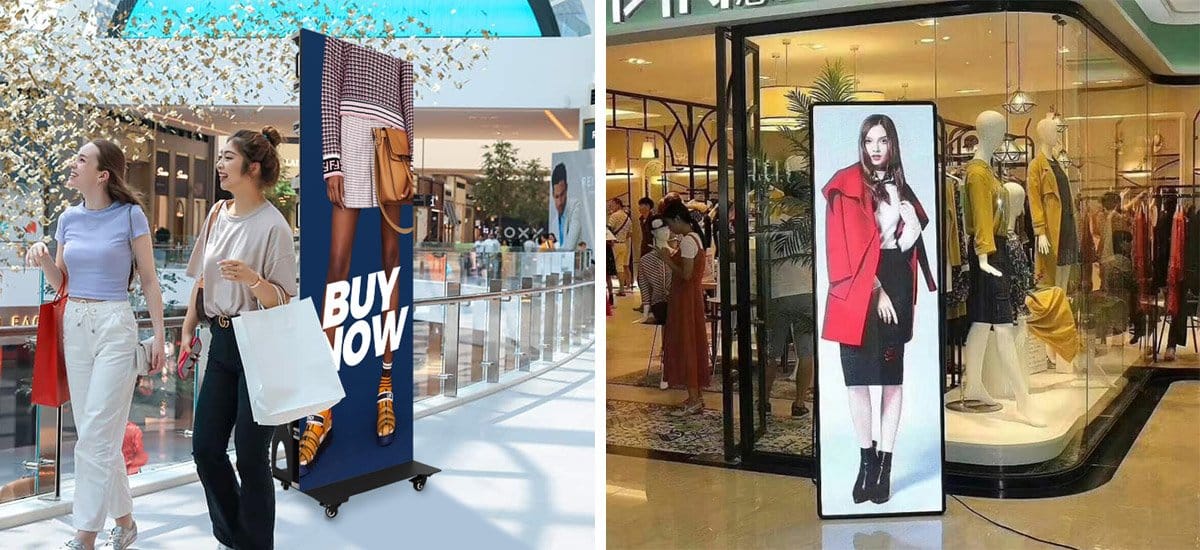
Retailers use a poster LED display for launches, promotions, wayfinding, menu updates, and brand storytelling. Place the screen where customers have enough time to absorb the message: entrances, escalator landings, queue lines, and category transitions usually work better than a visually crowded corner. Short vertical videos, large prices, and one clear call to action outperform designs copied from landscape television ads.
3.2 Exhibitions, Events, and Showrooms
Portable units suit exhibitions because they can be transported, installed quickly, and repurposed after the event. A single unit can run a product loop beside a demonstration. Multiple synchronized units can form a wider video surface for a launch or stage backdrop. For rental-style use, prioritize protective transport cases, quick alignment, cable management, and a stable wheeled base.
3.3 Hotels, Corporate Lobbies, and Conference Venues
Hotels and offices can schedule welcome messages, meeting-room directions, menus, safety notices, and branded content throughout the day. A poster LED display is particularly useful when the lobby layout changes frequently or when several events share the same entrance. Quiet operation, restrained brightness, and a cabinet finish that fits the interior matter as much as headline specifications.
3.4 Transportation and Public Information
Airports, stations, museums, and public facilities use LED posters for directional information, service notices, and advertising. In these environments, legibility and uptime take priority. Specify sufficient brightness, redundant content storage, secure enclosures, remote monitoring, and an emergency-content process. Check local accessibility, electrical, and mounting requirements before installation.
4. Poster LED Display vs. LCD vs. Printed Posters
The right medium depends on viewing conditions, update frequency, and total operating cost. The comparison below provides a practical starting point.
| Decision Factor | Poster LED Display | LCD Digital Poster | Printed Poster |
|---|---|---|---|
| Brightness | High; strong visibility in bright indoor areas and suitable outdoor models | Good indoors; may struggle in direct sunlight unless high-brightness rated | Depends entirely on ambient lighting |
| Content | Video, animation, live feeds, scheduled playlists | Video, animation, interactive or scheduled content | Static image and text only |
| Scalability | Some models splice into a larger seamless canvas | Fixed panel size; tiled bezels remain visible | New print required for every size |
| Maintenance | Individual modules and components can be serviced | Panel-level repair or replacement is common | No electronics, but frequent reprinting and physical replacement |
| Best Fit | High-impact campaigns, bright spaces, events, and frequent updates | Close-view indoor signage and touch applications | Low-cost, short-term, or rarely changed messages |
Choose LED when visibility, motion, modular service, or multi-screen expansion creates measurable value. Choose LCD when viewers stand very close and fine text or touch interaction is central. Printed media remains sensible for a static message with a short campaign life and no need for remote updates.
5. Poster LED Display Buying Guide
5.1 Start with the Environment
Record whether the site is indoor, semi-outdoor, window-facing, or fully outdoor. Note direct sunlight, viewing hours, temperature, moisture, dust, available power, ventilation, and mounting limits. These conditions determine brightness, weather protection, cooling, and structural requirements. Do not buy an indoor model for a covered outdoor area unless the manufacturer has approved that exact installation.
5.2 Match Pixel Pitch to Viewing Distance
Use the closest normal viewer, not the room’s maximum dimension, to set pixel pitch for a poster LED display. A common planning heuristic is that a pitch of P2.5 begins to look comfortable at roughly 2.5 meters, although content, eyesight, and required detail affect the result. Request a full-scale viewing test with your actual artwork before approving a large order.
Resolution should also match the content workflow. Confirm the native pixel dimensions and create templates for designers. Feeding a high-resolution file into a lower-resolution screen does not create extra detail; it only adds scaling work.
5.3 Confirm Size, Orientation, and Installation
Check the active display area rather than the outer cabinet only. A common 640 x 1920 mm format is naturally suited to vertical promotions, but aspect ratios vary. Confirm the base footprint, total height, weight, fold or tilt range, transport case size, and access path through doors and elevators.
If the poster LED display will be spliced with other units, ask for the supported maximum quantity, synchronization method, alignment hardware, resulting resolution, and the visibility of physical gaps. A successful multi-screen design must account for both content mapping and mechanical alignment.
5.4 Evaluate Playback and Network Management
List the inputs and publishing methods your team will actually use. HDMI is useful for live content, USB for simple offline updates, and Wi-Fi or Ethernet for scheduled remote management. For fleets, ask whether administrators can group screens, assign roles, monitor online status, and retain playback when the network goes down.
5.5 Compare Total Cost, Not Only Purchase Price
When budgeting for a poster LED display, request an itemized quote that includes the screen, controller, stand or mounting hardware, flight case, spare modules, shipping, taxes, installation, commissioning, training, and warranty. Estimate energy use from typical rather than maximum power consumption. Then compare the expected cost of content changes, maintenance access, replacement parts, and downtime over the planned ownership period.
A credible supplier should provide a specification sheet, configuration drawing, aging-test process, spare-parts policy, warranty terms, and named support route. Ask who performs remote diagnostics, how replacement modules are color-matched, and how long critical parts will remain available.
5.6 Use a Pre-Purchase Checklist
- Where is the screen installed, and what are the brightest viewing conditions?
- What is the nearest typical viewing distance?
- Which pixel pitch and native resolution suit the real content?
- Does the installation require wheels, folding, hanging, wall mounting, or splicing?
- How will staff publish, schedule, and approve content?
- Can modules, power supplies, and control cards be replaced quickly?
- What spares, training, warranty, and after-sales response are included?
6. EagerLED Poster LED Display Options
EagerLED offers indoor, outdoor, and foldable choices. The following examples show how different designs solve different site requirements; final specifications should always be confirmed for the selected configuration.
6.1 EA1920iP5 Indoor Foldable Model
The EagerLED EA1920iP5 uses a 640 x 1920 mm format and a foldable structure designed for retail stores, hotels, exhibitions, showrooms, and event venues. It is a practical choice when the same screen must travel between indoor campaigns or store compactly between events.
6.2 EA1920OP2 Outdoor Foldable Model
The EagerLED EA1920OP2 brings the foldable concept to outdoor applications. Consider it for temporary promotions, entrances, event perimeters, and other exposed sites where mobility and weather protection are both required. Confirm brightness, ingress protection, ballast, and wind-load planning for the exact location.

For a broader overview, visit the EagerLED poster LED product page, then share the site conditions, viewing distance, content type, installation method, and operating schedule when requesting a configuration.
7. Frequently Asked Questions
7.1 Can a Poster LED Display Be Used Outdoors?
Yes, but only a model engineered and rated for the outdoor environment. Verify brightness, ingress protection, operating temperature, corrosion resistance, ventilation, electrical protection, and a wind-safe support plan. A covered location can still experience moisture, dust, glare, and temperature swings.
7.2 How Far Away Should Viewers Stand?
The ideal distance depends mainly on pixel pitch and content detail. As an initial estimate, a P2.5 screen is often comfortable from about 2.5 meters, while a finer pitch supports closer viewing. Validate the choice with a physical sample displaying your real text, images, and video.
7.3 Can Several LED Posters Show One Image?
Many models support synchronized playback or multi-screen splicing, but capabilities vary. Confirm the maximum unit count, controller capacity, content mapping, physical alignment, and whether the design creates visible gaps. Ask the supplier for a drawing and demonstration before ordering.
7.4 How Is Content Updated?
Common methods include USB, Wi-Fi, Ethernet, 4G, and HDMI. A phone or computer can publish playlists through compatible control software. For multiple locations, choose a platform with scheduling, screen grouping, permissions, offline playback, status monitoring, and a documented recovery process.
7.5 How Long Does a Poster LED Display Last?
Service life depends on LED quality, operating hours, brightness, temperature, ventilation, power stability, and maintenance. Treat any headline lifetime figure as a planning estimate, not a guarantee. A serviceable cabinet, sensible brightness settings, clean ventilation paths, surge protection, and available spare modules can extend useful operation.
8. Conclusion
A poster LED display is a strong fit when a business needs bright dynamic content, fast updates, flexible placement, and repairable modules. Choose by environment and viewing distance first, then compare pixel pitch, control workflow, installation, service access, and lifetime cost. EagerLED’s indoor, outdoor, foldable, and four-sided models provide practical starting points, but the best purchase is the configuration tested against your real site and content.