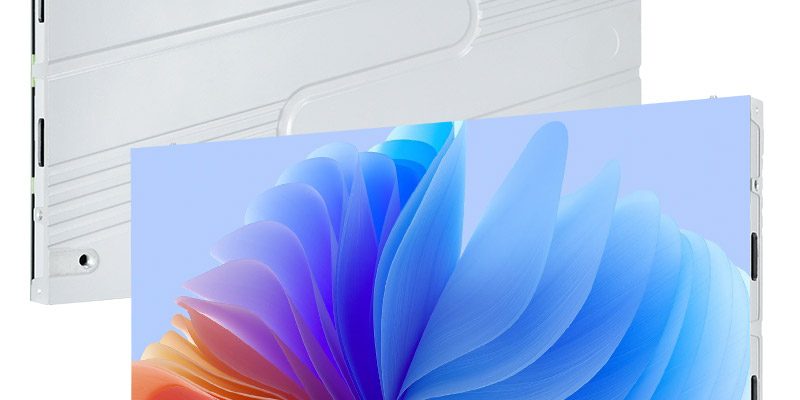
Evaluate a COB LED wall supplier with the meeting material your executives need to read, using the actual room and signal chain. Agree a demonstration pack, name the viewing seats and record both local and remote results. Pixel pitch and a 4K input label do not replace those checks.
This guide is for enterprise AV buyers shortlisting Chinese COB display manufacturers for executive meeting rooms in Latin America. It provides a practical witness record and a native-canvas example, rather than another general comparison of LED packaging.
- Readable real-work content at named seats.
- A native pixel map and an explained scaling path.
- Stable source changes and verified camera or remote views.
- Service demonstration, compatible spares and destination support.
On this page
Give every supplier the same meeting demonstration pack
Prepare nonconfidential samples that represent the room’s decisions: a spreadsheet with totals and footnotes, a presentation with charts, a dashboard with fine labels, a video-call layout and a dark image with subtle gradients. Mark the smallest text or detail that participants actually need to read. Do not let a colourful demonstration reel become the only acceptance material.
For a Latin American enterprise project, include the accented characters, number formats and interface elements used by the organization. Test the real laptop operating-system scaling and application zoom. The article remains in English; the test material should represent the buyer’s actual working languages.
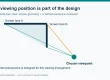
Name the front, rear and side seats to be checked, the normal lighting scene and the intended operating brightness. Fix those conditions before comparing samples. Record the source, processor, software versions and display settings so another supplier’s demonstration can be judged on the same basis.
Separate native wall pixels from a 4K input label
The EA600COB3 indoor COB screen provides a verifiable planning reference: 600 × 337.5 mm cabinets, a 16:9 format and P0.62–P1.87 family options. At the exact P1.25 geometry, each cabinet has 480 × 270 pixels. The examples below use that geometry; confirm the released native pixel map for the offered revision.
| P1.25 planning example | 6 × 6 cabinet grid | 8 × 8 cabinet grid |
|---|---|---|
| Cabinet count | 36 | 64 |
| Active dimensions | 3.6 × 2.025 m | 4.8 × 2.7 m |
| Native pixels | 2880 × 1620 | 3840 × 2160 |
| Source question | How will a 3840 × 2160 desktop be scaled? | Is the full path configured for the required pixel mapping? |
A 4K-capable processor does not turn the smaller example into a native 4K wall. Conversely, a matching native matrix does not prove that operating-system scaling, a switcher or a conferencing application preserves every detail. Inspect the actual desktop and text at the final wall size and viewing positions.
Choose physical size from the room and the task. Do not enlarge a wall simply to obtain a 4K label if it blocks cameras, exceeds the available surface or places content outside comfortable sightlines. A supplier should explain any scaling or layout compromise in the proposal.
Use a source-to-seat-to-remote witness record
| Test material or action | In-room check | End-to-end evidence |
|---|---|---|
| Spreadsheet and fine labels | Read the marked cells from named seats | Retain source zoom, processor mode and agreed readable content |
| Dark slide and gradients | Check low-level detail and seams at operating brightness | Record calibrated settings and any visible exception |
| Mixed video call and shared content | Check window sizes and readable captions or labels | Observe the remote endpoint through an authorized demonstration call |
| Laptop/source change | Check the approved transition and return to presentation | Record timing, audio behaviour and any manual recovery |
| Camera view of the room | Inspect the actual camera framing and display image | Retain camera settings and permission-cleared sample footage |
| Restart or supported fallback | Restore the agreed meeting layout | Record recovery steps and the responsible operator |
Agree pass conditions with the buyer before testing. Record the observations and exceptions instead of replacing them with a single subjective “excellent image” rating. These are system tests to request, not functions guaranteed by the COB cabinet.
A remote participant’s result also depends on the meeting platform, capture path and network. A defect at the remote endpoint does not automatically identify the LED wall as its cause. Test the local source, local display and remote view separately to locate the issue. Use an approved demonstration environment, not an active confidential executive meeting.
Make the replacement demonstration fit the finished room

The model page lists a 30 mm cabinet depth, 4.1 kg cabinet weight and front-service modules. Those figures are useful for a proposal but do not establish the complete installed depth, structural load or access to every system component. Ask for the section drawing, mounting structure, cable entry, ventilation conditions and replacement path.
Witness a module replacement using the supplied procedure, then inspect its visual match at the agreed brightness and restore the approved configuration. Identify the spare module’s exact part number, revision and calibration requirements. Matching dimensions alone do not establish interchangeability across pitches or production revisions.
Ask separately how power supplies, receiving electronics, external processors and room-control equipment are serviced. Establish what the local integrator can replace, what must return for specialist work and how a meeting proceeds during repair. Record response hours, destination shipping responsibilities and the terms for replacement parts.
Turn the demonstration into a supplier comparison
Require the proposed bill of materials and model revisions beside the test record. The EA600COB3 family lists 600 cd/m², 16-bit grayscale and at least 3840 Hz refresh. Treat those as model references, not proof of camera behaviour, quiet operation, remote-call quality or readability at every seat.
Ask Chinese manufacturers for production and calibration records relevant to the proposed supply, model-specific documentation for the destination, packing details and written warranty terms. Factory evidence is useful when it identifies the offered product and acceptance process. Unrelated installations or broad certification logos do not settle a particular boardroom requirement.
For delivery and support in a Latin American country, state the city, local integrator, installation language, commissioning scope and required support hours. Itemize display cabinets, processing, mounting, cables, spares, calibration, shipment and local work. Identify software licences or collaboration equipment separately; a COB wall is not automatically a complete meeting system.
The conference LED screen guide covers room planning, and the COB versus SMD comparison explains packaging choices. Use this witness record once a COB shortlist exists and the buyer needs evidence from the actual meeting workflow.
Questions buyers ask
Does accepting a 4K input mean a COB meeting wall is native 4K?
No. Native resolution follows the exact cabinet pixel matrix and grid. In the P1.25 example here, a 6 × 6 grid is 2880 × 1620 pixels, while an 8 × 8 grid is 3840 × 2160. Confirm the actual product map and the complete signal path.
What should I send a COB LED manufacturer before a boardroom demo?
Send the room plan, named viewing positions, lighting conditions, proposed screen dimensions and nonconfidential examples of spreadsheets, charts, dashboards and video-call layouts. Mark the details that must be readable and keep source scaling consistent between demonstrations.
Does COB guarantee a clean camera image in a meeting room?
No. Test the actual camera, frame and shutter settings, processing, operating brightness and meeting workflow. Packaging and refresh specifications are useful inputs but do not prove the complete recorded or remote image.
What evidence should remain after shortlisting a meeting-room supplier?
Keep the exact model and bill of materials, native pixel map, demonstration settings, seat-by-seat observations, permitted sample footage, exceptions, service procedure, spare-part identities and written destination support terms.
Request a meeting-room COB demonstration
Send the room drawing, active screen dimensions, nearest and farthest seats, sample content, lighting, camera and conferencing equipment, destination city and local integration scope. Request an exact cabinet layout and a demonstration against the witness record.
Prepared by EagerLED. Product references reviewed on 16 October 2026. Examples are planning tools, not completed project results, binding quotations or approvals for a particular installation.