A commercial LED display rarely fails in its first month; the expensive problems show up years later, in power supplies, calibration, and service access. This checklist gives AV integrators, distributors, contractors, and facility buyers ten practical evaluation points – from pixel pitch and brightness to IP rating, warranty, and cost – for choosing a commercial LED display with confidence.
Contents
- What Is a Commercial LED Display? Core Terms to Know
- Indoor vs. Outdoor Commercial LED Displays: Types and Best Uses
- Commercial LED Display vs. LCD Video Wall: Pros and Cons
- Checklist Points 1-2: Pixel Pitch and Viewing Distance
- Checklist Points 3-4: Brightness and Contrast
- Checklist Points 5-6: Resolution, Refresh Rate, and Color Accuracy
- Checklist Points 7-8: Power Draw, Heat, and IP Rating
- Checklist Points 9-10: Installation, Maintenance, and Warranty
- Commercial LED Display Price: What Really Drives the Cost
- FAQ
- Conclusion
1. What Is a Commercial LED Display? Core Terms to Know
A commercial LED display is a large-format screen built from LED modules mounted on cabinets, driven by receiving cards and power supplies, and fed through a video processing chain. It is engineered for professional duty – advertising, retail, transport hubs, stadiums, lobbies, control rooms, stages – rather than for a living room. Almost everything that separates a reliable screen from a fragile one is invisible in a photograph: service access, thermal design, sealing, signal redundancy, and calibration.
Unlike an LCD panel, a commercial LED display is not a single sealed product. It is a system, and each part can be specified up or down:
- LED lamps and modules – the pixels, sorted by wavelength and brightness. Grade decides color consistency and how gracefully the screen ages.
- Driver ICs – they deliver current to each lamp and shape low-brightness quality and refresh stability.
- Power supplies – the most common failure point in the field.
- Sending and receiving cards – the signal backbone; redundancy options translate directly into uptime.
- Cabinets and structure – flatness, weight, and resistance to wind and heat.
- Video processing – scaling, switching, and content mapping; it decides between native-quality images and avoidable artifacts.
- Calibration – factory and field re-calibration keep a wall of tiles looking like one screen.
The vocabulary matters because quotes assume it:
- Pixel pitch – the distance between pixel centers, in millimeters. It drives resolution, viewing distance, and price.
- Nits (cd/m2) – brightness, measured on a full-white screen under standard conditions.
- Refresh rate (Hz) – redraws per second; critical for on-camera use.
- Grayscale depth – processing bit depth; it determines how well dark scenes hold up.
- Contrast ratio – usually a darkroom measurement; on-site contrast depends on ambient light.
- IP rating – dust and water protection, defined by IEC 60529.
Two screens both quoted as “P4 outdoor” can differ in lamp grade, driver ICs, power supplies, cabinet precision, sealing, calibration, and warranty. A structured checklist beats a line-by-line spec comparison.
2. Indoor vs. Outdoor Commercial LED Displays: Types and Best Uses
The environment makes more specification decisions than most buyers expect. Sunlight, rain, viewing distance, and service access determine the platform first; pixel pitch follows.
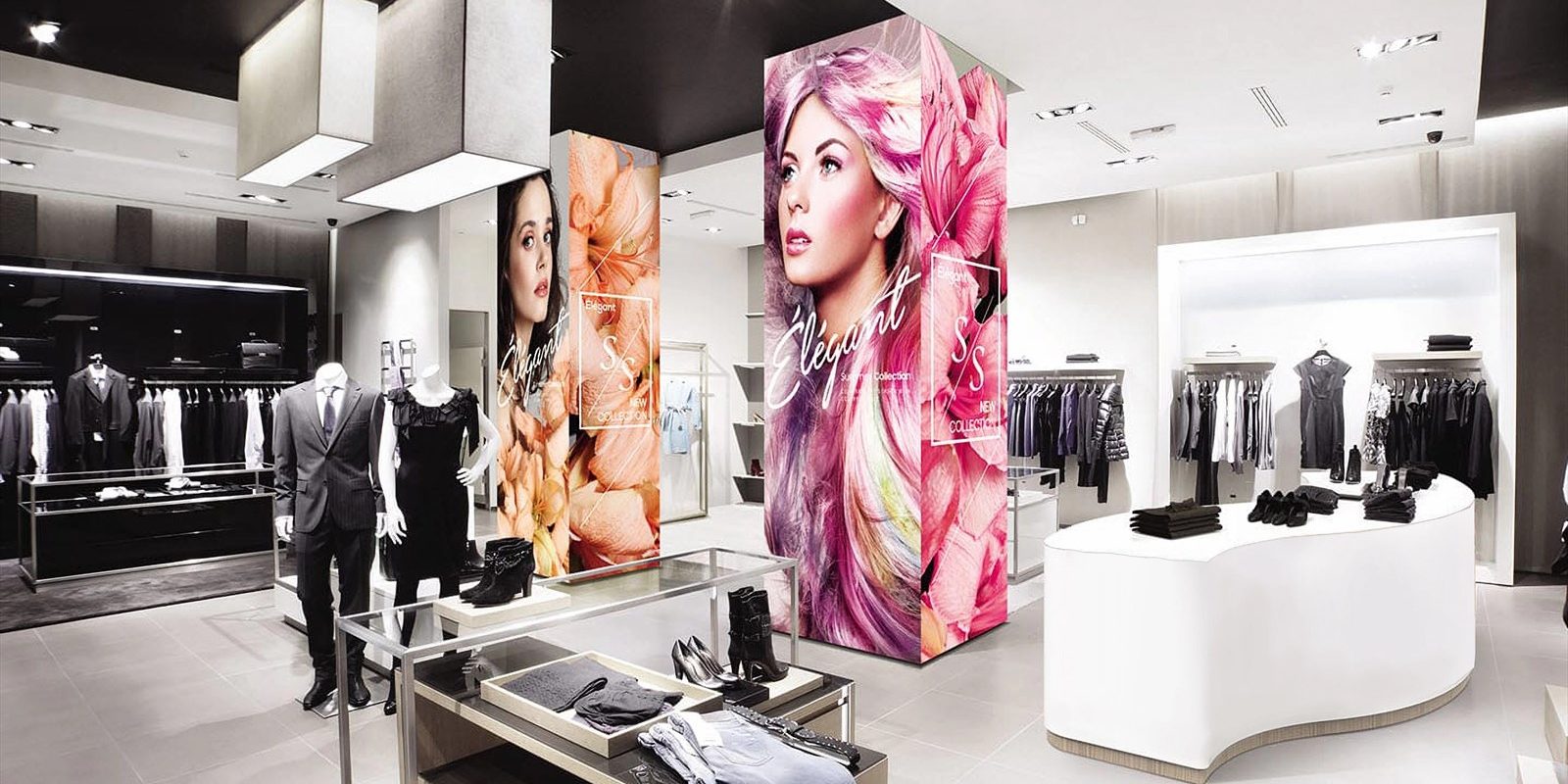
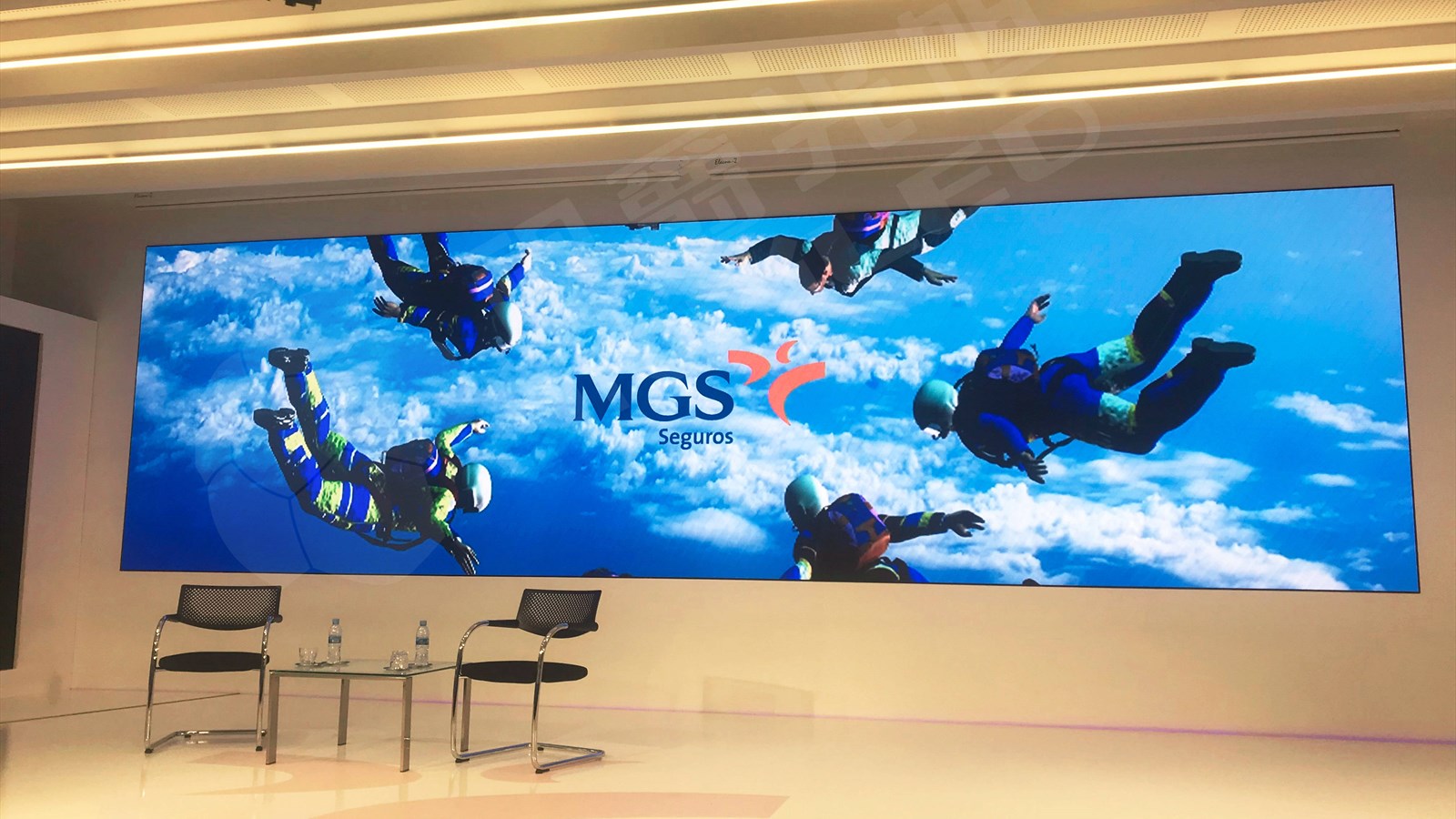
Indoor fixed installations – lobbies, boardrooms, retail interiors, control rooms – favor fine pitch, moderate brightness, quiet cooling, and neat cable management. Heat output loads the building’s air conditioning, and service planning matters because lobby walls rarely offer rear access. Indoor rental screens are built for stages, exhibitions, and events: fast-lock cabinets, durable module faces, and brightness that competes with stage lighting. Outdoor fixed displays face rain, dust, wind load, and direct sun, so they need sealed enclosures, high brightness with automatic dimming, structural engineering, and a realistic service strategy. Outdoor rental cabinets prioritize low weight and fast assembly. Semi-outdoor and window displays sit between categories: sheltered from rain, exposed to daylight. Specialty formats cover transparent, flexible, poster, and stadium perimeter screens.
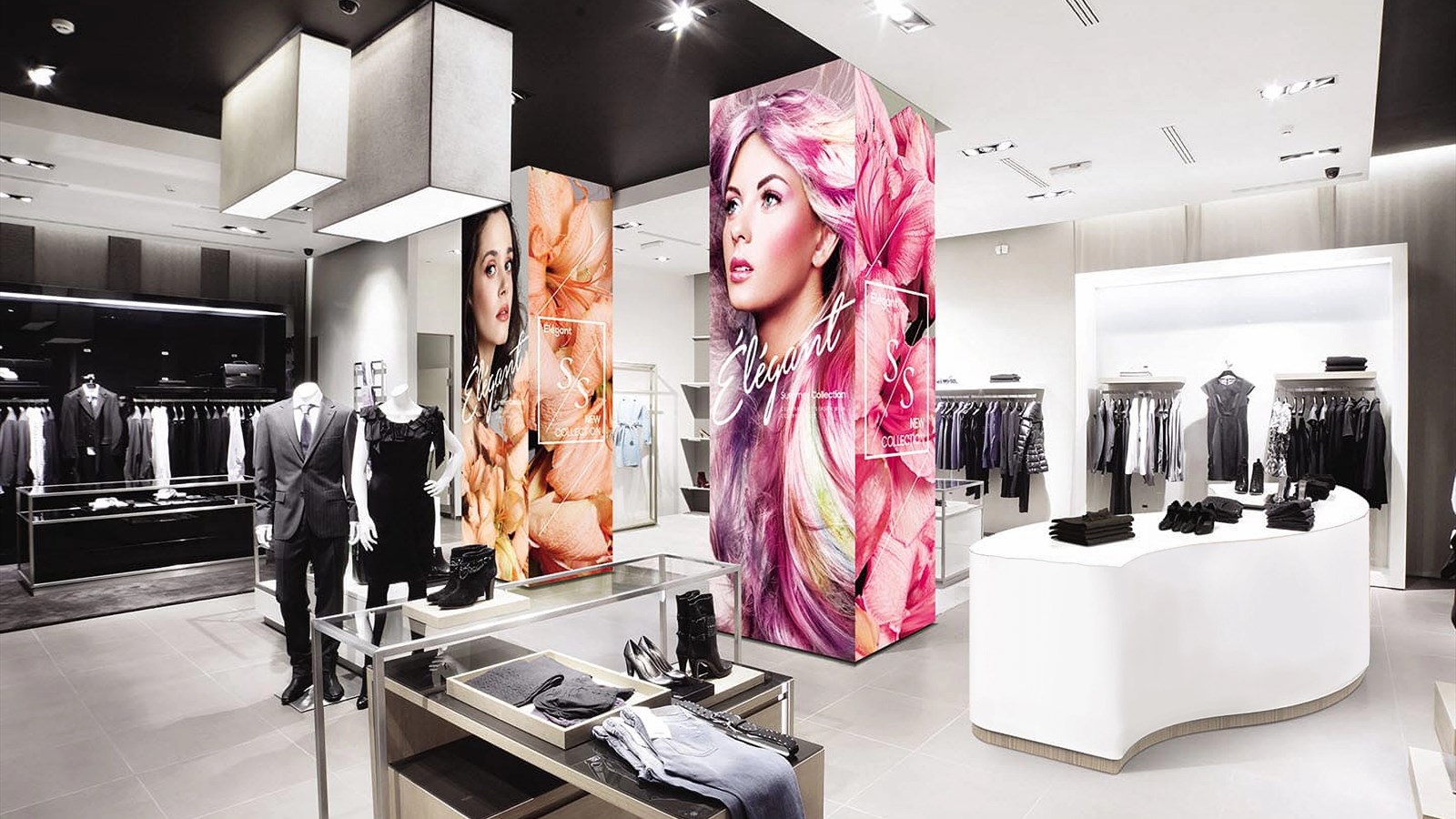
Table 1 maps applications to suitable pitches and priorities.
| Application | Environment | Typical pitch | Priority |
|---|---|---|---|
| Boardroom / meeting room | Indoor fixed | P1.2 – P1.8 | Low-brightness quality, quiet operation |
| Control room | Indoor, 24/7 | P1.2 – P1.9 | Redundancy, thermal design, stability |
| Retail interior | Indoor fixed | P1.5 – P2.5 | Color accuracy, viewing angle |
| Shop window | Semi-outdoor | P1.8 – P2.5 | Brightness headroom, auto dimming |
| Lobby / reception | Indoor fixed | P2.5 – P4 | Clean finish, front service, structure |
| Stage / event backdrop | Rental | P2.6 – P4.8 | Fast assembly, camera-friendly refresh |
| Stadium perimeter | Outdoor fixed / rental | P6.67 – P10 | Impact protection, brightness, broadcast |
| Billboard / DOOH | Outdoor fixed | P4 – P16 | Brightness, sealing, wind load, access |
Table 1: Application reference for commercial LED display projects. Pitch ranges are planning references, not rules.
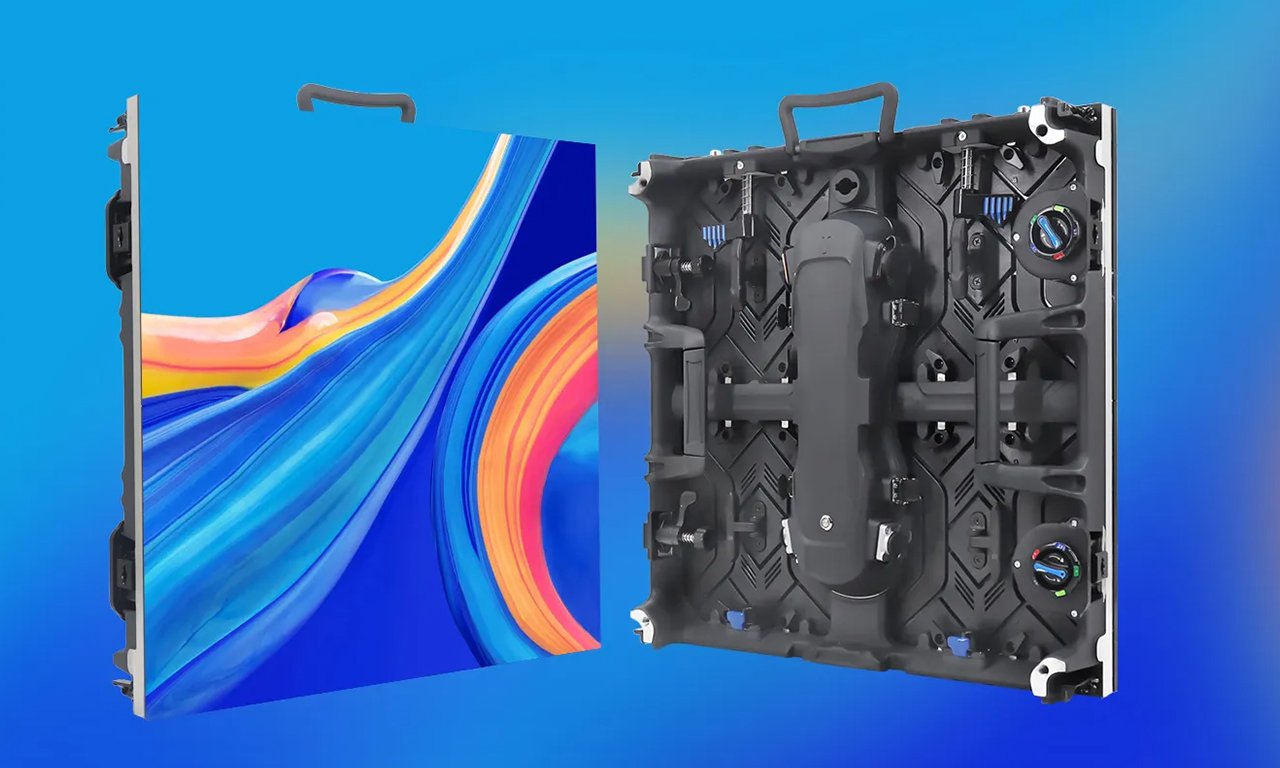
A commercial LED display specified for a shaded lobby needs a different configuration from the same product behind glass in direct sun, even at identical size and pitch.
3. Commercial LED Display vs. LCD Video Wall: Pros and Cons
The comparison usually starts with a specific question: is a seamless commercial LED display worth the premium over a tiled LCD wall?
An LCD video wall costs less at small sizes and offers high pixel density from standard panels, but its limits are structural. Even ultra-narrow panels carry visible bezels, so content is always divided by a grid. Panel-to-panel color and brightness drift appears over time, especially on white or light-gray backgrounds, and brightness is modest compared with LED – which makes LCD a poor fit for sunlit locations.
A commercial LED display has no bezels and no tiling grid. Size and aspect ratio are effectively unlimited, brightness is several times higher, and color can be calibrated as one surface. It also tolerates outdoor conditions that LCD panels cannot handle. The trade-offs run the other way: fine pixel pitch gets expensive quickly, and close viewing demands a much denser, costlier configuration.
| Factor | Commercial LED display | LCD video wall |
|---|---|---|
| Image continuity | Seamless; no bezels or grid | Visible bezel or grid in most builds |
| Brightness | Roughly 700 – 10,000 nits by use case | Typically in the 500 – 700 nit class |
| Size and aspect ratio | Any size or shape via cabinet layout | Limited by panel dimensions and tiling |
| Color consistency | Calibrated as one surface; field re-calibration | Drifts between panels over time |
| Best viewing distance | Set by pixel pitch and content | Very close viewing possible at small sizes |
| Outdoor suitability | Designed for it with the correct IP rating | Not suitable for direct-sun outdoor use |
| Best fit | Large, bright, seamless, or outdoor surfaces | Small indoor walls, data-heavy content |
Table 2: Commercial LED display versus LCD video wall.
Projectors remain cost-effective for large indoor surfaces in controlled light, but they struggle in ambient light and add lamp or laser maintenance. Once a venue has meaningful daylight, the commercial LED display usually wins on visibility.
A practical shortlist: choose LCD for small walls with close viewers, data-heavy content, and controlled light. Choose LED when the surface is large, the image must be seamless, the environment is bright, or color consistency must hold at scale.
4. Checklist Points 1-2: Pixel Pitch and Viewing Distance
01. Point 1: Pixel Pitch
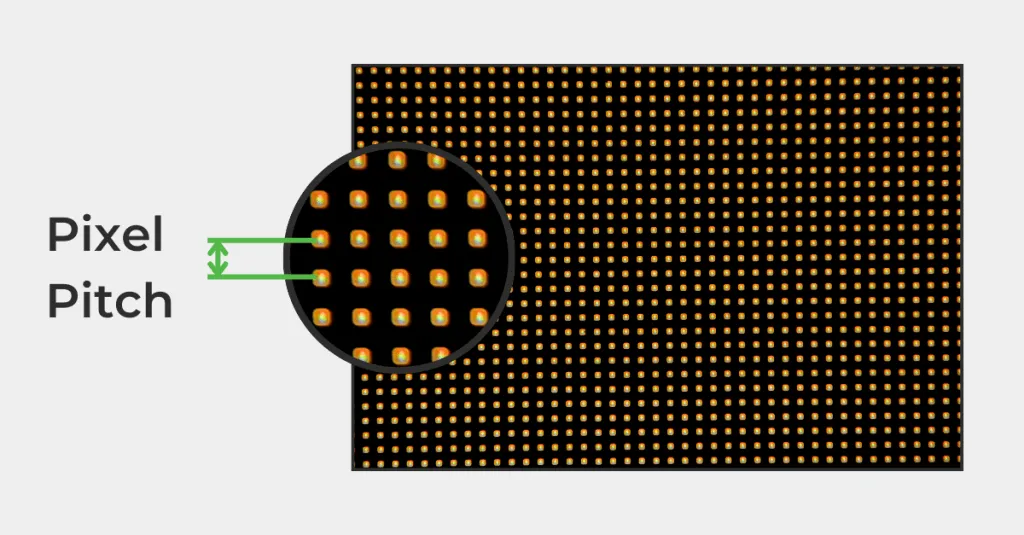
Pixel pitch is the distance between the centers of adjacent pixels, in millimeters, and it sets how much detail the screen can show, how close viewers can stand, and much of the price. The relationship is geometric: halving the pitch quadruples pixels per square meter. The formula is (1000 / pitch) squared, so a P2.5 screen carries about 160,000 pixels per square meter while a P10 screen carries 10,000. Smaller pitch also means more driver ICs, tighter cabinet tolerances, and a higher cost per square meter.
| Pixel pitch | Pixels per m2 (approx.) | Closest viewer | Comfortable distance | Typical fit |
|---|---|---|---|---|
| P1.5 | 444,000 | 1.5 m | 4.5 m | High-end indoor, close-view retail |
| P1.9 | 277,000 | 1.9 m | 6 m | Lobbies, studios, premium reception |
| P2.5 | 160,000 | 2.5 m | 7.5 m | Retail, conference, indoor video walls |
| P4 | 62,500 | 4 m | 12 m | Large indoor halls, semi-outdoor, stage |
| P6.67 | 22,500 | 6.7 m | 20 m | Outdoor mid-distance, stadium perimeter |
| P10 | 10,000 | 10 m | 30 m | Billboards, long-distance viewing |
Table 3: Pixel pitch planning reference. Distance figures are heuristics (minimum viewing distance in meters roughly equals pitch in millimeters; comfortable viewing is about three times that). Validate with real content on a sample. For a deeper walkthrough, see our guide to choosing LED display pixel pitch.
02. Point 2: Viewing Distance in Practice
The closest viewer governs the pitch decision, not the average. Measure from the nearest seat, counter, or sidewalk pass-by. Full-screen video tolerates a coarser pitch than data, menus, or subtitles; for text, keep character heights at roughly 16 pixels or more. Think in pixels rather than meters: a 6 m x 3.375 m wall at P2.5 produces a 2,400 x 1,350 canvas that scales cleanly from HD content; at P4 the same wall gives 1,500 x 844 pixels. Two common mistakes follow: paying for fine pitch on a billboard nobody can approach, or choosing coarse pitch for a lobby where people walk within two meters.
5. Checklist Points 3-4: Brightness and Contrast
01. Point 3: Brightness
Brightness is measured in nits (cd/m2), usually quoted on a full-white screen under standard test conditions. The right target depends on ambient light, not the biggest number in the brochure.
| Environment | Typical target brightness | Notes |
|---|---|---|
| Control room / meeting room | 400 – 800 nits | Dimming quality matters more than peak brightness |
| Indoor lobby / retail interior | 700 – 1,500 nits | Balance against interior lighting and content style |
| Shop window / semi-outdoor | 2,500 – 5,000 nits | Must overcome daylight through glass; auto dimming essential |
| Outdoor, direct sun / DOOH | 5,000 – 8,000 nits | Higher values suit extreme ambient sites; power and heat rise with brightness |
Table 4: Typical brightness targets by environment. Confirm against a site light survey and request a measured luminance report.
Automatic brightness control is not a luxury. A commercial LED display at full output after sunset is a nuisance for neighbors, wasteful for the operator, and harder on its own LEDs. An ambient light sensor with scheduled dimming solves all three problems – but only if the screen also performs well at 10-20% brightness, which depends on driver ICs and low-grayscale processing, not the dimming software alone.
02. Point 4: Contrast
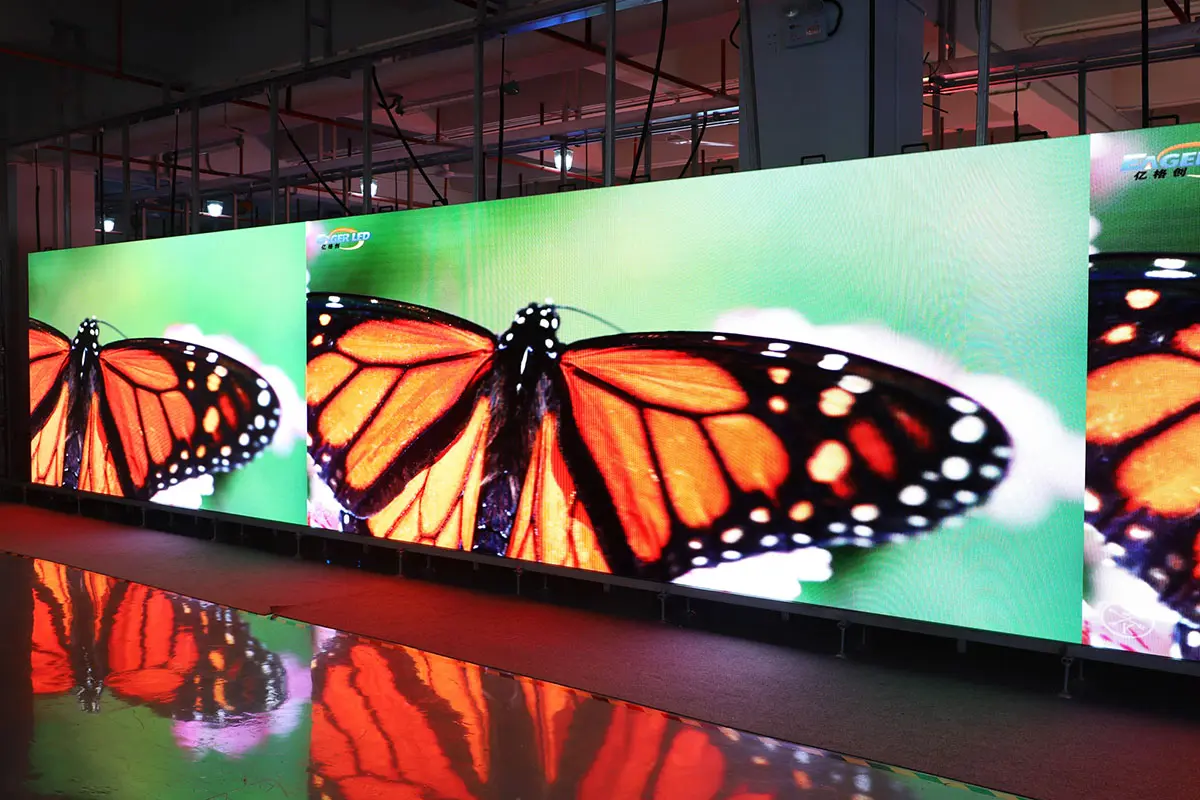
Contrast ratios of 3,000:1 to 10,000:1 are common, yet they are measured in dark conditions that few installations match. What matters on site is black level under real lighting, shaped by module face and mask design, the dark level of the lamps, anti-glare treatment, and calibration. A practical test beats a specification: view your intended content under site-like lighting. Moderate brightness with genuinely dark blacks usually looks better than high brightness with gray blacks, especially indoors.
6. Checklist Points 5-6: Resolution, Refresh Rate, and Color Accuracy
01. Point 5: Resolution and Canvas
Resolution is a product of size and pitch: width divided by pitch gives horizontal pixels, height divided by pitch gives vertical pixels. Match the commercial LED display’s native canvas to the content rather than relying on processing to fix a mismatch. A processor can accept 4K input, but it cannot make a 1,500-pixel-wide screen show 4K detail; it scales, softening text. Lock down native pixel dimensions, cabinet counts per row and column, processor capacity, and whether the same cabinet type can extend the canvas later.
02. Refresh Rate for Camera Work
A refresh rate of 1,920 Hz covers most indoor and outdoor applications. Venues that appear on camera – broadcast studios, concert IMAG screens, esports arenas, film sets – generally want 2,880-3,840 Hz or higher. The working rule for camera work is that refresh should be at least twice the shutter speed denominator: shooting at 1/1000 s calls for 2,000 Hz or more, while 1/2000 s slow motion pushes requirements toward 4,000 Hz. Ask for a test clip filmed with your camera rather than a number on a datasheet.
03. Point 6: Color Accuracy and Calibration
Grayscale processing depth of 14-16 bit keeps dark scenes smooth instead of banded. Color accuracy depends on lamp selection, factory calibration of each module, and how well the screen is matched as one surface after installation. Ask three questions of any supplier. Is each module calibrated at the factory, with calibration files supplied? Can the screen be re-calibrated in the field as it ages or after module replacement? How will replacement modules be matched to the original batch? Colorful video can hide mismatched tiles for years; a white slide exposes them immediately – and that is exactly the content many venues run.
7. Checklist Points 7-8: Power Draw, Heat, and IP Rating
01. Point 7: Power Draw and Heat
Every quote should state two consumption figures: maximum and average. Maximum determines the electrical service, breaker sizing, and cable specification. Average – commonly around one-third of maximum for typical video content – determines the electricity bill: average kilowatts multiplied by operating hours multiplied by the local tariff. Confirm phase balance, power drop count, voltage configuration, inrush current, power supply quality, and redundancy for critical screens. Common cathode drive schemes typically run cooler and consume less than common anode equivalents.
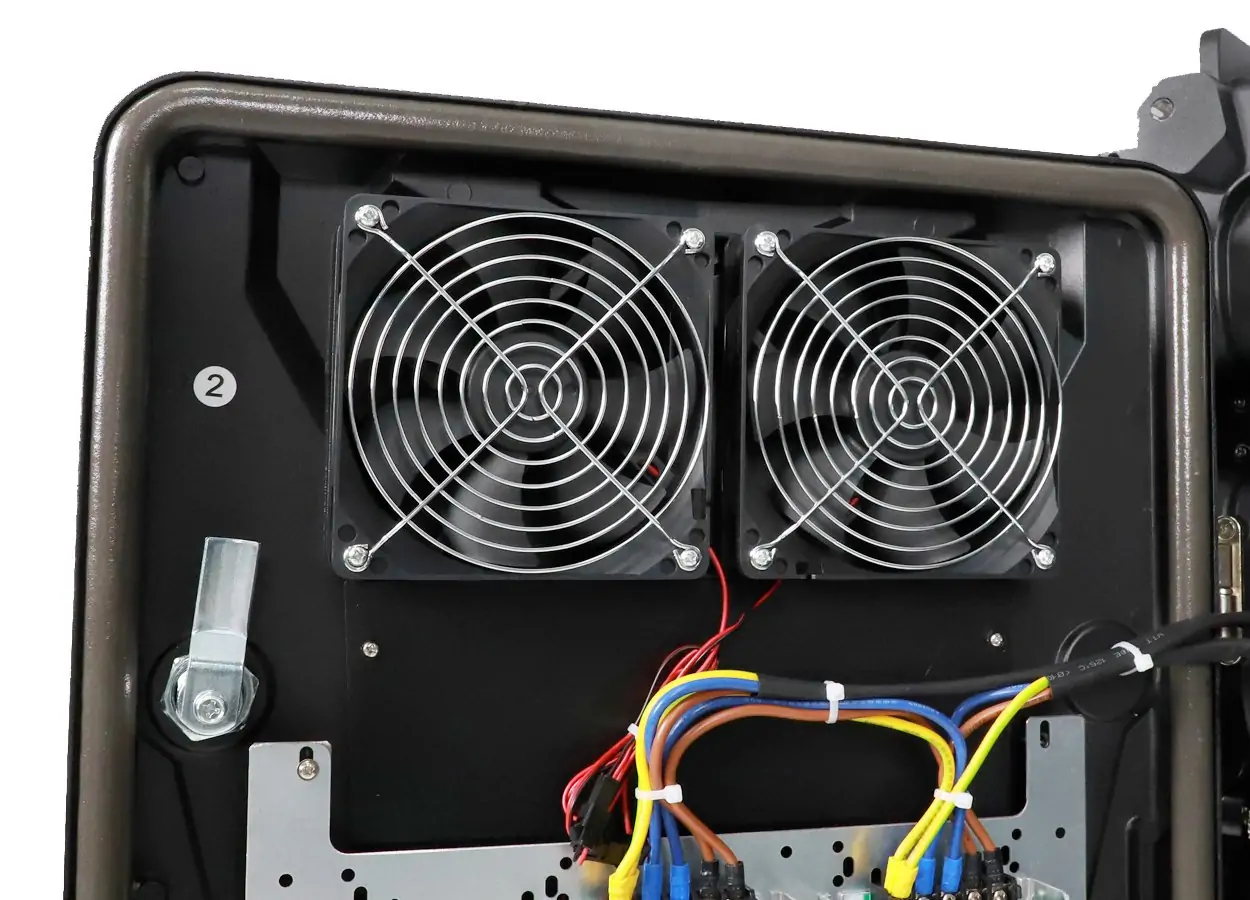
Heat is the quiet enemy of LED lifetime: nearly all of that electricity becomes heat. Indoor screens load the HVAC system, and enclosed outdoor structures need ventilation or active cooling. Fanless designs reduce noise and dust ingress but need more surface area for passive cooling. In hot climates, some products derate brightness at high ambient temperatures, so ask for the operating range and derating curve.
02. Point 8: IP Rating
The IP code defined by IEC 60529 uses two digits: the first covers solids and dust, the second covers water. Both matter, and so does the quality of the gaskets, cable glands, and drainage around them.
| Rating | Solids (first digit) | Water (second digit) | Typical use |
|---|---|---|---|
| IP54 | 5 – dust protected | 4 – splashing water | Semi-outdoor; sheltered cabinet positions |
| IP65 | 6 – dust tight | 5 – water jets | Standard for fixed outdoor installations |
| IP66 | 6 – dust tight | 6 – powerful jets | Harsh weather, exposed coastal sites |
| IP67 | 6 – dust tight | 7 – temporary immersion | Rare for full displays; low-lying sites |
Table 5: IP ratings decoded for outdoor commercial LED displays.
For fixed outdoor screens, IP65 front and rear is a reasonable baseline, or IP65 front with IP54 rear where the back is sheltered. IP protection covers the enclosure, not indefinite durability: gaskets age, drains clog, and seals need inspection. Coastal sites add salt corrosion, and humid climates can create condensation when a screen cools overnight; both deserve explicit talks about coatings and service intervals. Our outdoor LED screen guide covers brightness, IP rating, and cost in more detail.
8. Checklist Points 9-10: Installation, Maintenance, and Warranty
01. Point 9: Installation and Structure
Mounting method – wall, pole, hanging, floor-standing, or column wrap – is dictated by the site and determines which cabinet and frame options are possible. Structural questions follow: total weight, wind load, safety factors, and any required permit or engineering sign-off. A 500 x 500 mm die-cast cabinet commonly weighs 7-9 kg, and a large wall multiplies that quickly; confirm exact figures rather than estimating.
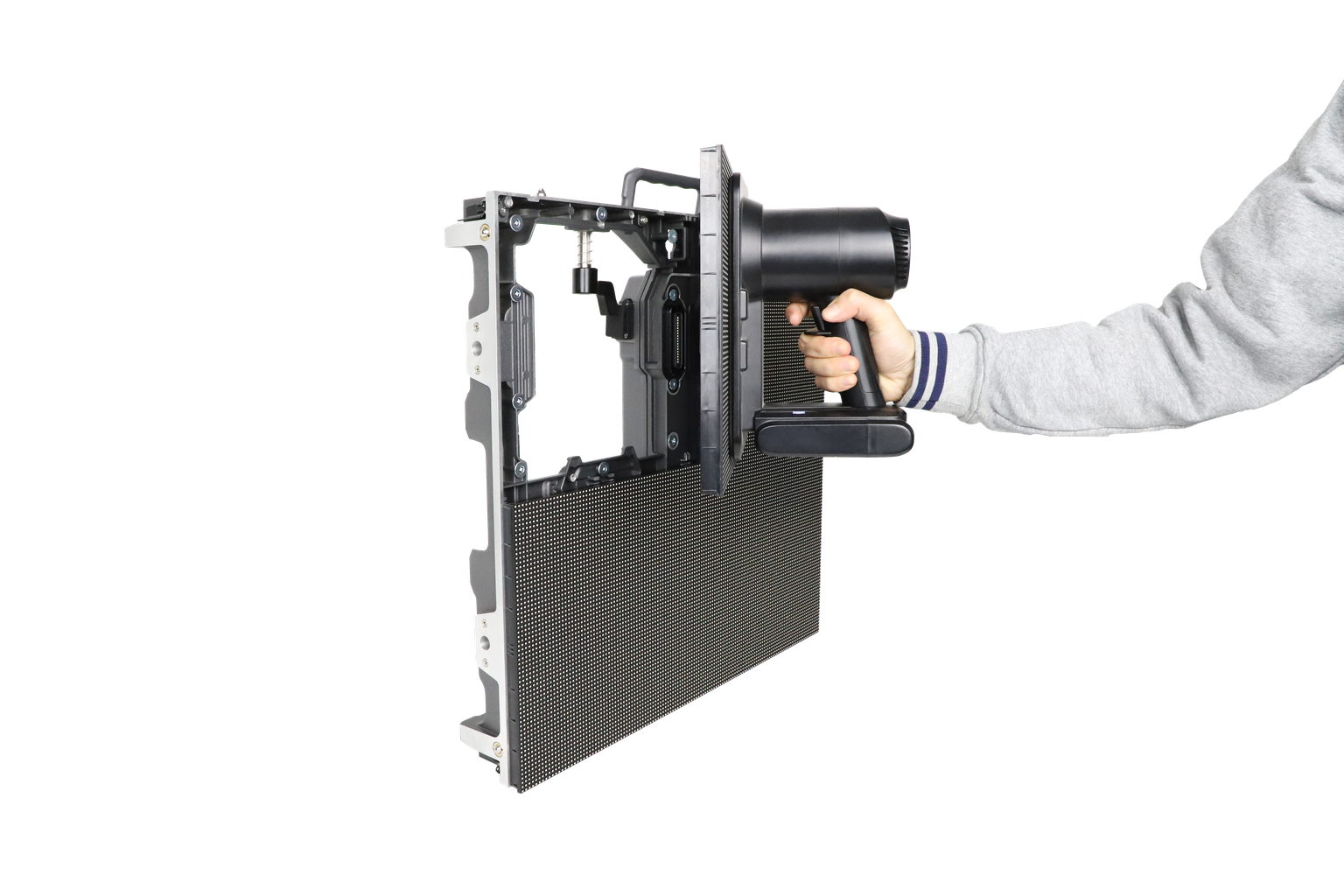
Service access deserves early attention because it cannot be redesigned cheaply later. Front-service modules allow maintenance from the viewing side and suit facades with no rear access. Rear-service designs are simpler and cheaper, but they need clear space behind the screen – commonly 0.6-1 m depending on cabinet depth. Name the owner of the steel structure, power drops, network connections, and site weatherproofing in the contract, because scope gaps at these interfaces cause more delays than hardware. For live-event or advertising screens, ask about redundant sending cards and loop-through wiring that survives a cabinet signal loss. See our guide to choosing the right LED display cabinet for the structural details.
02. Point 10: Maintenance and Warranty
Field experience across the industry points to the same pattern: power supplies, driver ICs, connectors, and physical module damage cause most service calls, not LED lamp failure. Stock spare modules – many buyers plan for 2-5% of the total, plus spare power supplies and receiving cards – and confirm the figure with your supplier. Agree a numeric dead-pixel threshold per module, follow the supplier’s cleaning method, plan periodic calibration checks, and confirm how replacement modules will be matched. Dead pixels have their own diagnosis and repair workflow, covered in our article on LED screen dead pixels.
| Term | What to secure in writing | Red flag |
|---|---|---|
| Warranty period and start | Length by component; start defined as shipment or commissioning | Vague “standard warranty” with no start date |
| Coverage scope | Clear split of parts, labor, freight, and on-site support | Parts-only coverage on an outdoor install |
| Response time | Response and resolution targets with a contact path | No service level mentioned |
| Dead-pixel policy | Numeric threshold per module and replacement procedure | “Zero defects” promises with no process |
| Spare parts availability | Commitment window and recommended spare kit | No parts commitment for a long-life asset |
Table 6: Service and warranty terms to negotiate before signing.
A commercial LED display is a long-life asset, so the service package deserves the same scrutiny as the hardware.
9. Commercial LED Display Price: What Really Drives the Cost
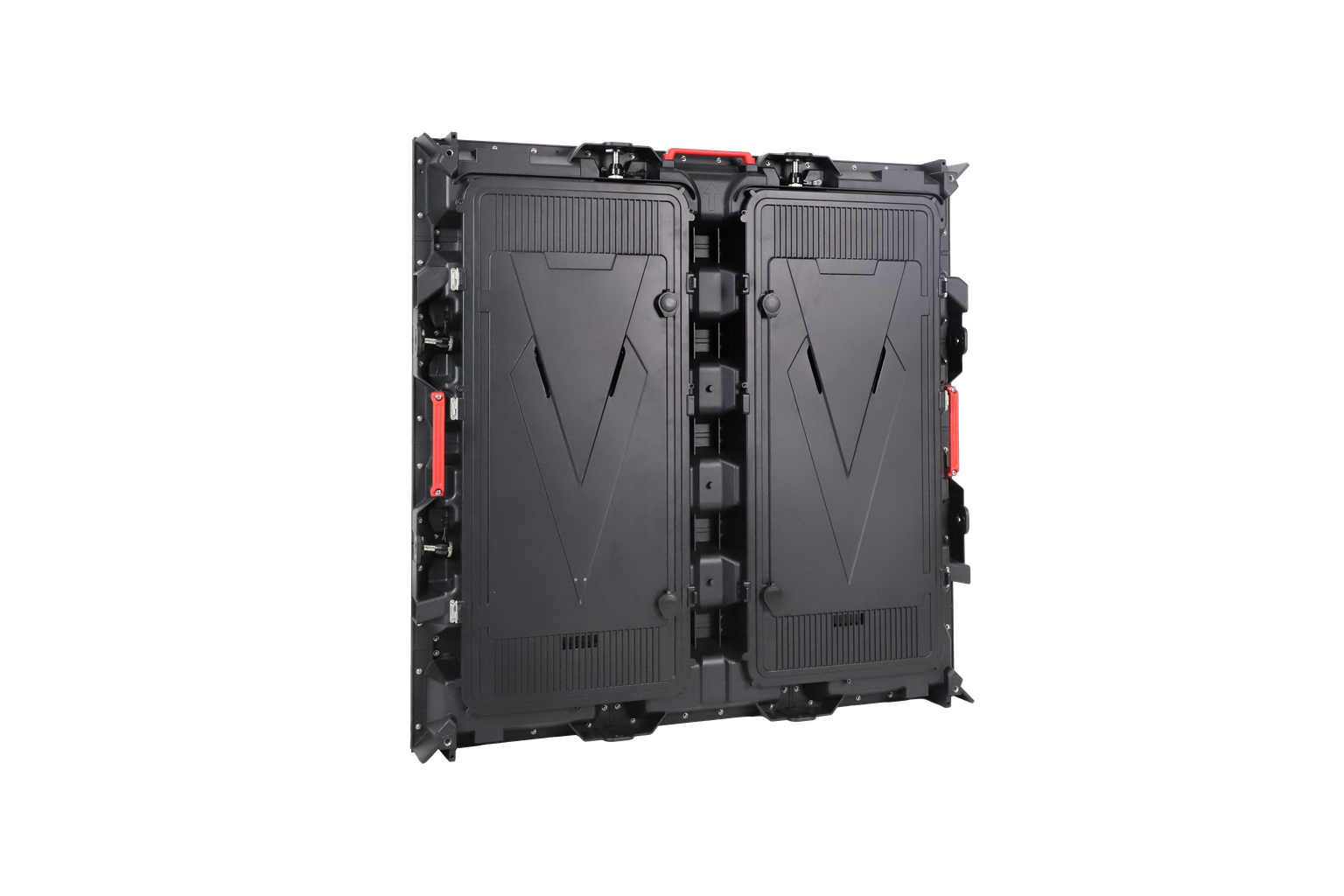
Once specifications are settled, price becomes a question of scope. A commercial LED display quote is really a bundle: hardware, control system, structure, installation and commissioning, freight and duties, training, and any service agreement. When one offer looks dramatically cheaper than another, the difference usually sits in what was left out rather than in the screen itself. Fair comparison starts with an itemized bill of materials.
| Cost driver | How it moves the price | How to compare fairly |
|---|---|---|
| Pixel pitch | Denser pitch multiplies pixel count and driver ICs | Compare quotes at identical pitch and cabinet size |
| LED lamp grade and binning | Tighter binned lamps cost more but age more evenly | Ask for lamp grade and binning policy |
| Driver ICs | Better ICs support higher refresh and cleaner low-brightness rendering | Request the IC family and camera test footage |
| Power supplies | Industrial-grade units cost more and fail less often | Ask for brand, efficiency, and derating margin |
| Cabinet material and machining | Die-cast aluminum and precision machining cost more than steel | Compare material, weight, and flatness tolerance |
| Weatherproofing | Sealing, drainage, and coatings require engineering | Compare IP rating front and rear plus corrosion treatment |
| Control system and processing | Redundant cards and 4K processors add scope | List included hardware and licenses line by line |
| Calibration | Factory and field calibration consume labor and equipment | Confirm what is included and documented |
| Service and warranty | Longer coverage and response commitments have a price | Price the service package separately from hardware |
Table 7: The main commercial LED display cost drivers.
Hardware price is only the first number. Total cost of ownership adds electricity, maintenance labor, spare parts, and downtime. A screen that consumes less power, needs fewer module swaps, and holds calibration for years can cost more on the invoice and less over its service life – the number that matters for a billboard, stadium, or control room that cannot afford dark time. Prices also move with region, currency, freight, duties, timing, and component supply, so per-square-meter figures are project-specific; suppliers should explain exactly what is included. For current market context, see our buyers’ guides to outdoor LED billboard price and indoor LED display screen price, or start with the broader LED screen buying guide.
10. FAQ
01. How much does a commercial LED display cost per square meter?
There is no single market figure, because commercial LED display cost per square meter depends on pixel pitch, lamp and component grades, cabinet material, IP rating, control hardware, calibration, warranty, and order volume. Structure, installation, freight, and duties often sit outside the screen price. Treat any headline number as a starting point and request an itemized quote so competing offers can be compared on equal scope.
02. What pixel pitch does my project need?
Start from the closest viewer, not the average one. A common planning approach puts minimum acceptable viewing distance in meters at roughly the pitch value in millimeters (P4 for about 4 m), with comfortable viewing near three times that. Video tolerates coarser pitch than text or data. Indoor close-view spaces often use P1.2-P2.5, lobbies P2.5-P4, and outdoor screens P4-P10. Validate with real content on a sample.
03. How long does a commercial LED display last?
LED lamps are commonly rated around 100,000 hours to half brightness, but that describes the lamps, not the complete screen. Power supplies, driver ICs, connectors, and seals usually need attention first. With sound thermal design and maintenance, many screens serve beyond seven to ten years; heat, humidity, dust, and coastal salt shorten that figure. Plan spare parts availability for the full service life.
04. Can a commercial LED display run 24/7?
Yes – transport hubs, control rooms, and DOOH networks run continuously today. Continuous duty calls for industrial-grade power supplies, stable thermal design, brightness headroom so the screen is not driven at maximum, and monitoring for early faults. Critical applications justify redundant power and signal paths. Confirm the exact configuration quoted is rated for continuous operation, because not every cabinet and power supply is equally suited.
05. What is the difference between SMD, COB, and GOB?
SMD is the established approach: individual LEDs on the module, cost-effective and repairable at lamp level. COB packages LEDs directly on the board under a protective layer, giving a tougher surface, wider viewing angle, and smoother dark scenes; repair is usually module level. GOB adds a potting layer over SMD for impact and moisture resistance, suiting rental and high-touch use. Choice follows viewing distance, handling, environment, and service model. Our comparison of COB vs SMD LED displays covers the trade-offs in detail.
06. Is IP65 better than IP54 for outdoor use?
For an exposed outdoor commercial LED display, IP65 is the safer baseline: dust tight and resistant to water jets, where IP54 is dust protected and splash resistant only. Common practice is IP65 front and rear for fully exposed screens, and IP65 front with IP54 rear where the back is sheltered. Gaskets, drainage, and cable glands matter as much as the rating. Ask for test documentation matching your exact model.
07. How do I compare quotes from different commercial LED display suppliers?
Normalize scope first: structure, power, network, installation, commissioning, training, freight, and duties should be listed as included or excluded. Ask for an itemized bill of materials covering lamps, driver ICs, power supplies, cabinets, and control hardware. Request identical demo conditions, put warranty and response terms in writing, confirm spare parts commitments, and check certificates against the exact model. Score value, not the lowest figure.
08. Can a commercial LED display play standard video content?
Yes. Processors accept HDMI, SDI, and network sources, and content is scaled to the native canvas. That canvas may not be 16:9, so choose cabinet dimensions that produce a standard-class canvas when such content dominates – roughly 4.8 x 2.7 m at P2.5 for 1080p-class output. For other aspect ratios, design content to fit. Text looks best rendered one-to-one at native resolution, so involve content teams early.
11. Conclusion
A commercial LED display is infrastructure, not a gadget: match pitch to detail and viewing distance, size brightness to ambient light, plan power, heat, and IP rating together, and treat installation, spare parts, and warranty as part of the product. EagerLED supports distributors, integrators, and contractors from specification through after-sales service.