Approve a corporate lobby LED supplier only after the proposed system can follow your building’s daily content and operating routine. Test scheduled content, controlled publishing, the agreed response to connectivity loss and a normal restart. Keep cabinet performance, playback software and building-network responsibilities separate in the quotation.
A lobby wall should be readable at reception, manageable by the people who own its content and supportable by the facilities team. A fine pixel pitch does not establish scheduling, offline playback or user permissions. Those functions depend on the complete system and must be demonstrated if required.
In this guide
1. Assign each requirement to the right part of the system
A lobby project commonly connects the LED cabinets, receiving electronics, processor, playback source and an organization’s content workflow. Ask the supplier to draw that chain and identify who supplies, configures and supports each element. Do not infer software functions from the display’s product name.
| Requirement | Where to verify it | What the buyer should retain |
|---|---|---|
| Text, image and native canvas | Cabinets, receiving configuration, processor and source scaling. | Exact models, pixel map and approved content examples. |
| Opening-hours schedule | The proposed player or scheduling system and any building integration. | Time-zone settings, schedule and responsible operator. |
| Who may publish | The actual content application and organizational approval process. | Demonstrated roles and ownership of the publishing workflow. |
| Connectivity loss | Player storage, network dependencies and content sources. | Agreed fallback behavior and observed test result. |
| Restart and service recovery | The complete source-to-screen chain and approved operating procedure. | Recovery sequence, settings archive and escalation contacts. |
| Component replacement | The ordered cabinet revision, mounting and finished lobby space. | Service method, access drawing and matching spare identities. |
This is a proposed procurement map, not a list of functions included with every LED screen. Swipe the table horizontally on a phone.
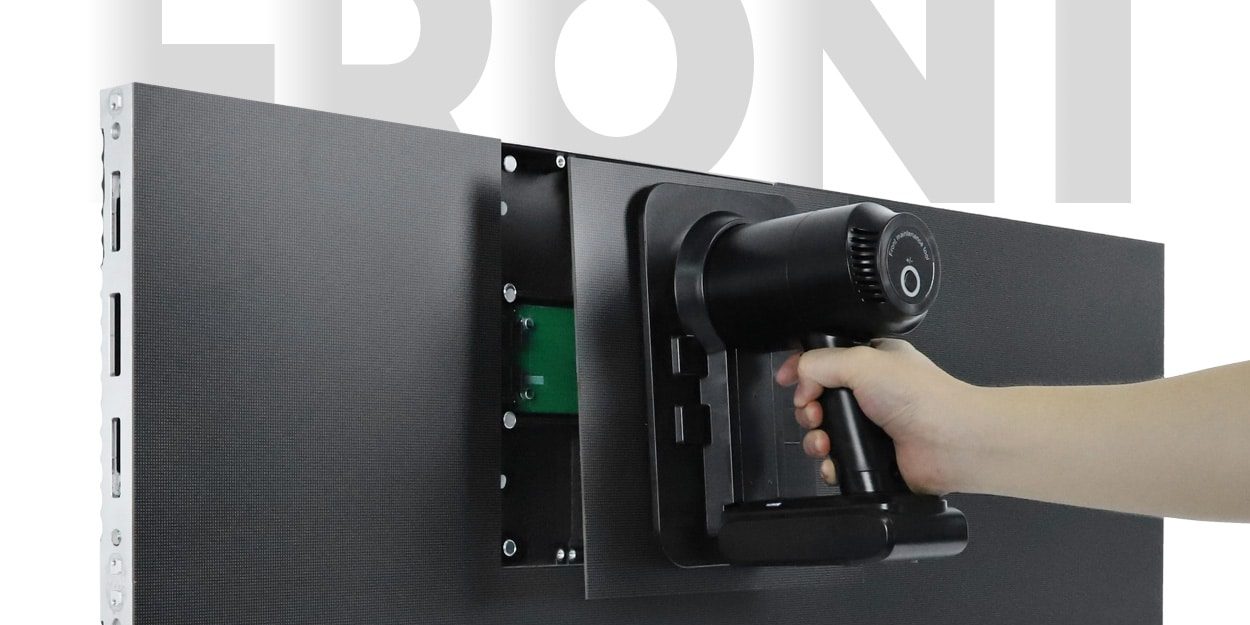
As a real hardware reference, EagerLED’s EA250WH3 indoor LED wall page describes 250 × 250 mm modules, front service and a 33 mm cabinet. It also calls the module-to-cabinet HUB arrangement a “wireless connection.” That description concerns internal module connections; it is not evidence that a complete lobby system includes Wi-Fi, remote scheduling or a cloud content service.
2. Give shortlisted suppliers the same daily operating script
Write a short demonstration around your building’s actual routine. Use nonconfidential test material: an opening welcome, a normal brand loop, an event announcement, a wayfinding message and an after-hours state. Include the characters, languages and number formats the organization actually uses.
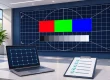
Have the nominated content operator complete a normal change while the AV team observes the display. Check the smallest essential text from reception, the queue and the main approach. Review both bright daytime and quieter evening settings with the intended lobby lighting. Record what is accepted instead of relying on a supplier’s general picture-quality rating.
- Start the day: demonstrate the agreed normal startup and the opening content.
- Change a message: prepare, approve and publish a test announcement through the proposed workflow.
- Check the schedule: show how the approved content changes and how the site’s time zone is applied.
- Handle a dependency: under an agreed test procedure, demonstrate the required response to the specified network or source interruption.
- Restore normal operation: confirm the current approved content, schedule and settings after recovery.
- Close the day: demonstrate the agreed dimmed, standby or shutdown state and the next opening sequence.
These are tests to agree, not guaranteed cabinet functions. If a proposed feature needs a separate player, license or integration service, have it identified and priced. Mark unsupported requirements or unperformed tests explicitly before comparing suppliers.
3. Test offline behavior and restart as different questions
A locally stored loop may continue during an internet outage while a live feed or remote update becomes unavailable. Alternatively, a proposal may depend on a connected source. Require the supplier to describe the actual behavior of its system. Do not accept “offline capable” without identifying which content remains available and what stops working.
Separately, test a normal restart using the approved site procedure and responsible personnel. Record what must be started manually, which settings persist and how the operator knows that the correct version is playing. Connectivity loss, source loss and a restart are different events; one successful demonstration does not settle all three.
If the project requires active failover, use the LED display redundancy guide to define the protected failure and equipment. This lobby script focuses on normal content operation and handover; it does not prescribe live electrical fault tests or imply that stored spares provide automatic failover.
4. Check the wall within its finished surroundings
For the EA250WH3 example, the published 33 mm value is the cabinet depth. It is not the complete installed depth after supports, cable entries and finishing are added. Ask for a section drawing that shows the actual wall construction and the relevant service spaces.

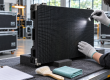
Check the removal path for modules and the access method for other service items. Confirm how the team will work around the reception desk, decorative trim, furniture and visitor routes. A workshop demonstration is useful only if its method can be followed within the final installation.

Have trained personnel demonstrate a compatible spare and restore the approved image. Identify the module revision, configuration and any calibration information needed. Discuss who can perform local repairs, which items require specialist service and how the reception area operates during maintenance.
5. Use product demonstrations for the questions they can answer
Viewing points: inspect the EA250WH3 hardware presentation and modular construction in this official @EagerLED video. The title references home-theater use. It is a product-family demonstration, not evidence of a completed African lobby project or of a scheduling and permissions system. Request a separate demonstration using your proposed playback arrangement.
6. Make handover usable by the operating team
Keep the approved equipment list, native pixel map, source diagram, settings archive, service instructions, spare identities, schedule and open-issue list together. Name the owner of each file and update responsibility. Where NovaLCT is part of the supplied system, our configuration backup and restore guide provides implementation context; the exact hardware and supported version still govern the procedure.
Agree how content approval, publishing access and supplier support will be managed through the organization’s normal process. Do not place account credentials in a public handover presentation or on the lobby screen. Demonstrate routine actions with authorized test accounts and nonconfidential content, then let the organization provision its own production access.
For an African installation, identify the destination city, local integration team, working language, support hours and available replacement arrangements. Compare included training, parts freight, local labor and exclusions in writing. A manufacturer’s general service statement does not establish a local on-site response commitment.
7. Request a system-level lobby proposal
Send EagerLED the lobby drawing, active wall size, reception and visitor positions, lighting, content examples, operating hours, destination and existing AV equipment. Include the proposed daily script and say which playback, permission and recovery functions require demonstration. Ask for the display, control, player, installation, training and support scope as separate lines.
Discuss your corporate lobby operating brief
Product suitability, software functions, licensing, local integration and support arrangements require project-specific confirmation.
8. Corporate lobby supplier FAQ
Does a fine-pitch LED wall include content scheduling?
Not automatically. Scheduling depends on the player or content system and any required integration. Ask the supplier to identify the proposed software, licenses, time-zone behavior and demonstration scope.
Does the EA250WH3 HUB connection mean the wall has Wi-Fi?
No. The product page describes the internal module-to-cabinet connection arrangement. A wireless network or remote content service needs its own identified equipment and verified configuration.
Will a lobby wall keep playing when the internet fails?
That depends on the source and storage arrangement. Test which approved content remains available, which updates or live services stop and how the system returns to normal. Do not infer the answer from the cabinet model.
Is a 33 mm cabinet the same as a 33 mm installed wall?
No. Supports, cable routes, connections and finishing affect the complete assembly. Obtain an installation section and verify the required service paths for the actual site.
What evidence should remain after the supplier demonstration?
Retain the identified equipment, daily operating script, observed results, accepted content, settings archive, access procedures, spare identities, training record and unresolved items with responsible owners.
EA250WH3 specifications, images and official-channel video checked 20 October 2026. The daily script is a proposed buyer acceptance tool, not a report of a completed site test or a guarantee of included software functions.