


An LED floor tile screen, also called an LED floor screen, is a modular display designed for installation underfoot. It shows video, graphics or reactive effects while a purpose-built cabinet, protective surface and support structure carry the approved loads. Choosing an LED floor involves more than image quality: the installation must also suit the venue, expected traffic, maintenance access and content system.
This guide explains how LED floor tiles work, what changes the price, and which specifications to verify before ordering. It covers both standard video playback and interactive LED floor systems for events, retail spaces, museums and stages. Product ratings belong to specific models and configurations; use the final datasheet and installation drawings for procurement.
1. What Is a Floor Tile Screen?
A floor tile screen combines LED modules into a continuous digital surface. Each module contains red, green and blue light emitters; groups of these emitters form pixels. Cabinets hold the electronics and transfer loads through approved feet, rails or frames to the supporting structure. The surface mask protects the modules while allowing light to pass.
Buyers may call the same category an LED video floor, LED floor display, digital floor or LED screen floor tiles. The broader phrase “LED screen tiles” can also describe wall panels, which are not automatically safe to walk on. Ask whether the quotation describes a load-bearing video floor, a simple illuminated dance tile, or an interactive floor with sensors and software. Their resolution, controls and prices can differ substantially.
A conventional wall panel is not automatically suitable for walking. Floor applications need a documented load path, surface protection, secure edges and service access. Likewise, a transparent or flexible wall display should not be assumed to work as flooring. Confirm approval for the intended use of the complete floor tile screen assembly.
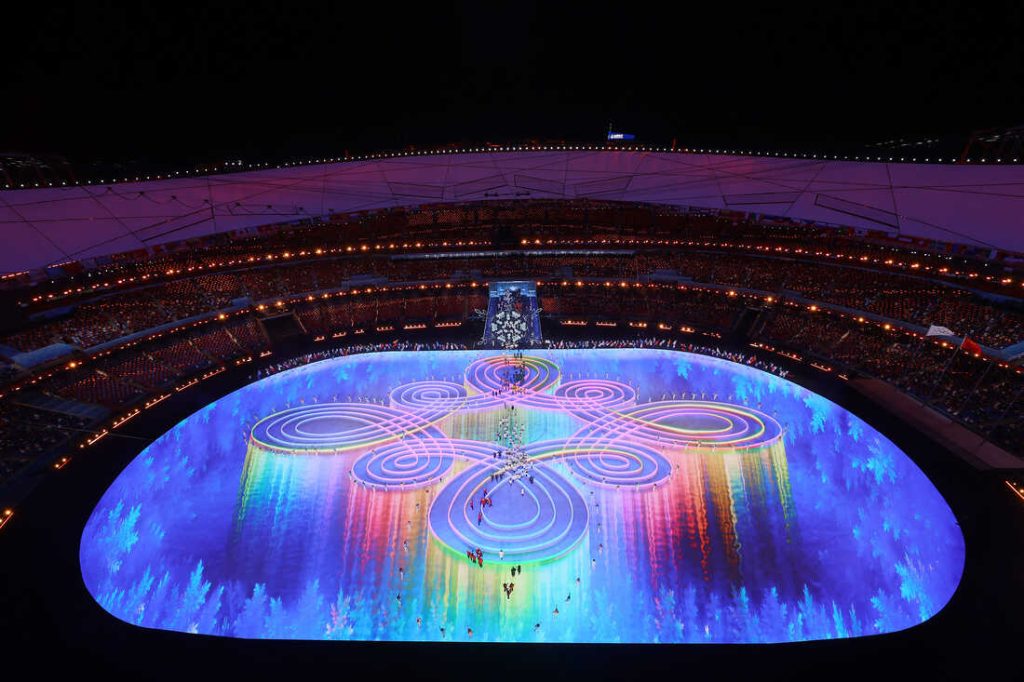
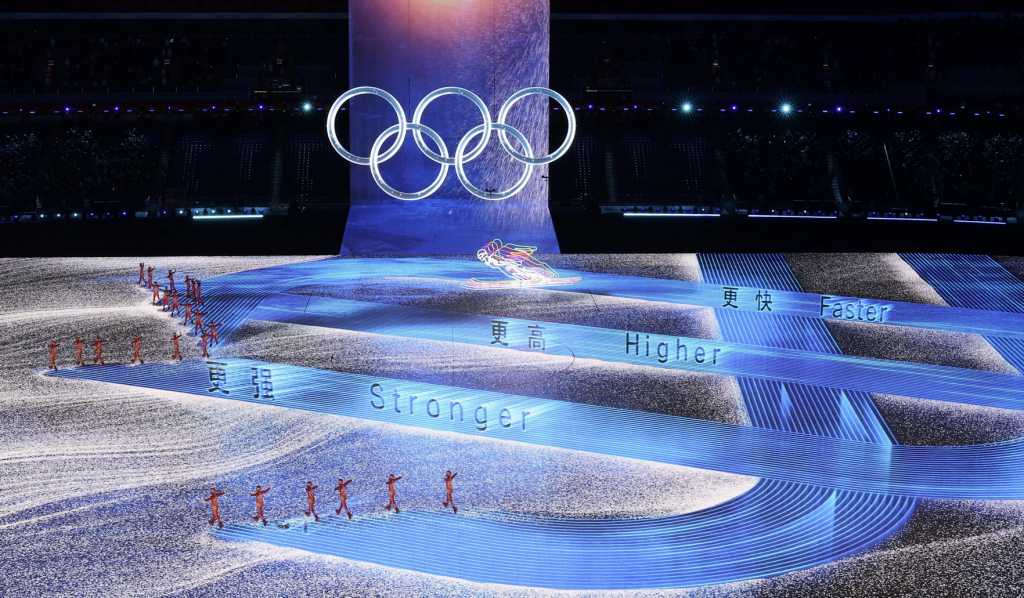
2. How Does an LED Floor Display Work?
01. LED modules, cabinets and video processing
The video chain usually runs from a media player or computer to an LED processor, receiving cards and display modules. Mapping tells the controller where each cabinet belongs. Correct mapping makes an image span the LED floor tiles without duplicated sections, reversed orientation or visible breaks in the content.
A content management system can schedule playback, but it does not replace the LED control hardware. For live shows, check the required input formats, pixel capacity and synchronization with other displays. Save the cabinet map and receiving-card configuration with the project handover files so a replacement module or controller can be commissioned efficiently.
02. Pixel pitch and actual image resolution
Pixel pitch is the distance between adjacent pixel centers, measured in millimeters. A smaller pitch places more pixels in the same floor area. However, the actual canvas resolution depends on the cabinet layout. A large physical floor tile screen can still have a much smaller pixel canvas than a television.
Use the cabinet’s stated pixel dimensions to calculate final resolution. As a preliminary estimate, divide screen width and height in millimeters by pitch. For example, a 4 × 3 m surface at exactly 2.5 mm pitch gives 1,600 × 1,200 pixels. This is a mathematical example, not a specification for every commercial P2.5 product.
03. Sensors and protective surfaces
An interactive LED floor adds a separate input layer. Depending on the system, built-in optical sensors, pressure detection or external tracking identify activity. Software converts that input into visual changes and sends the resulting frames to the display. Sensor spacing and video pixel pitch describe different things: sharper video does not guarantee finer tracking.
The surface material also affects glare, grip, scratches and image contrast. Test an actual sample under the venue’s lighting. A protective mask or coating does not by itself establish slip resistance or structural capacity; ask for the relevant test conditions and permitted cleaning methods.

3. Types of LED Floor Tiles
Select LED floor tiles by their required behavior and installation environment. “3D” normally describes perspective-based content, rather than a separate construction standard. Indoor, outdoor, rental and permanent installations may use different hardware even when their animations look similar.
| Option | Best suited to | What to confirm |
|---|---|---|
| Standard LED video floor | Scheduled video, stage graphics and brand animations | Canvas resolution, input compatibility and playback workflow |
| Interactive LED floor | Reactive exhibits, games and visitor participation | Sensor coverage, concurrent users, latency and software license |
| Illuminated dance tiles | Color patterns and simple event lighting | Whether the system supports real video or only programmed effects |
| Outdoor floor tile screen | Exposed event spaces and exterior installations | Brightness, enclosure protection, drainage and operating temperature |
| Rental floor system | Repeated assembly, transport and changing layouts | Locks, leveling, transport cases, spares and setup labor |
01. Interactive LED floor tiles and standard playback
Interactive LED floor tiles make sense when responding to a visitor is central to the experience. Standard playback may be sufficient for a runway, product launch or synchronized stage show. Specify which actions should trigger which effects before choosing sensors. A demonstration of ripples is not proof that a system can run a multi-user game.

02. 3D content, dance floors and custom shapes
A 3D floor screen uses carefully designed perspective, shading and motion to create an illusion of depth. The effect depends on where people stand or where a camera is positioned. Request content at the intended viewing angle. Custom shapes generally require planned cabinet arrangements or engineered modules; ordinary LED floor panels should not be cut on site.


4. Interactive LED Floor Principles and Project Costs
01. How interactive responses are created
In an interactive LED floor, detection, software rendering, video transport and display scanning all contribute to the response delay. A sensor’s advertised response time describes only part of that chain. Ask for a demonstration using the proposed computer, controller, software and actual content, with several participants moving across cabinet boundaries.
EagerLED’s EA-OFloor product page describes an interactive sensing chip in its LED module. Confirm the sensor package, tracking coverage and content software in the actual quotation. A published sensing feature does not establish response time for the complete installed system.
02. What determines LED floor tiles price?
The price of LED floor tiles depends on pitch, total area, cabinet design, environmental protection, sensing hardware and supplied accessories. A panel-only price cannot be compared directly with an installed interactive system. Request a dated, itemized quotation in a stated currency, with freight terms, taxes, warranty coverage and exclusions.
| Budget item | What the quotation should include | Common omission |
|---|---|---|
| Display hardware | Model, pitch, cabinet quantity, masks and spare modules | Quoted area differs from the usable finished floor |
| Control and playback | Processor, receiving cards, computer or player, cabling | Insufficient pixel capacity or missing video interfaces |
| Interactivity | Sensors, tracking controller, software and content package | Annual licenses or custom game development |
| Support and installation | Feet or frame, leveling, edge ramps, labor and commissioning | Venue preparation and local electrical work |
| Delivery and operation | Freight, cases, duties, training and maintenance provision | Replacement shipping, downtime and energy costs |
Calculate the preliminary hardware subtotal as cabinet quantity multiplied by the quoted unit price. Then add the remaining project items. A 4 × 3 m layout using 500 × 500 mm cabinets requires 8 × 6, or 48 cabinets, before spares. This example explains quantity calculation and intentionally does not imply a current market price.
For energy budgeting, multiply measured average kilowatts by operating hours and the local electricity tariff. Use the manufacturer’s maximum power figures for electrical design, with the project electrician determining circuits and protection. Average consumption changes with brightness and content; a dark animation and a bright test pattern are not equivalent loads.
5. Why Use a Floor LED Display?
A floor tile screen extends visual storytelling into a surface that audiences can walk across. Retail installations can introduce a product story; museums can turn an explanation into a shared activity; stages can coordinate scenery beneath performers. The benefit comes from a useful content concept and reliable operation, not simply from covering more area with pixels.
For event teams, modular LED floor tiles allow layouts to be adapted when the approved support system permits. For permanent venues, serviceable modules can reduce the area that must be opened for a repair. Neither feature guarantees lower lifetime costs: transport, repeated handling, spare inventory and staffing still need to be included.
Set a measurable objective before buying. A museum might evaluate successful game completions and operator interventions. An event team might assess setup time and fault recovery. A retailer might measure participation alongside a clear campaign goal. Avoid assuming that an interactive LED floor automatically increases sales or guarantees social media attention.
6. Choosing a Floor Tile Screen: Specifications That Matter
01. Match pixel pitch, brightness and content
Evaluate the floor tile screen from the nearest visitor position and the main audience or camera position. Small text, detailed product images and close-up recording need different treatment from broad abstract patterns. Use the planned content in a sample test. There is no single viewing-distance rule that guarantees an acceptable floor image.
Brightness must suit ambient light without creating distracting glare. Also inspect low-brightness gradients, color matching between cabinets and reflections from overhead fixtures. Refresh-rate claims alone cannot guarantee clean camera footage: test with the actual camera frame rate, shutter settings, exposure and processor configuration.
| Specification | Why it matters | Evidence to request |
|---|---|---|
| Pixel pitch and resolution | Determine content detail and controller requirements | Cabinet pixel map and full-screen resolution |
| Load capacity | Protect modules, supports and the underlying structure | Test method, support spacing and permitted point loads |
| Surface grip and wear | Affect walking conditions and long-term appearance | Surface test results for the intended environment |
| Ingress protection | Addresses specified dust and water exposure | Rating for front, rear, connectors and assembled system |
| Sensing and latency | Determine interactive accuracy and responsiveness | Multi-user demonstration with final software |
| Service access | Controls repair time after the floor is installed | Module, power-supply and receiving-card replacement procedure |
02. Check loads and environmental limits
A distributed load rating in kg/m² does not establish the allowable force beneath a narrow heel, a flight-case wheel or a vehicle tire. For vehicle displays, obtain written approval covering wheel contact, axle loading, movement and the support arrangement. The building floor and any raised platform also require a project-specific assessment.
Ingress protection describes tested enclosure performance, not unlimited weather resistance. Confirm the complete installation’s exposure limits, drainage, cable protection and cleaning restrictions. An indoor floor tile screen does not become an outdoor product merely because one component has an IP rating. Standing water and pressure washing need explicit manufacturer approval.

03. Compare EagerLED configurations and support
EagerLED’s EA-iFloor indoor floor LED display page describes a 500 × 1000 mm cabinet, front module service and several support methods. The EA-OFloor outdoor floor LED display page describes an outdoor configuration with optional interaction. Confirm the current datasheet, sensor package and service clearances for your selected model rather than transferring specifications between these products.
EagerLED floor screen comparison (published product information):
| Item | EA-iFloor indoor | EA-OFloor outdoor |
|---|---|---|
| Cabinet size | 500 × 1000 mm | 500 × 1000 mm |
| Published enclosure rating | IP66 cabinet design | IP67 front and rear |
| Published load figure | Over 2,000 kg/m² | Over 1,500 kg/m² |
| Service and installation | Front module service; ground, embedded, frame or rail installation described | Front module service; above-ground outdoor installation recommended |
| Interaction | Confirm the proposed sensor and software package | Optional interactive function listed; confirm the supplied package |
These figures come from EagerLED’s linked product pages, not a project-specific structural approval. Request the current datasheet and test conditions. Neither kg/m² figure alone establishes permissible point loads, vehicle wheel loads or the capacity of the supporting venue floor.
Ask who supplies the installation drawings, who commissions the interactive software, and which spare components should stay at the venue. For broader background on image selection, see the indoor LED screen guide to pitch and viewing distance. Keep the final purchase decision tied to floor-specific requirements.
7. Floor Tile Screen Installation and Maintenance
01. Plan and commission the installation
Install a floor tile screen using its approved mechanical system. It is not a ceramic tile installation: generic adhesive instructions are inappropriate unless the manufacturer explicitly specifies such a method. Check the venue surface, level tolerances, cable routes, ventilation, drainage and finished edge transitions before equipment arrives.
- Confirm the layout and structural design, including access routes and all expected loads.
- Position and level the specified feet, rails or frame according to the installation drawings.
- Fit cabinets and approved locking components without trapping cables or obstructing service access.
- Have qualified personnel complete power distribution, protective earthing and electrical checks.
- Map the LED floor panels, calibrate the image and configure any interactive sensing.
- Test the complete system, document results and train the operating team before public use.
Keep safe access and emergency routes readable even when the content changes. Agree on a fallback display state if the media server or tracking system fails. A floor tile screen should not depend on its animated imagery to communicate essential physical boundaries.
02. Maintain the surface and troubleshoot systematically
Inspect LED floor tiles for surface damage, loose edges, uneven supports and connector problems before opening the area. Clean only with approved materials and methods. Isolate the affected area and power when required by the maintenance procedure; do not continue operating a physically damaged walking surface.
| Symptom | First checks by trained personnel | Useful record |
|---|---|---|
| One cabinet is dark | Power path, data connection and receiving-card status | Cabinet ID and preceding cabinet in the signal chain |
| Image is repeated or reversed | Cabinet mapping and configuration files | Processor settings and layout diagram |
| Interaction misses a region | Sensor connection, coverage and calibration | Test position, software version and active user count |
| Color differs between tiles | Calibration, replacement batch and brightness settings | Module serial number and calibration backup |
| Surface moves or becomes uneven | Close the affected area and inspect supports and locks | Location, observed movement and approved corrective work |
Stock compatible spare modules, masks, cables and electronics according to the supplier’s recommendation and your downtime tolerance. Label cabinets and replacement parts. After a repair, verify both the image and the walking surface before returning the floor tile screen to service.
8. Floor Tile Screen Application Examples and Acceptance Checks
01. Stages, events and dance floors
For a stage floor tile screen, prioritize predictable playback, synchronization, camera testing and fast fault recovery. Rehearse the full sequence with performers and lighting. A floor tile screen used for decorative dance patterns may not need interactive tracking, while a performance built around reactive footsteps requires repeatable timing.
02. Museums and retail experiences
For an interactive LED floor in a museum or shop, test the experience with the expected number of visitors. Check whether people understand what to do without staff instructions. Evaluate sensor behavior at the edges, accessibility of participation, the reset process between sessions and how the attraction behaves when nobody is present.
03. Automotive displays and outdoor venues
A car showroom needs a documented vehicle-loading plan, not a demonstration photograph alone. An outdoor venue additionally needs environmental checks and a clear wet-weather procedure. When comparing supplier experience, ask for verified project records showing the installed model, location, support arrangement and operating conditions. A relevant reference should demonstrate requirements similar to your own.
9. Future Floor Screen Developments Worth Evaluating
Evaluate new floor tile screen features through their practical effect on your project. Finer sensing may improve tracking, better service access may shorten repairs, and improved calibration may help mixed replacement modules look consistent. Ask for a demonstration and documentation instead of relying on a future product roadmap.
Real-time graphics and links to other show systems can expand an interactive LED floor experience, but they also add software dependencies. Confirm supported interfaces, license terms, version compatibility and the ability to operate without an internet connection where required. Record who owns custom content and who can modify it after handover.
For energy and sustainability decisions, compare measured consumption under equivalent content and brightness, repairability, spare availability and expected operating hours. Avoid treating an advertised LED lifespan as the guaranteed service life of the entire installation. Controllers, power supplies, surface masks and support components have their own maintenance needs.
10. Floor Tile Screen FAQ
01. Are digital screen floors real?
Yes. A floor tile screen is a real LED video display built into a load-bearing assembly. It can show ordinary video or interactive effects. The visual illusion may look three-dimensional, but the walking surface remains physical flooring with defined structural and operating limits.
02. How much does a floor tile screen cost?
There is no reliable universal installed price. Area, pixel pitch, cabinet construction, interactivity, controls, support structure and local installation work all affect the total. Request an itemized quotation and compare the complete scope, rather than comparing a panel-only rate with a finished project.
03. What is the difference between LED floor tiles and LED screen tiles?
LED screen tiles can refer to modules for walls or other display surfaces. LED floor tiles specifically need an approved walking surface and support system. Check the product’s intended installation; identical pitch or cabinet dimensions do not make wall and floor panels interchangeable.
04. Do all LED floor tiles respond to footsteps?
No. Standard LED floor tiles play video without sensing visitors. An interactive LED floor needs suitable sensors, a tracking or input system and reactive content software. Confirm whether those items are included, optional, or supplied by another integrator.
05. Can an LED floor screen be used outdoors?
Yes, when the complete system is specified for the site’s exposure. Verify enclosure and connector protection, brightness, temperature limits, drainage and installation details. Do not assume an indoor LED floor screen is suitable simply because its front surface resists occasional spills.
06. Which pixel pitch is best for an LED floor display?
The best pitch depends on viewing positions, content detail, camera use and budget. Compare actual samples at the intended distances. Request the final pixel canvas and test your content; choosing the smallest available pitch does not automatically produce the best overall project.
07. Can a floor tile screen support a car?
Some configurations are designed for vehicle displays, but approval must cover the specific vehicle and installation. A distributed load figure alone does not prove safe wheel loading. Obtain written confirmation of permitted loads, contact areas, support spacing and movement restrictions.
08. How do you request an accurate LED floor quotation?
Provide floor dimensions, installation location, indoor or outdoor conditions, expected traffic, viewing positions, content examples and the required opening date. State whether interaction is needed and describe the actions users should trigger. Include site drawings and service-access constraints where available.
11. Conclusion: Specify the Floor Tile Screen as a Complete System
The right floor tile screen balances image quality, structural suitability, responsive content and maintainability. Start with the experience you want to deliver, then verify the LED floor tiles, control hardware, support system and installation scope together. A sample demonstration and a clear acceptance checklist make competing proposals easier to assess.
To discuss an EagerLED floor LED display, send your project brief to EagerLED with the size, environment, loading conditions and interaction requirements. Request a model-specific configuration and itemized quotation so the proposed LED floor display matches both the venue and the operating plan.





