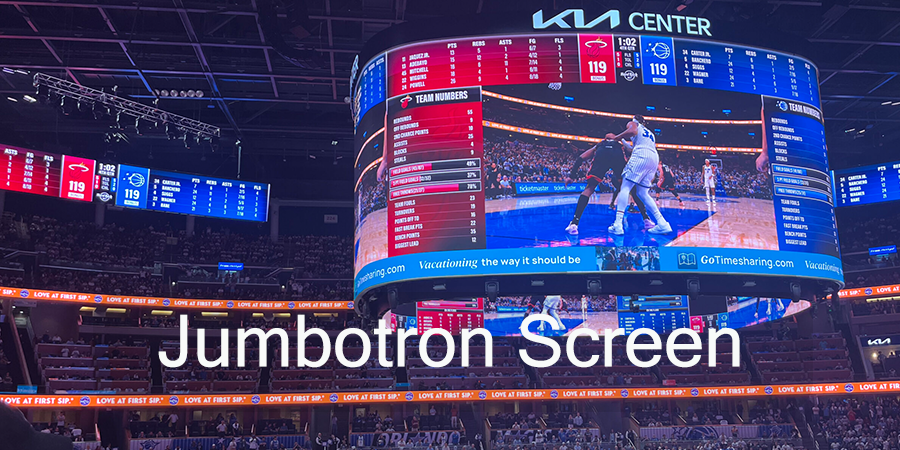
A Jumbotron screen is the visual heartbeat of your venue. If you’re upgrading a college football stadium, equipping a concert arena, or bringing digital advertising to a city plaza, the display you pick shapes how your audience experiences every moment.
But between pixel pitch charts, IP ratings, six-figure price tags, and dozens of suppliers all claiming to be the best, the decisions stack up fast.
Table of Contents
1.What Is a Jumbotron Screen?
2.Where Are Jumbotron Screens Used?
3.What Are the Main Types of Jumbotron Screens?
4.How to Choose the Right Jumbotron Screen?
5.How Much Does a Jumbotron Screen Cost in 2026?
6.How to Install and Maintain a Jumbotron Screen?
7.How to Choose a Jumbotron Screen Supplier?
8.Jumbotron Screen FAQ
9.Conclusion
1.What Is a Jumbotron Screen?
1.1 Jumbotron Screen Definition
The name “Jumbotron” goes back to Sony’s JumboTron from the 1980s. Those original systems stacked bulky CRT tubes into massive walls that weighed tons and produced blocky, low-resolution images. Groundbreaking at the time. Completely obsolete now.
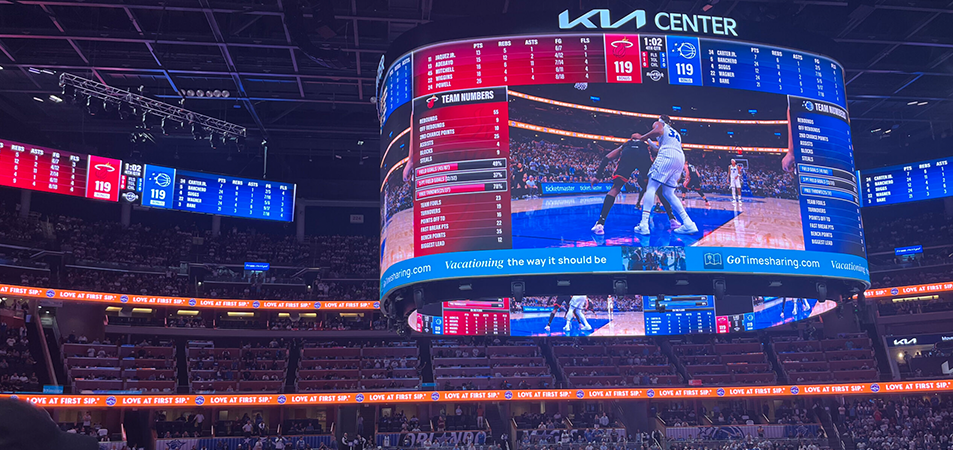
In 2026, “Jumbotron” just means any large-format LED video display built for stadiums, arenas, and public spaces. The tech underneath has nothing to do with those old CRT beasts. Modern Jumbotrons use SMD (Surface-Mounted Device) LED technology: millions of tiny diodes mounted in modular panels that lock together into a seamless video wall. A single 40-foot display can pack over 2 million pixels, each one individually controlled.
What actually separates a Jumbotron from a regular commercial LED screen? Scale (typically 15-foot diagonal and up). Engineering (built for wind loads, direct sunlight, and 24/7 operation). And purpose (large-venue audience viewing, not close-range retail display). Miss one of those and you’re just buying a big TV for outside.
1.2 How Does a Jumbotron LED Screen Work?
Every modern Jumbotron is a four-layer system. Understanding these layers helps you ask sharper questions when you’re sitting across from a supplier.
Layer 1 — LED Modules
The surface you see. Each module packs hundreds or thousands of SMD LED diodes, which are tiny packages containing red, green, and blue emitters. These modules mount onto cabinets in a grid.
Layer 2 — Cabinets
The structural frame. Standard sizes are 500×500 mm or 500×1,000 mm, usually die-cast aluminum or magnesium. Cabinets lock together with precision pins, and the alignment tolerances are under 0.2 mm. If the crew does their job right, the audience never sees a seam.
Layer 3 — Receiving Cards and Power Supplies
Inside each cabinet, a receiving card interprets the video signal and drives every LED pixel. Power supplies convert AC mains to the low-voltage DC the LEDs need. When these fail mid-game, you learn which suppliers actually stock spare parts locally.
Layer 4 — Video Processor and Control System
The brain. A video processor (Novastar, Colorlight, Brompton — those are the three you’ll hear about most) takes your content, scales it, slices it, and pushes it to the receiving cards over Ethernet or fiber. All in real time, frame by frame, at refresh rates up to 3,840 Hz.
Put those four layers together and you get millions of LEDs firing in sync. A bright, fluid image that holds up under stadium lights, direct sun, and broadcast cameras. When it works, it feels like magic. When it doesn’t, thousands of people see dead pixels.
1.3 Jumbotron vs. Regular LED Display
Not every LED screen is a Jumbotron. The differences matter.
| Feature | Jumbotron Screen | Regular LED Display |
| Typical size | 15 ft to 72+ ft diagonal | 3 ft to 15 ft diagonal |
| Brightness (outdoor) | 5,000–10,000 nits | 800–2,000 nits |
| Weatherproofing | IP65 front / IP54 rear (outdoor) | IP20–IP43 typical |
| Structural engineering | Custom steel frame, concrete foundations, wind load calcs | Wall-mount bracket or floor stand |
| Pixel pitch range | P6–P20 (long-distance viewing) | P1.5–P5 (close viewing) |
| Control system | Professional-grade with broadcast features | Consumer or prosumer |
| Refresh rate | 1,920–3,840 Hz (camera-safe) | 480–1,920 Hz |
| Duty cycle | 24/7 rated | 8–12 hours/day typical |
Here’s the short version: a Jumbotron is built for conditions that wreck a commercial display within weeks. Rain, dust, UV radiation, temperature swings from -20°C to +50°C, and the structural loads of wind and weight at stadium scale. A lobby display doesn’t deal with any of that.
2.Where Are Jumbotron Screens Used?
2.1 Stadiums and Sports Arenas
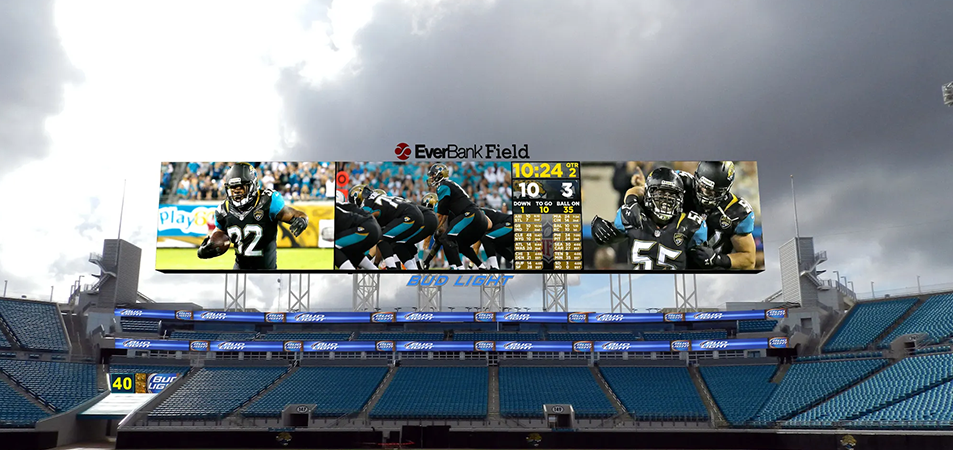
Stadiums are where Jumbotrons live. A modern sports display handles five jobs at once: live game feed, instant replays, real-time stats, sponsor rotations, and fan engagement (kiss cams, crowd prompts, trivia). All of it running simultaneously.
2.2 Concerts and Live Events
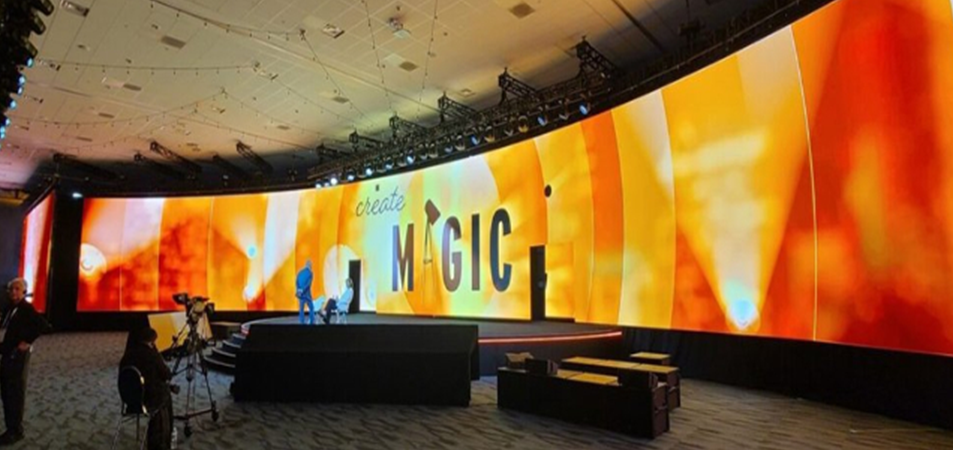
For live music, Jumbotrons serve as IMAG screens (Image Magnification, if you like acronyms). They bring a close-up of the performer to fans in the back rows.
2.3 Outdoor Advertising and Public Spaces
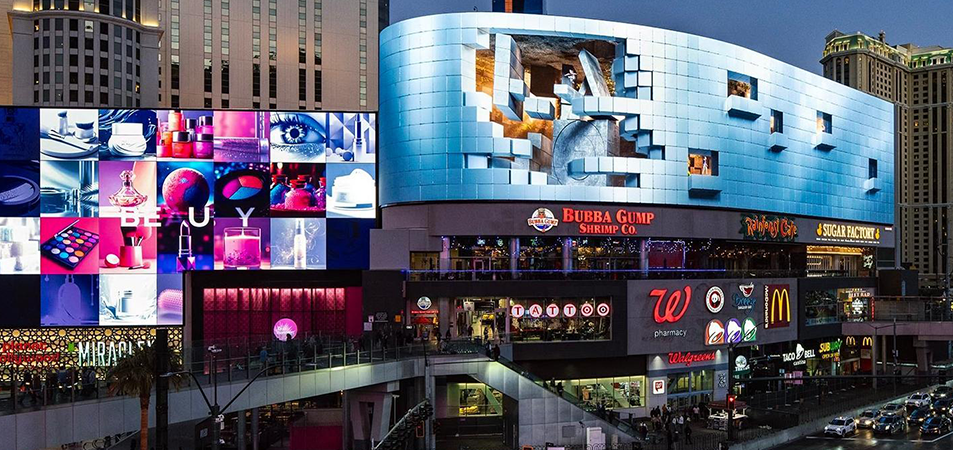
Times Square. Piccadilly Circus. Shibuya Crossing. You already know what outdoor Jumbotrons look like because you’ve seen them a thousand times. These screens run digital out-of-home (DOOH) advertising, rotating brand ads sold in time slots. The foot traffic alone, hundreds of thousands of impressions per day, pays for the hardware.
2.4 Schools and Universities
Colleges and high schools are the fastest-growing segment of Jumbotron buyers. A campus stadium display earns its keep across game day, commencement, concerts, and campus-wide events. The per-use cost looks a lot better once you realize it’s not just for football Saturdays.
3.What Are the Main Types of Jumbotron Screens?
3.1 Indoor Jumbotron Screens
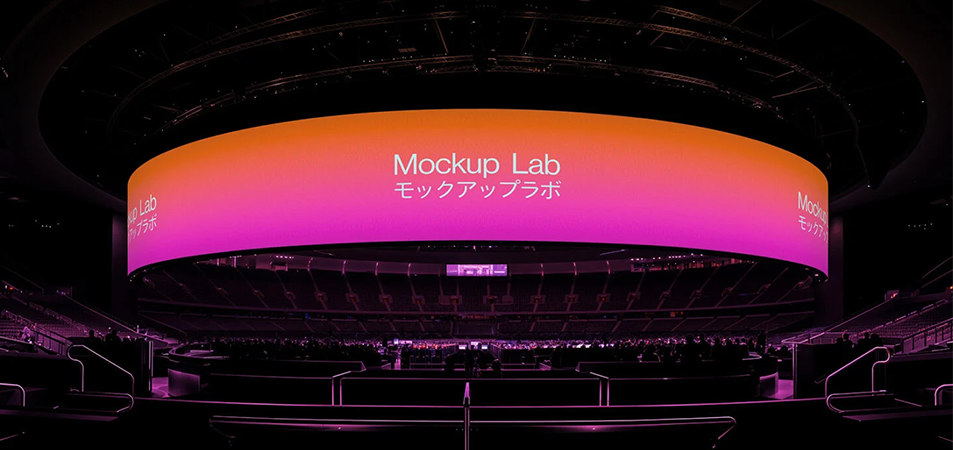
Indoor Jumbotrons go in arenas, convention centers, and indoor sports facilities. No direct sunlight to fight means brightness needs drop to 1,500–3,000 nits. That lets manufacturers use finer pixel pitches (P2.5–P6), which means sharper images at the closer viewing distances you get indoors.
3.2 Outdoor Jumbotron Screens
Outdoor Jumbotrons are a completely different animal. Rain, dust, UV radiation, salt spray, temperature swings, direct sunlight. Every outdoor screen needs to check all these boxes:
3.3 Fixed Jumbotron Screens
A fixed Jumbotron is custom-engineered for exactly one spot. Poured concrete foundations. Structural steel support frame engineered to local wind and seismic codes. Hardwired three-phase power. Dedicated fiber-optic data runs. Integrated climate management.
3.4 Rental Jumbotron Screens
Rental Jumbotrons are the road warriors. Lightweight die-cast cabinets (30–50 kg per square meter), tool-free quick-lock connectors, standardized dimensions that work with industry-standard truss and rigging hardware.
3.5 Mobile Jumbotron Screens
A mobile Jumbotron puts an LED display, generator, and usually a basic sound system onto a truck or trailer. Drive to the location. Park. Level. Power on. Operational in minutes.
4.How to Choose the Right Jumbotron Screen?
4.1 Screen Size
Choose screen size based on viewing distance, content, venue, and budget. A simple starting point is 1 foot of screen diagonal for every 10 feet of viewing distance.
|
Venue Type |
Typical Screen Size |
|
High school gymnasium |
10–20 ft |
|
High school football stadium |
20–35 ft |
|
College basketball arena |
20–40 ft |
| College football stadium |
35–55 ft |
| Professional sports stadium |
45–72+ ft |
| Landmark installation |
72–160+ ft |
Larger screens also require more LED panels, structural support, power, and installation work, so size should match both venue needs and budget.
4.2 Pixel Pitch and Viewing Distance
Pixel pitch affects image sharpness and viewing distance. Smaller pixel pitches provide clearer images at closer distances but cost more.
A common guideline is 1 mm of pixel pitch ≈ 1 meter of minimum viewing distance.
The total resolution must stay within the 1.3 million pixel loading capacity of the Huidu B6L.
|
Pixel Pitch |
Minimum Viewing Distance |
Best Application |
|
P2.5–P4 |
8–13 ft (2.5–4 m) |
Indoor arenas |
|
P5–P6 |
16–20 ft (5–6 m) |
Small stadiums |
|
P8–P10 |
26–33 ft (8–10 m) |
Outdoor stadiums |
|
P12–P16 |
39–52 ft (12–16 m) |
Large outdoor venues |
|
P20+ |
65+ ft (20+ m) |
Very large venues |
Choose pixel pitch based on the closest viewing distance, not simply the highest resolution available. A finer pitch may add cost without providing a visible benefit when viewers are far from the screen.
4.3 Brightness
Brightness is measured in nits and should match the installation environment:
- Indoor:1,500–2,500 nits
- Outdoor, shaded:4,000–5,000 nits
- Outdoor, direct sunlight:6,000–10,000+ nits
For outdoor Jumbotrons, ambient light sensors can automatically adjust brightness throughout the day, helping reduce power consumption and extend LED lifespan.
4.4 Refresh Rate
If the Jumbotron will appear on broadcast cameras or smartphones, a high refresh rate is essential to reduce flicker and scan lines.
- Minimum:1,920 Hz
- Professional sports and broadcast:3,840 Hz recommended
For screens that will never be filmed, refresh rate is less critical. However, stadium and arena displays are often captured by cameras, so broadcast-safe performance is important.
4.5 Resolution and Aspect Ratio
Resolution depends on screen size and pixel pitch. For example, a 9.6-meter-wide P10 LED screen provides approximately 960 horizontal pixels.
For stadium applications, 1920×1080 (Full HD) is a practical target. A 40-foot-wide P6 screen can reach more than 2,000 horizontal pixels.
The 16:9 aspect ratio is the most common choice because it matches broadcast video, advertising content, and modern media systems. Custom ratios are possible for ribbon boards and other creative installations but require more customized content.
4.6 Weatherproofing and IP Rating
Outdoor Jumbotrons need adequate protection against dust, rain, and other environmental conditions.
|
IP Rating |
Protection Level |
Typical Application |
|
IP20 |
No water protection | Indoor environments |
| IP43 | Limited water protection |
Covered areas |
|
IP54 |
Dust-protected / splash-resistant |
Outdoor cabinet rear |
|
IP65 |
Dust-tight / water-jet resistant | Outdoor LED front |
|
IP67 |
Dust-tight / temporary immersion |
Coastal or flood-prone areas |
|
IP68 |
Dust-tight / continuous immersion |
Extreme environments |
For permanent outdoor Jumbotrons, IP65 front and IP54 rear is a common baseline. Coastal projects should also consider anti-corrosion treatment and verified IP testing from recognized laboratories.
5.How Much Does a Jumbotron Screen Cost in 2026?
5.1 Jumbotron LED Screen Purchase Cost
Jumbotron pricing depends mainly on pixel pitch, screen size, and installation requirements. The following are estimated panel-only prices, excluding structure, installation, and control systems.
|
Pixel Pitch |
Panel Cost (per m²) |
Typical Venue |
|
P3–P4 |
$1,200–$2,500 |
Indoor arenas, premium retail |
| P5–P6 | $800–$1,500 |
Small stadiums, mid-size venues |
|
P8–P10 |
$500–$1,200 | College and outdoor stadiums |
| P12–P20 | $300–$800 |
Large outdoor venues, billboards |
|
COB P0.9–P1.5 |
$5,000–$7,000 | Premium indoor, broadcast studios |
For a complete project, including LED panels, structure, installation, and control systems, costs can vary significantly:
|
Venue Level |
Estimated Total Project Cost |
|
High school stadium |
$90,000–$250,000 |
|
Small college arena |
$150,000–$400,000 |
| Mid-size university stadium |
$400,000–$1,500,000 |
|
Professional sports stadium |
$1,000,000–$40,000,000+ |
The final price depends heavily on the site. Existing structures may reduce installation costs, while custom steel frames, cranes, foundations, and complex rigging can increase the budget substantially.
5.2 Installation and Structural Costs
Installation and structural work can add 30–50% or more to the LED panel cost, depending on the project.
Typical costs include:
- Structural engineering:Wind load, seismic analysis, and stamped drawings
- Steel fabrication:Custom frames, crane rental, and certified rigging
- Concrete work:Foundations, piers, and reinforced footings
- Permits:Building and electrical permits and inspections
- Electrical infrastructure:Power runs, conduits, disconnects, and surge protection
For large outdoor Jumbotrons, have a structural engineer inspect the mounting location before ordering. Screen weight, wind load, and foundation requirements should all be confirmed during the planning stage.
5.3 Control System and Maintenance Costs
A complete Jumbotron project also requires supporting equipment and ongoing maintenance:
- Video processor:$1,000–$15,000+, depending on features
- Receiving cards:Often included with LED cabinets; confirm with the supplier
- Cabling:Fiber for long-distance runs and shielded Cat6 for shorter connections
- Software:Some control platforms may require annual licensing
- Spare parts:Keep around 3–5% of modules and additional power supplies on hand
- Annual maintenance:Approximately $10,000–$25,000 for a mid-size college stadium display
5.4 Rental Cost vs. Buying
|
Option |
Typical Cost | Best For |
|
Rental (per event day) |
$1,000–$30,000+ |
1–7 events/year |
|
Purchase (all-in) |
$90,000–$1,500,000+ |
8+ events/year |
As a general rule, buying may become more cost-effective when a venue hosts around eight or more events per year, especially over a 5–7 year period. Renting is often better for occasional events and avoids upfront investment, storage, and long-term maintenance.
Rental prices vary by screen size, pixel pitch, event duration, and technical support. Multi-day rentals may also offer discounts, so it’s worth requesting a package quote.
6.How to Install and Maintain a Jumbotron Screen?
6.1 Installation Requirements
Installing a Jumbotron is a construction and engineering project, not simply an AV installation. A typical process includes:
Step 1 — Site Survey
Check viewing angles, sun exposure, structural capacity, power availability, and crane access.
Step 2 — Structural Engineering
Prepare stamped drawings covering dead load, wind load, seismic requirements, and maintenance access.
Step 3 — Permitting
Obtain the required building, electrical, and structural permits. Permit approval can take several months, so plan ahead.
Step 4 — Foundation and Steelwork
Build the required foundations and install the supporting steel structure using qualified rigging and lifting teams.
Step 5 — Cabinet Installation
Install LED cabinets row by row, connecting power and data during assembly. Proper alignment is essential for a seamless appearance.
Step 6 — Commissioning
Configure the control system, calibrate brightness and color uniformity, and test all inputs, outputs, and backup systems before handover.
6.2 Power and Control Systems
Power planning should consider both maximum and typical consumption:
- Maximum:Around 600–800 W/m² at full brightness and full white
- Typical:Around 200–350 W/m² during normal video playback
Electrical infrastructure should be sized for maximum demand, while operating costs are generally based on typical consumption.
Large installations may require three-phase power, depending on local requirements. A UPS is recommended for the control system to prevent brief power interruptions from affecting video playback.
For outdoor displays, surge protection is important, especially in areas with frequent lightning. Use fiber optic cables for runs over 100 meters and shielded Cat6 for shorter connections.
6.3 Front and Rear Maintenance
Jumbotron cabinets generally use either rear access or front access.
Rear Access
Rear-access cabinets allow technicians to reach LED modules, power supplies, and receiving cards from behind the screen. They are ideal for permanent installations with enough space for a maintenance catwalk. Allow around 3–6 feet of rear clearance where possible.
Front Access
Front-access cabinets are suitable for wall-mounted or recessed screens with limited rear space. Modules can be removed from the front using a suction tool or magnetic key. They typically cost more but offer greater installation flexibility.
With trained technicians and spare modules on site, a faulty LED module can usually be replaced quickly, minimizing downtime.
6.4 Common Jumbotron Screen Problems
|
Problem |
Root Cause | Prevention |
| Dead pixels | Defects, impact, or moisture |
Keep spare modules and ensure proper QC |
|
Color drift |
Uneven LED aging | Recalibrate every 6–12 months |
| Water ingress | Damaged seals or blocked drainage |
Inspect seals before rainy seasons |
|
Power supply failure |
Heat, surges, or aging components |
Schedule replacement every 3–5 years |
|
Signal loss |
Loose cables or hardware faults | Use redundant signal paths and inspect connections |
| Overheating | Blocked vents or excessive heat |
Clean filters and monitor cabinet temperature |
Regular inspections of seals, filters, backup systems, and diagnostics can identify most issues before they affect the audience. For large Jumbotrons, quarterly inspections are a practical maintenance schedule.
7.How to Choose a Jumbotron Screen Supplier?
7.1 LED Display Quality
When comparing suppliers, look beyond the basic specifications and check the components and manufacturing quality.
- LED brands:Ask which LED chips are used. Options such as Nichia, Nationstar, and other established brands can offer different balances of performance and cost.
- Wire bonding:Gold and copper wire bonding have different performance and cost characteristics. For outdoor or coastal environments, corrosion resistance should be considered.
- Cabinet construction:Die-cast aluminum or magnesium cabinets generally offer better heat dissipation, precise alignment, and lower weight than traditional sheet-metal cabinets.
- Manufacturing process:Automated SMT production and quality control can help improve consistency and reduce dead-pixel rates. If possible, review the supplier’s factory and production capabilities before purchasing.
7.2 Customization and Technical Support
Large Jumbotron projects often require more than standard LED cabinets. Depending on the venue, you may need curved designs, custom modules, or integration with scoring and broadcast systems.
Before placing an order, confirm whether the supplier can provide:
- Custom design and engineering drawings
- Compatibility with your existing control system
- Installation and commissioning support
- Product and system training
- Remote or on-site technical support
A supplier with strong technical capabilities can help reduce installation issues and simplify long-term maintenance.
7.3 Warranty and After-Sales Service
Warranty coverage is an important factor when choosing a Jumbotron supplier.
|
Warranty Tier |
Typical Term | Coverage |
|
Basic |
2 years |
Limited component coverage |
|
Standard |
3 years |
Modules and key components |
| Premium | 5 years |
Broader coverage and faster support |
Before signing the contract, check which components are covered, how replacement parts are handled, who pays shipping costs, and whether spare parts are available locally.
7.4 Delivery and Installation Experience
Choose a supplier with experience in projects similar to yours. Ask for references from comparable stadiums, arenas, or outdoor venues.
- Check:
- Previous project experience
- Delivery timeline
- Installation capabilities
- Technical support during commissioning
- Spare parts availability
- Response time for warranty claims
For international projects, also consider shipping, customs duties, taxes, and local installation costs. A lower product price does not always mean a lower total project cost. Evaluate the supplier based on product quality, technical support, delivery, warranty, and total cost of ownership.
8.Jumbotron Screen FAQ
8.1 What is a jumbotron screen?
A jumbotron screen is a large LED display used in stadiums, arenas, concerts, and public events to show live video, replays, scores, advertisements, and other content.
8.2 How much does a jumbotron screen cost?
The cost depends on the screen size, pixel pitch, brightness, cabinet design, installation, and control system. Outdoor jumbotron screens generally cost more than smaller indoor LED displays.
8.3 What pixel pitch is best for a jumbotron screen?
For most outdoor stadiums, P6 to P10 is a common choice. The best pixel pitch depends on the viewing distance. A larger screen viewed from far away can use a larger pixel pitch.
8.4 How bright should a jumbotron screen be?
Outdoor jumbotron screens typically need at least 4,500 nits of brightness to remain clearly visible in direct sunlight. Indoor screens can use lower brightness levels.
8.5 How long does a jumbotron screen last?
A well-maintained LED jumbotron screen can typically last 8–10 years or more. Regular maintenance, proper ventilation, and protection from harsh weather can help extend its service life.
9.Conclusion
Choosing the right Jumbotron comes down to four things: viewing distance, pixel pitch, total project cost, and supplier reliability. Match the pitch to your audience, budget for the full installation—not just the LED panels—and evaluate suppliers by warranty and experience, not only price.
A well-designed Jumbotron can improve fan experience, create new sponsorship opportunities, and serve your venue for years. The right specifications today can prevent costly problems later.