Comparing LCD vs. LED displays for a commercial project starts with the content people need to see. A control-room operator reading small alarm labels has different requirements from an advertiser reaching pedestrians across a plaza. Screen technology matters because it determines how effectively that content reaches its audience—and what the installation requires throughout its working life.
The essential distinction is how the image is produced. An LCD uses liquid crystals to regulate a separate light source. A direct-view LED display produces the image with light-emitting pixels. However, many products sold as “LED TVs” are actually LCDs with LED backlights. Commercial buyers must separate these categories before comparing quotations.
This guide approaches LCD vs. LED displays from the perspective of distributors, AV integrators, project contractors, and purchasing teams. It explains where each technology fits, which specifications deserve scrutiny, and how to turn a general product inquiry into a workable display specification for an EagerLED project discussion.
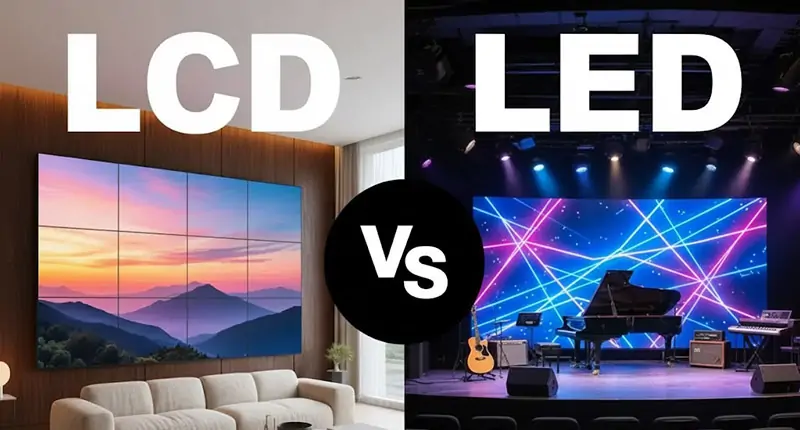
1. LCD vs. LED Displays: Understanding the Basic Difference
An LCD panel forms images by controlling light transmission through liquid crystals, polarizers, and color filters. In contemporary commercial displays, LEDs commonly provide the backlight. The liquid-crystal layer still performs the image-forming function.
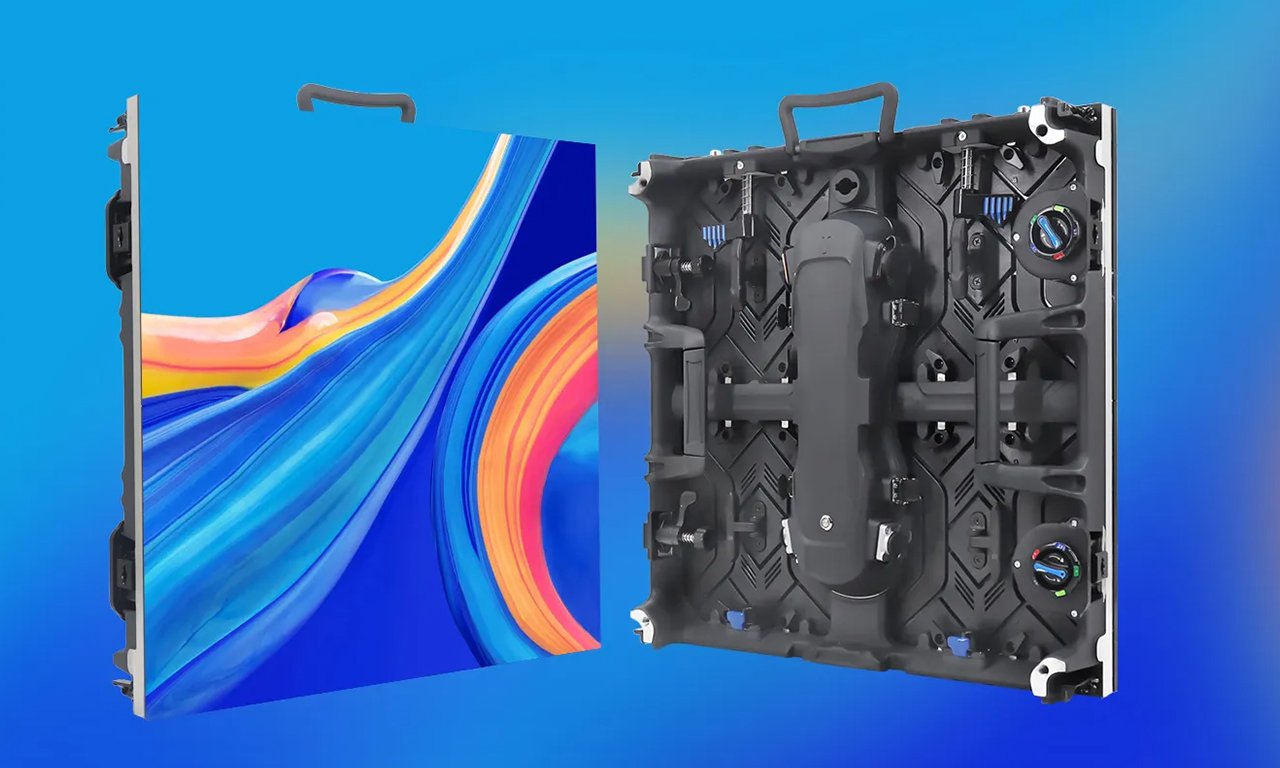
A direct-view LED wall uses red, green, and blue emitters to create full-color pixels. Modules combine into cabinets or other mounting assemblies, which form the display surface. The controller maps incoming content onto that physical pixel grid.
For commercial LCD vs. LED displays, the practical comparison is therefore usually between LCD panels and direct-view LED systems, rather than between two types of television backlight.
| Decision factor | Commercial LCD | Direct-view LED | Buyer implication |
|---|---|---|---|
| Image formation | Backlight controlled by liquid crystals | Light emitted at the pixels | Confirm what “LED” means in each quotation |
| Display construction | Complete panels in defined sizes | Modular display surface | Check available dimensions and cabinet layout |
| Multi-panel appearance | Borders interrupt the image | Can form a continuous image surface | Evaluate whether content can tolerate a grid |
| Close viewing | Dense pixel grids suit detailed content | Readability depends strongly on pixel pitch | Test actual text from the nearest position |
| Repair approach | Panel or serviceable component replacement | Module and electronics replacement, depending on design | Compare access and spare-parts procedures |
Neither column represents every available model. A comparison of LCD vs. LED displays becomes useful when both proposals specify the same content, usable image area, viewing positions, and operating schedule.
2. LED-Backlit LCD vs. Direct-View LED: Avoiding Confusion
The term “LED display” can describe fundamentally different products. A quotation should identify the imaging technology explicitly, especially when several suppliers are bidding against the same tender.
LED-backlit LCD includes familiar flat-panel monitors and many commercial signage screens. Edge lighting, direct lighting, and local dimming describe backlight arrangements. Mini-LED backlighting can provide finer control of illuminated zones, but the image still passes through an LCD layer.
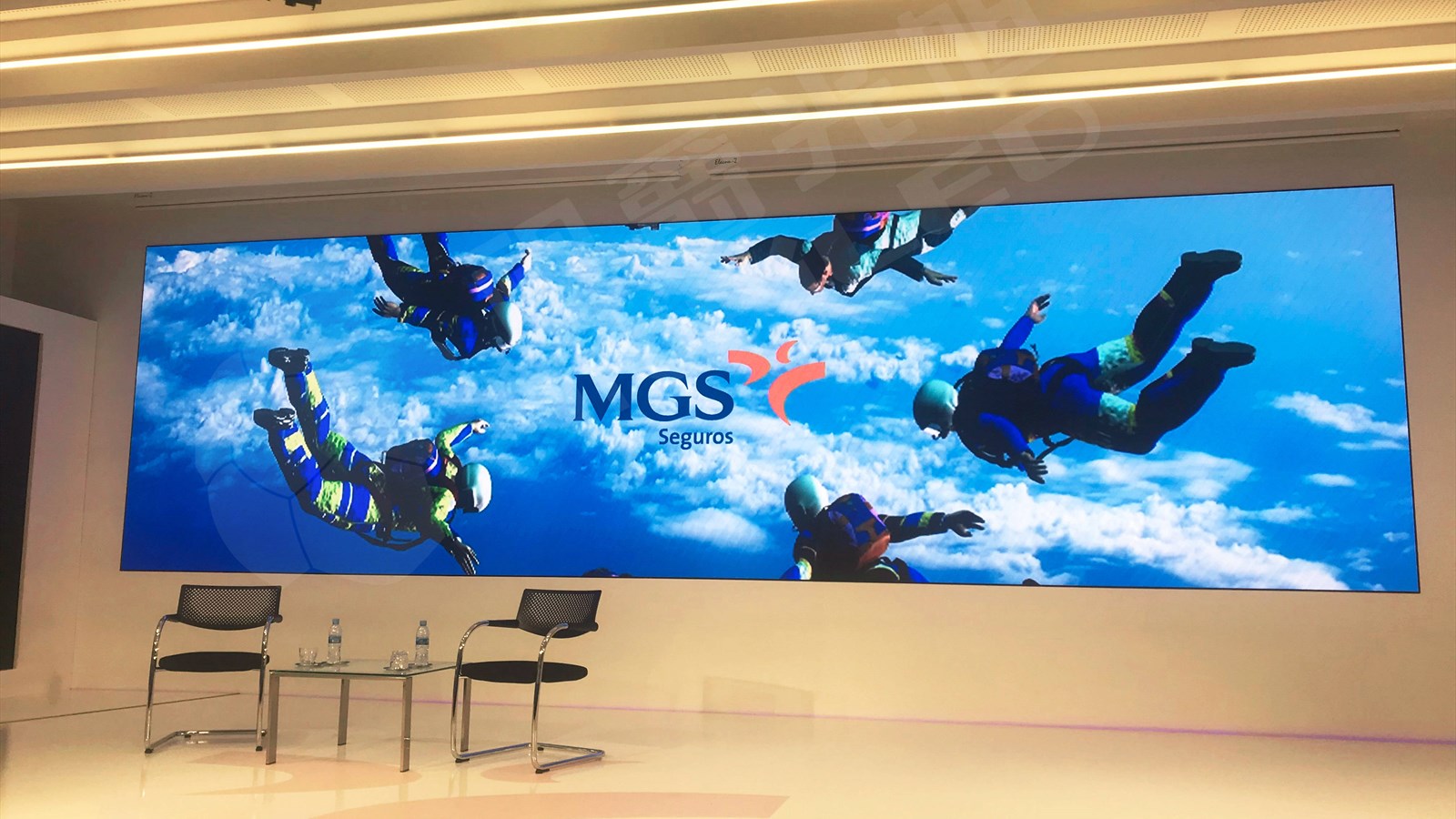
Direct-view LED, often abbreviated dvLED, uses the emitters as the image surface. This is the category relevant to modular LED video walls, many large advertising displays, and rental stage screens.
In LCD vs. LED displays, confusing backlight terminology with imaging technology can lead to mismatched expectations about seams, resolution, and serviceability. Mini-LED-backlit LCD should not be assumed to have the same modular construction as a direct-view LED wall.
Packaging terms require similar care. SMD describes surface-mounted LED devices; COB refers to chips mounted directly onto a substrate. GOB generally describes a protective encapsulation approach. These labels do not establish an entire system’s image quality, repair method, or outdoor suitability. See EagerLED’s packaging guide for the terminology.
When reviewing LCD vs. LED displays, ask suppliers to name the exact product architecture, then demonstrate its relevant benefits. Packaging acronyms are useful identifiers; a sample, service procedure, and model-specific specification provide stronger purchasing evidence.
3. Picture Quality: Evaluate the Content People Actually See
The picture-quality question in LCD vs. LED displays is broader than maximum brightness. Readability, reflections, uniformity, grayscale performance, and processing all affect the result.
01. Brightness and contrast
Specify brightness for the installation environment. A shaded meeting room and a sun-facing advertising position need different operating levels. Excessive brightness indoors can make a display uncomfortable, while inadequate brightness can leave information unreadable against strong ambient light.
Direct-view LED pixels can stop emitting light individually. However, the screen surface still reflects room light, so an impressive dark-room contrast figure does not guarantee the same result in a bright lobby. LCD performance also depends on panel characteristics, backlight control, and surface treatment.
Compare LCD vs. LED displays under representative lighting, using the intended brightness and calibrated color settings. Ask whether a quoted brightness value applies before or after calibration.
02. Uniformity and low-brightness detail
A bright promotional video may conceal inconsistencies. Add neutral gray fields, dark gradients, white backgrounds, and familiar skin tones to the demonstration.
Check LED modules for visible boundaries and differences in color. On an LCD wall, inspect panel-to-panel matching as well as borders. Repeat the inspection after the display reaches normal operating temperature.
Low-brightness performance deserves particular attention in boardrooms and broadcast environments. LED processing can affect shadow detail and introduce visible artifacts when dimmed. Test dark gradients and low-level color detail at the brightness the installation will actually use.
03. Motion and camera performance
Do not equate LED refresh frequency with video frame rate or system latency. These measurements describe different behavior.
For filmed installations, the camera shutter, sensor readout, panel scanning, and processor timing interact. A high refresh specification alone cannot guarantee clean footage. Matching panel timing to camera exposure matters, so include tests with the intended cameras in the acceptance process.
| Test content | What to inspect | Why it matters |
|---|---|---|
| Small spreadsheet or dashboard | Character edges and label readability | Reveals whether useful detail survives |
| Gray fields and gradients | Banding, tint shifts, module boundaries | Exposes problems hidden by colorful video |
| Moving text and live video | Motion clarity, delay, synchronization | Checks suitability for operational use |
| Dark scenes at operating brightness | Shadow detail and uniformity | Tests performance in dim environments |
| Actual camera feed | Bands, flicker, moiré, color reproduction | Evaluates the installed production workflow |
4. Screen Size, Pixel Pitch, and Viewing Distance
For large-format LCD vs. LED displays, physical size and image resolution must be specified separately. A bigger screen does not automatically contain more useful detail.
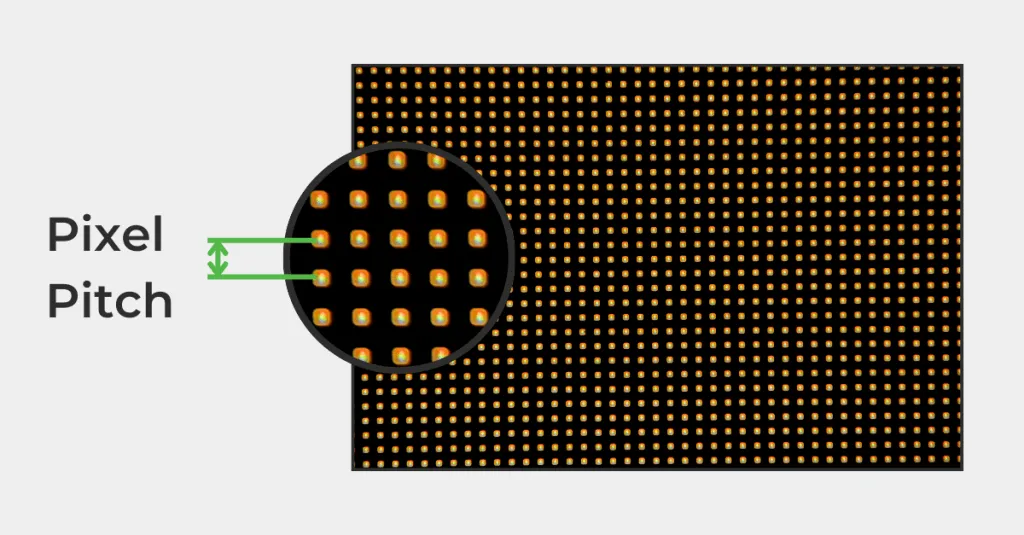
Pixel pitch is the center-to-center distance between adjacent LED pixels, normally expressed in millimeters. At a fixed display size, a smaller pitch creates more pixels. Whether viewers benefit depends on their distance, visual acuity, and the content.
Use these relationships when checking a proposed LED layout:
Horizontal pixels = active width in millimeters ÷ pixel pitch
Vertical pixels = active height in millimeters ÷ pixel pitch
Consider a hypothetical active area measuring 4,800 × 2,700 mm. The following values are mathematical examples, not specifications for an EagerLED product. Actual builds must follow available module and cabinet dimensions.
| Assumed pixel pitch | Calculated pixel matrix | Procurement interpretation |
|---|---|---|
| 2.5 mm | 1,920 × 1,080 | Native Full HD pixel count |
| 1.5 mm | 3,200 × 1,800 | More detail, but not native UHD |
| 1.25 mm | 3,840 × 2,160 | Native UHD pixel count |
A controller that accepts a 4K input does not make a lower-resolution wall a native 4K display. For LCD vs. LED displays, request both the accepted input formats and the physical output pixel matrix.
Viewing-distance rules help shortlist options, but they should not replace content testing. Visual-acuity calculations and comfortable viewing estimates answer different questions. Our indoor LED screen guide provides more context for pitch and viewing-distance decisions. A person recognizing a logo has a different task from someone reading compact engineering labels.
Record the nearest, typical, and farthest viewing positions. Then test the smallest essential text at those positions. This connects the LCD vs. LED displays decision to a measurable result and helps avoid paying for resolution that the application does not need.
5. Energy Use, Lifespan, and Maintenance
Operating costs for LCD vs. LED displays depend on the selected hardware and its workload. Neither technology deserves an automatic efficiency or longevity advantage.
01. Compare power under equal conditions
Request maximum power for infrastructure planning and measured operating power for energy estimates. Specify the brightness, content, screen area, and test conditions behind any “typical” figure.
Direct-view LED consumption changes with image content and brightness. LCD consumption depends substantially on the backlight and its control behavior. Some LCD systems also vary power with content through dimming. Maximum and typical figures should therefore be documented separately, with their measurement conditions.
For a preliminary energy estimate:
Annual display energy = average operating kW × annual operating hours
Add processors, media players, and relevant cooling requirements separately. When comparing LCD vs. LED displays, a calculation based on unequal brightness or different operating hours will mislead the purchasing team.
02. Interpret lifespan claims carefully
A quoted LED lifetime may describe time to a defined brightness reduction. It does not necessarily describe the life of the power supplies, receiving cards, connectors, or complete system. Nor does it automatically establish warranty coverage.
Ask what the rating measures, under which conditions, and which components it covers. For example, some manufacturers explicitly label their rating “LED lifetime, half brightness”; that wording is materially different from a whole-system warranty.
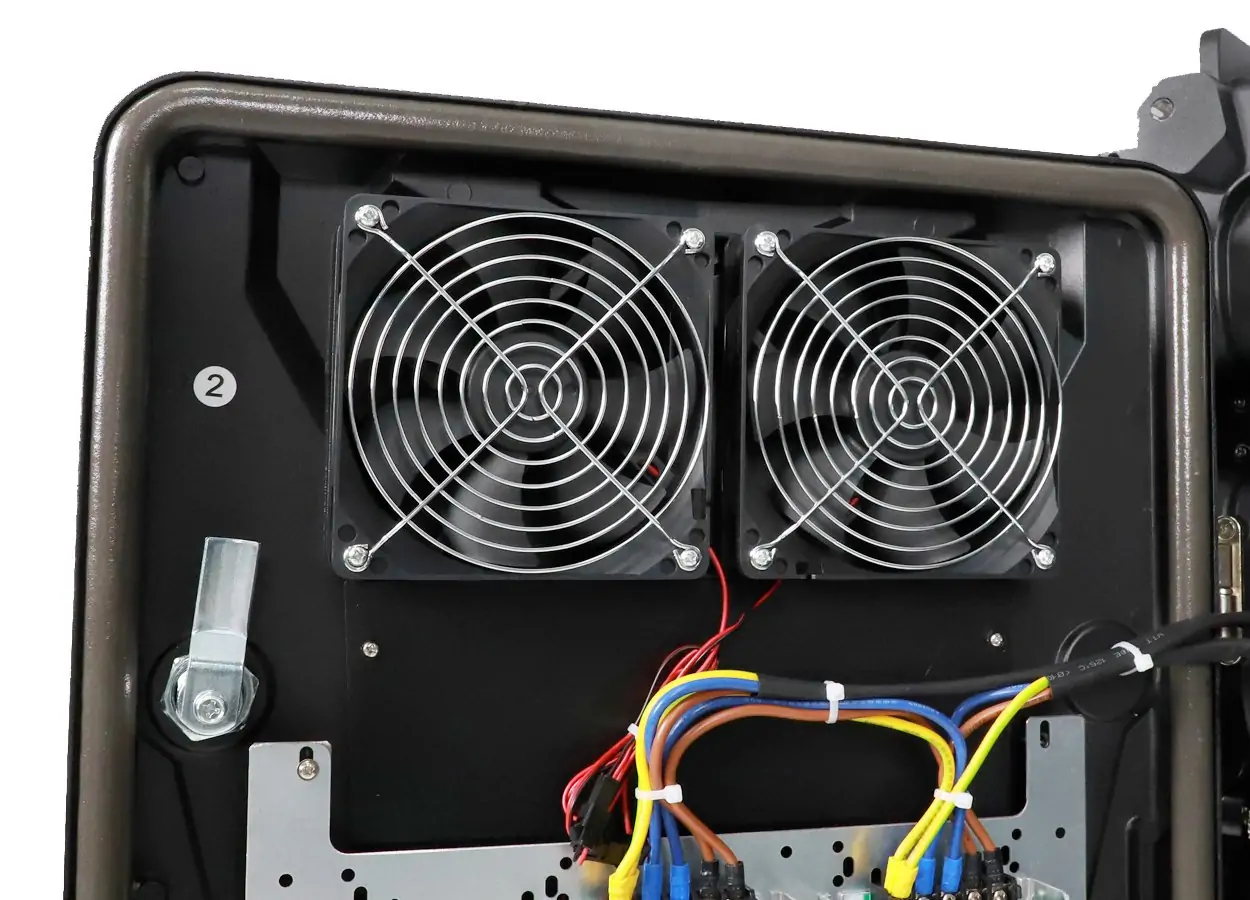
03. Plan repairs before installation
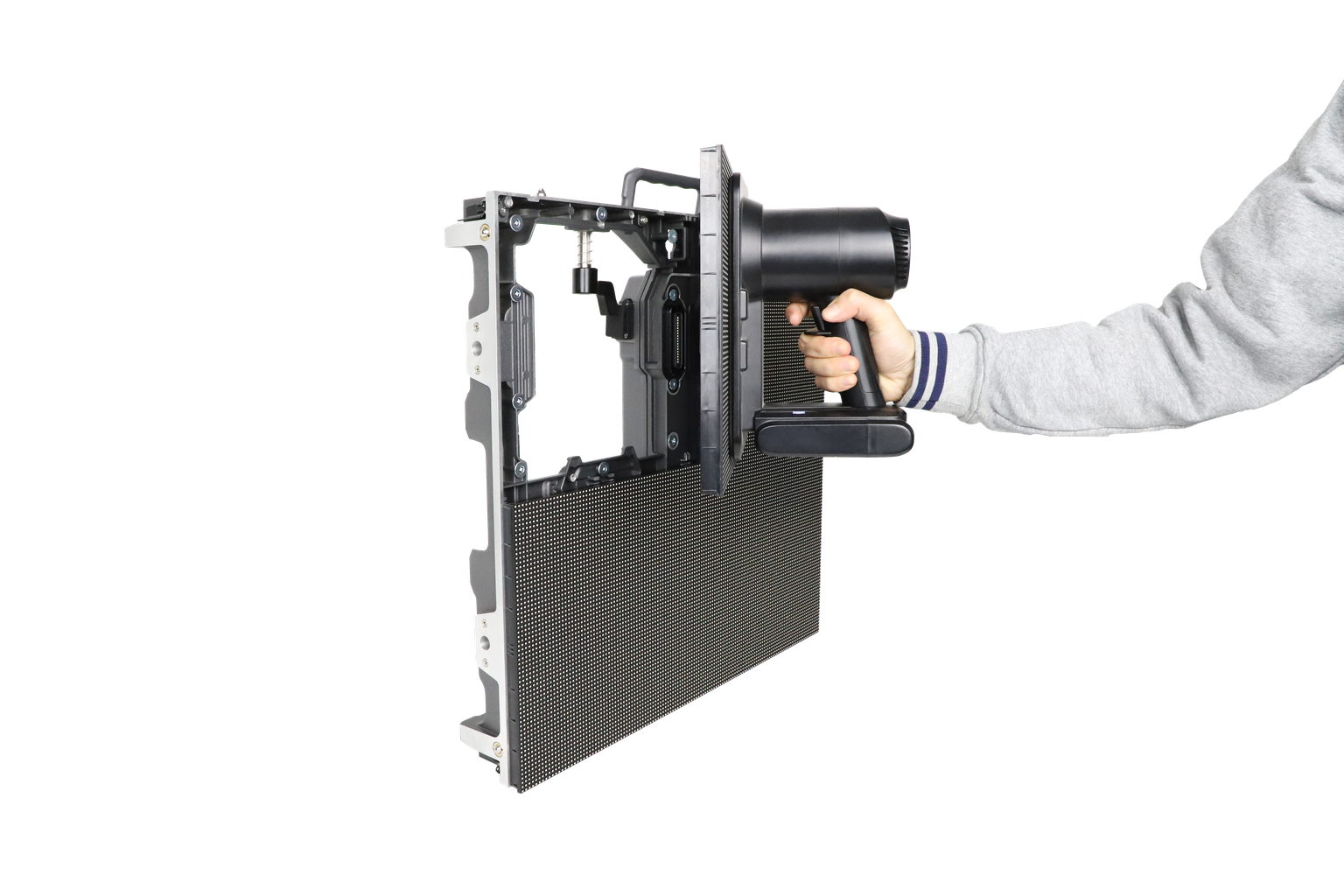
Modular replacement can make an LED wall practical to maintain, provided compatible spares and trained technicians are available. A replacement module may also need calibration to match surrounding modules.
For LCD, confirm replacement-panel availability and the process for restoring alignment and color matching. For both technologies, document who diagnoses failures, who supplies parts, and who performs work onsite.
The maintenance comparison for LCD vs. LED displays should include downtime, access equipment, shipping, and recalibration. A serviceable design only delivers value if the project has a workable support arrangement.
6. LCD vs. LED Displays: Compare Total Project Costs
The lowest equipment quotation may exclude work that another supplier includes. Normalize scope before judging whether LCD or LED is more economical.
An individual commercial LCD can be attractive where a standard panel size meets the requirement. Direct-view LED becomes particularly relevant when the project needs a large continuous image, tailored dimensions, or a modular service strategy. The cost relationship changes with size, pitch, construction, and installation conditions.
For LCD vs. LED displays, compare the complete delivered system over the same planned ownership period.
| Cost category | What the quotation should identify | Question for the supplier |
|---|---|---|
| Display hardware | Panels or cabinets, modules, included spares | What exactly forms the active image area? |
| Processing | Controllers, scaling, input switching, licenses | Can it handle the required canvas and sources? |
| Mechanical work | Mount, frame, trim, access arrangements | Who owns structural design and installation? |
| Electrical work | Distribution, cabling, connections | What site preparation remains excluded? |
| Commissioning | Mapping, calibration, testing, training | What constitutes successful acceptance? |
| Logistics | Packaging, shipping, handling, agreed delivery terms | Where does supplier responsibility end? |
| Operation and support | Energy assumptions, labor, parts, service response | Which costs continue after handover? |
Avoid applying a universal LED price per square meter across different pitches and product types. A rental cabinet built for repeated handling and an indoor fixed-installation cabinet address different operating requirements.
Likewise, an LCD wall quotation can change substantially with the mounting system, border requirements, processing, and service arrangement. The defensible LCD vs. LED displays comparison is between systems that satisfy the same acceptance criteria.
Distributors should also account for the support resources they must provide. Initial margin has limited value if replacement compatibility, technical documentation, or responsibility for field service remains unresolved.
7. Which Display Fits Your Commercial Application?
Application requirements give LCD vs. LED displays a clearer answer than a general ranking. Start with the viewing task, then identify the constraints that would eliminate a candidate.
| Application | LCD is worth considering when… | Direct-view LED is worth considering when… |
|---|---|---|
| Meeting room | A standard screen size delivers readable content | A larger continuous presentation surface is needed |
| Control room | Dense information and panel-based layouts fit operations | An uninterrupted canvas supports shared situational awareness |
| Retail interior | Separate product messages suit individual screens | Large visuals should span a continuous surface |
| Outdoor advertising | A purpose-built outdoor panel fits the format | A large sign must address viewers across open space |
| Rental events | Discrete information screens meet the brief | The screen must be assembled into a stage backdrop |
| Reception or exhibition | Close-range information is the priority | Architectural scale and custom proportions matter |
01. Meeting rooms and control rooms
Test real presentations, spreadsheets, diagrams, and source layouts. In a control room, place critical labels where operators can read them without changing posture or losing context. For a meeting room, check the farthest seat as carefully as the nearest one.
Continuous operation is a model-specific requirement. Ask for the supported duty cycle and warranty conditions instead of assuming all commercial products are interchangeable.
02. Retail and outdoor signage
The outdoor LCD vs. LED displays choice requires more than a brightness comparison. Check exposure, heat, moisture, cleaning, and service access. Purpose-built outdoor LCD products exist; treating all LCDs as indoor-only would exclude valid options. For LED projects, our outdoor LED screen guide explains the environmental factors to include in the brief.
For LED proposals, confirm the exact outdoor cabinet configuration. An indoor module does not become suitable for weather exposure simply because it is bright.
03. Events and rental inventory
Evaluate cabinet handling, alignment, connector protection, transport packaging, and repair procedures. Rental LED display suitability includes repeated assembly and disassembly. For a distributor building inventory, compatibility between batches and availability of replacement parts deserve explicit agreement.
8. Installation and Integration: Specify the Whole System
Installation can change the economics of LCD vs. LED displays before either screen is switched on. The finished system includes its supporting structure, electrical supply, processing, cable routes, ventilation, and service access.
Confirm total installed depth. A shallow display enclosure may still require mounting hardware, connectors, airflow, or working space behind it. For front-service LED products, identify which components are actually accessible from the front. Module access alone does not establish front access to every power supply or control component.
For an LCD wall, the mounting arrangement should allow alignment and the intended replacement procedure. For an LED wall, assess support tolerances, cabinet alignment, and whether a technician can remove the relevant components after surrounding finishes are complete.
Signal design also belongs in the LCD vs. LED displays specification. Define input formats, total canvas resolution, source switching, scaling, audio synchronization, and control-system integration. Check processor capacity at the intended frame rate and operating configuration.
Specify redundancy by failure scenario. “Backup supported” is incomplete unless the proposal explains which component or path is duplicated and how switching occurs. A spare controller, a redundant data path, and a backup power arrangement address different failures.
Finally, agree on handover materials: cabinet or panel maps, wiring diagrams, configuration backups, calibration files where applicable, operating instructions, and a spare-parts list. Request a demonstrated recovery procedure after a controlled power interruption. These deliverables make the system easier for the owner or service partner to operate after commissioning.
9. LCD vs. LED Displays: A Practical Buying Checklist
A useful request for quotation describes the outcome before naming a preferred product. Give every bidder the same project brief so that proposed compromises are visible.
For an EagerLED inquiry, prepare the active screen dimensions, installation photographs or drawings, viewing distances, content samples, operating hours, ambient-light conditions, and service-access restrictions. Identify whether the project is fixed installation or rental and whether cameras will film the display.
EagerLED lists indoor, outdoor, and rental LED display categories on its official website. Use those categories as a starting point for model selection, then request evidence for the exact proposed configuration.
| Procurement checkpoint | Evidence to request |
|---|---|
| Readability | Demonstration of the smallest required content |
| Size and resolution | Dimensioned layout and native pixel matrix |
| Image performance | Tests at intended brightness and lighting |
| Service access | Component-level maintenance demonstration |
| Operating assumptions | Documented power, duty cycle, and environment |
| Compatibility | Named processor, receiving hardware, and versions |
| Support | Written warranty, parts process, and service responsibilities |
| Handover | Training scope, drawings, backups, and acceptance records |
For LCD vs. LED displays, define acceptance criteria before placing the order. These might include readable text at named positions, agreed image uniformity, reliable source switching, and successful recovery after restart. Any numerical tolerance should be agreed with the supplier and linked to a test method.
Distributors and integrators should request approval before substitutions to key components. Two cabinets with the same external dimensions and nominal pitch are not necessarily operationally interchangeable.
10. FAQ
01. Can an LED wall reuse an existing LCD video-wall mount?
Possibly, but it requires an engineering review. Attachment points, load distribution, alignment requirements, and access arrangements may differ. For retrofit LCD vs. LED displays projects, survey the existing structure and obtain written confirmation that the proposed mounting design suits the replacement system. Do not assume matching overall dimensions establishes compatibility.
02. Can I retain my existing signage software and media player?
Often, but compatibility needs testing. Confirm that the player can output a supported signal and that the software can create content for the new canvas. Check scheduling, remote management, network permissions, and any protected-content requirements. Software embedded in an existing LCD may require a separate player when moving to a modular LED system.
03. Can I expand an LED wall several years after installation?
Expansion may be possible, but it should be planned early. Future modules need suitable mechanical, electronic, and optical compatibility. Aging can also affect color matching. Request an expansion strategy covering spare modules, product availability, processor capacity, power capacity, and recalibration rather than relying on modular construction alone.
04. Does an LED wall require a permanently connected computer?
Not necessarily. An asynchronous playback system can store and run uploaded content without keeping the uploading computer connected. A live presentation or broadcast workflow requires an active source. Some controllers support both modes. Confirm storage, scheduling, network access, and supported media formats; this controller manual hosted by EagerLED illustrates the distinction.
05. Is COB automatically better than SMD for every project?
No. Packaging influences the product, but suitability depends on the complete design. Compare surface protection, visual performance, repair procedures, replacement availability, and cost. A protected surface may help in an accessible public location, while a rental operation may place greater weight on the speed and practicality of field repairs.
06. How many spare LED modules should a buyer order?
There is no universal percentage that suits every installation. Base the spare-parts plan on wall size, product availability, service location, shipping time, and downtime tolerance. Ask the supplier to explain the recommendation and include relevant electronics as well as display modules. Record how spare modules will be stored and calibrated.
07. Will either technology eliminate image retention or aging?
No display should be treated as immune to every aging mechanism. LCDs can exhibit image retention, and LED walls can develop differences in color or brightness as components age. In LCD vs. LED displays evaluations, request model-specific operating guidance and applicable warranty exclusions.
08. Can a display accept a custom aspect ratio?
Direct-view LED often supports custom proportions through module and cabinet layouts, but dimensions follow the available construction grid. Processing must also support the resulting canvas. LCD arrangements can create unusual layouts, although panel boundaries remain. Supply the intended content dimensions early to avoid stretching, cropping, or unused image areas.
09. What documentation should an overseas buyer request?
Request the final bill of materials, model-specific datasheets, drawings, operating manuals, warranty terms, and relevant test or conformity documentation for the destination market. Requirements vary by jurisdiction and application. Verify that any supplied documentation identifies the actual product configuration; a generic logo on a brochure is insufficient evidence.
11. Conclusion
The right choice in LCD vs. LED displays follows from the viewing task and project constraints. Commercial LCD remains worth considering for detailed close-range information and installations suited to standard panel formats. Direct-view LED is particularly relevant where a continuous large image, adaptable dimensions, and modular servicing support the project brief.
Choose through evidence: test representative content, verify the native pixel matrix, compare operating assumptions, and review service access before approving the system. Evaluate complete project costs, including processing, installation, commissioning, and support.
For buyers assessing LCD vs. LED displays with EagerLED, the next step is a defined project brief. Share your project brief with EagerLED, including the installation dimensions, viewing positions, content, environment, and service requirements. Then request a configuration and demonstration against those needs. That gives the purchasing team a concrete basis for deciding which display will do the required job.