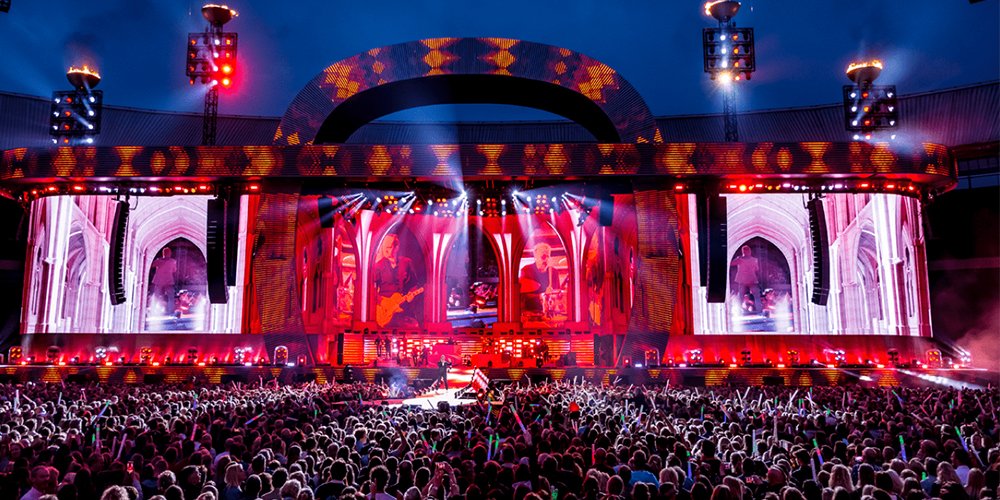
LED screens for events are modular, direct-view displays that show live cameras, presentations, sponsor messages and stage visuals. Choosing an event LED screen starts with audience distance, content readability, ambient light and weather exposure; cabinet size, processing and installation then determine the finished system.
This guide helps event producers, rental companies and venue teams specify LED screens for events and stages. It compares display types, explains sizing and costs, and provides a practical handover checklist. Product examples link to EagerLED specifications; planning ranges and calculations are clearly identified so they are not mistaken for universal performance guarantees.
Quick selection guide: For close indoor audiences reading slides, compare fine-pitch rental cabinets around P2.5–P2.9. For larger stages where most viewers are farther away, compare P3.9–P4.8 options. Outdoor events also need a documented weather rating, suitable brightness and a site-specific support plan. These are starting points, not fixed specifications: test actual content from the nearest seat, back row and camera position before choosing.
In this guide
1. Why LED screens for events and stages have become the standard
2. Types of LED screens for events and stages
3. How to choose the right LED screen for your event
4. What LED screens for events cost: rental vs purchase
5. Rigging, power and signal: setting up LED screens for events
6. EagerLED LED screens for events and stages
7. FAQ about LED screens for events
8. Conclusion: choosing the right LED screen for your event
1. Why LED screens for events and stages have become the standard
An LED display for events can provide a bright, scalable canvas without a projector beam crossing the audience. Its suitability still depends on the room, content and budget. Evaluate these four advantages against the complete installation.
01. Brightness and contrast under event lighting
Direct-view LEDs emit light at the screen surface. This can improve visibility under stage lighting, but sunlight and front light still reduce perceived contrast. Projection remains useful in controlled lighting and for image mapping. Compare the actual screen, room and content rather than equating projector lumens with LED luminance in nits.
02. Modular event LED screen layouts
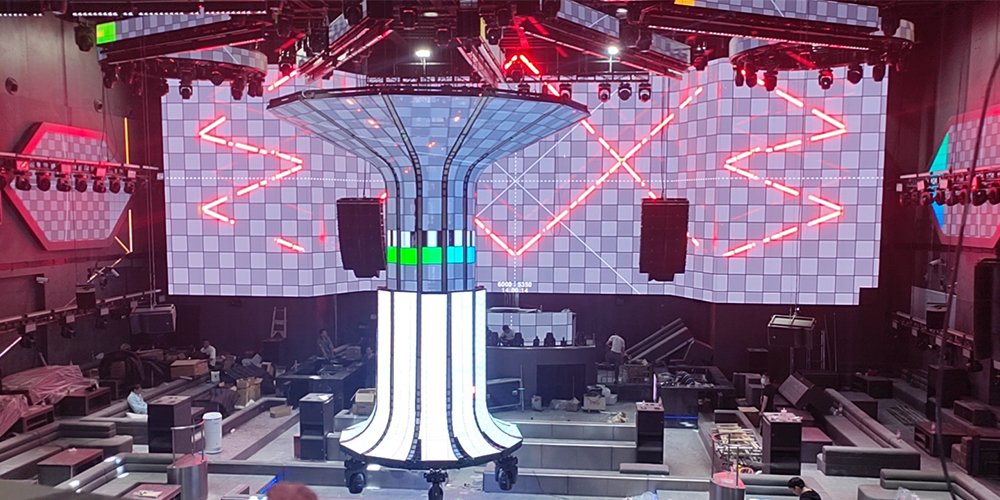
An event LED screen uses cabinets joined into a defined grid. Common formats include 500 × 500 mm, 500 × 1000 mm and 640 × 640 mm. Curved walls require compatible locks and approved angles; corners and irregular shapes need suitable hardware. Cabinet dimensions constrain both the overall proportions and the resolution.
03. Live content, sponsorship and camera testing
LED screens for events can switch between presentation slides, sponsor loops and live image magnification, usually called IMAG. Plan who controls each source and how cues are rehearsed. A high refresh specification alone does not guarantee clean camera images: panel driving, camera exposure and synchronization must work together.
04. Fast build and predictable teardown
A 6 × 3 m event LED screen built with 500 × 500 mm cabinets needs 72 panels. Quick locks and alignment pins simplify assembly, but build time depends on access, crew, structure and testing. Include loading, cable dressing, calibration and teardown in the schedule.
| Option | Useful strengths | Limitations to check | Good fit |
|---|---|---|---|
| LED screens for events | Scalable canvas; strong brightness options | Pixel visibility, weight, processing and installation cost | Large stages and bright venues |
| Projection | Large images with lightweight screen surfaces | Ambient light, throw distance, shadows and screen gain | Controlled-light rooms and projection mapping |
| LCD displays or video walls | Fine detail at short viewing distances | Bezel grid on tiled walls; reflections and handling | Small presentation spaces and information displays |
Practical takeaway: select the display after checking the room and the smallest content detail. A larger LED screen for events is useful only if the audience can see and read the information it carries.
2. Types of LED screens for events and stages
Choose the cabinet family before comparing prices. LED screens for events may be temporary rental systems or permanent venue installations, with different handling, support and maintenance requirements.
01. Indoor rental LED screens for events
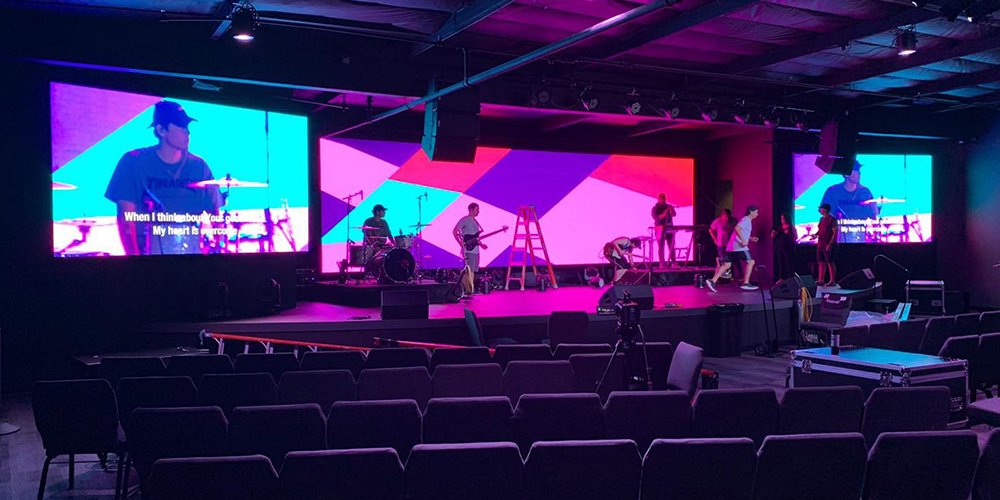
Indoor rental LED screens for events prioritize repeated handling, alignment and image quality. Verify module protection, lock condition and low-brightness grayscale. Fine pitch helps close viewers, but a dark ballroom and a bright exhibition hall may need different brightness settings and screen surfaces.
02. Outdoor rental LED screens for events
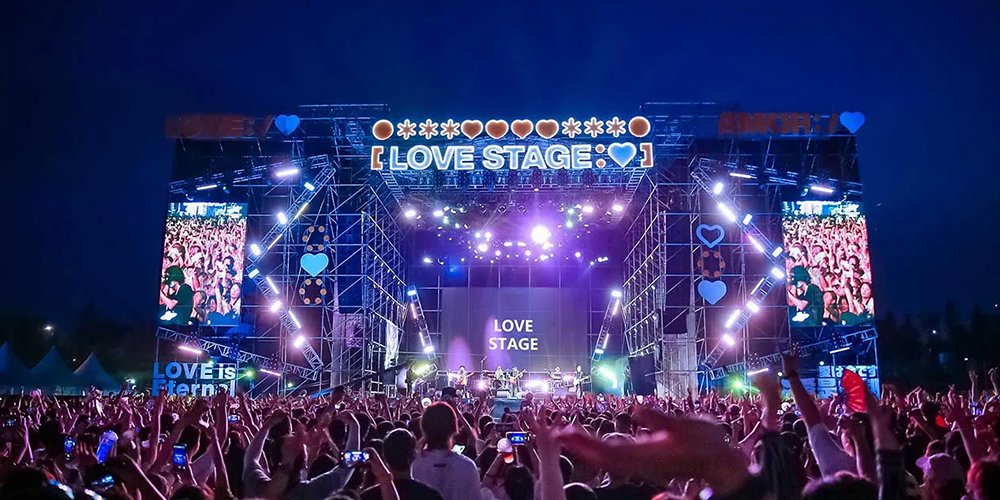
Outdoor LED screens for events require a specified weather rating, adequate brightness and an engineered support system. Confirm front and rear ingress protection separately. Cabinet locks do not establish the wind rating of the assembled wall; structure, ballast, ground conditions and operating limits require their own assessment.
03. Flexible and creative LED screens
Flexible modules can follow curved surfaces, while rigid rental cabinets can form curves within their permitted lock angles. Neither approach is automatically low resolution. For creative LED screens for events, confirm the minimum bend radius, supporting frame, maintenance access and whether the module tolerates repeated transport.
04. LED floors, ceilings and perimeter ribbons
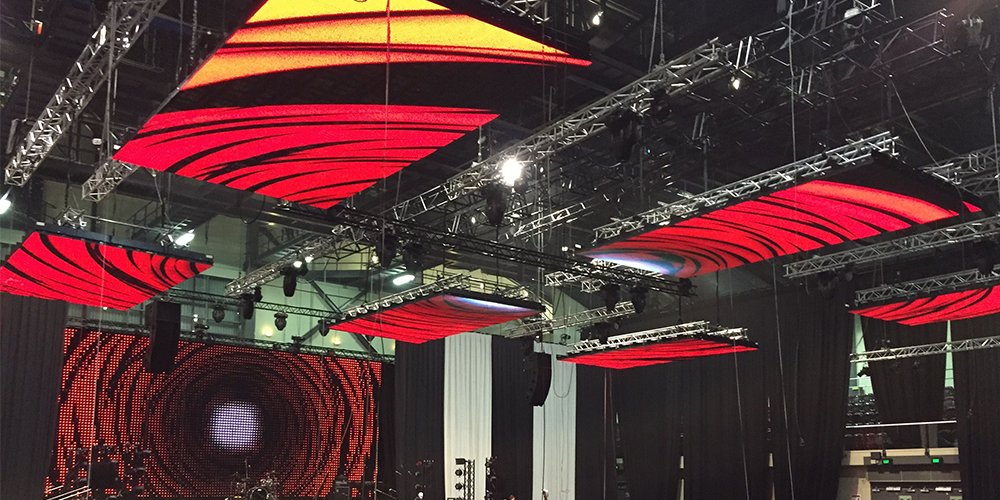
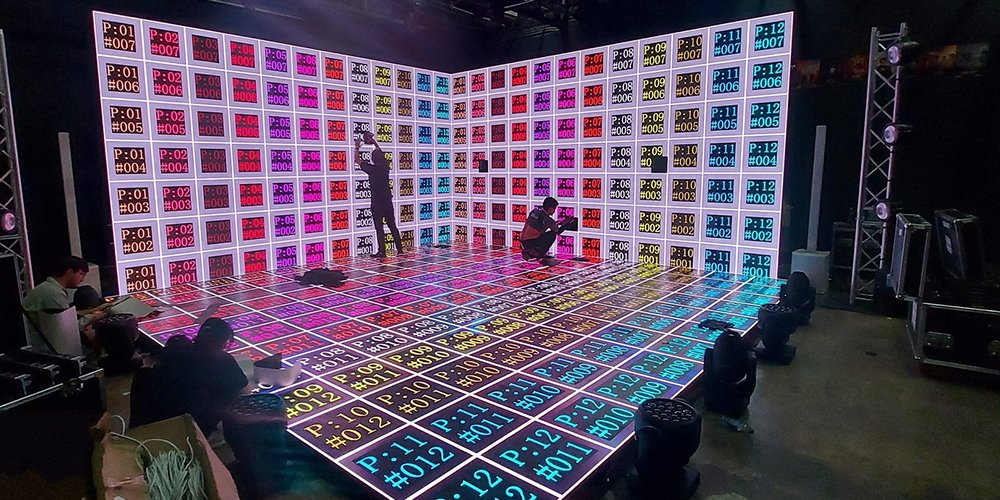
LED floors need certified load capacity, a suitable walking surface and appropriate impact resistance. Standard wall cabinets are not floor panels. Overhead LED screens for events need an engineered suspension system and safe maintenance access. Perimeter displays also require application-specific supports and protection wherever players may contact them.
05. Foldable poster and podium LED screens for events
For breakout rooms and registration areas, poster or podium displays can carry schedules and branding without a full stage wall. Check stability, transport dimensions and lifting requirements. Small LED screens for events still need readable text and a clear content update workflow.
| Event | Screen role | Selection priority | Check before booking |
|---|---|---|---|
| Conference | Slides and speaker IMAG | Readable text from the back row | Test the smallest slide text at final size |
| Concert or festival | Backdrop and side screens | Camera coverage, sightlines and weather | Separate artistic visuals from IMAG needs |
| Exhibition | Product demonstrations | Close viewing and surface protection | Inspect detail at visitor distance |
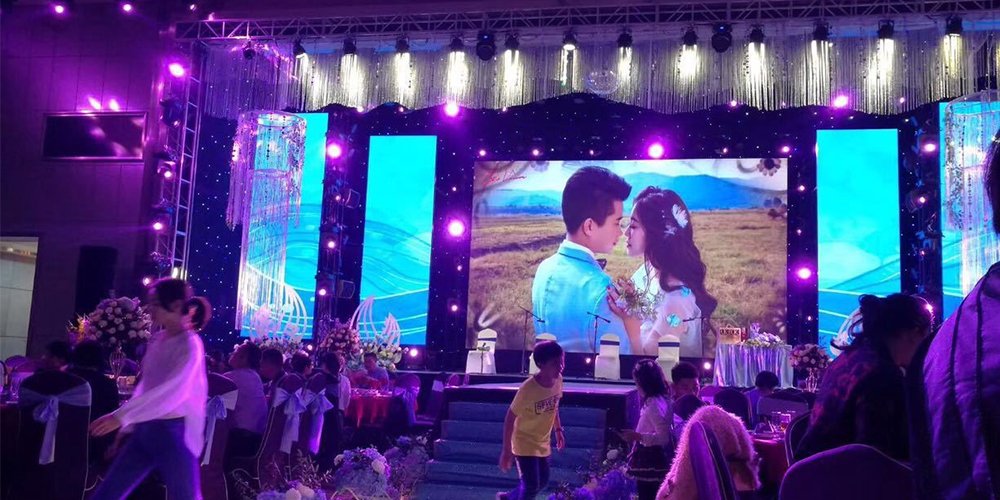
| Wedding or gala | Photography and live video | Skin tones and room brightness | Test dimming with stage lighting |
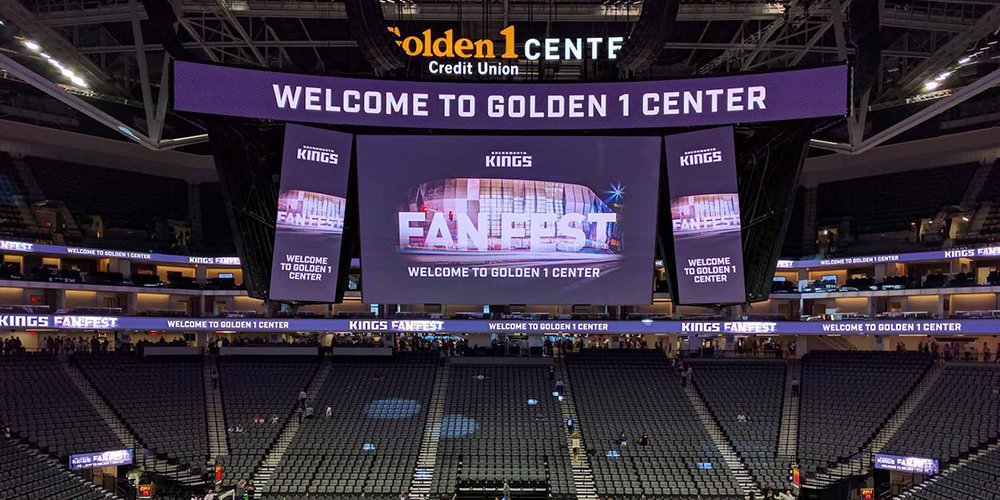
| Sports event | Main display or perimeter messaging | Sightlines and application-specific protection | Use purpose-built perimeter hardware where needed |
3. How to choose the right LED screen for your event
Specify LED screens for events in this order: audience, image detail, environment, physical size, then processing. Record both the nearest and furthest viewing positions; they answer different questions.
01. Start with viewing distance, then derive pixel pitch
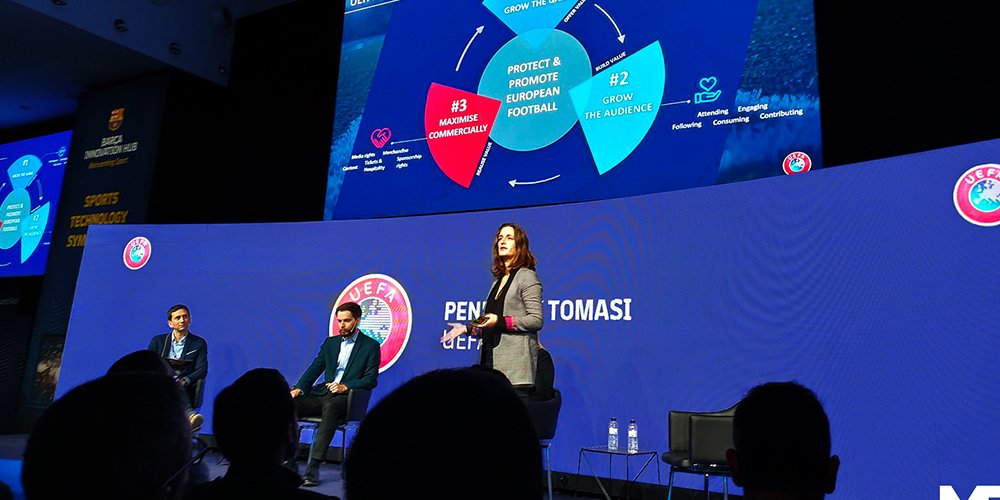
Pixel pitch is the centre-to-centre spacing between adjacent pixels, measured in millimetres. Smaller pitch increases pixel density. For an event LED screen, distance in metres roughly equal to pitch in millimetres is only an initial screening heuristic; visible pixel structure, eyesight, content and camera use can demand a finer pitch.
Do not label a single distance “ideal” for every viewer. Compare candidate LED screens for events with actual slides, faces and moving graphics. Nearby viewers expose coarse pixels, while distant viewers need larger text and enough physical screen height. Increasing resolution alone cannot make tiny lettering readable.
| Pitch range | Initial distance discussion, not a guarantee | Potential use | Acceptance test |
|---|---|---|---|
| P1.5–P2 | Close viewing around 2–4 m | Detailed conference or exhibition content | Check small text and pixel visibility |
| P2.5–P2.9 | Viewing around 3–6 m | Corporate stages and mixed content | Review slides and faces from real seats |
| P3.9–P4.8 | Viewing around 5–10 m or more | Larger stage backdrops and IMAG | Test camera shots and audience sightlines |
| P5–P6+ | Longer audience distances | Large outdoor visuals | Confirm resolution is adequate for required detail |
02. Match brightness to the light in the venue
Brightness is measured in nits, equivalent to cd/m². Listed EagerLED examples range from 750–800 cd/m² for indoor EA500C6 models to 4,500–6,000 cd/m² outdoors. These are product capabilities, not mandatory operating levels. Adjust an LED screen for events to the venue and test contrast, low-level detail and audience comfort under show lighting.
03. Check refresh rate if the screen will be filmed
A 3,840 Hz specification is a useful shortlist criterion, not a camera-safety certificate. Refresh rate differs from video frame rate. Test the event LED screen with the actual cameras, shutter settings, brightness and content.
04. Fix the size and aspect ratio of the LED screen for events
For LED screens for events, calculate physical size and native pixels separately. Twelve cabinets across by six high at 500 × 500 mm make a 6 × 3 m wall: 72 cabinets, 18 m² and a 2:1 aspect ratio. If each cabinet has 128 × 128 pixels, the finished canvas is 1536 × 768 pixels. Confirm the actual cabinet resolution rather than calculating from a rounded pitch label.
A 16:9 presentation does not fill that 2:1 wall without cropping, borders or a redesigned layout. Agree a pixel map and safe areas with the content team. For an exact 16:9 rectangle using square cabinets, a 16-by-9 grid works geometrically, although its physical size may exceed the venue. Review sightlines before increasing cabinet count.
05. Confirm the environment of the event LED screen
Specify exposure to rain, direct sun, dust and condensation. Indoor cabinets do not become outdoor equipment under a canopy. For outdoor LED screens for events, request model-specific ingress ratings, connector protection and temperature limits, plus a site weather plan.
| Requirement | Indoor application | Outdoor application |
|---|---|---|
| Brightness | Match stage wash and audience comfort | Check daylight visibility and night dimming |
| Ingress protection | Use within the stated indoor environment | Verify front, rear, connectors and power protection |
| Support | Assess floor capacity or approved hanging points | Add site-specific wind and ground assessment |
| Camera performance | Rehearse all planned camera settings | Repeat tests at daytime and evening brightness |
| Service | Provide safe front or rear access | Plan weather-safe access and shutdown procedures |
4. What LED screens for events cost: rental vs purchase
Compare LED screens for events using a written scope. A price per square metre is incomplete unless the panel specification, duration and included services are the same. Separate equipment cost from the cost of delivering a working show.
01. What actually drives the price of an LED screen for events
Pixel pitch, screen area, cabinet construction, processing, spares and site logistics all affect price. Halving pitch approximately quadruples the pixel count per square metre, but does not imply a fixed price multiplier. Quotes for an event LED screen also depend on location, availability, labour and the required level of backup.
| Cost item | Specify in the request | Check in the quotation |
|---|---|---|
| Panels | Model, pitch, quantity and environment | Same specification across competing quotes |
| Processing | Canvas pixels, inputs and frame rate | Switching, scaling, playback and backup included |
| Support and power | Venue drawing and available supply | Structure, distribution and engineering responsibilities |
| Crew and transport | Build, rehearsal, show and strike dates | Freight, overtime and access charges |
| Spares and service | Required recovery plan | Compatible parts and on-site technician |
| Purchase extras | Delivery destination and accessories | Cases, taxes, import costs, warranty and training |
02. How rental pricing is structured
An LED screen rental quote may combine an area-based equipment rate with separate labour and transport charges. Confirm whether rehearsal and setup days count as rental days, and whether the operator, processor and support are included. A one-day show can require several paid working days. See the LED screen rental cost guide for a more detailed budget discussion.
03. How purchase pricing is structured
Buying LED screens for events adds storage, insurance, maintenance, training and replacement stock to the initial hardware bill. Ask for a complete bill of materials and delivery terms. No universal package price is meaningful without screen area and specification; request comparable current quotes instead of treating a small online package as a complete stage system.
04. Rental or purchase: the decision rule
Rent an event LED screen when requirements change or a local crew is essential. Consider buying when utilization is predictable and you can maintain the equipment. A simple comparison is: break-even shows = net ownership cost ÷ (equivalent rental cost per show − owned operating cost per show). This only works with consistent scope and a positive denominator; include financing, repairs and residual value. The LED screen buying guide supports the equipment decision.
5. Rigging, power and signal: setting up LED screens for events
Reliable LED screens for events depend on the complete system: support, power, processing, cabling and trained operators. Assign an owner to each part and document how the production responds to a fault.
01. Structure and rigging
Calculate cabinet weight plus bars, frames and cables, and have a competent rigging professional verify the load path and venue capacity. A flown event LED screen and a ground-supported wall need different checks. Outdoor designs must include wind action, ballast or anchoring, monitoring and an agreed shutdown procedure. Never infer safe wind limits from cabinet weight or an IP rating.
02. Power distribution
Use the manufacturer’s maximum consumption for electrical capacity planning and average consumption only for energy estimates. For illustration, an 18 m² LED display for events rated at 600 W/m² maximum represents 10.8 kW of display load before other equipment. This is an example, not a model specification. A qualified electrician should design distribution, protection, grounding and phase balance for the actual supply.
03. Data, processing and mapping
Record cabinet mapping, port loading and cable routes before rehearsal. Check the controller’s total pixel capacity and per-port limits at the required frame rate and bit depth. Follow the manufacturer’s cable-distance limits; specify compatible fibre for long runs. Test playback, scaling and live-camera latency end to end on the assembled event LED screen.
04. Redundancy, spares and the show-critical list
Provide compatible spare modules or cabinets, power supplies, receiving cards and cables according to the event’s recovery needs. A spare panel must match the installed batch and calibration closely enough to avoid a visible patch. Rehearse source failover and save configuration files; redundant cabling is useful only when the controller and receiving system support it.
| Stage | Check | Owner |
|---|---|---|
| Planning | Confirm size, pixel pitch, brightness and canvas resolution against sightlines and camera plan | Producer / technical director |
| Before build approval | Issue power, rigging and weight data to the venue; confirm generator capacity and distro | Technical director |
| Before rehearsal | Approve content at final canvas resolution; test refresh rate on the broadcast cameras | Content team / video engineer |
| Build day | Verify rigging certification, ballast and wind plan; check phase balance and earth continuity | Rigging supervisor / electrician |
| Show day | Run a full-screen colour test, dead-pixel scan and camera banding test before doors | LED technician |
| Every show | Confirm spare panel, receiving card, power supply and signal reel are on site | LED technician |
6. EagerLED LED screens for events and stages
Use these EagerLED product examples to build a shortlist, then confirm the current configuration in writing. LED screens for events should be selected by intended installation and verified specifications, rather than by model name alone.
01. EA640C3: 640 x 640 mm outdoor rental LED screen
The EA640C3 rental LED screen uses 640 × 640 mm cabinets and is specified for outdoor rental applications. The published page lists 11.5 kg cabinets, P1.86–P5 options and 4,000–5,500 cd/m² brightness. Check the selected pitch, service access and complete support system when specifying this LED screen for events.
02. EA500C6: 500 x 500 mm indoor and outdoor rental LED display
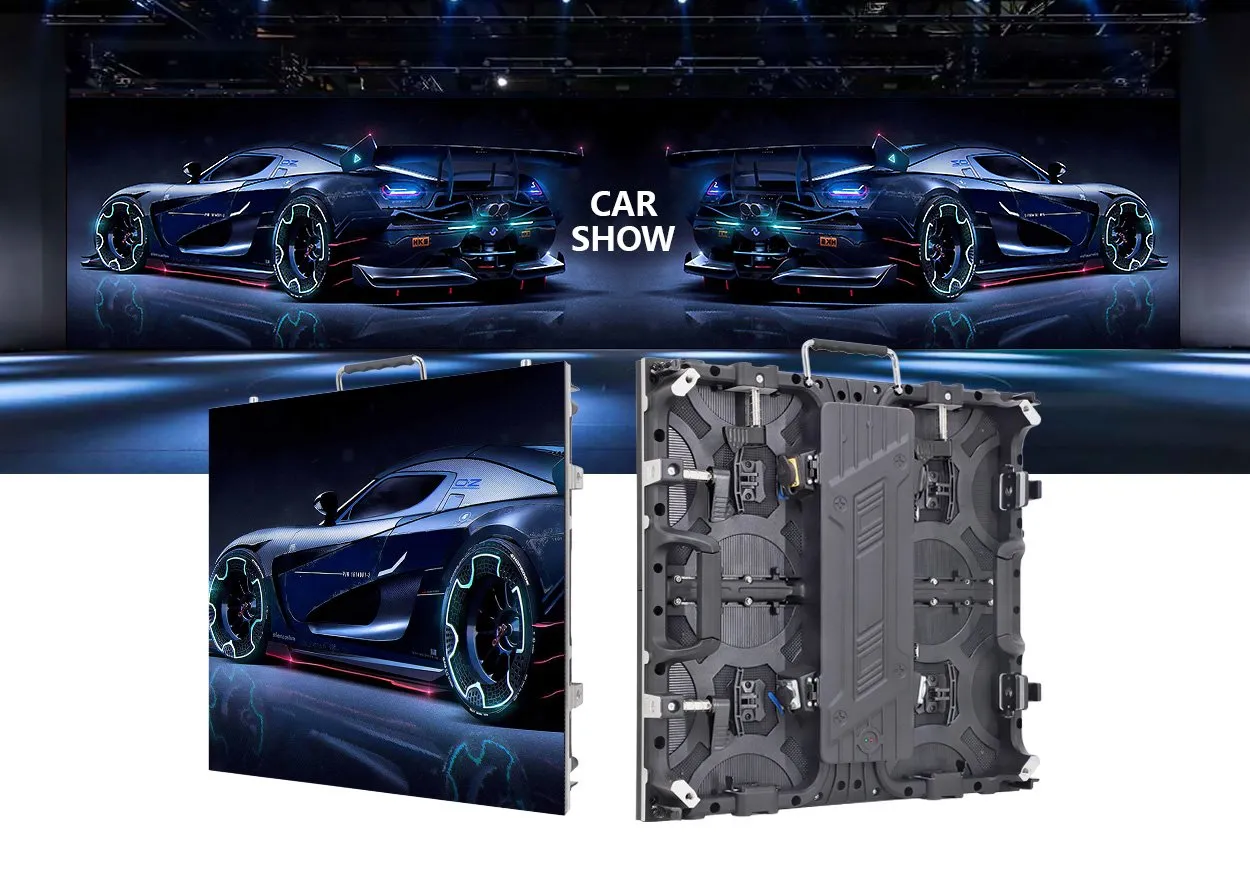
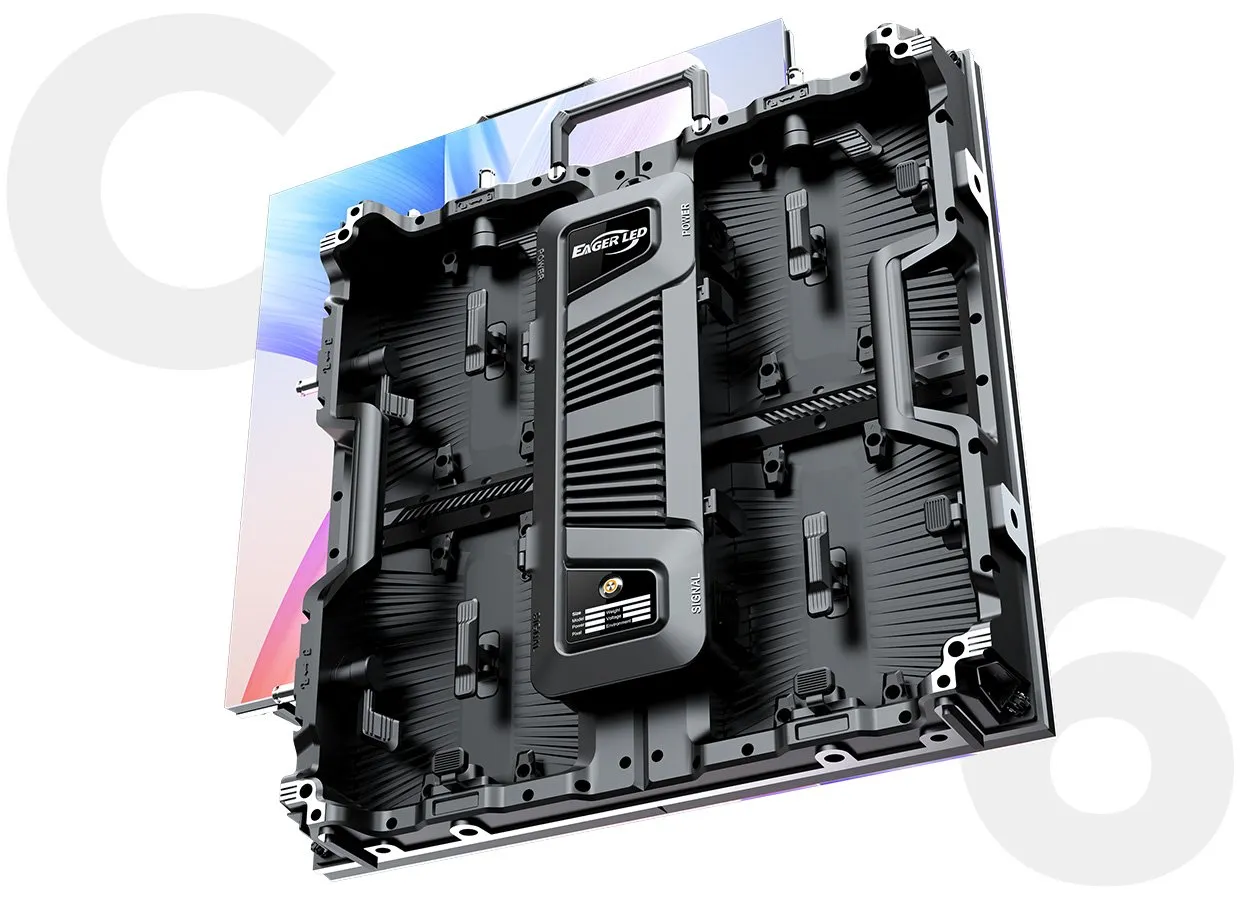
The EA500C6 rental LED display uses 500 × 500 mm cabinets for indoor or outdoor configurations. Published weights are 6.5 kg indoors and 7.3 kg outdoors. Optional curved installation supports creative layouts. Its outdoor description specifies up to IP65 front protection; confirm rear protection separately for the proposed event LED screen.
03. EA640F2: 640 x 480 mm indoor front-service LED display
The EA640F2 indoor LED display is intended for fixed installations, with 640 × 480 mm cabinets and front service. It may suit a permanent conference venue, but should not automatically be substituted for touring rental cabinets. Four cabinets across by three high form a 2560 × 1440 mm surface; those dimensions are millimetres, not pixel resolution.
04. Specialist screens for creative and sports stages
For shaped indoor installations, review EA-Flex flexible LED modules and confirm the supporting structure. For sports boundaries, review the EA960SP4 perimeter stadium LED screen. These specialist products serve different roles from a main event LED screen; assess impact protection and servicing for the actual application.
7. FAQ about LED screens for events
01. How much do LED screens for events cost?
LED screens for events are priced by specification, area and scope. Request a dated quote covering panels, processing, support, power distribution, transport and crew. For purchases, include spares, cases and delivery costs. Comparing identical scopes is more useful than comparing a bare cabinet price with a fully operated rental.
02. How much does it cost to rent an LED screen for one day?
A one-day LED screen rental can include build and strike work outside the show day. Confirm equipment days, crew hours, operator coverage and venue access charges. Share the schedule and a site drawing before asking for a final price, and check exclusions in the written quotation.
03. Who makes the best LED screens for events?
The best LED screen for events is the one that meets the production requirements and can be supported locally. Compare documented specifications, demonstrations, spare-part compatibility, service response and warranty terms. Ask the supplier to demonstrate the actual configuration with your content instead of relying on a brand ranking.
04. What size LED screen do I need for my event?
Choose an event LED screen size from audience sightlines and the smallest text or detail that must be visible. Then match cabinet dimensions and pixel resolution to the content. A 6 × 3 m wall is 2:1, not 16:9; a widescreen presentation needs an agreed scaling or layout plan.
05. How much does a flexible LED screen cost?
A curved event LED screen may use rigid cabinets with curve locks or flexible modules on a custom frame. Their costs cannot be compared by module price alone. Include structural fabrication, mapping, installation and service access. The flexible LED screen guide explains the design trade-offs.
06. Can LED screens for events be used outdoors in the rain?
Only use outdoor LED screens for events within their documented environmental limits. Check front and rear ratings, cable connections and protected electrical distribution. IP65 is not a statement that a complete installation is safe in every storm. Follow the site’s weather monitoring, shutdown and evacuation procedures.
07. How far in advance should I book an LED screen for my event?
Book once the venue, date and initial specification are known. Lead times vary with stock, location, season and custom fabrication. Reserve time for engineering approval, content preparation and a camera rehearsal. Obtain a supplier-confirmed schedule rather than assuming a standard number of weeks is sufficient.
8. Conclusion: choosing the right LED screen for your event
Choosing LED screens for events begins with the audience and ends with a tested system. Specify viewing positions, content detail, ambient light, exposure, cabinet layout and native pixels. Then compare complete rental or purchase proposals and rehearse the screen under real show conditions.
For a useful quotation, supply the event location and dates, screen width and height, nearest and furthest viewers, indoor or outdoor conditions, camera plan, available power and proposed support method. Include your content format and who will operate the system. These details allow an event LED screen proposal to be checked against measurable requirements.
EagerLED builds rental and fixed LED screens for events, stages, stadiums, exhibitions and commercial interiors, from fine-pitch indoor cabinets to IP65 outdoor platforms and creative flexible modules. Send us your room dimensions, furthest viewing distance, whether the display will be filmed, and whether it is indoors or outdoors. Contact EagerLED to start the conversation, or continue with our guides to indoor LED screens, outdoor LED screens and flexible LED screens.