A mobile LED display is a preassembled LED screen mounted on a trailer, truck or movable platform so it can travel to an event and be deployed faster than a site-built video wall. The right system is not simply the brightest or largest one. It must match the audience’s closest viewing distance, ambient light, weather exposure, screen size, power supply, signal workflow, transport rules and available setup area. For occasional events, rental is usually the lower-risk choice; frequent operators may justify ownership when utilization, storage, transport and technical support are planned together.
Key takeaways
- Choose pixel pitch from the closest realistic viewing distance, not from screen size alone.
- Compare usable brightness, automatic dimming and image contrast under the actual day and night conditions.
- Verify the IP rating of the front, rear and connectors separately, plus the permitted temperature and wind limits.
- Calculate power from maximum demand and confirm the signal path, backup playback and cable routes before arrival.
- Include the trailer footprint, stabilizers, towing data, setup labor, storage and service response in the total cost.
Contents
- What Is a Mobile LED Display?
- Mobile LED Display Types Compared
- 9 Things to Check Before You Choose
- How to Plan a Safe Site Setup
- Rent or Buy a Mobile LED Screen?
- Common Buying Mistakes
- Mobile LED Display Checklist
- Frequently Asked Questions
What Is a Mobile LED Display?
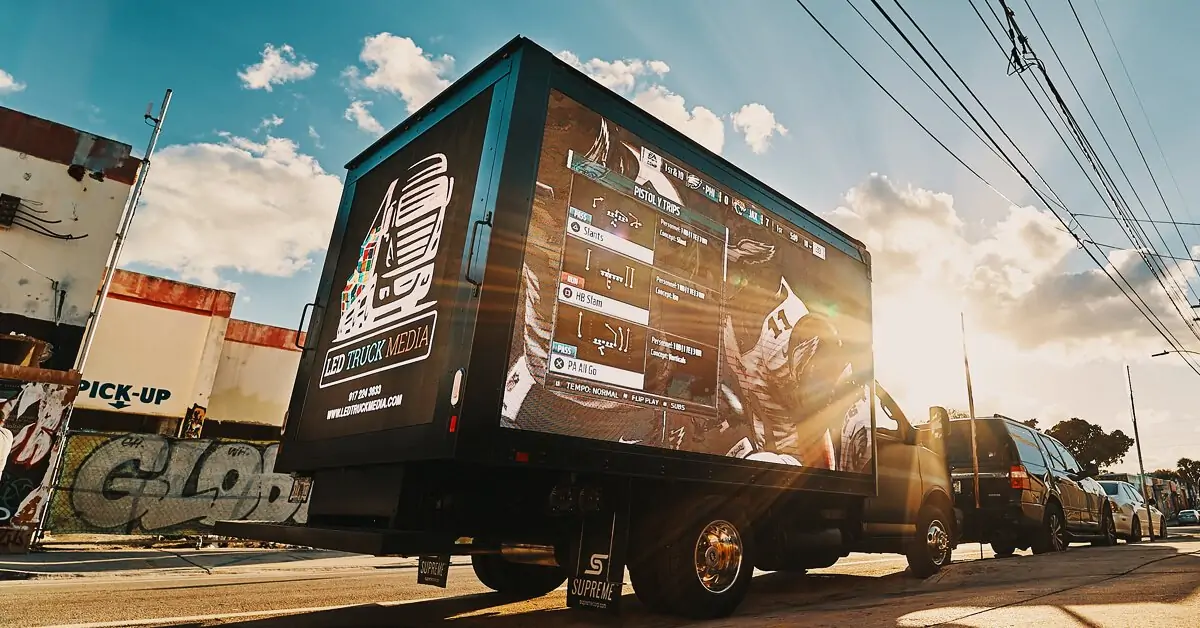
A mobile LED display combines an LED video wall, support structure and deployment mechanism on a movable base. Trailer-mounted models are towed to the site. Truck-mounted models integrate the display with a vehicle. Some units use hydraulic lifting or rotation, while compact systems may use a simpler fixed frame.
This is different from a conventional rental LED screen, which arrives as separate cabinets and is assembled on a ground support or flown from a truss. A mobile unit reduces on-site assembly, but it still requires a suitable parking position, stabilizers, power, signal, weather monitoring and a trained operator. “Mobile” describes how the screen travels; it does not remove structural or electrical planning.
Common uses include concerts, outdoor cinema, sports viewing, live event relay, emergency information, touring campaigns and mobile billboard advertising. The content requirement matters: readable event schedules and advertisements may tolerate a coarser pitch than close-viewed camera feeds or detailed sponsor graphics.
Mobile LED Display Types Compared
| Type | Best for | Main advantage | Main constraint |
|---|---|---|---|
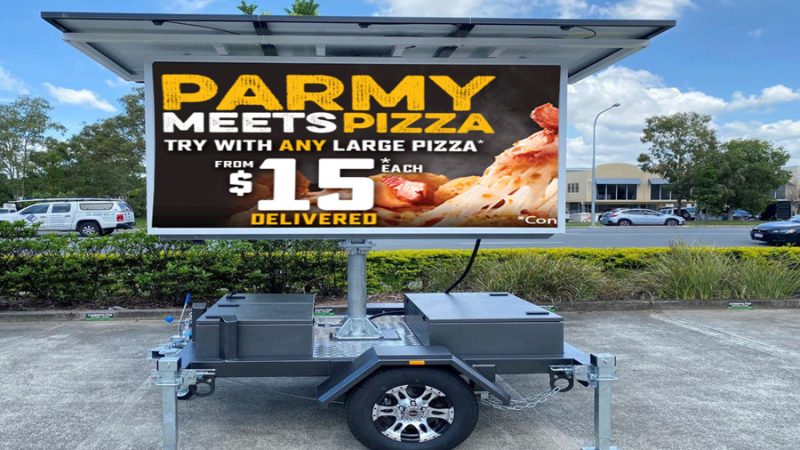
| Trailer-mounted | Events, sports and temporary information | Fast repositioning and deployment | Needs towing, parking and stabilizer space |
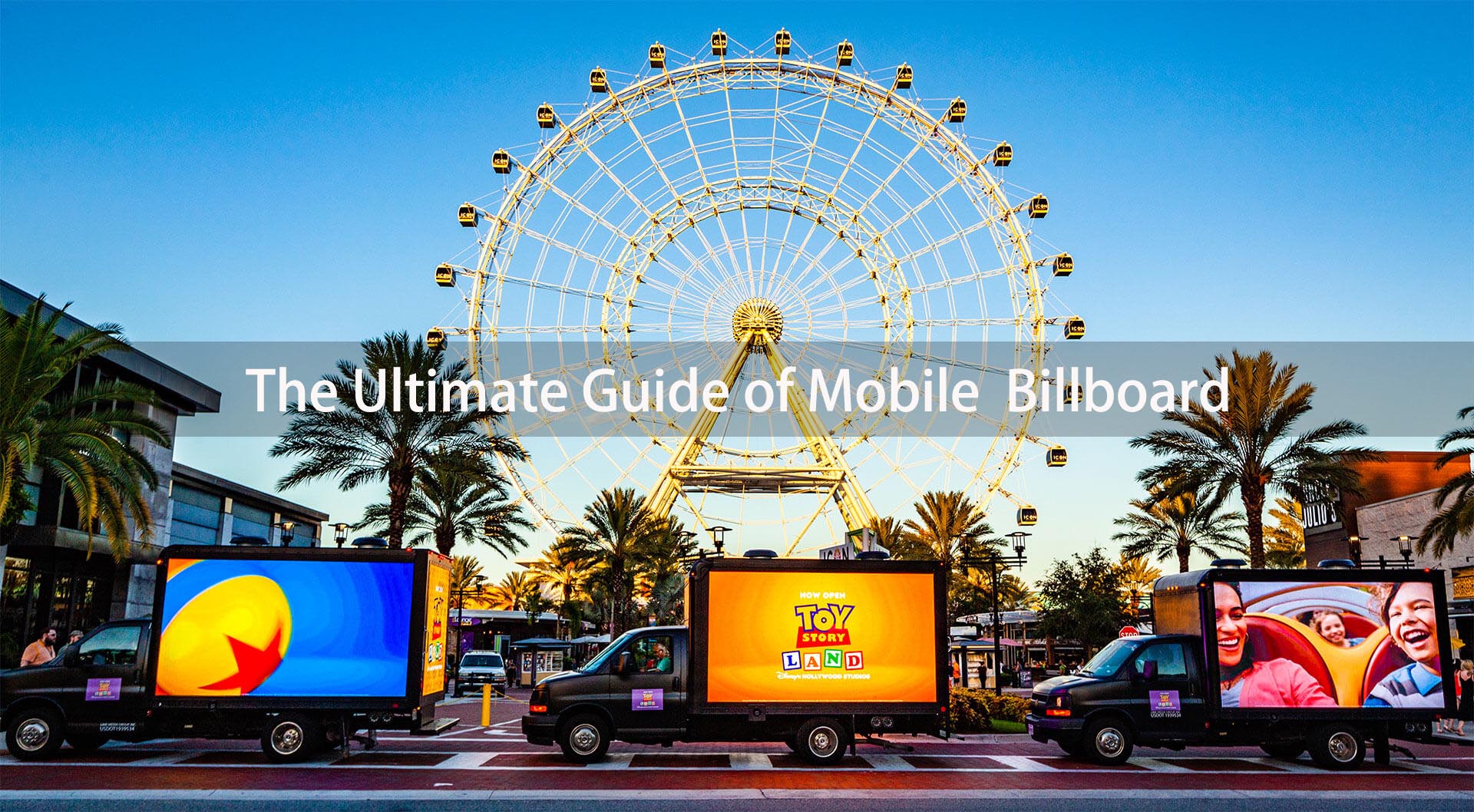
| Truck-mounted | Road campaigns and multi-stop advertising | Screen and transport are integrated | Vehicle registration, access and operating cost |
| Containerized or platform-mounted | Longer temporary installations | Can support larger screens and equipment | Requires lifting or handling equipment |
| Modular rental screen | Custom sizes, stages and indoor events | Flexible dimensions and configuration | More assembly, structure and labor on site |
If the event needs a custom stage shape, very large image or flown installation, a modular stage LED screen may be more suitable. If speed and repeatable deployment matter more than a custom format, a trailer or truck system is usually easier to operate.
9 Things to Check Before You Choose
1. Define the application and content
Start with the job the screen must perform. Live video needs camera-friendly processing, consistent color and low-latency signal handling. Sports viewing needs clear motion and reliable backup playback. Advertising needs legible text, scheduling and remote content control. Write down the content sources, operating hours, audience size and whether cameras will record the display.
2. Match pixel pitch to viewing distance
Pixel pitch is the center-to-center distance between LEDs, measured in millimeters. A smaller number delivers more pixels in the same area, but it also increases cost and may not produce a visible benefit for a distant audience. A common planning heuristic is that the pitch number in millimeters is close to the minimum viewing distance in meters: for example, P4 around 4 meters and P8 around 8 meters. Treat this as a starting point, not a guarantee. Test the actual content at the closest audience position.
3. Calculate physical size and image format
Choose screen dimensions from sightlines, audience width and content format. A 16:9 canvas is convenient for standard video, but the final cabinet matrix may not be exactly 16:9. Ask the supplier for the native pixel resolution, not only the diagonal or square-meter area. Confirm how 1920 x 1080 content will be scaled and whether sponsor logos remain readable from the back of the audience zone.
4. Verify brightness and automatic dimming
Outdoor daylight requires more luminance than indoor or night use, but one brightness number cannot describe every site. Screen orientation, shade, LED package contrast, weather and viewing angle all affect visibility. Ask for rated brightness, typical operating brightness and the adjustment range. Automatic brightness control is valuable because a setting suitable for noon can be uncomfortable and wasteful after sunset. For a deeper comparison of visual performance, see the guide to indoor vs. outdoor LED displays.
5. Check weather protection and operating limits
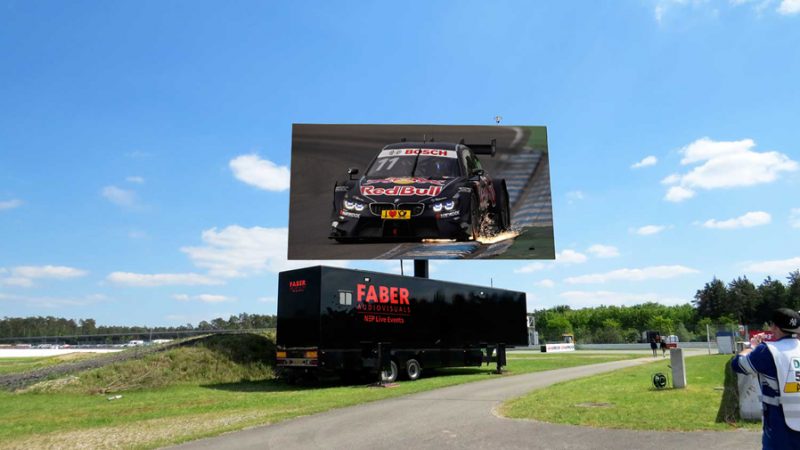
An IP code describes protection against solid objects and water under defined tests. The code comes from the IEC 60529 standard. IP65 is common for exposed outdoor display faces, but do not assume the front, rear, control compartment and connectors have the same rating. Request the rating for each area and ask how doors, vents and cable entries must be closed during operation.
IP protection is not a wind certificate. Obtain the manufacturer’s deployed and stowed wind limits, operating temperature range and shutdown procedure. The National Weather Service outdoor event guidance also reinforces the need for a defined weather plan covering damaging wind, lightning, hail and other hazards. Local event rules and a qualified site supervisor take priority over generic advice.
6. Size the electrical supply correctly
Request both maximum and typical power consumption for the complete system, including the LED cabinets, processor, lifting equipment, cooling, audio and auxiliary devices. The source must handle maximum demand with a suitable margin. Confirm voltage, phases, connectors, grounding and cable length before delivery.
If a portable generator is used, keep it outdoors and away from doors, windows and ventilation openings. The OSHA portable generator safety guide warns that generator exhaust contains carbon monoxide and also addresses grounding, weather and electrical hazards. Use a qualified electrical plan for the venue rather than improvising from the screen’s average wattage.
7. Confirm signal, processing and backup playback
List every input: HDMI, SDI, media player, computer, camera or network feed. Confirm the video processor can map the exact LED canvas and switch sources without an unacceptable blank screen. For broadcast or livestream use, run a camera test at the planned frame rate and shutter settings. A backup media player, spare signal cable and saved screen configuration can prevent a single source failure from stopping the show.
8. Measure the trailer, transport route and setup footprint
Ask for transport dimensions, deployed dimensions, gross weight, tongue or axle load, turning clearance and stabilizer footprint. Check gate width, overhead clearance, surface load capacity and slope at the venue. A hydraulic screen may deploy quickly, but the total setup time also includes positioning, leveling, stabilizing, powering, signal testing and safety checks. Confirm road registration, towing limits and driver requirements in every jurisdiction where the unit will travel.
9. Compare total cost, service and spare parts
A low purchase price can hide expensive logistics. Compare delivery, customs, vehicle or trailer certification, insurance, storage, generator fuel, operator labor, scheduled inspection, spare modules and control-system support. Ask how quickly the supplier can diagnose a fault and which parts are stocked. For a purchase, request cabinet-level service access, spare LED modules, power supplies, receiving cards and configuration backups.
How to Plan a Safe Site Setup
A practical site plan starts before the vehicle arrives. Mark the screen position, audience area, operator access, stabilizer footprint, power source and protected cable path. Keep exits, emergency lanes and pedestrian routes clear. The screen should not block traffic signs or create glare for drivers.
- Survey the surface: verify level, load-bearing ground and drainage.
- Check access: measure gates, turns, height limits and the route for the tow vehicle.
- Set the viewing zone: confirm sightlines and the closest viewing distance before choosing the final position.
- Protect power and signal: use suitable distribution, grounding and cable protection.
- Define weather actions: record who monitors conditions and who has authority to lower or shut down the screen.
- Test before opening: play real content, check cameras, verify backup sources and set day or night brightness.
Never infer safe wind operation from the screen’s weight or the size of its outriggers. Use the equipment manual, local requirements and qualified supervision. For broader outdoor placement considerations, review the guide to outdoor LED signs and installations.
Rent or Buy a Mobile LED Screen?
| Choose rental when… | Consider ownership when… |
|---|---|
| The requirement is occasional or seasonal | The system will be used frequently throughout the year |
| Event size and specifications change often | A repeatable size and workflow covers most jobs |
| You need delivery, setup and an operator included | You have trained staff, towing, storage and maintenance capacity |
| You want to test demand before committing capital | Utilization and revenue can cover depreciation and operating cost |
Do not compare only the daily rental rate with the equipment invoice. For ownership, calculate a realistic annual cost that includes financing or depreciation, transport, insurance, storage, maintenance, spares and staff. For rental, confirm delivery distance, setup hours, operator time, power and cancellation terms. EagerLED’s LED display product range can help buyers compare cabinet and application options before requesting a configured solution.
Common Buying Mistakes
- Buying by maximum brightness alone. Contrast, orientation, dimming and real operating conditions determine whether the image is comfortable and readable.
- Choosing the smallest pixel pitch available. Extra resolution adds cost without helping a distant audience.
- Reading IP65 as “safe in any weather.” The rating does not define wind resistance, lightning procedure, connector condition or safe operation with doors open.
- Using average power for generator sizing. Maximum demand, startup behavior and auxiliary systems must be included.
- Ignoring transport and footprint. A screen that cannot pass the venue gate or deploy its stabilizers is unusable, regardless of image quality.
- Skipping a real content test. Supplier demo footage may hide scaling, text legibility, camera banding or latency problems.
Mobile LED Display Checklist
Send the same checklist to every supplier so quotations are comparable:
- Application, dates, operating hours and indoor or outdoor environment
- Audience size, closest viewing distance and required screen dimensions
- Native resolution, pixel pitch, rated brightness and dimming method
- Front, rear and connector IP ratings; temperature and wind limits
- Maximum and typical power, voltage, phase, connector and generator requirements
- Inputs, processor, camera use, remote control and backup playback
- Transport and deployed dimensions, weight, stabilizer area and setup time
- Road compliance documents, manuals, training and warranty terms
- Spare parts list, service response and configuration backups
Provide site photos, access measurements and a simple layout with your inquiry. That gives the supplier enough context to recommend a system instead of guessing from screen size alone. For a project-specific review, contact EagerLED with the checklist above.
Frequently Asked Questions
What is a mobile LED display?
A mobile LED display is an LED video screen mounted on a trailer, truck or movable platform. It combines transport and support structure so the screen can be moved between sites and deployed faster than a modular screen built from separate cabinets.
How is a trailer-mounted LED screen different from a modular rental screen?
A trailer-mounted screen travels as a largely preassembled unit and needs vehicle access, parking and stabilizer space. A modular rental screen arrives as separate cabinets, offers more freedom in size and shape, and usually needs more on-site structure and labor.
What pixel pitch should I choose for a mobile LED screen?
Choose pixel pitch from the closest realistic viewing distance and the detail in your content. A rough planning rule is that P4 starts around 4 meters and P8 around 8 meters, but the final choice should be verified with the real screen and content.
How bright should an outdoor mobile LED display be?
There is no single brightness value for every outdoor site. Direct sun, screen orientation, shade, LED contrast and night operation all matter. Compare rated and typical brightness, request automatic dimming, and test visibility in conditions similar to the event.
Can a mobile LED display operate in rain?
It can operate in rain only within the manufacturer’s stated protection and operating limits. Verify the IP rating for the front, rear, control compartments and connectors, keep required covers closed, and follow the documented wind, lightning and shutdown procedures.
Is it better to rent or buy a mobile LED display?
Rental is usually better for occasional events, changing specifications or projects that need an included operator. Ownership can make sense for frequent, repeatable use when the buyer can manage transport, storage, trained staff, maintenance, insurance and spare parts.