

Novastar CX40 Pro LED display controller is designed for LED display systems that require precise image processing and stable signal control. It supports 4K input, HDR processing, and ultra-low latency transmission, making it suitable for high-resolution LED video walls and professional display environments. This guide explains the key features of the Novastar CX40 Pro, how to set it up in an LED display system, and where it is typically used in real projects.
catalogue
1.What Is the Novastar CX40 Pro LED Display Controller?
2.Key Features of the Novastar CX40 Pro LED Display Controller
3.Novastar CX40 Pro Specifications
4.How to Set Up the Novastar CX40 Pro for an LED Display System
5.Image Processing Capabilities of the Novastar CX40 Pro
6.Typical Applications of the Novastar CX40 Pro LED Display Controller
7.Is the Novastar CX40 Pro the Right Controller for Your LED Display?
1.What Is the Novastar CX40 Pro LED Display Controller?
Novastar CX40 Pro LED display controller is a device used to control and process video signals for an LED screen. It receives content from video sources such as computers, media players, or broadcast systems, then processes the image and sends the data to the LED display.
In an LED display system, the Novastar CX40 Pro helps ensure that images, videos, and graphics are displayed correctly across the entire screen. It is commonly used in large LED video walls, stage displays, and other professional LED screen installations.
2.Key Features of the Novastar CX40 Pro LED Display Controller
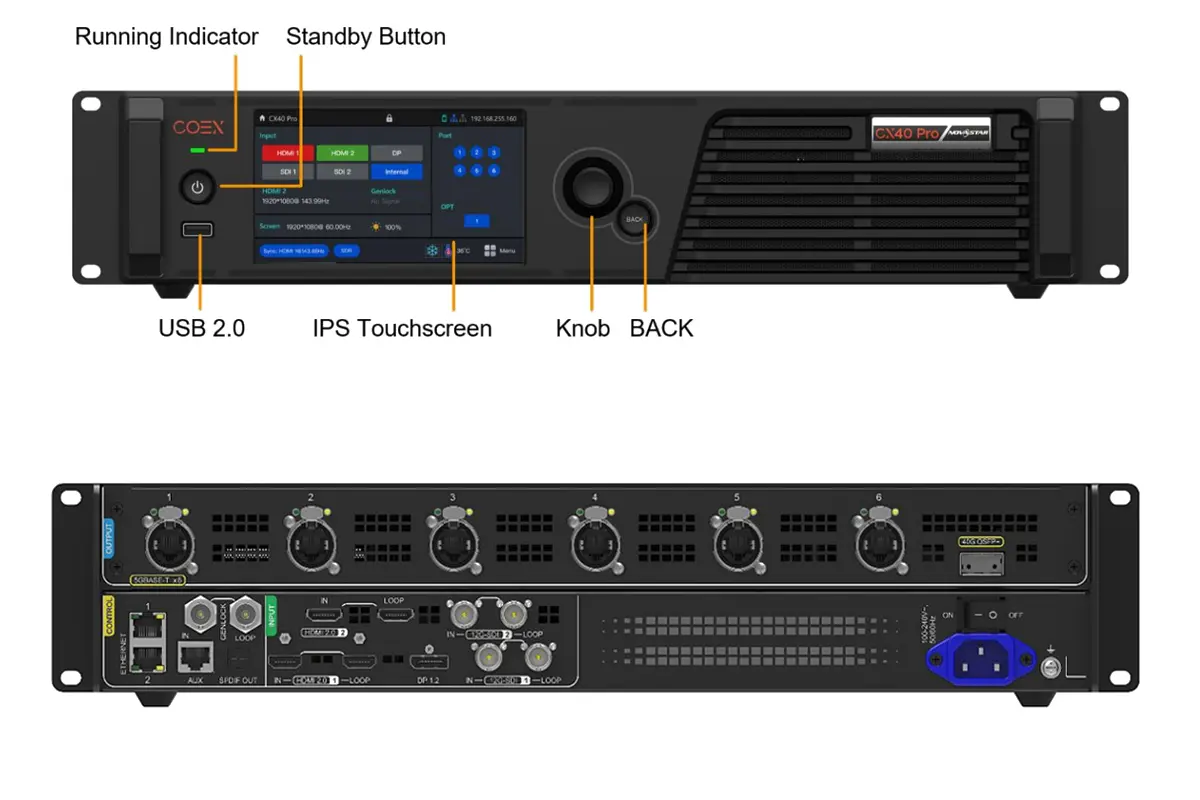
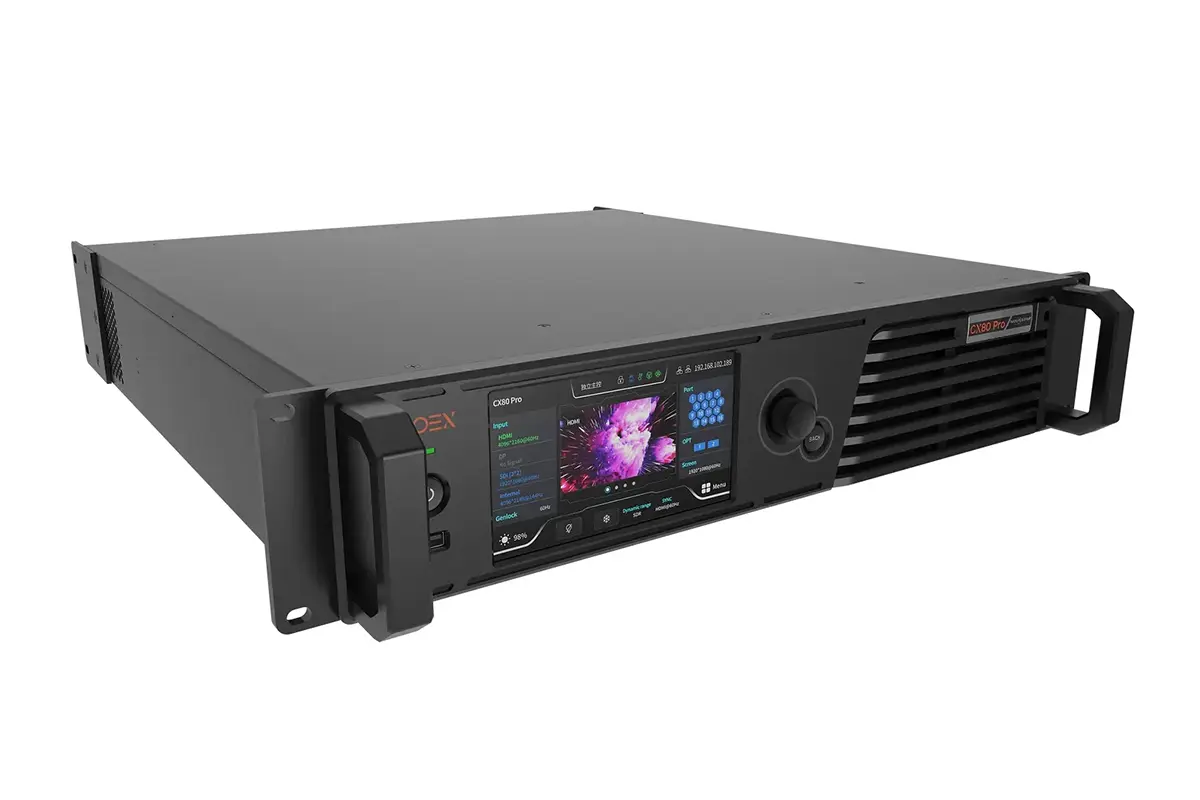
Novastar CX40 Pro LED display controller packs serious power into a 1U chassis. Here’s what it actually does for your LED wall:
Input Options
- 2x HDMI 2.0, 1x DP 1.2, 2x 12G‑SDI inputs – Plug in cameras, media servers, laptops, or broadcast feeds. The Novastar controller handles them all.
- 6x Ethernet ports – Drive up to 9 million pixels total. Enough for massive video walls.
- 1x 40G optical port – Send video kilometers away with zero signal loss. Perfect for stadiums and large venues.
Image Quality
- HDR10 & HLG support – Richer colors, deeper blacks. Content looks the way it should.
- 3D LUT import – Match colors exactly to your reference monitor. No more guessing.
- 14‑channel color correction – Tweak specific colors without affecting the rest. Great for matching brand colors.
- Dynamic booster – Automatically enhances contrast and detail in real time.
Live Events Ready
- <1ms latency – Zero‑frame delay. Critical for interactive installs, virtual production, and stages where every millisecond matters.
- Genlock – Syncs perfectly with cameras and switchers. No flicker, no sync issues.
- Frame rate adaptive – Handles odd frame rates like 23.98Hz or 29.97Hz without flickering on camera.
Control Options
- 3 independent 4K layers – Run picture‑in‑picture, overlay logos, or split the screen.
- 5.5‑inch touchscreen – Check status, adjust brightness, or troubleshoot without a laptop.
- VMP software – For complex setups, manage everything from your computer.
Reliability
- Dual Ethernet control ports with cascading – Daisy‑chain up to 20 units. No extra network switch needed.
- Auto monitoring – Alerts you if fans or temps go out of range. Prevents problems before they happen.
3.Novastar CX40 Pro Specifications
| What | The Numbers |
| Video Inputs | 2x HDMI 2.0, 1x DP 1.2, 2x 12G-SDI |
| Max Input Resolution | 4K@60Hz (can also do super-wide formats like 8192×1080) |
| Outputs | 6x Ethernet ports + 1x 40G optical port |
| Max Load Capacity | 9 million pixels total |
| HDR Support | HDR10, HLG |
| 3D LUT | Yes (up to 65×65×65 .cube files) |
| Latency | <1ms in Send-Only mode |
| Layers | 3 independent 4K layers |
| Presets | 128 |
| Control | 5.5″ touchscreen + VMP software |
| Audio | SPDIF output |
| Genlock | Yes (IN + LOOP) |
| Power | Standard 100-240V AC, 105W |
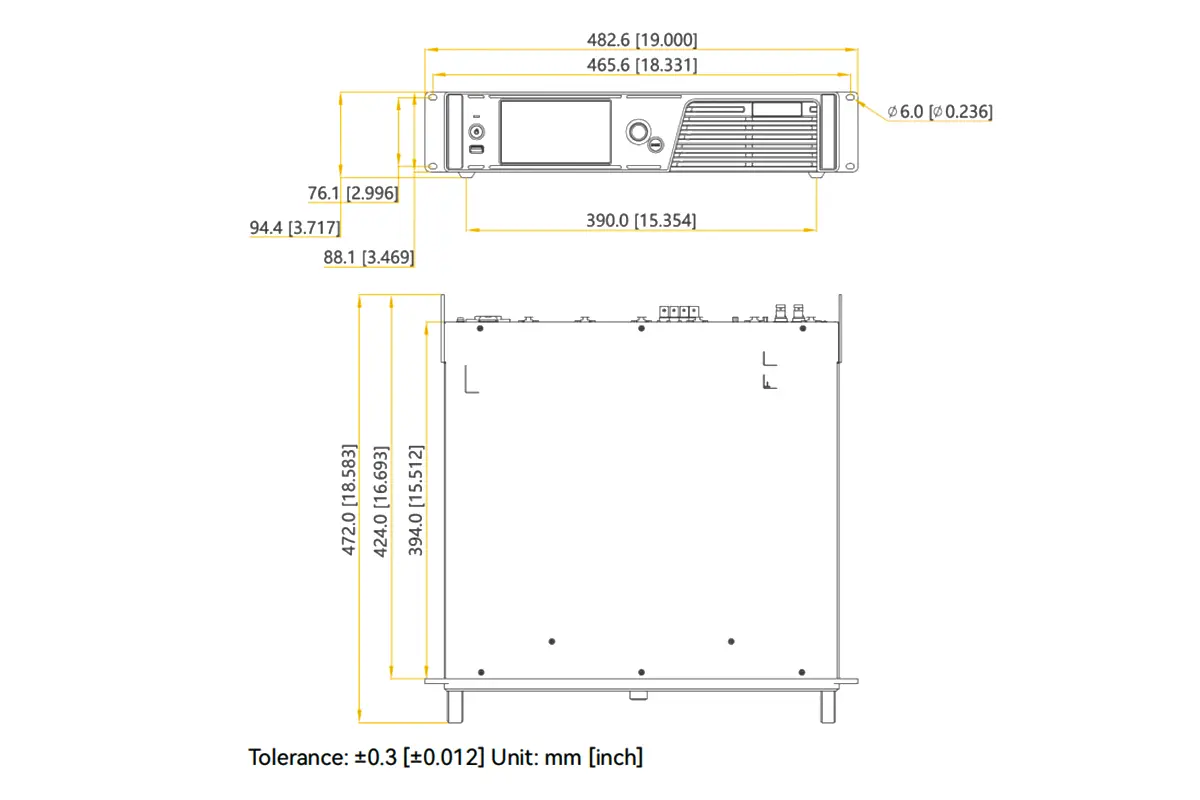
| Size | 19″ 1U rackmount |
| Weight | 8.1 kg |
4.How to Set Up the Novastar CX40 Pro for an LED Display System
Setting up the Novastar CX40 Pro LED display controller is straightforward. Here’s a step-by-step guide to get your LED wall running.
Step 1: Connect Your Video Sources
- Plug your video sources (laptops, cameras, media servers) into the Novastar controller inputs
- Use HDMI 2.0, DP 1.2, or 12G-SDI depending on your equipment
- The CX40 Pro auto-detects most signals – no complicated config needed
Step 2: Connect to Your LED Cabinets
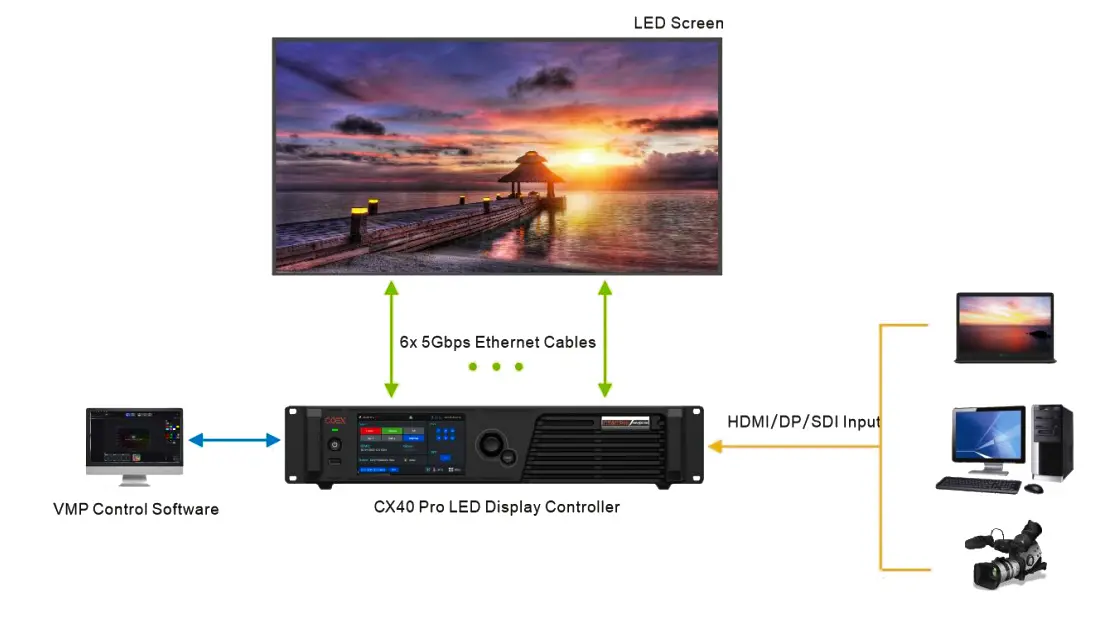
- Run Ethernet cables from the 6 output ports to your receiving cards (XA50 Pro or CA50E recommended)
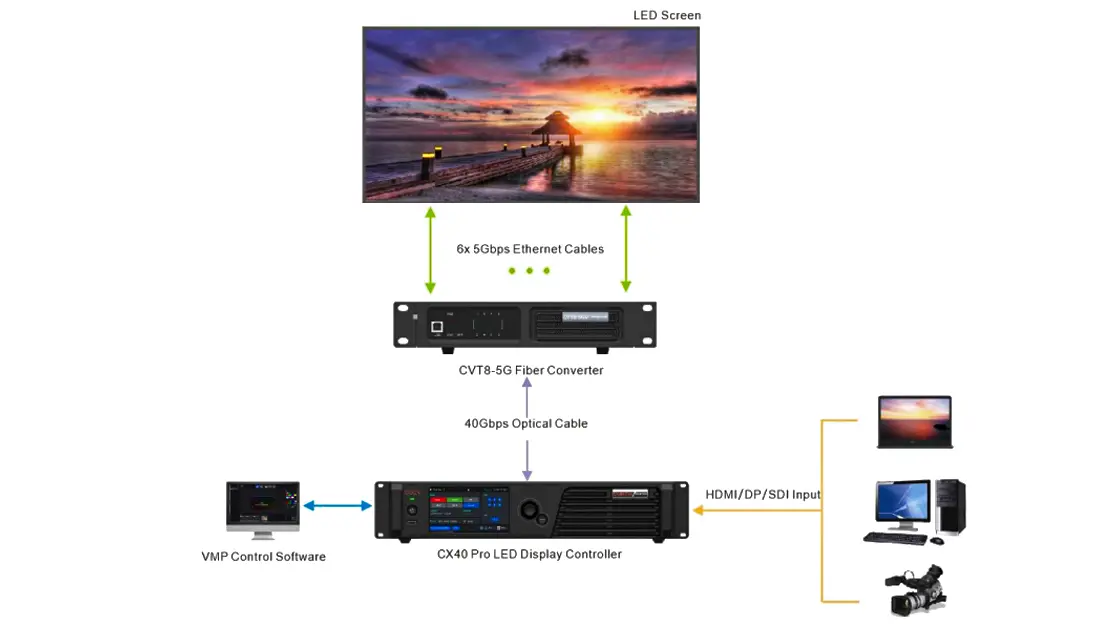
- For long-distance installations, use the 40G optical port to send signal kilometers away
- Maximum total load: 9 million pixels. Plan your cabinet layout accordingly
Step 3: Power Up
- Connect power (100-240V AC)
- Press the standby button on the front panel
- Running indicator turns solid green when ready
Step 4: Basic Configuration via Touchscreen
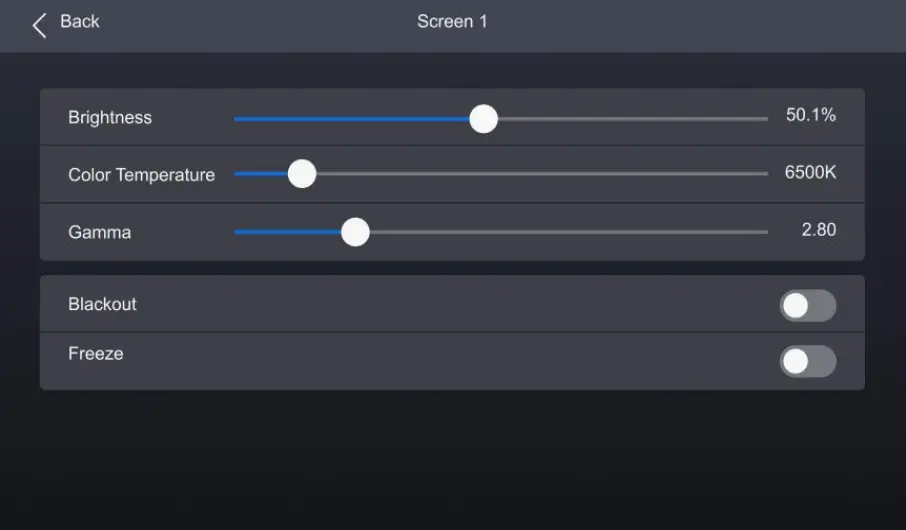
- Use the 5.5-inch touchscreen to:
- Check input signal status (green = good)
- Adjust brightness, color temperature, and gamma
- Set output resolution to match your LED wall
- Configure network settings if using VMP software
Step 5: Advanced Setup with VMP Software (Optional)
Install Vision Management Platform on your PC
Connect via Ethernet to the control ports
Use VMP for:
- Layer management (up to 3 independent 4K layers)
- Preset creation (save up to 128 configurations)
- Color calibration (3D LUT, 14‑channel correction)
- Screen monitoring and diagnostics
Step 6: Test and Fine-Tune
- Play test content to verify signal flow
- Check for proper sync (Genlock if using cameras)
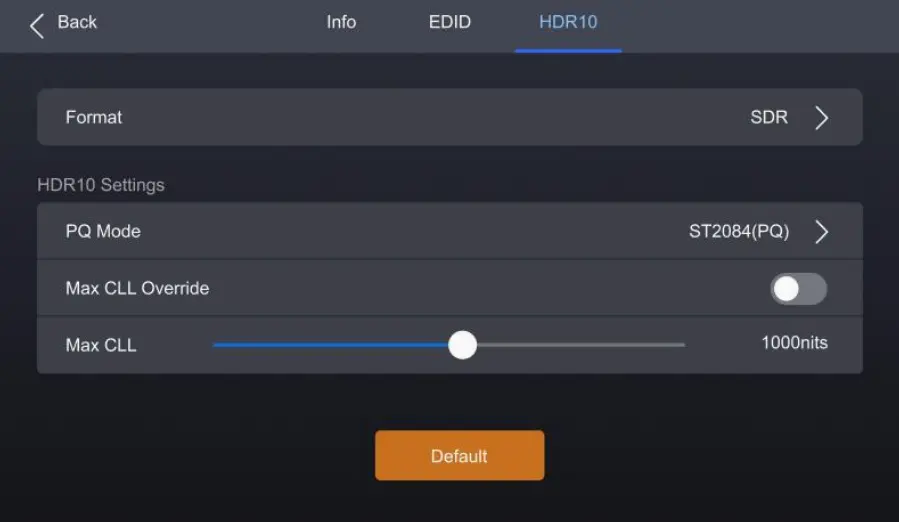
- Adjust HDR settings if working with HDR10 or HLG content
- Enable low latency mode (<1ms) for interactive applications
Pro Tips
- The Novastar CX40 Pro works best with XA50 Pro or CA50E receiving cards for features like frame rate adaptive and full grayscale calibration
- Use the USB port on the front to export diagnostic logs if needed
- Dual Ethernet control ports let you daisy‑chain up to 20 units without extra switches
That’s it. The Novastar CX40 Pro LED display controller is designed to be plug-and-play enough for quick events, yet powerful enough for complex permanent installations.
Need more detailed guidance on VMP software or specific features? Check the full user manual or NovaStar’s support site.
5.Image Processing Capabilities of the Novastar CX40 Pro
Novastar CX40 Pro LED display controller doesn’t just pass video through — it actively processes your content to deliver better image quality on your LED wall. Here are the five most important things it does with your video.
HDR10 and HLG Support
The Novastar controller handles high dynamic range content properly. When you feed it HDR10 or HLG sources, it maintains the full range of brightness so dark areas aren’t crushed and bright areas aren’t washed out. This means richer colors, deeper blacks, and content that actually looks the way it was mastered — whether you’re playing back a Hollywood movie or a broadcast feed.
3D LUT for Color Matching
For applications where color accuracy matters — think broadcast studios or virtual production — the CX40 Pro lets you import 3D LUT files up to 65×65×65 accuracy. Load a .cube file once, and the controller applies that precise color transformation to everything on screen. Your LED wall matches your reference monitor exactly, no guessing involved.
14-Channel Color Correction
Need to match a specific brand color without messing up skin tones? This feature lets you adjust hue, saturation, and brightness for 12 standard colors plus black and white. You can tweak a corporate logo to be perfectly on-brand while leaving everything else untouched. It’s precise control that actually works in real-world setups.
Dynamic Booster
This runs in the background analyzing every frame in real time. It boosts contrast and pulls detail out of dark areas automatically, making your content pop. An added bonus: it helps lower power consumption without sacrificing image quality, so your LED wall looks better and runs cooler.
Low Latency Mode
In Send-Only mode, the Novastar CX40 Pro drops processing delay to less than 1 millisecond — effectively zero frames. For interactive installations, virtual production stages, or live events where every millisecond counts, this means no perceptible lag between what the source sends and what the screen shows. You can also add 1-2 frames of latency if you need to sync with other gear
6.Typical Applications of the Novastar CX40 Pro LED Display Controller
Novastar CX40 Pro LED display controller works wherever you need a reliable, high-performance LED wall. Here’s where it shows up.
Live Events and Concerts
The CX40 Pro fits in a 1U rack, and the front touchscreen lets techs check signals without grabbing a laptop. Six Ethernet ports drive big stage screens. The 40G optical port sends video to faraway LED panels across the venue. <1ms latency keeps content tight with live performances.
Virtual Production and xR Studios
This is what the Novastar controller was made for. Genlock syncs the wall with cameras. Frame rate adaptive handles odd camera speeds without flicker. Sub-1ms delay means no lag when cameras move. Shutter Fit kills those black lines that show up when shooting LED walls. Everything just works.
Corporate Events and Stagings
Three independent 4K layers let you run presentation slides, live cams, and branded graphics at the same time. Save 128 presets and switch between show segments with one click. Dual Ethernet ports let you chain up to 20 units without extra switches — cleaner setup, fewer cables
Rental and Staging
One controller that works with different cabinet types. 9 million pixel capacity handles everything from small IMAG screens to festival main stages. Pre-configure settings in VMP software and recall them on site.
7.Is the Novastar CX40 Pro the Right Controller for Your LED Display?
Still trying to figure out if the Novastar CX40 Pro LED display controller fits your needs? Here’s a quick way to decide.
Choose the CX40 Pro if:
- Your LED wall needs more than 2 video inputs (HDMI, DP, SDI all in one box)
- You’re running a large screen that needs 6 Ethernet outputs or fiber transmission
- Image quality matters — you want proper HDR, color calibration, and 3D LUT support
- You’re shooting the wall on camera (virtual production, broadcast, live events need Genlock and low latency)
- You want fast setup with touchscreen control and VMP software
- You need gear that works for both touring and permanent installs
Skip it if:
- You’re running a single small sign or basic info screen (simpler controllers cost less)
- You only need one input and a few Ethernet ports
- Advanced color processing isn’t a priority
Bottom line: The Novastar controller is built for professionals running serious LED display screen. If that’s you, it’s the right call.
8.FAQs
What receiving cards work with the CX40 Pro?
Novastar CX40 Pro works best with XA50 Pro and CA50E receiving cards (CA50E needs V1.3.0.0 or later). These support advanced features like frame rate adaptive and full grayscale calibration.
Can I update the firmware myself?
Yes. Firmware updates are done through VMP software or via USB drive. Check NovaStar’s official website for the latest versions and release notes.
Does it support 3D content?
Yes, the V1.5.0 firmware and later versions support 3D. You’ll need a 3D emitter and compatible 3D glasses. Note that 3D can’t run simultaneously with low latency or frame multiplication modes.
Can I control it with third-party systems?
Yes. The CX40 Pro supports Art-Net, SNMP, and central control protocols. You can also control it via RS232 through the AUX port.