


Here’s the short version: the VX400 Pro is the VX400’s direct successor, released in January 2025. It adds 4K input, six video layers (up from two), zero-frame latency in ByPass mode, and USB playback — for roughly $36 more at retail. If you’re buying a new LED controller right now, there is almost no reason to choose the older model.
That’s the conclusion. What follows is the evidence — eight specific differences that explain why, plus a few things the spec sheet won’t tell you.
1.8 Differences between Novastar VX400 Pro and VX400
2.Novastar VX400 vs VX400 Pro: What’s the Same and What Actually Changes
3.2 Layers vs 6 Layers: What the Extra Headroom Actually Unlocks
4.Zero-Frame Latency of Novastar VX400 Pro: Why ByPass Mode Matters
5.Should You Upgrade? Choose Novastar VX400 or Novastar VX400 Pro?
6.What People Get Wrong About the VX400 Pro
7.FAQ
8.Conclusion
1. 8 Differences between Novastar VX400 Pro and VX400
The table below covers the eight most consequential changes from VX400 to VX400 Pro — the ones you’ll feel on a job site, not just the ones that look good on a comparison chart.
| Number | What Changed | VX400 | VX400 Pro | Why You’ll Notice |
|---|---|---|---|---|
| 1 | Input resolution | 1920×1200@60Hz max (HDMI 1.3 ×2) | 4096×2160@60Hz (HDMI 2.0 ×1 + HDMI 1.3 ×2) | Plug a 4K laptop or media server directly in — no downscaler, no adapter chain. |
| 2 | Video layers | 2 layers | 6 layers (shared 2K×1K resource pool) | Run main feed, logo, lower-third, PIP, and backup preview simultaneously. |
| 3 | Low latency | 20-line delay in ByPass mode | 0-frame delay in ByPass mode | Live camera feeds stay perfectly synchronized with audio. |
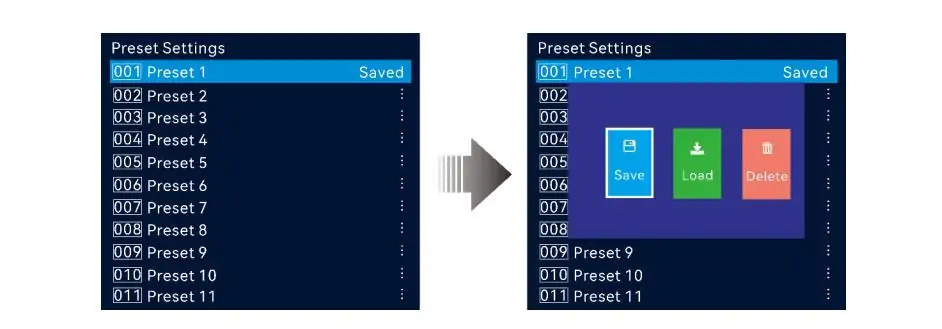
| 4 | User presets | 10 presets | 256 presets | Instant recall for different events, sessions, or display configurations. |
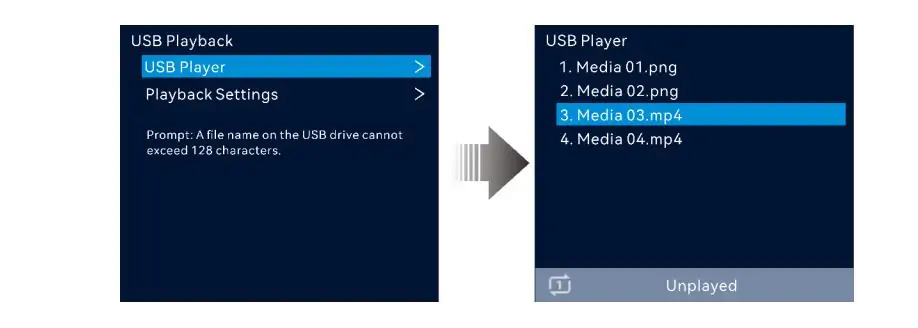
| 5 | USB playback | Not supported | USB 3.0 (H.264/H.265, up to 3840×2160 decode) | Play content directly from a USB drive without a laptop. |
| 6 | 3D support | Not supported | Via third-party 3D emitter (dedicated 3D connector) | Supports 3D productions, though output capacity is reduced in 3D mode. |
| 7 | Control ecosystem | Front panel + NovaLCT + V-Can | Front panel + NovaLCT + Unico (web) + ViCP (mobile app) | Manage the processor from a browser, tablet, or smartphone. |
| 8 | Audio I/O | HDMI audio only | 3.5mm independent audio input + output with adjustable volume | Connect directly to external audio systems and mixers. |
The pattern is hard to miss: every one of these upgrades targets a specific real-world pain point for rental and staging crews. NovaStar didn’t just bump the specs for marketing — they fixed the things that made people curse under their breath during load-in.
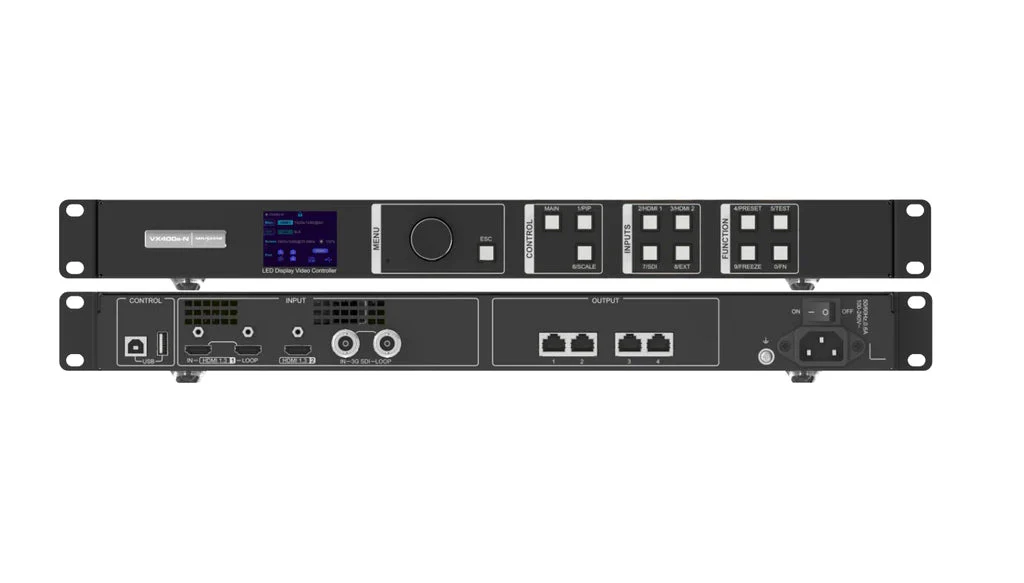
2. Novastar VX400 vs VX400 Pro: What's the Same and What Actually Changes
It’s easy to assume a “Pro” badge means “better at everything.” It doesn’t.
Both units share the same output architecture: 2.6 million pixel maximum capacity, four Gigabit Ethernet ports (650,000 pixels per port), maximum raster of 10,240 × 8,192 pixels. Fiber connectivity is identical — two 10G optical ports. Both fit a 1U rack space at roughly 483 × 301 × 50 mm, with the Pro slightly lighter at 3.8 kg versus 4.0 kg. Power consumption ticked up from 35W to 41W — negligible in any actively cooled rack.
Why does this matter? Because if pixel count is your bottleneck — if you’re driving a screen larger than 2.6 million pixels — neither the VX400 nor the VX400 Pro will get you there. You need the VX600 Pro (3.9 million pixels) or higher. The “Pro” in VX400 Pro means better input handling and processing, not more output capacity. Confusing those two things is the most common mistake buyers make with this product line.
3. 2 Layers vs 6 Layers: What the Extra Headroom Actually Unlocks
3.1 Two Layers: The Compromise You're Probably Making Now
With the VX400’s two layers, you get a main program feed and one overlay. If you need a sponsor logo, a scrolling lower-third, and a presenter PIP window on screen simultaneously, you’re picking two out of three. Someone on your crew is making a compromise.
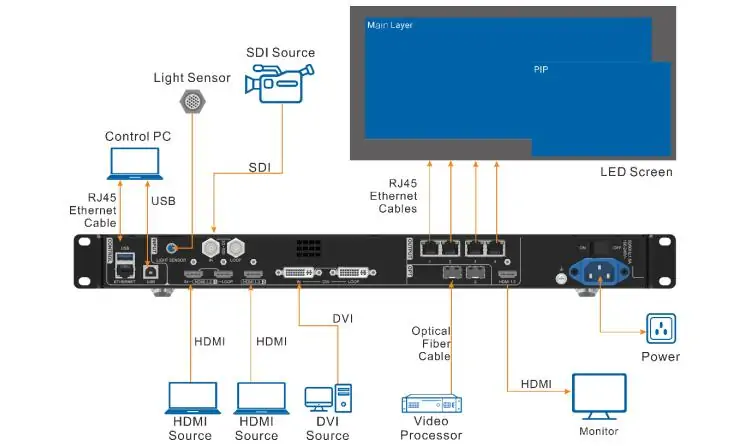
3.2 What Six Layers Lets You Build
Six layers changes the math. A typical keynote setup: presentation slides fill the screen (layer 1), a camera feed of the speaker sits in a PIP window (layer 2), the sponsor’s logo locks bottom-right (layer 3), a scrolling announcement ticker runs along the bottom (layer 4), a countdown timer sits in the opposite corner (layer 5). You’ve still got a spare layer for backup input preview — something that would have consumed half your available layers on the VX400.
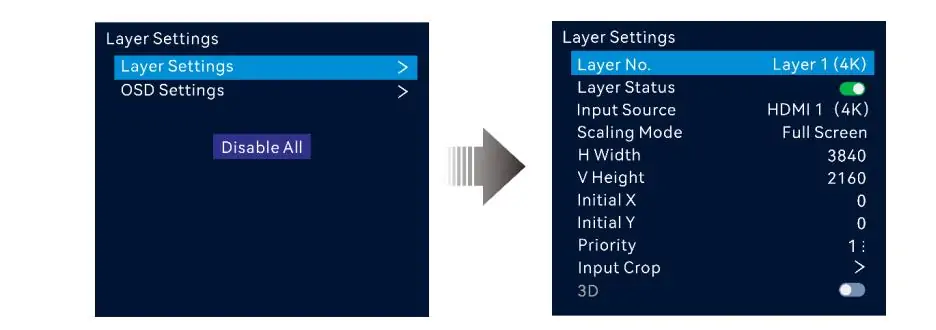
3.2 The 2K×1K Resource Pool: Don't Expect Six 4K Canvases
There’s a technical nuance worth knowing. Those six layers share a 2K×1K resource pool — they aren’t six independent 4K canvases. A single 4K×2K layer consumes more resources than two 2K×1K layers. For typical stage scenarios where most overlays are lower-resolution, this limitation rarely matters. It only becomes relevant if you’re compositing multiple 4K camera feeds, which is an edge case for most users.
4. Zero-Frame Latency of Novastar VX400 Pro: Why ByPass Mode Matters
4.1 The Problem: When the Screen Trails the Sound
If you’ve ever stood at a concert and noticed the singer’s mouth on the LED wall was slightly out of sync with the PA, you’ve seen video processing latency. It’s subtle — a frame or two — but once you notice it, you can’t un-notice it.
4.2 Video Controller Mode: The Standard Pipeline
In normal Video Controller mode, the processor reads the incoming signal, scales it, composites layers, and applies color correction — a pipeline that takes 2–3 frames on the VX400 (roughly 33–50ms at 60Hz) and 1–2 frames on the VX400 Pro with Low Latency mode enabled.
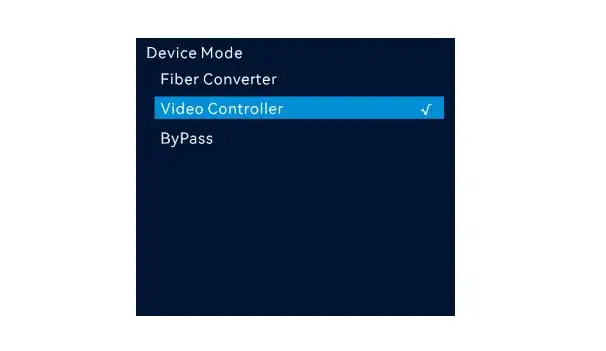
4.3 ByPass Mode: VX400 Pro's Zero-Frame Advantage
ByPass mode skips all of that, routing the input directly to the output. On the VX400, even ByPass introduces a 20-line delay — about 1.3ms. Fast enough for most applications, but for live IMAG where a camera feed of a speaker is displayed on a screen they’re standing in front of, that tiny offset can register as “off.”
The VX400 Pro’s ByPass mode delivers a true 0-frame path. No buffering, no line delay. For engineers who regularly handle live camera feeds, this one feature often justifies the upgrade by itself. The trade-off: ByPass disables layers and scaling, so in practice you route camera feeds through ByPass while pre-recorded content takes the Video Controller path with full processing.
5. Should You Upgrade? Choose Novastar VX400 or Novastar VX400 Pro?
Not everyone should upgrade. The VX400 is still a capable controller — spending money on a Pro you don’t need is just wasteful.
5.1 When to Upgrade
- You’re feeding 4K sources (newer laptops, media servers, cameras) and currently use a downscaler or live with 1080p
- You need more than two simultaneous on-screen elements — PIP windows, logos, tickers
- Live camera feeds go to your LED display screen and you’ve had complaints about lip-sync being slightly off
- You run multi-session events where switching configurations between acts eats into changeover time — 256 presets versus 10 means pre-building every act’s layout and recalling it with one button
5.2 When to Stick with the VX400
- You run a fixed-install display that loops the same content — lobby signage, menu board, conference room
- Your entire signal chain is 1080p and you have no plans to go 4K in the next 2–3 years
- You already own a VX400 that handles your workload without bottlenecks or workarounds
5.3 If You're Buying New
At roughly €1,079 vs €1,115 (about $1,255 for the Pro in the US market), the price gap is too small to justify buying last-generation hardware new. Spread across a three-year service life, that $36 works out to about three cents a day. The first time you plug a client’s 4K laptop directly into the HDMI 2.0 port instead of digging for a downscaler, it’s paid for itself.
The only defensible reason to buy a VX400 in 2025 or 2026 is finding a used unit at a steep discount. Otherwise, buying the older model new and then upgrading later — the “buy cheap, buy twice” trap — will cost you roughly 50% more than just buying the Pro upfront.
One more thing: if you’re already near 2.6 million pixels, the VX400 Pro isn’t your ceiling — it’s a warning sign. The VX600 Pro bumps capacity to 3.9 million pixels across six Ethernet ports and adds Genlock for multi-camera frame synchronization. It costs more (roughly $1,200–$1,550), but if your screen will max out a VX400-series controller, you’ll be shopping for an upgrade within a year anyway.
6. What People Get Wrong About the VX400 Pro
6.1 It Doesn't Drive More Pixels
The misconception I see repeated most often in LED forums is that the VX400 Pro drives more pixels than the VX400. It doesn’t. Both units cap at 2.6 million pixels with the same four-port Ethernet architecture. The Pro upgrades are on the input and processing side — not the output side.

6.2 USB Playback Isn't a Media Server Replacement
Another feature that gets oversold: USB playback. Yes, the front-panel USB 3.0 port is genuinely convenient — plug in a thumb drive and play H.264 or H.265 video at up to 3840×2160 decode — but the USB source is fixed at 1920×1080@60Hz as an input layer. It’s a handy backup player, not a replacement for a production media server.
6.3 No, It Doesn't Have Genlock
One that catches people off guard: the VX400 Pro does not have Genlock. If you need multi-camera broadcast sync, you need the VX600 Pro. The VX400 Pro can cascade up to five units using its internal sync source, which works for most multi-screen setups, but it won’t lock to an external reference signal.
7. FAQs
1. Is the VX400 still worth buying in 2025?
Only if you find a used unit at a deep discount and you’re certain you’ll never need 4K input, more than two layers, or zero-frame latency. For new-in-box, the price gap to the Pro is too small.
2. How many pixels can the VX400 Pro drive?
2.6 million pixels — same as the VX400. Maximum 10,240 × 8,192 pixels across four Gigabit Ethernet ports. If your screen exceeds this, you need a VX600 Pro or higher.
3. Can the VX400 Pro handle a 4K camera feed?
Yes. HDMI 2.0 accepts up to 4096×2160@60Hz, and the 3G-SDI input handles broadcast cameras with loop-out. For live IMAG, route the camera through ByPass mode for zero-frame output.
4. What's the difference between VX400 Pro and VX600 Pro?
The VX600 Pro adds 3.9 million pixel capacity, six Ethernet ports, and Genlock. Everything else — 4K input, six layers, 256 presets, USB playback, zero-frame ByPass — is identical. If your screen fits within 2.6M pixels and you don’t need Genlock, the VX400 Pro gives you the same processing engine for less.
5. Does the VX400 Pro support HDR?
No native HDR processing. HDR output requires compatible NovaStar receiver cards (A-series) at the panel level.
6. What software controls the VX400 Pro?
Four options: front-panel knob and LCD, NovaLCT (Windows/Mac desktop), Unico (browser-based), and the ViCP mobile app (iOS/Android). The VX400 is limited to front panel, NovaLCT, and the older V-Can interface.
7. Can I use a VX400 as a backup to a VX400 Pro?
Yes, with limitations. The VX400 can’t take over 4K HDMI 2.0 or USB sources if the Pro fails. For full redundancy, pair two VX400 Pro units.
9. Conclusion
The VX400 Pro is one of those rare product updates where the manufacturer added features across the board and barely touched the price — 4K input, six layers, zero-frame latency, 256 presets, USB playback, and a modern control ecosystem for roughly the cost of a decent road case.
If you’re buying new: get the Pro. If you already own a VX400 and it’s working: keep it. If you own a VX400 and you’re hitting limits: the upgrade is a no-brainer at current pricing. And if your LED screen exceeds 2.6 million pixels: you’re looking at the VX600 Pro or beyond.