


A P2.6 LED display and a P3.91 LED display can occupy exactly the same wall space while delivering very different image resolutions. That distinction matters when a distributor specifies inventory, an AV integrator maps a video signal, or a contractor compares quotations. Buying on pixel pitch alone leaves important questions unanswered: how many cabinets fit, what detail will viewers actually see, and what equipment is included in the price?
This P2.6 vs P3.91 comparison connects those questions to a practical procurement process. It uses a documented 500 × 500 mm cabinet format for worked calculations, separates physical dimensions from pixel resolution, and treats viewing distance as a design input rather than a universal pass-or-fail number. The examples are planning calculations, not descriptions of completed customer projects.
For EagerLED buyers, the useful decision is the configuration that meets the project brief at an acceptable total cost. A finer pitch gives additional sampling points; it does not automatically provide better weather protection, easier maintenance, a stronger structure, or better camera performance. Request the exact model specifications and an itemized quotation before committing to either option.
1. P2.6 vs P3.91: What the Pitch Labels Actually Mean
Pixel pitch is the spacing between adjacent pixel centers, normally expressed in millimeters. The smaller spacing of a P2.6 LED display allows more pixels across a given width than a P3.91 LED display. However, the name on a quotation may be rounded. Use the cabinet pixel matrix and dimensions for detailed design, rather than dividing a wall width by a marketing label and rounding the answer.
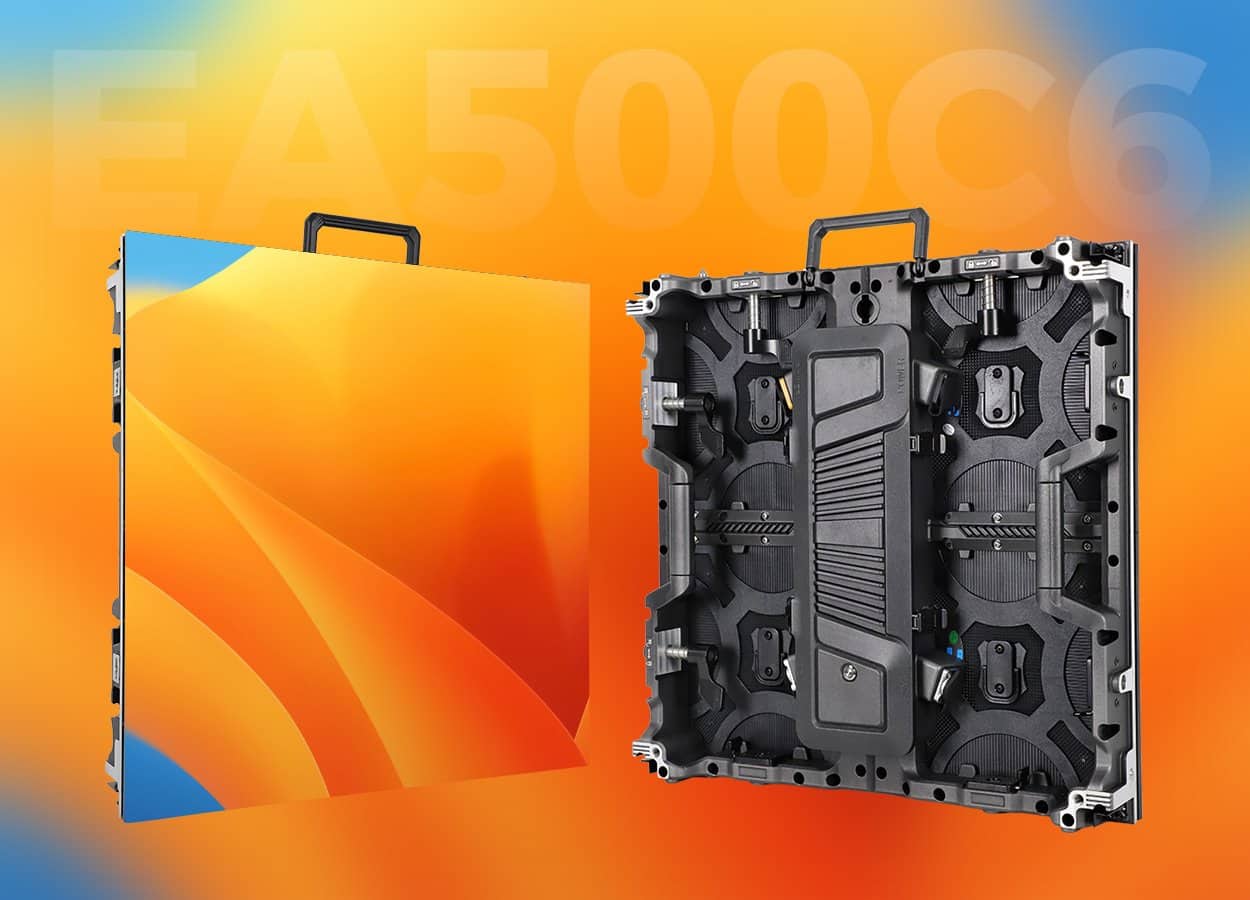
The EagerLED EA500C6 specification sheet lists 500 × 500 mm cabinets with 192 × 192 pixels for its P2.6 configurations and 128 × 128 pixels for P3.91. Those matrices are the basis of this article’s calculations. Confirm the current order-specific sheet; the examples do not describe every product sold under these pitch names.
| Comparison item | P2.6 configuration | P3.91 configuration | Procurement significance |
|---|---|---|---|
| Cabinet face dimensions | 500 × 500 mm | 500 × 500 mm | Same displayed area per cabinet |
| Cabinet pixel matrix | 192 × 192 | 128 × 128 | Use these integers for mapping |
| Pixels per cabinet, calculated | 36,864 | 16,384 | Different total controller loads |
| Geometric pitch, calculated | 500 ÷ 192 ≈ 2.60417 mm | 500 ÷ 128 = 3.90625 mm | Explains the rounded pitch labels |
| Pixels per square meter, calculated | 147,456 | 65,536 | 2.25 times as many pixels at equal area |
Density here is calculated from the cabinet matrix divided by its 0.25 m² face area. This avoids importing a density value calculated from a rounded pitch. For example, 36,864 ÷ 0.25 = 147,456 pixels/m². Retain that calculation method throughout the tender so different suppliers’ figures remain comparable.
For the illustrated format, a P2.6 LED display has 1.5 times as many pixels along each axis as a P3.91 LED display, and 2.25 times as many overall. That is an image-sampling comparison, not a price multiplier or an electrical-power multiplier. Hardware choices and operating conditions still require separate evaluation.
2. P2.6 and P3.91 LED Display Dimensions: Start With the Cabinet Grid
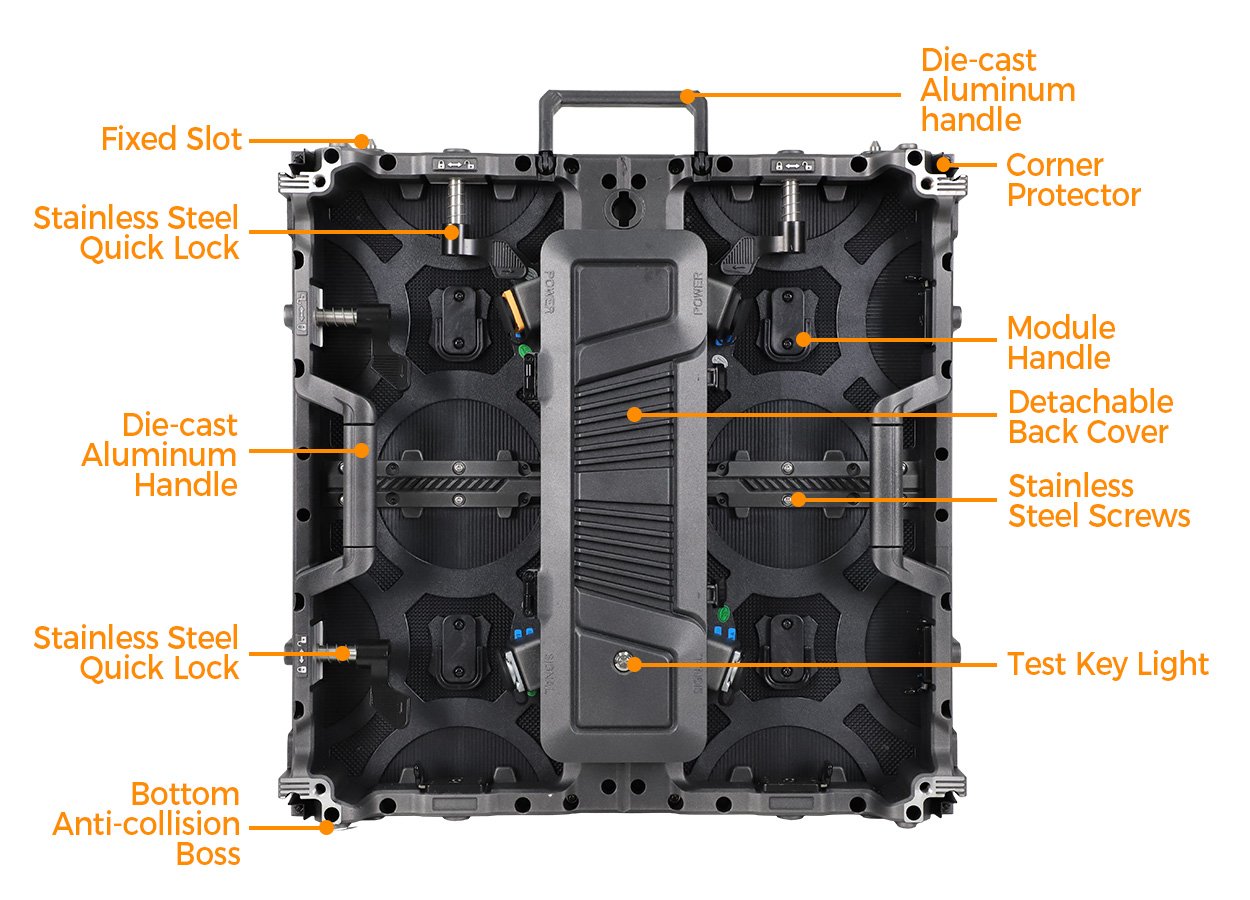
The pitch does not define the external size of a finished screen. A P2.6 LED display made from eight half-meter cabinets across is four meters wide. A P3.91 LED display using the same cabinet grid is also four meters wide. What changes is the number of pixels within that space, not the area assigned to the display.
For a rectangular flat wall, multiply cabinet width by the number of columns and cabinet height by the number of rows. Multiply columns by rows for the installed cabinet quantity. Add spares separately. The result describes the active cabinet face arrangement; structural steel, trim, access space, cable routes, and transport packaging are additional dimensions.
| Active wall size | Columns × rows | Installed cabinets | P2.6 resolution | P3.91 resolution |
|---|---|---|---|---|
| 3 × 2 m | 6 × 4 | 24 | 1,152 × 768 | 768 × 512 |
| 4 × 3 m | 8 × 6 | 48 | 1,536 × 1,152 | 1,024 × 768 |
| 5 × 3 m | 10 × 6 | 60 | 1,920 × 1,152 | 1,280 × 768 |
| 6 × 3.5 m | 12 × 7 | 84 | 2,304 × 1,344 | 1,536 × 896 |
| 8 × 4.5 m | 16 × 9 | 144 | 3,072 × 1,728 | 2,048 × 1,152 |
A requested width of 4.2 meters cannot be assembled exactly using only complete 500 mm cabinets in a straight rectangular grid. The designer must change the active width, select another cabinet format, or agree on a different construction. Do not solve this discrepancy by showing 4.2 meters on a drawing while quoting eight cabinets.
Aspect ratio deserves the same attention. A 5 × 3 m screen is 5:3, even when the P2.6 LED display is 1,920 pixels wide. It is not a native 1,920 × 1,080 display. An 8 × 4.5 m grid is 16:9, but its pixel resolution still depends on pitch. Cabinet dimensions, image proportions, and native resolution are three separate specification fields.
For contractors, record active width and height alongside overall installation dimensions. For rental companies, record the cabinet count and packing arrangement alongside screen area. This gives procurement, logistics, and the installation crew a shared reference, reducing the chance that a visually attractive layout becomes impractical at the venue.
3. P2.6 vs P3.91 Resolution: Calculate the Canvas Before Buying
Native resolution is the total matrix of addressable screen pixels. Input resolution is the video signal supplied to the processor. They can differ. Feeding an HD signal into a P3.91 LED display does not create additional physical pixels, and feeding a lower-resolution source into a P2.6 LED display does not recover missing source detail.
Use two simple calculations:
- Horizontal pixels = cabinet columns × pixels per cabinet across.
- Vertical pixels = cabinet rows × pixels per cabinet high.
Then multiply the two results for the complete pixel load. For the 5 × 3 m example, the P2.6 LED display has 2,211,840 pixels, while the P3.91 LED display has 983,040.
These totals help specify the control system, but they do not complete its design. The NovaStar VX400/VX600/VX1000 comparison, for example, publishes different overall loading capacities for different controllers. A supplier must also check output distribution, permitted dimensions, receiving-card configuration, operating mode, and redundancy. Being below an advertised total capacity is only one check.
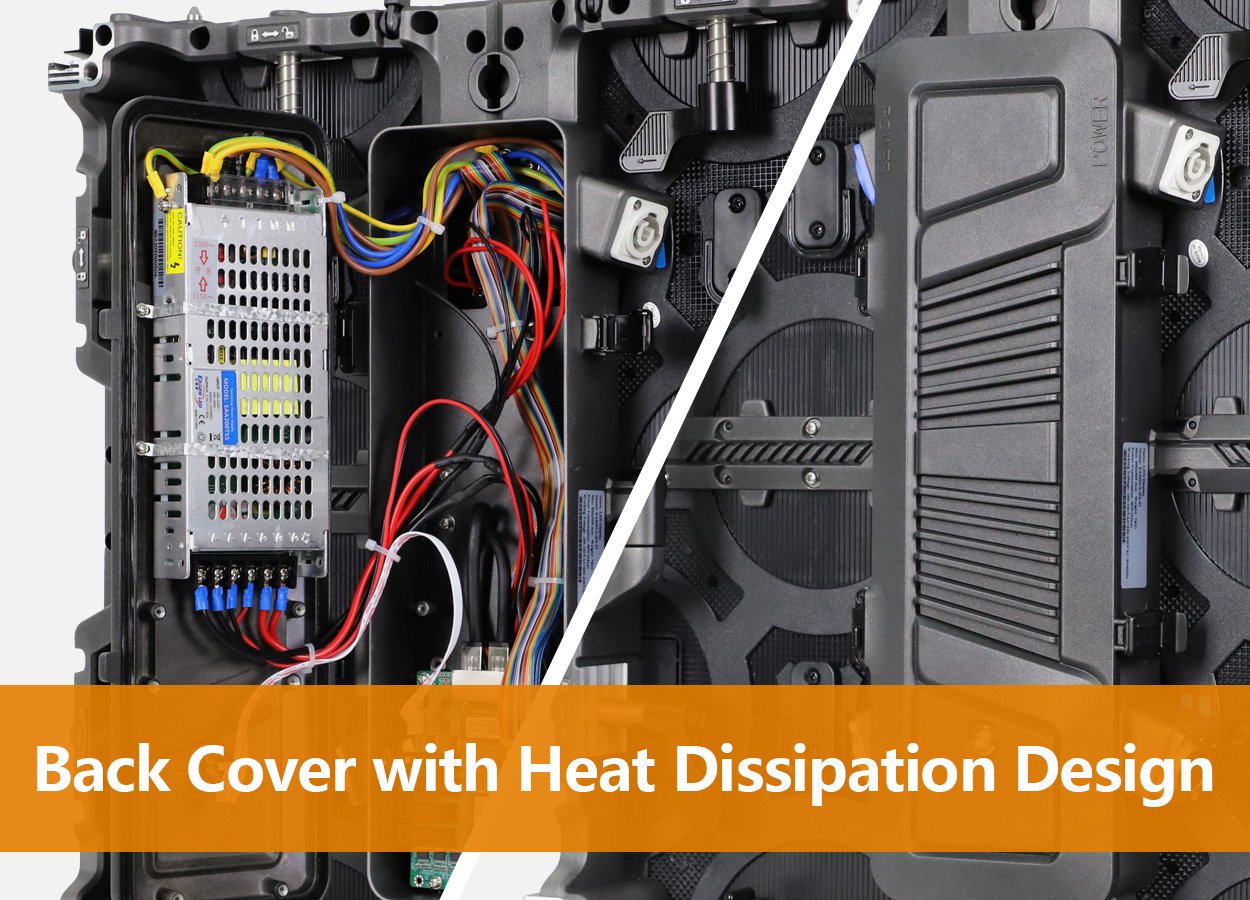
Ask for a cabinet connection diagram and port allocation, not simply a processor model name. A P2.6 LED display may require a different data-chain arrangement from a P3.91 LED display of equal area. Reserve any required backup routes in the design before calculating the final bill of materials, and identify who will provide and retain the configuration files.
Content preparation should follow the native canvas. Give the media team the final pixel dimensions, the active image area, any intentional black borders, and the scaling policy. Test small text, diagrams, thin lines, and company logos. A video that looks acceptable on a laptop is not proof that a slide will remain readable across the installed wall.
Where several sources share a wall, define their intended regions before approving the hardware. Presentation text in one window may need a different treatment from full-screen motion graphics. A P2.6 LED display provides more layout flexibility at equal size, but clear content design remains necessary. A P3.91 LED display can work well when information is appropriately sized and the audience geometry supports it.
4. P2.6 vs P3.91 Viewing Distance: Use a Testable Design Brief
Viewing distance is often reduced to a single number, even though a visitor examining product text and an audience watching stage imagery ask different things of a screen. Record the closest viewer, the typical viewer, and the farthest position where essential information must be understood. Include side viewing positions and standing visitors where relevant.
One industry planning heuristic equates pitch in millimeters with an approximate starting distance in meters. WALED’s viewing-distance explanation distinguishes that heuristic from a one-arcminute angular model. Neither should be treated as a guarantee of text readability or a promise that pixel structure will be invisible to every observer.
| Reference | P2.6 LED display | P3.91 LED display | How to use it |
|---|---|---|---|
| Pitch-to-distance heuristic | About 2.6 m | About 3.9 m | Initial comparison; inspect real content |
| One-arcminute pitch angle, calculated | About 9.0 m | About 13.4 m | Geometric reference, not a universal visual threshold |
| Fine text and diagrams | More samples at equal physical size | Fewer samples at equal physical size | Test smallest required text at actual positions |
| Filmed content | Requires camera testing | Requires camera testing | Evaluate lens, framing, shutter and screen settings |
The angular calculation uses distance = pitch ÷ tan(1/60 degree), with matching length units. Using the geometric pitches in Table 1 gives approximately 8.95 and 13.43 meters. It models the angle subtended by one pitch; it does not model every effect of contrast, eyesight, pixel construction, or image content.
For an exhibition stand with close visitors, compare a P2.6 LED display using the actual product labels and graphics. For a larger audience area, evaluate a P3.91 LED display from the nearest permitted position as well as the back. Do not assume that moving people farther away solves small-text readability; it also makes the text smaller in their field of view.
A useful demonstration has an agreed test file, brightness setting, viewing positions, and camera setup. Include the smallest essential caption, a detailed image, a gray gradient, and representative video. Write down what must be readable and what artifacts are unacceptable. This turns subjective preferences into an acceptance process that suppliers and buyers can repeat.
5. Choosing a P2.6 or P3.91 LED Display for the Application
01. Corporate events, exhibition booths and presentation walls
A P2.6 LED display merits evaluation when the brief includes close viewers, detailed presentation graphics, or flexible multi-window layouts. Before selecting it, check whether the actual cabinet grid supports the intended content proportions. If small spreadsheet cells are essential, neither pitch should be approved without a realistic readability trial.
A P3.91 LED display may suit a presentation area with more generous viewing distances and larger text. Design the slides around the installed resolution rather than retaining a desktop layout. The comparison should include what the audience needs to understand, not merely whether the screen can accept the source connector.
02. Stages, touring inventory and outdoor events
For stage imagery, inspect the visual brief, audience layout, and filming requirements together. A P3.91 LED display may provide sufficient detail for the specified content, leaving budget for other necessary equipment. A P2.6 LED display may be justified by close stage-side viewers or content that benefits from more samples. Those are project decisions, not rules based on event labels.
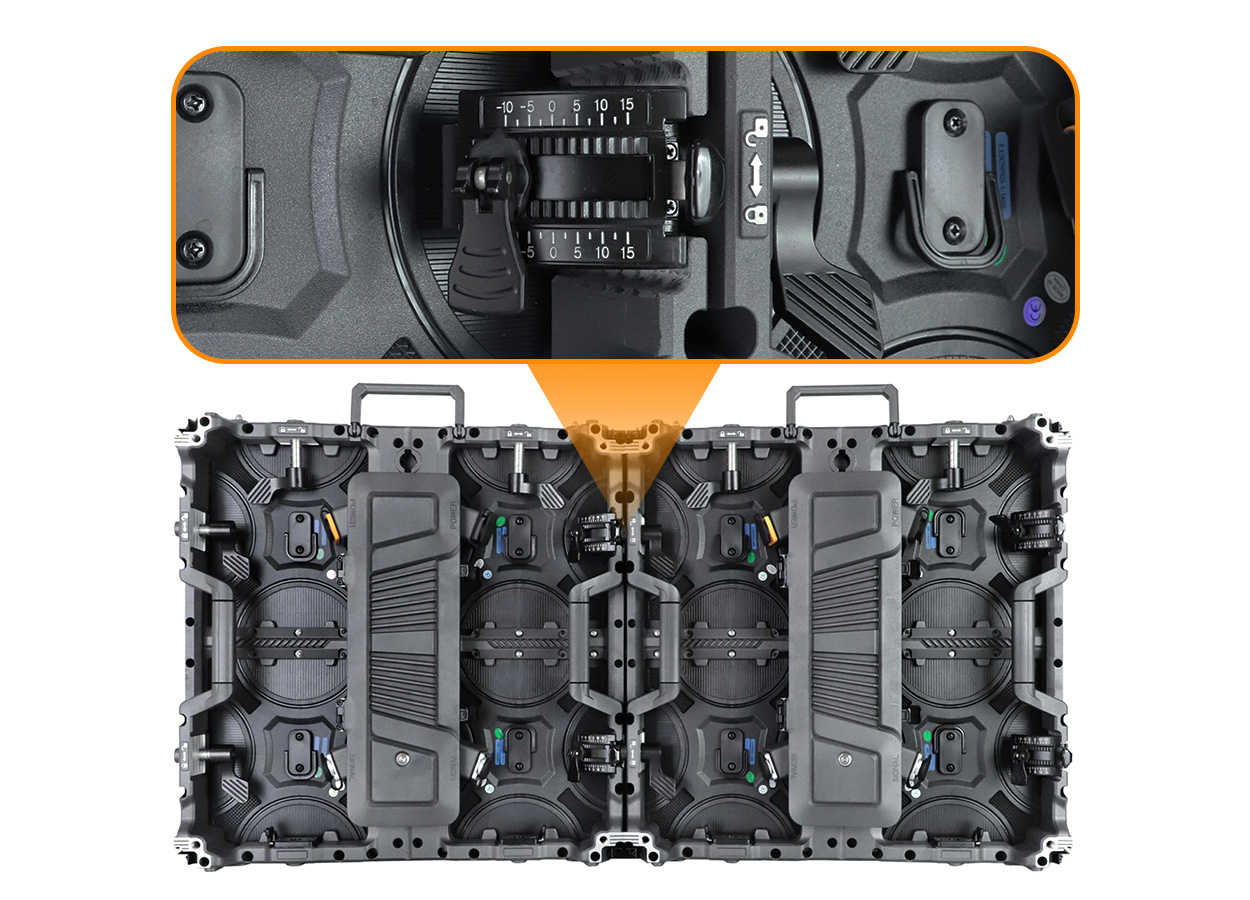
Indoor and outdoor suitability must be specified independently. The EA500C6 product page offers indoor and outdoor configurations; a pitch name by itself does not identify the appropriate version. Request the exact protection, brightness, service-access, and installation requirements for the selected model.
For rental inventory, also consider handling, repair turnaround, and compatibility with existing equipment. Compare a P2.6 LED display and a P3.91 LED display with the same commercial brief: transport arrangements, crew workflow, spare coverage, and expected job types. A configuration with impressive image detail but poor operational fit may be difficult to deploy profitably.
03. Cameras and recorded productions
Pixel pitch is only one part of the camera test. The same EA500C6 page advises testing the actual camera and screen settings because refresh rate alone does not establish the filmed result. Ask the supplier to demonstrate the proposed configuration, rather than accepting a generic clip captured under unspecified conditions.
A P2.6 LED display should not be described as automatically suitable for every broadcast or virtual-production workflow. Equally, a P3.91 LED display should not be rejected solely because the event is filmed. Require a representative lens, framing, shutter setting, brightness level, and content sequence, then assess the recorded footage.
6. P2.6 vs P3.91 Procurement Costs: Compare Complete Systems
There is no reliable universal purchase price attached to either pitch. A quoted square-meter rate is meaningful only when the product and supply scope are clear. Compare the exact model, environment, cabinet count, control equipment, spare parts, packaging, delivery destination, and commercial terms on the same basis.
The additional pixels in a P2.6 LED display explain why its configuration can involve different component and processing requirements. They do not prove a fixed percentage premium over a P3.91 LED display. Do not use the 2.25-times pixel-density ratio as a price forecast. Obtain dated quotations for both complete alternatives.
| Cost component | Information to request | Comparison check |
|---|---|---|
| Display cabinets | Exact model, count, unit price and configuration | Same active area and environment |
| Control and signal equipment | Processor, sending/receiving hardware, conversion and backup scope | Approved pixel load and connection plan |
| Spares | Modules, power supplies, cards and any spare cabinets | Compatible parts and itemized quantities |
| Support and installation | Structure, mounting accessories, installation and commissioning scope | Identify buyer-supplied items |
| Power and cabling | Specified distribution, cables and site work | Qualified site design and clear inclusions |
| Packing and logistics | Cases, packed dimensions, weights, freight and delivery terms | Same destination and quotation basis |
| Service | Warranty terms, repair process, freight responsibility and training | Written obligations and exclusions |
| Operating costs | Measured or documented consumption at intended operation, maintenance plan | Same brightness, hours and service assumptions |
A practical acquisition worksheet adds cabinet cost, specified accessories, control equipment, spares, packing, freight, installation, and commissioning. Include applicable destination charges only on a verified basis, and distinguish recoverable taxes from costs where the buyer’s accounting treatment requires it. Compare totals in the same currency with an identified exchange-rate date if conversion is necessary.
For the 60-cabinet example, calculate the display line as 60 multiplied by the offered cabinet unit price. Then add the other quoted components. If a P2.6 LED display quotation includes flight cases and a P3.91 LED display quotation excludes them, adjust the scope before judging the difference. Avoid adding cases twice when they are already bundled.
For operation, calculate electricity cost from supported average operating power in kilowatts, operating hours, and the applicable energy rate. Do not substitute maximum power into an average-energy estimate without explaining that conservative assumption. Do not infer consumption from pitch alone. Installation power provision and long-term electricity estimates answer different questions.
A distributor can evaluate the P2.6 LED display premium against the customer demand it serves. A rental company can assess whether additional contribution from suitable bookings offsets the incremental investment, using its own utilization and margin records. A contractor can compare the two systems against the tender’s acceptance criteria. None of these decisions needs a fabricated market price or a promised payback period.
Ask EagerLED for two configurations against one brief, identifying every change between them. A P3.91 LED display with more comprehensive support may have a different total than a stripped-down finer-pitch offer. The useful result is a transparent explanation of what the buyer gains or gives up, backed by the quotation rather than an assumed pitch hierarchy.
7. Turn the Comparison Into a Specification and Acceptance Checklist
Document the room or venue, active screen dimensions, closest viewing position, required content, camera use, access restrictions, and delivery deadline. Attach the intended cabinet grid. Request the native matrix, data mapping, order-specific technical sheet, spare-parts schedule, and an itemized commercial offer for each alternative.
Before shipment or final acceptance, agree on inspection procedures and responsibility for corrective work. Confirm cabinet count, visible alignment, image uniformity, control configuration, supplied accessories, and representative content performance. Keep the approved drawings and test records with the purchase documentation so installation staff are not dependent on an informal sales conversation.
For a broader installation brief, review EagerLED’s stage rental LED screen selection guide and rental LED display range. Use them to identify relevant equipment categories, then ask for the specifications of the exact proposed configuration. Final approval should match the project requirements and demonstrated result.
8. P2.6 vs P3.91 LED Display FAQ
01. Can I combine P2.6 and P3.91 cabinets in one continuous image?
Do not assume they form a uniform pixel grid because their outer dimensions match. A P2.6 LED display and a P3.91 LED display have different pixel spacing. Require a supplier-approved mechanical, image-mapping, and color-matching design. Separate display zones may be more practical than treating mixed pitches as one seamless canvas.
02. Can I upgrade a P3.91 LED display by replacing only its LED modules?
Only with explicit confirmation for that cabinet system. A module change can affect fit, electrical connections, power requirements, receiving-card loading, firmware configuration, and thermal behavior. Request a written upgrade bill of materials. Matching module dimensions alone does not establish a safe or functional conversion.
03. What files should the supplier deliver with a P2.6 LED display?
Request the approved cabinet map, compatible receiving-card configuration files, relevant software and firmware version information, calibration records where applicable, and recovery instructions. Include the processor setup and an equipment inventory. Specify a handover format your technicians can maintain and back up, rather than relying on a single configured computer.
04. How should distributors order replacement modules for a P3.91 LED display?
Identify the exact cabinet and module version, electrical and scan configuration, and any relevant calibration or production-batch requirements. Ask how replacement appearance will be matched to the installed inventory. The pitch label is insufficient as a parts identifier; retain the original purchase records and supplier-approved part references.
05. Does a finer pitch guarantee better low-brightness image quality?
No. Evaluate gradients, near-black detail, color consistency, and the intended operating brightness on the actual configuration. A P2.6 LED display gives a finer spatial grid, but that does not certify every aspect of image reproduction. Include dark content in the demonstration if the venue or creative brief depends on it.
06. Should procurement specify a fixed spare-parts percentage?
Base spare coverage on service turnaround, event criticality, installed quantity, transport frequency, and the parts the crew can replace. Request itemized quantities and prices. A universal percentage may conceal missing high-priority parts or unnecessary stock. Agree the replenishment process as well as the initial spare package.
07. What should a camera demonstration record?
Record the camera, lens, framing, shutter setting, frame rate, wall brightness, processing mode, and test content. Save the resulting footage and settings with the acceptance record. That makes the evaluation repeatable for either a P2.6 LED display or a P3.91 LED display instead of relying on an unexplained claim of camera compatibility.
08. Can the cabinet purchase price be compared directly with an event rental rate?
No. A purchase transfers an equipment package, while a rental may include crew, transport, installation, operation, and dismantling for a defined period. Separate those service costs and confirm the rental scope. Use your expected schedule and operating resources when comparing ownership with hiring equipment.
09. What evidence should be requested for compliance requirements?
Identify the destination and project requirements first, then request documentation applicable to the exact offered product. Check model identifiers, issuing details, and the scope of any test or declaration. Do not treat a logo in a brochure as proof that every cabinet version satisfies the tender.
9. Conclusion
The strongest P2.6 vs P3.91 decision begins with a cabinet layout, native pixel matrix, viewing brief, and comparable system quotation. In the documented half-meter format used here, a P2.6 LED display delivers 2.25 times the pixels of a P3.91 LED display at equal area. That extra detail must be evaluated against the actual content, audience, cameras, and procurement scope.
Send EagerLED your active dimensions, venue conditions, viewing positions, sample content, camera requirements, destination, and delivery schedule through the contact page. Request both alternatives with clearly itemized equipment and services. Choose the configuration that demonstrates the required result and fits the complete project budget, with its specifications and acceptance criteria recorded before ordering.





