To choose a stage rental LED screen, match the pixel pitch to the closest viewer, set brightness for the venue, specify a camera-safe refresh rate, calculate the complete screen load and power demand, and confirm how the cabinets will be rigged and serviced. For most projects, that means evaluating indoor versus outdoor use, viewing distance, screen dimensions, 16:9 content requirements, 3,840 Hz operation for camera-heavy events, cabinet weight, IP protection, power distribution, and spare modules before comparing price.
The current EagerLED C6 and H9 rental models reviewed for this guide span indoor pixel pitches from P1.56 to P3.91 and outdoor options from P2.6 to P3.91. Depending on the model, published brightness ranges from 750-800 cd/m2 indoors and 3,000-6,000 cd/m2 outdoors. These are product specifications, not universal targets, so the final configuration must be checked against the venue, content, camera plan, structure, and local electrical requirements.
Key takeaways
- Start with the nearest viewing distance, not the total audience size.
- Use P1.95-P2.97 for close indoor viewing; P3.91-P4.81 is often more economical for longer viewing distances.
- For broadcast, livestreaming, or frequent smartphone recording, specify a 3,840 Hz configuration and test it with the actual cameras.
- Outdoor use requires suitable brightness, cabinet protection, weather planning, and a site-specific structural review.
- Compare the complete system: LED cabinets, controller, power distribution, rigging, cabling, spares, flight cases, calibration, and support.
Technical review: EagerLED Rental Display Product Team. Last updated: August 29, 2026. Calculations below use EagerLED’s published product specifications available on this date. They are planning examples, not structural or electrical approvals.
Stage rental LED screen selection checklist
- Define the event, audience, and installation environment
- Choose pixel pitch from the closest viewing distance
- Set brightness and weather protection
- Specify refresh rate and camera requirements
- Calculate screen size, resolution, and cabinet count
- Calculate cabinet weight and confirm rigging
- Plan power, control, signal, and redundancy
- Check service access, transport, and creative geometry
- Compare complete rental LED display options
- Stage rental LED screen FAQ
1. Define the event, audience, and installation environment
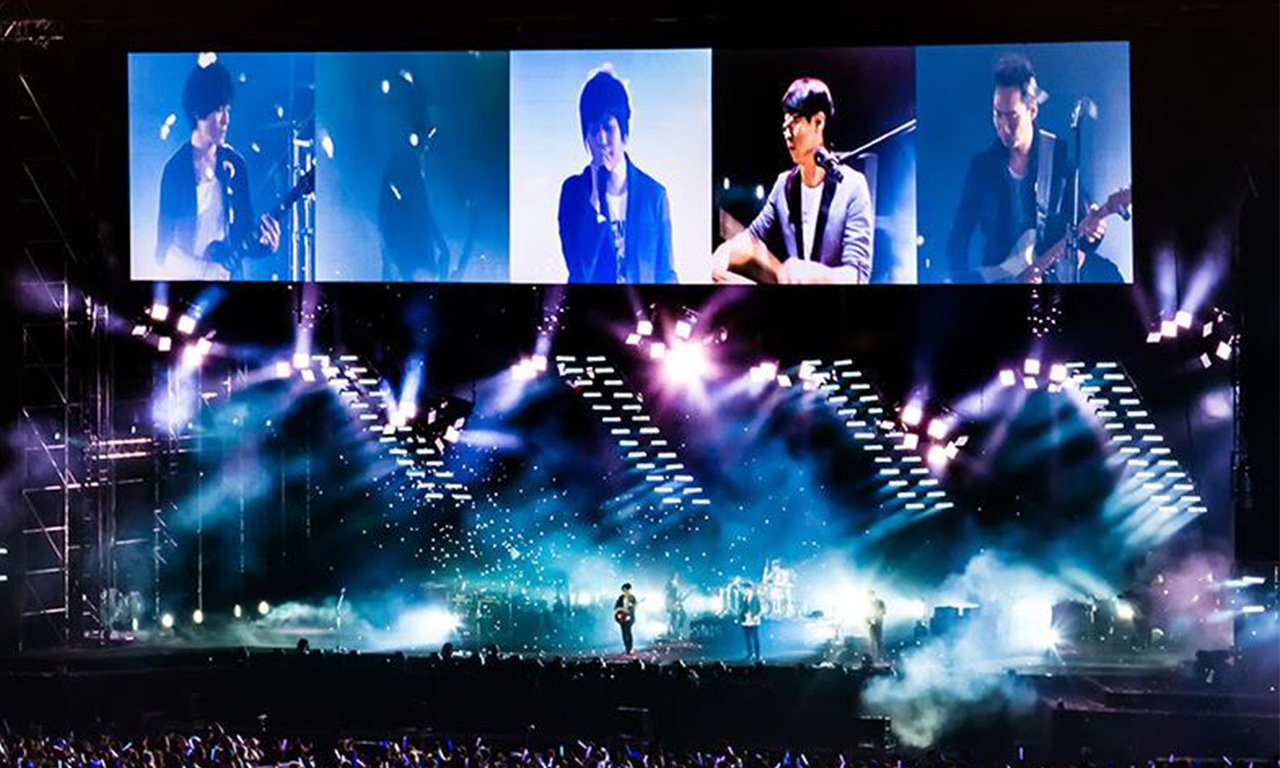
A stage rental LED display is a modular video wall designed for repeated transport, fast assembly, and temporary event use. It may serve as the main scenic backdrop, a presentation screen, or side-stage IMAG screens that show live camera feeds to viewers who cannot see the performers clearly.
Before selecting a product, record the venue dimensions, closest and farthest viewing distances, ambient light, expected weather exposure, stage width and height, available hanging or ground-support locations, audience sightlines, camera frame rates, content format, available electrical service, load-in time, and crew size.
“At StudioLED, we support our integrators from this early stage. We guide and accompany them through site visits to understand the space, and in some cases, we develop renderings that allow the end client to visualize how the project will look once completed.”
Miguel Trujillo, Business Development Manager at StudioLED, quoted by AVIXA.
That site-first approach prevents a common error: choosing a screen from a catalog before confirming whether it fits the stage, sightlines, structure, power, and production workflow.
2. Choose pixel pitch from the closest viewing distance
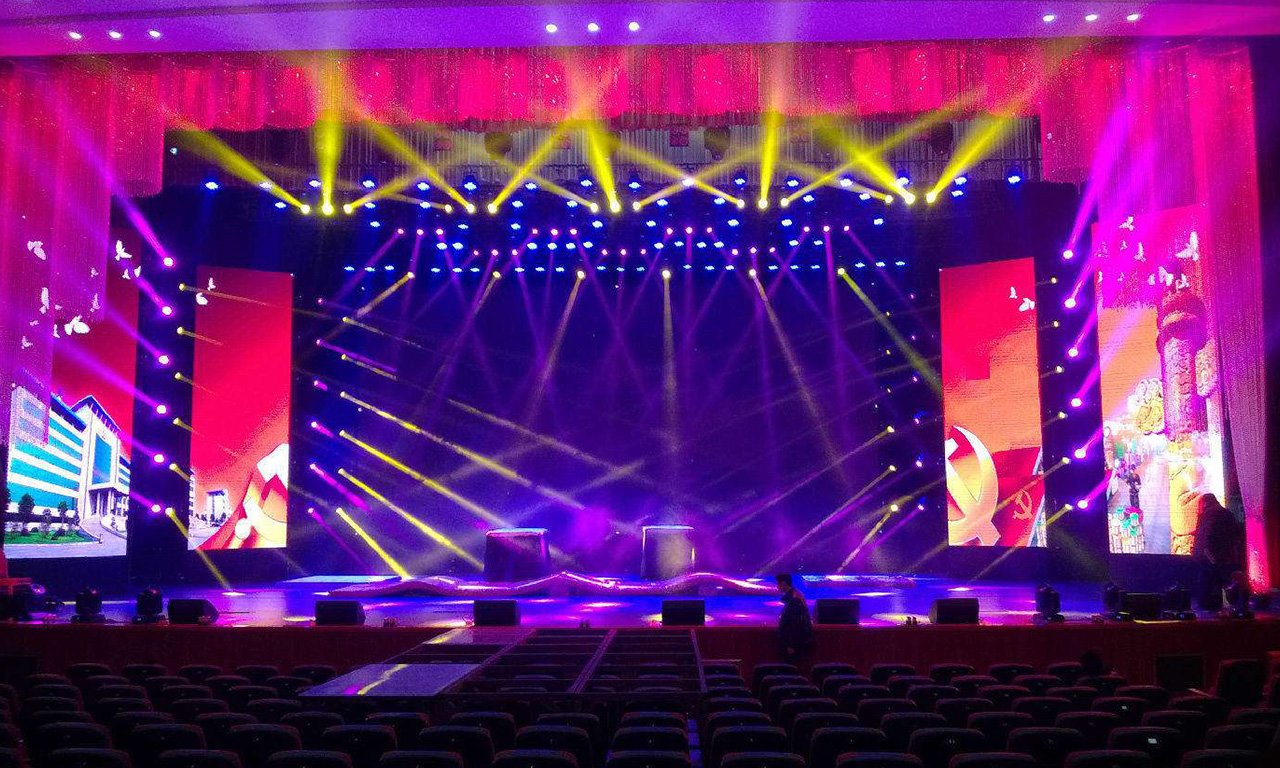
Pixel pitch is the center-to-center distance between adjacent pixels, measured in millimeters. A smaller number places more pixels in the same area and supports closer viewing, but it also increases pixel count, processing demand, and usually cost.
A practical first estimate is that the minimum comfortable viewing distance in meters is approximately equal to the pixel pitch in millimeters. AV industry practitioner Nick Lynch also describes a more conservative reference of multiplying pitch by 3 feet in his AVIXA Xchange installation guide. Neither rule replaces an on-site content test because text size, visual acuity, contrast, camera distance, and audience expectations affect the result.
| Typical use | Starting pixel pitch | Practical planning note |
|---|---|---|
| Close-view corporate stage, studio, church | P1.95-P2.6 | Prioritize fine text, faces, and camera framing. |
| Theater or medium indoor stage | P2.6-P3.91 | Balance viewing distance, resolution, cabinet count, and budget. |
| Concert or outdoor festival | P3.91-P4.81 | Longer viewing distances often make a finer pitch unnecessary. |
Also calculate the final canvas resolution. A fine-pitch wall does not create useful detail if the media server outputs a low-resolution file or the content is built for the wrong aspect ratio. Lynch warns, “I have seen people install over 8K screens only to realize post installation that there is very little 8K content available and also few studios that know how to output that resolution.” Confirm the production team’s real output format before buying more pixels.
3. Set brightness and weather protection
Indoor brightness should be high enough to remain clear under stage lighting without overpowering performers or cameras. Outdoor screens must overcome daylight and reflected light, but the required setting changes with screen orientation, time of day, shading, and camera exposure.
| Environment | EagerLED published range | What to verify |
|---|---|---|
| Indoor C6 and H9 rental models | 750-800 cd/m2 | Stage-light level, contrast, gray scale, color calibration, and camera exposure. |
| Outdoor rental models | 3,000-6,000 cd/m2 | Sun direction, time of day, weather, derating, and rear-side protection. |
Do not treat one IP number as proof that an entire temporary system is weather-safe. The IEC IP rating system classifies enclosure protection against solids and water. Check the front and rear ratings separately, then review connectors, power distribution, cable entries, drainage, wind response, and the event’s weather plan. EagerLED’s current outdoor EA1000H9 and EA500H9 tables list IP65 at the front and IP54 at the rear.
4. Specify refresh rate and camera requirements
Refresh rate affects how often the LEDs update. A screen can look stable to the eye yet show dark bands, flicker, scan lines, or moire on camera. For concerts, broadcast, livestreaming, sports presentation, corporate recording, and events with extensive smartphone capture, request a 3,840 Hz configuration and test the finished system with the actual camera bodies, shutter settings, frame rates, and processor configuration.
EagerLED’s current EA500C6, EA1000H9, and EA500H9 tables list at least 3,840 Hz. The quotation should still identify the exact LED module, driver IC, scan mode, receiving-card configuration, and guaranteed operating refresh rate. Do not accept “high refresh” without a number.
5. Calculate screen size, resolution, and cabinet count
Start with the usable stage area and content aspect ratio. A 16:9 wall is convenient for standard video and presentation content; ultra-wide concert canvases can work well but require custom content and processor mapping. AVIXA’s display image size guidance emphasizes the relationship among image size, viewer distance, and the smallest visual element that must be legible.
Cabinet-count formula: divide target width by cabinet width, divide target height by cabinet height, and multiply the two whole-number results. Adjust the final screen dimensions to complete cabinets rather than planning partial panels.
Example: 6 m x 3 m stage LED wall
- With 500 x 500 mm cabinets: 12 columns x 6 rows = 72 cabinets.
- With 500 x 1,000 mm cabinets in portrait orientation: 12 columns x 3 rows = 36 cabinets.
- At P3.91, the active resolution is approximately 1,536 x 768 pixels.
- The physical ratio is 2:1, so native 16:9 content needs letterboxing, cropping, or a custom 2:1 canvas.
6. Calculate cabinet weight and confirm rigging
For a flown LED wall, cabinet weight is only the starting load. A competent project team must include hanging bars, truss, motors, shackles, cables, power and signal distribution, wind effects where applicable, dynamic factors, safety factors, and local code requirements. The LED supplier’s product data cannot replace a venue-specific structural and rigging review.
Using current outdoor product weights, the 6 m x 3 m example above produces the following cabinet-only estimates:
- 72 EA500C6 500 x 500 mm cabinets x 7.3 kg = 525.6 kg.
- 36 EA1000H9 500 x 1,000 mm cabinets x 13 kg = 468 kg.
The larger cabinet reduces the cabinet-only weight in this example and halves the panel count, but it also changes handling, spares, layout flexibility, and replacement logistics. The safest choice is the system whose complete engineered load, work method, and redundancy plan fit the venue.
7. Plan power, control, signal, and redundancy
Ask for both average and maximum power consumption. Average values help estimate typical operation; maximum values are more relevant to circuit capacity, protection, feeder sizing, and worst-case content. Final electrical design must follow the venue supply and applicable regulations.
For an 18 m2 EA500C6 outdoor wall, the published 240 W/m2 average and 720 W/m2 maximum figures equal approximately 4.32 kW average and 12.96 kW maximum. This excludes processors, media servers, networking, audio, cooling, and other production loads.
The control plan should state the processor, sender and receiver capacity, input formats, scaling method, backup source, redundant signal path, spare receiving cards and power supplies, test pattern, calibration file handling, and who can recover the screen during a live event. For processor selection, see EagerLED’s NovaStar H Series vs VX Series comparison.
8. Check service access, transport, and creative geometry
Rental hardware is repeatedly packed, moved, locked, cabled, and serviced. Compare quick-lock design, locating pins, corner protection, module access, detachable power boxes, front and rear service, connector protection, flight cases, spare-module ratio, and the time needed to replace a failed module.
If the stage design uses concave, convex, corner, cylindrical, or floor elements, confirm the permitted angle per cabinet and how the processor maps the resulting canvas. Do not assume every “curved” cabinet supports the same radius. EagerLED’s EA500C6, EA500H9, and EA1000H9 support optional curved configurations, but the exact angle and radius should be identified in the project quotation.
Review the cabinet construction in EagerLED’s LED display cabinet buyer’s guide, then ask the supplier to demonstrate assembly and one-module replacement before shipment.
9. Compare complete rental LED display options
The following summary uses current public specifications. Availability and exact configurations should be reconfirmed in the quotation.
| Series | Cabinet | Published weight | Useful selection points |
|---|---|---|---|
| EA500C6 | 500 x 500 mm | 6.5 kg indoor; 7.3 kg outdoor | Quick locks, corner protection, openable back cover, mixed splicing with EA1000C6. |
| EA1000H9 | 500 x 1,000 mm | 12 kg indoor; 13 kg outdoor | Fewer cabinets for large walls, front/rear service, detachable power box, optional curve lock. |
| EA500H9 | 500 x 500 mm | 7 kg indoor; 7.5 kg outdoor | Front/rear service, detachable power box, creative staggered splicing, optional curve lock. |
Request a line-item quotation that identifies the exact pixel pitch, indoor/outdoor version, brightness, refresh rate, cabinet quantity, total resolution, maximum power, controller, power distribution, cables, hanging or stacking hardware, flight cases, spares, calibration, burn-in test, warranty, training, and remote support. A low cabinet price can become an expensive system if essential control, rigging, service, or spare components are missing.
Need a project-specific stage LED screen configuration?
Send EagerLED your stage width and height, nearest viewing distance, indoor or outdoor use, camera plan, rigging method, voltage, event date, and destination. The team can return a cabinet layout, resolution, weight, power estimate, controller recommendation, and quotation.
Stage rental LED screen FAQ
What pixel pitch is best for a stage rental LED screen?
Use the closest viewing distance as the first filter. P1.95-P2.6 is a practical starting range for close indoor viewing, P2.6-P3.91 for medium indoor stages, and P3.91-P4.81 for longer-distance concert or outdoor viewing. Confirm the choice with the actual content and cameras.
How bright should a stage LED screen be?
Brightness depends on ambient light, screen orientation, stage lighting, and cameras. The current EagerLED C6 and H9 models reviewed here span 750-800 cd/m2 indoors and 3,000-6,000 cd/m2 outdoors. Use the model’s adjustable range and test at the venue rather than running maximum brightness by default.
Is a 3,840 Hz refresh rate necessary for stage events?
It is strongly recommended when the display will be broadcast, livestreamed, photographed, or filmed frequently. Refresh rate alone does not guarantee a clean camera image, so test the LED wall with the actual camera frame rate, shutter, scan mode, processor, and content.
How do I calculate the number of LED cabinets?
Divide the target screen width by cabinet width and the target screen height by cabinet height, then multiply the whole-number results. A 6 m x 3 m wall needs 72 cabinets at 500 x 500 mm or 36 cabinets at 500 x 1,000 mm. Adjust the final dimensions to complete cabinets.
Can an indoor rental LED screen be used on a covered outdoor stage?
Do not assume a roof makes an indoor cabinet suitable outdoors. Wind-driven rain, humidity, condensation, dust, temperature, rear exposure, cable routing, and electrical protection still matter. Use equipment with protection appropriate to the actual exposure and have the production team approve the weather and safety plan.
Method and limitations: Product ranges, cabinet weights, brightness, power, refresh rate, IP ratings, and curve angles were checked against the linked EagerLED product pages on August 29, 2026. Example load and power calculations cover LED cabinets only unless stated otherwise. Final structural, rigging, electrical, weather, and camera decisions require project-specific review by qualified professionals.