A P2 LED display screen is a direct-view LED video wall with a 2 mm pixel pitch: the centers of neighboring pixels are 2 mm apart. That geometry gives 500 pixels across each metre, 500 pixels vertically, and 250,000 pixels per square metre. For a meeting room, retail interior, control room, or exhibition, the useful question is whether that density matches the closest viewer, the required content, and the available wall size. This guide explains how to calculate resolution, compare specifications, plan installation, and request a meaningful quote for a P2 LED display screen.
Quick answer: A P2 LED display screen is usually an indoor choice for viewers roughly 2 m or farther away. It can show detailed video and legible graphics at close range, but the complete wall resolution depends on its physical dimensions. A 3.84 m × 2.16 m P2 wall, for example, is 1,920 × 1,080 pixels. Check the actual cabinet, brightness, refresh, service access, and environmental rating before ordering; pixel pitch alone does not define those properties.
1. What Is a P2 LED Display Screen?
“P2” describes pixel spacing, not a model name or a fixed screen resolution. On a P2 LED display screen, each full-color pixel is positioned on a 2 mm grid. The smaller the pitch, the more pixels fit in the same area. Compared with a P2.5 wall, P2 has 250,000 rather than 160,000 pixels per square metre, so it can reproduce finer text and detail when viewers are close enough to see the difference.
01. Pixel pitch, density, and image detail
Pixel density follows the formula (1,000 ÷ pitch in mm)². At 2 mm, that equals 250,000 pixels/m². Density is a geometric calculation, not a promise that all P2 products have identical image quality. LED package, driver IC, calibration, cabinet flatness, black level, processing, and source quality all matter. Ask to see the intended content on a sample P2 LED display screen at the planned viewing distance.
02. What a P2 designation does not tell you
“P2 LED screen” does not tell you whether a product is indoor or outdoor, front or rear service, fixed or rental, SMD or COB, or how it behaves on camera. A generic brightness or lifespan claim cannot be applied to every P2 LED display screen. Request the exact model and configuration datasheet, and confirm performance at the operating brightness you expect to use.
2. How to Calculate P2 LED Screen Resolution and Size
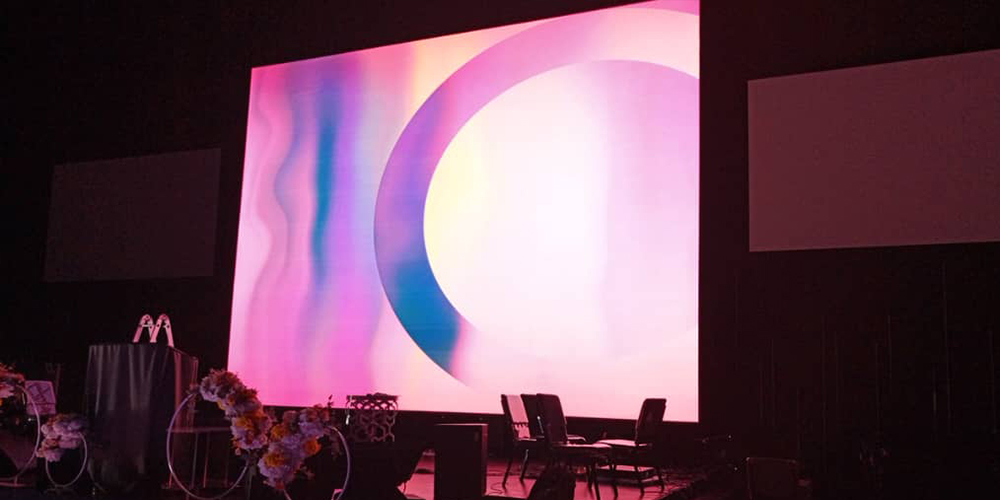
Native pixels across a P2 LED display screen equal physical width in millimetres divided by 2; pixels high equal physical height in millimetres divided by 2. Choose a wall size that fits the room and gives sufficient pixels for the smallest text, spreadsheet, camera shot, or video source. A 4K video file displayed on a 1,280 × 720 wall is scaled to 720p; an HDMI input marked “4K compatible” does not make that wall natively 4K.
01. Worked sizing examples
| Physical P2 wall size | Calculation | Native resolution | Planning note |
|---|---|---|---|
| 2.56 × 1.44 m | 2,560 ÷ 2; 1,440 ÷ 2 | 1,280 × 720 | 16:9 presentation wall |
| 3.84 × 2.16 m | 3,840 ÷ 2; 2,160 ÷ 2 | 1,920 × 1,080 | Native Full HD |
| 7.68 × 4.32 m | 7,680 ÷ 2; 4,320 ÷ 2 | 3,840 × 2,160 | Native 4K; verify structure and power |
These are mathematical P2 examples, not standard cabinet bundles. Actual dimensions must be built from the chosen cabinet and module grid. For example, EagerLED’s EA640F2 indoor LED display uses 640 × 480 mm cabinets. In a P2 configuration, one cabinet measures 320 × 240 pixels; four cabinets across and three high make a 2.56 × 1.44 m wall at 1,280 × 720 pixels. Confirm the pitch option and cabinet layout on the quotation.
02. Match content to the pixel canvas
For signage, prepare content at the wall’s native pixel width and height, keep key text inside safe margins, and test it from the farthest as well as closest viewer. Small type that looks excellent on a laptop may not remain readable across a room. In a control room, count how many camera feeds, charts, and labels must be visible simultaneously before deciding that a P2 LED display screen has enough native pixels. For a 16:9 presentation wall, try to align the cabinet grid and source aspect ratio to avoid bars or cropping.
3. Is P2 the Right Viewing Distance and Pixel Pitch?
A common starting rule is approximately one metre of minimum viewing distance per millimetre of pitch, placing a P2 LED display screen at about 2 m for ordinary video viewing. This is a screening rule, not an optical guarantee. Fine text, strong contrast, viewing acuity, content motion, and the audience’s expectations can change the choice. Test the actual display from the nearest seat and from oblique positions before committing.
01. Compare P1.5, P2, P2.5, and P3
| Pitch | Pixels per m² | 3 m × 2 m resolution | Practical use |
|---|---|---|---|
| P1.5 | ≈444,444 | 2,000 × 1,333 | Very close viewing and dense data |
| P2 | 250,000 | 1,500 × 1,000 | Close indoor viewing; balanced detail and size |
| P2.5 | 160,000 | 1,200 × 800 | Audience generally farther back |
| P3 | ≈111,111 | 1,000 × 667 | Larger rooms and less fine text |
The table assumes an exact rectangular area and pitch; real cabinets may force slightly different dimensions. If your nearest viewer is within about 2 m or you must present dense dashboards, evaluate a finer pitch. If everyone is farther away and content is mostly video or large headlines, a P2.5 or P3 option may be sufficient. Buying a P2 LED display screen without checking the viewing plan can raise cost without improving the experience your audience actually sees.
02. Indoor versus outdoor conditions
Most P2 LED display screen installations are indoors because the fine pitch is useful at short distances. An indoor cabinet’s brightness and ingress rating are not automatically suitable for direct sun, rain, or dust. A display inside a storefront window can still face strong ambient light and reflections; measure the site and ask for a suitable window-facing configuration. For exterior use, specify weather protection, thermal design, and an outdoor-rated product rather than assuming “P2” covers those requirements.
4. Which P2 LED Display Specifications Matter?
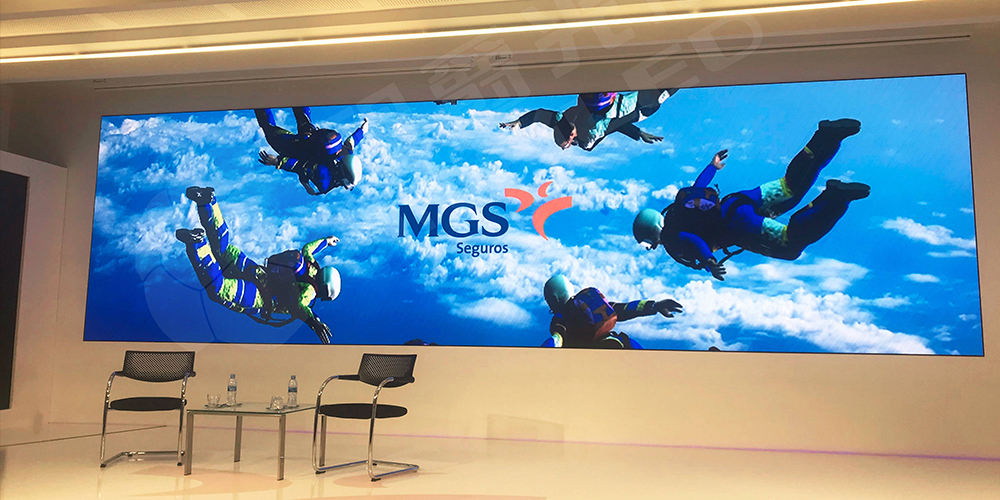
A professional P2 LED display screen specification should distinguish cabinet-level characteristics from properties of a particular module. Compare products at the same test conditions and request tolerances, not only headline maxima. EagerLED lists P2 as an option for its EA640F2 and states 600–800 cd/m² brightness across SMD options, at least 3,840 Hz refresh, 14-bit grayscale, and an IP31 indoor rating for that series. Those are model-family references; confirm the selected P2 build in the current datasheet.
01. Ask for values that affect the application
| Specification | Why it matters | What to verify |
|---|---|---|
| Brightness, cd/m² or nits | Legibility in the room | Measured value at intended settings; dimming range |
| Refresh and scan behavior | Camera banding and moving image quality | Refresh at operating brightness; on-camera test |
| Grayscale and color calibration | Shadows, uniformity, consistent tiles | Factory calibration data; field recalibration method |
| Viewing angle | Side-seat image consistency | Specified measurement and visual sample |
| Cabinet size, weight, depth | Fit, support load, service clearance | Installed assembly, including frame |
| Power: maximum and typical | Electrical design and operating cost | W/m² at stated brightness and content |
| IP rating and environment | Dust, humidity, weather exposure | Front/rear ratings and site suitability |
| Service access | Downtime and wall clearance | Which parts can be removed from the front |
For a studio or conference room that is filmed, do not rely on the number “3,840 Hz” alone. Camera shutter, frame rate, scan scheme, controller settings, and operating brightness interact. Record a test using the actual camera settings. The signal frame rate, such as 60 Hz, is also different from LED refresh rate. A good P2 LED display screen quote should state both where relevant.
02. SMD, COB, and cabinet quality
SMD uses packaged LEDs mounted on the module. COB places chips under a shared protective surface. COB can improve surface robustness and cleanability in some products, but it may carry a different cost and repair process. Compare actual luminance, contrast, repairability, and warranty terms rather than assuming one packaging method always wins. Verify cabinet flatness and alignment: even a high-density P2 LED display screen can show visible seams if mechanical tolerances or calibration are poor.
5. Where Does a P2 LED Display Screen Work Best?
A P2 LED display screen suits indoor projects that benefit from a continuous, modular image and close viewing. It can be scaled to a wall or fitted to a specified opening, while individual modules and cabinets can be serviced. The right configuration depends on whether the wall is permanent, frequently transported, curved, or viewed by cameras.
01. Fixed indoor video walls
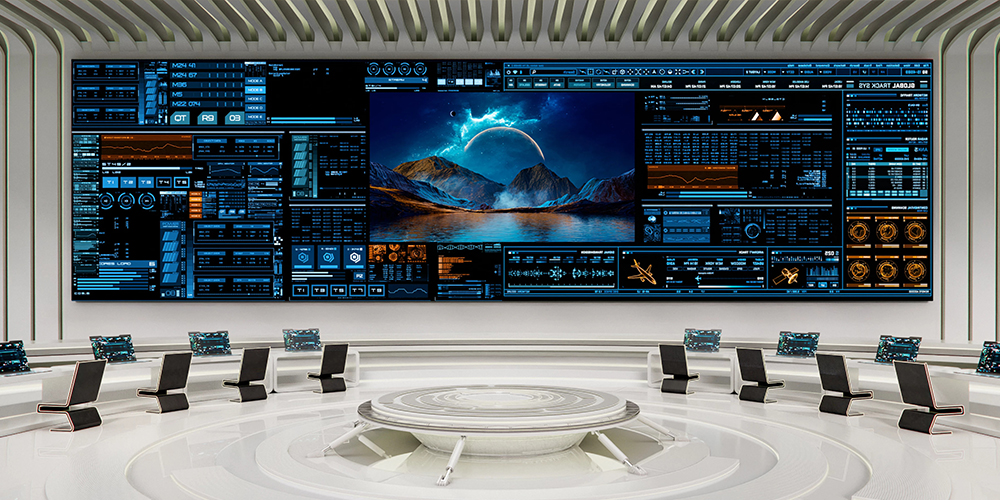
Boardrooms, command centers, retail interiors, airports, exhibition halls, and reception areas often favor a fixed P2 LED display screen. In a meeting room, assess text size, seating distance, video-call layouts, and ambient light. In a control room, assess the number of simultaneous windows, 24/7 operation requirements, redundancy, and service access. For retail, plan content updates and brightness schedules as well as the wall itself. A fixed front-service cabinet is useful when there is no rear maintenance corridor.
02. Rental, stage, and creative displays
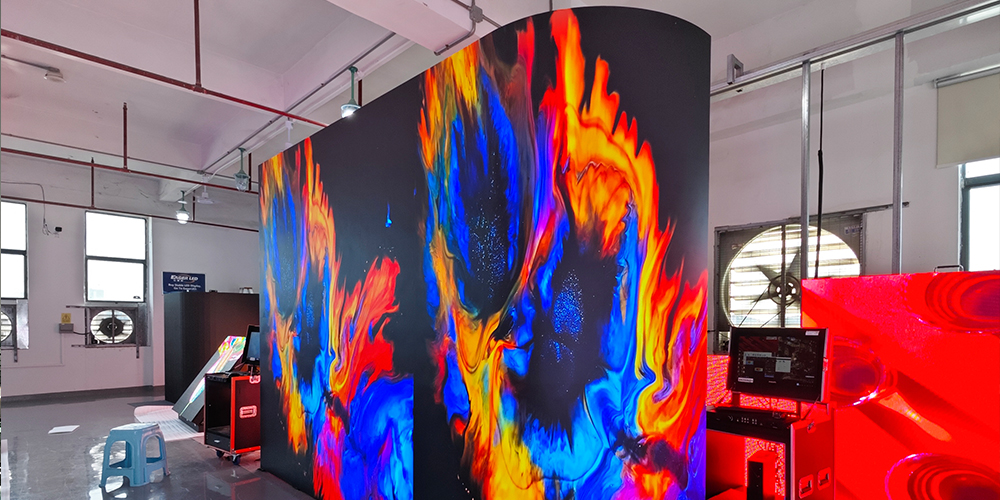
Rental cabinets prioritize fast assembly, protection during transport, and repeatable alignment. A P2 LED display screen can make sense for premium events with close viewers or camera shots, but a coarser pitch may be more economical for a distant audience. Flexible modules allow curved or cylindrical forms; allowable bending radius, seam design, power routing, and mounting need engineering review. Right-angle corners require compatible modules or cabinets rather than forcing a flat panel around an edge.
Keep image content and room context in view. Fine detail is most valuable where people actually stand close, read smaller elements, or film the wall. For an LED wall behind a presenter, test moiré, color, and exposure with the production cameras. For public information, verify text legibility and accessibility from the expected travel path.
6. How Should a P2 LED Display Screen Be Installed and Maintained?
Installation begins with a site survey, not with fastening modules to a wall. Record wall dimensions, mounting substrate, nearest and farthest viewers, ambient light, ventilation, power capacity, data runs, and whether the P2 LED display screen must be serviced from the front. A qualified installer should verify structural loading, electrical protection, grounding, and local code compliance.
01. Installation sequence
- Design the canvas. Choose a cabinet grid, calculate native resolution, locate seams, and verify doorways and access paths for delivery.
- Engineer the structure. Confirm support strength, level, thermal clearance, and any required seismic or local approvals.
- Plan power and signal. Size circuits from documented maximum draw, design cable routes and control equipment, and consider redundant signal or power where downtime matters.
- Mount and align cabinets. Check level, flatness, latching, and the screen plane before filling the wall with modules.
- Commission the system. Map receiving cards, verify input scaling, calibrate color and brightness, inspect seams and dead pixels, then test at normal operating brightness.
- Hand over documentation. Record controller settings, module batches, spare parts, access procedure, and a contact for support.
For the P2 LED display screen, maintenance access is an architectural decision. If the design blocks the rear, specify true front access to modules, power supplies, and receiving cards. “Front-service modules” alone may not mean every component is reachable. Confirm the entire service path before the structure is closed.
02. Routine checks after handover
Keep ventilation paths clear, inspect for loose cables and visible damage, and review brightness and color uniformity periodically. Save calibration files and controller configurations. Replace failed modules with compatible pitch, LED batch, and calibration data; a visually mismatched spare can create a patch even though it fits mechanically. A P2 LED display screen in a dusty or busy public space may need a more frequent cleaning and inspection schedule, using the manufacturer’s approved method.
7. What Drives P2 LED Display Screen Price?
There is no responsible universal price for a P2 LED display screen without size, cabinet type, LED package, processor, installation scope, and destination. Online per-square-metre prices may omit spares, structure, freight, taxes, commissioning, and after-sales support. Compare complete installed or delivered scopes rather than isolated panel prices.
01. Build a comparable quotation
| Input | What to provide or request | Why it changes price |
|---|---|---|
| Wall geometry | Width, height, aspect ratio, cabinet grid | Area, cabinet count, native pixels |
| Environment | Indoor, window-facing, or outdoor; light level | Brightness and protection design |
| Application | Viewing distance, content, camera use, daily hours | Pitch, refresh, processing and calibration |
| Hardware | SMD/COB, front service, controller, spares | Bill of materials and supportability |
| Site work | Structure, power, data, lift access, labor | Installation and compliance cost |
| Delivery and support | Destination, warranty, training, lead time | Freight, duties and lifecycle cost |
Ask each supplier to list the same inclusions, the brightness and power assumptions, the pixel resolution, and the warranty response process. Consider energy using typical watts at your scheduled brightness and content, then add service access and spare module costs. A lower initial P2 LED display screen price can be more expensive over its service life if a failed power supply requires dismantling the wall.
02. Questions to ask a manufacturer
Request the precise P2 module and cabinet datasheet, calibration method, maximum and typical power, replacement-part availability, lead time, packaging method, and pre-shipment test plan. Ask whether the quoted processor includes the needed inputs and pixel capacity. For a P2 LED display screen used on camera, ask for a sample test at the target brightness. For custom dimensions, request a drawing with cabinet count and total load instead of accepting an approximate visual mockup.
8. Which EagerLED P2 Configurations Can You Compare?
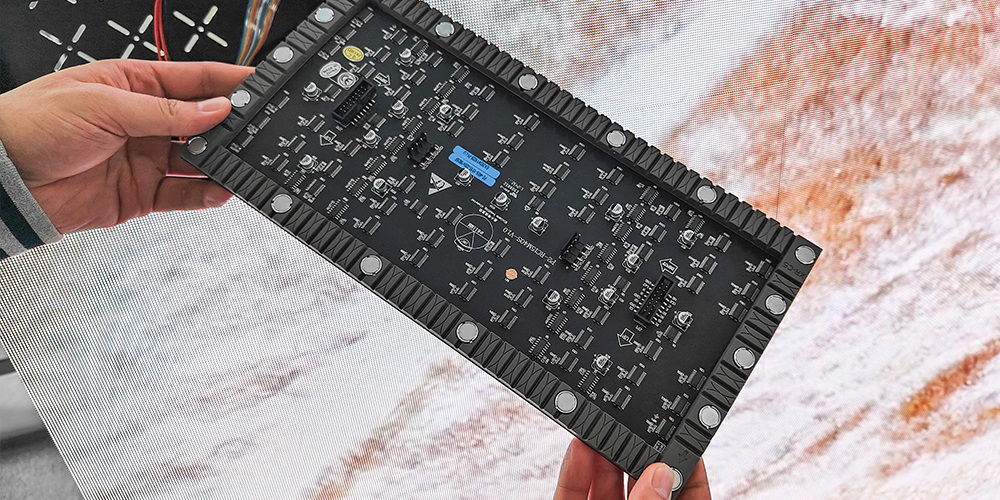
EagerLED lists P2 among the SMD pitch options for the EA640F2 front-service indoor LED display. Its 640 × 480 mm cabinet, six 320 × 160 mm modules, and access to modules, power supplies, and receiving cards from the front make it a relevant fixed-installation starting point. Confirm all values for the selected P2 LED display screen configuration rather than applying a family specification to every variant.
For shaped work, EagerLED’s flexible LED screen range includes P2 module options; confirm bending radius, brightness, and mechanical design for the desired form.
Buying a P2 LED screen from a manufacturer or OEM supplier
For a repeat order or a branded installation, ask the P2 LED screen supplier to confirm the exact module and cabinet model, native resolution, component list, production sample, and replacement-part compatibility. EagerLED describes OEM logo and project-specific production support, including agreed branding on cabinets or packaging and feasibility checks for special requirements. Request written confirmation of the selected P2 configuration before production; an OEM label does not change the underlying pitch or performance.
Quality checks matter more than a generic “high density” claim. EagerLED’s published quality-control process describes a 24-hour LED module aging test and a full assembled-screen aging test of at least 72 hours. Ask for the test record, calibration files, and spare-module batch information for your order. Confirm warranty coverage and remote support for the quoted components through EagerLED’s service terms.
A good selection discussion starts with the installation drawing and viewing plan. Send EagerLED your intended wall dimensions, closest viewer, content samples, camera requirements, and access constraints. That allows a P2 LED display screen proposal to specify a real cabinet grid and component list. The product pages provide model information, while a project quote should confirm the current configuration and commercial terms.
9. P2 LED Display Screen FAQ
01. What does P2 mean on an LED display?
P2 means a 2 mm center-to-center pixel pitch. It gives 250,000 pixels per square metre. It does not identify a particular cabinet, brightness, weather rating, or processor.
02. What is the best viewing distance for a P2 LED screen?
About 2 m is a useful initial minimum for ordinary video viewing. Check the nearest seat, text detail, and actual sample. Some applications need finer pitch even farther away, while large video can look acceptable closer.
03. Is a P2 LED display screen Full HD?
Only if its native wall dimensions provide 1,920 × 1,080 pixels. At 2 mm pitch, that requires 3.84 × 2.16 m. A smaller P2 wall has fewer pixels even if its controller accepts a Full HD input.
04. Can a P2 LED display screen be used outdoors?
Pitch alone does not determine outdoor suitability. Many P2 products are indoor units. Specify the required weather rating, brightness, thermal design, and installation conditions if the screen will be exposed outdoors.
05. What is the difference between P2 and P2.5?
P2 has 250,000 pixels/m²; P2.5 has 160,000. At the same physical size P2 provides more native detail, but the benefit depends on viewing distance and content. Compare total project price and actual image quality.
06. How much does a P2 LED display screen cost?
It depends on area, cabinet system, LED package, processor, mounting, installation, freight, warranty, and spares. Request an itemized project quote with native resolution and scope of supply rather than treating a generic per-square-metre figure as a final price.
07. What refresh rate should I request for filming?
A high specified refresh can reduce visible banding, and EagerLED lists at least 3,840 Hz for the EA640F2 series. Camera shutter, frame rate, scan method, brightness, and controller settings still require a real camera test.
08. How is a front-service P2 wall maintained?
On a true front-service system, technicians can remove designated modules and components from the audience side. Verify access to power supplies and receiving cards as well as LED modules, and keep matching spares and calibration files.
10. Conclusion: Specify the P2 LED Display Screen Around the Room
A P2 LED display screen offers 2 mm pitch and 250,000 pixels per square metre, making it a strong candidate for detailed indoor video walls viewed at close range. The best choice follows from the nearest viewer, required native resolution, content, ambient light, camera use, service access, and full installed cost. Use the calculations and checklists above to compare proposals on equal terms. For a project-specific P2 LED display screen quotation, share your drawing and operating requirements with EagerLED’s indoor LED screen team.