


A rental LED display screen is a modular video wall designed to be assembled, operated and removed for a temporary event. Its cabinets connect into a screen sized for a stage, exhibition stand, conference, sports venue or outdoor activation. Choosing the right rental LED screen takes more than selecting a pixel pitch: the nearest viewer, ambient light, camera setup, structural support, content resolution and service plan all affect the result.
This guide helps event organizers compare LED screen rental proposals and helps rental companies select reusable inventory. It includes a cabinet-count and pixel-map example so you can turn venue measurements into a usable supplier brief. Start with the venue and audience, then calculate the display dimensions and resolution. Confirm the operating details before signing a quote. If you need to purchase rental-grade cabinets rather than hire a complete event service, ask the supplier for model-specific specifications and a physical demonstration.
Quick answer: For close indoor audiences, prioritize a finer pitch and controlled brightness. For daylight outdoor events, prioritize an outdoor-rated cabinet, sufficient brightness and an engineered support plan. For filmed events, test the exact screen, processor and camera combination. A well-specified rental LED display should be readable from the intended seats, safe to install and straightforward to service during the show.
1. What Is a Rental LED Display Screen?
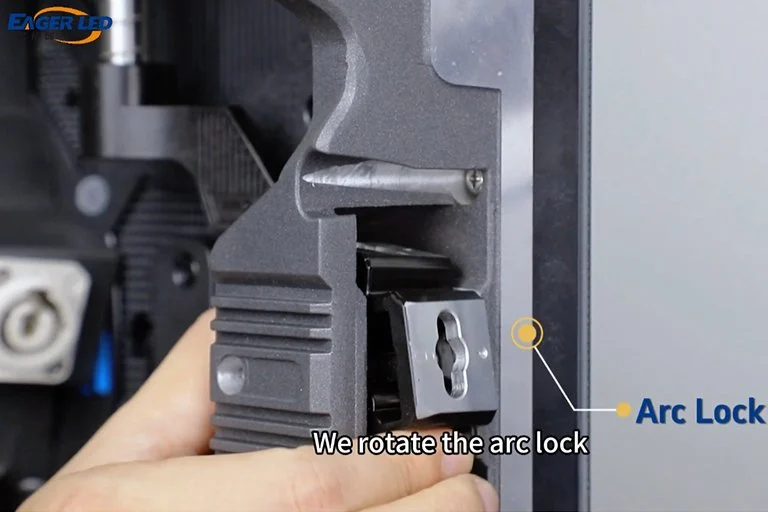
A rental LED display screen uses repeatable, quick-lock cabinets, replaceable modules and transport protection for frequent setup and teardown. It differs from a fixed LED wall, which may use a permanent frame and a service arrangement optimized for one location. Both can display live video, graphics and text, but rental equipment must also tolerate handling, truck movement and changing venues.
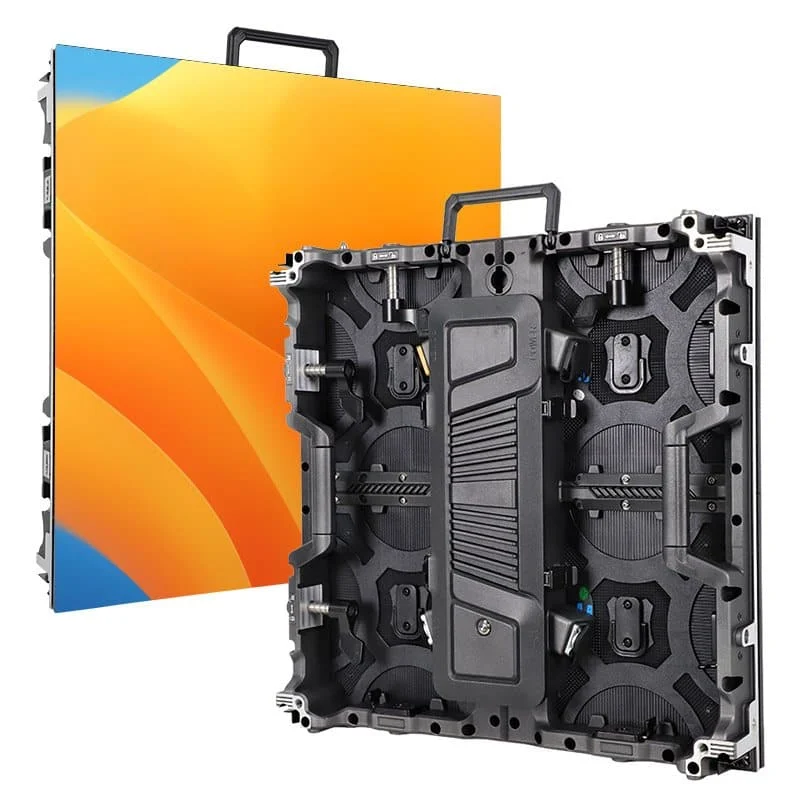
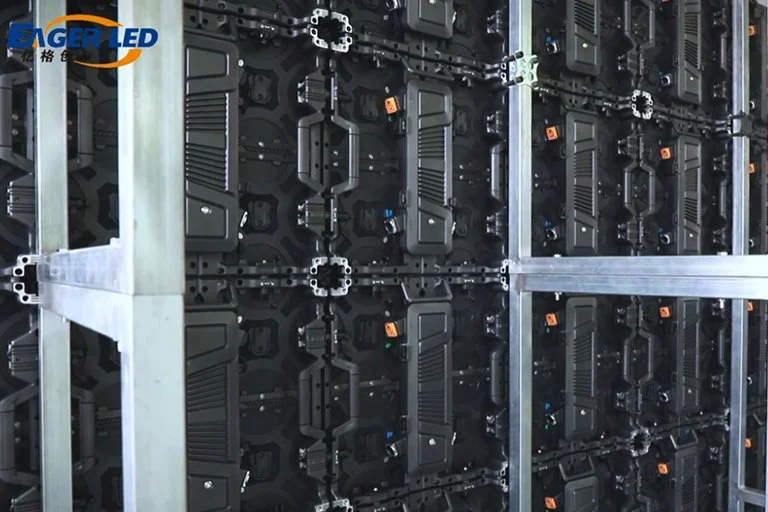
Each cabinet contains LED modules, power supplies and receiving electronics. A video processor maps the source signal to the wall’s native pixel canvas. Technicians connect power and signal between cabinets, then calibrate brightness and color. The screen may be ground-stacked or flown from certified rigging, depending on the venue and the cabinet manufacturer’s approved method. A rental LED screen is therefore a complete system, not just a collection of panels.
Confirm whether a proposal is for panel hire only or for a turnkey LED screen rental. A full event package may include design, structural calculations, transport, labor, processor, cabling, camera coordination, on-site operation, spares and strike. Those services often determine whether a seemingly inexpensive panel quote is actually economical.
2. Which Rental LED Display Type Fits the Venue?
The first decision is indoor versus outdoor. A finer-pitch indoor rental LED display can show detailed slides to viewers only a few meters away, but it should not be exposed to rain merely because the event is short. An outdoor rental LED screen needs the correct ingress protection, brightness and weather procedure for the installed configuration. Ask for front and rear IP ratings, because they can differ.
| Configuration | Typical priority | Check before specifying | Common use |
|---|---|---|---|
| Indoor flat wall | Fine detail and comfortable brightness | Nearest viewing distance, room lighting, service access | Conference, trade show, product launch |
| Outdoor flat wall | Daylight visibility and weather protection | IP rating, wind plan, power distribution, sun angle | Festival, public screening, sports event |
| Curved or corner wall | Creative shape with consistent cabinet geometry | Approved curve angle, module alignment, content mapping | Stage backdrop, immersive exhibit |
| Transparent display | See-through scenic effect | Transparency versus brightness, background contrast, rigging | Window, stage scenic, brand activation |
| Mobile trailer screen | Rapid outdoor deployment | Vehicle access, leveling, wind limits, local permits | Touring event, fan zone, temporary signage |
Curved rental LED display cabinets are useful when a stage design needs an arc, but check the specified curve-lock range rather than assuming any radius is possible. EagerLED’s rental LED display range includes several cabinet formats; a real model and configuration should be chosen after the venue survey. Transparent panels can create depth but cannot be judged like an opaque wall against a dark background. A trailer-mounted screen is a different package from a modular stage wall and must be assessed for access and site conditions.
3. How to Choose Pixel Pitch for a Rental LED Screen
Pixel pitch is the center-to-center distance between adjacent pixels, measured in millimeters. A lower number means more pixels within the same area. It can improve close-view detail, but it does not automatically improve a poorly processed video feed or justify extra cost for distant audiences. The right rental LED screen pitch depends on the closest important viewer and the detail in the content.
01. Match pitch to actual viewing distance
Walk the room and identify the nearest seat or standing position where text must be readable. A rough first-pass rule is that the minimum comfortable viewing distance in meters can be similar to the pitch in millimeters, but perception varies with eyesight, contrast and content. Test a full-size sample from the real distance. Large camera images tolerate a coarser pitch than spreadsheets or small captions. Avoid promising a universal “best” P2.6 or P3.91 rental LED display without a venue plan.
02. Check the wall’s native pixel canvas
Pitch and physical width jointly determine horizontal pixels. For a 5 m-wide wall at 2.5 mm pitch, the approximate native width is 5,000 ÷ 2.5 = 2,000 pixels. A 3 m height gives about 1,200 pixels, so the wall canvas is roughly 2,000 × 1,200. This is an illustrative calculation; cabinet dimensions and integer module counts determine the final canvas. Supply content at the actual mapped resolution when possible, and keep critical text within a safe area.
| Pitch band | Useful starting context | Content implication | Caution |
|---|---|---|---|
| About P1.9–P2.6 | Close indoor viewing | Detailed text and product visuals | Higher pixel count raises processing and inventory cost |
| About P2.9–P3.9 | Mid-distance indoor stages; some outdoor models | Presentation, IMAG and large graphics | Verify indoor/outdoor rating for the exact cabinet |
| About P4.8–P6 | Longer-distance or larger outdoor walls | Bold graphics and live video | Small text may be difficult at the nearest seats |
These bands are selection starting points, not guaranteed viewing distances. Ask the rental LED display supplier to demonstrate the proposed pitch with your smallest text and intended camera shot. For broadcast, a camera test is more meaningful than a pitch number alone.
4. Size, Aspect Ratio and Content Resolution
Choose the physical screen size from the audience sightlines and venue layout. A 16:9 wall suits conventional video and slides, while a wide scenic backdrop may need a custom canvas and content redesign. Measure available width, height, ceiling clearance, stage depth, escape routes and the line of sight from side seats. Confirm that truss, speakers and lighting fixtures will not obscure the rental LED screen.
Modular cabinets impose size increments. For example, a wall built from 500 × 500 mm cabinets changes in half-meter steps. A 500 × 1,000 mm cabinet may reduce the number of vertical seams on a taller wall. Request a cabinet grid drawing, native pixel map and final content template before graphics production. Do not assume an “HD” rental LED display equals 1,920 × 1,080 pixels; HD is a resolution claim, while the actual wall resolution follows cabinet count and pitch.
Worked example: from venue dimensions to a quote brief
Suppose a conference needs a 4 m-wide × 3 m-high indoor wall built from 500 × 500 mm cabinets. The illuminated area is 12 m², and the grid needs 8 cabinets across by 6 high: 48 cabinets before spares. At a nominal 2.5 mm pitch, the approximate canvas is 4,000 ÷ 2.5 = 1,600 pixels wide and 3,000 ÷ 2.5 = 1,200 pixels high. The actual pixel map must use the chosen cabinet’s exact module resolution; do not send the content team an approximate canvas as the final production specification.
Give each bidder this same 4 × 3 m brief, the nearest audience distance, the smallest text sample, the rigging or ground-support requirement, and the show schedule. Ask for a cabinet grid, exact native resolution, maximum W/m², processor and input list, spare quantity, setup time and an itemized total. This makes differences in a rental LED screen quote visible before production begins.
For live image magnification (IMAG), place the screen where the back of the audience can see faces without blocking the stage. For presentation-heavy shows, maintain a practical font size and contrast. Test lower thirds, sponsor logos and embedded videos at rehearsal. Scaling a poor source to a large LED wall will expose compression artifacts, so request clean source files and a compatible playback format.
5. Technical Specifications That Matter on Show Day
01. Brightness, color and weather protection
Brightness is commonly quoted in nits (cd/m²). An indoor rental LED screen in a controlled room needs much less peak brightness than a sunlit outdoor wall. The useful setting should be measured against ambient light and camera exposure; maximum brightness is not a target for every show. Ask whether the controller supports smooth dimming and consistent color at the chosen level. Outdoor specifications must cover the entire installed system, including connectors and rear service areas, not only the face of a loose cabinet.
02. Refresh rate and camera testing
A published refresh-rate figure, often 3,840 Hz on rental-grade products, is useful but cannot guarantee a clean camera image by itself. Scan pattern, driver behavior, shutter angle, frame rate, color processing and brightness can produce banding or moiré. Test the exact rental LED display with the planned cameras and processor at rehearsal. Make short recordings of bright, dark and moving content, then adjust the camera and LED system together.
03. Power, signal and redundancy
Request both maximum and typical power consumption per square meter for the proposed model. Electrical design should use the manufacturer’s maximum value plus the local electrician’s allowance, not a generic average. Record circuit count, connector type, cable run, grounding and distribution-board position. For mission-critical shows, discuss backup processor paths, spare receiver cards, spare modules and a technician with repair access. A seamless wall is only as reliable as its power and signal plan.
| Item | What to request | Why it matters |
|---|---|---|
| Cabinet and module | Exact model, pitch, dimensions, weight, service method | Confirms fit, support load and repair access |
| Brightness and IP | Tested nit range; front/rear IP rating | Matches light and weather exposure |
| Video system | Processor model, input format, wall pixel map, backup path | Prevents scaling and signal surprises |
| Power | Maximum W/m², total load, circuit schedule | Allows safe electrical design |
| Camera performance | On-site test at show settings | Reveals banding, moiré and color differences |
| Support | Rigging method, drawings, crew, spares, response time | Reduces installation and show risk |
When comparing products, review an actual specification sheet. The EA500C6 rental LED display, for example, is a 500 × 500 mm cabinet in EagerLED’s range. Its suitability still depends on the selected pitch variant and project requirements. Ask for written confirmation of the exact configuration rather than transferring specifications from another model.
6. What Determines LED Screen Rental Cost?
LED screen rental pricing varies by market, event length and scope. A useful quote separates equipment from transport, rigging, power, labor, processor, operation and insurance. A large rental LED display may cost less per panel-day than a fine-pitch wall but need more structure, circuits and crew. A one-day public show can require separate setup and strike days. Request the same deliverables from each bidder before comparing totals.
If you are an AV company considering ownership, compare annual hire cost with the full ownership cost: cabinets, flight cases, spare modules, processors, repair labor, storage, transport, depreciation and inventory utilization. The cheapest rental LED screen cabinet can be costly if locks fail after repeated use or replacement modules are hard to source. Ask for a demonstration of assembly time, corner protection, service access and mixed-cabinet compatibility.
| Quote line | Questions to ask | Common omission |
|---|---|---|
| LED wall hardware | Which model, pitch, cabinet count and spare ratio? | Unspecified substitute panels |
| Processing and playback | Who supplies processor, switcher, laptop and content mapping? | Video control outside panel rate |
| Support structure | Ground stack or flown; who signs off loads? | Truss, ballast, motors or engineer fees |
| Power and data | Where is the handoff point and who runs cables? | Distribution, long cable runs and backup |
| People and logistics | How many setup, rehearsal, show and strike days? | Overtime, freight and accommodation |
| Service terms | What response, spares, weather and cancellation terms apply? | On-site technician or damage cover |
For a fair comparison, send suppliers the same brief: screen dimensions, nearest and farthest viewer, venue photos, schedule, indoor/outdoor conditions, content type and camera requirements. Ask them to state exclusions in writing. If a rental LED display is a major part of the show, a site survey and sample test are worth more than a low headline rate.
7. Installation, Safety and Show-Day Workflow
A rental LED screen should be installed by a competent crew following the cabinet and rigging manufacturer’s instructions. For a flown wall, the venue or structural engineer must approve loads and attachment points. For ground support, verify floor capacity, ballast, bracing and crowd separation. Outdoor installations also need a documented wind and rain response, with a person empowered to stop use when limits are reached. The correct thresholds depend on the engineered system; do not copy a generic wind limit from another event.
01. Before the event
Complete a site survey and receive a cabinet grid, power plan, signal diagram and content specification. Confirm delivery access, lift equipment, installation window and permit responsibilities. Inspect rental LED display cabinets for bent frames, damaged pixels and loose connectors before they enter the wall. Label cables and keep spares accessible. Back up the content and processor configuration.
02. During rehearsal and operation
Run full-screen color, grayscale and motion tests. Check seam alignment, color uniformity, brightness from the audience, and camera images. Test every input and planned source change, then record the approved settings. An on-site operator should monitor temperature, power, signal and visual faults while coordinating with the show caller. If a module fails, service it using the approved access route without exposing the audience or crew to unsafe work.
03. After the show
Power down in the specified order, inspect cabinets, and pack them in protective cases. Log module damage and repairs before returning inventory to stock. For repeated events, record viewing-distance feedback, content issues and actual power demand. Those observations make the next rental LED display specification more accurate.
8. Rental LED Screen Applications and Design Choices
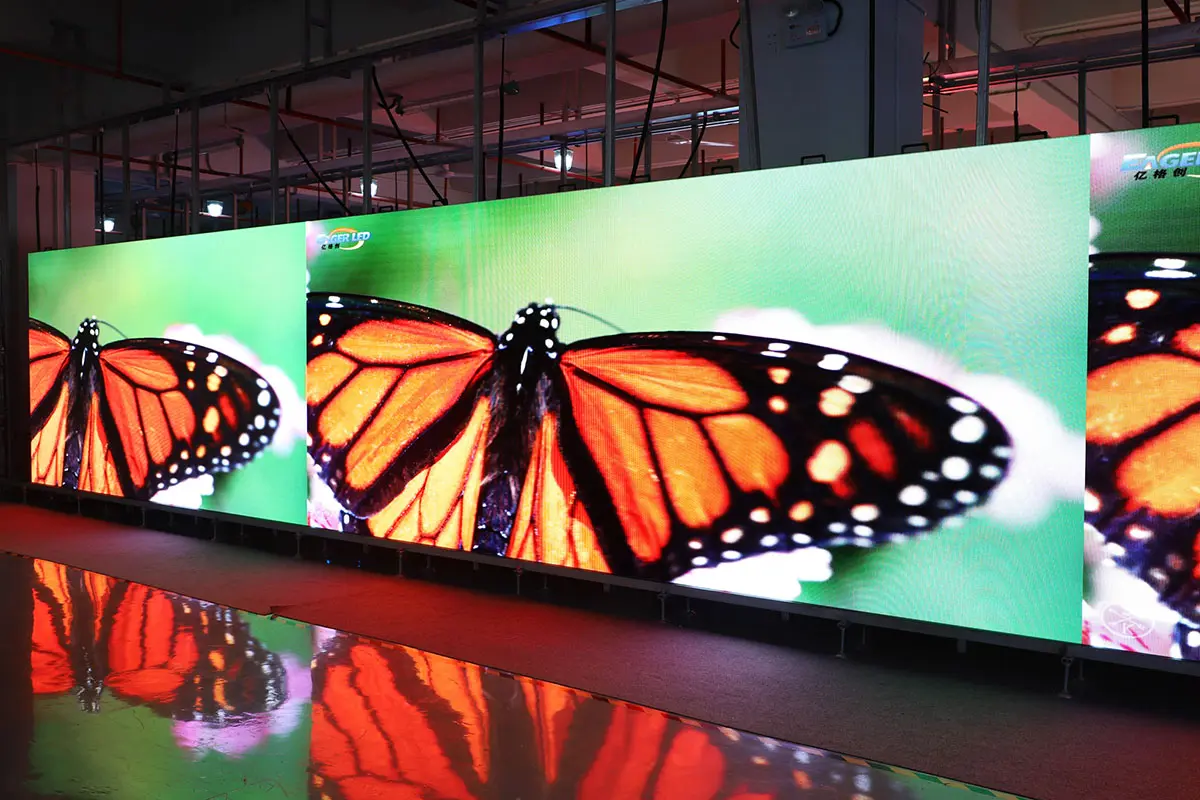
Concerts and festivals: A stage rental LED display often combines a main backdrop with side IMAG screens. Prioritize sightlines, camera response, rugged cabinets and a weather plan. Content should be mapped to the exact scenic geometry. The highest resolution is rarely the only priority when most viewers are far from the wall.
Trade shows and product launches: Viewers may stand very close, so detailed product visuals and small text need a suitable pitch. Check booth weight limits, electrical service, permitted build height and noise or light rules. Curved rental LED screens can draw attention, but a simple flat wall may make presentation content easier to prepare.
Corporate conferences: Separate the needs of the in-room audience from the livestream. For the room, prioritize readable text and appropriate brightness; for cameras, test refresh, exposure and color. Where speakers stand in front of the rental LED display, confirm that lighting and camera framing avoid distracting moiré patterns.
Sports and public viewing: A large outdoor rental LED screen needs reliable power, clear sightlines, security barriers and a contingency plan. Confirm rights to show the feed and whether the venue needs local permits. If fans are spread across a wide area, multiple appropriately sized screens may work better than one very large wall.
Weddings and brand activations: A rental LED display for a wedding can show live camera images, schedules, sponsor graphics or preproduced video. Ask for a content operator and a simple fallback slide. Avoid dense text that will be unreadable while guests move around. For all applications, the best design starts with what the audience must see and do, not with the largest possible panel count.
9. Rental LED Display Screen FAQs
01. What pixel pitch should I choose for an event LED wall?
Begin with the nearest important viewer, the smallest text and the wall size. Fine pitches suit close indoor audiences; coarser pitches can work for larger, more distant outdoor audiences. Test the proposed rental LED display with real content from the actual viewing distance before committing.
02. Can an indoor rental LED screen be used outside?
Only if the exact cabinet and assembled system are rated and approved for the expected outdoor exposure. An indoor panel without suitable weather protection should not be used outdoors. Confirm front and rear IP ratings, connector protection and the event’s rain and wind procedures.
03. Is a 3,840 Hz refresh rate enough for broadcast?
It is a useful specification, but camera results also depend on scan mode, shutter, frame rate, brightness and processing. Test the rental LED screen with the production cameras at show settings. Adjust both systems if banding or moiré appears.
04. How do I calculate the resolution of a rental LED display?
Divide the physical width and height in millimeters by pixel pitch in millimeters, then align the result to the chosen cabinet grid. For example, a nominal 5,000 mm width at 2.5 mm pitch is about 2,000 pixels. Request the supplier’s final pixel map for content production.
05. What should a rental LED screen quote include?
Ask for the exact cabinet model, pitch, dimensions, processor, support structure, power and signal distribution, transport, crew, setup and strike schedule, operator, spares and service terms. Clarify weather and cancellation responsibilities for outdoor work.
06. Should I rent or buy rental-grade LED cabinets?
Rent a turnkey system when events are occasional or when local crews and logistics are needed. Consider owning a rental LED display when repeated jobs justify inventory, storage, maintenance, transport and trained staff. Compare total annual cost and operational risk, not just a panel purchase price.
10. Conclusion: Specify the Rental LED Display Around the Audience
A successful rental LED display screen starts with a clear brief: audience distance, display size, lighting, content, cameras, venue constraints and operating schedule. Use those inputs to choose pitch, cabinet format, brightness and support method. Then compare complete quotes, inspect the exact model and rehearse with real content. This sequence produces a rental LED screen that is readable, reliable and appropriate for the event rather than merely impressive on a specification sheet.
For rental companies building inventory, prioritize durable handling features, consistent spare parts and service access alongside image quality. Explore EagerLED’s rental LED display products and request model-specific data for the planned venue. For event organizers, share a site brief with the production supplier and ask for a cabinet grid, power plan and camera test before final approval.





