


A stage rental LED display is often specified by its visible width, pixel pitch, and price. Those numbers matter, but they do not tell a production team whether the wall can be built safely, fed with the right content, repaired during a show, or reused across a rental fleet. A successful project starts with the complete system: cabinets, structure, power, processing, cabling, transport, and service stock.
For LED display buyers, distributors, AV integrators, and project contractors, a stage rental LED display is also an operating asset. It must survive repeated load-ins, work within venue constraints, and match the technical promises made in a bid. The practical questions are therefore broader than “Which panel looks best?” They include who approves the rigging plan, how signal failure is handled, and what parts are immediately available when a module is damaged.
This guide follows that decision path from specification to show-day support. It explains the trade-offs behind indoor and outdoor panels, a workable setup sequence, essential safety checks, and a method for planning spare cabinets and components without inventing a universal percentage. It also shows what to request from a supplier before committing to a stage rental LED display purchase or project quote.
Table of contents
- What Is a Stage Rental LED Display?
- Which Screen Size and Pixel Pitch Fit Your Event?
- Indoor vs. Outdoor Rental LED Panels: What Changes?
- How to Set Up a Stage LED Display
- LED Wall Rigging, Power, and Weather Safety
- How Many Spare LED Panels and Parts Should You Plan For?
- Common LED Wall Problems and On-Site Fixes
- Where Do Rental LED Displays Work Best?
- Renting vs. Buying: Costs and Questions to Ask Suppliers
- FAQ
- Conclusion
1. What Is a Stage Rental LED Display?
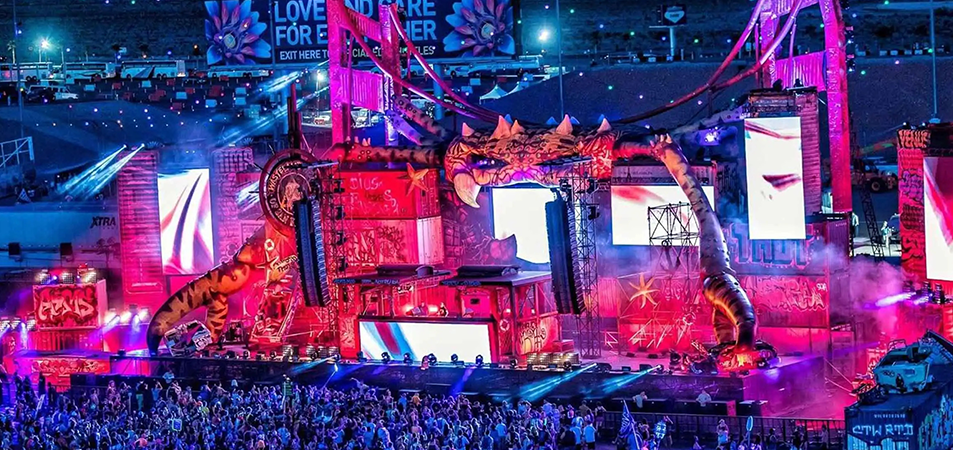
A stage rental LED display is a modular direct-view LED wall designed for temporary event use. Its cabinets connect mechanically into a larger canvas, while power and data cables connect them to distribution and control equipment. The image can come from a playback computer, switcher, camera chain, or media server. Unlike a permanently installed LED wall, the rental assembly is built to be transported, assembled, serviced, and dismantled repeatedly.
That distinction changes the buying criteria. A fixed installation may prioritize integration into one building. A stage rental LED display must also have repeatable cabinet alignment, reliable locks, protected corners, manageable case packing, clearly labeled connectors, and accessible service parts. Cabinet dimensions and hardware compatibility affect how quickly a crew can build different wall sizes from the same stock. EagerLED’s rental display overview shows both hanging and bracket-supported configurations, illustrating why the installation method belongs in the specification rather than being decided at load-in.
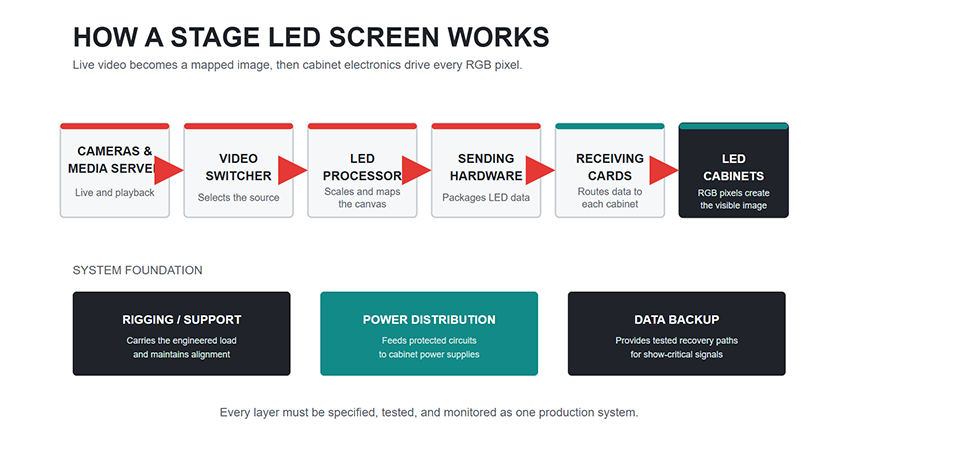
The panels are only the visible part of the system. A procurement list also needs support, processing, power distribution, cable sets, cases, and spare parts. Ask what is included in the cabinet price and quoted separately. Missing accessories often appear later as crew time or sub-rental charges.
2. Which Screen Size and Pixel Pitch Fit Your Event?
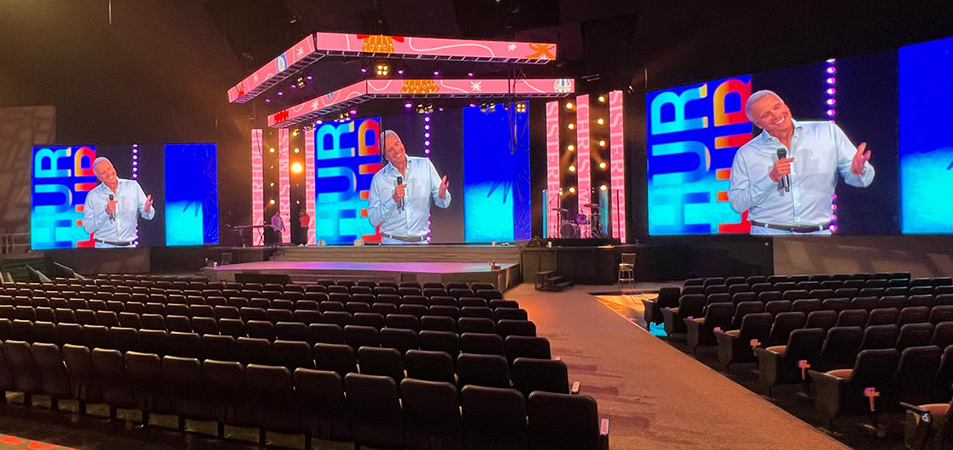
Begin with the audience and the content, not the catalog. Record the closest and farthest viewing positions, stage width, sightlines, ambient light, cameras, and required image sources. A wall used mainly for live performer close-ups has different needs from one carrying slides with small text. For a stage rental LED display, the closest meaningful viewer and the smallest essential content usually drive the first pixel-pitch discussion.
Pixel pitch is the spacing between neighboring pixels, expressed in millimeters. A smaller pitch gives more pixels across the same physical width, but it generally brings higher panel cost and may require more processing capacity. It is not automatically the better purchase. At a large viewing distance, the audience may see little benefit from extra density; near a conference stage, coarse pitch can make text and logos look rough. A useful early calculation is approximate horizontal pixels = screen width in millimeters ÷ pixel pitch in millimeters. The final canvas must then be recalculated from the actual cabinet grid and the model’s native pixel dimensions.
| Project input | Decision it affects | What to confirm with the supplier |
|---|---|---|
| Closest audience position | Pixel pitch and legibility | Sample image or test at realistic distance |
| Stage opening and sightlines | Wall width, height, and placement | Cabinet grid, obstructions, and service clearance |
| Slides, logos, or live video | Native canvas and content design | Pixel map and source scaling plan |
| Cameras and streaming | Refresh behavior and image artifacts | Test with the actual camera, lens, and shutter settings |
| Ambient light and exposure | Brightness and enclosure choice | Operating brightness and weather suitability |
| Transport and crew schedule | Cabinet format and cases | Weight, case packing, handling, and build method |
Do not confuse display refresh rate with the frame rate of the incoming video. A stage rental LED display can look good to the audience yet show scan artifacts or moiré on camera. Those effects depend on several variables, including panel electronics, processor settings, camera timing, focus, and distance. Request a camera test rather than accepting a single specification as proof of broadcast suitability. EagerLED’s stage screen guide likewise treats pixel pitch, processing, and camera workflow as connected choices.
Plan content at the wall’s actual pixel map. A 16:9 slide deck on an unusually wide canvas may need side graphics or a multi-window layout. Lock the grid early enough for designers to deliver readable content. For a worked cabinet-count and native-resolution example, use EagerLED’s rental LED display screen planning guide before sending the production brief.
3. Indoor vs. Outdoor Rental LED Panels: What Changes?
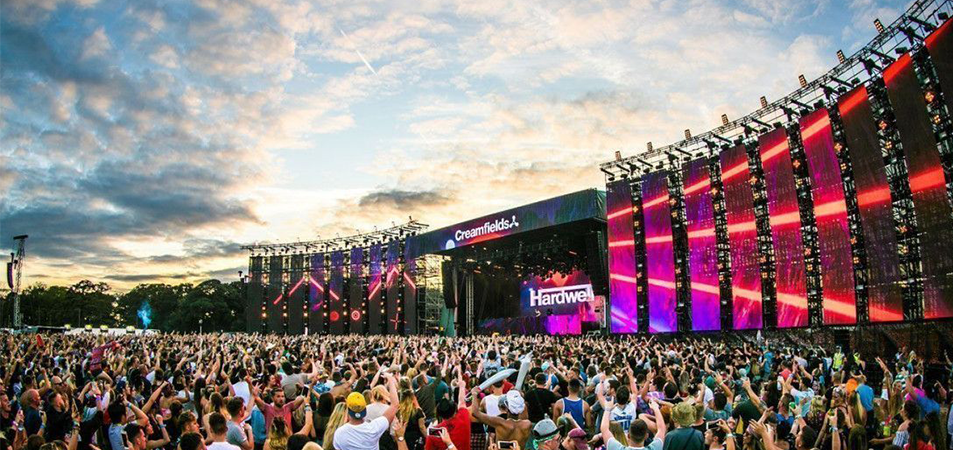
Indoor and outdoor versions of a stage rental LED display solve different problems. Indoor projects may favor fine pitch and controlled brightness because viewers are nearer and lighting is managed. Outdoor projects need a specification suited to daylight, rain exposure, temperature, and protected connections. Neither label alone proves that a panel is appropriate for a particular site.
| Selection point | Indoor event | Outdoor event |
|---|---|---|
| Primary visual constraint | Close viewing and fine detail | Daylight visibility and varied viewing distance |
| Environmental exposure | Venue dust, handling, and occasional spills | Rain, dust, heat, and changing weather |
| Mechanical planning | Venue rigging limits and access | Structure, wind response, drainage, and secure cabling |
| Service plan | Front or rear access based on stage layout | Access that remains safe under site conditions |
| Approval evidence | Model data, drawings, power plan | Model data, enclosure details, engineered structure, weather plan |
An enclosure rating is useful only when read for the exact model, face, and connector arrangement being supplied. It does not rate the whole temporary stage, guarantee that exposed cable joints are protected, or establish an allowable wind speed. Ask whether the rating applies to the cabinet front, rear, and connected system. If the wall is flown outdoors, wind loading and the action threshold must come from the engineered site plan, not from a generic product description.
For rental-fleet buyers, consider whether one cabinet family can serve several likely jobs. A stage rental LED display that is easy to curve may be valuable for touring sets, but curve hardware, protective cases, and spare modules add inventory complexity. Mixing pitches or cabinet generations can also complicate image calibration and repairs. The right choice is the one that fits the jobs your business actually wins.
4. How to Set Up a Stage LED Display
Setup begins in pre-production. Obtain a venue drawing, a screen elevation, the approved structural approach, electrical details, and a final cabinet layout. Verify the delivery route and case footprint: a wall that fits the stage may still fail the load-in if cases cannot pass through doors or lifts. For a stage rental LED display, record every cable run and output assignment on the same drawing used by the build crew.
| Phase | Crew action | Acceptance check |
|---|---|---|
| Pre-production | Agree on dimensions, grid, support method, power, and signal plan | Signed drawings and equipment list |
| Load-in | Inspect cases, cabinets, locks, connectors, and rigging hardware | Damaged items isolated before assembly |
| Structure | Install approved ground support or flown system | Qualified sign-off before adding or raising panels |
| Cabinet build | Assemble to the approved sequence; protect pixel faces | Locks engaged, alignment checked, no improvised adapters |
| Power and data | Connect labeled circuits and data chains | Electrical checks and verified cabinet mapping |
| Commissioning | Load configuration, test patterns, sources, and backups | Full-screen test and recorded settings |
| Rehearsal | Test show content and cameras at operating brightness | Producer and technical operator approval |
The exact mechanical sequence depends on the cabinet and support system. EagerLED’s EA500C6 installation walkthrough shows the product-specific sequence for cabinets, support, cabling, and configuration; it should be used alongside the current manual and approved project drawings. Do not transfer a locking method from one product family to another because the hardware looks similar.
Once the cabinets are secured, connect power and signal according to the approved diagram. Keep feeds identified by circuit and data port. Confirm that the distribution equipment and protective devices suit the venue supply and the manufacturer’s stated load. At the controller, load the correct receiving-card file, map the physical cabinet order, and save the approved configuration. NovaStar’s NovaLCT documentation describes cabinet mapping, saving configurations, and supported redundancy settings; those functions should be tested on the actual processor and firmware in use.
Commission the stage rental LED display with more than a bright demo reel. Run solid colors, grayscale, a pixel or line pattern, representative slides, live camera feeds, and all planned inputs. Check dark scenes for inconsistent blacks and full-white or bright scenes for power and thermal behavior. Walk the audience positions to confirm sightlines and text size. Save the final processor settings and a copy of the configuration file, and identify who may change them during the show.
5. LED Wall Rigging, Power, and Weather Safety
A stage rental LED display is a temporary structure and an electrical system operating close to people. Treat its safety plan as project engineering. A rigger or engineer should confirm the loads and the supporting structure; a qualified electrical professional should approve distribution and protection. The Event Safety Alliance standards overview identifies separate guidance for event rigging, temporary structures, and weather preparedness. Local rules and venue requirements still govern the job.
| Risk | Required planning question | Evidence or control to request |
|---|---|---|
| Flown load | Can the venue points and hardware carry the full system? | Approved rigging plot and equipment ratings |
| Ground-supported wall | Is the base stable for the site and wall geometry? | Engineered support and ballast details, if applicable |
| Falling components | Are locks, pins, and secondary measures correct? | Inspection record and manufacturer instructions |
| Electrical fault | Are supply, grounding, protection, and cabling suitable? | Power schedule and electrician’s checks |
| Outdoor weather | Who monitors conditions and calls a stop? | Site-specific thresholds and response plan |
| Crew access | Can maintenance happen without exposing workers or guests? | Access route and isolation procedure |
Weight is more than the cabinet mass multiplied by quantity. Include bars, support frames, cables, and any other suspended equipment. Rigging loads may also change with the build method and environmental conditions. PLASA’s International Code of Practice for Entertainment Rigging calls for competent planning and site verification of conditions that affect a temporary rig. The manufacturer can provide product limits, but the site design must establish whether the whole assembly is acceptable.
For power, request the model’s average and maximum consumption and design circuits for the relevant operating case. Avoid estimating feeder size from an attractive demo image or from nominal cabinet count alone. Keep signal cables separate from hazardous power arrangements, protect connectors from strain, and preserve the correct grounding path. If a section needs replacement, isolate it using the approved procedure before a technician opens a cabinet or removes a module.
Outdoor operation needs a named decision-maker and a written response for wind, lightning, heavy rain, and loss of safe access. The plan should say when content stops, when power is isolated, and when the wall is lowered or the area cleared, as applicable. A stage rental LED display marketed as outdoor-capable still requires these decisions. Crew members should never be asked to improvise a weather threshold during a show.
6. How Many Spare LED Panels and Parts Should You Plan For?
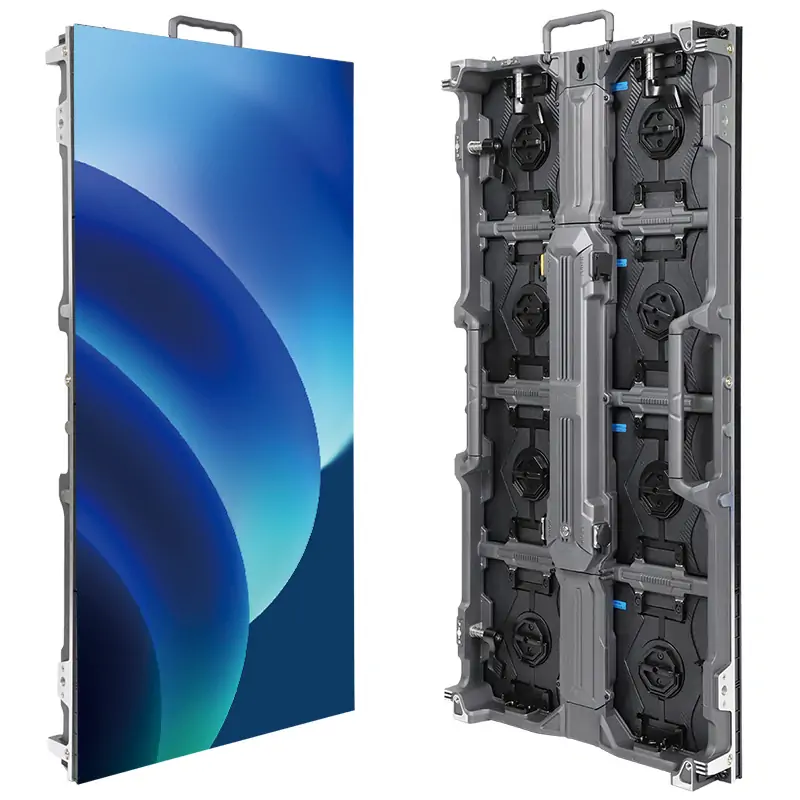
There is no defensible spare-panel number for every stage rental LED display. A small local conference with a replacement cabinet nearby has a different exposure from a remote festival or a multi-city tour. Estimate spares from repair time, shipping lead time, number of simultaneous screens, risk of handling damage, and the consequences of a visible defect during the event. Then decide what must travel with the show and what can remain at a service depot.
| Spare or backup | What it covers | Procurement detail to verify |
|---|---|---|
| Complete cabinet | Crushed frame, multiple faults, fast swap | Same pitch, size, connectors, firmware, and calibration family |
| LED modules | Local pixel or module damage | Matching batch or compatible calibration data |
| Power supply or power box | Dark cabinet or failed power section | Exact rating and service method |
| Receiving card | Mapping or data fault | Correct model, firmware, and saved configuration |
| Data and power cables | Broken connector or intermittent link | Correct lengths, pinout, and outdoor suitability |
| Processor or source path | Control or playback failure | Compatible preset, tested switching procedure |
| Locks and handling parts | Damaged mechanical hardware | Manufacturer-approved replacement pieces |
For a stage rental LED display purchase, ask for a written spare list tied to the bill of materials. Spare modules should be checked for visual match before they are placed in a show kit; a technically compatible replacement can still appear as a bright or tinted rectangle if calibration differs. Store configuration files, calibration data where applicable, and firmware records with the inventory. EagerLED’s parts and tutorial library identifies modules, receiving cards, processors, power supplies, and support components as distinct service items.
Build a failure drill into commissioning. Replace one module using the crew’s actual access route. Confirm that the operator can restore the picture. If a backup data path is specified, disconnect the primary path during rehearsal and verify the result. A spare is useful only when compatible, reachable, and installable within the show’s recovery window.
7. Common LED Wall Problems and On-Site Fixes
Most show-day faults should be diagnosed by symptom and cabinet map, not by swapping random parts. Keep a current diagram of the stage rental LED display showing power circuits, controller outputs, first and last cabinets in each chain, and service access. The operator can then distinguish a single-module issue from a failure affecting one data chain or a whole power feed.
| Symptom | First checks | Escalation |
|---|---|---|
| One dark module | Module seating, approved test pattern | Replace with a matched spare after isolation |
| One dark cabinet | Power indication, input data, preceding link | Check supply and receiving card with qualified crew |
| Several cabinets in sequence fail | Upstream cable, output port, chain map | Switch to tested backup route if supported |
| Wrong image order | Saved cabinet map and output assignment | Restore approved processor configuration |
| Visible color patch | Calibration file, brightness setting, replacement batch | Apply approved correction or swap a matched module |
| Camera banding or moiré | Camera shutter, focus, angle, processor settings | Run a joint camera and LED technician test |
Do not reconfigure the entire wall to hide one failed cabinet while the show is live unless that fallback has been rehearsed. The fastest responsible fix may be a source switch, a backup signal route, or a replacement during a cue break. Record the fault after the event, quarantine suspect parts, and update the service history. Repeated intermittent errors often point to cable strain, connector wear, or a configuration mismatch that a quick on-site reset can temporarily mask.
8. Where Do Rental LED Displays Work Best?
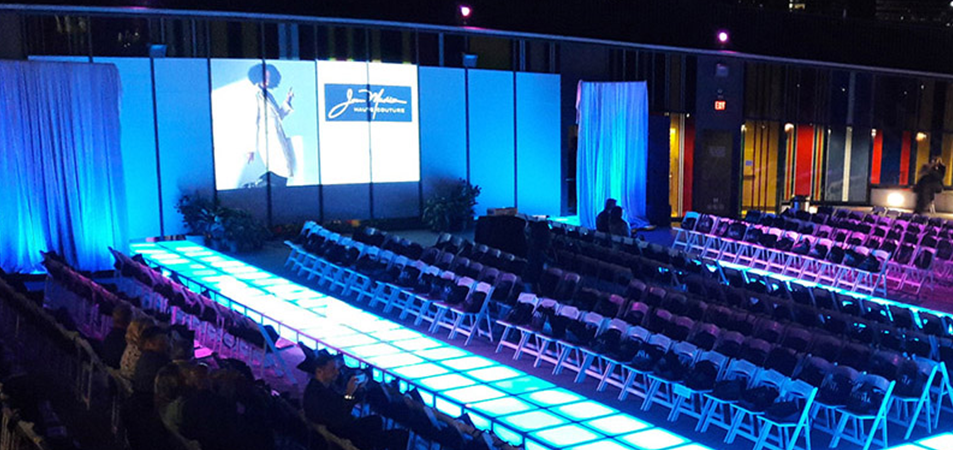
The same stage rental LED display inventory can support several markets, provided the cabinet family and accessories fit each use. Concert backdrops prioritize impact, quick builds, and touring resilience. Corporate events often put detailed slides and brand assets close to viewers. Broadcast and worship productions add camera behavior and quiet, repeatable operation. Outdoor festivals bring weather and structural planning to the front of the brief.
| Application | Main priority | Common planning trap |
|---|---|---|
| Concert or touring stage | Repeatable build and flexible scenic layout | Underestimating cases, rigging, and labor |
| Conference or product launch | Readable text and accurate brand color | Choosing pitch from distance alone |
| Broadcast or live stream | Camera-tested image and stable processing | Assuming a high refresh figure solves every artifact |
| Outdoor festival | Daylight image and engineered weather response | Treating panel enclosure rating as a site safety plan |
| Exhibition or brand activation | Unusual shapes and close viewing | Ordering custom geometry without service access |
The video below is a relevant customer-feedback example from EagerLED’s video channel: EA1000C6 P2.97 Outdoor Rental LED Video Wall in Ghana. It shows a specific outdoor rental application; use it to inspect the type of installation and presentation, while requesting the actual model documentation and site plan for any new project.
This customer-feedback video illustrates one event installation. Product documents and project records remain the right sources for cabinet load ratings, weather limits, and long-term reliability.
9. Renting vs. Buying: Costs and Questions to Ask Suppliers
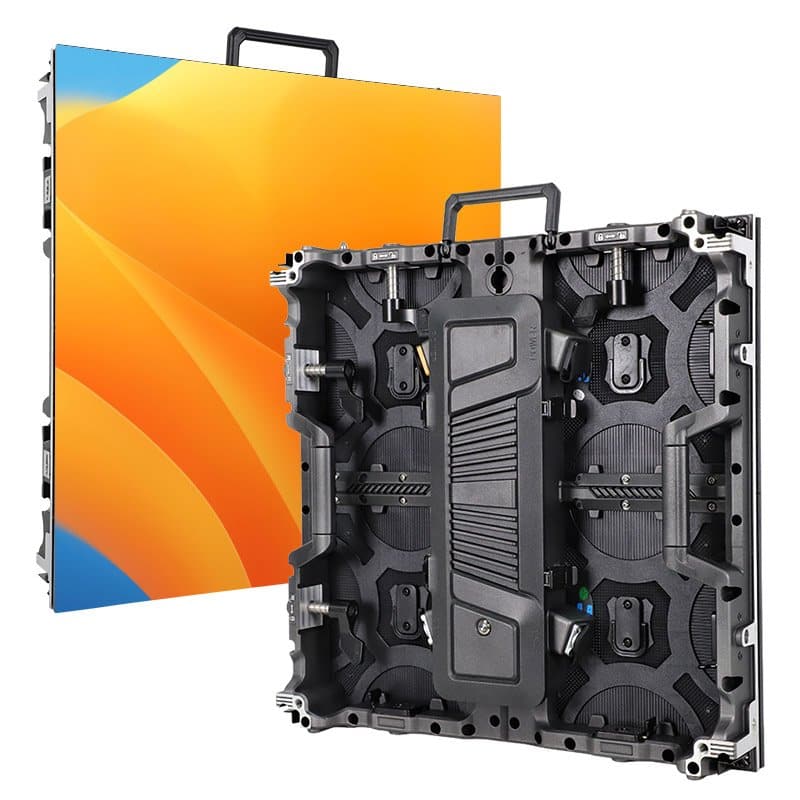
Renting a stage rental LED display can make sense when projects are occasional, specifications vary, or local crews and support are part of the package. Buying makes more sense when the same cabinet family can be deployed frequently and your business can maintain it. The decision is operational as well as financial: ownership brings storage, transport, insurance, testing, repairs, replacement stock, and eventual product refresh.
Compare complete systems, not only price per square meter. A purchase quotation should separate cabinets, processor, rigging accessories, ground support, cases, cable sets, power distribution, spare parts, training, documentation, shipping, and support. A project rental quotation should state delivery, build and strike labor, on-site technician hours, damage terms, and backup equipment. EagerLED’s rental cost guide identifies many of these variables; actual prices depend on the project and should be requested in a current quotation.
Before ordering a stage rental LED display, send each supplier the same brief and ask these questions:
- What exact cabinet, module, and controller versions are quoted, and what can be mixed within one wall?
- What are the manufacturer’s approved hanging and stacking limits, and which accessories are required?
- Which power figures apply to the quoted configuration, and what distribution is excluded?
- How are calibration files and receiving-card settings backed up and restored?
- Which parts are field replaceable, from which side, and with what tools?
- What spares can ship with the order, and what is the lead time for matching replacements?
- Can a sample wall be tested with the intended content and cameras?
- What training, warranty terms, and technical support apply in the destination market?
For distributors and integrators, require clear naming of revisions and substitutions. If a project needs months of phased delivery, visually matching cabinets from later batches may need additional calibration work. Put the acceptance test, documentation package, and spare inventory into the purchase order, rather than trying to settle them after shipment.
10. FAQ
01. Can panels from different rental LED display brands be joined in one wall?
Usually not as a seamless, interchangeable cabinet system. Physical dimensions, locking geometry, power and data connections, receiving cards, and calibration methods can differ. Even if two products share a nominal pitch, they may not match visually. Treat mixed-brand use as an engineered custom project, not a standard stage rental LED display build.
02. Can a stage rental LED display be curved without special cabinets?
Only when the manufacturer supports that configuration. Some products use adjustable curve locks or dedicated angle cabinets; a flat-only cabinet should not be forced into a curve. Confirm the allowable angle, support hardware, cable clearance, and service method for the exact model.
03. Why do replacement LED modules sometimes look brighter than the rest?
Module batch, LED aging, and calibration differences can create a visible patch. A replacement may work electrically while remaining visually obvious. Keep matched modules when possible and retain the correct calibration data and correction workflow for the stage rental LED display fleet.
04. Does a backup data cable keep the whole wall running if a processor fails?
No. A second cable or redundant port addresses only the failure modes supported by that control topology. Processor, source, receiving-card, and power failures require their own plans. Verify the actual failover behavior by testing each planned failure during rehearsal.
05. Can an indoor stage rental LED display be used under a roof outdoors?
A roof does not automatically make the environment equivalent to an indoor venue. Wind-driven rain, condensation, humidity, dust, temperature, and exposed connections may still exceed the product’s limits. Confirm the exact environmental conditions with the manufacturer and the event engineer before approving use.
06. How long should a rental LED wall be tested before an event?
There is no universal duration that proves reliability. Allow enough time to assemble the full system, run representative content, test bright and dark images, verify all inputs and backups, and inspect for faults after operating temperature stabilizes. Touring stock should also be checked between shows, especially after transport or repairs.
07. What should be included in a stage rental LED display handover file?
Include the cabinet grid, native pixel map, processor preset and configuration backup, data-chain and power diagrams, rigging approval, model manuals, spare list, test results, and named technical contacts. This lets another qualified operator restore an approved state without guessing how the wall was built.
08. Is a finer pixel pitch always better for stage rental LED display stock?
No. Finer pitch can improve close-view detail, but it can increase capital cost and handling sensitivity without helping a distant audience. Choose stock from your recurring venue sizes, content types, camera work, and service capability, then test samples at realistic distances.
11. Conclusion
A dependable stage rental LED display is specified as a complete event system. Select the screen around audience distance, content, cameras, and venue conditions; approve the structure and power plan before load-in; and commission the exact cabinet map, sources, and backups before doors open. Spare panels, modules, cables, and configuration files are part of that plan, not an afterthought.
For buyers, distributors, AV integrators, and contractors, the best supplier conversation starts with drawings and operating requirements. Ask EagerLED or any shortlisted manufacturer for model-specific limits, compatible accessories, service procedures, and a complete bill of materials. A stage rental LED display earns its place in a fleet when crews can build it consistently, operate it safely, and restore the picture quickly when something fails.





