

A retail LED display is a modular, self-emissive screen used to show campaigns, product stories and wayfinding in a shop window, on a sales floor or on a building exterior. Unlike an LCD video wall, a direct-view LED screen can be built to a custom size without visible panel bezels. The best choice depends on where shoppers stand, the light falling on the screen, what the message must say and how staff will maintain it.
This guide is for retailers, store designers and purchasing teams comparing an LED screen for a shop. It explains when direct-view LED fits, when an LCD or printed sign may be better, how to specify a screen and what to ask suppliers before ordering. The examples are planning starting points, not guaranteed specifications or sales results.
1. What is a retail LED display?
A direct-view retail screen combines LED modules, a receiving and control system, power supplies and a cabinet or frame. Each module contains light-emitting pixels. The controller maps images or video to the installed pixel grid, while a content player or management system schedules what appears. A direct-view LED system can be a solid wall, a slim poster, a shelf strip, a curved feature or a transparent window screen. These are different engineering choices, not interchangeable names for the same product.
Direct-view LED is useful when the image needs to be large, shaped to fit the architecture, bright enough for the location or serviced module by module. It is not automatically the least expensive option. A single commercial LCD may be sharper and simpler for a small menu or close-up product specification. Printed signage may be sufficient when a message changes rarely. Decide what shoppers need to see before choosing the display technology.
Retail LED screen, LCD or print: which fits?
| Format | Best fit | Check before buying |
|---|---|---|
| Direct-view LED | Large, seamless or shaped displays; modular service; storefront applications where a site-tested brightness range is needed | Pixel pitch, complete screen resolution, power, structure and service access |
| Commercial LCD | One smaller screen with fine text at a short viewing distance | Window glare, visible bezels if tiled, operating hours and panel replacement |
| Static campaigns and spaces without a content-management workflow | Replacement frequency, labor and whether the message needs motion or rapid updates |
01. What a store screen can and cannot do
A digital shop screen can switch creative quickly, synchronize several screens and present motion that is hard to achieve with print. It cannot compensate for weak merchandising, an unreadable message or a blocked sightline. Claims that a screen will necessarily increase foot traffic or sales should be tested in the store rather than assumed. The practical benefit is control: a retailer can change a promotion, launch creative or directional message without replacing a physical sign.
2. Match the retail LED display to its location
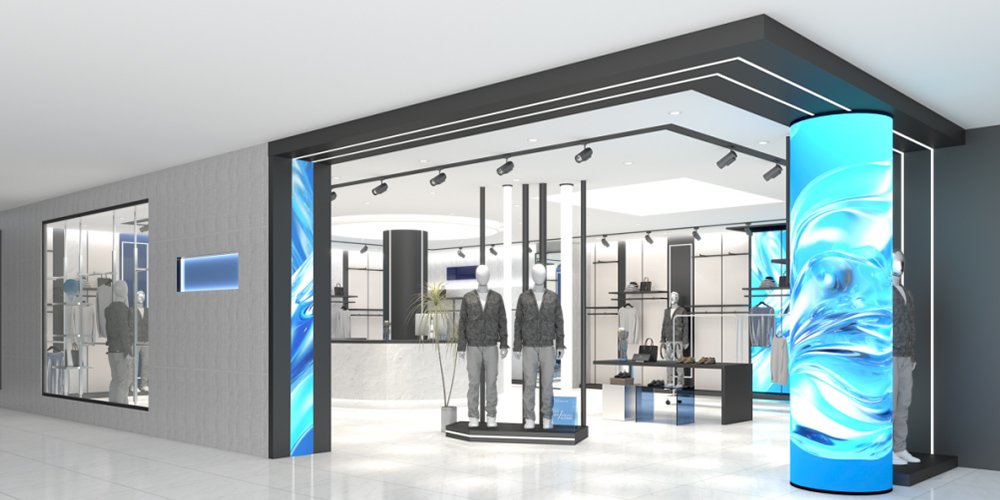
Placement is the first specification. A window attracts passers-by but may have glare and heat. An aisle screen supports product discovery but must avoid obstructing circulation. A checkout screen can explain a membership offer, yet the viewer may have only seconds. A facade screen needs an outdoor-rated system and permission from the property owner or local authority. The table is a starting map for an LED display for shop planning.
| Placement | Typical purpose | Format to evaluate | Key check |
|---|---|---|---|
| Store window | Catch walk-by attention while showing merchandise | Transparent LED or high-brightness solid screen | Daylight visibility, glass reflections and view through the window |
| Entrance or feature wall | Introduce the campaign and direct shoppers | Fine-pitch indoor LED wall | Closest viewing distance and safe mounting |
| Shelf or endcap | Explain a product or offer at point of choice | Narrow LED strip or compact display | Text size, cable routing and shelf access |
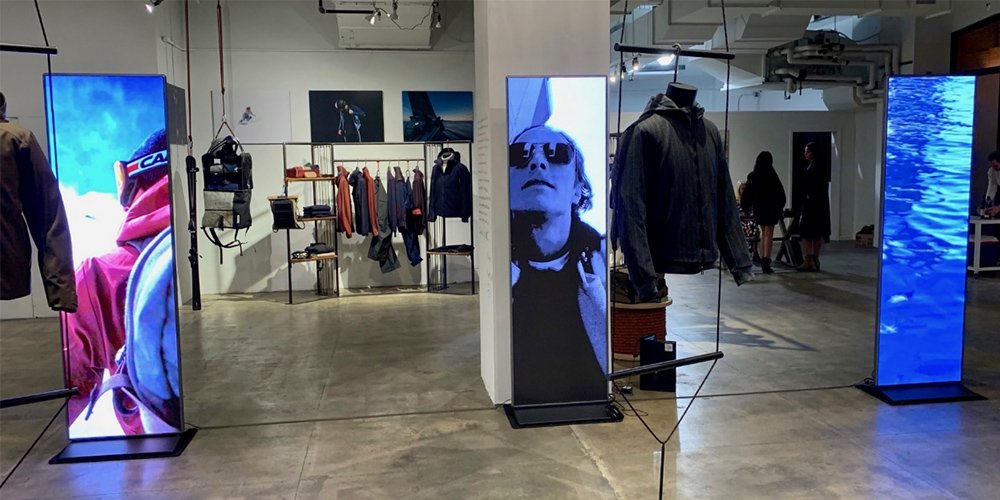
| Freestanding floor position | Run seasonal creative that can move with the layout | LED poster display | Base stability, power and pedestrian clearance |
| Exterior facade | Communicate to people farther away | Outdoor LED screen or mesh | Weather protection, structure and permits |
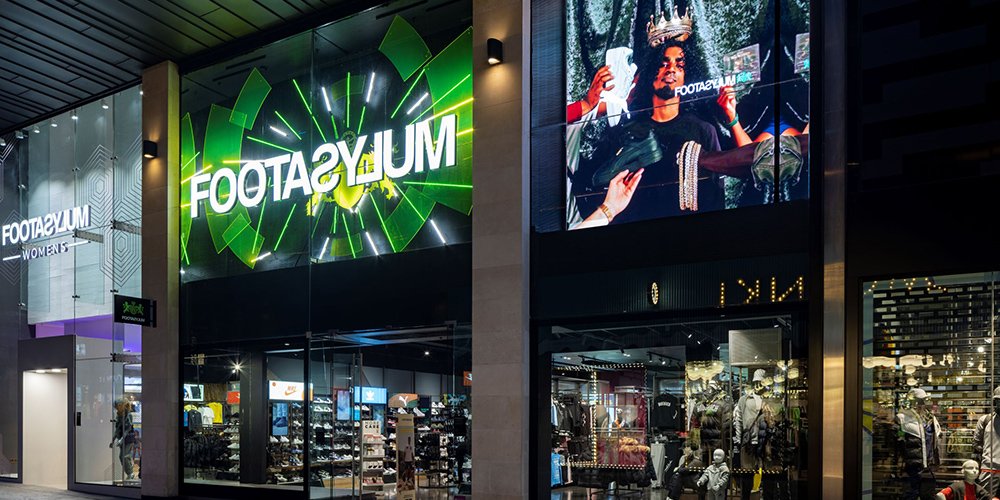
01. Storefront and transparent retail LED display
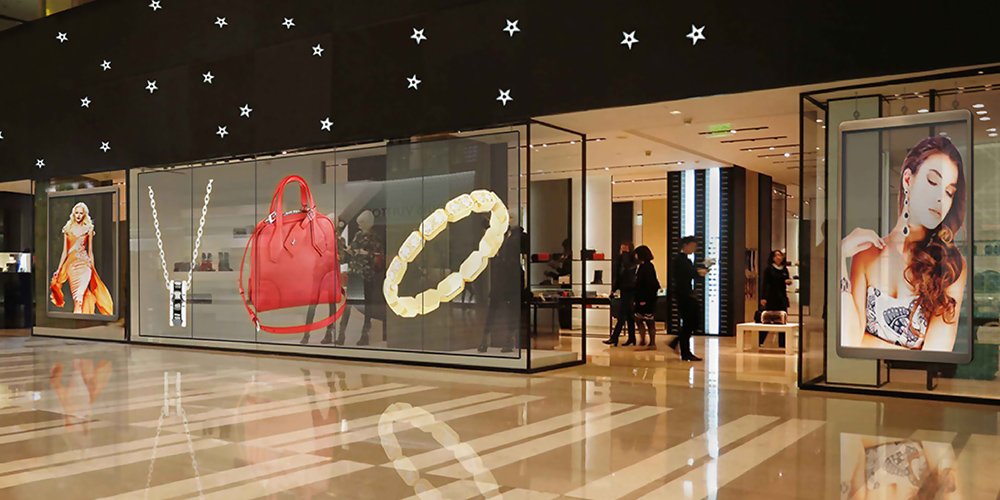
A transparent retail LED display leaves gaps between active LED elements so people can see into the store. That tradeoff means fewer pixels across a given area than a solid fine-pitch wall. Ask for measured transparency, pixel pitch in both directions, brightness at the intended setting and a sample viewed from the actual pavement. Glass tint, reflections and the brightness of the interior merchandise can change the result. Avoid placing detailed product copy on a coarse-pitch transparent screen; use a short offer or recognizable image.
If the window faces strong sun, test during the brightest relevant hour. Check the glazing and ventilation because a screen installed behind glass still generates heat. A transparent product may preserve daylight, but it is not inherently more energy-efficient than every solid LED option. Compare actual power at a realistic content mix and brightness setting.
02. Shelves, posters and feature walls
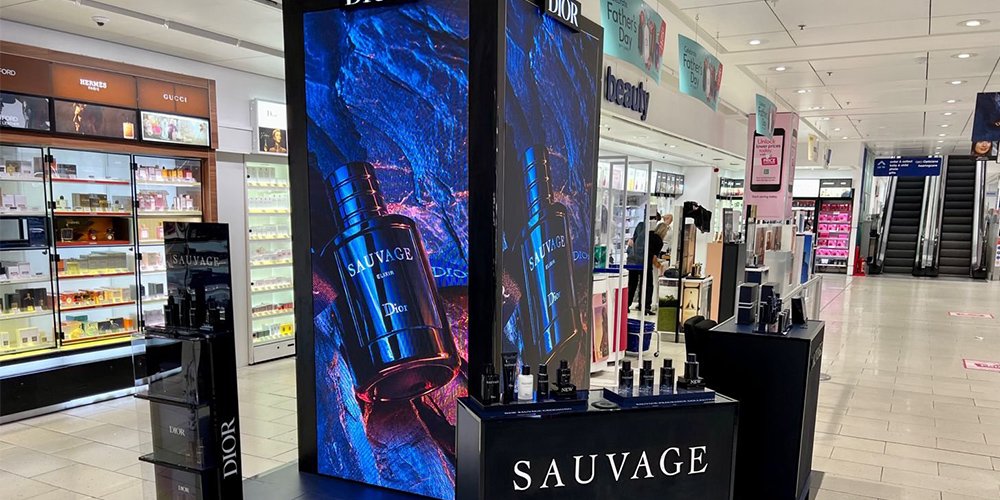
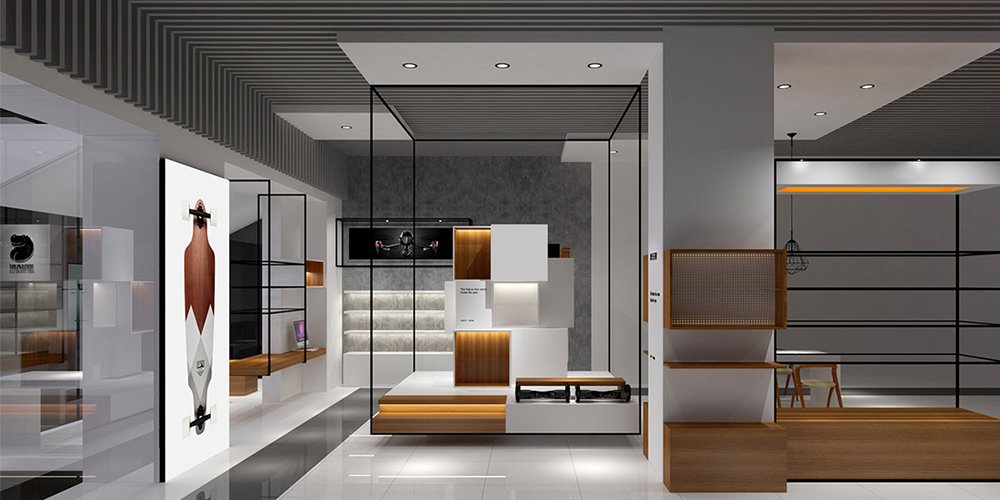
On a shelf, a retail LED display should help a shopper decide: show a price, a difference between models or one use case. Tiny text and a fast animation defeat that purpose. A poster screen is useful where a campaign moves with fixtures. A feature wall is useful when the image must span a wider area or a nonstandard shape. For a narrow aisle, verify viewing angle and avoid a screen that dazzles people standing nearby.
These formats also require different service plans. A shelf strip should not prevent staff from restocking. A wheeled poster needs protected cables and a stable base. A wall installation should allow the specified front or rear service access after joinery is finished. A screen that requires dismantling a store fixture for every repair can become costly to own.
3. Specify a retail LED display for real viewing conditions
Ask suppliers to quote for the installed outcome, not only a cabinet model. Give them a dimensioned drawing, nearest and typical viewing distances, ambient light photographs, operating hours, content examples, mounting surface and local electrical standard. The resulting screen specification should state pitch, pixel dimensions, brightness range, refresh behavior, power, weight, service access and control method.
01. Pixel pitch and image resolution
Pixel pitch is the center-to-center spacing between neighboring pixels, expressed in millimeters. Smaller pitch puts more pixels in the same area, generally helping close viewing and fine detail, but usually increasing cost. Choose pitch together with the closest normal viewing distance and the smallest text you plan to display. Do not treat a one-size-fits-all distance rule as a substitute for a full-size sample. Text height, eyesight, contrast and content also matter.
| Closest routine view | Pitch range to compare | Content fit | Validate before purchase |
|---|---|---|---|
| About 1-2 m | About P1.2-P2.0 | Product details and compact text | View a real sample at the exact text size |
| About 2-4 m | About P2.0-P3.0 | Posters, brand visuals and concise offers | Confirm screen pixel dimensions |
| About 4-8 m | About P3.0-P5.0 | Large graphics and short messages | Test from the approach path |
| Farther window or facade view | Coarser options may work | Large shapes and minimal copy | Check visibility and local rules on site |
These ranges are examples for initial comparison, not universal thresholds. A transparent retail LED display may use different horizontal and vertical pitch. Multiply the physical width and height by the inverse of pitch to estimate native pixel dimensions, then supply creative at that aspect ratio. A 3 m wide screen at P3 has roughly 1,000 pixels across; actual resolution depends on the manufacturer’s module layout.
02. Brightness, contrast and viewing angle
Brightness is stated in nits, but a maximum rating is not the level a screen should run all day. An indoor retail LED display should be comfortable for nearby shoppers. A window screen must remain legible through glass under the actual daylight. Request a usable brightness range, automatic or scheduled dimming, and a site demonstration. Black level, glare, color consistency and viewing angle can matter as much as a headline nit figure. Night-time dimming can improve comfort and reduce unnecessary power use.
03. Refresh, color and power
If campaigns will be filmed or photographed, ask for a camera test at the intended frame rates and shutter settings. Refresh-rate claims alone do not guarantee a clean recording. For brand-critical colors, request calibration and a tolerance for cabinet-to-cabinet uniformity. Ask for both maximum and typical power consumption, because animated full-white content differs from ordinary campaign playback. The project should include the electrical circuit, ventilation, surge protection and an accessible shutoff in the installation plan.
4. Create content that makes the screen useful
A shop screen succeeds when a shopper understands its message without stopping to decode it. Start with one job per placement: draw attention to a launch, show the benefit of a product, guide a visitor or explain a time-limited offer. Write the message before making the animation. Use a short headline, a visible product or price when appropriate, and a clear next action such as “See it inside.” Respect local rules for pricing, advertising and accessibility.
01. Match creative to viewing time
A person walking past a shop window may see only part of a loop. Put the product and main claim early, keep essential text on screen long enough to read, and avoid depending on sound. An aisle viewer may have more time for a feature comparison. A checkout viewer may need a single useful reminder. Test the retail LED display from each real approach angle while the campaign plays at normal brightness.
Do not upload a 16:9 video unchanged to a tall poster screen. Crop or recompose it for the screen’s native aspect ratio. Keep important words inside safe margins because cabinets, nearby fixtures and sightlines can hide edges. For a transparent retail LED display, stronger shapes and fewer words usually survive the lower effective pixel density better than a detailed catalog page.
02. Build a manageable publishing workflow
Document who can approve creative, who can schedule it and how a wrong price can be taken down. For several locations, a content management system should support store-level overrides, user roles, offline playback and a log of changes. Test network loss and power recovery before opening day. This screen is an operational channel; it needs ownership after installation, not merely a launch video.
5. Budget for the full retail LED display project
Screen price alone is not total project cost. Compare quotations that include the same area, pitch, cabinet specification, controller, player, mounting structure, shipping, installation, commissioning, training and warranty. A cheaper screen that needs difficult access or special replacement parts may cost more over its service life. Ask for a written list of exclusions and for the likely lead time of spare modules and power supplies.
| Cost item | Question for the supplier | Why it matters |
|---|---|---|
| Display hardware | Are pixel pitch, active area, spare modules and controller included? | Quotes with different resolutions are not directly comparable. |
| Structure and installation | Who checks wall loads, access, glazing and permits? | Site conditions can change the installed cost. |
| Power and network | What are typical and peak watts, circuits and connectivity needs? | These affect operating cost and reliability. |
| Content and software | Are licenses, templates, training and scheduling support included? | A screen without suitable content delivers little value. |
| Service | What is the warranty scope, response process and parts availability? | Downtime can interrupt campaigns. |
To estimate electricity, multiply typical measured power in kilowatts by daily operating hours, operating days and the local price per kilowatt-hour. For example, a hypothetical screen averaging 0.6 kW for 10 hours on 30 days uses 180 kWh; multiply 180 by your local rate to estimate that month’s electricity charge. This is an illustration, not a measured EagerLED product claim. Use a measured or contractually specified typical load for the content and brightness you expect. Do not calculate operating cost from maximum power alone and present it as a prediction. If comparing an LED display for shop use with LCD or print, include content production, replacement cycles and labor as well.
01. Maintenance and life-cycle questions
Confirm whether modules and power supplies are replaceable from the front, the rear or both. Reserve access space in the store drawing. Ask how failed pixels are detected, whether replacement modules from a later batch will match color, and who holds spare parts. Clean a retail LED display only as the manufacturer instructs, and protect the screen from impacts during merchandising changes. A commissioning record should include serial numbers, calibration settings, brightness schedule and the final wiring diagram.
6. Compare retail LED display suppliers with a site test
Give each bidder the same brief and ask for a scaled layout and a bill of materials. Request the native pixel dimensions of the complete retail LED display, not just the module pitch. Ask to see the proposed cabinet or a close equivalent at the closest viewer distance. Test the same sample content in bright and dim conditions. Confirm the relevant electrical, electromagnetic and environmental documents for the destination market rather than relying on a generic list of certificates.
For a window project, verify the proposed transparency, glass fixing method, ventilation and maintenance route. For an indoor wall, verify mounting loads, flatness and front-service clearance. For a movable poster, verify stability and cable management. Written acceptance criteria can include visible dead-pixel limits, color uniformity, brightness setting, controller recovery and staff training. A quote is most useful when these details are measurable.
EagerLED offers shop LED displays, transparent LED screens and LED poster displays that may suit different retail placements. Compare current transparent and poster options against the project brief; confirm specifications and availability with the supplier. For broader selection criteria, use the commercial LED display checklist.
7. Measure the retail LED display after launch
Set a baseline before switching on the screen. Choose a few measures tied to its job: window-to-entry conversion, inquiries for the promoted item, sales mix, offer redemptions or time to update a campaign. Compare similar days and trading conditions, and log promotions running elsewhere. The display may improve communication without being the sole cause of a sales change.
Review content at least once after installation from shopper positions, not just from the control desk. Note whether people can read the main message, whether brightness is comfortable and whether the display interrupts navigation. Record screen uptime and campaign change time as operational measures. Use what you learn to adjust creative and scheduling before assuming that new hardware is needed.
8. Retail LED display FAQ
01. What pixel pitch is best for a retail LED display?
There is no single best pitch. Start with the closest normal viewing distance and the smallest text or detail you must show. Compare samples at that distance, then choose the coarsest pitch that meets the visual requirement and budget. Window graphics seen from several meters away can use a different pitch from an arm’s-length product display.
02. Can a retail LED display work behind a shop window?
Yes, but glass glare, tint, heat and daylight affect visibility. Test the proposed screen at the actual window at the brightest relevant time. Plan ventilation and safe service access. A screen rated for indoor use behind glass is not automatically suitable for an exposed outdoor installation.
03. Is transparent LED better than a solid store screen?
Transparent LED is useful when preserving the view into the store is important. A solid retail LED display generally offers denser pixels and stronger image coverage at a comparable size. Compare the two with the same message, viewing position and lighting rather than choosing by appearance alone.
04. How much does a retail LED display cost to run?
Use the screen’s measured typical power at the intended brightness and content, multiply by operating hours and the local electricity rate, then add software, content and maintenance costs. Maximum rated power describes an upper condition and should not be used as a typical-cost claim.
05. How do I keep promotions current across stores?
Choose a controller and content management workflow that supports scheduling, approval roles, local overrides and offline playback. Assign a staff owner to remove expired offers. Test recovery after network and power interruptions before rolling out a retail LED display to multiple stores.
06. Should a small shop choose LED or LCD?
For one small, close-view screen, a commercial LCD may provide finer detail with simpler installation. Consider a retail LED display when you need a larger seamless image, an unusual shape, a bright storefront application or modular serviceability. Compare total installed and operating cost for both.
9. Conclusion: specify the retail LED display around the shopper
The right retail LED display starts with a location, viewing distance and clear communication goal. Match the format and pitch to that brief; test brightness, legibility and service access on site; and compare complete installed proposals. Then give the screen useful content and measure whether shoppers can understand it. If you are planning an LED display for shop windows or interiors, share your dimensions, viewing distances and site photographs with EagerLED to request a project-specific recommendation.
How to use this guide: The pitch ranges and energy calculation are planning examples. EagerLED has not presented a measured performance study or a universal return-on-investment claim here. Confirm final specifications, installation requirements and operating costs against the proposed product and your store conditions.