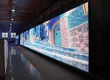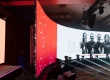


Flexible LED displays are direct-view video screens assembled from bendable LED modules on a shaped support frame. Their LEDs generate the image directly, without an LCD backlight. The modules can follow approved curves, allowing designers to build column wraps, concave walls and flowing architectural features. Flexibility belongs to the module assembly; it does not mean the finished screen can be stretched or folded without limits.
This guide explains how flexible LED displays are assembled, how their electronics work, and how to assess their benefits, limitations and installation requirements. It focuses on technical understanding and project acceptance. For a broader purchasing overview, see our LED specification and buying guide.
Before ordering: confirm the module model, bending direction and radius, native pixel map, operating environment, power design and replacement access. Those details determine whether flexible LED displays will work reliably in your actual space.

1. How to Make Flexible LED Displays
Building flexible LED displays is a system integration task. A finished installation combines factory-made soft modules, a mechanically accurate frame, power distribution, receiving cards and configured video processing. It is different from manufacturing LED chips or attaching decorative LED strips to fabric.
01. Define the geometry and module layout
Begin with a dimensioned drawing of the visible surface. Record the width along the curve, height, radius, curve direction, mounting depth and access openings. Specify whether the screen is concave, convex or cylindrical. A flat elevation alone does not describe the shape well enough for fabrication.
For flexible LED displays, divide the developed surface dimensions by the selected module dimensions to establish a feasible grid. Modules must fit as whole units. If the calculation produces a fraction, revise the frame size or module format; do not trim a module or force it into place.
Illustrative calculation: a 3,200 × 1,600 mm surface using 320 × 160 mm modules needs 10 columns and 10 rows, or 100 modules. At exactly P2.5, each module contains 128 × 64 pixels and the completed surface contains 1,280 × 640 pixels. This example assumes compatible modules and a permitted curve, rather than specifying an available product configuration.
02. Prepare the frame and complete component list
The frame holds flexible LED displays in their final geometry. Its contact surfaces must follow the design accurately, with consistent support and clearance for connectors. Magnetic attachment requires a suitable ferromagnetic mounting surface; magnets do not attach securely to every metal.
The bill of materials should identify module quantities, compatible power supplies, receiving cards, hub boards where required, processor, cables, frame hardware and replacement parts. Include access provisions and cable strain relief. Confirm the complete installed weight, because a light module does not make the supporting structure weightless.

03. Engineer power and signal distribution
Use the exact module datasheet to establish supply voltage, maximum current and connector ratings. An electrical designer should size circuits, protective devices, conductors, grounding and isolation for the installation and local requirements. A generic cable size or color instruction cannot establish a safe design for every country and screen.
Flexible LED displays also need a documented signal map. Check each receiving card and output port against the proposed pixel load, scan configuration, frame rate and bit depth. There is no single universal pixel limit that applies to every controller. Check the published receiving-card specification for the exact model: its loading capacity depends on the controller, scan configuration and operating settings.
Keep power and data connectors accessible. Leave enough service slack to remove a module safely, while securing cables so they cannot rub, pull on connectors or interfere with ventilation. Label the routes before the modules conceal them.
04. Install, configure and accept the finished screen
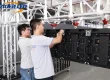
Fit modules without twisting them or forcing their edges together. Check alignment around the curve and the closing seam of a cylinder before completing the entire surface. Follow the supplier’s handling instructions and isolate electrical power during work that requires it.
Commission flexible LED displays using the correct receiving-card configuration and native pixel map. Test solid red, green, blue, white, black and gray patterns, followed by motion and real project content. Inspect for missing pixels, reversed modules, color differences, dark bands and visible seams at the intended viewing positions.
Record the accepted brightness setting, configuration files, calibration backup, wiring drawings and spare-parts list. A successful video demonstration is only one part of acceptance; the operator must also be able to restart, maintain and restore the system.

2. How Does a Flex LED Display Work?
Flexible LED displays use the same basic image principle as other direct-view LED walls: red, green and blue light emitters combine to form visible colors. Driver electronics control their output, while the video system assigns the correct image information to each module.
01. Follow the image from source to pixels
The content source can be a media player, computer or video feed. A processor scales or positions that content on the screen’s native pixel canvas. Receiving cards distribute data to the connected modules, and driver circuits regulate the LEDs. Power supplies provide the required low-voltage DC supply.
The visible shape does not change this signal chain. However, flexible LED displays need a pixel map that matches the physical arrangement. A column may use a long rectangular canvas wrapped around its circumference. Text crossing the closing seam can become difficult to read, so content should be composed for the audience’s actual approach.


02. Understand what bends and what stays rigid
Flexible LED displays use module constructions designed to accommodate controlled bending. The circuit assembly and supporting materials allow the LED surface to follow a specified curve. Individual LED packages, connectors, receiving cards and power supplies still impose mechanical constraints.
A minimum bend radius is the smallest approved curve for a particular module and direction. Radius is measured as a length; a bend angle needs a stated module length to be useful. Ask for both the drawing and the handling limit. Do not infer allowable bending from a photograph of a rolled sample.
Standard soft modules are not automatically suitable for continuous movement, sharp folds or compound curvature. Spheres and other surfaces that curve in two directions may require specially shaped modules. Obtain written confirmation for the intended geometry before approving a fabrication drawing.
03. Separate refresh rate, frame rate and image quality
Refresh rate describes electronic repetition at the display, while source frame rate describes how often the video contains a new frame. A high refresh specification does not create detail missing from low-resolution content or guarantee artifact-free camera recording.
Evaluate flexible LED displays at their intended brightness. Look for smooth dark gradients, consistent colors and legible text. For filmed installations, test the actual camera, shutter settings and frame rates. Scanning behavior, synchronization and processing settings can matter as much as the headline refresh number.
3. Flexible LED Displays Versus OLED and LCD: What Is the Difference?
Both direct-view LED and OLED displays are self-emissive; LCD displays require a separate light source. The phrase “LED television” often refers to an LCD television with an LED backlight. Confusing that product with a direct-view LED wall leads to incorrect claims about backlighting and flexibility.

01. Compare the display architectures
| Technology | Where light comes from | How curvature is achieved | Main selection issue |
|---|---|---|---|
| Flexible direct-view LED | LED emitters on modular tiles | Approved bending of soft modules on a frame | Module geometry, pitch and service access |
| Rigid direct-view LED | LED emitters on rigid modules | Curved cabinet joints or faceted layouts, where supported | Cabinet alignment and permitted joint angles |
| Flexible OLED | Organic emissive pixel layers | A specially engineered flexible panel stack | Panel dimensions, handling and intended duty |
| LED-backlit LCD | LED backlight behind liquid crystals | Factory-engineered curved panel construction | Panel format, bezels and backlight performance |
OLED flexibility depends on the complete panel structure, including its substrate and encapsulation. It does not mean that every OLED product can be bent by the installer. This is why a flexible OLED panel and an LED-backlit LCD should be compared as different display architectures.

02. Avoid misleading contrast and backlight claims
Flexible LED displays do not use edge lighting behind a liquid-crystal layer to generate their image. Their practical contrast depends on emitted light, black surface properties, reflections, ambient lighting and operating settings. Compare measurements made under equivalent conditions instead of accepting unrelated contrast figures.

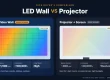
The retained backlight illustration relates to LCD architecture. It does not describe the light-generation method of a direct-view LED wall.
For an architectural video surface, compare the full installed systems rather than technology names alone. Flexible LED displays can be assembled into large custom surfaces, while a flexible OLED panel has its own available dimensions and integration requirements. Neither approach is universally best for all viewing distances, budgets or service conditions.
4. How to Choose Flexible LED Displays for Your Business
Choose flexible LED displays by defining what viewers must see and what the building can support. A persuasive concept image is useful, but it should lead to measurable specifications. Start with the closest viewer, content type, ambient light, operating hours and whether cameras will record the screen.
01. Match benefits and applications to a measurable goal
The benefits of flexible LED displays are strongest when their shape solves a real space or viewing problem. A column wrap can communicate from several approaches; a curved exhibit can follow a visitor route. Neither automatically guarantees higher sales or engagement. Define the outcome and a method to evaluate it.
| Application | Useful benefit | Acceptance check |
|---|---|---|
| Retail column | Uses an existing curved surface for short messages | Read the offer from each main customer approach |
| Museum or showroom | Integrates motion into a curved exhibit | Check captions, dark scenes and brightness comfort |
| Corporate lobby | Follows the architecture with continuous imagery | Inspect reflections, quiet operation and daily scheduling |
| Stage scenery | Creates curves and visual depth around performers | Test camera artifacts, rigging and transport protection |
| Public information feature | Places messages on a visible architectural surface | Verify legibility, content updates and fault recovery |

For design alternatives and use-case detail, consult our guide to curved-screen uses, benefits and limits. Repeated touring may favor purpose-built rental cabinets, while a permanent indoor feature can justify a custom soft-module frame.
02. Specify image quality and environmental limits
Pixel pitch is the distance between adjacent pixel centers. Smaller pitch provides more pixels within a given area, but viewing distance alone is not a complete selection rule. Fine text, drawings and close inspection demand different results from large logos or abstract motion graphics.
Ask to see representative content at full scale on the proposed pitch. Flexible LED displays should meet the required readability at the nearest occupied location without excessive brightness. A specification should identify the usable brightness range, native resolution and viewing positions, rather than relying on a generic “HD” label.
| Requirement | Evidence to request | Why it matters |
|---|---|---|
| Pitch and resolution | Exact pitch, module pixels and complete pixel map | Determines native detail and content dimensions |
| Curve and frame | Radius, bending axis and approved installation drawing | Prevents mechanical stress and alignment errors |
| Brightness and color | Sample at the proposed operating level | Reveals glare, gradients and visible module differences |
| Camera performance | Test footage with the production camera settings | Finds banding or artifacts before installation |
| Environment | Complete-system protection and temperature limits | Distinguishes indoor equipment from an outdoor solution |
| Power and heat | Maximum load, typical-use assumptions and cooling plan | Supports electrical sizing and operating-cost estimates |
| Maintenance | Removal demonstration, spares and configuration backups | Establishes a practical route to recovery |

Indoor flexible LED displays should not be assumed weatherproof. Outdoor use requires a specifically engineered system covering the modules, enclosures, connectors, drainage and environmental exposure. A module-level claim does not establish protection for the entire installation.
03. Compare complete project costs and support
The price of flexible LED displays depends on more than square meters. Compare quotations that include the same pitch, frame geometry, processor, electrical work, installation, calibration, transport, taxes where applicable and spare parts. Identify exclusions before comparing totals.
For an operating estimate, multiply average measured power in kilowatts by daily operating hours and electricity cost per kilowatt-hour. For example, an assumed 1.2 kW average load operating 10 hours consumes 12 kWh per day. This is arithmetic, not an EagerLED consumption claim. Maximum power remains relevant to electrical design.
Confirm warranty scope, response process, replacement availability and responsibility for on-site labor. Keep compatible spare modules from the project batch where practical. Also preserve calibration data: replacing hardware without its configuration can introduce a new visible mismatch.

5. Six Features and Benefits of Flexible LED Displays to Verify
The effectiveness of flexible LED modules depends on how their advertised features perform in the completed installation. The EagerLED EA-Flex product page describes an indoor soft-module family with magnetic front service and multiple module formats. Confirm current specifications for the exact quoted configuration.
01. Controlled flexibility for the required shape
Shape adaptability is the defining benefit of flexible LED displays. Approve the curve using a sample on the proposed frame, then inspect edge contact, connector clearance and surface uniformity. “Flexible” should always be accompanied by a model-specific mechanical limit.

02. Magnetic front service with real access
Front removal can make maintenance easier where rear access is limited. Demonstrate removal at the most difficult point of the curve, including corners and overhead positions. Modules, cables and power components need a workable service route, and suitable retention must be part of the installation design.

03. Consistent image quality at operating brightness
Flexible LED displays should show uniform color and smooth gradients across neighboring modules. Compare a white field, mid-gray field and dark video after the screen has warmed up. Use repeatable settings so that acceptance is based on evidence rather than a bright promotional loop.

04. Module dimensions that suit the project
EA-Flex lists several module formats, including 240 × 120 mm, 320 × 160 mm and 256 × 128 mm. These are family options, not interchangeable parts. Confirm pitch, dimensions, mounting points and electrical compatibility together when choosing a format or ordering replacements.
05. Creative appearance that supports communication
Flexible LED displays can turn a structural feature into a visual focal point. Keep logos and essential text within the visible portion of the curve. A continuous panoramic animation may be effective decoration, while directions and offers need enough display time and readable character sizes.

06. Repeatable installation and replacement
A modular design helps only when the frame, connectors and configuration are consistent. Label module positions and receiving-card groups. Keep a known-good backup and a documented replacement procedure so flexible LED displays can return to service without reconstructing the system from memory.

Existing demonstration video: EagerLED creative LED module demonstration. Use demonstrations to understand the concept; approve the final system against its own drawings and datasheets.
6. Frequently Asked Questions About Flexible LED Displays
01. What are the main advantages of flexible LED displays?
The main advantages are controlled shape adaptation, modular construction and, on suitable products, front service. Their value is greatest where a curve or column is essential to the design. Frame accuracy, content readability and maintenance access determine whether those advantages translate into useful results.
02. Do flexible LED displays need a backlight?
No. Direct-view LED pixels emit light themselves. OLED is also self-emissive. An LED-backlit LCD is different: LEDs illuminate a liquid-crystal panel from behind or from its edges. Always identify the display architecture before comparing backlight, contrast or flexibility claims.
03. Can flexible LED displays be folded or stretched?
Do not assume so. Follow the exact module’s approved radius, bending axis and handling instructions. A static curved installation does not establish suitability for repeated folding or movement. Stretching or creasing can damage circuits, solder joints or the LED surface.
04. How much do flexible LED displays cost?
A reliable price needs the screen dimensions, pitch, curve, installation location and scope. Request an itemized system quotation, including frame, control equipment, installation and spares. A bare-module price per square meter is not the same as the installed project cost.
05. Can indoor flexible LED displays be used outdoors?
Only if the complete proposed system is explicitly designed and rated for that exposure. Indoor soft modules do not become outdoor equipment simply because they are mounted under a canopy. Confirm water, dust, temperature, sunlight and enclosure requirements with the supplier.
06. How long do flexible LED displays last?
There is no universal installed-system lifespan. Temperature, brightness, operating hours, handling and component replacement affect service life. An LED lifetime figure does not guarantee that every power supply or connector lasts equally long. Ask for warranty terms and a maintenance plan tied to your operating conditions.
07. What should I send a manufacturer for an accurate proposal?
Send a dimensioned drawing, curve radius, installation photographs, nearest viewing distance, sample content, operating schedule and environmental conditions. Include access restrictions, camera use and your required delivery date. Ask the manufacturer to return an approved module layout, pixel map and itemized scope.
7. Conclusion: Specify Flexible LED Displays as a Complete System
Flexible LED displays combine direct-view imaging with modules designed for controlled curves. A dependable project starts with an accurate shape, continues through compatible electronics and power design, and ends with documented visual and service checks. Benefits such as creative form and front access should be demonstrated on the proposed configuration.
To discuss flexible LED displays for your installation, send EagerLED your project requirements. Include the drawing, viewing distance and content examples so the recommendation can be evaluated against your actual space and operating needs.