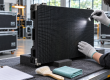


A transparent LED screen is a digital display that produces images with LEDs while allowing people to see through the spaces between its light-emitting elements. It combines video with a view through a window, partition, or stage backdrop. The right transparent LED display depends on viewing distance, daylight, glass conditions, service access, and the content you need to show.
For an AV integrator specifying a glass-front installation, this guide explains the technology, compares screen types, and provides practical checks before approving a quotation. Start with the viewing task: a large animated logo across a street needs a different transparent LED screen from small product information viewed through a shop window.
Key points: A transparent LED matrix uses individually controlled red, green, and blue pixels to form an image while gaps or clear areas preserve the view behind it. Pixel pitch sets the available detail; brightness and the background determine readability. Choose film, cabinets, or mesh by testing your actual content at the real viewing distance and lighting conditions.

1. What Is a Transparent LED Screen?
A transparent LED screen uses a partially open or transparent structure instead of an opaque display backing. RGB LEDs generate the visible image, while gaps or transparent areas allow background light to pass through. You may also see the terms see-through LED screen, transparent LED wall, or LED window display.
“Transparent” does not mean completely invisible. LED packages, conductors, support bars, power connections, and frames remain physical objects. How noticeable they are depends on distance, lighting, viewing angle, and the installation. A semi-transparent LED screen can preserve useful visibility without resembling clear, untreated glass.
Three measurements answer different questions: transparency describes visibility through the display; pixel pitch describes pixel spacing; brightness describes emitted light. A high percentage for transparency does not automatically mean sharp text or good daylight readability. Evaluate all three against your actual window and audience.

For a shopfront, the objective is usually to balance advertising with daylight and merchandise visibility. For a stage, it may be to show graphics while keeping performers or scenery visible. A transparent LED display is less suitable when your priority is dense text, an opaque black background, or desktop-monitor clarity at arm’s length.
2. Transparent LED Screen Types Compared
01. Modular transparent LED, film, and mesh
A cabinet-based transparent LED display suits projects needing a defined mechanical structure and replaceable modules. A transparent LED film screen can fit existing glazing with minimal depth, subject to adhesion and servicing requirements. Mesh or curtain designs prioritize an open structure and large visual effects, with detail depending on pitch.
Compare a fixed indoor transparent LED screen with film using the same window dimensions, required readability, and maintenance plan. A thinner appearance can be attractive, but replacement procedures and cable visibility still matter.
| Technology | How it forms an image | Typical selection reason | Check before choosing |
|---|---|---|---|
| Modular transparent LED | RGB pixels on spaced bars or modules | Scalable windows and large display walls | Frame depth, pitch, and service access |
| Transparent LED film | LEDs and circuits on a transparent carrier | Low-profile integration with glass | Glass compatibility and module replacement |
| LED mesh or curtain | Pixels distributed across an open structure | Large facades or stage effects | Weather rating, rigging, and image detail |
| Transparent OLED | Self-emitting organic display pixels | Detailed content in controlled indoor settings | Ambient light, panel size, and image retention guidance |
| Transparent LCD | Liquid crystals modulate illumination | Display cases with controlled lighting | Lighting arrangement and background visibility |
| Projection film | A separate projector illuminates a surface | Projection-based window effects | Throw distance, ambient light, and obstructions |
02. OLED, LCD, projection, and GOB distinctions
Transparent OLED, transparent LCD, and projection are alternatives to a direct-view transparent LED screen. Their similar appearance in photographs does not mean they share the same brightness, installation method, or service requirements. Compare a physical demonstration in the intended environment.
GOB means glue on board: a protective encapsulation approach used with some LED products. It describes protection, not a separate light-emitting principle. The coating, repair process, optical behavior, and ingress protection depend on the actual product. GOB does not automatically make every transparent LED display waterproof or impact-proof.
For transparent LCD installations, illumination behind the panel is part of the design. Assess the product or scene behind it along with the screen itself. This differs from a transparent LED display, whose individual pixels emit the displayed light.
A projected image needs a projector and suitable optical surface. “Holographic” is also used commercially for floating-image effects on transparent screens; the label alone does not demonstrate a true three-dimensional holographic display. Ask how the image is formed and what viewers see from the side.
3. How Does a Transparent LED Screen Work?
A transparent LED screen is a direct-view, light-emitting display. Viewers see the LEDs themselves; the picture is not normally projected onto glass. Background objects remain visible through the unoccupied or transparent parts of the assembly.
01. From video source to visible image
The signal path typically runs from a media player or computer through a controller, then to receiving electronics and LED drivers. The controller maps the content to the screen’s physical pixel arrangement. Power supplies provide the electrical power needed by the LEDs and electronics.
The drivers adjust RGB output to create changing colors and brightness. Switching a pixel off stops its emitted light, but does not remove the physical component. Black areas in the content therefore reveal more of the background instead of creating the deep, opaque black associated with a conventional display.
02. Background light, contrast, and content design
Perceived contrast depends on both emitted light and what is behind the transparent LED display. A bright interior, reflective glazing, or direct sun can compete with the image. Demonstrations filmed at night are not enough to predict performance in a sunlit storefront.
Use strong shapes, short messages, generous spacing, and controlled motion. Large bright subjects on black content backgrounds often work well because unlit areas retain the view through the window. Full-screen white content illuminates more pixels, increases power demand, and makes the scene behind the screen harder to perceive.
For acceptance testing, view the transparent LED screen from outside and inside, at midday and after dark. Record brightness settings and compare the same content each time. This creates a useful basis for commissioning and later troubleshooting.
4. Pixel Pitch, Transparency and Specifications
01. What is a transparent LED matrix?
A transparent LED matrix is a grid of addressable light-emitting pixels with open or clear areas between them. The controller assigns image data to each position; red, green, and blue LEDs vary their output to make the picture. Background light passes through the unused space. The matrix is therefore both the image-making structure and the reason a viewer can still see behind the screen.
Pixel pitch is the center-to-center distance between neighboring pixels, measured in millimeters. The screen’s width and height divided by their respective pitches determine its approximate pixel count. A transparent LED screen does not necessarily contain millions of pixels, and a high-resolution video input cannot add detail beyond the physical grid.
Cabinet designs commonly use narrow bars with open spaces. Film designs place LEDs and conductive paths on a transparent carrier. Glass-integrated products use their own construction methods. These are different engineering approaches, so statements about thickness, cutting, adhesives, or maintenance cannot be applied to every transparent LED display.
Transparent OLED is a separate display technology. An LED screen does not become transparent by adding an OLED layer. Likewise, a projector shining onto a transparent film is a projection system, even if its light source includes LEDs. Correctly identifying the technology is essential when comparing quotations.

02. Specifications that determine real performance
Use the table below to request comparable data. A transparent LED screen specification should describe the supplied model and complete system, not just the best value available somewhere in the product range.
| Specification | Why it matters | What to request |
|---|---|---|
| Horizontal and vertical pixel pitch | Determines pixel density and text detail | Both values in millimeters and total pixel resolution |
| Transparency | Affects background visibility and daylight | Measurement method, active-area value, and frame obstruction |
| Brightness and dimming | Controls readability and nighttime glare | Calibrated brightness in nits and control range |
| Refresh rate and grayscale | Affects camera performance and smooth tonal transitions | Operating settings and a camera test if filming matters |
| Power consumption | Influences electrical design and running costs | Maximum and representative average watts per square meter |
| Weight and mounting | Determines the installation load | Screen, frame, cabling, and power-supply weights |
| Environment and servicing | Determines suitability and repair access | Temperature, humidity, ingress protection, and replacement procedure |
One nit equals one candela per square meter. Refresh rate, measured in hertz, is not resolution. Resolution is a pixel count, such as width multiplied by height. Keeping these terms separate prevents misleading comparisons between transparent LED screen quotations.
03. Pixel pitch and viewing distance
Finer pitch provides more pixels in the same area, but can increase cost and alter transparency. There is no universal minimum viewing distance that works for every image. Test the smallest lettering, logos, and product details at the nearest position where viewers will actually stand.
For example, an illustrative 4-meter-wide by 2-meter-high (13.1 by 6.6 ft) screen with equal 10-millimeter horizontal and vertical pitch has approximately 400 × 200 pixels. Sending a 4K video signal does not turn that physical grid into a 4K display. Cabinet dimensions and usable module layouts determine the final resolution.
Rectangular pitch also matters: 3.9 × 7.8 millimeters has different horizontal and vertical density. Obtain a pixel map before designing content. A sample video should include moving images, your real typography, and dark scenes, not only bright demonstration graphics.
For unequal horizontal and vertical pitch, request the cabinet’s native raster and physical dimensions together. An illustrative 1,000 × 500 mm (39.4 × 19.7 in) surface with exact 4 × 8 mm spacing would have 250 × 62.5 theoretical pixels, which cannot be a finished integer grid. This is a warning to use actual module counts rather than rounding a marketing pitch into a final design. Ask for a test pattern with a circle and a square to confirm that the processor preserves their proportions.
5. Installation, Applications and Service Access
01. Applications and their practical limits
The main advantage of a transparent LED display is the combination of moving graphics and retained visibility. Retailers can keep products visible; architects can preserve an open appearance; event designers can build layered scenes. These benefits depend on careful positioning and suitable content.

| Application | Main priority | Common problem | Useful acceptance test |
|---|---|---|---|
| Retail window | Promotions plus merchandise visibility | Reflections and text that is too small | Read the offer from the nearest pedestrian route |
| Shopping center atrium | Visibility across several floors | Obstructed sightlines and difficult service access | Inspect from each intended viewing level |
| Glass facade | Large graphics viewed at distance | Heat, structural loads, and exposure | Review the mounting design and test daylight content |
| Exhibition or stage | Layered imagery and fast setup | Camera artifacts and transport damage | Rehearse with show cameras and rigging |
| Showroom or lobby | Integration with physical products | Busy backgrounds reducing contrast | Test with final lighting and furnishings |
A transparent LED screen does not guarantee higher sales or lower electricity use. Measure business outcomes separately, and compare energy consumption at equivalent operating conditions. Transparency alone is not a reliable efficiency rating.
02. Installation and maintenance planning
Begin with a site survey covering glass dimensions, mullions, orientation, sunlight, power routes, data connections, and maintenance access. Determine whether the transparent LED screen attaches to glass, uses an independent frame, or hangs from an approved structure. Lightweight equipment still imposes loads.
For adhesive film, confirm glass compatibility, coatings, surface preparation, allowable curvature, and edge clearances. For modular cabinets, check alignment, load paths, cable strain relief, and module removal space. Cutting is permitted only where the manufacturer specifies it; trimming through a circuit can damage a module.

Arrange accessible power supplies and labeled cables. Agree on isolation procedures, cleaning materials, spare modules, controller backups, and fault diagnosis before installation. Ask whether a damaged section can be replaced independently and whether replacement stock can be color-matched to the installed transparent LED display.
An indoor transparent LED screen mounted behind glass is still an indoor product. Facing outdoors does not make it weatherproof. Check solar heat buildup, condensation, ventilation, and the environmental limits of the complete assembly. For exposed installations, evaluate a purpose-designed outdoor transparent LED screen.
03. Geographic conditions and international procurement
Give the supplier the installation city, site photographs, and seasonal operating conditions. Location alone does not define the environment: a shaded mall window and an exposed coastal facade may need very different equipment.
Plan for the local supply voltage and frequency, compatible power equipment, available installation labor, and service response. In hot or humid locations, request operating limits and a condensation strategy. Where windows receive strong sunlight, assess the temperature behind the glazing as well as the brightness seen from the street.
Ask the local installer which electrical documentation, mounting approvals, and signage permissions apply to that site. Obtain model-specific documentation rather than assuming a logo in a brochure covers the complete installation. Confirm delivery terms, import responsibilities, packaging, spare-parts logistics, and who handles commissioning.
6. Transparent LED Screen Price and Running Costs
There is no dependable universal transparent LED screen price per square meter. Pitch, brightness, screen area, construction, controllers, structure, installation, and service terms all affect the quotation. Compare suppliers against one written specification and separate equipment cost from the total installed cost.
| Cost category | Include in the quotation | Question that prevents omissions |
|---|---|---|
| Display hardware | Modules, cabinets or film, drivers, power supplies | Are all required components included? |
| Control system | Controller, player, software, network equipment | Are there recurring software charges? |
| Installation | Frame, glass preparation, wiring, access equipment | Who supplies the structure and electrical work? |
| Delivery | Freight, packaging, insurance, import costs | Which delivery terms and destination are quoted? |
| Operation | Electricity, content production, cleaning | What operating hours and brightness are assumed? |
| After-sales support | Spares, labor, transport, training | What is covered, for how long, and where? |
For an illustrative energy calculation, assume a 10-square-meter (107.6 sq ft) screen averaging 200 W/m² for 12 hours daily. Display energy would be 10 × 200 ÷ 1,000 × 12 = 24 kWh per day. Multiply by the local electricity tariff, then account for controllers and any cooling separately. These are example inputs, not an EA-iFilm power specification.
7. EA-iFilm: Check the Exact Configuration
01. Published features and their meaning
The EA-iFilm indoor transparent LED film screen is intended for indoor glass applications. EagerLED’s parameter table lists different values for different configurations: P8 has 80% transparency and 5,000 nits, P10 has 85% and 5,000 nits, and P20 has 90% and 2,500 nits. Do not combine the highest transparency with another configuration’s brightness. These are manufacturer-listed values, checked November 6, 2026; confirm the supplied model and measurement conditions in the quotation.
The listed IP30 protection grade is for indoor use. The promotional thickness of about 5 mm (0.20 in) describes the film assembly, not the depth needed for every power, control, and mounting component. Transparency does not make installed parts invisible.
Check the mounting load for the complete system and the suitability of the glass. A thin film still requires a planned route for power and data.

The listed refresh frequency of at least 3,840 Hz is not pixel resolution. Request the pitch, finished pixel dimensions, and dimming behavior for your installation.
02. Information to provide for a project proposal
Send the glass width and height, photographs, desired coverage, nearest viewing distance, opening hours, and intended content. Include mullion positions, available service space, and the location of electrical supplies. Identify any curved glass or sections requiring custom sizes.
Ask for a sample or demonstration using the proposed transparent LED screen configuration. Evaluate the view through the glass when the screen is off, then compare text and motion graphics at realistic brightness.
Agree on installation drawings, an approved cutting or bending plan where applicable, commissioning checks, and replacement procedures. A useful handover includes controller settings, content dimensions, cleaning instructions, and a spare-parts list.
8. Transparent LED Screen FAQs
01. How do transparent screens work?
A transparent LED screen emits light from RGB pixels while background light passes through gaps or transparent areas. The controller maps video onto the pixel matrix. OLED, LCD, and projection systems use different mechanisms, so first identify the technology being offered.
02. What is a transparent LED matrix?
It is the addressable grid of RGB LED pixels that forms the image. Gaps between LED bars, or clear areas in a film, let background light pass through. Pixel pitch determines the grid density; it is different from transparency and brightness.
03. Can a transparent LED screen be used outdoors?
Yes, if the specific system is designed for outdoor exposure. An indoor screen behind glass is not automatically suitable for rain, wind, condensation, or outdoor temperatures. Verify the complete system’s environmental rating and mounting design.
04. Is transparent LED film better than a cabinet screen?
Neither is universally better. Film can offer a low-profile glass installation; cabinets may provide a different service and support arrangement. Compare visibility, pitch, glass compatibility, installation cost, and replacement access for the actual site.
05. What affects transparent LED screen price?
Pixel pitch, brightness, area, construction, controls, installation, and support all affect price. Request an itemized quotation and compare total installed scope. A low hardware price can exclude structural work, controllers, freight, or commissioning.
06. Can people see the image equally well from both sides?
Not necessarily. Seeing through a screen from both sides does not guarantee identical image brightness or readability in both directions. LED emission, component placement, and content orientation matter. Request a demonstration if two-sided viewing is essential.
07. How long does a transparent LED display last?
Service life depends on operating temperature, drive conditions, daily hours, maintenance, and component quality. A headline LED lifetime is not a warranty for the complete system. Ask about brightness depreciation, replacement parts, and written warranty coverage.
08. Does higher transparency always give a better result?
No. Higher transparency may favor background visibility while a different design gives better image detail. Choose the transparent LED display that balances readability, daylight, appearance, and serviceability, then verify the balance using your own content.
9. Plan Your Transparent Display Project
To discuss a suitable configuration, contact EagerLED with your screen dimensions, installation city, glass photographs, and viewing distance. Request model-specific specifications and a clear installation scope so your team can review the proposal against measurable requirements.
Technical source and scope: The EA-iFilm figures above come from EagerLED’s published product specifications. Screen construction and performance vary by model. The pixel-count and energy examples are illustrative calculations, not product test results; confirm any purchasing decision against the proposed model’s datasheet and a site-specific demonstration.