

A high refresh rate LED display redraws its light output many times during each second of video. That matters most when a camera, smartphone, or fast shutter records the screen: a well configured high refresh rate LED display is less likely to show dark scan lines, rolling bands, or uneven brightness. The high refresh rate LED display benefit is real, but the number printed on a quotation is only one part of the result. LED driver design, scan ratio, low-gray behavior, video processing, and camera settings all matter.
This guide explains the advantages of a high refresh rate LED display in practical terms. It separates LED pixel refresh from video frame rate, compares common 1920 Hz, 3840 Hz, and 7680 Hz specifications, and gives buyers a test procedure they can use before approving a wall for retail, live events, broadcast, or virtual production. It also clarifies where a higher number adds little value, so a project can spend its budget on the specifications that actually improve the viewing experience.
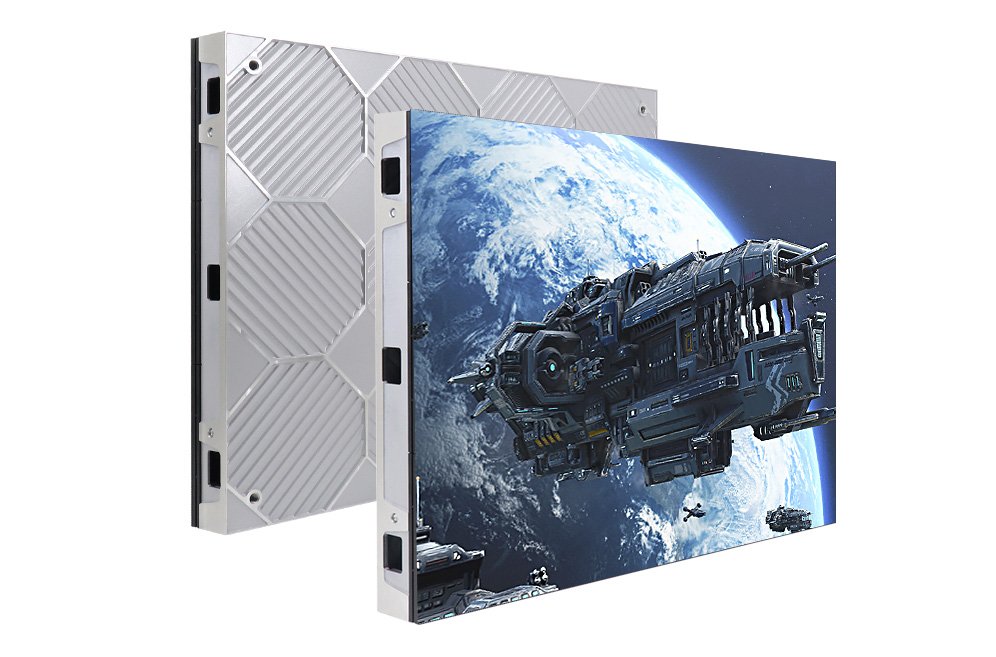
For reference, EagerLED’s indoor HD LED display range includes small-pitch solutions for close viewing. The right high refresh rate LED display configuration depends on the exact cabinet, receiving card, driver IC, brightness setting, and planned camera workflow; ask for the tested operating mode of the model you intend to buy.
Table of Contents
1. What does high refresh rate mean on an LED display?
On a high refresh rate LED display, the control system repeatedly addresses LED pixels and modulates how long they emit light. The LED refresh rate describes how often a complete image is represented by that drive process in one second. It is usually stated in hertz (Hz). A specification of 3840 Hz describes thousands of light-output cycles per second; it does not mean the player supplies 3840 different pictures every second. The source might still be a 25, 30, 50, or 60 frame-per-second video.
01. LED refresh rate, frame rate, and scan ratio
Video frame rate is the number of unique source images delivered per second. Input or output frame frequency is the rate the processor accepts and sends those frames. LED refresh is the faster electrical light modulation inside the cabinets. Scan ratio is different again: a 1/16-scan module shares drive channels across sixteen row groups, while a lower scan ratio can give each group more time to emit light. These terms should never be substituted for one another on a purchase specification.
For example, 60 fps content on a 3840 Hz LED wall is still 60 unique frames per second. In a simplified calculation, the electrical refresh cycles could repeat within each source frame about 64 times, but actual PWM and scanning patterns are more complex. A 7680 Hz high refresh rate LED display label does not create smoother action from a 30 fps feed. To improve motion, start with the source frame rate, processor path, and latency, then evaluate the LED drive behavior.
02. Why the camera sees what viewers may not
For a high refresh rate LED display, the human visual system integrates light over time, while a camera samples light through an exposure window. A rolling-shutter sensor reads different rows at slightly different times. If the LED’s light pulses and the camera’s readout or shutter timing interact, the recorded image may contain horizontal bands even when the wall looks stable in person. Short exposures, dark screen content, and dimmed operation can make that mismatch easier to notice. Higher LED refresh often gives the camera more light cycles during an exposure, which can reduce visible artifacts, but it cannot guarantee a clean image with every camera setting.
Camera manufacturer Sony explains that fine shutter-speed adjustment can reduce LED banding. LED controller manufacturer NovaStar also distinguishes LED refresh behavior from familiar LCD or OLED refresh terminology. Those are useful references when a site team compares a catalog number with an actual camera test.
2. Seven practical advantages of a high refresh rate LED display
01. Cleaner smartphone photos and social video
Visitors often photograph a retail feature wall, conference backdrop, or event screen. A poorly tuned high refresh rate LED display can put dark bars across the photo and distract from the brand message. A high refresh rate LED display generally improves the odds of a clean handheld capture, particularly when the camera uses a short exposure. It is still wise to test common phones in both photo and video modes; automatic shutter choices vary by device and lighting.
02. Fewer scan-line artifacts in broadcast footage
News studios, televised sports, and live-streamed stages cannot rely on how the LED wall looks to the audience. A camera can reveal lines on a high refresh rate LED display that are invisible from the seats. Higher refresh, appropriate scan design, and camera-aware processing make the screen more usable as a background. Test the exact camera frame rates, shutter angles, ISO, lenses, and wall brightness planned for production. The deliverable is clean recorded footage, not merely a larger figure on a data sheet.
03. More reliable results across camera angles
Production crews move cameras and change lenses. Each change alters how the pixel grid and electrical drive are sampled. A capable high refresh rate LED display gives more room to adjust shutter settings without obvious banding. It does not cure geometric moiré, which comes from interference between the camera sensor and LED pixel pattern. If a fine mesh or colored ripple remains after shutter changes, adjust focus, camera distance, lens choice, aperture, or pixel pitch instead.
04. Improved presentation of dark tones when properly engineered
Low-gray performance is a key distinction between products with the same advertised Hz. Some drive modes achieve a headline refresh rate at high brightness but shorten or reduce light pulses at dark gray levels. The result may be speckling, color shift, or bands in shadow scenes. For a high refresh rate LED display, better driver ICs and calibration can preserve useful refresh behavior across the grayscale range. Request a dark-scene camera sample at the brightness you will actually use. NovaStar’s technical discussion of low-grayscale LED driving shows why this issue deserves a separate test.
05. A steadier appearance in demanding viewing conditions
A suitable high refresh rate LED display configuration can make temporal artifacts less noticeable when viewers scan a large image or when the screen is dimmed. However, comfort cannot be reduced to a single Hz threshold, and no supplier should promise that a refresh specification protects eyesight. Brightness, glare, viewing distance, content movement, ambient light, and individual sensitivity matter. For indoor rooms, set the display brightness for the environment and evaluate it with real content from normal viewing positions.
06. Better support for mixed live-event workflows
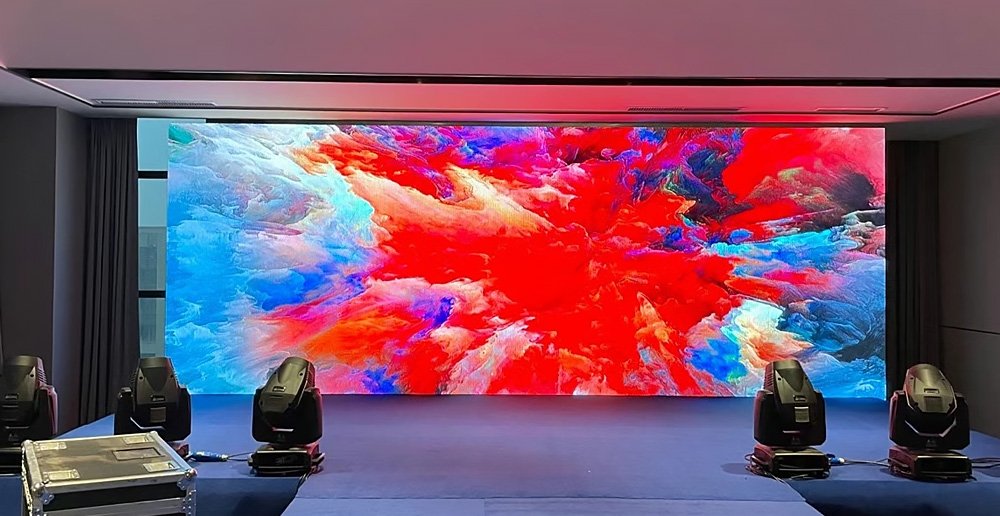
A stage high refresh rate LED display may be watched directly, streamed online, photographed by guests, and recorded for an aftermovie. A high refresh rate LED display can meet these overlapping needs with fewer compromises. It is particularly useful when moving-head lighting, fast cuts, and short camera exposures are involved. Yet the rest of the signal chain remains important: a frame-rate conversion error or poor synchronization can still cause motion judder even if LED refresh is high.
07. More flexibility as a venue’s media use changes
A shopping mall high refresh rate LED display that is only watched on site today may become the background for product launches tomorrow. Choosing a verified camera-friendly operating mode can protect that future use. This is a practical reason to consider a higher tier, provided the supplier demonstrates the mode on the actual cabinet. Budget should also cover service access, spare modules, processor compatibility, brightness margin, and color calibration; refresh alone does not determine useful life or total value.
3. 1920 Hz vs 3840 Hz vs 7680 Hz: what changes?
These figures are common purchasing shorthand, not universal quality grades. Products differ in how their manufacturers measure and maintain the stated rate. The high refresh rate LED display table below is a screening guide. Treat its recommendations as starting points for a sample test, especially when the screen will appear on camera.
| Advertised LED refresh | Typical planning use | What it may improve | What still needs checking |
|---|---|---|---|
| 1920 Hz | General signage and many direct-view installations with little filming | Stable appearance for many viewers and basic phone capture | Phone banding, dim scenes, scan ratio, and exact mode at project brightness |
| 3840 Hz | Events, conference backdrops, retail campaigns, regular streaming | More camera-friendly capture and wider shutter-setting margin | Low-gray behavior, camera test, processor configuration, and true source frame rate |
| 7680 Hz or higher | High-demand broadcast, XR, virtual production, or unusually short exposures | Further flexibility for specialized camera workflows | Proof of usable grayscale, scan behavior, synchronization, and whether extra cost produces a visible benefit |
The tier is not a promise. A well tuned 3840 Hz wall can outperform a nominal 7680 Hz wall with weak dark-scene behavior. Conversely, a demanding multi-camera setup may justify a higher measured refresh, low-scan cabinet, and genlock-capable processing. Ask for the refresh value at the selected grayscale, brightness, and frame rate rather than an isolated maximum. Record those conditions in the quotation so the delivered configuration can be checked.
There is also a cost question. A higher rate may require different driver ICs or operating modes and can trade against brightness or gray-scale detail in some designs. If the wall is never filmed, better pixel pitch, brightness control, enclosure quality, or service access may yield more value than a jump from 3840 to 7680 Hz. The high refresh rate LED display decision should follow the actual application, not a marketing ranking.
4. What determines real high-refresh performance?
01. Driver IC, PWM strategy, and grayscale
The LED driver controls the current and timing delivered to pixels. Pulse-width modulation (PWM) represents brightness by varying on-time; some designs combine approaches to retain smoother dark tones. Two high refresh rate LED display cabinets can carry the same 3840 Hz label yet differ in the number, distribution, and regularity of pulses at 5% brightness. Ask for a side-by-side test with gradients, skin tones, and near-black video. Watch the recorded result, because an eye-only inspection can miss temporal problems.
02. Scan ratio and row timing
Multiplexed LED modules energize groups of rows in sequence. A higher scan ratio shares drive resources among more rows, which can constrain available on-time and camera performance. The relationship is not a simple rule that one scan ratio is always better; driver architecture, blanking, brightness targets, and module layout also matter. Compare the complete cabinet in its intended mode. If a supplier quotes 1/16 scan, ask how it performs at the required refresh and brightness, rather than assuming the scan number alone decides quality.
03. Receiving card and processor configuration
The receiving card distributes pixel data, and the controller maps incoming video to the wall. Refresh and grayscale options may be adjusted in configuration software. Changing a setting to maximize Hz can affect other performance parameters, so approved cabinet files should be saved and tested. NovaStar’s NovaLCT manual documents refresh and grayscale as separate performance settings. Installation teams should retain the validated configuration and avoid ad hoc changes before a live shoot.
04. Source frames, synchronization, and latency
A high refresh rate LED display repeats or modulates frames rapidly, but it cannot invent genuine motion detail missing from the source. A 24 fps film clip, a 50 fps broadcast feed, and a 60 fps computer presentation have different motion characteristics. Frame conversion can add uneven cadence, while processing buffers can add latency. In virtual production, camera shutter, processor output, rendering engine, tracking system, and LED wall may need coordinated timing. Specify the signal path and frame-rate plan as well as the cabinet’s LED refresh.
05. Brightness, calibration, and thermal conditions
Refresh figures are often tested in a favorable mode. An installed high refresh rate LED display may run at much lower brightness indoors, and low-current behavior can look different. Calibration data, firmware versions, and temperature also affect uniformity. Test at normal operating brightness after the cabinets have warmed up. For a multi-panel wall, inspect seams and patches of flat gray to catch inconsistent modules; a high Hz number cannot hide poorly matched cabinets.
5. Which LED refresh rate fits each application?
Start with who will view or record the screen. If cameras are involved, write down their frame rates, shutter ranges, and how often the screen occupies the image. If no camera will see it, spend time checking daylight readability, viewing distance, content design, maintenance access, and operating cost. This high refresh rate LED display application matrix helps narrow the shortlist before a live demonstration.
| Application | Practical starting point | Priority test | Other decisive specifications |
|---|---|---|---|
| Outdoor advertising seen mostly in person | Verified 1920 Hz may suffice; consider higher if campaigns are filmed | Phone footage in daylight and evening brightness modes | Brightness, weather protection, power, structural design |
| Indoor retail and corporate lobby | 1920–3840 Hz according to photography frequency | Phones, dark branded graphics, and dimmed operation | Pixel pitch, color consistency, glare, service access |
| Rental stage or conference backdrop | 3840 Hz as a common shortlist target | Actual show cameras and planned shutter settings | Cabinet alignment, rigging, processor, spare parts |
| Broadcast studio or televised sport | 3840 Hz or higher after camera validation | Multi-camera rehearsal across exposure and lighting changes | Synchronization, low-gray quality, color calibration |
| XR or in-camera VFX stage | Higher-tier engineered system, often 7680 Hz or more | Full camera, render, processor, and wall workflow | Genlock, latency, color pipeline, scan behavior |
For an LED rental screen, the cabinet’s transport durability and fast replacement may be as important as refresh. For a close-viewing indoor wall, the indoor LED screen pixel pitch and calibrated image matter greatly. For a stadium perimeter LED display, test the actual broadcast camera positions and exposure while also checking impact protection and service arrangements. Those internal product links are context, not claims that every model has one fixed refresh specification.
6. How to test a high refresh rate LED display before purchase
A practical high refresh rate LED display acceptance test is more useful than a showroom clip. Arrange a sample cabinet or portion of the proposed wall, running the actual receiving card, processor, firmware, and cabinet file. Ask the supplier to document the operating mode used. The person who will shoot the venue should bring the intended camera, lens, and shutter settings where possible.
01. Prepare representative content
Use a white screen, 10–20% gray fields, near-black gradients, skin tones, fine lines, and typical moving video. Include the customer’s real branding and footage. A bright demo reel can conceal low-gray problems, while static solid colors cannot reveal motion cadence. Run the high refresh rate LED display at the intended brightness, not at its most flattering factory setting. For indoor use, repeat at the dim evening setting; for outdoor use, test in daylight and after dark if both are relevant.
02. Record with multiple exposure settings
Film the wall at the planned 25, 30, 50, or 60 fps settings and at several shutter speeds or angles around the working exposure. Check handheld phone video as well as professional camera footage when both audiences matter. Keep a record of the combination that produces clean output. If bands appear only at one shutter value, adjust the camera’s fine shutter control and retest. If they persist widely, investigate the wall’s drive mode and scan behavior with the supplier.
03. Separate banding from moiré and frame judder
Dark horizontal bands that move with shutter changes usually suggest a timing interaction. A patterned ripple that changes with focus, zoom, or distance points more toward spatial moiré. Uneven motion in moving objects may originate in source frame rate or frame conversion. Treating all three as “low refresh” can lead to an unnecessary cabinet upgrade while leaving the underlying problem in place. Record a short comparison clip for each change and review it on a calibrated monitor.
04. Verify the delivered high refresh rate LED display
A demonstration only counts if the delivered panels use the same specified parts and configuration. Confirm driver IC, scan ratio, receiving card, firmware, calibration file, and operating mode on the final bill of materials. Repeat a short camera test after installation, once the wall reaches operating temperature. Keep a backup of the validated configuration and note who may change it. This gives the production team a baseline when cameras or content change later.
| Test symptom | Likely first check | Useful next action |
|---|---|---|
| Dark rolling bars in camera video | Shutter timing and LED drive mode | Fine-tune shutter; verify tested refresh at current brightness |
| Fine colored waves over pixel grid | Spatial moiré from sensor and LED pitch | Change camera distance, focus, lens, or composition |
| Flicker only in near-black scenes | Low-grayscale drive and calibration | Test dark content and alternative validated cabinet settings |
| Jerky movement despite high Hz | Source fps, conversion, processor path | Match source and output cadence; measure latency |
| Some cabinets look different | Mixed modules or calibration files | Check firmware, calibration, and batch consistency |
7. A buyer’s specification checklist for high refresh LED walls
Before asking for a price, provide the wall dimensions, viewing distance, indoor or outdoor location, expected brightness, source format, and camera use. Then request a model-specific answer to each item below. A quotation that says only “high refresh rate” is incomplete.
- Measured LED refresh: State the tested rate in the proposed operating mode, including brightness and grayscale conditions. Clarify whether the number is a typical working value or a maximum.
- Driver and scan design: Identify the driver IC class and module scan ratio, and explain any trade-off among refresh, brightness, and gray-scale detail.
- Video signal: Confirm accepted frame rates, processor model, color depth, bit depth through the chain, and frame conversion behavior.
- Camera validation: Supply a representative sample and permit tests at the real camera frame rates and shutters. For a studio, document synchronization support.
- Low-gray quality: Request near-black video, gradient, and dim-brightness footage. Inspect color shifts, contouring, and temporal artifacts.
- Installation quality: Confirm pixel pitch, cabinet flatness, calibration, spare modules, access, and electrical/structural requirements.
- Acceptance criteria: Agree on test content, distance, cameras, brightness, and pass/fail observations before installation.
Ask the supplier to put the accepted configuration in writing. That makes the promised high refresh rate LED display comparable across vendors and testable after delivery. If a supplier changes the driver or scan design during procurement, require a new sample validation. A more expensive specification is justified when the project can show what it solves, such as cleaner broadcast footage or fewer camera restrictions.
8. Common mistakes when evaluating refresh rate
01. “Higher Hz always means smoother motion”
Not by itself. LED refresh concerns how the pixels are driven; motion smoothness also depends on source frames, exposure, processing, and latency. A 30 fps source stays 30 fps on a 7680 Hz wall. If a client wants smoother moving sports footage, review the capture and delivery frame rate before upgrading cabinets solely for Hz.
02. “Any 3840 Hz screen is camera safe”
It may be a sensible starting point, but camera behavior depends on shutter timing, scan ratio, low-gray drive, and brightness. A single favorable clip cannot prove performance at a live show’s full range of exposures. Test the real workflow and retain the results. For especially demanding shots, camera synchronization or a different drive design may matter more than a small nominal increase in Hz.
03. “High refresh eliminates eye strain”
This is an unsupported blanket claim. Temporal stability is one consideration, but brightness, glare, contrast, viewing distance, and time spent looking at the screen also affect comfort. Avoid medical promises. Set an appropriate indoor brightness, prevent direct glare, and evaluate the display in the environment where people will use it.
04. “Moiré and flicker are the same defect”
They have different causes. Temporal bands respond to shutter and LED timing; moiré arises when the camera’s pixel sampling interferes with the wall’s pixel grid. A high refresh rate LED display can reduce the first problem without removing the second. Diagnose the artifact before changing equipment.
9. Frequently asked questions
01. What is a good refresh rate for an LED display?
There is no universal number. A verified 1920 Hz mode can suit signage watched mainly in person. A tested 3840 Hz mode is a common starting point when the wall is photographed or streamed. More demanding broadcast and XR projects may benefit from 7680 Hz or higher, but they still require camera and low-gray testing.
02. Is 3840 Hz better than 1920 Hz for an LED wall?
It often provides more flexibility for camera recording, especially with short exposures. The difference may be small for a wall that is never filmed. Compare both products at the same brightness with your cameras, and examine scan ratio, grayscale quality, calibration, and support before paying for a higher figure.
03. Does 7680 Hz mean 7680 video frames per second?
No. LED refresh describes repeated pixel drive cycles. Video frame rate describes unique pictures from the source. A 60 fps video still provides 60 unique frames each second, even if the LED hardware refreshes much more frequently.
04. Why are there black lines when I film a high-refresh LED screen?
The camera shutter or rolling readout may still interact with LED scan and pulse timing. Low-brightness operation and dark content can also expose weak low-gray behavior. Test fine shutter adjustments, the validated cabinet mode, and the actual brightness. A high advertised rate alone cannot guarantee clean footage.
05. Can refresh rate remove moiré from an LED wall?
Not necessarily. Moiré is usually a spatial pattern created when the camera sensor samples the LED pixel grid. Change focus, lens, camera distance, aperture, framing, or pixel pitch. Shutter adjustment is more relevant to temporal bands than geometric moiré.
06. Does a higher LED refresh rate reduce eye strain?
It can reduce some visible temporal artifacts, but no refresh figure proves that a screen protects eyes or eliminates discomfort. Use suitable brightness, control glare, choose an appropriate viewing distance, and evaluate the wall with representative content in its actual environment.
07. Should an outdoor billboard use 3840 Hz?
If it is regularly filmed, 3840 Hz may be worth testing. If the audience mainly sees it in person, verified 1920 Hz may be adequate while brightness, weather resistance, structure, and maintenance deserve more budget. Test phones at the planned day and night brightness settings.
08. Which specifications should I ask for besides refresh rate?
Request pixel pitch, scan ratio, driver IC, low-gray behavior, brightness range, frame-rate support, receiving card and processor models, calibration details, service access, and the measured operating mode. For camera work, require a sample test using the intended camera and shutter settings.
10. Conclusion: choose proven camera performance
The main advantage of a high refresh rate LED display is stronger performance when the screen is recorded: fewer scan lines, better flexibility with camera exposure, and more reliable content capture for events, studios, and social media. It can also support a stable visual impression for direct viewers when the rest of the display is well engineered. The right choice is the lowest specification that demonstrably meets the project’s viewing and camera requirements, with margin for likely future uses.
Compare 1920 Hz, 3840 Hz, and 7680 Hz as operating modes rather than badges. Test dark and bright content at the intended brightness, inspect actual camera footage, and confirm scan, driver, processor, and calibration details on the delivered wall. If you are planning a filmed installation, send EagerLED your screen size, use case, source frame rate, camera settings, and viewing distance so the team can recommend a cabinet configuration and sample test.