Indoor LED screens are modular, direct-view displays that create images with red, green and blue light-emitting diodes. They suit meeting rooms, retail interiors, event venues and information walls where a large continuous image is useful. The best choice depends on the room, the content and the people viewing it.
This guide explains how to compare indoor LED screens by pixel pitch, resolution, installation method and ownership cost. It also separates model-specific specifications from design examples, so you can prepare a useful brief and assess a supplier quotation without treating a headline number as a performance guarantee.
Table of contents
1. What are indoor LED screens?
2. Types of indoor LED screens
3. Indoor LED screen specifications explained
4. What are indoor LED screens used for?
5. What do indoor LED screens cost?
6. How to choose an indoor LED display
7. Installation, maintenance and lifespan
8. COB vs SMD vs GOB indoor LED displays
9. EagerLED indoor LED screens
1. What are indoor LED screens?
Indoor LED screens combine LED modules, supporting cabinets, power supplies, receiving cards and a control system. The modules produce the picture; the processor maps the source image to the physical pixel grid. A display sold as a video wall therefore needs a complete signal and power design, not just a collection of panels.
01. How the system works
A media player or computer supplies content to a compatible processor. Sending and receiving equipment distribute that image across cabinets. Ask which input formats, resolutions and frame rates the quoted system supports. An Ethernet-shaped connector on a receiving card does not mean that ordinary office networking equipment can carry its display signal.
02. Indoor versus outdoor construction
Indoor LED screens are specified for their actual operating environment. Outdoor equipment needs appropriate weather protection and daylight performance; an indoor cabinet must not be assumed suitable for rain or condensation. Protection ratings, cooling and brightness vary by model. Confirm front and rear protection separately and use the manufacturer’s installation limits.
03. When direct-view LED makes sense
Indoor LED screens offer a modular canvas without LCD panel bezels, but careful alignment still matters at module joins. They are useful when the required image is larger than a practical single display. Compare an LCD or projector where budget, occasional use or a small image area is more important than modular construction. Include audio, control and service costs in that comparison.

2. Types of indoor LED screens
Start with how the display will be used. Indoor LED screens intended for permanent installation and those assembled repeatedly have different mechanical priorities.
01. Fine-pitch fixed displays
Fine-pitch indoor LED screens place pixels closer together for dense information and closer viewing. Evaluate small text, gradients and dark content at the intended brightness. A high native resolution is useful only if the processor and source preserve the detail you need.
02. Rental displays
Rental indoor LED screens need repeatable alignment, transport protection and approved rigging or stacking hardware. Compare cabinet weight, locking mechanisms, cable access and repair procedures. A fixed-installation cabinet is not automatically suitable for repeated touring or suspension.
03. Poster displays
LED posters provide a freestanding portrait format for entrances and retail promotions. Check the base footprint, stability, content scheduler and whether multiple units can share one image. Folding arrangements are model-specific; verify the transport dimensions before choosing flight cases.

04. Transparent screens and film
Transparent formats trade a solid image surface for visibility through the display. Assess the view from both sides of the glass and test daytime content. Use a physical sample to judge transparency and readability rather than comparing percentages measured under different conditions.
05. Flexible and curved displays
Curved indoor LED screens may use flexible modules or cabinets with supported angle adjustments. Confirm the permitted radius, mounting method and module access. A visually simple curve can still require custom framing and content mapping.
06. Floor and interactive displays
A protective coating does not make a display safe to walk on. Floor applications require an engineered load-bearing assembly and a surface appropriate for the venue. Interactive indoor LED screens also need sensors, compatible software and a documented response to sensor or playback failures.

07. Creative and spherical displays
Creative indoor LED screens use purpose-designed geometry for spheres, columns or other shapes. Request the pixel map before producing content. Confirm where seams occur, how technicians reach the modules and whether replacements can be supplied for the same geometry. Standard rectangular video may need significant adaptation.
3. Indoor LED screen specifications explained
Specifications for indoor LED screens should describe the delivered configuration. Compare results at the brightness and operating settings you will actually use.
01. Pixel pitch and viewing distance
Pixel pitch is the centre-to-centre spacing between adjacent pixels, measured in millimetres. Smaller pitch increases pixel density at the same screen size. Viewing-distance rules are only screening tools: visual acuity, text size, contrast and the purpose of the room affect acceptance. Test representative content from the closest and farthest seats before ordering indoor LED screens.
For a rectangular pixel grid, approximate horizontal pixels equal screen width in millimetres divided by pitch. The examples below are calculated geometry, not product specifications or guaranteed viewing distances. Final dimensions must fit whole modules and cabinets.
| Pitch | Approximate resolution | Decision to test |
|---|---|---|
| 1.25 mm | 3,200 × 1,800 pixels | Fine text and close viewing; confirm cabinet fit |
| 2.0 mm | 2,000 × 1,125 pixels | Presentation detail and scaling |
| 2.5 mm | 1,600 × 900 pixels | Whether text stays readable at the chosen layout |
| 4.0 mm | 1,000 × approximately 563 pixels | Large graphics versus dense information |
02. Resolution and aspect ratio
A 16:9 cabinet does not automatically produce a native 4K wall. Add up the actual cabinet pixel counts and confirm the complete canvas. Indoor LED screens can accept a high-resolution source and still show fewer physical pixels after scaling. Specify source resolution, output mapping and the smallest required text together.
03. Brightness, contrast and colour
Brightness is measured in cd/m², numerically equivalent to nits. Select operating brightness after evaluating ambient light and reflections. Ask for a demonstration of dark gradients and white balance at the intended dimmed setting. Maximum brightness alone does not describe comfortable viewing or usable contrast.
04. Refresh rate, grayscale and scan ratio
Refresh rate is not the same as video frame rate. A high advertised refresh rate does not by itself guarantee clean camera images. Scan timing, driver behaviour, shutter settings and synchronisation also matter. For indoor LED screens used on camera, test the actual camera and exposure settings. Compare grayscale at the required brightness; avoid treating one scan ratio as universally superior.
05. Power consumption and heat
Separate maximum electrical demand from measured consumption with representative content. As an illustrative calculation, a 6 m² wall measured at 150 W/m² draws 900 W, or 0.9 kW; ten operating hours use 9 kWh before cooling and other equipment. This is an arithmetic example, not a product rating. Use the supplier’s maximum input, inrush information and installation requirements for electrical design.
06. Service access and enclosure protection
Front-service indoor LED screens can simplify access, but confirm that power supplies and receiving cards are also accessible. Check tool clearance, ventilation and cable routing against the installation drawing. The IEC 60529 enclosure-protection standard defines the IP Code. An IP rating applies to specified protection tests, not every environmental hazard; it does not establish resistance to UV exposure, chemicals or condensation.
4. What are indoor LED screens used for?
Indoor LED screens should be selected around the task performed in front of them. The same wall may need different content layouts for a presentation, a live event and unattended signage.
01. Retail and showrooms
Retail indoor LED screens need readable offers, reliable scheduling and useful colour under store lighting. Check sightlines from entrances and aisles. Assign responsibility for updating expired promotions, and include a fallback image for playback or network failures.
02. Corporate rooms and studios
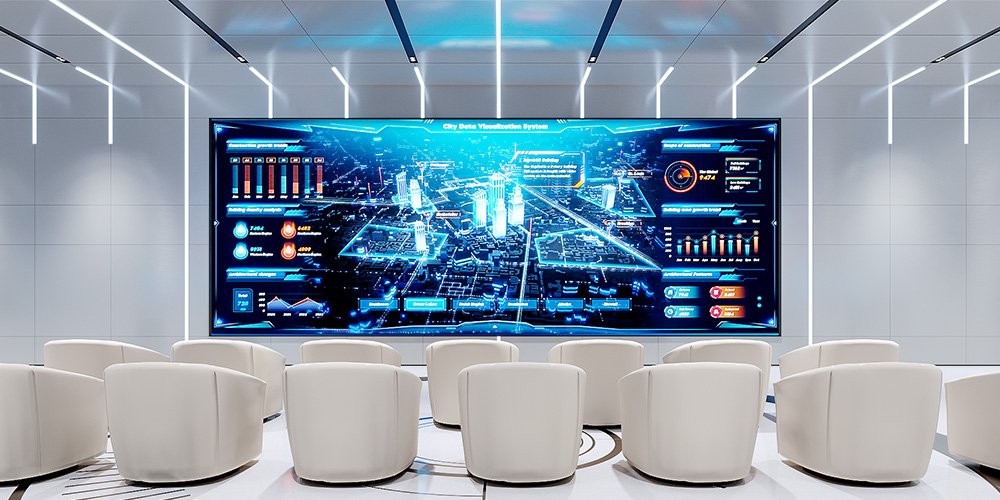
Meeting rooms need readable spreadsheets and remote participants; studios need camera-tested backgrounds. Evaluate indoor LED screens with the smallest font your team uses, not only promotional video. Confirm latency, source switching and how the display integrates with conferencing equipment.
03. Events, exhibitions and stages
For events, indoor LED screens must fit the audience sightlines and the approved support system. Review load calculations, setup access, transport routes and signal redundancy with the installer. Record the playback canvas so graphics arrive in the correct dimensions rather than being stretched during setup.

04. Museums and entertainment
Museums use indoor LED screens for changing exhibits and immersive backgrounds. Test dim scenes, sound from cooling equipment and accessibility of text. Interactive content needs a clear recovery procedure so staff can restart it without changing display calibration.
05. Transport and control rooms
Information walls need legible alerts and predictable operation. For continuous use, request the model’s supported duty cycle, monitoring features and fault-response procedure. Indoor LED screens displaying operational data also need an agreed fallback when a source or processor fails.

06. Churches and education
Lyrics, subtitles and teaching material should be tested from the back row as well as nearby seats. Indoor LED screens in these spaces benefit from simple presets and operator training. Choose content sizes around readability, and verify camera performance when services or lectures are streamed.
5. What do indoor LED screens cost?
Indoor LED screens do not have one reliable price per square metre. Pitch, cabinet quantity, control equipment, service scope and delivery conditions all change the installed total. Request a dated project quotation instead of treating an unsourced price range as a current offer.
01. Compare the complete scope
Use the same specification brief for each supplier. Quotations for indoor LED screens should identify the exact model and configuration, exclusions, warranty terms and delivery basis. A cheaper panel price can be outweighed by missing support equipment or local installation work.
| Cost item | Ask the supplier to state | Why it matters |
|---|---|---|
| Display hardware | Pitch, cabinet count, power supplies and receiving cards | Establishes the actual screen and resolution |
| Control and playback | Processor, licences, inputs, player and redundancy | Prevents an incomplete signal chain |
| Mounting and installation | Structure, fixings, access equipment and commissioning | Separates delivered panels from an operational wall |
| Freight and local charges | Delivery terms, destination and exclusions | Makes landed costs comparable |
| Service and spares | Spare modules, calibration files, labour and response terms | Supports recovery after a failure |
| Operation | Measured power, cooling needs and maintenance | Reveals continuing ownership costs |
02. Build a useful cost model
Estimate ownership cost as purchase and installation plus energy, servicing and expected replacement parts over your chosen planning period. Keep uncertain inputs visible. For indoor LED screens, compare normal-content energy estimates separately from electrical capacity requirements. Ask how repair shipping and replacement labour are charged.
03. Rent or buy
Renting can suit occasional events where transport, technicians and rigging are included. Ownership may suit a permanent room or repeated use, but there is no universal number of event days that guarantees payback. Compare equivalent service packages and include storage, crew and downtime costs.
6. How to choose an indoor LED display
A practical shortlist for indoor LED screens starts with a measurable brief. Record what the wall must do before comparing model names.
01. Survey the room
Measure the available image area, viewing distances, ambient light and access route. Note whether sunlight reaches the screen and whether people can touch it. Confirm structural support and all service clearances with the installer.
02. Specify content and acceptance tests
Supply sample slides, spreadsheets, subtitles and video. Define the smallest readable text and test it at the actual seating positions. Require a cabinet layout, native pixel grid and source-to-screen mapping for the proposed indoor LED screens.
03. Check performance as a system
Include dimming, low-gray uniformity, source switching and camera tests where relevant. Ask which brightness, refresh and grayscale settings can be achieved together. Document the demonstrated configuration so it can be reproduced at handover.
04. Plan the handover
Request configuration backups, wiring diagrams, spare-part identifiers and operator training. Specify who can change processor settings and who provides technical support. Indoor LED screens are easier to maintain when the replacement and recalibration process is agreed before delivery.
7. Installation, maintenance and lifespan
01. Installation options
Indoor LED screens may be wall-mounted, recessed, suspended or installed on a suitable base. The support design must account for cabinets, structure, cables and service loads. Confirm anchoring and ventilation before closing a recess. Keep access to isolators and control equipment practical for the people maintaining the system.

02. Maintenance and troubleshooting
Keep a service log for indoor LED screens, including configuration changes and replaced components. Follow the manufacturer’s cleaning instructions rather than applying an unapproved solvent to LEDs or coatings. A rectangular dark area may indicate a module, power or receiving-card issue; it does not identify the failed component by itself. Qualified technicians should isolate power before electrical work.
03. Lifespan and replacement planning
There is no universal service-life promise for indoor LED screens. An LED light-output rating is different from a complete system warranty. Temperature, operating hours, brightness, component quality and spare-part availability all affect useful life. Ask what any quoted lifetime means, including the light-output threshold and test conditions. Keep compatible spares and calibration data so a replacement can be matched to the existing wall.
8. COB vs SMD vs GOB indoor LED displays
SMD, COB and GOB describe different construction or protection approaches. They do not independently establish the overall quality of indoor LED screens.
01. Understand the construction
SMD uses packaged LEDs mounted on the circuit board. COB mounts LED chips directly on a substrate with protective encapsulation. GOB commonly adds a protective coating over an SMD module. The finished surface, repair process and optical behaviour depend on the actual design.
02. Compare samples and serviceability
For indoor LED screens within reach, test the proposed surface and obtain cleaning guidance. Compare reflections, black uniformity and low-brightness detail under the same lighting. Do not assume a coating makes the whole cabinet waterproof or load-bearing. Ask whether repairs occur locally, at module level or at the factory, and how replacement colour matching is handled.
9. EagerLED indoor LED screens
The examples below show why indoor LED screens should be compared by exact model. Specifications are from the linked EagerLED product pages checked for this guide; confirm the ordered configuration and current datasheet in your quotation. Images illustrate the existing product families and are not a promise that different models share components.
01. EA640F2 fixed indoor display
The EA640F2 front-service display is listed with 640 × 480 mm cabinets, 60 mm depth and 7.5 kg cabinet weight. Its published IP31 rating also shows why a generic indoor protection range is unreliable. Confirm the chosen SMD or COB version and its pixel grid before specifying a complete wall.

02. Compare 16:9 cabinet options
The existing EA169F3 illustration shows a 16:9 display application. For a separately specified current option, the EA600COB3 indoor COB screen page lists 600 × 337.5 mm cabinets, 600 cd/m² brightness and refresh of at least 3,840 Hz. These figures belong to EA600COB3, not the illustrated EA169F3. Confirm resolution and camera performance for your chosen configuration.

03. EA250 wallpaper-style display
The EA250WH5 indoor display wall is listed with 30 mm cabinet depth and front service. Its cabinet formats suit space-limited walls and corner configurations. Cabinet depth is not the total installation depth: allow for the approved mounting arrangement, cables and ventilation.

When comparing these indoor LED screens, request drawings and spare-part lists for the specific model. Similar dimensions do not establish interchangeable modules, power supplies or receiving-card configurations. A useful quotation should make those dependencies explicit.
10. Frequently asked questions
01. How do I choose the best indoor LED screen for a meeting room?
Test your actual slides and smallest spreadsheet text from the planned seats. Confirm the physical pixel grid, readable content layout, operating brightness and service access. The best indoor LED screens for a room are those that pass its acceptance tests, not simply those with the smallest advertised pitch.
02. Can an indoor LED display show 4K content without being a 4K wall?
Yes, a compatible processor may accept a 4K source and scale it to a lower-resolution screen. That does not preserve every source pixel. Ask for the wall’s native horizontal and vertical pixel counts and whether the source will be scaled, cropped or displayed pixel for pixel.
03. Can indoor LED screens be installed behind a shop window?
Only after checking sunlight, reflections, temperature and the selected product’s limits. A location behind glass can be much hotter and brighter than the rest of a shop. Test the display at the difficult time of day, and include ventilation and brightness control in the design.
04. Why do indoor LED screens show lines or moiré on camera?
Timing-related bands can depend on panel refresh, scan timing and camera exposure. Moiré is a different interaction between the camera’s sampling and the LED pixel pattern. Test shutter settings, distance, angle and focus with the intended camera rather than relying on one refresh-rate claim.
05. Can I mix spare modules from different batches?
Mechanical fit does not guarantee matching colour, brightness or electrical compatibility. Confirm the module revision, LED batch, receiving-card settings and calibration data. For indoor LED screens that must remain visually uniform, agree a compatible spare-parts plan with the supplier before delivery.
06. What should an indoor LED screen quotation include?
Request display hardware, processor, playback equipment, mounting, installation, commissioning, freight terms, spares and service exclusions. Include the quote date and exact configuration. This makes offers comparable without relying on a price-per-area headline that omits essential equipment.
11. Conclusion
Choose indoor LED screens by matching the pixel grid, viewing conditions, content and service access to a documented project brief. Validate the system with real material, compare complete installed scopes and confirm the exact product specifications before committing to hardware.
To discuss indoor LED screens for your project, send the screen dimensions, nearest viewing distance, content examples and installation location through the EagerLED project enquiry page. Include camera use and service-access requirements so the proposed configuration can be assessed against the room.